
Canon Megatank GX1020 Wireless All-in-One Printer
 Amazon.com
Original price was: $329.99.$275.99Current price is: $275.99.
Canon Megatank GX1020 Wireless All-in-One Printer Price comparison

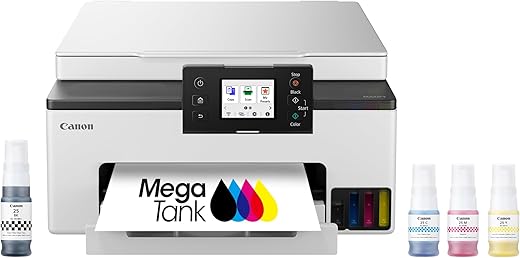
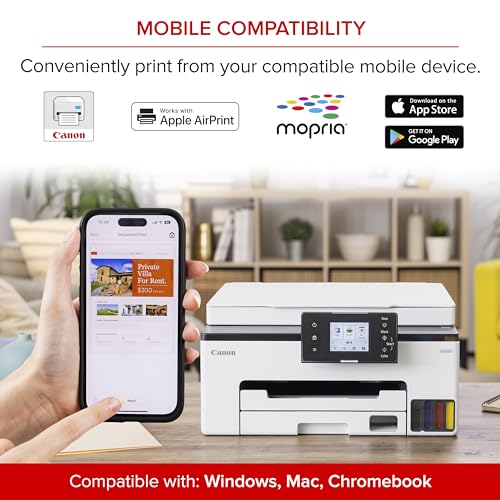
![Canon Megatank GX1020 All-in-One Wireless Supertank [Megatank] Printer | Print, Copy and Scan| Mobile Printing |2.7" LCD Color Touchscreen | Auto Duplex Printing](https://m.media-amazon.com/images/I/61HpTe2PrGL._SS520_.jpg)
- All prices mentioned above are in United States dollar.
- This product is available at Amazon.com.
- At amazon.com you can purchase Canon Megatank GX1020 All-in-One Wireless Supertank [Megatank] Printer | Print, Copy and Scan| Mobile Printing |2.7" LCD Color Touchscreen | Auto Duplex Printing for only $275.99
- The lowest price of Canon Megatank GX1020 All-in-One Wireless Supertank [Megatank] Printer | Print, Copy and Scan| Mobile Printing |2.7" LCD Color Touchscreen | Auto Duplex Printing was obtained on September 24, 2025 06:41.
Canon Megatank GX1020 Wireless All-in-One Printer Price History
Canon Megatank GX1020 Wireless All-in-One Printer Description
Canon Megatank GX1020 Wireless All-in-One Printer – The Ultimate Home Office Companion
The Canon Megatank GX1020 Wireless All-in-One Printer is designed to enhance your productivity with its advanced features and exceptional performance. Ideal for both home and office use, this printer offers convenience, cost-efficiency, and high-quality printing capabilities. With a focus on user-friendly technology, you’ll find that this model simplifies your printing tasks while delivering outstanding results.
Key Features and Benefits of the Canon Megatank GX1020
- Wireless Connectivity: Easily connect your printer to your home network via Wi-Fi. Print documents and photos directly from your smartphone or tablet using the Canon PRINT app.
- MegaTank Technology: Enjoy the benefits of ink tank printing, which significantly reduces the cost per print. The GX1020 comes with a refillable ink system that can print thousands of pages before needing a refill.
- All-in-One Functions: Print, scan, and copy all in one compact device. Prepare high-quality color prints or detailed scans with the versatile functionalities of this printer.
- High-Quality Printing: Delivering sharp text and vibrant images, the Canon Megatank GX1020 produces prints at resolutions up to 4800 x 1200 dpi, ensuring every detail stands out.
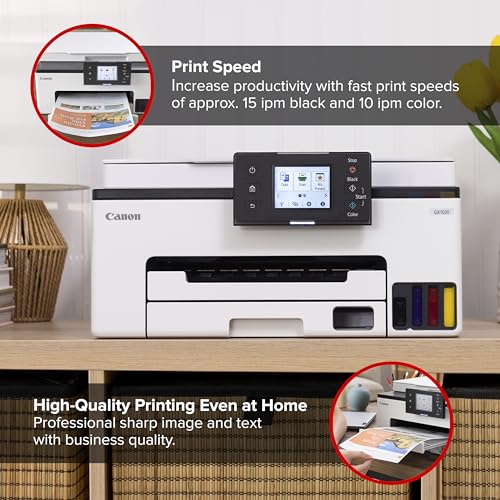
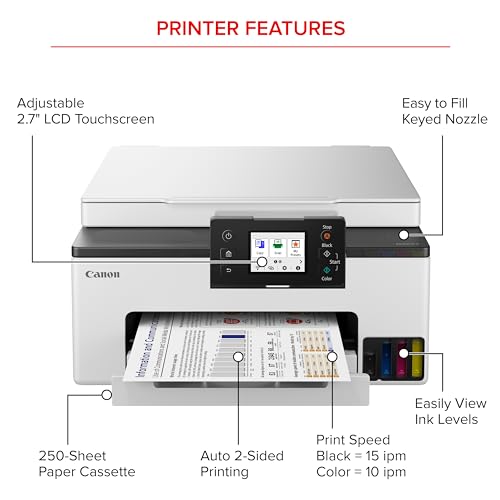
- Fast Print Speeds: Save time with rapid print speeds of up to 15 ipm (images per minute) for black and white documents and 10 ipm for color prints, making it perfect for busy schedules.
- Convenient Maintenance: The printer features a user-friendly interface for easy setup and maintenance, allowing you to replace ink quickly and efficiently when needed.
Price Comparison Across Suppliers
The Canon Megatank GX1020 has competitive pricing across various platforms. Prices currently range from $299 to $349, depending on the retailer. Below are examples of how the price varies:
- Retailer A: $299
- Retailer B: $329
- Retailer C: $349
By comparing these prices, you can choose the option that best fits your budget without compromising on quality.
6-Month Price History Trends
Analyzing the 6-month price history chart, you can observe fluctuations in the pricing of the Canon Megatank GX1020. The price peaked at $349 during promotional periods but has stabilized around the $299 mark recently, making it an excellent time to consider purchasing.
Customer Reviews: What Users Are Saying
Overall, customer feedback on the Canon Megatank GX1020 is positive, highlighting several key advantages:
- Many users appreciate the low cost of ink, stating that the MegaTank system saves them time and money on refills.
- The quality of prints—both documents and photos—receives high praise, with many describing them as crisp and vibrant.
- Wireless capabilities are frequently noted as a major benefit, simplifying printing from various devices.
However, a few drawbacks have been reported:
- Some customers noted that the printer can be bulky and may not fit in smaller workspaces.
- A few users experienced connectivity issues, particularly with older routers, although updates have improved this component.
Explore Unboxing and Review Videos
For those interested in a more visual experience, numerous YouTube review and unboxing videos are available. These videos provide a firsthand look at the Canon Megatank GX1020 in action, showcasing its features and performance. Watching these reviews can help you make an informed decision before your purchase.
Why Choose the Canon Megatank GX1020?
The Canon Megatank GX1020 Wireless All-in-One Printer stands out for its excellent print quality, cost-efficient ink solution, and user-friendly design. It is a versatile option for anyone looking to optimize their printing experience—be it for personal or professional use. Enjoy the convenience of a multi-functional printer that truly meets your needs.
Don’t miss out on this opportunity to elevate your printing game. Compare prices now!
Canon Megatank GX1020 Wireless All-in-One Printer Reviews (3)
3 reviews for Canon Megatank GX1020 Wireless All-in-One Printer
Only logged in customers who have purchased this product may leave a review.
ACTIONCAMFLIX –
Prior to purchasing this printer, I had two others from a different famous brand which both had part failures. This happened after fairly light use, but shortly after the warranties expired. Besides that, they used expensive ink cartridges, and they both failed (for different reasons) when I had a practically new ink cartridge installed. Very frustrating! This new Canon printer, which has ink tanks and is filled with liquid ink from bottles, is faster and has better print quality by far compared to my two previous printers. It was very simple to set it up and get it connected to Wi-Fi, my laptop, and phone. It was up and running flawlessly within 10-15 minutes after I got it out of the box. I have used it quite a bit, and the ink levels are still high. I am far from needing to buy new ink, and when I eventually do need to refill, doing so will be far cheaper. I recommend this printer. Ditch those costly ink cartridges! You’ll be glad you did! My only minor complaint is that the menu display window is rather small. Still, 5 stars.
ACTIONCAMFLIX –
This printer is a minimalist and clean design with no protruding, hard to read buttons. It has a color touch screen LCD that is responsive and intuitive. The matte white textured finish looks and feels premium compared to cheap shiny plastic. It is faster and easier setup than the HP 7300 series printer that was plagued with setup, print and copy issues that I ultimately returned and got this one instead. I’m actually happier with this printer because it not only looks better but print quality is far superior. Tank printers supposedly have less quality prints than cartridge printers but that is a myth or misinformation out there since this printer excels for documents, graphics and photos.
The setup is easy but during the ink fill ptocess it says ‘insufficient ink’ using the on screen setup. I was confused since it would not exit out of this setup menu loop so after the yellow was installed, I ignored the message and added the remaining inks. Afterwards, everything was ok and you are prompted to add paper and it goes thru a 12 min calibration process. It tells you this with a countdown to completion in minutes then its ready to print. The wifi network setup is via a QR code that pops up on the display. The setup is generally fast and intuitive and by reading this the insufficient ink prompt won’t throw you off like it did for me.
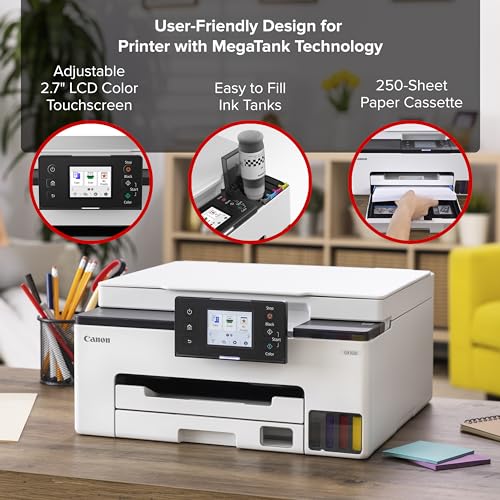
The full color LCD tilts and makes a huge difference vs monochrome displays. Its easy to use with large buttons not tiny lines of text to push or scroll w buttons on other printers. It even has a preview mode so you can view your image in full color and its page positioning before printing.
Unlike some other printers I used before, the single display with no other redundant buttons is so much more user friendly. The LCD is just a big deal compared to pushing buttons.
Canon makes some great camera gear and gets lost in printers compared to other established brands but the end user and ease of use is engineered well into this product
Some printer reviews lead you into thinking tankless printers do not have as good quality as cartridge based, but that is a complete myth as this printer produces sharp and vivid prints, documents and color graphics.
Lastly the lifetime cost of ownership is a huge consideration. The Canon OEM ink is affordably priced so you don’t need to search for generics since the price gap is small AND you can purchase replacement printer heads that are NOT outrageously priced. I’ve had to pitch so many good printers that needed replacement print heads that dried up or died before life expectancy but the replacement cost was so high it was cheaper to buy a new printer. That is so frustrating considering our eWaste crisis. Every household should not need to replace a printer every 5 years! So kudos to Canon for making printers that can be kept a lifetime and maintained at an affordable cost.
For all the above reasons I highly recommend this Canon or other Canons if you are brand shopping!
Blake Ray –
Got this printer to replace an old & tired HP inkjet. First time to use an ink tank printer, and this Canon is impressive. Super easy and quick to fill all the tanks, zero spills. Prints are nice and crisp with good color. Cost to print should be much, much lower than any previous color printer I’ve owned. The one glaring downside is the ultra tiny, nearly illegible display screen. Last I checked, this was the year 2023. That screen is THE most pathetic excuse I have ever seen on any product, ever. Shameful is what it is. Is Canon serious?!?! Horrible in every aspect. Thankfully, you don’t need to use the screen all that often. That is why I could not give this printer 5 stars.
Other than that abomination of a screen, I’m happy with how the printer functions. One other note.. the default of this printer is to shut off after so many hours. Problem is, if you try and print to it after it’s off, you’ll get an error (can’t comm. with printer). EVERY other printer I’ve owned, the default was to come out of sleep once any data is sent to the printer – and just print. Not with this Canon! You have to go into the Remote UI and change the settings to make that happen.