
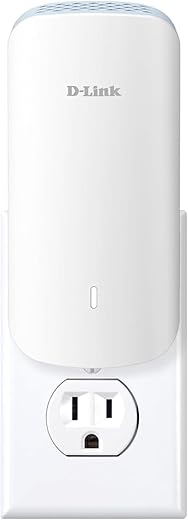
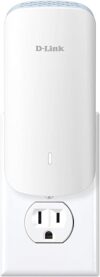
D-Link AX3000 Mesh WiFi 6 Range Extender (E30)
$99.99
D-Link AX3000 Mesh WiFi 6 Range Extender (E30) Price comparison


- All prices mentioned above are in United States dollar.
- This product is available at Amazon.com.
- At amazon.com you can purchase D-Link AX3000 Mesh WiFi 6 Range Extender, Up to 13,999 sq. ft. for Longer Range, Broad Compatibility, Gigabit Ethernet Port, Internet Signal Booster, Wireless Dual-Band Repeater (E30) for only $85.58
- The lowest price of D-Link AX3000 Mesh WiFi 6 Range Extender, Up to 13,999 sq. ft. for Longer Range, Broad Compatibility, Gigabit Ethernet Port, Internet Signal Booster, Wireless Dual-Band Repeater (E30) was obtained on September 11, 2026 09:14.
D-Link AX3000 Mesh WiFi 6 Range Extender (E30) Price History
D-Link AX3000 Mesh WiFi 6 Range Extender (E30) Description
D-Link AX3000 Mesh WiFi 6 Range Extender (E30) Overview
Enhance your home or office connectivity with the D-Link AX3000 Mesh WiFi 6 Range Extender (E30). This powerful device delivers seamless WiFi coverage, extending your existing network to improve your online experience. With the latest WiFi 6 technology, the E30 provides faster speeds, greater capacity, and improved performance even in crowded environments.
Key Features and Benefits of the D-Link AX3000 E30
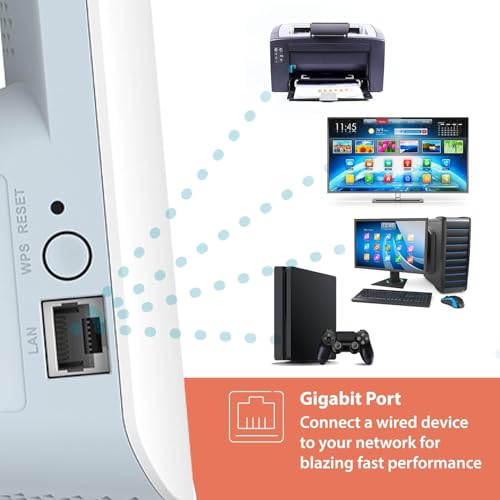
- WiFi 6 Technology: Experience the latest WiFi 6 standard, offering speeds up to 3000 Mbps, ensuring fast connections for multiple devices.
- Dual-Band Connectivity: The E30 operates on both 2.4 GHz and 5 GHz bands, providing flexibility and optimizing bandwidth usage for all your devices.
- Smart Connect: Automatically chooses the optimal band for each connected device, boosting performance and making your internet browsing smoother.
- Mesh Technology: Seamlessly expand your D-Link mesh network, eliminating dead zones and ensuring reliable coverage throughout your home.
- Easy Setup: With the installation wizard and D-Link WiFi app, setting up your AX3000 E30 is quick and straightforward.
- Advanced Security: Protect your network with WPA3 encryption, ensuring that your connection remains secure and private.
Pricing Comparison Across Retailers
The D-Link AX3000 Mesh WiFi 6 Range Extender (E30) is competitively priced across various retailers, ensuring you get the best value for your money. Currently, the price ranges from $99 to $129, depending on the vendor. By comparing prices, you can easily secure the most competitive deal.
Price Trends Over the Past 6 Months
According to the 6-month price history chart, the price of the D-Link E30 has shown stability with occasional dips during promotional sales. Notably, it saw a 15% lower price during a holiday event, allowing savvy shoppers to save while upgrading their WiFi capabilities.
Customer Reviews: Pros and Cons
Customer feedback on the D-Link AX3000 E30 provides valuable insights. Users praise its robust performance and ability to cover large areas effectively. Many reviews highlight:
- Improved streaming and gaming experiences due to reduced lag.
- Quick and easy setup process.
- Reliable connections across multiple devices.
However, some drawbacks noted include:
- The initial connection setup can be tricky for non-tech-savvy users.
- Some experienced occasional connectivity issues with certain device brands.
Video Reviews and Unboxing Experiences
To dive deeper into the features and capabilities of the D-Link AX3000 Mesh WiFi 6 Range Extender (E30), check out various unboxing and review videos available on YouTube. These videos provide practical insights, showcasing real user experiences and setup demos, helping you make an informed decision.
Final Thoughts
In summary, the D-Link AX3000 Mesh WiFi 6 Range Extender (E30) stands out as a top choice for anyone seeking to elevate their home or office network. With advanced features like WiFi 6 technology, dual-band connectivity, and easy setup, it offers significant benefits. While some users reported minor challenges, the overall consensus attests to its performance and reliability.
Don’t miss out on the chance to elevate your internet experience! Compare prices now!
D-Link AX3000 Mesh WiFi 6 Range Extender (E30) Reviews (10)
10 reviews for D-Link AX3000 Mesh WiFi 6 Range Extender (E30)
Only logged in customers who have purchased this product may leave a review.






Ephemeral –
I installed this device in my apartment and had pretty good results. There are a lot of pros with this wifi extender. The setup using the QR code was fairly straightforward, with three different methods to choose from. I opted for the app-based setup, which involved plugging the unit into an outlet and following the app instructions. An Ethernet cable was included with the device. Upgrades are conveniently handled through the mobile app. Overall, the D-Link Wi-Fi 6 extender/repeater performs comparably to other AX3000 devices and is reasonably easy to configure.
There are some cons to consider. The included Ethernet cable is very short, so you might need another unless the device is near a switch or network jack. There is no power cable provided, so you might need an extension cord for optimal placement if it’s not near an outlet. The quick start guide doesn’t cover how to back up and restore settings; this information is in the full manual. The full user manual isn’t included but can be downloaded from the D-Link support pages (search for “E30”). Additionally, there seems to be no logging feature. The mesh feature only works with compatible D-Link products, and the AI-enhanced features seem more like marketing than actual improvements.
Overall though, if you are looking for an easy way to extend your existing wifi network this is a solid choice to consider.
Knowlengr –
Installed this in the attic of a three story residence and had pretty good results.
Installation from the QR code (see TIP below) was pretty straightforward, though it was not a straight shot from the UI to set up separate SSID’s for 5ghz vs. 2.4ghz. The default setting is to combine and let the device decide which is needed. My experience with other brands allowing self-steering was not satisfactory, so I did not try the D-Link implementation.
I notice these types of devices take a long time to reboot after you change settings. What’s with that?
PRO
-Setup is fairly easy.
-An ethernet cable is provided
-AX3000 performance acceptable
-Was able to “extend” though ultimately decided to use it as a standalone access point
-Upgrades are conveniently handled through the mobile app
-Got pretty good performance even without a ceiling mount
-Auto-registered the device to our D-Link cloud account
-No external antennas to fumble with (includes 3 antennas)
-Support for simple Google/Alexa voice commands
-Worked in our very heterogenous multi-vendor wireless router/switch network (Asus, TP-Link, Aruba, Linksys devices in play).
-WiFi 6
-Auto-updating of firmware. An excellent security feature, though after end-of-life you may have to do it yourself.
CON
-The ethernet cable is very short, expect to need another unless you’re installing it close to a switch or network jack.
-No power cable is used, so you will need an extension cord to get power to the device if you’re not plugging it directly into an outlet. (Most outlets won’t be high, where you’d probably get optimal transmission.)
-The quick start guide didn’t explain how to backup and restore the unit’s settings (it’s in the full manual)
-I couldn’t easily find the MAC address on the packaging
-Not sure about its “green” features, such as going to idle when no clients are attacked
-The full user manual was not provided, though it can be downloaded from the D-Link support pages (look for “E30”).
-No logging?
TIPS
– There is a D-Link app (“MyDLink”) but that won’t work with this device. You will need the Aquila Pro AI” (I guess everything is AI now, though I saw no evidence of any AI in installing or using this) app instead.
– The device is mainly identified as “E30.” The “Aquila” branding is spotty in documentation.
Peter –
Same day delivery from Amazon, 8h, 👍. Just got the item.
The AC3000 box was heat-sealed in a plastic wrapping, new. (we all had the “is it new?” moment…)
I needed just an extender, far away from the router with lots of walls, air ducts, etc. in between. Boosted the signal (5Ghz) from 0, 1, rarely 2 lines (out of max 4 lines) to 3 or 4 lines. Super!
Setup was a breeze, literally few minutes, mostly waiting:
– power up the extender close (2’) to the router (not a D-link router)
– red light on the extender, first. Wait.
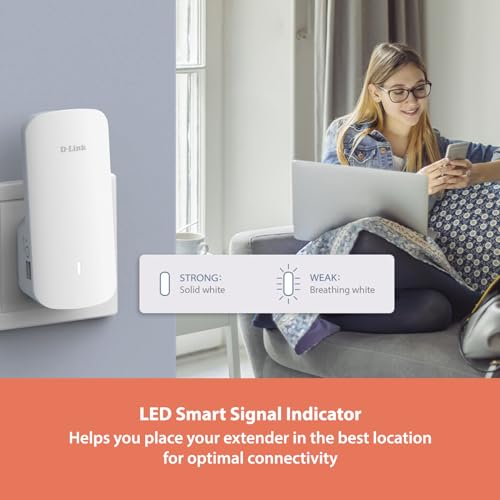
– then “breathing”/pulsating orange light (rather yellow-greenish)
– push, in the same time the WPS buttons on the extender and the router, for about 1+ seconds
– waited about 40 seconds (instruction says 120s, I guess up to…), got the solid white light on the extender
– look at networks list on my cell, ooops!?, I see my network/SSID and extender’s network/SSID. 🤔 I was expecting, as per manual, to see only my network…
– unplug the extender, go somewhere mid-distance between the router and the weak wi-fi area, plug in the extender, wait for the white solid light
– check networks/SSIDs, and, surprise, I see only my network/SSID !
– go to the weak wi-fi area, bingo, got good signal on my devices there
It worked for me like a charm, I recommend this extender.
SMB –
Not gonna lie, at first I downloaded the app to connect to my router and setup it up and didn’t work. I was frustratedbat first. After doing more in-depth how to use I figured it out without app works perfectly. Helps my cameras outside get wifi connection. Would recommend.
Marie-Claude Mercier –
Fonctionne très bien à 150 pieds de distance
SMB –
This is a fairly decent WLAN/Wi-Fi 6 extender/repeater (or whatever you wanna call it) that provides multiple functions depending upon your specific use case. It has 3 primary functions which I’ll briefly outline below for those who aren’t familiar with these; however, I won’t go into much detail as it’s beyond the scope of this review.
≡ Note
In case you aren’t aware, 802.11ax (i.e. Wi-Fi 6/6E) started its life back in 2018-2019 so it’s around 5-6 years old now and more and more devices are finally now compatible with this new standard; however, it’s far from the latest (as far as IEEE standards are concerned) and it’s in my mind a stopgap for Wi-Fi 7. Wi-Fi 6 (or 2.4GHz/5GHz 80.211ax if you prefer) is in my mind not designed to make your wireless speed faster but instead, make it faster ONLY if it’s overcrowded and packed with competition (i.e. too many users contend for the same network resources).
As such, for most consumers with, say 300-500 Mbps link at home, Wi-Fi 6 (and to a certain degree Wi-Fi 6E) is likely not be able to make any noticeable difference unless you have unusually large amount of people all stream at the highest 4K across different rooms/floors where the signal strength is moderately poor across the different access points etc.
Wi-Fi 6/6E requires both the access point AND the devices (i.e. laptops/desktops, and phones/tablets) to support it in order for them to actually take advantage of the new standards (i.e. Wi-Fi 6/6E). It will NOT speed up your existing wireless connection if your laptops or phones do NOT fully support Wi-Fi 6/6E.
##
This particular device can be used in one of the 2 (or 3) modes;
✔ AP (Access point) mode: this is the simplest of ’em all and basically creates a new (if you don’t already have one) or another wireless network with a new SSID (aka Wi-Fi name that you connect to). In this mode, this device is connected to a switch or a router using a physical wire (one is provided but it’s short). When your phone connected to the newly created wireless network, it access the internet through the wired connection between this device and the switch/router and finally out to the Internet.
✔ Repeater/extender mode: this allows you to extend, as the name suggests, your existing wireless network by repeating or relaying its signal so your existing wireless network can be reached further by other devices. Note that any devices operating in this mode will automatically cut the speed in half (in theory) when it’s used at full capacity because the repeater needs to talk BOTH the original wireless network and YOU.
The repeater needs to spend time and effort (and in this case, bandwidth) to talk to both sides in order to extend the coverage. As you can imagine, having a repeater in the middle between you and the existing wireless network (where it can’t reach you) simply means you trade the accessibility (i.e. you can reach the existing network that you wouldn’t be able to otherwise) with reduced speed.
You’d need to enter the name of the existing wireless network that you wanna connect to as well as its password. You can choose to use a different SSID (wireless network name of THIS repeater) or use the same name as the existing one).
###
✔ Wired-to-Wireless-converter (bridge) mode: this is mentioned in the description but I didn’t test it so I’m not certain if it will work but if it does, this is how. First, you’d configure it as repeater mode by connecting this repeater to the existing wireless network (as mentioned in previous mode). After everything is configured in repeater mode, connect this repeated using the supplied RJ45 cable to an existing device that’s wired only (i.e. old desktop or smart TV with only Ethernet/network port).
Doing so will allow and in some way, convert your existing wired device (i.e. old smart TV) into a wireless one that can access the Internet. The difference now of course is the fact that the repeater can be hidden behind the TV so is the RJ45 cable used to connect ’em. Again, I’m not sure if this works but it seems to me that it will as this is one of the common ‘modes’ used by devices such as this from other vendors.
###
≡ Initial setup
The setup is pretty straightforward as most other such devices nowadays with the guided process. Note that you will need to be able to access 192.168.200.1 in order to configure it so if your existing home network isn’t using 192.168.200.0/24 subnet, the easiest way is for you to connect and configure to this device is to use your phone to connect to it via Wi-Fi (as its default mode is AP which your phone can easily connect to), configure it (i.e. change the subnet to match your existing one) using a browser on your phone/tablet, and connect to it again using computers/laptop or whatever else you
It’s not advertised as to how many internal antennae it has but according to the manual it has 2x dual-band internal antennae and 1x single-band (5 GHz) internal antenna. It’s capable of 2 spatial streams using 160 MHz channel to achieve a max of 2042 Mbps (well, theoretically) via the 5 GHz band. Likewise, it’s capable of up to around 574 Mbps using 2 streams (2x 287 Mbps) via 2.4 GHz band (40 MHZ channel, 800 ns GI, 1024-QAM). I should also mention that the 1x single-band antenna is for mesh operations and it’s NOT usable/visible for users.
As for the initial setup, I opt for the old fashioned way of using IPs because I’m not big fan of yet another app just for this and as a matter of fact, I have several other D-Link wireless routers/APs currently running so I’m perfectly happy the way it is now. The web GUI (192.168.200.1) is actually quite similar, if not nearly identical, to most other D-Link wireless devices that support 802.11ax. I won’t go into any details on how to configure it because the user guide does a decent job at that.
≡ Performance
So how does it perform? Well, I don’t have a multi-stream device to test it with at the moment so 1201 Mbps is the max I could get (160 MHz channel, 800 ns GI, 1024-QAM). The overall performance is as expected as most others with 1201 Mbps spec and it’s actually quite similar to one of my existing AX1800 WAP in comparison. Real life speed is about 230-250 Mbps during file transfers (NOT from those speed test sites where widely inaccurate and unrealistic results are often given).
Last but not least, the mesh feature requires compatible products (mostly D-Link products for full functionalities) to work and although some brands can interoperate with one another to a certain degree (assuming they all support 802.11k/v protocols), the results are often flakey and more likely than not result in undesirable outcome due to compatibilities issues.
As such, if you don’t currently use D-Link products, it might make more sense to stick with your existing brands unless it’s one of those no-name budget brands. As for the various AI* enabled technobabble, well, they are for the most part nothing more than marketing schemes because I’ve yet to find ’em providing any sort of real improvement over my existing config/setup it’s my opinion that they (not limited to D-Link but just about all other brands out there) are just feeble attempts to mine personal data.
≡ Value
All things considered, this is a decent Wi-Fi 6 extender/repeater with AP/bridge functions that for the most part works as expected without issues, and it’s reasonably easy to configure just like all other D-Link wireless routers/APs out there.
It has an overall decent and comparable performance with other brand name extenders (with the same spec that is, AX3000) and it’s not worse or better than anyone else either in terms of performance; however, I do find its web GUI a bit flakey and I’m personally not a big fan of how it’s designed but that’s just me. It’s reasonably priced at $120 for what it provides and its overall build quality, features, usability, and performance.
shy –
The operation is simple. Plug in the power, install the app on your phone, and follow the prompts. The app is also simple and intuitive. By default, you can only create a new wifi name, and then connect to the new wifi in the app. You can go into the app settings to change the existing wifi to the same wifi as the main router at home. The function is called “Copy connected wifi”. This can achieve the effect of seamless switching. Of course, the effect is worse than mesh and AP, but it is also very stable. I have used it for almost two months and there has been no network disconnection. I only tried it once and the speed slowed down. My home network is 300Mbps, and the actual speed can reach 300Mbps. It may be because it is close to my main router, so the loss is very small.
R. Hyder –
So what I can’t say is whether or not it has longer range than others or anything like that. Can’t say if it is faster…etc. I can say that it seems to be on par with my main WiFi router. But what I can say is that it impressed me so is how easy it was to set up.
I have other WiFi extenders that are working at my home. I have also tried WiFi extenders that I could not get to work no matter how much I tried. This unit took only a few minutes, there was no confusion or complicated processes. Just straight forward. I was shocked at how easy it was compared to every other unit I have either in operation or tried and returned due to not being able to get it to work.
I am not an IT guy, and maybe if I were, I would have had success with the ones I had to return. But I have had success with some extenders, so I don’t think it is all me. But if the others had been as easy as this one, they would still be here.
I used the “option 1” with my phone because my router does not have a WPS button. It looks as if that method could possibly be even easier. But the one I used was very simple and easy. So no complaints at all. Instead, my hat is off to the folks at D-Link for making this so easy.
If you are looking for a WiFi extender that has MESH capabilities (I can use the same SSID and Password as the router it is connected to)…then do yourself a favor if you are not a techie…. Get this one !
RustyShackle –
Très facile à installer. J’ai maintenant le wifi partout dans la maison.
Je suis très satisfaite.
M_Theory –
Good product. It works with default settings. The phone app is handy for accessing device settings, and there’s also an option to access it through the browser for advanced settings. The casing design looks good on the wall and it takes up only out wall outlet allowing you to make use of the other outlet – unlike many other wall mount units taking up both outlets.