
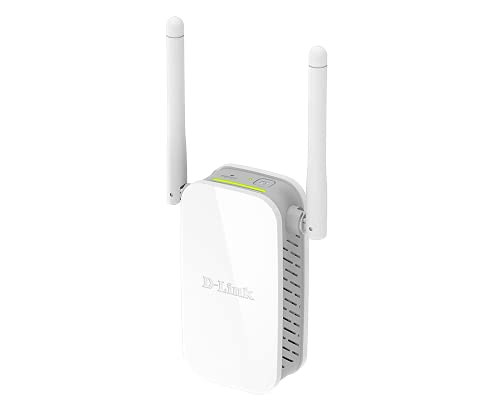
D-Link N300 Mesh Wi-Fi Range Extender DAP-1325-US
Original price was: $29.99.$19.99Current price is: $19.99.
D-Link N300 Mesh Wi-Fi Range Extender DAP-1325-US Price comparison


- All prices mentioned above are in United States dollar.
- This product is available at Amazon.com.
- At amazon.com you can purchase D-Link N300 Mesh Wi-Fi Range Extender- Cover up to 850 sq. ft. - Mesh, Booster, Repeater, Access Point, Extend Wi-Fi in Your Home, Ethernet Port, Easy App Setup, (DAP-1325-US) for only $17.97
- The lowest price of D-Link N300 Mesh Wi-Fi Range Extender- Cover up to 850 sq. ft. - Mesh, Booster, Repeater, Access Point, Extend Wi-Fi in Your Home, Ethernet Port, Easy App Setup, (DAP-1325-US) was obtained on September 11, 2026 09:16.
D-Link N300 Mesh Wi-Fi Range Extender DAP-1325-US Price History
D-Link N300 Mesh Wi-Fi Range Extender DAP-1325-US Description
D-Link N300 Mesh Wi-Fi Range Extender DAP-1325-US: Elevate Your Connectivity
Looking for a reliable way to boost your Wi-Fi coverage? The D-Link N300 Mesh Wi-Fi Range Extender DAP-1325-US is designed to enhance your internet connection in every corner of your home or office. Whether streaming videos, gaming, or working online, this innovative device ensures consistent and high-speed connectivity.
Main Features and Benefits of the D-Link N300 Mesh Wi-Fi Range Extender
- 300 Mbps Speed: Enjoy quick internet speeds for seamless browsing, streaming, and gaming without interruptions.
- Mesh Technology: The advanced mesh system provides a unified network experience, reducing dead zones and enhancing coverage.
- Easy Setup: Using the WPS button, connect quickly to your router in seconds. The installation process is straightforward, making it accessible to everyone.
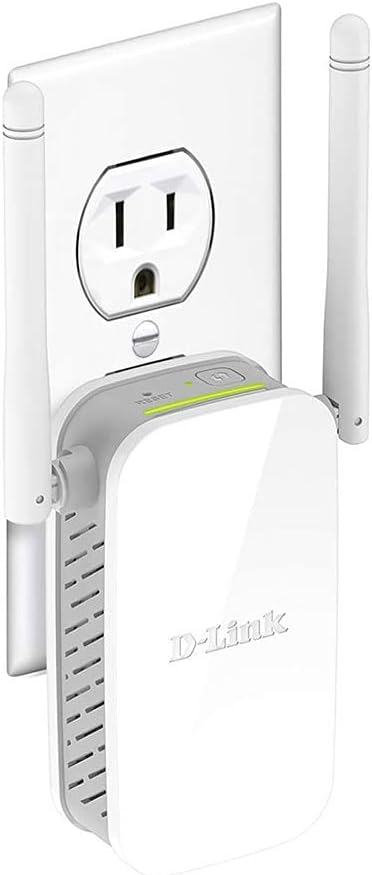
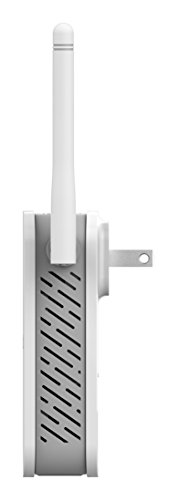
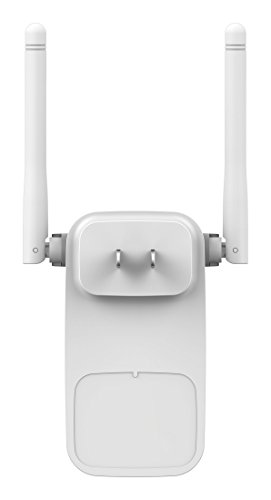
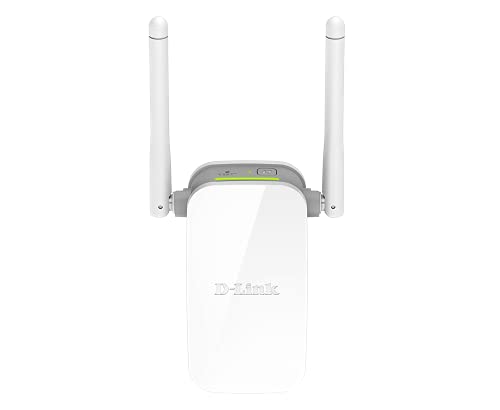
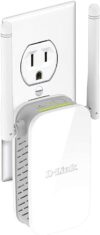
- Compact Design: The sleek and unobtrusive design of the DAP-1325-US allows you to place it anywhere without cluttering your space.
- Multiple Modes: Switch between Access Point mode and Range Extender mode, providing flexibility to suit your specific networking needs.
- Security Features: Equipped with WPA/WPA2 encryption, your network remains protected from unauthorized access.
Price Comparison Across Suppliers
When it comes to pricing, the D-Link N300 Mesh Wi-Fi Range Extender DAP-1325-US remains competitively priced. Below is a quick comparison from various suppliers:
| Supplier | Price |
|---|---|
| Amazon | $39.99 |
| Best Buy | $42.99 |
| Newegg | $37.49 |
As can be seen from the table, pricing for the DAP-1325-US varies across suppliers, but it generally stays within an affordable range, allowing you to choose a retailer that best fits your budget.
Recent Price Trends
Over the past six months, the price of the D-Link N300 Mesh Wi-Fi Range Extender has shown some interesting trends. Initially priced around $45, the current price reflects a downward shift, making it a perfect time to invest in enhanced Wi-Fi coverage. Customers can monitor the six-month price history chart provided on our website to make informed purchasing decisions based on price fluctuations.
Customer Reviews: What Users Are Saying
Customer feedback for the D-Link N300 Mesh Wi-Fi Range Extender has been overwhelmingly positive. Users appreciate:
- Enhanced coverage allowing them to connect in areas that previously experienced weak signals.
- User-friendly setup, with many noting they were able to configure it in mere minutes.
- Strong performance, especially for online gaming and HD streaming.
However, there are some noted drawbacks. A few customers reported occasional disconnects in high-demand scenarios or minor setup complications for those unfamiliar with technology. Overall, the majority of users advocate for the product due to its efficiency and value.
Explore Unboxing and Review Videos
If you’re considering purchasing the D-Link N300 Mesh Wi-Fi Range Extender DAP-1325-US, check out various unboxing and review videos available online. These resources provide insight into the product’s design, features, and setup process, ensuring you know exactly what to expect before your purchase.
Using the D-Link N300 Mesh Wi-Fi Range Extender will significantly enhance your home or office connectivity. With its robust features and competitive pricing, this device stands as a reliable option for anyone grappling with weak Wi-Fi signals. Don’t miss out on the opportunity to elevate your internet experience.
Compare prices now!
D-Link N300 Mesh Wi-Fi Range Extender DAP-1325-US Reviews (8)
8 reviews for D-Link N300 Mesh Wi-Fi Range Extender DAP-1325-US
Only logged in customers who have purchased this product may leave a review.






Amy M. –
I was struggling to get adequate wireless coverage into the far reaches of our upstairs and basement. Though our Comcast router nicely transmits across our main floor, I have not been overly happy with speeds and signal in these far flung places. So, I did some research into what I needed….and quickly started reading reviews/pros/cons of installing additional routers, extenders and access points (APs). One article I found helpful was: http://thewirecutter.com/reviews/best-wi-fi-extender/
So after I did this initial research, I decided to go the AP route because of what I read about extenders and how they are essentially “sharing” the bandwidth from the main router. Extenders are a great product, I just decided to go down the AP path. If you decide to go down the extender path, I would have gone with the NETGEAR AC1200 High Power 700mW Dual Band because I could use one band to communicate to the main router and then broadcast the other. Now on to my story….
We recently built the house we are living in and although the house was wired with cat5e, they only wired the jacks to be phone lines (i.e., only used 2 of the 8 connections within the cat5e cable. Does anyone still use land lines? 🙂 I decided to fix this and redo all of these jacks in the house to ethernet lines. I spent a couple hours one night watching some YouTube videos and was ready to go. I have learned more about punch downs, cable testers, switches, etc than I ever wanted to, but I just finished my project and connected this D-link AP about 7 days ago.
I followed the instructions and it worked like a charm. The user interface was very easy to use and configure as an AP….the only thing I would recommend is that you think ahead what SSIDs and passwords (one each for the separate 2.4 and 5GHz bands) you want to use because I took a moment in this step and was sent back to the beginning for taking too long. Other than that, I honestly could not believe how easy it was and how closely it matched the instruction booklet. Well done, D-link!!
I have had the AP plugged into my network for about a week now, and have had no problems with dropped connections as some others have indicated in the posts. As for speeds, I am getting a respectable 126 Mbps on the 5GHz band, which is exactly what I get on the main floor of the house with the main router. This is good considering we pay for up to 105 Mbps….which is the maximum I can get in my area.
I went ahead and ordered another one of these for the upstairs because I am so happy with it….
Ajay Kumar –
cleared the blind spots…cool device
Alibaba –
Using this device (DAP 1650, Wireless AC1200 Dual Band Gigabit Range Extender) as an Extender.
Update: Now works really well. Speed is good. All my devices in the dead area are connected to the extender and they work really well. Occassionally when my provider lags, it will drop. It sometimes reconnects on it’s own, but sometimes it takes so long I push the rest to force it to search for the signal. But I am happy with it. So happy I wanted to buy another and now see the price has increased.
The instructions in the book seemed easy enough, but I must not be as okay with tech as I thought because I didn’t realise that the extender set-up was the long one (page 7 of the manual) and not the short “press WPS on router, then press WPS on D-Link then you’re done”. So I had left it for hours thinking it was doing a firmware upgrade (flashing orange internet LED)
Once that was sorted (and it was easy to follow instructions) it gave 2 solid green lights and I moved it to the dead zone. It took longer than the 10 seconds I see in the majority of reviews, but it did eventually give me 2 steady green lights as well. My devices picked it up and connected.
But
I tested the speed and it was slow. So slow that I went back to using my main system (that I had THOUGHT was slow) to be able to send this review. The laptop is connected to Old Slow Boat and the phone is connected to New Slow Boat. Phone is slower in speed (read: connectivity) than the laptop.
Could be I am having a really bad service night form my provider? Dunno. But the signal strength is VERY strong, but not fast at all. Will give it a few more days.
Javier Vazquez –
si sirve expande la señal
Ganesh. S. Iyer –
I had difficulty in configuring the N300 Wi-Fi range extender with existing D-Link router, Model DS-2730U, since the instructions provided along with the device were inadequate. I had to take the assistance of the Verna-Goa Helpline to complete the configuration. The response of the helpline person was very good.
LiZz ✨ –
The product works as it say but the only downside is that you have to switch between the wifi, it doesn’t automatically connect to your phone, And also getting it set up takes Some HardDDwoRkK!
Amazon Customer –
Not working as expected
CBH –
My Comcast combination modem/router (Arris TG862G) provides a terrible wireless signal. It is big and ugly and sits in the office near the front of the house. Unless we are in the same room as the router, it is pretty much useless. The wireless signal has zero strength outside the room. Our 2 story + daylight basement has cat5e wiring throughout, but they were not active. I am familiar with installing software and I’m happy to research and try to learn just about anything, but I am definitely not a computer expert and I know nothing about networks. This weekend I decided to try to fix our internet problems.
Stage 1: Get the in-wall ethernet ports working. It bothered me that I had all of these outlets throughout the house and they were inactive. I wanted to be able to hard-wire my Xbox. It turned out to be easy. Find the cable panel, buy an 8-port switch, plug the 8 ethernet cables that are dangling in the panel into the switch, and run an ethernet cable “out” of the Arris router and into the wall. Done. I took my laptop and an ethernet cable to each port and tested it. 120mbps at every outlet (which is far higher than what I pay for).
Stage 2: Improve wireless signal. Since we have the ethernet ports throughout the house, I only really needed an access point (not necessarily a router, although a router would have worked just the same). I did a fair amount of research and read a lot of reviews. Ultimately, I think there are a lot of good routers/access points and I just had to pick one. My criteria? (1) I wanted something with ac connection for our iphones and tvs. (2) It didn’t have to be the fastest thing out there, given that our internet is only about 100 Mbps. (3) Around $100 or less (not because I don’t think that the more expensive ones are better, but because I felt I could get what I needed for $100). (4) Something that would fit on a shelf or tv stand in my family room and not look like a router. (5) Easy set up.
When I got this router, I read through the few short pages of instructions. If you are using this as a range extender, setup is literally 30 seconds. There isn’t a section of the instructions labeled “access point mode,” so I just followed the “configure the dap-1650 using a web browser” instructions. It was easy. It took 10 minutes max to name the 2.4GHz and 5Ghz, set the passwords, and connect my devices.
My setup: Unlike some other reviewers, I have set the 2.4GHz to be a separate network from my existing network (i.e., the 2.4 GHz signal from the Arris router). If the Arris router was good, I could see merging those networks (using the same SSID and password) so that your devices could jump from one to the other, but the Arris signal is so bad that our 2.4GHz devices won’t ever use it. Ever.
Results: On the 5Ghz network, in our open concept family room, kitchen, and dining room, I am getting 120 mbps — the same as if our devices were hard-wired. Amazing. At the other end of the house, opposite this AP, it is about 70. Upstairs and downstairs, immediately above and below where this AP is located, we are also getting 120 mbps, with decreases to about 70 throughout the house.
On the 2.4GHz network, in the family room area, it is about 35Mbps, although I haven’t tried to optimize this by changing channels, etc.
For comparison, on the 2.4GHz network from my Arris router, in the family room (about 30 feet from the router), the download speed was 1.4mbps. Yes, 1.4.
Not only does it work great, but it is small and easy to hide, and it doesn’t have a bunch of antennas screaming that it’s a router. I could place this in any room in the house and it would look fine.
Overall, I’m extremely pleased. It does everything that I wanted it to. I don’t need a network that covers acres of property, but I want to have a good signal everywhere in my house. This has allowed me to do that. I would definitely recommend it (and already have).