
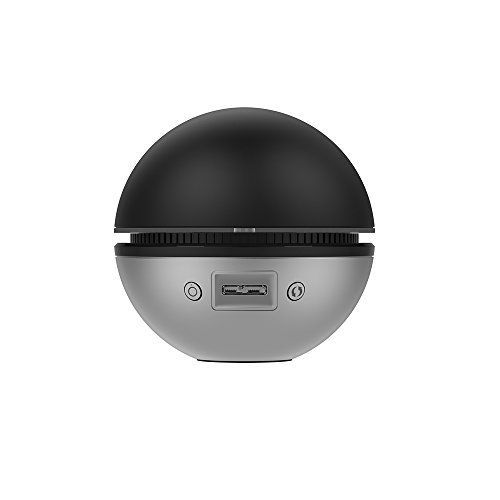
D-Link USB WiFi Adapter AC1900 DWA-192 Price comparison


D-Link USB WiFi Adapter AC1900 DWA-192 Price History
D-Link USB WiFi Adapter AC1900 DWA-192 Description
D-Link USB WiFi Adapter AC1900 DWA-192: Experience High-Speed Connectivity
The D-Link USB WiFi Adapter AC1900 DWA-192 is your gateway to enhanced network performance. With its advanced features and competitive pricing, this adapter is perfect for anyone looking to upgrade their wireless connection. Whether you’re gaming, streaming, or simply browsing, the AC1900 ensures you get the speed and reliability you need.
Main Features of the D-Link AC1900 DWA-192
- Dual-Band Connectivity: Utilizing both 2.4GHz and 5GHz bands, the DWA-192 offers flexibility and high-speed connections. Enjoy up to 600 Mbps on the 2.4 GHz band and 1300 Mbps on the 5 GHz band.
- USB 3.0 Interface: The USB 3.0 connection significantly boosts data transfer rates compared to USB 2.0, providing faster speeds and better overall performance.
- Compact and Portable Design: Its sleek, compact design make it easy to carry and set up anywhere. Perfect for on-the-go users who need reliable connectivity.
- Multiple Connection Options: This adapter supports various WiFi standards, ensuring compatibility with a wide range of routers and devices.
- Easy Installation: With a hassle-free installation process, simply plug in the adapter, and you are ready to connect to WiFi networks without complex setups.
Price Comparison for the D-Link AC1900 DWA-192
Like any savvy shopper, you’ll want to ensure you’re getting the best price for the D-Link USB WiFi Adapter AC1900 DWA-192. On our price comparison site, you’ll find competitive pricing across various suppliers. Currently, prices range from $45 to $70, depending on sales and stock availability. Using our platform allows you to see how prices fluctuate, ensuring you may find the best deal when you’re ready to purchase.
6-Month Price History Trends
Our comprehensive price history chart illustrates notable trends for the D-Link AC1900 DWA-192. Over the past six months, the price has generally stabilized around the mid-range $50 mark, with brief dips during promotional sales. This consistent pricing trend suggests a solid purchasing window, particularly as demand remains stable among users. Watch for opportunities during sales events or seasonal discounts for the best deals.
Customer Reviews Summary
Customer reviews for the D-Link USB WiFi Adapter AC1900 DWA-192 consistently highlight several key benefits and a few drawbacks:
- Positive Aspects: Users praise its fast performance, especially in gaming and HD streaming scenarios. Many find the dual-band capabilities beneficial for minimizing interference and maximizing speed.
- Notable Drawbacks: Some users experienced initial connectivity issues, which were resolved with firmware updates. A few customers mentioned compatibility concerns with certain older routers.
Explore Reviews and Unboxing Videos
To help you make an informed decision before purchasing, check out related unboxing and review videos on platforms like YouTube. These videos provide firsthand user experiences and setup tips that illustrate how the D-Link AC1900 DWA-192 performs in real-world applications. Observing setups can provide you with practical insights that written reviews can’t always convey.
Why Choose the D-Link USB WiFi Adapter?
Investing in the D-Link USB WiFi Adapter AC1900 DWA-192 means you are choosing speed, reliability, and effortless connectivity. It is designed for users who require a robust network solution without sacrificing convenience. Experience optimal wireless network performance that supports your daily online activities, from gaming and streaming to browsing with ease. Enjoy flexibility, ease of use, and a compelling price point for a top-tier device.
Ready to elevate your WiFi experience? Compare prices now!
D-Link USB WiFi Adapter AC1900 DWA-192 Reviews (9)
9 reviews for D-Link USB WiFi Adapter AC1900 DWA-192
Only logged in customers who have purchased this product may leave a review.






TexasTea –
A few notes here:
RE: D-Link Systems AC1900 Ultra Wi-Fi USB 3.0
I purchased this device as “Used” from Amazon Warehouse. (Significant discount BTW)
Attached to Dell XPS 2720 AIO (which also has an Intel 7260AC half mini)
Downloaded Windows Driver 1.05 (latest driver) from D-Link Site.
Disabled internal half mini.
The D-Link AC1900 was a little slow to get configured. Windows saw the device once the driver was installed but kept insisting it was turned off.
After a few reboots of Windows 10 the D-Link device could read my network and I was able to sign in through the SSID.
The D-Link AC1900 Ultra brings in my 5GHz wireless signal over and above my tier. I pay for 250 down 25 up, the D-Link device averages 280 down 29 up. Of course it will get better and worse reception but average is as stated above what I pay for.
My D-Link AC1900 Ultra Wi-Fi USB 3.0 adapter works just fine for me. It is a factory refurbished unit that came well packaged in plain brown box with instructions 3″ (useless mini cd) and USB 3.0 cable.
I fully expected that the installation would be a real bear so I was prepared to spend an afternoon trying different methods. To my surprise it went very smooth once Windows 10 decided to handshake with the device.
On a side note:
The Intel 7260 Half-Mini PCIe internal card is a good. The D-Link is newer and by far way better at receiving my 5GHz router signal.
The Intel took about a day to finally start working like an AC transceiver where the D-Link took about 20 minutes from start to good signals.
This was my experience. Yours may vary greatly.
Diego A. –
The best Wifi USB 3.0 adapter. Worth the price. Data transfer is excellent. The experience is better than a wired connection.
DH –
11/27/17 Edit:
After using this adapter for over a year, overall I’m still happy with it. It definitely has some issues and driver support from D-Link doesn’t seem to be very active. They’ve put out one new version of the Windows 10 driver since my initial review, and Windows 10 now appears to recognize the adapter on its own, as Windows will find and install an older driver for the adapter if you allow it.
I can now sometimes get the adapter to work over a USB 3.0 connection BUT that comes with new issues. If the adapter is connected via USB 3.0 it will often not be recognized when I turn on or restart my computer. Sometimes reseating the connection can fix this, other times it doesn’t. It seems pretty random.
I’ve done some research around the internet but there just really isn’t much info about this adapter out there still. I’ve just resigned myself to leaving it connected to a USB 2.0 port, through which I get a 5Ghz LAN connection speed of between 800-900 Mbps to my same Asus RT-AC3200 router which is now about 50 ft. away with two walls in between. This usually gets me my full WAN download speed of 200 Mbps, although it does vary.
One issue that I continue to have with this adapter even when it’s plugged into a USB 2.0 port is that it will sometimes just not power on at all when the computer turns on, or after a reboot. I have to reseat the USB cable at the adapter, after which is will start working normally again. I haven’t done enough troubleshooting to confirm that this is an issue with the adapter itself, but figured I’d mention it in case others experience the same thing.
————————————————————————————————————————————————————————————-
After using this for a couple days, so far I’m happy with my purchase. For whatever reason Amazon was selling it at a large discount when I purchased it – around $55. Not sure I would be as satisfied if I had gotten it for closer to MSRP.
I’m using Windows 10 Pro 64-bit and had some issues getting it to work at first. The device is marketed as a USB 3.0 adapter, which makes sense as the top speed it supports would only be attainable via USB 3.0.
I’m not sure if it’s my motherboard’s specific USB 3.0 hub or the Windows 10 drivers currently available for this adapter, but I couldn’t get it to function while plugged into a USB 3.0 port. I work in IT and am very tech-savvy, so I’m confident in my troubleshooting abilities and don’t think this was just due to a lack of understanding on my part. Plus, I followed the instructions provided by D-Link to the letter.
When plugged into a USB 3.0 port, the adapter doesn’t show up in the network adapter window (in the same area that shows my ethernet adapter, for example). It does show up in Device Manager, but gives an error about failing to start no matter how much I disable/enable, uninstall/reinstall the driver, reboot the computer, or reseat the adapter in the USB port (this is with the most recent driver from D-Link’s website installed). If I uninstall that driver and try to let Windows install one itself it’s not able to locate one or even identify the device.
I wasn’t able to find anything relevant using Google or on D-Link’s forums. I didn’t contact their tech support, which I suppose could have helped. In the end, as soon as I plugged the adapter into a USB 2.0 port it started working perfectly so I haven’t troubleshooted any further.
I’m using an Asus RT-AC3200 router that supports beamforming, and this adapter gets a very solid connection to any of the three wireless signals put out by that router. It gets full signal strength on the 5Ghz band through several walls, about 25 ft. or so away from the router. The actual LAN connection speed varies between 700-900 Mbps with the adapter connected to a USB 2.0 port.
I pay for 200 Mbps internet and my previous adapter, which only supported Wireless N, maxed out around 60 Mbps. My Speedtest.net results with this adapter show a solid 220 Mbps every time – actually faster than my connection is supposed to be.
So, with those results I’m currently satisfied with the adapter. I took off one star due to the issue with getting it to work in a USB 3.0 port. I know that someone in another Amazon review for this device mentioned the same problem. If I get faster internet to the point that I would have to have the adapter plugged into a USB 3.0 port to attain max speed it’s possible I’ll remove another star or two, assuming I can’t get it functioning with the help of D-Link’s tech support.
Jeff –
I haven’t owned this thing very long but so far it’s amazing. 1.3 Gbps wireless speeds (with the Netgear R7000 router) and the device was instantly recognized by Windows 10.
I bought this because before I was using the Edimax EW-7822UAC and that was notoriously unreliable. Eventually with the Windows 10 anniversary update, it became completely unusable and after a long back-and-forth with their tech support, I decided that it just wasn’t worth it. The difference is night and day. Sure this thing costs about twice as much but so far it’s much easier to use and much more reliable.
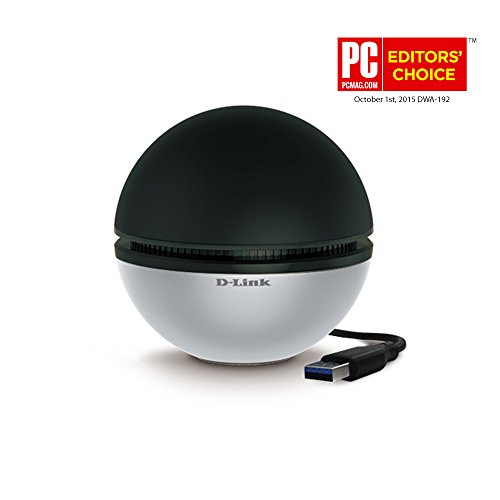
The only con is that the device uses a special USB cable and so if you need it to be longer than the standard one, you should plan ahead or use a USB extender. The included cable is only 3 feet unfortunately.
George Silva –
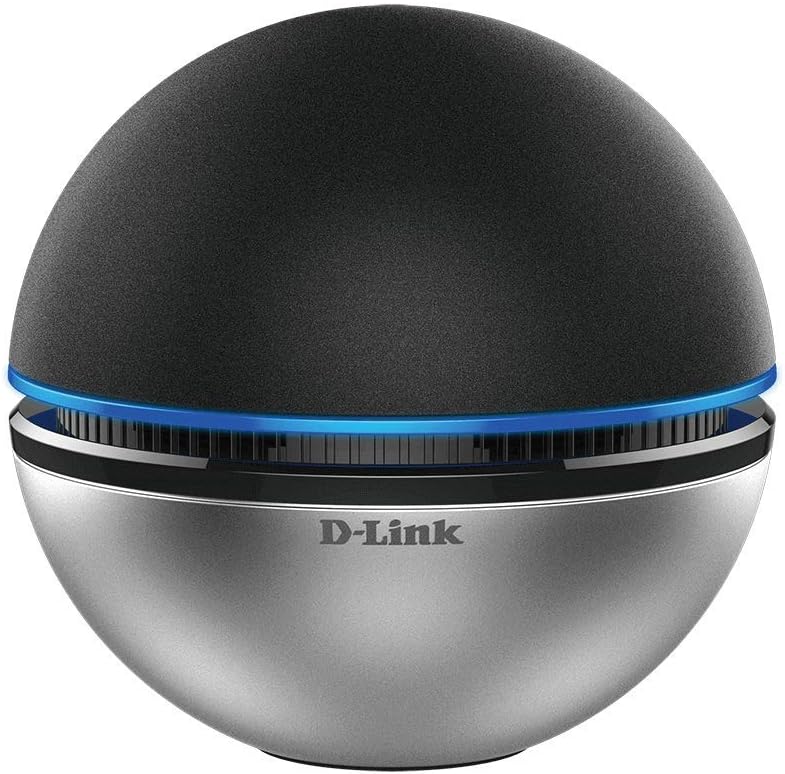
Acquistato dopo una pessima esperienza con un adattatore di tipo economico. Questo D-Link costa il triplo ma funziona alla grande. Nessun problema di installazione su mini-pc con win 8.1, i driver forniti funzionano perfettamente (ed è anche possibile aggiornarli scaricando i più recenti dal sito del produttore). Molto valido esteticamente, ma anche parecchio funzionale: la sfera ha una ricezione eccellente e non occorre armeggiare con ingombranti antenne alla ricerca della posizione migliore. Il cavo di collegamento usb 3.0 è di ottima qualità. La luce led blu che (che ne indica il funzionamento) dona un tocco in più ma può essere disattivata a piacimento qualora risultasse fastidiosa in ambienti molto bui. Molto buona la velocità di collegamento con il router ma anche i valori di download e upload ottenuti con speedtest. Sicuramente un’ottima scelta.
Jeff –
Ok first of all. This wifi usb looks really nice and it provides you with decent speed for example. I have 100 mbps download and upload speed. I was averaging 80 for my custom pc. However, after just 20 days. This things keeps randomly disconnecting from my wifi 2 to 3 times a day. It bothers me so much because i bought this for my gaming pc. And everytime i am in a middle of a game is when disconnection happens. If i am using youtube and watching twitch, disconnection just dont happen. But when i do gaming i get disconnections.
There is nothing wrong with my wifi (it is fiber). Everytime I get a random disconnection i check my wifi to see if it is working or not
You guess right, when i get a disconnection from this usb, my wifi is running perfectly with my girlfriend watching netflix or doing homework with zero disconnections from her laptop
Diego A. –
Interesting product for wireless connectivity (Note: If you are going to use such product, make sure it is USB 3.0). No complicated application front end, just a driver and away you go. The performance is very good on all bands and the bluelight is a nice touch.
The only negative is the supplied cable could be longer.
Amazon Customer –
This little beauty is exactly as described and works perfectly.
Martin D –
Wriklich Top Gerät.
Unter Windows 10 unschlagbar. Habe bisher kein besseres USB 3.0 W-LAN Adapter gesehen, das unter dem Wlan ac Standard 1300 Mbit
besitzt und dazu noch günstig ist und schlicht designt ist. Im Wlan n Standard kann es bis zu 600 Mbit erreichen. Was mich obendrauf noch
sehr überzeugt ist, dass es nur einen USB 3.0 Port nutzt und damit mit Strom versorgt wird. Ich vermute jedoch aber auch, das es bei manchen
zu einem Problem kommen könnte, wenn die USB Ports nicht ausreichend mit Strom versorgt werden, dass dabei die Datenrate etwas leiden könnte und so auch nicht das volle Potenzial der Sphere genutzt werden kann.
Gut finde ich, dass das blaue Licht nicht sehr ins Auge sticht, sondern eher weich bzw. nicht sehr dränglich aufleuchtet. Zusätzlich kann
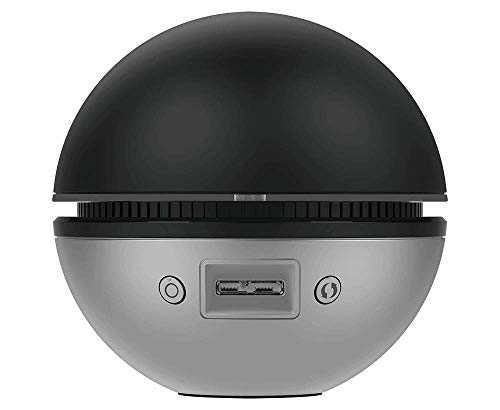
aber das licht auch ganz ausgeschaltet werden. Dafür ist neben dem USB 3.0 Anschluss ein Knopf zum ein und ausschalten des blauen
Lichtrings. Leider merkt es sich den Zustand der ein oder ausgeschalteten Lampe nicht, dass sobald es über das neustarten oder Herunterfahren und wieder Hochfahren eins PC’s, oder das ein und ausstecken des USB Kabels, der Strom einmal weggenommen wird, die Lampe wieder
anfängt zu leuchten.
Softwaretechnisch ist da nicht viel gegeben. Bis auf einen Treiber gibt es sonst keine Bloatware oder ähnliches zu installieren was ganz angenehm ist. Einmal angeschlossen und es funktioniert. Leider gibt es wohl noch kompatibilitätsprobleme mit Linuxbetriebssystemen, was ich
schade finde, da es doch ein solides USB 3.0 Wlan Adapter ist das sehr hohe geschwindigkeiten und das meiste aus einer Wlan schnittstelle
über USB 3.0 aktuell herausholen kann.
______
In ein 1 bis 10 Punktesystem ausgesprochen:
Materielle Qualität: (10 von 10 Punkten)
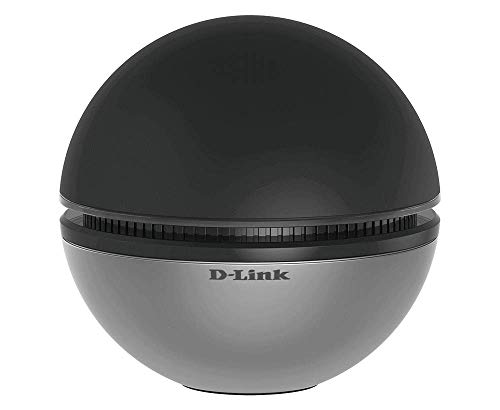
Schöne rund verarbeitete Sphere mit nur einem USB 3.0 Port für Stromversorgung und Datenübertragung.
Angenehmes Blaues Licht. Auch abschaltbar.
Bietet ein gutes eigengewicht, um nicht gleich umzufallen oder durch schwer zu knickendes USB Kabel umgeworfen zu werden.
Gummierter untersatz um rutschfest auf dem Tisch stehen zu können.
W-Lan stärke: (9 von 10 Punkten)
Gute 1,3 Gbit/s im Wlan ac Standard möglich.
Interessanter währen noch im 5 GHz bereich 1,766 Gbit/s.
Jedoch bieten sowas hauptsächlich nur Router bzw. W-Lan repeater an.
Im Wlan n Standard bis zu 600 Mbit/s möglich.
Interessanter währe noch wenn es bis zu 800 Mbit/s im 2,4 GHz bereich funken könnte.
Da es jedoch kein anderer USB 3.0 Wlan Adapter zu dem günstigen Preis schafft, auch nur diese Werte dieser Sphere zu erreichen,
ist es nach meinem aktuellen Erfahrungsstand, das Topmodell aller USB 3.0 Wlan Adapter.
Insgesamt: (9 von 10 Punkten)
Leider wohl noch mit Inkompatibilität bei Linux-Betriebsystemen.
Hoffe auf treiberseitiger Verbesserung und Lösung.
Ansonsten wirklich Top für Windows Betriebsysteme.