
$39.99
KNORVAY Highlight Presentation Remote With Digital Pointer N95s Price comparison

KNORVAY Highlight Presentation Remote With Digital Pointer N95s Price History
KNORVAY Highlight Presentation Remote With Digital Pointer N95s Description
KNORVAY Highlight Presentation Remote With Digital Pointer N95s
The KNORVAY Highlight Presentation Remote With Digital Pointer N95s is an essential tool for professionals, educators, and presenters looking to elevate their presentation experience. This compact device combines functionality with convenience, allowing you to control your presentations seamlessly while ensuring your audience stays engaged.
Key Features & Benefits of the KNORVAY N95s
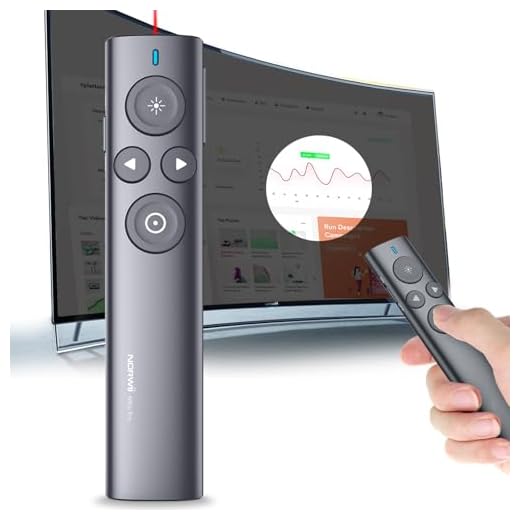
- Compact Design: Measuring just 5.15 x 0.5 x 1.16 inches and weighing only 1.2 ounces, this remote is sleek and portable. It easily fits in your pocket or purse, making it perfect for on-the-go presentations.
- Wireless Connectivity: The KNORVAY N95s operates wirelessly, eliminating the hassle of tangled cords. This freedom allows you to move around during your presentations, enhancing the overall experience.
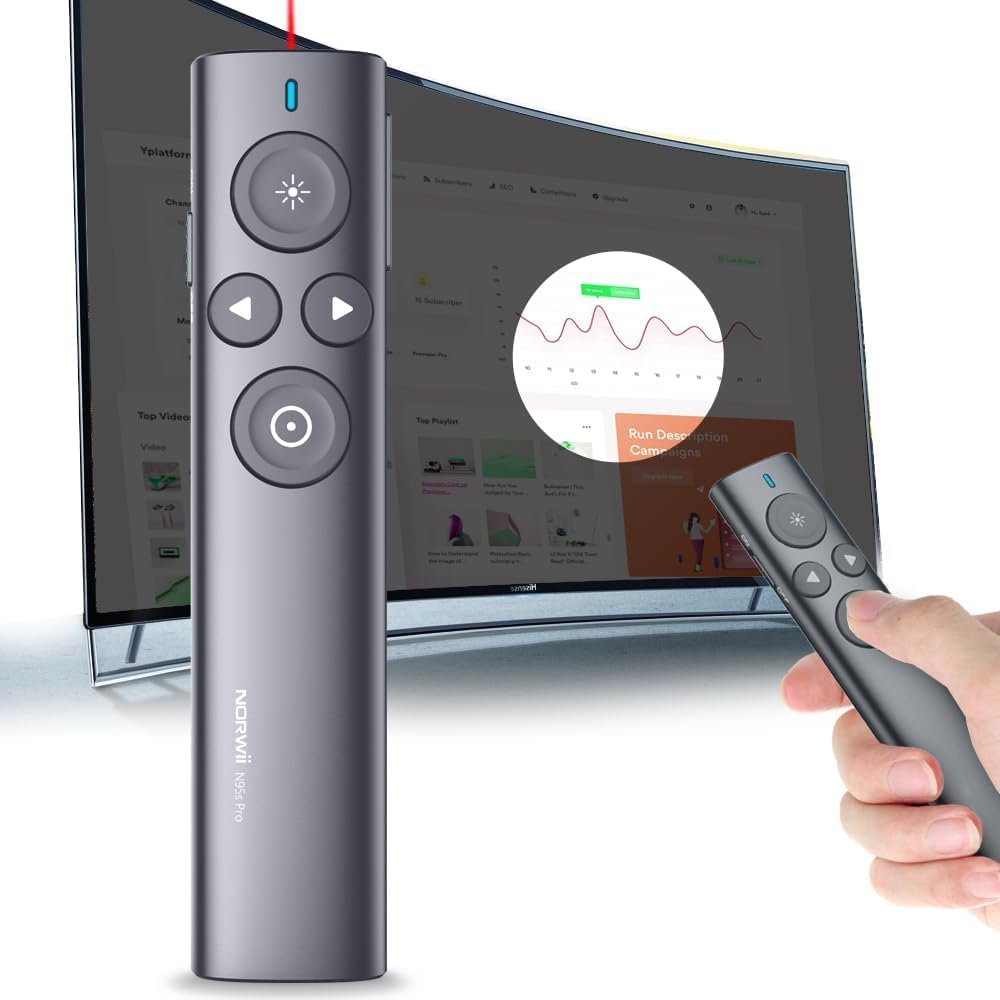
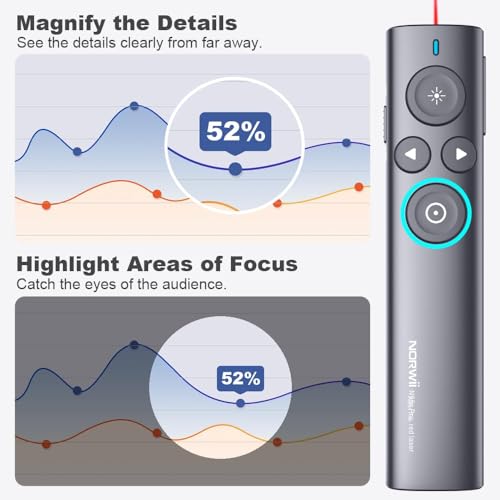
- Digital Pointer: The remote features a bright digital pointer, making it easy to highlight key information on your slides. This tool is especially useful for detailed visuals and complex data.
- User-Friendly Controls: With intuitive buttons for advancing slides and a quick-access pointer feature, users can focus on delivering their message rather than fumbling with controls. This design improves the natural flow of your presentation.
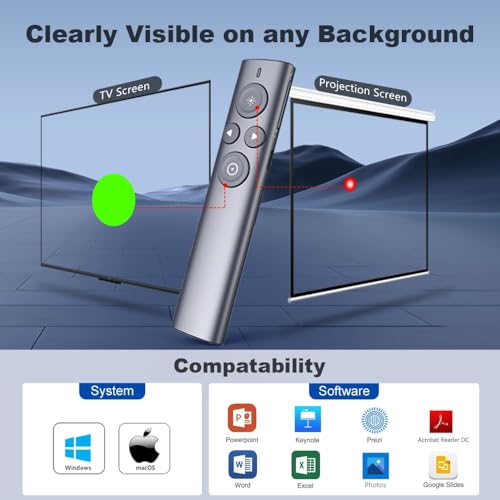
- Versatile Compatibility: The KNORVAY N95s works seamlessly with various presentation software, ensuring compatibility with PowerPoint, Google Slides, and more. No matter your preference, this remote fits the bill.
Price Comparison Across Different Suppliers
When considering the KNORVAY Highlight Presentation Remote With Digital Pointer N95s, price can vary significantly depending on the supplier. By comparing prices across major retailers, you can save money while securing this valuable presentation tool. From our research, the prices typically range from $29.99 to $39.99, making it an affordable option for anyone needing a reliable presentation remote.
Trends from the 6-Month Price History Chart
Our 6-month price history chart reveals a steady trend in the pricing of the KNORVAY N95s. The remote’s prices have fluctuated slightly but remain within the $29-$40 range, indicating stable demand. Notably, recent months have shown a slight upward trend, suggesting growing popularity as more users discover its benefits.
Customer Reviews: Highlights & Drawbacks
Customer feedback for the KNORVAY Highlight Presentation Remote N95s has been overwhelmingly positive. Users appreciate its lightweight design, ease of use, and effective pointer functionality. The remote has earned high marks for its reliability during presentations, with many highlighting its excellent battery life and quick setup. However, some users mentioned that the range could be improved for larger classrooms or conference rooms.
Overall, reviews underscore the value of this remote. Users consistently mention the phrase “KNORVAY N95s reviews” when discussing their satisfaction, indicating that it meets or exceeds expectations.
Unboxing and Review Videos
For a closer look at the KNORVAY Highlight Presentation Remote N95s, several unboxing and review videos are available online. These videos provide practical demonstrations of the remote in action, showcasing its features and real-life applications. Watching these can help you understand how the remote can enhance your presentation experience.
Why You Should Choose KNORVAY N95s
This presentation remote not only meets a wide range of presentation needs but also offers robust features that promote engagement and effectiveness. The KNORVAY N95s is ideal for anyone who wants to think less about tech and focus more on delivering powerful content. Whether you’re in a classroom, boardroom, or conference, this device is designed to impress.
Ready to take your presentations to the next level? The KNORVAY Highlight Presentation Remote With Digital Pointer N95s combines portability, functionality, and affordability, making it a smart choice for everyone. Don’t miss out; compare prices now!
KNORVAY Highlight Presentation Remote With Digital Pointer N95s Specification
Specification: KNORVAY Highlight Presentation Remote With Digital Pointer N95s
|
KNORVAY Highlight Presentation Remote With Digital Pointer N95s Reviews (13)
13 reviews for KNORVAY Highlight Presentation Remote With Digital Pointer N95s
Only logged in customers who have purchased this product may leave a review.

Scubaman –
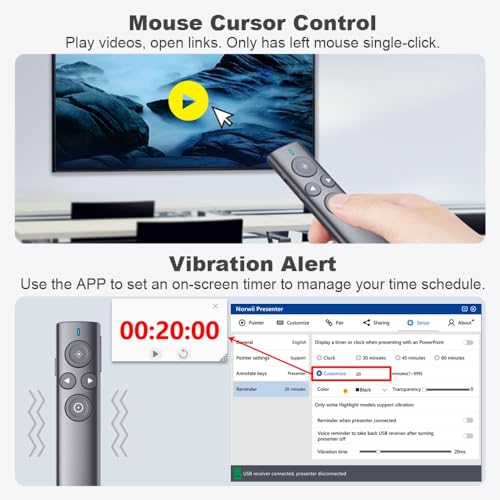
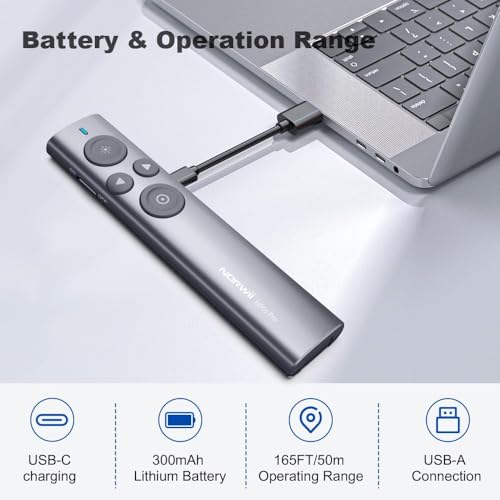
Setup is pretty straightforward. You need to download some software to your laptop and insert the usb dongle. When not in use the dongle stores securely in the back end of the pointer. The pointer dot can be adjusted to the size you want, but the smallest size is slightly larger than you’d get from a laser pointer (Of course lasers don’t work on LED screens). The projected dot is crisp and has no lag. This pointer has several other modes (magnify, highlight, air mouse, timer). Fortunately you can, and should, turn these off if you only use the pointer function. The reason for that is that to switch between modes, you simply do a fast double click. If you do it accidentally during a presentation, you have to cycle through the modes with more double clicks to get back to your red dot. Not good. Happily I figured this out while rehearsing, and not in the middle of a real presentation. As for value, the price is too high for what is essentially a wireless mouse, but it was the lesser of two evils compared to better known brands. As for quality of build…meh…lightweight plastic feels cheap. It is usb rechargeable and I never go more than a couple of 1-hour lectures without recharging. (The light weight and small form tells me the battery is probably pretty small. Norwii gives no clue as to mAh capacity). I still give it four stars for its functionality…it gets the job done very nicely. I’ve used it for presentations on very large theatrical LED screens on Viking cruise ships and it performed admirably with no loss of resolution or any other problems. Good pointer.
Upskill Healthcare Education –
Muy bien, pero pedí el estuche para el puntero y no me ha llegado, en EPS me dicen que lo devolvieron porque estaba vacío, pero es un estuche adicional..!!
Debe venir vacío..!!
darren beanard –
Advertised that it is for LCD screens but is a red laser and did not appear on TV. Bummer. It did work with my Mac though, so that part was good.
Amit Kumar –
I upgraded to this model from an N26 and it was such a good purchase. The extra features are so useful and work perfectly. Spotlight parts of the screen with highlight/magnify/red dot plus the red laser. Works with the smartboard software in my class too, so it’s seamless swapping from ppt to smart board and back. A really great purchase. 5*
Gordon –
Wasted my money to buy this product after watching its features as mentioned. Dont buy. Go gor Logitech Spotlight, its far better
CJ –
Offers best functionality. Only draw back is its quite light so doesn’t feel robust and am doubtful abt battery life although up to now has functioned well.
In my opinion this is better than the Logitech Spotlight presenter as it offers more digital functions inclusive of a traditional laser pointer.
Only down side maybe the softer needs to be installed on computer presenting from.
Luis Rafael Sanchez R. –
For office slide
Barton P. Anderson –
After one presentation, could not recharge the battery using USB-C port/charger. Difficult to control the cursor on a large screen. The only pointer I could share with Zoom participants was the cursor. That worked if you enlarge the computer cursor to the max. Easy to understand and install. Use is fine provided you don’t need very fine cursor control. Flips through slides easily.
Will M. –
Most TVs & projection screens will not show a laser pointer image on them unless pointed straight at them. But, THIS pointer, once you figure out exactly where to point, makes a GREAT image by just pointing at the laptop itself…NOT the screen!!! The choice of a laser spot, circle or magnified image is EXACTLY what most presenters need. I’ve been looking for one like this for 3 years…THANKS, Norwii.
Scubaman –
I am having a bit of a time getting the hang of it, but I am looking forward to using in in front of an audience.
ez-reader –
Does everything my Logitech highlighter does and more for less. Software could be a bit more friendly but overall, a quality product.
Excellent product –
This works very well for giving presentations that are hybrid, so that you can turn on a laser pointer cursor in Powerpoint, which is then visible to all online and in the room, and walk around with the same freedom as when using a standard laser pointer (which this is as well, if needed). You can install software to make the buttons do more, but I find it’s perfectly adequate not to use extra software, and just double-click the pointer button after plugging in the dongle, and then it controls the mouse constantly, very easily and sensitively. Good value for money for what it is. And it looks great!
R.R.K. –
I thought buying an expensive pointer would be cool and it would last forever, right? Wrong!
Got mine about 1 year ago. I did not make an intensive use of it (2 or 3 conferences) and when I needee it, it stopped working. There is a small battery inside but you can’t replace it as it is glued to the circuit. Good ild AA or AAA are way more reliable.
Additionally, in order to have the screen pointer (not the laser, but the LCD zoom and airmouse) the dedicates software must be installed. It is another Chinese company trying to install something suspicious in your computer. Just don’t do it – not worth the time and the money and you can’t use it when presenting in a conference or somewhere else in another person’s computer. It becomes a regular laser pointer and for that price might as well buy a cheap one that doesn’t install anything on your machine.
Remember: 1 year of use (three times). It’s like I paid $15 per use. Might as well buy a cheap pointer if I ever need one again and if it lasts 2 conferences it’s a deal!