
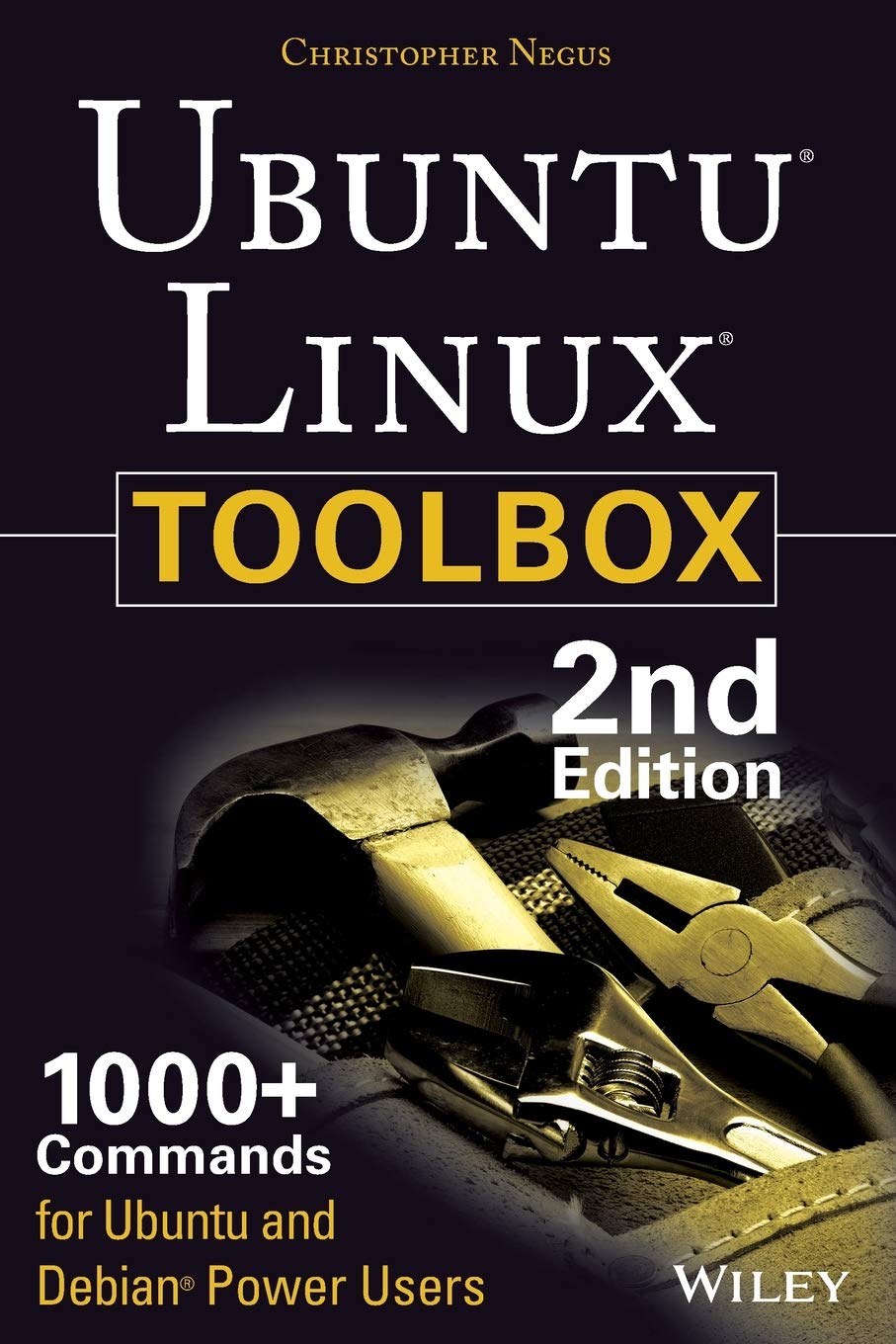
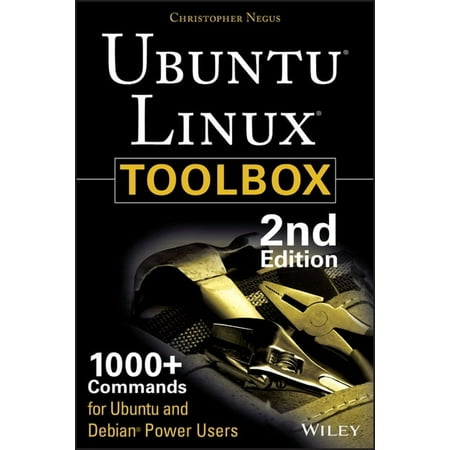
Ubuntu Linux Toolbox: 1000+ Commands For Ubuntu And Debian Power Users
 Walmart.com
Original price was: $29.99.$19.79Current price is: $19.79.
Ubuntu Linux Toolbox: 1000+ Commands For Ubuntu And Debian Power Users Price comparison



- All prices mentioned above are in United States dollar.
- This product is available at Walmart.com, Amazon.com.
- At walmart.com you can purchase Ubuntu Hacks: Tips & Tools for Exploring, Using, and Tuning Linux (Paperback) for only $11.82
- The lowest price of Ubuntu NetRunner LinuxMint Manjaro Fedora Multiboot Fast 32GB USB 3.2(5-in-1) was obtained on October 9, 2026 21:39.
Ubuntu Linux Toolbox: 1000+ Commands For Ubuntu And Debian Power Users Price History
Ubuntu Linux Toolbox: 1000+ Commands For Ubuntu And Debian Power Users Description
Discover the Ubuntu Linux Toolbox: 1000+ Commands for Power Users
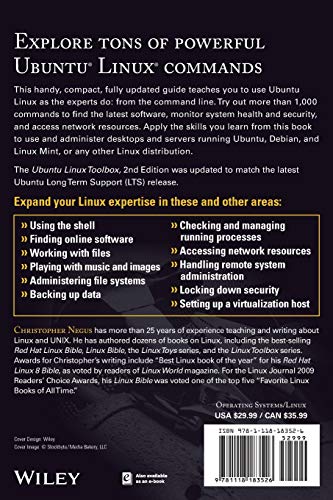
Unleash the true potential of your Linux experience with the Ubuntu Linux Toolbox: 1000+ Commands for Ubuntu and Debian Power Users. This comprehensive guide, published by Wiley, offers an extensive collection of tools and commands tailored for Ubuntu and Debian enthusiasts. Whether you’re a seasoned power user or just starting, this toolbox is designed to elevate your Linux skill set and efficiency.
Key Features and Benefits
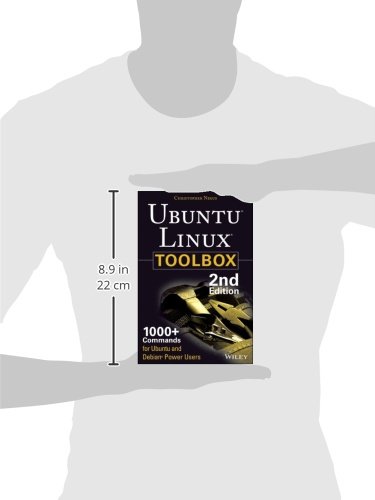
- Comprehensive Coverage: This 368-page paperback provides well over 1000 commands, enabling you to perform tasks with ease.
- Expertly Written: Authored by Linux experts, the content is clear, concise, and flows logically, making it easy to follow.
- Practical Examples: The book includes practical examples to help you understand commands and their applications in real-world scenarios.
- Quick Reference: An organized structure allows for quick access to essential commands, enhancing your productivity.
- Descriptive Index: With a comprehensive index, locate commands efficiently without wasting time browsing.
- Up-to-Date Information: The 2nd edition reflects the latest trends and updates in Ubuntu and Debian environments, ensuring relevance.
Price Comparison Across Suppliers
Finding the best deal for the Ubuntu Linux Toolbox has never been easier. Our price comparison tools reveal substantial differences across various suppliers. On average, prices range from $29.99 to $39.99. By comparing prices, users can save up to 25% on their purchase, allowing more budget for additional resources or Linux-related tools.
6-Month Price History Trends
According to our 6-month price history chart, the book has shown a stable pricing trend with occasional dips during promotional events. The most significant price reduction occurred in July, when several retailers offered it at $27.99. This trend indicates that shoppers should keep an eye out for seasonal promotions or discounts, making now a great time to consider purchasing theUbuntu Linux Toolbox.
Customer Reviews Summary
Customer feedback on the Ubuntu Linux Toolbox is overwhelmingly positive, with many users praising the book for its depth and clarity. Reviewers frequently highlight:
- The wide range of commands covered, from basic to advanced, accommodating users at different skill levels.
- The step-by-step instructions that simplify complex topics.
- The practical applications of commands, illustrated with relevant examples.
However, some users note that the book could benefit from more illustrations to visualize intricate processes, especially for beginners. Overall, the consensus remains that this toolbox is an invaluable resource.
Engaging Review and Unboxing Videos
To further enhance your purchasing decision, check out unboxing and review videos available on platforms like YouTube. These visual resources provide rich insights, including walkthroughs of command executions and real-time demonstrations of the features. Such content ensures you know exactly what to expect from this powerful guide.
Start Your Linux Journey Today
In conclusion, the Ubuntu Linux Toolbox: 1000+ Commands for Ubuntu and Debian Power Users is more than just a book; it is an essential toolkit for maximizing your Linux experience. Its comprehensive command collection, expert guidance, and practical insights make it the perfect companion for anyone eager to harness the power of Ubuntu and Debian.
Don’t miss out on the opportunity to elevate your command-line expertise. Compare prices now to find the best deal and begin your journey towards becoming a Linux power user today!
Ubuntu Linux Toolbox: 1000+ Commands For Ubuntu And Debian Power Users Specification
Specification: Ubuntu Linux Toolbox: 1000+ Commands For Ubuntu And Debian Power Users
|
Ubuntu Linux Toolbox: 1000+ Commands For Ubuntu And Debian Power Users Reviews (13)
13 reviews for Ubuntu Linux Toolbox: 1000+ Commands For Ubuntu And Debian Power Users
Only logged in customers who have purchased this product may leave a review.

Azure777 –
I am new to Linux, using Linux Lite (an Ubuntu-based distro) for most of my day-to-day tasks. To date, I have already bought 3 books from Amazon, to help me with Linux’s command-line as I don’t have a programming background in any shape or form, and am self-taught over the years when it comes to anything to do with computers. This book (the 4th) stands head and shoulders above the others I bought as it is an excellent reference book. It doesn’t bog you down with theory and just gives you the commands you need to get going without fuss…
U.Ravikumar –
Excellent reference for day to day administration tasks. Christopher Negus does a very good job of combining all day to day commands into this little book. Every administrator should own a copy of this book handy for reference.
EeyoreHal –
Not your usual command list alphabetical order reference. I think I like the approach the author has taken.
Well worth the price of admission.
Agnes Berkemeyer –
Aanrader. Veel Ubuntu /Debian Linux command’s goed uitgelegd met de meest gebruikte opties erbij waar je echt wat aan hebt. dit boek heb je ook voor Suse Linux, dat is vergelijkbaar qua opzet.
Rafael Zuleta –
Un libro con una cantidad de comandos, muy util y recomendado para conocer y utilizar estos comandos delinux
Ryan –
Very cool does not leave my computers side.
Mfragin –
I teach high school Computer Science in a Linux Lab–something pretty rare in education today. My students use the terminal, learn Bash, and help me on several development teams. When students ask me how to learn the Unix terminal, this is my top choice for them to try out. What makes me like this book so much (and the 2nd edition is just as great as the 1st edition was), is how the author nicely introduces many command line utilities that do not come standard on most Linux installations–including Ubuntu. He finds the right tools for the job and gives MANY examples of running the commands and the output they return. I have many other “Learn the Command Line” books aimed at Linux users, but this one has the highest density of actually useful content.
Donald A. Newell Jr. –
Nice reference book
Kenwick –
I have a new Debian project for a MMI on a beer bottling machine and thought this would be a helpful reference. It certainly is and I’ve already put it to good use. It is a reference so don’t expect to start on page 1 and bore through it all. I bought a “Used, Acceptable copy” and it is just that. It would have looked pretty used after a few days with me anyway. So, I’m happy with the purchase. My only drawback is that it is printed in a very tiny font and I find myself reaching for my strong readers especially on the plant floor which has rather dim light. I’m giving it 5 stars because it deserves it and the fine print wouldn’t even be a problem with young folks. Maybe I should really retire after this project?
Original Elvis –
This is a nice desktop reference for refreshing your memory about various Linux commands without having to resort to MAN files. The book’s indexing system could be better, and sometimes topics appear in unexpected places; but it’s still a helpful guide for those commands you use infrequently. Once or twice I’ve had to read the MAN files or search online because the book’s examples were too brief.
I would not recommend reading this book cover to cover as your first exposure to Linux if you’re coming from a Windows-only background; read some online tutorials or a “Using Ubuntu / Debian” book instead. Unix based operating systems are more restrictive about file permissions, everything is a file, and many features are command-line only. It takes time for Windows desktop users to get used to the Unix way of doing things, although Windows Server administrators will likely adjust faster.
Big Daddy –
I have both editions of this reference book. I liked the first edition very much and bought the second edition as well to be sure I had not missed any corrections or additions. While I have not compared the two editions to see what changed, I am, nevertheless, glad I added the second to my collection.
This is not a work to be read from front to back as a novel, it makes a great random-browse book as well as a problem solving book when confronted with a specific need for information on the Ubuntu OS or related matters. So many works seem to be a mixture of fluff and hype, it is a real pleasure to sit down with a book that is quietly competent.
This is a great question-answering reference and useful source not only for “How-to”, but also “What options do I have”, and it does its job with clarity and clear explanations where such are appropriate.
I had some question when I ordered the second edition as to whether I would be wasting my money, already having the first edition on hand. Now, I am glad I did, indeed, buy the second edition … it is a worthwhile addition to my reference library.
I am a “happy camper” !
vttimwhite –
This book is okay. It gives a good overview of the features and the command-line options. I’m already very familiar with Linux, how it’s put together, and many of the features. What I was looking for was a reference book to help me with the syntax and options for the CLI. For example, I don’t always remember the difference between ‘-R’ and ‘-r’, and other critical fine details. I just wanted a quick reference to pick up when I can’t remember. The ‘man’ pages are always there, but I wanted a book. That seems easier to me.
JG –
I love this book. Contains the information I need most. The book is just the right size to carry around. My favorite topic is filesystems… This book shows you the commands to format, mount, backup. It also discusses: Software Raid, LVM, loop mounting… etc. It does a good job and covers nearly everything in a concise, no nonsense, manner. It’s the perfect Linux handbook. I use Debian and find it suitable. If you use Red Hat, most will apply, except for the package management section, etc.