
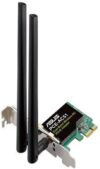
ASUS AC750 Dual Band PCIe WiFi Adapter (PCE-AC51) Price comparison


ASUS AC750 Dual Band PCIe WiFi Adapter (PCE-AC51) Price History
ASUS AC750 Dual Band PCIe WiFi Adapter (PCE-AC51) Description
ASUS AC750 Dual Band PCIe WiFi Adapter (PCE-AC51)
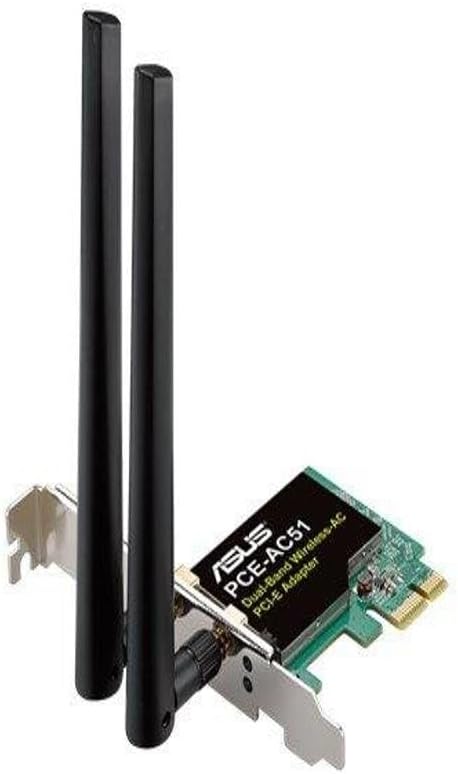
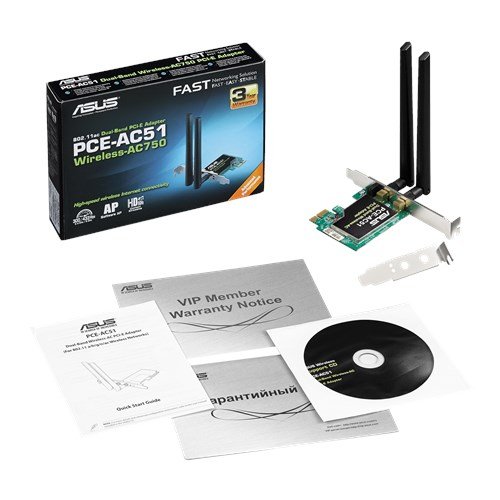
The ASUS AC750 Dual Band PCIe WiFi Adapter (PCE-AC51) is designed to elevate your wireless connectivity experience. With its advanced technology and dual-band support, this WiFi adapter provides a stable and fast internet connection. Get ready to enjoy seamless streaming, gaming, and browsing with this powerful device. Discover why this adapter is gaining popularity and how it compares on price.
Key Features and Benefits of ASUS AC750 WiFi Adapter
- Dual-Band Connectivity: Operates on both 2.4GHz (up to 300 Mbps) and 5GHz (up to 433 Mbps) bands, allowing a flexible usage experience tailored to your needs. Enjoy better performance for streaming and gaming on the less crowded 5GHz band.
- 802.11ac Wireless Standard: This advanced wireless standard ensures faster speeds and greater reliability than previous versions. Experience improved network efficiency, especially in multi-device environments.
- Easy Installation: The PCIe interface allows for straightforward installation into your desktop PC. It comes with a user-friendly setup guide, making the process quick and hassle-free.
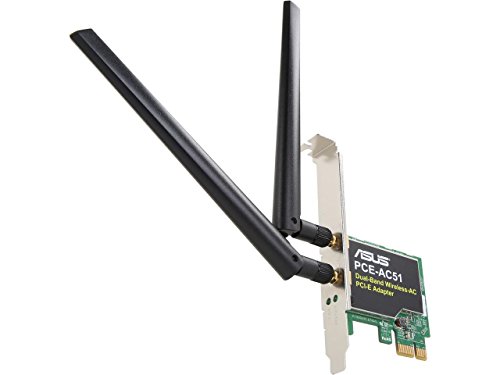
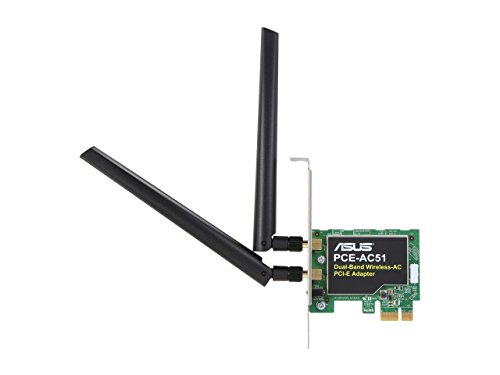
- External Antennas: Equipped with dual external antennas to enhance signal strength and range. This feature helps maintain a solid connection even in larger homes or areas with multiple rooms.
- Low Power Consumption: Designed to be energy-efficient, this adapter not only saves you money on your electricity bill but also optimizes your PC’s performance.
Price Comparison and Trends
The price of the ASUS AC750 Dual Band PCIe WiFi Adapter (PCE-AC51) varies across multiple retailers. Typically, you can find it priced between $25 and $40, depending on the supplier. Our price comparison tool shows you the best deals available online, making it easy to select the option that fits your budget.
Reviewing the 6-month price history chart reveals a steady demand for this WiFi adapter. On average, the price has dipped slightly during sales events, presenting a golden opportunity to snag this product at a lower rate during promotional periods.
Customer Reviews: What Users Are Saying
Customers rave about the ASUS AC750’s performance, highlighting its dual-band capabilities as a major advantage. Many users report significant improvements in both speed and stability for online gaming and video streaming. Here’s a summary of what customers appreciate most:
- Seamless HD streaming and lag-free gaming.
- Easy installation process, with many noting that they were set up in under 10 minutes.
- Great value for money, with many commenting on the high performance given the price point.
However, some users mentioned drawbacks. A few reported connectivity issues when their systems were further away from the router. Others found that the included antennas could be sturdier.
Explore Unboxing and Review Videos
If you’re considering purchasing the ASUS AC750 Dual Band PCIe WiFi Adapter (PCE-AC51), check out various unboxing and review videos on platforms like YouTube. These videos showcase real-life performance and installation tips, providing additional insights and helping you make an informed decision.
Why Choose the ASUS AC750?
The ASUS AC750 Dual Band PCIe WiFi Adapter stands out in the competitive market for WiFi adapters. It delivers high-speed connections and excellent functionality at an attractive price. Whether you’re working from home, gaming, or enjoying your favorite streaming services, this adapter enhances your online experience.
In summary, with its robust specifications and highly rated customer satisfaction, the ASUS AC750 Dual Band PCIe WiFi Adapter is worth investing in. The unique features, affordability, and favorable reviews make it an excellent choice for upgrading your desktop’s wireless capabilities.
In conclusion, don’t miss out on an improved online experience! Compare prices now!
ASUS AC750 Dual Band PCIe WiFi Adapter (PCE-AC51) Reviews (13)
13 reviews for ASUS AC750 Dual Band PCIe WiFi Adapter (PCE-AC51)
Only logged in customers who have purchased this product may leave a review.





Merry –
Pursued this card because it was cheap (under $20) and was made by ASUS (or at least in was labeled from ASUS). Installed card, started the computer, went into the internet all in five minutes. It was faster than I had expected for the price of the card! I am not a gamer, so more than fast enough for my needs.
wildnotmild –
This was a plug and play wifi solution for a Windows 10 PC that didn’t have factory wifi. I plugged it into an available slot and had reasonably fast wifi as soon as the machine booted up. I didn’t use the included driver disc at all. I’ve been using this machine as my streaming box for about a month and the WiFi has been great.
Rita L. –
se acaba de instalar la tarjeta y se implementaron los drivers de la pagina de asus, fue una decepción que no trabajara a la velocidad de mi proveedor (200 megas) ya que solo otorgaba 100 megas y no detectaba la banda de 5 ghz. Justo en ese momento me llego un router huawei ax3 wifi 6 y volví a realizar las pruebas de banda ancha y para mi sorpresa me daba descargas de 200 megas y ya detectaba la banda de 5ghz. Tal vez el problema no es la tarjeta de red, mas bien tu modem-router sea el problema.
Montano A Gonzales –
Windows 11 will recognize it immediately and install drivers for it, though you may need an internet connection first with Ethernet to get those drivers.
Dennis Normand –
Nice little Wi-Fi network card. Just plugged it into an open PCI express slot, and bingo! windows 10 did the rest of the setup. Liked it so well that I bought a second one for the computer out in the workshop. It still has windows XP on it, so I will get pleasure of setting that one up myself!
Works well for me in my situation. Just what I needed! Thanks A+++++
Richard L. –
phone home
James Morris –
I got the wifi adapter and got it installed fine, after struggling a bit with the provided driver software that didn’t work. I downloaded the Realtek drivers from the ASUS website, installed and it works perfectly. Great signal strength. But a peculiar thing is that inside the sealed box it came in was a USB extension cable,, about 4.5 ft long. Have no idea why it was in there but I have found a great use for it.. LOL
Thanks ASUS!
SeljakIzAlberte –
Great High-speed wireless internet connectivity, Wireless-AC dual-band for lag-free streaming and high performance network, Supports WEP, WPA, and WPA2 encryption methods for enhanced security. Low profile bracket included. No driver needed. Lenovo ThinkCentre BIOS and Windows 10 64bit recognize it immediately. Well packed. Prompt delivery.
Nelson –
I got it to work without too much hassle with Linux Mint 20 and 21. And also Debian 10. Of course it works fine with Windows too. Signal strength is decent enough.
DIEGO –
La tarjeta PCE-AC51 tiene un gran rendimiento, yo lo catalogaría de gama media-alta. Mantiene una conexión estable, tiene una velocidad bastante aceptable para mis necesidades (oficina), en la banda de 2.4GHz se conecta hasta 300 Mbps y en la banda de 5GHz se conecta hasta 433 Mbps, las cuales, siendo honestos, son suficientes en la mayoría de los casos. En Win 10 es muy fácil la instalación, no tuve ningún problema de drivers. Los materiales se aprecian de buena calidad. Sin duda creo que es la mejor opción cuando no tienes tanto presupuesto pero tampoco quieres comprar algo “corriente”.
Richard Harig –
Simple install firmware was already updated the only problem was I cannot access to 5 GHz band range that I have in my house. I’ve gone to the website I’ve tried numerous things and it will not access 5 gigahertz or even see it show up.
Amazon Customer –
I needed a wireless connection between a router and my PC about 30′ distant. the wireless card worked perfectly and was easy to install.
Viatcheslav Mabendjiev –
The media could not be loaded.
Recieved the item as planned. The ASUS WiFi Card was very easy and simple to install. I did not need to install any addtional drivers. Even with an RTX 3090 & RTX 3080 in one Rig, the WiFi card slid right in between perfectly. So far so good. Would definetly recommend. No bluetooth