
 Amazon.com
$899.99
Intel NUC 12 Pro Mini PC (64GB RAM) Price comparison


- All prices mentioned above are in United States dollar.
- This product is available at Amazon.com.
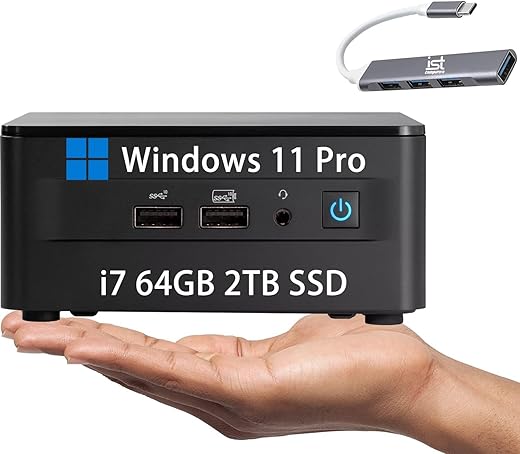
- At amazon.com you can purchase Intel NUC 12 Pro Kit Wall Street Canyon Mini PC (64GB RAM, 2TB SSD, 12-Core i7-1260P, Iris Xe Graphics) Business Desktop, 2 x Thunderbolt 4, Ethernet, Wi-Fi 6E, 3-YR WRT, IST Hub, Win 11 Pro for only $899.99
- The lowest price of Intel NUC 12 Pro Kit Wall Street Canyon Mini PC (64GB RAM, 2TB SSD, 12-Core i7-1260P, Iris Xe Graphics) Business Desktop, 2 x Thunderbolt 4, Ethernet, Wi-Fi 6E, 3-YR WRT, IST Hub, Win 11 Pro was obtained on September 24, 2025 10:56.
Intel NUC 12 Pro Mini PC (64GB RAM) Price History
Intel NUC 12 Pro Mini PC (64GB RAM) Description
Intel NUC 12 Pro Mini PC (64GB RAM) Compact Powerhouse
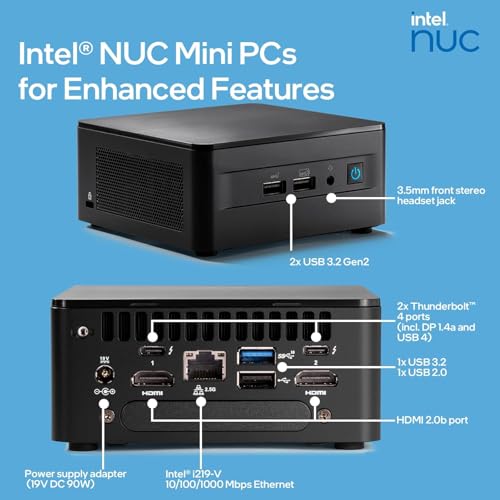
Looking for a powerful yet compact computing solution? The Intel NUC 12 Pro Mini PC (64GB RAM) is designed for professionals and enthusiasts seeking top-tier performance without compromising on space. With its cutting-edge specifications and miniaturized form factor, this versatile PC makes an ideal choice for a variety of applications.
Key Features of Intel NUC 12 Pro Mini PC
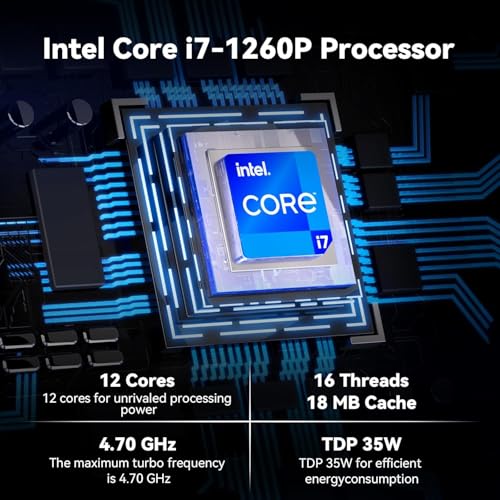
- High-Performance Processor: Powered by a 2.8 GHz Intel Core i7-1165G7 processor, the NUC 12 Pro delivers exceptional performance for multitasking, gaming, and professional applications.
- Ample Memory: Featuring 64 GB DDR4 RAM, it ensures smooth operation even when running demanding applications or multiple tasks simultaneously.
- Fast Memory Speed: With a memory speed of 3200 MHz, expect rapid data processing and quick access to applications and files.
- Spacious Storage: The 2 TB solid-state hard drive provides plenty of storage space for all your files, media, and applications, allowing for quick read and write speeds.
- Advanced Graphics: Equipped with Intel Iris Xe Graphics, it supports high-quality visuals, making it suitable for creative tasks and casual gaming.
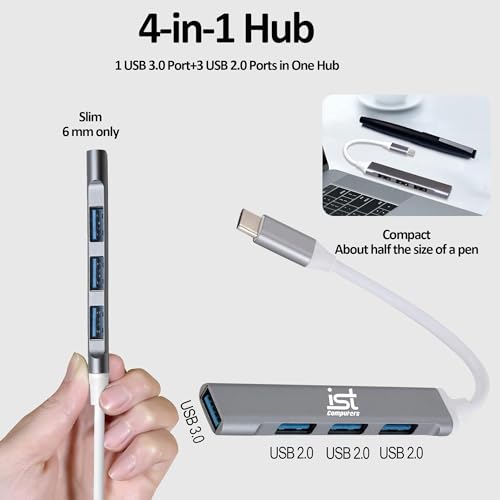
- Diverse Connectivity: Enjoy multiple USB ports including 3 USB 3.0 ports and 1 USB 2.0 port for connecting various devices, alongside integrated Bluetooth and 802.11ax Wi-Fi for seamless wireless connectivity.
- Compact Design: Measuring just 4.6 x 4.4 x 2.1 inches, this mini PC fits perfectly in tight spaces, making it ideal for homes, offices, or any on-the-go setup.
- Lightweight: Weighing only 3.1 pounds, the NUC 12 Pro is easy to transport, making it a great choice for professionals who travel frequently.
- User-Friendly OS: Pre-installed with Windows 11 Pro, users can enjoy the latest features and improvements for enhanced productivity and security.
Price Comparison Overview
The Intel NUC 12 Pro Mini PC (64GB RAM) is competitively priced across various suppliers. Prices currently range from $1,120 to $1,250, providing options for different budgets. Monitor how pricing fluctuates and ensure you find the best deal.
6-Month Price Trends
According to our 6-month price history chart, the Intel NUC 12 Pro has experienced a gradual price decline over the past few months, which means now could be the best time to buy. Ensure to compare prices regularly for additional savings!
Customer Reviews Summary
Customer feedback on the Intel NUC 12 Pro Mini PC highlights several strengths as well as a few notable drawbacks. Users frequently praise its performance, particularly under heavy workloads, and appreciate its compact design. Many also mention the ease of setup and impressive graphics performance.
However, some users note that the cooling system could be improved, as it tends to run warm under heavy use. Additionally, certain users feel that the price point is on the higher end for a mini PC. Overall, the positive reviews significantly outweigh the negatives, confirming its strong reputation in the market.
Unboxing and Review Videos
If you want to see the Intel NUC 12 Pro Mini PC in action, there are several detailed unboxing and review videos available on YouTube. These resources offer a closer look at its setup process, features, and performance, helping you make an informed decision. Check them out to get a first-hand view of how this mini PC functions!
Why Choose Intel NUC 12 Pro Mini PC?
In a world where space and performance often clash, the Intel NUC 12 Pro Mini PC stands as a testament to innovative engineering. With powerful specifications and a compact design, it’s perfect for professionals, gamers, and anyone seeking an efficient PC experience. The combination of substantial RAM and impressive graphics equips users with the power they need for any task.
Plus, the extensive connectivity options and lightweight design make it easier than ever to create the exact setup you desire, whether at home or on the road. Given the competitive pricing and positive customer feedback, now is the perfect time to invest in this exceptional mini PC.
Ready to elevate your computing experience? Compare prices now!
Intel NUC 12 Pro Mini PC (64GB RAM) Specification
Specification: Intel NUC 12 Pro Mini PC (64GB RAM)
|
Intel NUC 12 Pro Mini PC (64GB RAM) Reviews (8)
8 reviews for Intel NUC 12 Pro Mini PC (64GB RAM)
Only logged in customers who have purchased this product may leave a review.





Adam Szofran –
This NUC is nice and small and works as advertised. I’m happy with my purchase.
A note for anyone who plans to back up this device using Synology Active Backup for Business: the network adapter needs some additional configuration to work reliably. You’ll need to set the network adapter’s transmit buffer size and receive buffer size to 2048 up from 1024.
I can’t post a link here, but do a web search for “i225 synology active backup transmit receive” and you’ll find more information about the issue.
Aaron Smith –
After setting up my NUC 11 it is just what I was looking for and fits my needs perfect. The additions added were great and the computer is snappy and this company delivered 100%. The day after I got a call from a guy Chris asking about my experience. Great customer service 10/10
Benjamin P Sowle –
In the past I have always built large pc’s with plenty of room for hard drives to have lots of video. I have my computer plugged into my tv with a wireless keyboard and mouse. I use it for business and for streaming video and music.
The new wifi is so incredibly fast there is no reason for a hardline connection. You can mount the frame that comes with it behind your big screen on the wall and just plug in with hdmi. Screaming fast!!!!!!
The one hiccup I had was that the hdmi audio would cut out for a second randomly and I couldn’t use it for watching video. I searched and intel has a fix. Basically updating the bios to the new version. I did that and the audio cleared right up. It tells you to update it using the F7 bios update method twice in a row. That is the only way the patch worked for me. Not sure why I had to do it again twice in a row, but the second time it worked.
Shag Harris –
I use this computer for personal and business. It works great when I’m using this but, it keeps waking my monitor up in the night while it is supposed to be sleeping. Also, I’ve had it “shut down to to overheating” in the night, while asleep. It is in a very well ventilated location.
JFH –
This mini desktop has been problematic since I bought it. The user guide only tells you how to plug it in. When I entered a support case with Intel , they blamed Windows for problems, causing me to spend $$ having it checked by an expert. The expert tried booting from a USB drive and it crashed befre it ever got to Windows. I’m going to try dealing with Intel again but don’t like my chances!
Bryan H. –
Out of the box I was getting heat errors and it would shut down overnight. Then the hard drive failed. Complete junk. And Intel has off loaded warranty of the NUC systems to ASUS. Should have bought a real PC from a reputable vendor.
Marguerite Z. –
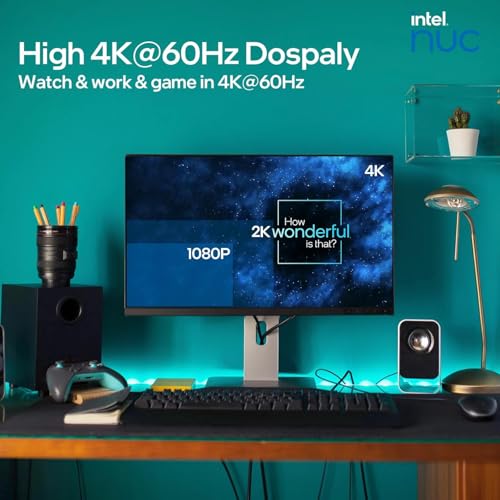
I bought this NUC so that we could have Skype calls with family members, to play point-and-click games with the family, and to display family photos and movies. It’s been absolutely perfect so far. The only problem I’ve encountered is that the MUC needs to be turned on and logged into (I use a Windows Hello-ready camera for that) before I can turn on the receiver and monitor. If I do it in the opposite order, I just get a green screen, presumably due to some synch problem (I use an 8K-quality USB-C to HDMI cable, and project at 4K/60Hz). I bought a Bluetooth dongle for it, and use a Bluetooth keyboard and mouse from the comfort of the couch. Works great for what I use it for. (I’d had a Surface 2 Book hooked up to the monitor before this, but the NUC takes up way less space.) Having the 1TB memory is great, because I can store all of my pictures, music, and videos from OneDrive locally, making them easy to access.
Bryan H. –
I purchased the NUC 11 with 64Gb RAM, 2Tb SSD, Thunderbolt ports in Feb.2023. My computer use is for Photoshop editing and serious music listening while doing so. I encountered the same audio hiccup as referred to by previous reviewer from April 2022. I followed his instruction to use the F7 Flash BIOS update times two, and voila! perfect audio. I wish to thank him for really helping out. My main purpose in purchase was to get some horsepower under the hood for Photoshop, and WOW this machine screams! Specifically, I use the Topaz plugins SharpenAI, DenoiseAI, and Gigpixel AI. Widely considered the best of their type, the downside is they are notoriously slow. My benchmark is using Gigapixel AI to upsample an image file to sufficient file size (c.62 mb) to support a 17×22 inch print at 240ppi for an Epson P900 printer. Most people, including me with previous computer (2016 vintage HP with 8gb RAM), would have to wait 20-25 minutes for this process to complete. It now takes about 45 seconds! In brief, this computer makes using Topaz products as Photoshop plug-ins a much more feasible option. You can see the result and redo it if needed in speedy realtime. Loving every second this machine saves me. I was going to get the new Mac Mini, but this saved me $1800 and is very much more mini.