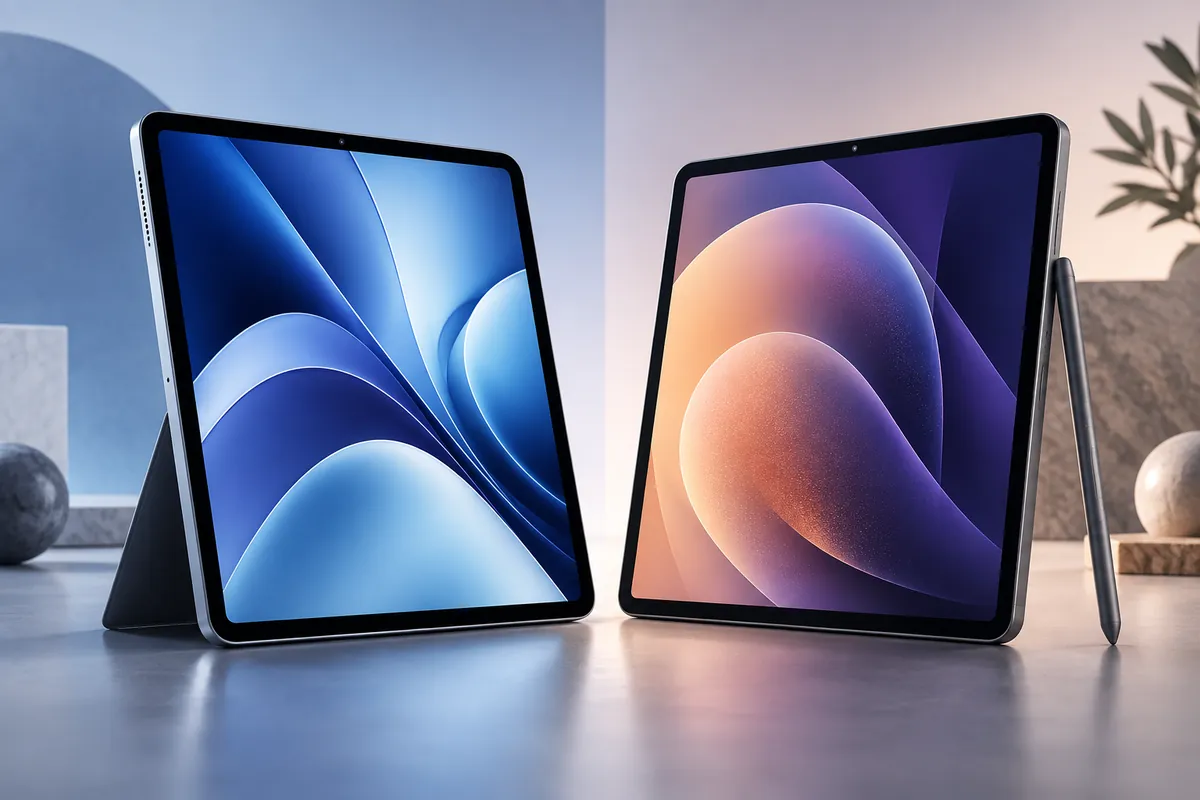
iPad Air M4 vs Samsung Galaxy Tab S11
The 11-inch iPad Air M4 is the better tablet for most buyers who prioritize raw performance, creative apps and a lower starting price, while the Samsung Galaxy Tab S11 is the stronger choice for buyers who care most about display quality, handwritten notes, expandable storage and desktop-style productivity.
The difference is especially clear once accessories enter the comparison. The iPad Air starts at $599, but Apple Pencil Pro and Magic Keyboard are separate purchases. Samsung launched the Galaxy Tab S11 at a higher tablet price, yet the redesigned S Pen is included in the box, and the tablet adds a 120Hz AMOLED display, microSD expansion, IP68 durability and Samsung DeX.
Neither tablet is simply better in every category. The M4 chip gives Apple a large performance advantage, while Samsung offers more hardware features that matter in everyday note-taking, media use and laptop-style multitasking. The best choice depends on whether you want the faster tablet, the better display, the lower entry price or the more complete productivity package.
Quick Winner: iPad Air M4 vs Galaxy Tab S11
Best Overall for Most Buyers: iPad Air M4 — lower base price, significantly stronger processor performance and an excellent creative-app ecosystem.
Best Display: Galaxy Tab S11 — Dynamic AMOLED 2X with up to 120Hz gives it a clear hardware advantage over the Air’s 60Hz IPS panel.
Best for Students and Notes: Galaxy Tab S11 — the S Pen is included, storage is expandable and Samsung Notes integrates well with the broader Galaxy ecosystem.
Best for Creative Apps: iPad Air M4 — the M4 chip and mature iPad creative software give it the stronger ceiling for demanding work.
Best for Desktop-Style Multitasking: Galaxy Tab S11 — Samsung DeX remains one of the most flexible tablet-to-desktop workflows.
iPad Air M4 vs Galaxy Tab S11: Specs Compared
| Feature | iPad Air M4 11-inch | Galaxy Tab S11 11-inch |
|---|---|---|
| Launch | March 2026 | September 2025 |
| Starting price | $599 launch price | $799.99 launch price |
| Chip | Apple M4 | MediaTek Dimensity 9400+ |
| Memory | 12GB unified memory | 12GB RAM |
| Display | 10.86-inch Liquid Retina IPS | 11-inch Dynamic AMOLED 2X |
| Resolution | 2360×1640 | 2560×1600 |
| Refresh rate | 60Hz | Up to 120Hz |
| Storage | 128GB to 1TB | 128GB to 512GB + microSD up to 2TB |
| Stylus | Apple Pencil Pro sold separately | S Pen included |
| Weight | 464g Wi-Fi model | About 469g Wi-Fi model |
| Wireless | Wi-Fi 7 | Wi-Fi 6E |
| Durability | No comparable U.S. IP68 claim | IP68 |
| Software | iPadOS 26 | Android 16 / One UI 8 |
Price and Total Setup Cost
The iPad Air M4 wins the tablet-only price comparison. Apple launched the 11-inch Wi-Fi model at $599 with 128GB of storage, while Samsung launched the Galaxy Tab S11 at $799.99. Current discounts can change that gap considerably, so use the live price cards below rather than treating launch pricing as today’s exact retail price.

Unlock blazing performance with the Apple iPad Air 11‑inch M4 (12GB RAM, 128GB) in Space Gray — the M4 chip with an 8‑core CPU and 9‑core GPU delivers smooth multitasking and stunning visuals. Stay connected with Wi‑Fi 7, Bluetooth 6, fast USB‑C and enjoy secure access via Touch ID in the top button. Order yours today — buy now and experience power, portability, and speed.
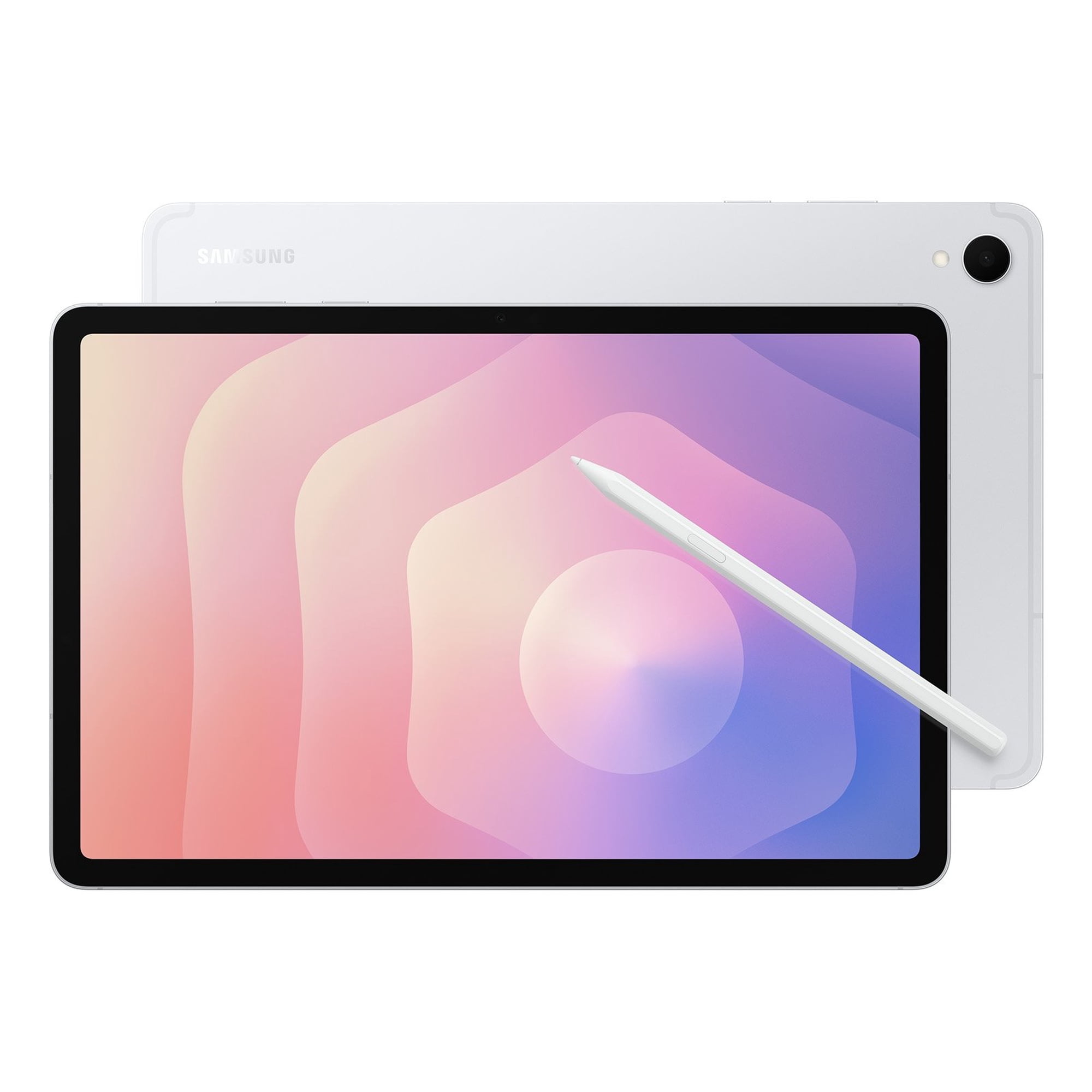
Meet the Samsung Galaxy Tab S11 AI Wi‑Fi 11-inch — sleek, ultra‑portable, and built for uncompromising performance. Experience AI-powered multitasking and a slimmer, more immersive display that helps you work faster and play harder. Ready to upgrade your on‑the‑go productivity?
Shop the Galaxy Tab S11 now →
The more interesting comparison begins when you add accessories. Apple Pencil Pro costs $129, while Samsung includes the S Pen with the Tab S11. Apple’s 11-inch Magic Keyboard adds another $269. Samsung’s Book Cover Keyboard Slim is officially listed at $144.99, although it is a different accessory design and should not be treated as a feature-for-feature equivalent to Apple’s Magic Keyboard.
Value takeaway: The iPad Air has the lower entry price, but the Galaxy Tab S11 becomes more competitive once note-taking accessories are included because the S Pen is already in the box.
Design and Portability: Essentially a Tie
There is almost no meaningful portability difference between these two tablets. The Wi-Fi iPad Air weighs 464g, while the Galaxy Tab S11 is about 469g. Both are thin enough for backpacks, classes, commuting and travel without feeling like laptop replacements in disguise.
The larger distinction is the shape and hardware philosophy. Apple’s 11-inch Air uses a slightly squarer display aspect ratio that works well for documents, web pages and creative apps. Samsung’s wider 16:10-style display feels more natural for video and split-screen multitasking.
Samsung also has one practical hardware advantage: the Galaxy Tab S11 carries an IP68 dust- and water-resistance rating. Buyers who regularly carry a tablet between classrooms, cafés, job sites or travel environments may value that extra durability.
Winner: Tie for portability; Galaxy Tab S11 for durability.
Display: Galaxy Tab S11 Wins
The display is Samsung’s clearest advantage. Galaxy Tab S11 uses an 11-inch Dynamic AMOLED 2X panel with a 2560×1600 resolution and refresh rates up to 120Hz. That combination provides the deeper blacks expected from OLED technology plus noticeably smoother scrolling, animation and compatible gaming than a 60Hz display.
The iPad Air M4 uses Apple’s 10.86-inch Liquid Retina display: a fully laminated IPS panel with a 2360×1640 resolution, P3 wide color, True Tone, anti-reflective coating and 500-nit rated brightness. Independent testing continues to show good color accuracy and image quality.
The problem is not that the Air’s screen looks bad. It is that Apple still limits a $599 performance-focused tablet to 60Hz while Samsung supplies AMOLED and 120Hz in the same size class.
There is some nuance. TechRadar’s recent Tab S11 review found the panel less impressive in real use than its specifications suggest, criticizing some perceived softness and touchscreen friction. Even with that caveat, the hardware advantage still favors Samsung.
Winner: Galaxy Tab S11.
Performance: iPad Air M4 Wins Clearly
The M4 chip is the biggest reason to choose the iPad Air. Apple gives the tablet an 8-core CPU, 9-core GPU, 16-core Neural Engine, hardware-accelerated ray tracing, 120GB/s memory bandwidth and 12GB of unified memory.
Tom’s Guide measured the 11-inch M4 Air at 3,745 in Geekbench 6 single-core and 13,342 multi-core. Those results put the Air comfortably beyond the level needed for normal browsing, documents and streaming and give it substantial headroom for video editing, demanding games, large creative projects and longer-term software use.
The Galaxy Tab S11’s Dimensity 9400+ is still a high-end tablet processor. Samsung’s 12GB configuration handles Android multitasking, DeX, gaming and productivity well, and recent independent testing describes the tablet as responsive under serious workloads.
However, current benchmark evidence puts the M4 materially ahead in CPU performance. That does not mean every user will notice the difference in email or note-taking, but the gap matters for buyers who intend to keep the tablet for several years or use demanding creative software.
Winner: iPad Air M4.
Productivity and Multitasking: Galaxy Tab S11 Wins for Desktop-Style Work
Both platforms have become much better at laptop-like multitasking, but Samsung still provides the more explicitly desktop-oriented workflow.
iPad Air M4 and iPadOS 26
iPadOS 26 significantly improves window management. Apps can run in resizable windows, move more freely around the display and work with improved Files and background-task behavior. Combined with the M4 chip and an external display, the Air can handle a serious productivity workload.
For users already working with Mac, iPhone and iCloud, integration can matter as much as the windowing system itself. AirDrop, Universal Clipboard and Apple-focused creative tools make the Air feel natural inside an existing Apple workflow.
Galaxy Tab S11 and Samsung DeX
Samsung DeX still looks more like a conventional desktop environment. The Tab S11 can use DeX directly on the tablet and extend productivity to external displays. Samsung also introduced support for multiple workspaces, which makes it easier to separate work, communication and entertainment layouts.
If your goal is to use a tablet with a keyboard, mouse and external monitor as often as possible, Samsung gives you the more desktop-like interface. If your workflow depends on specific iPad professional apps, the Air may still be more capable despite its less PC-like interface.
For buyers debating whether either tablet can replace a notebook, our affordable laptops for students guide is useful context: some workloads remain easier on a conventional laptop regardless of tablet performance.
Winner: Galaxy Tab S11 for desktop-style multitasking.
Apple Pencil Pro vs S Pen: Galaxy Tab S11 Wins on Value
Both tablets are excellent note-taking and drawing platforms, but Samsung makes the initial decision much easier because the S Pen is included.
The Tab S11’s redesigned S Pen works directly with Samsung Notes and other supported apps for handwritten notes, annotations, drawing and quick tools. Students can begin writing immediately without adding another accessory to the purchase.
Apple Pencil Pro is more expensive because it is a separate $129 purchase, but it adds a mature set of creative features including pressure-sensitive drawing, hover support on compatible apps and deep integration with professional illustration and design software.
The right verdict depends on the use case. For students, meetings and general note-taking, Samsung delivers better out-of-box value. For professional artists already using apps such as Procreate and other iPad-focused creative tools, Apple Pencil Pro can justify its extra cost.
Winner: Galaxy Tab S11 for value; iPad Air M4 remains extremely strong for creative workflows.
Keyboard Accessories: Apple Has the More Laptop-Like Accessory, Samsung Costs Less
Apple’s 11-inch Magic Keyboard costs $269 and is designed to make the Air behave more like a compact notebook. It provides a keyboard and trackpad in one integrated accessory, which makes it more complete as a laptop-style input system.
Samsung’s Book Cover Keyboard Slim for the Tab S11 is officially listed at $144.99 and attaches magnetically. It adds a physical keyboard and dedicated function controls, including a DeX key, but the Slim version does not mirror Apple’s Magic Keyboard feature set exactly.
For buyers who want the strongest tablet-keyboard transformation, Apple has the more premium accessory. Samsung keeps the accessory cost lower and combines it with the included S Pen, which can make the full productivity bundle more affordable.
Battery Life and Charging: Galaxy Tab S11 Wins
Samsung gives the Tab S11 an 8,400mAh battery and advertises up to 18 hours of video playback. It also supports charging up to 45W.
The iPad Air remains efficient, but its battery life is not a major M4-generation upgrade. Tom’s Guide measured the 11-inch M4 Air at 9 hours and 44 minutes in its web-browsing battery test, almost identical to the previous M3 generation.
Battery tests from different publishers and manufacturer playback ratings should not be compared as if they use the same methodology, but the overall evidence still favors Samsung for endurance. TechRadar also found battery life to be one of the S11’s stronger characteristics.
Winner: Galaxy Tab S11.
Gaming: iPad Air Has More Power, Galaxy Tab S11 Has the Better Screen
The gaming comparison produces a split decision. Apple’s M4 provides much more performance headroom, particularly for demanding titles, emulation-style workloads and graphically intensive games that take advantage of Apple’s hardware.
The Galaxy Tab S11 counters with a 120Hz AMOLED display, which can make compatible games feel smoother and look more vibrant than they do on the Air’s 60Hz LCD panel.
Game availability matters just as much as hardware. Some premium games and creative gaming-related apps are better represented on iPadOS, while Android provides its own broader ecosystem and more flexibility in some gaming workflows.
Winner: iPad Air M4 for raw performance; Galaxy Tab S11 for display smoothness.
Storage and File Management: Galaxy Tab S11 Wins
The iPad Air can be configured from 128GB to 1TB, but whatever storage you buy is what you keep. There is no microSD slot.
Galaxy Tab S11 starts with 128GB and is also sold with 256GB or 512GB internal storage, while supporting microSD expansion up to 2TB. That is a major practical advantage for large video libraries, offline media, project archives or students who do not want to pay for the highest internal-storage tier.
Samsung’s more open file-management approach also tends to feel more familiar to users coming from Windows or Android phones.
Winner: Galaxy Tab S11.
Cameras and Video Calls: Neither Should Decide the Purchase
Both tablets are well equipped for video calls and document scanning. The iPad Air uses 12MP front and rear cameras, while the Galaxy Tab S11 includes a 12MP ultra-wide front camera and 13MP rear camera.
Apple’s Center Stage support is useful for video calls, and Samsung’s wide front camera is also practical for meetings. Neither tablet should be purchased primarily for photography, however, because a modern smartphone remains the better camera for most users.
Software Support and Ecosystem
Samsung provides the clearer written support commitment. The company promises up to seven generations of Android OS upgrades and seven years of security updates for the Galaxy Tab S11 from launch.
Apple historically supports iPads for many years, and older Air generations continue to receive modern iPadOS releases, but Apple does not publish a fixed number of guaranteed iPadOS upgrade years for the Air in the same way Samsung now does.
Ecosystem fit can outweigh that distinction. If you already use an iPhone and Mac, the iPad Air integrates more naturally with your existing devices. If you use a Galaxy phone, Windows PC and Samsung services, the Tab S11 can create a more cohesive cross-device setup.
Apple users considering whether a tablet or lightweight laptop makes more sense should also compare the Air with the options in our MacBook Air alternatives guide.
Which Tablet Is Better for Students?
The Galaxy Tab S11 is the better value for students who mainly want handwritten notes, PDFs, lectures and general productivity. The included S Pen removes a meaningful accessory cost, microSD storage makes large course libraries easier to manage, and DeX provides a more laptop-like option when a keyboard is attached.
The iPad Air M4 makes more sense for students in creative fields, music, design, video, illustration or courses that rely heavily on specific iPad apps. Its M4 processor also gives it more performance headroom if the tablet needs to remain useful through several years of demanding software.
Student winner: Galaxy Tab S11 for most note-heavy students; iPad Air M4 for creative coursework.
Which Tablet Is Better for Creators?
The iPad Air M4 is our choice for creators. The combination of M4 performance, Apple Pencil Pro support and a deep catalog of mature creative applications makes it more compelling for illustration, editing, music production and demanding visual work.
The Galaxy Tab S11 is still an excellent drawing and note-taking device, particularly because the S Pen is included and the AMOLED screen is attractive for media creation and viewing. The iPad’s advantage is the combination of processor headroom and software ecosystem rather than one isolated hardware specification.
Creator winner: iPad Air M4.
Which Tablet Is Better for Work?
The answer depends on what “work” means. If your day revolves around web apps, email, documents, external displays and desktop-style multitasking, the Galaxy Tab S11 is easier to recommend because DeX behaves more like a traditional computer environment.
If your work depends on demanding iPad-specific creative apps, the iPad Air M4 is stronger. Its M4 chip also makes it the safer choice for heavier professional software.
Work winner: Galaxy Tab S11 for conventional multitasking; iPad Air M4 for demanding creative workflows.
Pros and Cons: iPad Air M4
Pros
✅ Much stronger raw processor performance
✅ Lower tablet-only starting price
✅ Excellent creative and professional app ecosystem
✅ Apple Pencil Pro support
✅ Wi-Fi 7 and long-term Apple ecosystem integration
Cons
❌ Still limited to a 60Hz LCD
❌ Apple Pencil Pro costs extra
❌ Magic Keyboard is expensive
❌ No microSD storage expansion
Pros and Cons: Galaxy Tab S11
Pros
✅ 120Hz Dynamic AMOLED 2X display
✅ S Pen included
✅ microSD expansion up to 2TB
✅ DeX desktop-style multitasking
✅ IP68 dust and water resistance
✅ Explicit seven-year software and security support commitment
Cons
❌ Higher launch price
❌ Considerably less CPU performance than Apple M4
❌ Wi-Fi 6E rather than Wi-Fi 7
❌ Some professional creative apps remain stronger on iPadOS
Frequently Asked Questions
Is iPad Air M4 better than Galaxy Tab S11?
The iPad Air M4 is better for raw performance, demanding creative apps and buyers who want a lower starting price. Galaxy Tab S11 is better for display quality, included stylus value, expandable storage, battery life and DeX productivity.
Which tablet is better for students?
Galaxy Tab S11 is the stronger default choice for note-heavy students because the S Pen is included and storage can be expanded with microSD. iPad Air M4 is better for students who rely on demanding creative iPad apps.
Which tablet has the better display?
Galaxy Tab S11 has the stronger display hardware because it uses a 120Hz Dynamic AMOLED 2X panel. The iPad Air’s Liquid Retina IPS display remains sharp and color-accurate but is limited to 60Hz.
Is Apple M4 faster than the Dimensity 9400+?
Yes. Current independent CPU benchmark results show the iPad Air M4 with a substantial performance advantage. The Dimensity 9400+ is still fast for Android productivity, multitasking and gaming.
Which is better for drawing and note-taking?
Galaxy Tab S11 offers the better out-of-box value because the S Pen is included. iPad Air M4 becomes especially attractive for professional creative work when paired with Apple Pencil Pro and iPad-focused illustration apps.
Which tablet is better for gaming?
iPad Air M4 offers much stronger processor performance, while Galaxy Tab S11 has the smoother 120Hz AMOLED display. The better gaming choice depends on the titles you play and whether raw performance or display refresh rate matters more.
Does Galaxy Tab S11 include an S Pen?
Yes. Samsung includes the redesigned S Pen with the Galaxy Tab S11. Apple Pencil Pro is compatible with the iPad Air M4 but is sold separately.
Which tablet is better for replacing a laptop?
Galaxy Tab S11 is generally better for a desktop-like workflow because Samsung DeX offers a more traditional multitasking environment. iPad Air M4 is stronger when your work depends on powerful iPad apps rather than a conventional desktop interface.
Final Verdict: iPad Air M4 or Galaxy Tab S11?
The iPad Air M4 is our overall winner for most buyers because it starts at a lower price and delivers considerably more processor performance. It is the better choice for creative apps, demanding workloads and users already invested in Apple’s ecosystem.
The Galaxy Tab S11 is the more complete hardware package. Its 120Hz AMOLED display, included S Pen, expandable storage, IP68 durability, longer battery evidence and DeX workflow make it particularly compelling for students, note-takers, Android users and buyers trying to use a tablet as a lightweight laptop replacement.
If you only compare tablet prices, the iPad Air looks like the stronger value. If you plan to buy a stylus, keyboard and extra storage, Samsung closes that gap quickly. The decision therefore comes down to priorities: choose iPad Air M4 for performance and creative software; choose Galaxy Tab S11 for display, notes and productivity flexibility.
Overall Winner: iPad Air M4
Best Display: Galaxy Tab S11
Best for Students: Galaxy Tab S11
Best for Creators: iPad Air M4
Best for Desktop-Style Work: Galaxy Tab S11
Sources
- Apple — Apple introduces the new iPad Air powered by M4
- Apple — iPad Air Technical Specifications
- Samsung — Samsung unveils Galaxy Tab S11 Series
- Tom’s Guide — Apple iPad Air M4 review
- TechRadar — Samsung Galaxy Tab S11 review
Product Groups: Apple iPad Air 11-inch M4, Samsung Galaxy Tab S11 11-inch