
Linksys AC6600 Whole-Home Mesh Wi-Fi System
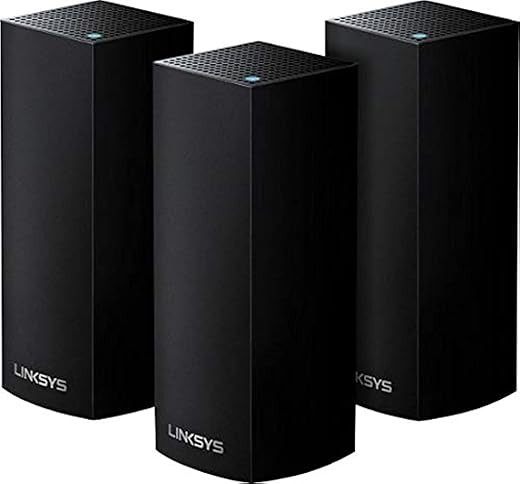
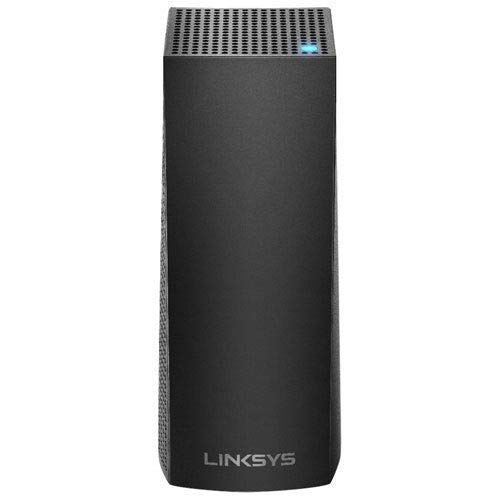
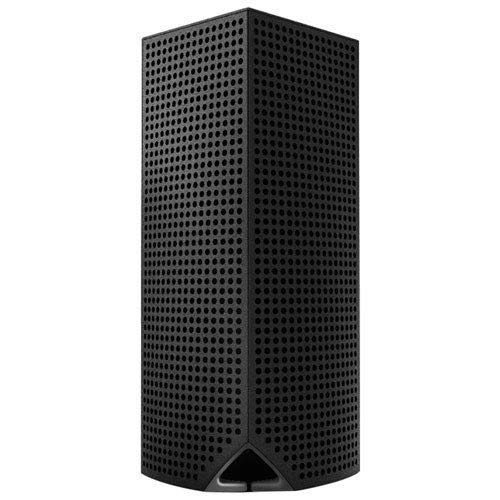
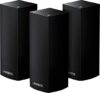
$129.99
Linksys AC6600 Whole-Home Mesh Wi-Fi System Price comparison

- All prices mentioned above are in United States dollar.
- This product is available at Amazon.com.
- At amazon.com you can purchase Linksys AC6600 Whole-Home Mesh Wi-Fi System for only $129.99
- The lowest price of Linksys AC6600 Whole-Home Mesh Wi-Fi System was obtained on September 24, 2025 03:24.
Linksys AC6600 Whole-Home Mesh Wi-Fi System Price History
Linksys AC6600 Whole-Home Mesh Wi-Fi System Description
Linksys AC6600 Whole-Home Mesh Wi-Fi System: High-Speed Connectivity for Your Home
Discover the Linksys AC6600 Whole-Home Mesh Wi-Fi System, designed to deliver exceptional performance and coverage throughout your home. With its advanced mesh network technology, this Wi-Fi system ensures reliable, high-speed internet in every corner of your space, making it an ideal choice for streaming, gaming, and browsing. Reading further will help you understand how this product can enhance your connectivity experience.
Key Features of the Linksys AC6600 Mesh Wi-Fi System
- AC6600 Wi-Fi Speed: Enjoy combined speeds of up to 6600 Mbps, ensuring lag-free streaming and gaming across multiple devices.
- Extensive Coverage: This mesh system covers up to 5,000 sq. ft., eliminating dead zones and guaranteeing strong connections in every room.
- Smart Connect Technology: Automatically directs devices to the best Wi-Fi band, optimizing performance for your specific needs.
- Easy Setup and Control: The Linksys app allows for simple setup and customization of your network settings.
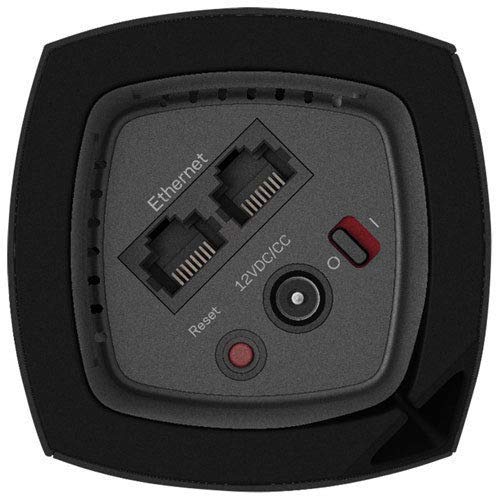
- Multiple Ethernet Ports: Features four Gigabit Ethernet ports for wired connectivity, ideal for gaming consoles and smart TVs.
- Parental Controls: Manage your family’s internet access with advanced parental control features, promoting safe browsing.
Price Comparison Across Suppliers
When shopping for the Linksys AC6600 Whole-Home Mesh Wi-Fi System, you’ll find varying prices across different retailers. Typically, prices range from $299 to $349, depending on supplier promotions and availability. Our price comparison tool gives you the latest updates, helping you find the best deal without the hassle of checking multiple sites.
Trends from the 6-Month Price History Chart
According to our price history data, the Linksys AC6600 system has seen a steady price range, with a noticeable dip during holiday sales. It’s wise to track these trends to grab the best rates. The recent six-month history also shows periodic price decreases, indicating potential promotional opportunities. Keep an eye on these dips for the best time to purchase!
Customer Reviews Summary
When analyzing customer feedback, users praise the Linksys AC6600 for its effortless installation and reliable performance. Many highlight its ability to handle multiple high-bandwidth devices simultaneously without compromising speed. Key positive points noted in the reviews include:
- Exceptional coverage across large homes.
- Easy application for network management.
- Robust performance even with heavy usage.
However, some users have mentioned drawbacks, such as occasional connectivity issues if the mesh nodes are placed too far apart or if there are obstacles like thick walls. Staying aware of optimal placement can help minimize these issues.
Explore Unboxing and Review Videos
To get a firsthand look at the Linksys AC6600 Mesh Wi-Fi System in action, check out various unboxing and review videos available on platforms like YouTube. These resources provide detailed insights into the setup process, performance tests, and user experiences, giving you a comprehensive understanding before making your purchase.
Why Choose the Linksys AC6600 Whole-Home Mesh Wi-Fi System?
The Linksys AC6600 stands out in the crowded mesh router market due to its advanced features and user-friendly design. Its powerful performance makes it perfect for today’s smart homes, where multiple devices require stable internet connections. Customers looking for reliability and speed will find this model meets their needs seamlessly.
In summary, the Linksys AC6600 Whole-Home Mesh Wi-Fi System not only improves your internet experience but also provides the flexibility of managing multiple devices efficiently. With its excellent coverage, smart connect technology, and user-friendly setup, you’ll enjoy a connected lifestyle without interruptions.
Don’t miss out on experiencing high-speed internet throughout your home. Compare prices now!
Linksys AC6600 Whole-Home Mesh Wi-Fi System Reviews (8)
8 reviews for Linksys AC6600 Whole-Home Mesh Wi-Fi System
Only logged in customers who have purchased this product may leave a review.





HoosierND –
***Please read the instructions on setting this system up. It was a little different from hooking up other mesh system. I pay for 150 up and 10 down with Cox’s and no matter where I’m at, I’m getting also what I’m paying for. This setup is better than the Nest wifi, Arris surfboard and my old router Orbi.
Amazon Customer –
The concept is good, the design idea is good however there’s something inherently wrong with these units. I’ve been using the system now for 8 months and what I’ll say is if you’re using it for gaming or streaming do not purchase these. The Wifi will drop with no warning and return when it feels like it. There are no updates, no support or reason for these drops but it happens. I want to honestly return them however my window of return has closed. I’ll be looking for something more reliable soon.
Amazon Customer –
Despite each node having two ports on the bottom, neither can be used to attach wired devices. You can plug the ISP device into one, the others allegedly can be used for wired backhaul but I didn’t try this. What I did do was try to plug my switch into it (with the idea of letting it supply DHCP addresses to those devices) that doesn’t work, or at least it didn’t on the two nodes I tried. This means you need an extra device to act as a router if you have wired devices, which these will work with in bridge mode. Bridge mode works fine, but disables much the built in capability. Needing a separate router pretty much doubles the cost and space required as well.
The setup and configuration software is horrible. It’s a wizard format that probably works well on the happy path. Personally I had to go through it multiple times, with multiple 10+ minute waits while it failed to do whatever it was attempting. Freezes were common. It has internet dependencies, despite being used to setup your internet connection. So make sure if you buy this that you have a device with its own internet connection that can be used simultaneously with a non-functional wireless connection. (any cell phone with a good data connection ought to do, but if you planned to use say an iPad you will be out of luck.) There was no technical need for this dependency, but it does enable them to force you to click through the disclaimers and create a linksys account. I assume that’s a good enough reason for someone in marketing.
HoosierND –
Had purchased the AC 1300 set previously and with all things, heat over long durations effects the life of your electronics.
Decided to go bigger with Sq Ft greatly increased with the AC6600 system, these things are great for full bars strength throughout the 3000sq ft of living space in my house. (Didn’t need to use tech support) ***Great Product***
If you have trouble use tech support, or have somebody that’s PC/Smartphone savvy do the set-up for you.
I bought 3 units this time I’m using 2 new units and my previous 2. The E cable is hooked to the new black (AC6600) unit on the mainfloor, another new unit in the master bedroom upstairs. 1 white (AC1300) unit in Laundry/Mud Room (which gives us full bars on patio). The last white unit is in the garage (takes care of pool area too). Love these things…..BUY THEM……..(have 1 saved for a Spare)
A. English –
Easy to install excellent wifi coverage tech support at linksys Tori was awesome made setup a breeze.
Thank you.
Lane Morrow –
I bought this setup to increase internet speeds to the back of the house while my kids were doing online schooling. Setup was very easy using the Linksys app. I already had a velop compatible router, so it was just a matter of plugging in the nodes and connecting them. The app guided me through the process and everything connected seamlessly. A day later I got a notification from the app that a node had disconnected from the network. It was the farthest node from the base station, so maybe that was the story. A quick restart in the app and we were good to go. The next day it disconnected again and the failure cascaded to all three nodes leaving the kids with stuttering zoom classes while I restarted all the nodes again. This continued on a nearly daily basis until I moved the furthest node closer. I didn’t really need the node that far away (the idea was to have better coverage for streaming to the outdoor projector) so I moved it in between the other two nodes to see if that would help. That helped… for about a week. I still get the disconnections that I have to go troubleshoot. Usually it’s one node at a time, but occasionally all of them will shut down. By now I have moved all of the nodes so they are no further than 40′ from each other and all are within line of sight unless my daughter shuts her door (teenagers, amirite). On the plus side, when it’s working correctly, my wifi is strong throughout the house and internet speeds are as fast as the cable company can provide. On the negative, it takes daily to weekly maintenance to keep the network up. Not something I should have to deal with at this price.
Stephen –
The system sets up easy peasy. It works incredibly. Far reaching over my expectations. Not speed and area are big. Streaming TVs, multiple users and streaming devices. Zero dead spots.
Kevin U. Johnson –
Get rid of your extenders and purchase these towers. Customer service is tops and they will walk you through any problem you might have. The main one is in the basement as it is used for the router. The next one is on my outside back porch. And the third one is in my shop 50ft. away. I’m very happy with this system.