
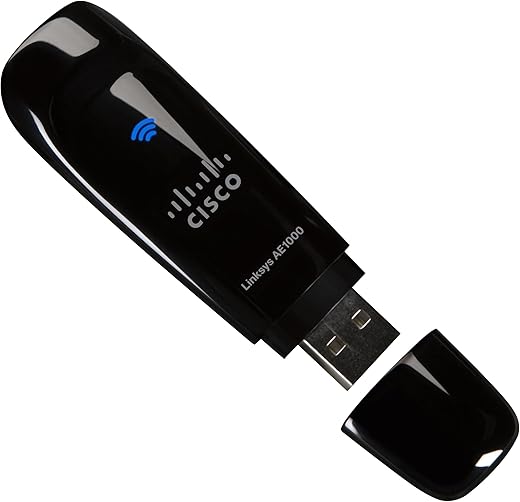
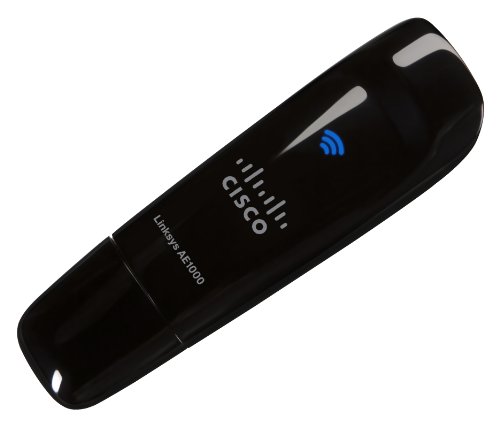
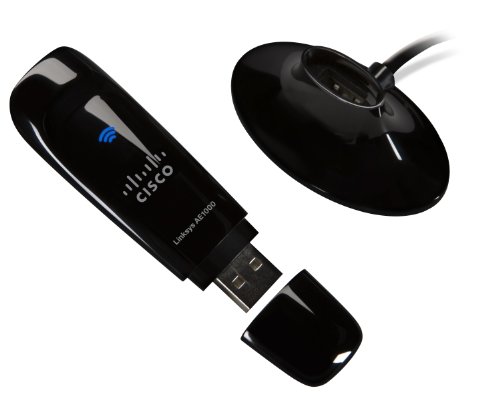
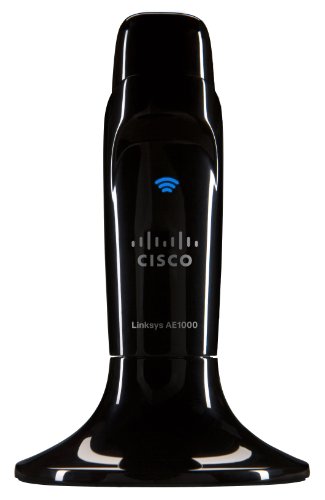
Linksys AE1000 High-Performance Wireless-N Adapter
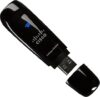
$54.41
Linksys AE1000 High-Performance Wireless-N Adapter Price comparison


- All prices mentioned above are in United States dollar.
- This product is available at Amazon.com.
- At amazon.com you can purchase Cisco-Linksys AE1000 High-Performance Wireless-N Adapter for only $39.99
- The lowest price of Cisco-Linksys AE1000 High-Performance Wireless-N Adapter was obtained on September 11, 2026 08:58.
Linksys AE1000 High-Performance Wireless-N Adapter Price History
Linksys AE1000 High-Performance Wireless-N Adapter Description
Linksys AE1000 High-Performance Wireless-N Adapter: Elevate Your Internet Experience
The Linksys AE1000 High-Performance Wireless-N Adapter is designed to enhance your browsing experience and ensure seamless connectivity. Engineered with advanced Wireless-N technology, it delivers faster speeds, broader range, and enhanced reliability for all your online activities. Whether you’re streaming HD videos, gaming, or video conferencing, this adapter provides the stability you need. In this product description, we’ll explore its key features, pricing comparisons, customer reviews, and more.
Key Features of Linksys AE1000
- Dual-Band Wireless-N Technology: Capable of connecting to both 2.4GHz and 5GHz bands, offering faster speeds and reduced interference.
- 300 Mbps Speed: Achieve high-speed connections with up to 300 Mbps, perfect for bandwidth-intensive activities.
- Easy Setup with CD: Simple installation process with an included setup CD ensures quick configuration.
- Compact Design: Small and portable, the Linksys AE1000 easily fits into tight spaces and provides convenience on the go.
- WPA/WPA2 Security: Enhanced security protocols for safe browsing, protecting your data and devices from unauthorized access.
Benefits You Can Expect
- Enhanced Connectivity: The dual-band capability ensures fewer dropouts and a more stable connection in areas with multiple devices.
- Optimal Performance: With up to 300 Mbps speed, you can enjoy uninterrupted streaming and gaming without buffering.
- User-Friendly Installation: The quick and easy setup process allows even non-tech-savvy individuals to get online effortlessly.
- Secure Browsing Experience: With advanced security measures, you can surf the web safely, ensuring your sensitive information remains protected.
Price Comparisons Across Different Suppliers
When it comes to the Linksys AE1000 High-Performance Wireless-N Adapter price, you’ll find competitive rates across multiple online retailers. On average, prices range between $29.99 to $39.99, depending on the supplier. Some retailers may offer exclusive discounts or bundles, making it essential to compare prices before making your purchase to ensure the best deal.
6-Month Price Trend Analysis
The price history chart for the Linksys AE1000 indicates a steady price trend over the past six months. Initially priced at $39.99, it has seen several fluctuations but recently stabilized around the mid-range of $34.99. Notably, prices dip slightly during promotional events, suggesting prospective buyers should keep an eye out for sales to maximize their savings.
Customer Reviews and Ratings
Customer feedback on the Linksys AE1000 High-Performance Wireless-N Adapter review showcases a balanced perspective. Many users praise its easy setup and reliable connectivity, especially when used for streaming and online gaming. The compact design is another highlight, appealing to those with limited space. However, some reviews indicate occasional connectivity issues in areas with significant network interference, suggesting it may not be perfect for every environment.
Key Positive Aspects
- Ease of Installation: Users love the straightforward setup process, allowing immediate access to high-speed internet.
- Stable Connectivity: Many customers notice improved connection stability compared to previous adapters.
Notable Drawbacks
- Interference Issues: A few customers report experiencing difficulties in high-interference areas.
- Limited Range: The adapter’s effective range may vary, so placement is critical for optimal performance.
Explore Unboxing and Review Videos
Interested in seeing the Linksys AE1000 in action? Check out various unboxing and review videos available on platforms like YouTube. These videos provide insights into installation, performance, and user experiences, allowing you to visualize the product’s features.
In summary, the Linksys AE1000 High-Performance Wireless-N Adapter stands out as a reliable choice for those seeking to improve their wireless connectivity. With its dual-band support, user-friendly setup, and strong performance ratings among customers, it’s a worthwhile investment for anyone looking to enhance their online experience. Don’t forget to compare prices for better deals and tap into the latest trends in eCommerce! Compare prices now!
Linksys AE1000 High-Performance Wireless-N Adapter Reviews (7)
7 reviews for Linksys AE1000 High-Performance Wireless-N Adapter
Only logged in customers who have purchased this product may leave a review.





Daniel Creed –
It worked well for a week
Wes Pentecost’s Arizona Home Loans –
After reading reviews, I was a little skeptical about ordering this product. I shopped around and some places are selling this adapter for $50 – $60+ for a new one. I ordered it used. The estimated delivery time was June 28, 2011 – July 14, 2011. I was pleasantly surprised when it showed up on June 29th. It came in the factory box with the accessory and software disc. I uploaded the software, and plugged in into my Sony Vaio laptop. It works great. I had to order this since the my built in wireless adapter doesn’t always connect to the new wireless routers out there. If you are looking for a great product and don’t want to spend alot of money, buy this.
D. Niemeier –
I’ve been working to get the AE1000 (Windows 7-64) consistently connected to my E3000 router on N on 40Hz for over two weeks now. This is what I have learned:
1) If you are running Zone Alarm firewall software you need to uninstall it, not disable it, prior to running the AE1000 setup. If you do not the setup will indicate you are running wireless management software that is not compatible. You can reinstall Zone Alarm software after the AE1000 is setup.
2) All important wireless features work, including WAP2, MAC address control, and QOS.
3) I was able to get 250+ Mbs from one end of my house to the other with signal strength in the 50% to 70% range even through two walls and 50 feet away.
4) All the above dies after anywhere between 8 and 30 minutes, especially if there is significant throughput, like streaming music or video. The blue light on the AE1000 glows a steady blue and there is no connection to the router.
5) A reboot and reconnect works for a few minutes and then the connection to the AE1000 is dropped again.
6) Updating to the latest firmware for the AE1000 did not change things.
Other wireless N devices I have connect to the E3000 on N on 40Hz with no problems and maintain stable connections for days with not problem. I’m going to try the AE1000 on an XP Pro laptop to see if it is only a Windows 7 64 problem and will update this review at a later date.
Cisco-Linksys High-Performance Wireless-N AdapterTried using the AE1000 with an XP Pro laptop on 2.4Ghz G with no success. I’ve returned the AE1000 to Amazon for a replacement and hope it was a defective device.
I received a new AE1000 in one day from Amazon. This is the first time I’ve had to return a product I purchased from Amazon. I was very easy to get a replacement. This is my experience with the new AE1000:
1) The drivers were already installed and updated from the prior installation and Zone Alarm already “knew” about the device. I plugged it in to a 3 foot USB extension cable and it was immediately recognized.
2) I had MAC address control turned off and SSID Broadcast turned on. I made a wireless connection to my 5 Ghz network with WPA2 without a problem. Speed was 271 Mbps.
3) I turned on MAC address control after adding the MAC address for the AE1000 and the connection remained solid.
4) I have been showing 50% to 70% signal strength over a distance of about 125 feet and through two walls and one floor with a consistent 271 Mbps connection speed.
5) It’s been up and running without a problem for 24 hours now.
Remaining things to check:
1) Does the connection survive a reboot without having to specifically reconnect to the network.
2) Can the connection be maintained with SSID turned off.
At this point I am changing by rating to 3 stars and will rate it higher if it continues to function well.
Update:
I have been able to establish a stable connection at 271 Mbps for 48 hours using WPA2, MAC Address Control and SSID broadcast off. It appears that the device I was initially using was defective. Amazon sent me a replacement device that appears to work with no problems.
Amazon Customer –
We needed to extend our wireless network, and this fit the bill perfectly. Quick, simple installation, and we now get a solid wireless signal on our desktop computer that was too far away for a wired connection. We tried configuring a wireless router as a network extender, but it was difficult to configure and only worked intermittently. Very pleased with this simple and inexpensive solution!
Richard –
I bought the Linksys-Cisco E1500 Router and it is a wonder. It’s fast, good looking and seems reliable (after 3 days only)
So now I bought the AE1000 Adapter for my 6 year old laptop and it’s a good thing I am not a neophyte installing stuff.
BECAUSE while it installed quickly and easily like the router,it did some strange things: It added a network connection to the one I originally got with the router. So now I got BrownCedar and BrownCedar2 available. What made matters confusing, the original connection, BrownCedar rated itself as “good” (My previous Intel Pro rated itself “excellent” most of the time) And BrownCedar2 rated itself as “Low”.
So what to do?? Cisco has a great speedometer built in, so I tested the connections.
Apparently, the first connection is without the adapter and BrownCedar2 is with the adapter cause the download speeds for BrownCedar2 was almost the same as my desk top with direct wired LAN (25 vs 29 Mbps) Very satisfying.
No directions to tell me to disable BrownCedar1 which I did. and adapter is performing nicely.
So for lousy directions Cisco gets only 3 stars.
BigPoppa80 –
I have 2 computers in different rooms but one is older and doesn’t have a built in wireless card. I bought this wireless adapter and it works great! The speed seems as fast as the newer computer hardwired to the internet. The adapter is easy to use, it has plug and play technology so I didn’t have to do anything accept plug it into the computer and wait for a wireless signal. I would definitely reccomend this product as a cheap alternative to buying a wireless card.
Timothy C Fisher –
The adapter installed easily. It connected to my router easily. It failed to meet my expectations easily.
My PC isn’t state of the art, but it’s no slouch either. I am running Windows 7 Ultimate. When the adapter works, the internet is great. I use a desktop, so I can’t vouch for its range, but I get a good, fast signal. When I am done using my PC, I don’t want to use a ton of electricity, so I hit the sleep button and go on my merry way.
When I am ready to use it again, I wake it up to no internet. EVERY TIME. The adapter isn’t recognized. I have to remove it, reinsert it, and wait for it to re-establish connection. I’ve had it for a month. I hate it. Tech support attempted to have me re-installed the driver. No luck. They pretty much gave up after that, and told me to RMA the product. I can either ship mine in and deal without ANY internet for who knows how long, or I can put the new one on my Credit Card, and let them both cross in the mail. AND……Cisco Linksys is making me pay to ship their defective adapter back to them.
Terrible product, terrible tech support, terrible customer service. That’s the Cisco Linksys guarantee!
p.s. Now THAT’S why I saw so many Refurb models available when I bought a new one.