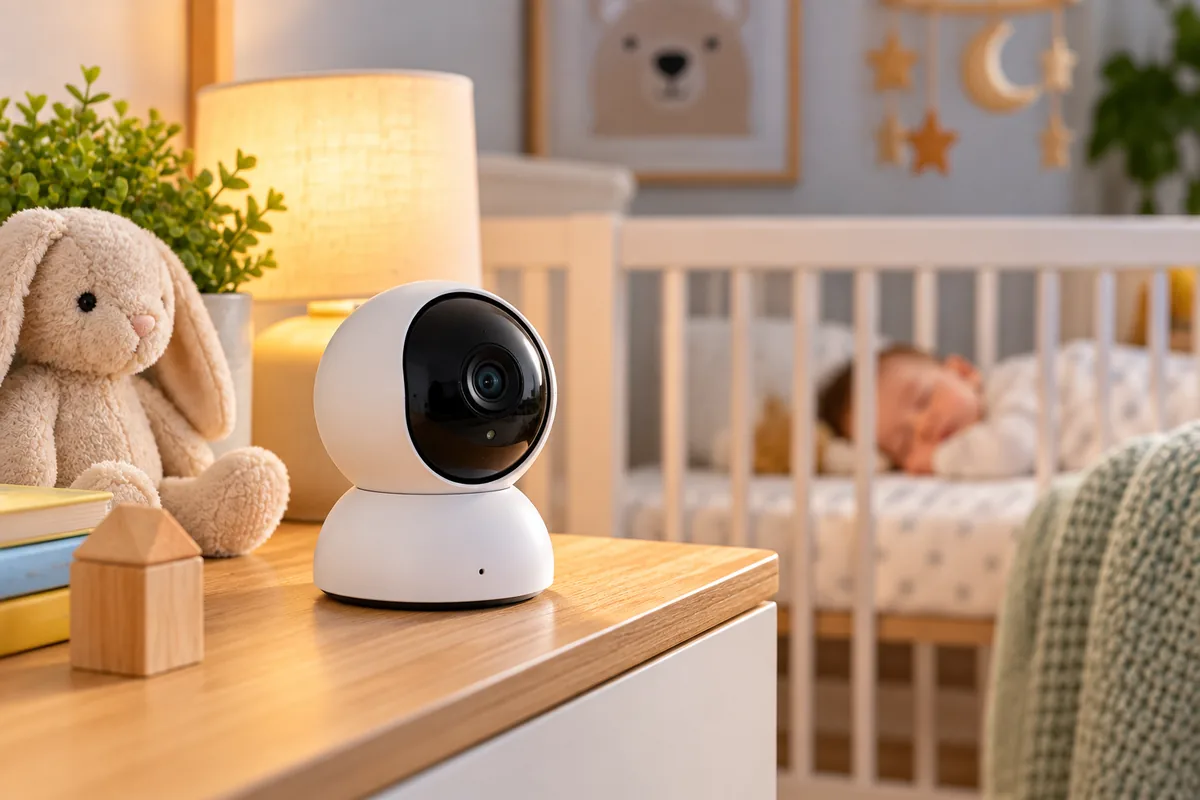
Best Baby Monitor Cameras 2026
The best baby monitor camera depends on how you want to connect. Some parents prefer a private local monitor with no Wi-Fi. Others want remote phone access, smart alerts, or a system that can switch between both.
For 2026, we selected six baby monitors with clearly different strengths. Nanit focuses on app-based smart monitoring. Infant Optics keeps everything local. eufy combines a parent screen with optional Wi-Fi, while CuboAi adds camera-based AI alerts. VTech offers a lower-cost hybrid setup, and HelloBaby covers simple non-Wi-Fi monitoring.
One point matters more than resolution or AI features: a baby monitor does not make a sleep environment safe by itself. It should support supervision, not replace safe-sleep practices or direct caregiver checks.
Quick Answer: Best Baby Monitor Cameras
Best smart Wi-Fi monitor: Nanit Pro combines 1080p video, app access, sleep features, strong account-security controls, and flexible mounting options.
Best non-Wi-Fi monitor: Infant Optics DXR-8 PRO uses a dedicated FHSS connection, a 5-inch parent screen, and no cloud account.
Best hybrid monitor: eufy E21 combines a 4K camera, 5-inch parent unit, app access, and a physical Wi-Fi-off mode.
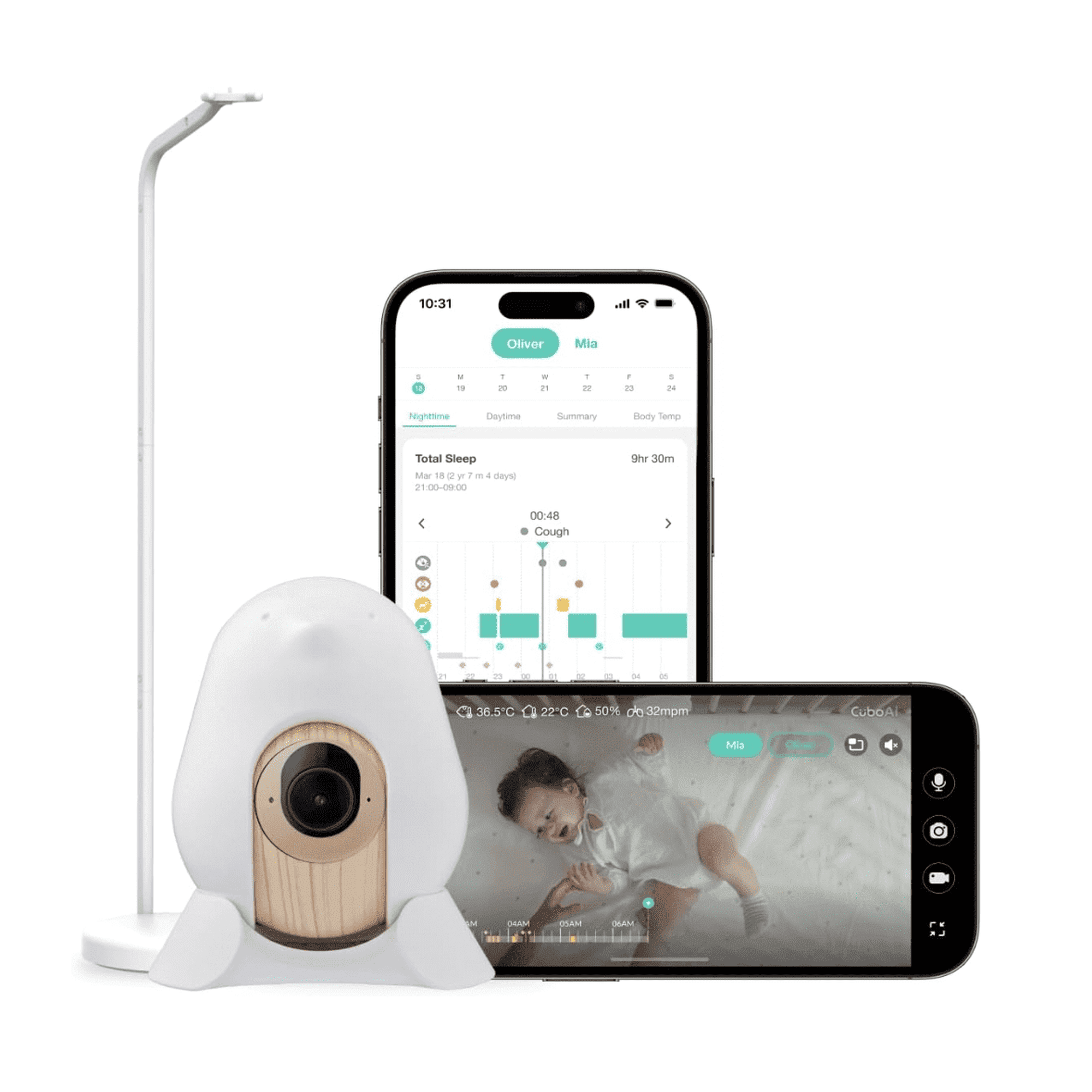
Best AI alert camera: CuboAi Smart Baby Monitor 3 provides 2.5K video and camera-based alerts for events such as crying, rollover, and a detected covered face.
Best value hybrid: VTech RM7764HD offers a 7-inch parent display plus optional remote smartphone viewing.
Best budget non-Wi-Fi pick: HelloBaby HB6550 provides a 5-inch screen, pan and tilt, night vision, and FHSS connectivity for about $100.
How We Chose the Best Baby Monitor Cameras
We started with connection type. A non-Wi-Fi monitor solves a different problem from an app-first smart camera.
Next, we compared video quality, night vision, parent screens, remote access, audio, alerts, multi-camera support, subscriptions, and current pricing. Privacy controls also received extra weight because internet-connected cameras create account and network risks that local-only monitors avoid.
We also reviewed current safety guidance. That includes cord placement, safe-sleep limitations, cybersecurity practices, and current U.S. recalls.
Finally, we separated ordinary video monitoring from medical vital-sign monitoring. A camera alert is not the same as a medically validated oxygen, heart-rate, or respiratory measurement.
Baby Monitor Cameras Compared
| Monitor | Best For | Connection | Video | Parent Screen | Remote App | Smart Alerts | Reference Price | Main Trade-Off |
|---|---|---|---|---|---|---|---|---|
| Nanit Pro | Smart app monitoring | Wi-Fi | 1080p | Optional separate Nanit Home display | Yes | Cry, sound, sleep features | Varies by mount | Wi-Fi and subscription dependence for some features |
| Infant Optics DXR-8 PRO | Local privacy | 2.4 GHz FHSS | HD | 5 in. | No | Temperature / sound indicators | About $199.99 | No viewing outside local range |
| eufy Baby Monitor E21 | Hybrid local + remote use | Local + optional Wi-Fi | 4K UHD | 5 in. | Yes | Cry, loud noise, temperature | $259.99 | More complex than a local-only system |
| CuboAi Smart Baby Monitor 3 | AI camera alerts | Wi-Fi | 2.5K QHD | No dedicated parent screen | Yes | Cry, rollover, covered-face detection | About $199 during research | App and subscription complexity |
| VTech RM7764HD | Value hybrid monitoring | Parent unit + Wi-Fi | 1080p camera | 7 in. 720p | Yes | Motion, temperature | $159.95 | Still requires Wi-Fi security management |
| HelloBaby HB6550 | Budget local monitoring | 2.4 GHz FHSS | Standard video | 5 in. | No | Temperature / sound activation | $99.99 | Basic image quality and no remote access |
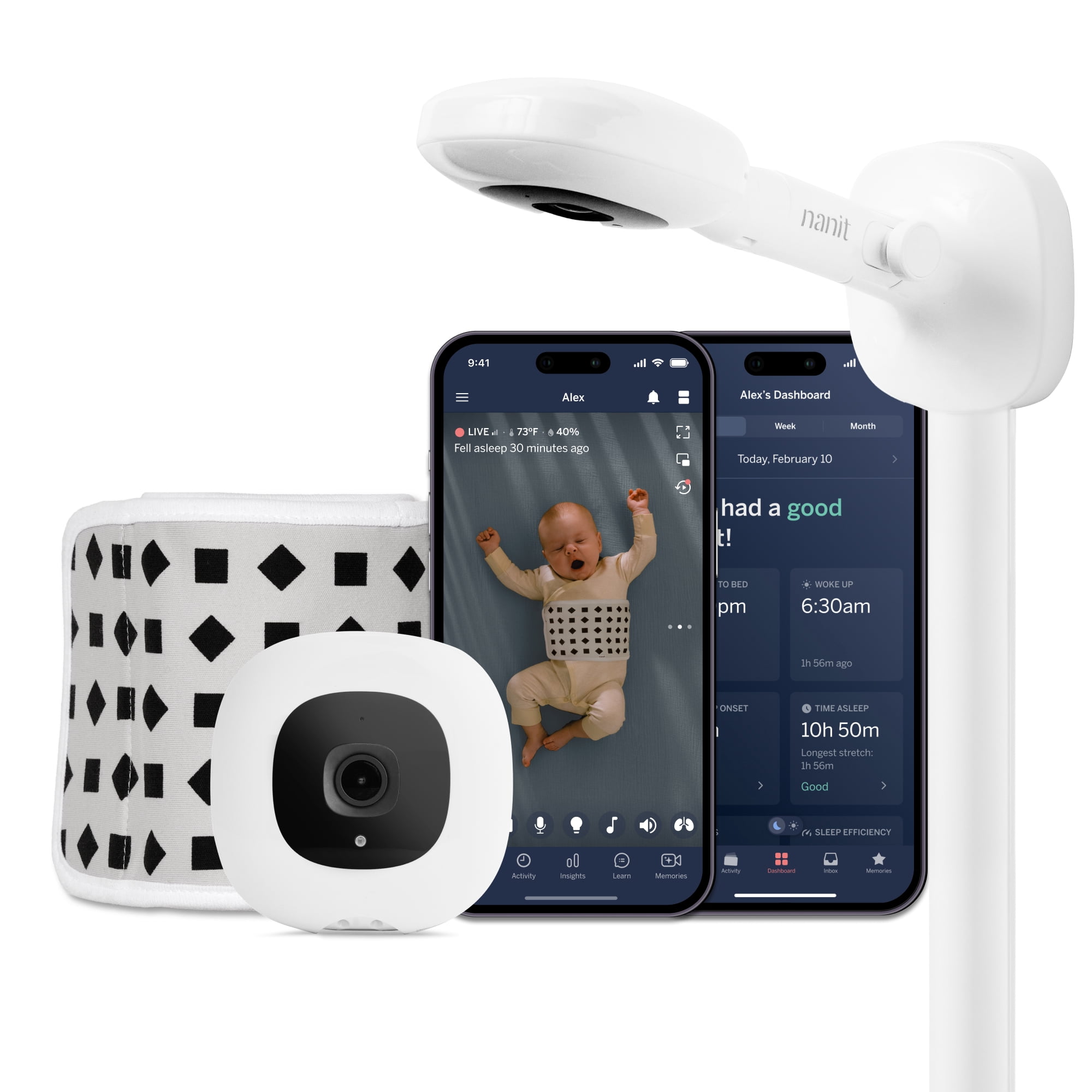




1. Nanit Pro — Best Smart Wi-Fi Baby Monitor
Best for: Parents who want remote app access, sleep insights, configurable alerts, and a mature smart-monitor ecosystem.
Nanit Pro uses a 1080p camera with night vision and two-way audio. The app lets caregivers check the nursery remotely and share access with approved users.
Security is one of Nanit’s stronger documented areas. Nanit uses AES-256 encryption and two-factor authentication. It also supports separate user permissions instead of forcing every caregiver to share one login.
The system can also provide sleep and cry-related features. Some deeper historical and analytics tools depend on the selected Nanit Insights plan.
Nanit offers several mounting styles. For a permanent nursery, the Wall Mount is especially relevant because it includes purpose-built cord management.
Optional breathing-motion features are also available with compatible Nanit accessories. However, these should not be confused with a medical vital-sign monitor or a device proven to prevent SIDS.
The biggest trade-off is dependence on Wi-Fi and the app ecosystem. A local-only monitor is simpler if you never need to view the nursery from outside the home.
Pros
✅ 1080p video with night vision
✅ AES-256 encryption and two-factor authentication
✅ Remote viewing and multi-user access
✅ Flexible wall, floor, and travel mounting options
Cons
❌ Depends on Wi-Fi for its core smart experience
❌ Some advanced features involve subscription plans
❌ No parent screen is included with the standard Pro camera packages
Skip it if: You do not want an internet-connected camera in the nursery.
Alternative: Infant Optics DXR-8 PRO keeps the monitoring system local and does not use Wi-Fi or cloud viewing.

2. Infant Optics DXR-8 PRO — Best Non-Wi-Fi Baby Monitor
Best for: Parents who want a dedicated display, no cloud account, and no internet-facing nursery camera.
The DXR-8 PRO uses a dedicated 2.4 GHz FHSS connection between the camera and parent unit. There is no app, cloud livestream, or remote internet viewing.
The parent unit has a 5-inch HD screen. The camera supports remote pan, tilt, digital zoom, automatic infrared night vision, and two-way talk.
Infant Optics also includes Active Noise Reduction. This feature is designed to reduce constant background sounds such as fans and white-noise machines.
The system supports up to four cameras. Its parent-unit battery is also replaceable, which can help extend the useful life of the monitor.
Another advantage is simplicity. Losing internet access does not stop the camera and display from communicating locally.
However, local-only design creates the main limitation too. You cannot check the nursery from work, a restaurant, or another city.
Pros
✅ No Wi-Fi or cloud account required
✅ Dedicated 5-inch parent screen
✅ Active Noise Reduction
✅ Supports up to four cameras
Cons
❌ No viewing outside local radio range
❌ No smartphone app
❌ Less automation than smart Wi-Fi monitors
Skip it if: Remote viewing from outside your home is important.
Alternative: eufy E21 gives you a dedicated display plus optional remote app access.
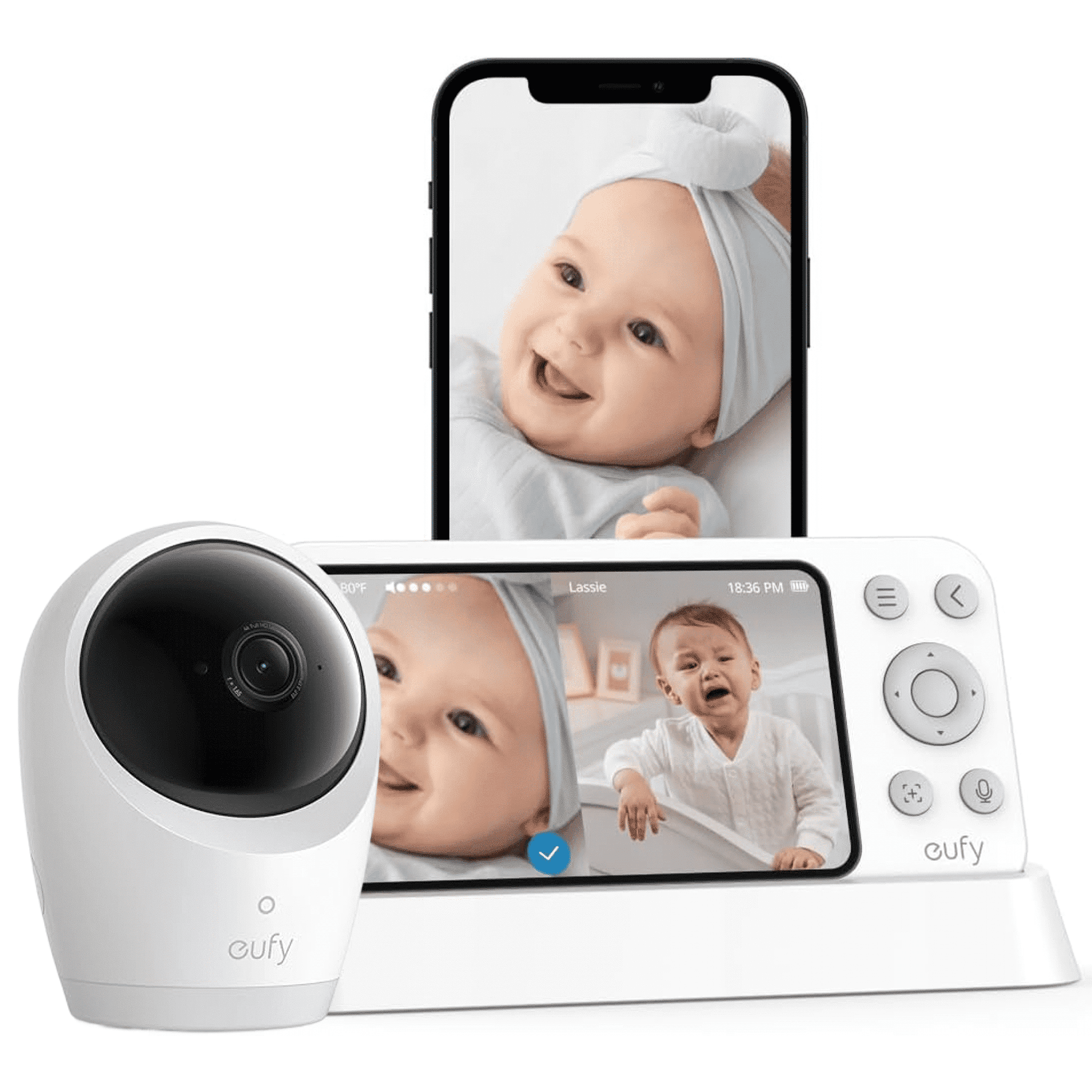
3. eufy Baby Monitor E21 — Best Hybrid Baby Monitor
Best for: Families that want a dedicated screen at home but also want remote smartphone viewing when needed.
The eufy E21 combines a 4K UHD camera with a 5-inch parent display. It also connects to the eufy Baby app when Wi-Fi access is enabled.
The hybrid design is the main reason to buy it. A physical Wi-Fi switch can cut the camera’s connection to the router. In that mode, the camera communicates with the local monitor instead.
That gives parents more control over when internet access exists. It also means you can use the system locally when you do not need remote app viewing.
The camera supports 330-degree pan, 60-degree tilt, and 8× zoom. A 5,000mAh internal battery also allows temporary cordless camera use.
Alerts include crying, loud sounds, and room-temperature changes. The app can also support continuous recording to compatible local storage.
eufy documents RSA-1024 and AES-128 encryption for the E21. Still, internet-connected use should follow normal account and router security practices.
Pros
✅ 4K UHD camera
✅ Dedicated 5-inch display plus app access
✅ Physical Wi-Fi-off mode
✅ Battery-powered camera option for travel or outages
Cons
❌ Costs more than basic dedicated monitors
❌ Hybrid setup has more settings to manage
❌ App use still creates normal Wi-Fi account and network considerations
Skip it if: You know you will never use remote internet viewing.
Alternative: Infant Optics DXR-8 PRO gives you a simpler local-only setup.

4. CuboAi Smart Baby Monitor 3 — Best AI Alert Camera
Best for: Parents who specifically want camera-generated alerts and sleep-oriented smart features.
CuboAi Smart Baby Monitor 3 records at 2.5K QHD resolution. It uses an app rather than a dedicated parent display.
The system can notify users when its software detects events such as crying, rollover, or a covered mouth or nose. It also provides sleep reports and video-history features.
These alerts can be useful prompts to check the child. However, they are still software interpretations of a camera image.
A rollover or covered-face alert does not confirm that a baby is medically safe or unsafe. False positives and missed events are possible with any automated detection system.
The monitor requires Wi-Fi and a compatible phone. Current packages also include a period of CuboAi Care Premium, while some advanced features depend on subscription access later.
Current direct pricing was about $199 during our research, although promotional pricing can change.
Important: CuboAi’s covered-face, cry, and rollover notifications are camera-generated alerts. They are not a substitute for direct supervision, safe-sleep practices, or medically indicated monitoring.
Pros
✅ 2.5K QHD video
✅ Cry, rollover, and covered-face alerts
✅ Remote app access
✅ Sleep reports and playback features
Cons
❌ Requires Wi-Fi and smartphone access
❌ Some features depend on subscription plans
❌ AI alerts should never be treated as medical confirmation
Skip it if: You want a simple monitor without app alerts or subscriptions.
Alternative: Nanit Pro offers another mature app-first monitoring ecosystem.
5. VTech RM7764HD — Best Value Hybrid Baby Monitor
Best for: Families that want a large dedicated screen plus optional smartphone viewing without moving into premium pricing.
The RM7764HD pairs a 1080p camera with a 7-inch 720p parent display. You can also view the camera remotely through the MyVTech Baby Pro app.
The camera supports 360-degree panoramic viewing, tilt, and digital zoom. Automatic infrared night vision handles dark rooms.
Other features include two-way talk, room-temperature monitoring, motion detection, lullabies, and soothing sounds.
VTech does not charge a monthly fee for basic live remote access. That helps keep ongoing costs lower than some subscription-heavy smart systems.
However, app access means network security still matters. VTech recommends strong unique passwords, firmware updates, encrypted Wi-Fi, and disabling UPnP where practical.
At $159.95 direct, the RM7764HD costs considerably less than the eufy E21. The main compromise is a less premium hybrid experience and lower camera resolution.
Pros
✅ Large 7-inch parent display
✅ 1080p camera and remote app access
✅ Pan, tilt, zoom, temperature, and motion features
✅ No monthly fee for basic live app viewing
Cons
❌ App access introduces router and account-security requirements
❌ Lower resolution than eufy’s 4K camera
❌ More setup than a basic local monitor
Skip it if: You only want a closed local system with no Wi-Fi connection.
Alternative: HelloBaby HB6550 provides a much simpler non-Wi-Fi setup for less money.
6. HelloBaby HB6550 — Best Budget Non-Wi-Fi Baby Monitor
Best for: Basic nursery monitoring, smaller budgets, travel, and parents who want no app or cloud account.
The HelloBaby HB6550 uses a 5-inch parent screen and a 2.4 GHz FHSS connection. No Wi-Fi network or smartphone app is required.
The camera supports 355-degree pan and 120-degree tilt. It also includes infrared night vision, two-way audio, and temperature monitoring.
HelloBaby states an open-area range of up to 1,000 feet. Actual indoor performance will depend on walls, floors, interference, and building materials.
The system can expand to several cameras, making it useful when monitoring more than one room later.
The main compromise is image quality and overall refinement. Premium smart systems provide sharper video, more automation, and remote access.
HelloBaby uses strong marketing language around security. We would not interpret any consumer monitor as literally impossible to intercept. The practical advantage is that the HB6550 does not expose a cloud livestream or internet account.
Pros
✅ No Wi-Fi or app required
✅ 5-inch parent screen
✅ Remote pan and tilt
✅ About $100 at regular direct pricing
Cons
❌ Basic video compared with premium smart cameras
❌ No remote viewing outside the home
❌ Fewer advanced alerts and analytics
Skip it if: You want to view the nursery when away from home.
Alternative: VTech RM7764HD adds smartphone access while keeping a dedicated parent screen.
Wi-Fi vs. Non-Wi-Fi Baby Monitors: Which Should You Buy?
Neither connection type is automatically right for every family. The main difference is what happens between the nursery camera and the person watching it.
Choose Non-Wi-Fi for a Simpler Local System
Non-Wi-Fi monitors use a dedicated radio connection between the camera and parent screen. There is no internet-facing account or cloud livestream.
They also continue working when your internet connection goes down. That makes them easy to use overnight.
However, local range limits where you can view the child. You cannot check the monitor from work or while traveling.
Choose Wi-Fi for Remote Access and Smart Features
Wi-Fi cameras can send video and alerts to a smartphone. That makes them more flexible when caregivers are away from home.
They can also provide sleep history, cloud playback, AI alerts, and easier sharing with approved family members.
The trade-off is security management. Your account, router, app, firmware, and sharing permissions all become part of the system.
Choose Hybrid When You Want Both
A hybrid monitor offers a dedicated screen for normal home use. It can also connect to an app when remote viewing is useful.
The eufy E21 is especially interesting because Wi-Fi can be physically disabled. VTech takes a more traditional connected-parent-unit approach.
How to Secure a Wi-Fi Baby Monitor
No internet camera should be installed and forgotten. Basic account and router maintenance makes a meaningful difference.
- Use a unique password. Do not reuse the password from email, shopping, or social accounts.
- Turn on two-factor authentication when the camera service supports it.
- Install firmware and app updates. Security fixes often arrive through software updates.
- Use WPA2 or WPA3 Wi-Fi encryption. Avoid outdated or open wireless networks.
- Update the router too. Camera security depends partly on the home network.
- Review shared accounts regularly. Remove caregivers who no longer need access.
- Disable features you do not use. Remote viewing is unnecessary if nobody needs it.
- Consider a separate IoT or guest network for connected cameras and smart-home devices.
The FTC recommends many of the same steps for connected home cameras. If you are setting up more connected devices, our guide to smart home devices for beginners can help with the broader setup.
Baby Monitor Cord Safety: Keep Cords at Least 3 Feet Away
Camera resolution matters much less than physical placement.
The U.S. Consumer Product Safety Commission warns that baby-monitor cords can create a strangulation hazard. Keep every monitor cord at least three feet away from any part of the crib, bassinet, play yard, or other infant sleep space.
Do not place a corded monitor inside the crib. Also avoid mounting a camera directly on a crib rail unless the specific manufacturer system is designed and approved for that use.
As babies grow, their reach changes. Recheck cable routing when the child begins rolling, sitting, pulling up, or standing.
3-foot rule: Keep monitor cords at least three feet from the entire sleep space, not merely three feet from the mattress center.
Can AI Baby Monitor Alerts Make Sleep Safer?
AI can make a monitor more informative. It can also generate alerts that prompt a caregiver to check the child.
For example, CuboAi can analyze the camera image for rollover or a covered face. Other products can classify crying, movement, or sound.
However, an algorithm can make mistakes. It can send a false alert or fail to identify an event.
Therefore, treat AI as an additional notification layer. Do not treat it as confirmation that the child is medically safe.
Do Baby Monitors Prevent SIDS?
No baby monitor should be purchased as a SIDS-prevention device.
The American Academy of Pediatrics states that home cardiorespiratory monitoring has not been shown to reduce the incidence of SIDS. Safe-sleep recommendations remain important even when a monitor is being used.
The FDA also states that it is not aware of evidence showing currently available baby products prevent or reduce SIDS.
A camera may help you see or hear a child from another room. That is different from preventing a sleep-related death.
What About Heart Rate, Oxygen, Breathing, or Temperature Monitors?
Baby-monitor shopping pages often mix ordinary video cameras with devices that claim to measure vital signs. They should not be treated as the same category.
In the United States, devices that claim to monitor infant vital signs for medical purposes can fall under FDA medical-device requirements.
The FDA has warned consumers against unauthorized products that claim to measure infant oxygen saturation, pulse, breathing rate, or other vital signs.
Those products can create two kinds of risk. Incorrect readings may trigger unnecessary care, while missed changes can create false reassurance.
If your child needs medical monitoring, follow the recommendations of the child’s health professional and use an appropriately authorized device for the intended purpose.
Important distinction: A camera that detects motion or a covered face is not the same as a medical device that measures oxygen, pulse, breathing rate, or other vital signs.
2026 Baby Monitor Recall to Know About
Parents shopping secondhand should be aware of a significant 2026 recall.
The CPSC recalled the Babysense Max View VBM55 on February 26, 2026. The affected parent display can overheat or spark while charging, creating a fire hazard.
The recall covers about 81,800 units. CPSC advises consumers to stop using the affected display unit and contact the company for a replacement.
That model is not one of our six recommendations.
Buying used? Check the exact model number and current CPSC recall database before purchasing. Older buying guides and marketplace listings may still feature recalled products.
What to Look for in a Baby Monitor Camera
Connection Type
Decide between Wi-Fi, local radio, or a hybrid system before comparing smaller features.
This choice affects privacy, range, remote access, app use, and setup complexity.
Dedicated Parent Screen
A parent display can be convenient overnight because you do not need to keep a phone open or depend on phone notifications.
App-first products are more flexible away from home but place more of the experience on your phone.
Video Resolution
Higher resolution can make details easier to see. However, 4K is not a safety rating.
1080p is already sufficient for many routine nursery checks. Night vision and camera positioning often matter more after bedtime.
Night Vision
Most nursery monitoring happens in dim or dark rooms. Check how clearly the camera handles night vision rather than judging only daytime product images.
Pan, Tilt, and Zoom
Remote camera movement becomes more useful as babies become mobile toddlers.
A fixed overhead camera can work well for a crib. A pan-and-tilt camera is more flexible across a larger room.
Audio Behavior
Some monitors keep audio running continuously. Others can wake the display when sound crosses a chosen threshold.
Background-noise reduction can also be useful if the nursery uses a fan or white-noise machine.
Multiple Cameras
Multi-camera support matters for siblings or separate rooms. Check whether the system uses split screen, automatic cycling, or one feed at a time.
You can also compare two-camera baby monitor options if multi-room coverage is the priority.
Local Recording vs. Cloud Recording
Local storage can reduce dependence on a cloud subscription. Cloud history can be easier to access remotely.
Check how long recordings remain available and whether advanced playback requires a paid plan.
Subscription Costs
A lower camera price can become more expensive over time if the features you want require an ongoing subscription.
Compare the features available after any included trial period ends.
Account Security
For Wi-Fi cameras, look for two-factor authentication, encryption, user permissions, and an active software-update process.
Cord Management
Cables should be routed securely and kept outside the child’s reach. This is a core safety issue, not a cosmetic installation detail.
Frequently Asked Questions
Is a Wi-Fi or non-Wi-Fi baby monitor better?
Choose non-Wi-Fi when you want a simple local system with no internet-facing account. Choose Wi-Fi when remote viewing and smart alerts matter more. Hybrid systems offer both approaches.
Can Wi-Fi baby monitors be hacked?
Any internet-connected camera can create security risk. Reduce that risk with unique passwords, two-factor authentication, current firmware, encrypted Wi-Fi, and careful user permissions.
How far should a baby monitor be from the crib?
CPSC says monitor cords should stay at least three feet from any part of the crib or other infant sleep space. Keep all cables outside the child’s reach.
Do I need a 4K baby monitor?
Usually not. Higher resolution can show more detail, but 1080p is already enough for many nursery checks. Night vision, connection reliability, placement, and audio can matter more.
Can a baby monitor prevent SIDS?
No. The AAP says home cardiorespiratory monitors have not been shown to reduce SIDS incidence. Follow evidence-based safe-sleep recommendations regardless of the monitor you use.
Are covered-face and rollover alerts reliable?
They can be useful notifications, but they are still software-based detections. Treat them as prompts to check the child rather than proof of medical safety.
Should I buy a used baby monitor?
You can, but verify the exact model number, current recall status, power adapters, cord condition, battery condition, account-reset process, and whether software updates are still available.
Final Verdict: Which Baby Monitor Camera Should You Buy?
Nanit Pro is our strongest choice for parents who want an app-first smart system. It offers remote viewing, strong documented account security, and an established sleep-monitoring ecosystem.
Choose Infant Optics DXR-8 PRO when you want a dedicated screen and no Wi-Fi or cloud account. The eufy E21 is the better fit when you want both local monitoring and optional remote access.
CuboAi makes the most sense for parents specifically interested in camera-based AI alerts. VTech RM7764HD offers a more affordable hybrid setup, while HelloBaby HB6550 is the simple budget choice.
Quick decision: Choose Nanit for smart app features, Infant Optics for local privacy, eufy for hybrid flexibility, CuboAi for AI alerts, VTech for hybrid value, and HelloBaby for simple non-Wi-Fi monitoring.
Sources
- U.S. Consumer Product Safety Commission — Baby Monitor Cord Safety Guidance — current
- Federal Trade Commission — How to Secure Your Home Security Cameras — current
- U.S. Food and Drug Administration — Infant Vital-Sign Monitoring Safety Communication — 2025
- American Academy of Pediatrics — Safe Infant Sleep Recommendations and Evidence Base — current guidance
- U.S. Consumer Product Safety Commission — Babysense Max View VBM55 Recall — February 2026
How we research: Discompare reviews current manufacturer specifications, connection architecture, privacy controls, U.S. safety guidance, recall information, retailer availability, and relevant independent testing. We do not treat AI alerts, camera monitoring, or consumer sleep features as substitutes for direct supervision, safe-sleep practices, or medically indicated monitoring. Prices and availability can change. Discompare may earn a commission from eligible retailer or price-comparison links.
Product Groups: Nanit Pro Smart Baby Monitor, Infant Optics DXR-8 PRO, eufy Baby Monitor E21, CuboAi Smart Baby Monitor 3, VTech RM7764HD Baby Monitor, HelloBaby HB6550 Video Baby Monitor