
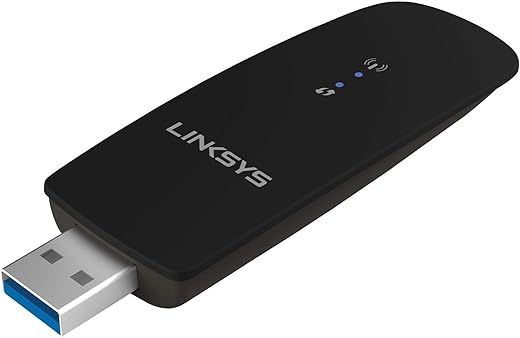
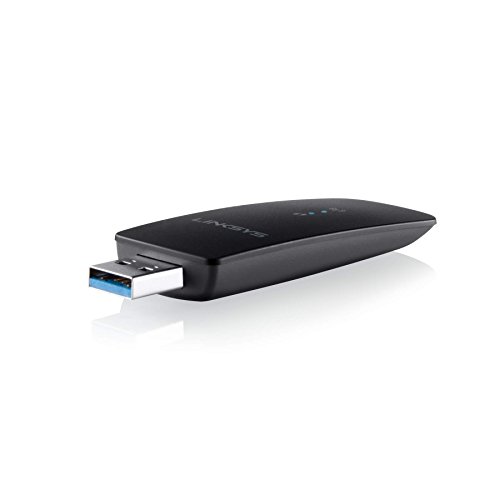
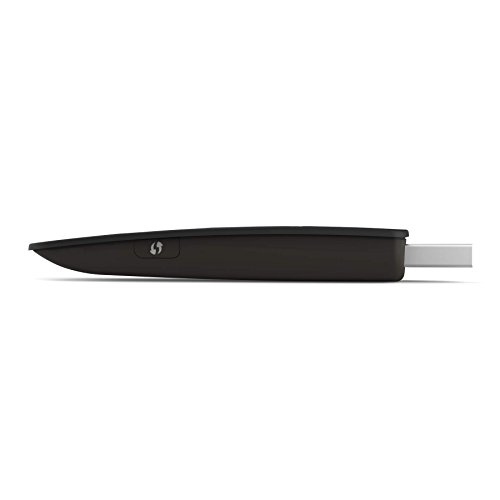
Linksys USB Dual-Band Wireless Adapter WUSB6300
 Amazon.com
Original price was: $49.99.$38.99Current price is: $38.99.
Linksys USB Dual-Band Wireless Adapter WUSB6300 Price comparison


- All prices mentioned above are in United States dollar.
- This product is available at Amazon.com.
- At amazon.com you can purchase Linksys USB Wireless Network Adapter, Dual-Band wireless 3.0 Adapter for PC, 1.2Gbps (AC1200) Speed - WUSB6300 for only $38.99
- The lowest price of Linksys USB Wireless Network Adapter, Dual-Band wireless 3.0 Adapter for PC, 1.2Gbps (AC1200) Speed - WUSB6300 was obtained on September 24, 2025 03:51.
Linksys USB Dual-Band Wireless Adapter WUSB6300 Price History
Linksys USB Dual-Band Wireless Adapter WUSB6300 Description
Linksys USB Dual-Band Wireless Adapter WUSB6300: Fast and Reliable Connectivity
The Linksys USB Dual-Band Wireless Adapter WUSB6300 offers a powerful solution for enhancing your internet connectivity. Whether you’re streaming videos, playing online games, or browsing the web, this adapter ensures a fast and stable connection. With support for 802.11ac Wi-Fi technology, the WUSB6300 brings your devices into the high-speed 5GHz band, allowing for faster speeds and reduced interference.
Key Features and Benefits
- Dual-Band Performance: The WUSB6300 operates on two frequency bands (2.4GHz and 5GHz), providing speeds up to 1200 Mbps. This means smoother video streaming and quicker downloads.
- Broad Compatibility: This adapter supports multiple wireless standards including 802.11n, 802.11g, 802.11a, and 802.11b, ensuring compatibility with a wide range of devices.
- USB 2.0 Port: Featuring a single USB 2.0 port, you can easily plug this adapter into your laptop or desktop, making it a convenient option for upgrading your connectivity.
- Compact Design: Weighing only 0.48 ounces and measuring 6.1 x 5.31 x 2.36 inches, the WUSB6300 is portable and easy to store, making it great for users on the go.
- Easy Setup: The adapter is designed with user-friendliness in mind. Simply plug it in, install the drivers, and enjoy reliable wireless internet access.
Price Comparison Across Suppliers
When you compare prices for the Linksys WUSB6300, you’ll notice a variation among different suppliers. Retailers typically offer competitive pricing, allowing you to find the best deal that fits your budget. Be sure to check various websites to see how prices fluctuate, ensuring you get the best value for your purchase.
6-Month Price History Trends
Observing the 6-month price history chart, it’s clear that the WUSB6300 has experienced a mix of price drops and occasional spikes. Notably, during promotional events or sales seasons, you might find this adapter available at a significantly lower price. Keeping an eye on these trends can help you snag a great deal.
Summary of Customer Reviews
Customer reviews for the Linksys USB Dual-Band Wireless Adapter are generally positive, highlighting its excellent performance and reliability. Users appreciate the high-speed capability and the straightforward installation process. Many have praised the adapter for boosting their internet connection significantly, especially for gaming and streaming needs. However, some customers have noted occasional connectivity issues and recommend ensuring your drivers are up-to-date for optimal performance.
Unboxing and Review Videos
To get a closer look at the Linksys WUSB6300, be sure to watch unboxing and review videos on YouTube. These videos provide valuable insights into the product’s setup process, real-world performance, and tips for maximizing your user experience. They can help verify that the WUSB6300 is indeed the right choice for your needs.
Integrating this adapter into your setup can significantly improve your wireless internet connectivity. With its robust features, user-centric design, and competitive pricing, the Linksys WUSB6300 is a strong contender in the USB wireless adapter market. Don’t hesitate to explore your options for getting this powerful tool at the best price.
Compare prices now and discover how the Linksys USB Dual-Band Wireless Adapter WUSB6300 can enhance your online experience!
Linksys USB Dual-Band Wireless Adapter WUSB6300 Specification
Specification: Linksys USB Dual-Band Wireless Adapter WUSB6300
|
Linksys USB Dual-Band Wireless Adapter WUSB6300 Reviews (9)
9 reviews for Linksys USB Dual-Band Wireless Adapter WUSB6300
Only logged in customers who have purchased this product may leave a review.




Cam Syd –
Ended up returning it. It is a bit big so can’t fit another USB device into a USB plug next to it. It isn’t all that powerful for range. My computer is about 3 metres from the WiFi router and had 2 bars of connectivity. Easy to install and setup, but if you have a desktop go for a PCI card instead.
Leon –
I had lots of problems with this adapter after a couple of months using it but after reading a review for a different WiFi adapter I found what appears to be a solution to the problems I was having. I have had no problem since following the steps I will list at the end of the review.
The problem I was having was I would loose connection to my WiFi at least once a day and sometimes multiple times a day. I would have to pull the adapter out and wait for a minute or two and plug it back in so it would work and reconnect to my router (my computer just would no longer see I had the adapter).
Linksys left the comment suggesting I download the fastest drivers from their website as it sounded like a possible corrupt driver to them. That does not appear to be the case here. What does appear to be the problem was some power settings in the computer itself.
My suggestion to anyone having these kind of problem to try the steps below:
1. In Windows Power Options, under Power Saving Mode, set Wireless adapter to “Maximum Performance”
2. In Windows Power Options, under USB settings, set the USB Selective Suspend Setting to “Disabled”
3. In Device Manager, under Network Adapters, right click on the network adapter, then properties, then Power Management and then UNCHECK the box that says “Allow the computer to turn off this device to save power.”
Since following these steps I have had no trouble at all getting disconnected from my WiFi.
Vlad –
So… I thought 3 or 4 stars, but finally decided to set 4. This review is mostly for people who experience issues with this adapter using it on 5Ghz frequency AC mode. While web surfing is great a lot of people experience great issues in games requiring internet connections. These issues can be disconnects, freezes and other types of lost connectivity. So first of all it’s not an issue of your router, computer or even game, it’s an issue in WLAN chipset which is the same for several brands Linksys WUSB6300, TP Link Archer T4U, some Netgear model. They all use the same chipset which is produced by Realtek/Mediatek. Some you of you could find “solution” to set QoS Support to Disabled option, yes that works, however I bet you didn’t notice one very significant point, connect speed is decreased from normal 867Mbs to 130Mbs, you can check it and speed is decreased as well. After 3 weeks of so I finally found solution which makes all these adapters work at full AC performance with any online game.
So:
1. You need these drivers http://www.edimax.com/edimax/download/download/data/edimax/global/download/for_home/wireless_adapters/wireless_adapters_ac1200_dual-band/ew-7822uac theris version even for MAC OS (however I believe that any drivers are OK which provide you with control over LdpcCap and StbcCap)
2. After you download them you need to update existing or install if it’s clean installation, you can do this though Device Manager in Control Panel
3. After this you need to go to Change adapters settings in Networking and Sharing Center
4. Find your adapter and go to its properties section
5. Here select Configure and go to Advanced tab
6. Now you need to set LdpcCap and StbcCap settings to Disabled option (still I believe that LdpcCap is causing troubles, just for experiment purity I advice to disable both) click OK (These settings are special connectivity correcting codes, StbcCap is used with N protocol only so it’s even unused with AC, LdpcCap is used with both N and draft specifications of AC “draft’ is true about it :))
7. Now after your adapter restarts you need reconnect it to desired 5Ghz WiFi spot and… Use it at full performance
This solution proved to be working more than 48 hours and everything goes OK.
So 4 stars for my effort 🙂
Hope it saves your time and nerves 🙂
Jerry Burchell –
It took a few days to arrive, and well worth the wait. A huge upgrade to my Wifi connection and now no drop outs etc. on Zoom or YouTube.
Amazon Customer –
Works very well. Tried after few WiFi adapters for 5ghz
S. Andrews –
While I would have preferred not to spend this money, it was the least expensive I found this adapter for.
I purchased a Lynksys Dual-Bank a/c router from Staples that functions on 2 frequencies at once claiming to even deliver faster speeds even over the existing N speed. I am permanently disabled and have a Staples a mile from my house and now that Amazon has opened a warehouse (NO storefront) in my state sales tax is added and the price was the same so I wouldn’t have saved anything so I purchased it there.
It installed instantly with no problems. It even has 4 gigabit Ethernet ports which is exactly what I was looking for. I live in an apartment building and we have one or more resident hackers. My wireless system was hacked right through my network and pc firewalls and anti-virus programs (and yes, I had a password generator that created password of 14 mixed characters that mixed both letters – upper and lower case – and symbols if allowed). I finally decided it was enough and I would only turn on wireless if I wanted to use a tablet; the rest of the time I would run my network hard-wired. I had also upgraded my internet speed to my ISP’s 2nd to the top speed (100 Mbs). Enough speed to run as many internet programs (streaming and otherwise) as I wanted to…and I got a deal.
Now the problem. When I first got the speed increase my old router (also a Linksys but only with a top speed of N) was getting 50 Mbs and again that was with my old router. Wanting to get the top a speed I was paying for I purchased the Lynksys router and was told the the salesKID at Staples that it would work out of the box. First problem, the day after purchasing it I spent a month in the hospital. I was 2 days past the refund date. Which brings up the next question; why would I need to return it?
I have 3 laptops and 2 desktops. They were all getting 45 to 50 Mbs BEFORE installing the new router. After installing it I checked the speed through Speedtest dot net and not one of the devices went over 12-15 Mbs! I lost speed.To answer another question that techies might be thinking, were my machines old…1 yes 4 no. Then the infamous technical support rounds started.
I started my self by switching back to the old modem and was now getting 80 Mbs on any device. Then a call to Linksys. I had to be switched to 3 different people before I could even understand the broken English that was spoken. I don’t have a heavy regional accent of any kind, I’m from CT – about the most generic American accent you’ll hear. My “help” personnel would start speaking in English and then every so often, depending on which person I was speaking to a work of Korean or Indian would just slip out. A total of 4 hours on the phone and they decided that the router was fine, it must be Comcast’s problem.
I called Comcast, they came out, replaced the wiring and the cable splitter then told me that even though it takes those pieces to make the cable box and internet work the wiring was my responsibility and the trip (which showed everything was fine, was going to cost me $40. I argued that cost away since no one told me about it and it made no sense as you can’t use either the cable box or the internet without wiring. They let that one pass without charging me. What I did find out was that the Comcast tech. checked the speed at the wall where the signal comes from, the back of the modem, all 4 gigabit ethernet ports and the signal was at 105 Mbs, as advertised.
Back to Lynksys. They had me do the same ridiculous tests again from unplugging everything and waiting to a variety of other tests…all done on my first call to them and none resulting in anything that worked. What a surprise!
Finally they offered to repair this router since it was still under the warranty. I was going to do that but during the switching cables back and forth and turning everything on and off the 1st modem (the one that worked, just not at full speed) got knocked off the cabinet it was sitting on and broke like a raw egg into a million pieces). I asked them to send me the new router first as I would have no internet but they said they had to have my router back first. No help at all there. I finally got disgusted and hung up.
Out of curiosity I Googled the problem I was having and found hundreds of the exact same thing! Every story was also the same about the abysmal tech support. And in almost every case the solution was the same. This is a fairly new router and there was only one fix…this purchase.
I decided to stick with Amazon since they are a little more flexible on returns so if this didn’t work it would be easy to return.
I received it in the usual 2 days (I’m an Amazon Prime member and it really does work like it’s supposed to). Again, anything plugged into the Ethernet ports was fine but before installing this USB plug-in my speeds were approx 12-15 Mbs.
I installed the drivers that come with the USB dongle, plugged it in and did another Speedtest. 118 Mbs average regardless of the machine I connected it to. Not one person al Linksys, Staples or Comcast was aware that to get the top wireless speeds, most computers REQUIRE this dongle. My laptops all have only 1 USB 3.0 port and it requires 3.0 for full speed. It is also about 3 inches long and made of plastic and I can imaging would take VERY little pressure to snap off. Anyone ever have a laptop start to slide off your lap by accident?
I don’t know how long this will last but it works perfectly. I have purchased Linksys products in the past and never had any problems. After my grand total of 8 hours on the phone between all the phone calls and having to stay home for a service call from Comcast that was completely unnecessary, I would never purchase another Linksys product again.
There is no notation on the router box that the dongle might be necessary but I called Linksys back one final time. Now I got to speak to someone who spoke Enlish…duh! AND the first question out of that tech’s mouth was, “have you purchased the USB plug-in as well?” So a huge waste of time and money. The router was on sale so I thought I was saving $15. But then I had to purchase the USB dongle/adapter for another $60.00 ($5 for shipping something that could have been put in an envelope with 2 stamps) and I spent more than $50 than I thought I would and have this adapter sticking out the side of my computer.
While this review may have come across as quite a bit of a rant, everything in it is true so buyer be ware. As for the adapter, it works perfectly and does solve the problem.
HSIEN-YEN M. –
Very good product! Right price with a pretty clear signal when connected. Setting up is easy enough, and it works like a charm. The only downside is that it’s not small enough, so you need to watch out not to accidentally slam your hand on it and break it. Other than that, great product!
Grammie-G –
I installed the adapter and driver with no issues and it is working splendidly. It was a replacement for very old Linksys adapter and it has made a significant difference in the speed of my internet connection as well as eliminating periodic “no internet” glitches.
Cassio Meira –
A conexão e navegação a 5 ghz! – Extende o sinal por toda a residência.