
 Walmart.com
  eBay
eBay 
$1,127.99
Microsoft Surface Pro 2-in-1 Laptop, 2024 Model Price comparison



- All prices mentioned above are in United States dollar.
- This product is available at Amazon.com, Walmart.com.
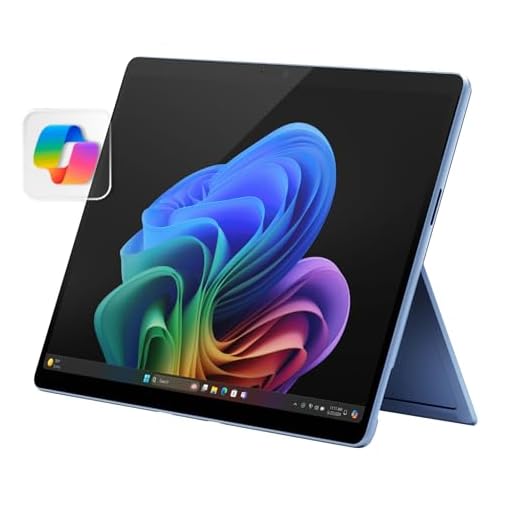
- At amazon.com you can purchase Microsoft Surface Pro 2-in-1 Laptop/Tablet (2024), Windows 11 Copilot+ PC, 13" Touchscreen Display, Snapdragon X Plus (10 Core), 16GB RAM, 512GB Storage, Sapphire for only $899.99 , which is 36% less than the cost in Walmart.com ($1,399.00).
- The lowest price of Microsoft Surface Pro Copilot+ PC (11the Edition) Touchscreen 13" 2880 x 1920 Qualcomm Snapdragon X Plus 16GB RAM 512GB SSD Windows 11 Home - Black was obtained on September 24, 2025 11:46.
Microsoft Surface Pro 2-in-1 Laptop, 2024 Model Price History
Microsoft Surface Pro 2-in-1 Laptop, 2024 Model Description
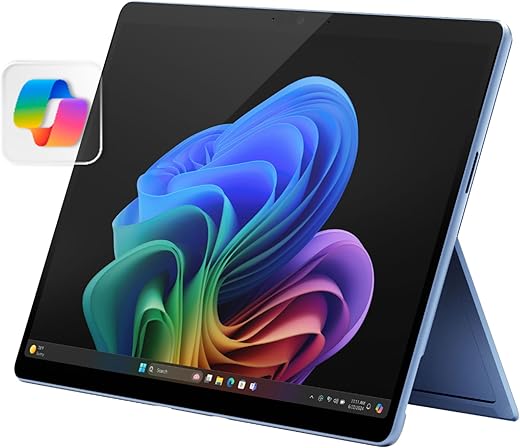
Unleash Your Creativity with the Microsoft Surface Pro 2-in-1 Laptop, 2024 Model
The Microsoft Surface Pro 2-in-1 Laptop, 2024 Model, combines the portability of a tablet and the functionality of a laptop. If you’re searching for a versatile device that caters to both productivity and entertainment, this is the perfect solution. Get ready to enhance your workflow with its impressive specifications and innovative features. Discover the unbeatable value and performance of the Microsoft Surface Pro Price and Microsoft Surface Pro Review that keep users talking!
Key Features of the Microsoft Surface Pro 2-in-1 Laptop
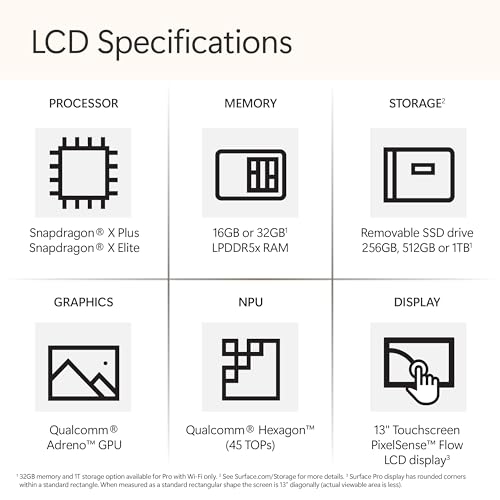
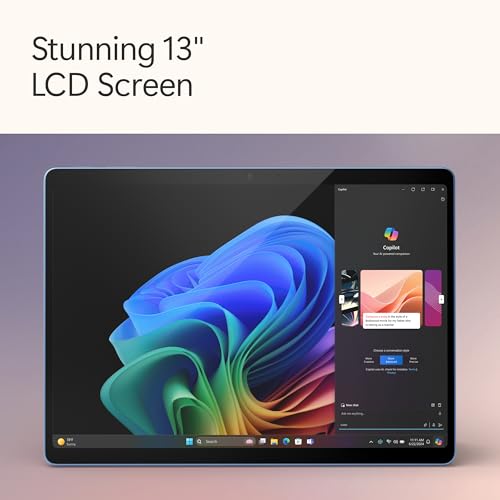
- Stylish Display: The 13-inch touchscreen boasts a resolution of 2560 x 1600 pixels. Enjoy crisp images and vibrant colors when watching videos or working on creative projects.
- Impeccable Performance: Equipped with a Qualcomm processor and 16 GB of LPDDR4 RAM, this laptop can handle demanding tasks without lag.
- Ample Storage: With a 512 GB SSD, you have enough space for your files, applications, and multimedia. Quick access to data ensures efficiency in your daily usage.
- Integrated Graphics: The ARM Mali T604 coprocessor ensures fluid graphics performance, ideal for casual gaming and multimedia consumption.
- Portable Design: Weighing just 3.68 pounds and measuring 11.3 x 8.2 x 0.37 inches, this lightweight laptop is designed for on-the-go users.
- Latest Windows 11 OS: Experience the newest features and security enhancements with Windows 11 Home, designed for seamless multitasking and user-friendly navigation.
- Exceptional Battery Life: With a powerful lithium-ion battery, stay productive throughout the day without worrying about constant recharging.
Price Comparison Across Different Suppliers
The Microsoft Surface Pro 2-in-1 Laptop is competitively priced across various retailers, providing you ample options to find the best deal. Prices may vary based on sales or promotions, so be sure to compare before purchasing. Currently, the price fluctuates between $999 to $1,199, giving you flexibility based on your budget. Utilize our price comparison tool to snag the best Microsoft Surface Pro 2-in-1 Laptop price!
Trends from the 6-Month Price History
Over the past six months, the price of the Microsoft Surface Pro has shown steady demand, with only minor fluctuations. Observing the price history reveals some insights:
- Stable Pricing: Prices remained relatively consistent with minimal drops, indicating a robust demand for the product.
- Seasonal Sales Opportunities: Notable price reductions occurred during holiday sales, advised to monitor these trends for significant savings.
What Customers Are Saying About the Microsoft Surface Pro
Customer reviews for the Microsoft Surface Pro 2-in-1 Laptop are predominantly positive. Many users praise its performance, lightweight design, and vibrant display. Here is a summary of the feedback:
- Pros: Users admire its quick startup time, seamless multitasking capabilities, and the convenience of the 2-in-1 design.
- Cons: Some customers mention limited ports as a drawback, suggesting the need for additional adapters or docks for connecting peripherals.
Explore Unboxing and Review Videos
Interested in seeing the Microsoft Surface Pro 2-in-1 Laptop in action? Check out various unboxing and review videos on popular platforms like YouTube. These videos provide detailed insights into the product’s features and user experiences, showcasing its capabilities and how it fits into everyday usage. Discover the real-world performance through these visual aids to make an informed decision!
Your Next Adventure Starts Here
If you’re ready to invest in a device that transcends the limitations of traditional laptops and tablets, the Microsoft Surface Pro 2-in-1 Laptop is waiting for you. With its superior design, powerful performance, and high-resolution display, it’s an excellent choice for students, professionals, and creatives alike. Don’t miss out on the chance to elevate your tech game with the latest model.
Compare Prices Now!
Jump into the world of seamless productivity and entertainment with the Microsoft Surface Pro 2-in-1 Laptop. Use our price comparison tool to explore the best deals available. Maximize your investment by finding the best price today!
Microsoft Surface Pro 2-in-1 Laptop, 2024 Model Specification
Specification: Microsoft Surface Pro 2-in-1 Laptop, 2024 Model
|
Microsoft Surface Pro 2-in-1 Laptop, 2024 Model Reviews (10)
10 reviews for Microsoft Surface Pro 2-in-1 Laptop, 2024 Model
Only logged in customers who have purchased this product may leave a review.



Robert G –
I bought this PC because I wanted a 2-and-1 but nothing cheap for work and I did NOT want a MacBook. So far I’m blown away. I work as a life coach so between toggling between documents, video chatting with clients, finding material for coaching sessions I have alot to do. At once. This surface has surpassed my expectations and then some.
Pro: what’s not to love? Easy to use, amazing screen and picture, battery is great, value is incredible! Quality is unmatched.
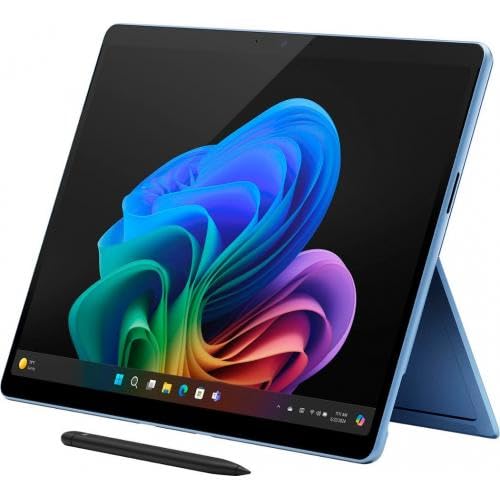
Con: Wishing it came with either the pen or key board (or both). While looking at post I would have thought it did but you have to carefully look and read where it says “sold separately”. Just make sure you get some sort of keyboard! Pen is optional but it’s always good to have.
AnnaZuzz –
does everthing I need. have absolutely no complaint YET. was a little put out the pen did not come with it like i thought but My mistake for not reading the discription better
Noy D. –
I am an digital artist that always wanted an all-in-one solution, and I think this was the best choice I’ve made in my life, but there is just one problem here.
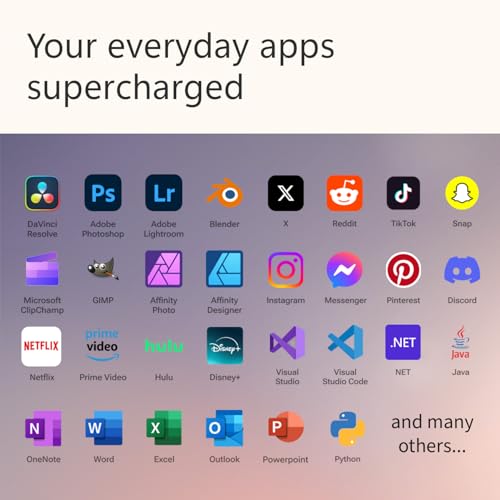
I mainly use Google Drive and other apps to store files for drawing, but the Surface Pro is its own special Microsoft device and won’t recognize Google Drive for desktop, so it could not download certain apps people use for everyday tasks. If apps you want to use do not support ARM versions or maybe not for Surface Pro, then I do not recommend buying the Surface Pro (other than that, everything is on the top for performance and design, features and everything🙌❤️)
The pen is so smooth and accurate, first time using it but it was great for taking notes and any artist work.
The design is beautiful and outstanding, totally worth the high price if downloading specific non-Microsoft apps isn’t a problem for you ^^
R –
I feel like a fool, I bought this Surface Pro on whim as I needed a new computer. I saw the ads on Amazon and I love AI to make my life easier so I was instantly sold. I didn’t realize that the keyboard and pen were sold separately as the photos, videos on the Amazon listing are misleading as they all show the attached keyboard. I had to purchase the keyboard and pen separate and that was an additional $300 I wasn’t planning on spending. Amazon should change the listing photo to show only the Surface Pro tablet without the keyboard and make more clear that the keyboard is separate. I have never used a Surface before so I had no idea. Here are my thoughts 24 hours into owning this computer/tablet:
Pros: Sleek, elegant design. I absolutely love the blue color that I purchased, it’s gorgeous. The screen resolution and colors are fantastic. I am a digital artist and it perfectly displays my artwork. The facial recognition and pin entry are so easy to set up and use, very similar to a phone so I really like that. The video camera for online meetings is very good quality and I like the blur background feature that is built in. Copilot is very useful and I can see it helping me in my business, setting reminders, giving me ideas, writing captions for social media and more. I’m a big ChatGPT fan so having copilot built in with the push of a button simplifies and makes my life easier. It’s very quiet, no loud fan, doesn’t over heat. The battery life is amazing, hours watching YouTube, videos with moderate to high brightness the battery is lasting all day! It’s very portable and easy to carry around. And I enjoy it better than my work computer. The built in stand is nice and I was able to connect my mouse to it without issue via Bluetooth. The customization options and adding colors are super fun and my home screen looks beautiful.
Cons: While I am big on AI and productivity, I still value my privacy and the fact that there isn’t an optional camera from lense cover is very annoying. I bought one to add but I think it might mess with the facial recognition so yeah I guess I won’t be walking around in my underwear in front of the computer lol. Second, the laptop froze yesterday when I tried to download Google Drive yesterday and I now understand that they are not compatible which by the way is a big miss. I do not want a Chromebook but I do want to use Google photos to backup my artwork and that is a defect that they are not compatible. But worse is that within less than 2 hours of having this laptop it froze and I had to manually restart, that is a huge red flag. I have been using it all day today and haven’t had that issue to I’m hoping to write it off to the fact that things were still updating yesterday when this occured. I believe that for the money 512 GB of storage is absurdly low. The blue color was not available in 1 TB. My phone has more storage than that lol. The Cocreate option was an interesting selling point featuring AI art capability and on my gosh, what a joke that is. It’s an add on to the paint app and the art or generates is very low quality, which I won’t be using. They made a big deal out of this advertising in the video and on Microsoft’s homepage but honestly it’s ridiculous. I’m hoping I can use the pen for other things with the Surface.
For now I’m still undecided if I will be keeping this machine. I’m going to use for a few more days and determine if it’s worth the money of if I’m better off with a $400 laptop that will do everything that I need. I will update this review as I discover more pros and cons too.
patrick w. nissley –
Incredibly fast with wonderful screen image. Add the keyboard with touch pad and a snap to use and navigate. Best Surface I have ever owned this is my 3rd.
carlos betancourt –
Good so far
Robert G –
Surface is great! Works well and is fast. I have had no issues watching videos, opening three/four tabs at a time. Plenty of features and convenient to have a 2 in 1. I bought a pro 9 keyboard/pen and works very well with the newer version of it. Lightroom is what I wanted it for has been a small issue. I am hopeful I can get that worked out. This is great for anyone looking for portability, fast and for everyday use.
Ed –
Have been researching and coveting for a while. And I can say that even as an Apple fanboy, this machine runs wonderfully and is a joy to play/work with.
AnnaZuzz –
2 in 1 was just a selling misleading statement. the keyboard was not included. Bad for Microsoft’s reputation!
brittany –
I sent this Microsoft laptop-tablet to the Philippines as a gift to my niece. An expensive junk, it didn’t take 3 months and all a sudden it stopped working and won’t turn ON anymore.
Too bad for me, I can’t return it anymore. Sending this back to the US too expensive. Microsoft Philippines service center doesn’t want to accept it for repair.