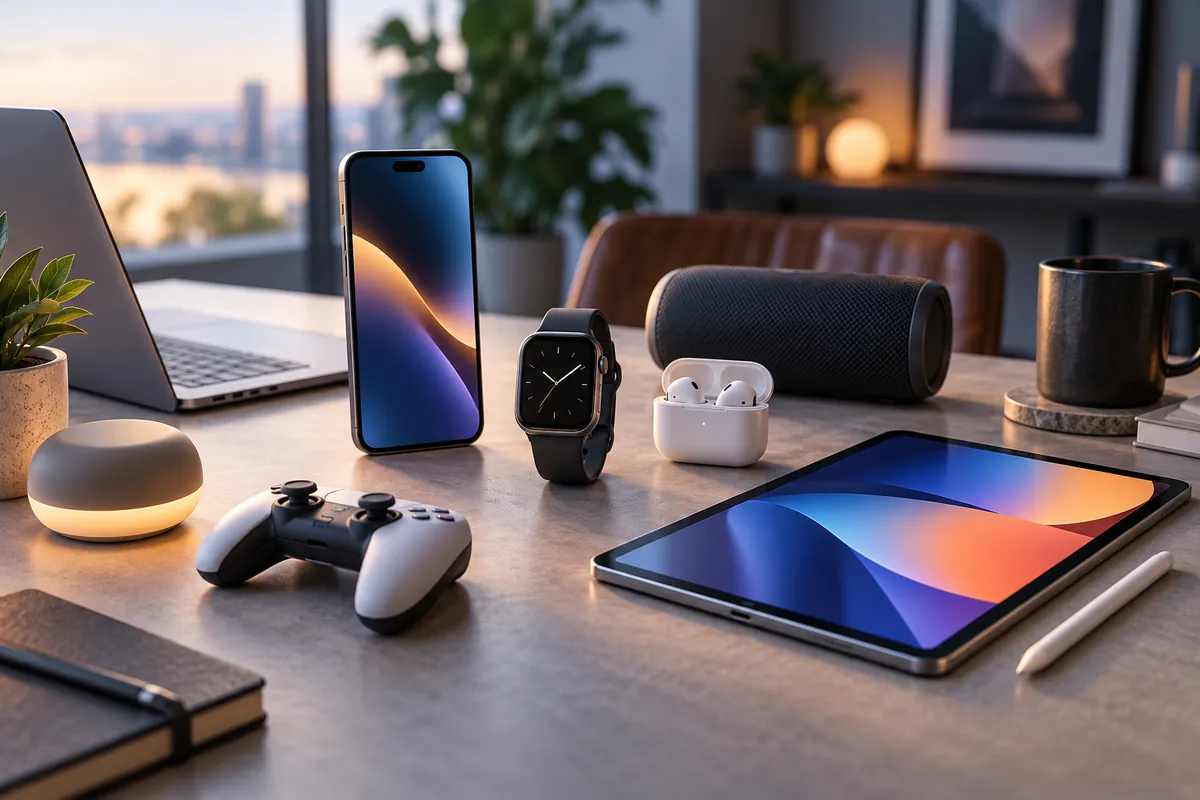
Best Tech Gadgets 2026: Must-Have Upgrades
The best tech gadgets in 2026 are not necessarily the strangest devices or the products with the most AI features. The upgrades worth buying are the ones that remove friction from something you already do every day.
For productivity, the Logitech MX Master 4 is our top pick because its programmable controls, Actions Ring and haptic feedback can make repetitive desktop work faster. Travelers and multi-device users should look at the Anker Prime Power Bank 26K 300W, while Apple’s new AirPods 5 with Wireless Charging Case bring active noise cancellation and improved controls to Apple’s open-ear design.
At home, the Amazon Echo Dot Max combines a better speaker with a real Matter, Thread and Zigbee smart-home hub, while the Roborock Saros 20 shows how far automated cleaning has progressed. Kindle Scribe Colorsoft provides a more focused approach to reading and handwritten work, and the second-generation AirTag remains one of the simplest inexpensive upgrades for Apple users who regularly misplace keys, bags or luggage.
Quick Answer: Best Tech Gadgets in 2026
Best Productivity Upgrade: Logitech MX Master 4 — customizable controls, an 8K DPI sensor, MagSpeed scrolling and the Actions Ring make it a practical everyday upgrade for desktop work.
Best Charging Upgrade: Anker Prime Power Bank 26K 300W — designed to power laptops, tablets, phones and other USB devices from one high-capacity travel-friendly battery.
Best Everyday Audio Upgrade: Apple AirPods 5 with Wireless Charging Case — open-ear ANC, improved battery life, stem volume control and strong iPhone integration.
Best Smart Home Upgrade: Amazon Echo Dot Max — improved audio plus Matter, Thread, Zigbee, Bluetooth and Wi-Fi smart-home connectivity in one compact hub.
Best Reading & Notes Upgrade: Kindle Scribe Colorsoft — a distraction-light 11-inch reading and handwriting device with color annotation and productivity features.
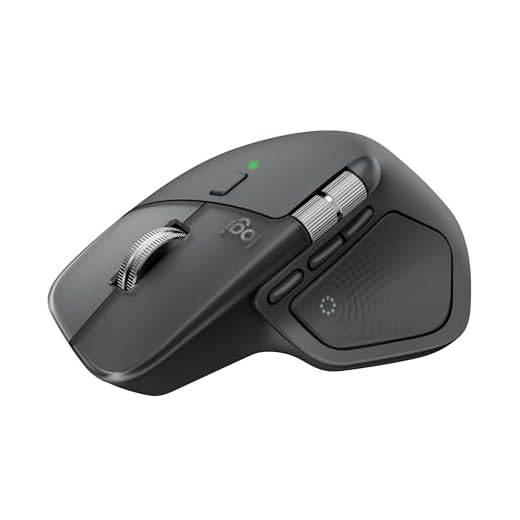
Best Everyday Tracking Upgrade: Apple AirTag 2nd Generation — improved Precision Finding range and a louder speaker make lost items easier to locate.
Best Smart Cleaning Upgrade: Roborock Saros 20 — advanced obstacle navigation, 36,000Pa rated suction and an automated dock make it the biggest time-saving home upgrade here.
How We Chose the Best Tech Gadgets
We prioritized practical products over prototypes and novelty gadgets. To make this list, a product needed to solve a recurring problem in work, travel or home life and offer a meaningful improvement over cheaper or older alternatives.
Our criteria included everyday usefulness, current U.S. availability, ecosystem requirements, setup effort, charging or battery performance, interoperability, long-term value and whether the upgrade actually saves time or reduces friction.
We also avoided filling the list with ten products just to reach a round number. Seven gadgets cover the most useful upgrade categories without adding experimental wearables or concept hardware that may never become broadly available.
Discompare did not conduct hands-on laboratory testing for this guide. Recommendations combine current manufacturer information with recent independent editorial testing where relevant.
Best Tech Gadgets Compared
| Gadget | Best For | Key Upgrade | Ecosystem | Price Tier | Main Trade-Off |
|---|---|---|---|---|---|
| Logitech MX Master 4 | Desktop productivity | Haptics + Actions Ring | Windows / macOS | $ | Not essential for MX Master 3S owners |
| Anker Prime Power Bank 26K 300W | Laptop and multi-device charging | 300W total output | USB-C / USB-A | $$ | Heavy for phone-only use |
| Apple AirPods 5 with Wireless Charging Case | Everyday audio | Open-ear ANC + volume control | Best with Apple devices | $ | Full feature set favors Apple users |
| Amazon Echo Dot Max | Smart-home control | Built-in multi-protocol hub | Alexa / Matter | $ | Less useful outside Alexa households |
| Kindle Scribe Colorsoft | Reading and handwritten notes | Color E Ink writing + AI notes | Amazon / Kindle | $$$ | Expensive and less flexible than a tablet |
| Apple AirTag 2nd Generation | Keys, bags and luggage | Longer Precision Finding range | Apple Find My | $ | Apple-centric |
| Roborock Saros 20 | Automated home cleaning | Navigation + dock automation | Roborock / Matter | $$$$ | Very expensive |
Compare Current Tech Gadget Prices
Prices in fast-moving technology categories change frequently. New releases can also receive launch bundles or temporary promotions, so the editorial ranking below does not depend on the cheapest retailer offer available on a particular day.
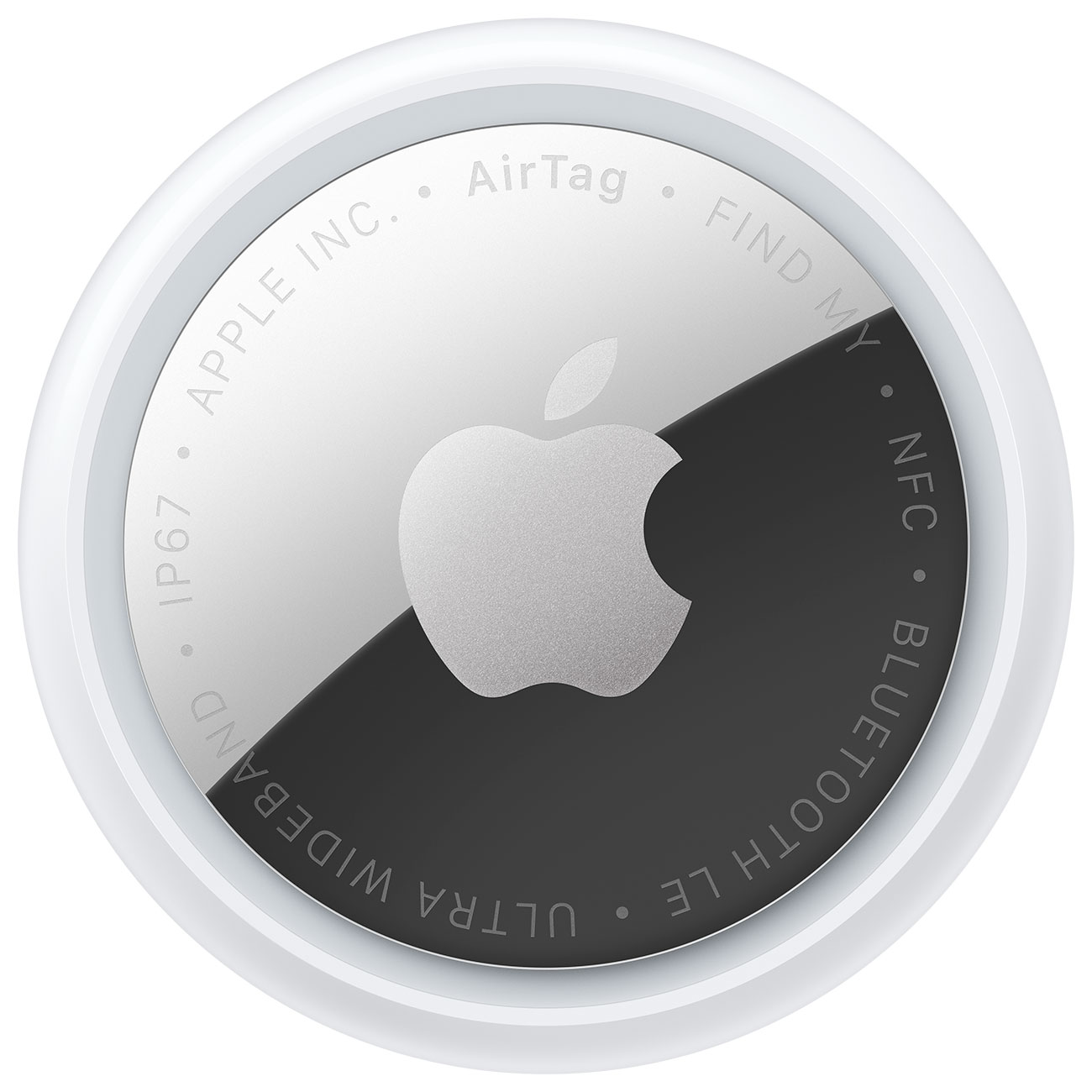



1. Logitech MX Master 4 — Best Productivity Upgrade
Best for: office professionals, creators, developers and anyone who spends several hours a day navigating desktop software.
A mouse can sound like a boring tech upgrade until you calculate how often you use one. That is why the MX Master 4 ranks first: it improves an interaction that many people repeat thousands of times during a workweek.
The mouse retains Logitech’s 8,000 DPI Darkfield sensor, allowing it to track on a wide variety of surfaces, including glass. The MagSpeed wheel is built for rapid scrolling through long webpages, spreadsheets, timelines and documents, while the thumb wheel remains useful for horizontal navigation.
The major generational change is the Haptic Sense Panel. It can provide configurable tactile feedback for supported actions and also opens Logitech’s Actions Ring, which places customizable shortcuts around the pointer rather than requiring users to move back to toolbars or menus.
Windows 11 now also supports deeper native haptic integration with MX Master 4 in compatible actions, including window management and supported productivity applications.
The benefit depends on customization. An MX Master 4 left at default settings is simply a very good premium mouse. Its larger advantage appears when you configure app-specific shortcuts for software you use every day.
If you are improving a full workstation rather than one peripheral, pair those changes with an appropriate desk layout. Our best home office desks for productivity guide covers desks for larger monitors, laptops and multi-device setups.
Pros
✅ Customizable haptic feedback
✅ Actions Ring shortcut system
✅ 8,000 DPI sensor works on many surfaces
✅ Excellent scrolling for long documents and timelines
✅ Strong Windows and macOS productivity integration
Cons
❌ Expensive compared with basic wireless mice
❌ Existing MX Master 3S owners may not need the upgrade
❌ Advanced features require time in Logi Options+ to deliver their full value
Who should skip it: casual laptop users happy with a trackpad or anyone who already owns a recent MX Master and does not care about haptics or Actions Ring.
Alternative: Keep your current MX Master 3S if it already covers your workflow; the MX Master 4 is an evolutionary productivity upgrade rather than a mandatory replacement.

Upgrade your setup with the Logitech MX Master 4 — experience ultra-fast scrolling, ergonomic comfort, and customizable haptic feedback for precise control. Tailor vibration intensity to your liking and work wirelessly via Bluetooth with smooth, reliable performance. Order the sleek black MX Master 4 today and take your productivity to the next level.
2. Anker Prime Power Bank 26K 300W — Best Charging Upgrade
Best for: travelers and power users carrying a laptop, tablet, phone, handheld gaming device or several USB-powered products.
The Anker Prime 26K is less about charging one phone and more about replacing several power solutions with one battery. Its 26,250mAh capacity equals 99.75Wh, keeping it just below the common 100Wh threshold used for carry-on battery rules.
Two USB-C ports and one USB-A port can provide up to 300W of combined output. A single USB-C connection supports up to 140W with compatible hardware, enough to meaningfully charge many modern high-performance laptops rather than merely slowing their battery drain.
Recharge performance is unusually aggressive too. With the required compatible equipment, the power bank supports up to 250W of combined input across its two USB-C ports. A built-in smart display and app controls provide more information than a simple four-LED battery indicator.
The downside is physical size. At about 600g, this is not the power bank to buy if you only need emergency iPhone charging during a commute.
Phone-focused buyers can save money and weight with one of the smaller options in our best power banks for smartphones guide.
Pros
✅ 26,250mAh / 99.75Wh capacity
✅ Up to 300W combined output
✅ Up to 140W from a single USB-C port
✅ Very fast dual-port recharging capability
✅ Useful for laptops as well as phones and tablets
Cons
❌ Heavy at about 1.32 lb / 600g
❌ Premium price
❌ Maximum charging rates require compatible chargers, cables and devices
Who should skip it: users carrying only a phone and earbuds.
Alternative: a smaller 10,000mAh USB-C power bank for everyday commuting.
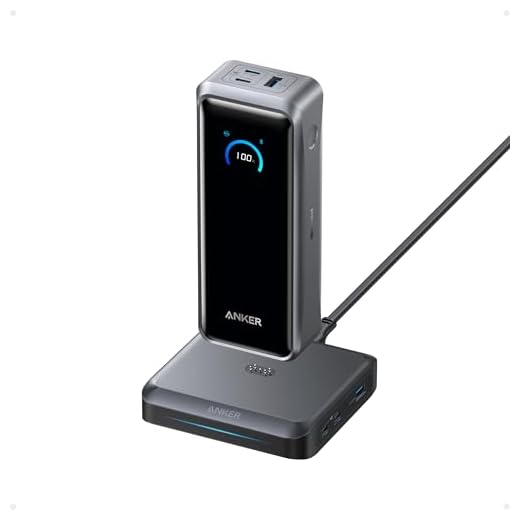
Never run out of power — get the Anker Prime 26,250mAh 300W Power Bank today. With 300W total output, up to 140W fast charging, 250W rapid recharge, TSA‑approved 99.75Wh capacity, and smart app control, it keeps your MacBook Pro and phone charging at full speed. Buy now and stay powered on the go — fast, reliable charging for travel, work, and everything in between.
3. Apple AirPods 5 with Wireless Charging Case — Best Everyday Audio Upgrade
Best for: iPhone users who prefer an open-ear fit but still want active noise cancellation and strong device integration.
AirPods 5 bring several features that previously pushed buyers toward more expensive Apple earbuds. Both versions now include active noise cancellation, and Apple says the new acoustic system can remove substantially more external noise than AirPods 4 with ANC under its own testing.
We prefer the Wireless Charging Case configuration for this roundup because it adds two conveniences that matter during daily use: on-stem volume control and longer battery life. Apple rates this version for up to five hours of listening with ANC on and up to 22 hours with the case.
The case supports USB-C, Qi wireless charging and Apple Watch chargers. That reduces another common charging inconvenience for people already carrying Apple devices.
Features such as Live Translation and newer Siri AI functions deepen the ecosystem advantage, but they also illustrate the main drawback. AirPods work with non-Apple Bluetooth devices, but much of the reason to choose them disappears if your primary phone is not an iPhone.
If you want stronger in-ear isolation or are comparing across brands, see our best wireless earbuds guide.
Pros
✅ Active noise cancellation in an open-ear design
✅ On-stem volume control on this configuration
✅ Wireless, USB-C and Apple Watch charger support
✅ Deep iPhone and Apple ecosystem integration
✅ Live Translation and newer intelligent features on compatible devices
Cons
❌ Full feature set depends heavily on Apple devices
❌ Open-ear fit will not suit buyers who prefer sealed ear tips
❌ AirPods Pro remain the stronger choice for users prioritizing maximum noise isolation
Who should skip it: Android-first buyers or anyone who strongly prefers silicone ear tips and maximum passive isolation.
Alternative: AirPods Pro for stronger isolation, or a cross-platform earbud from the broader wireless-earbud market.
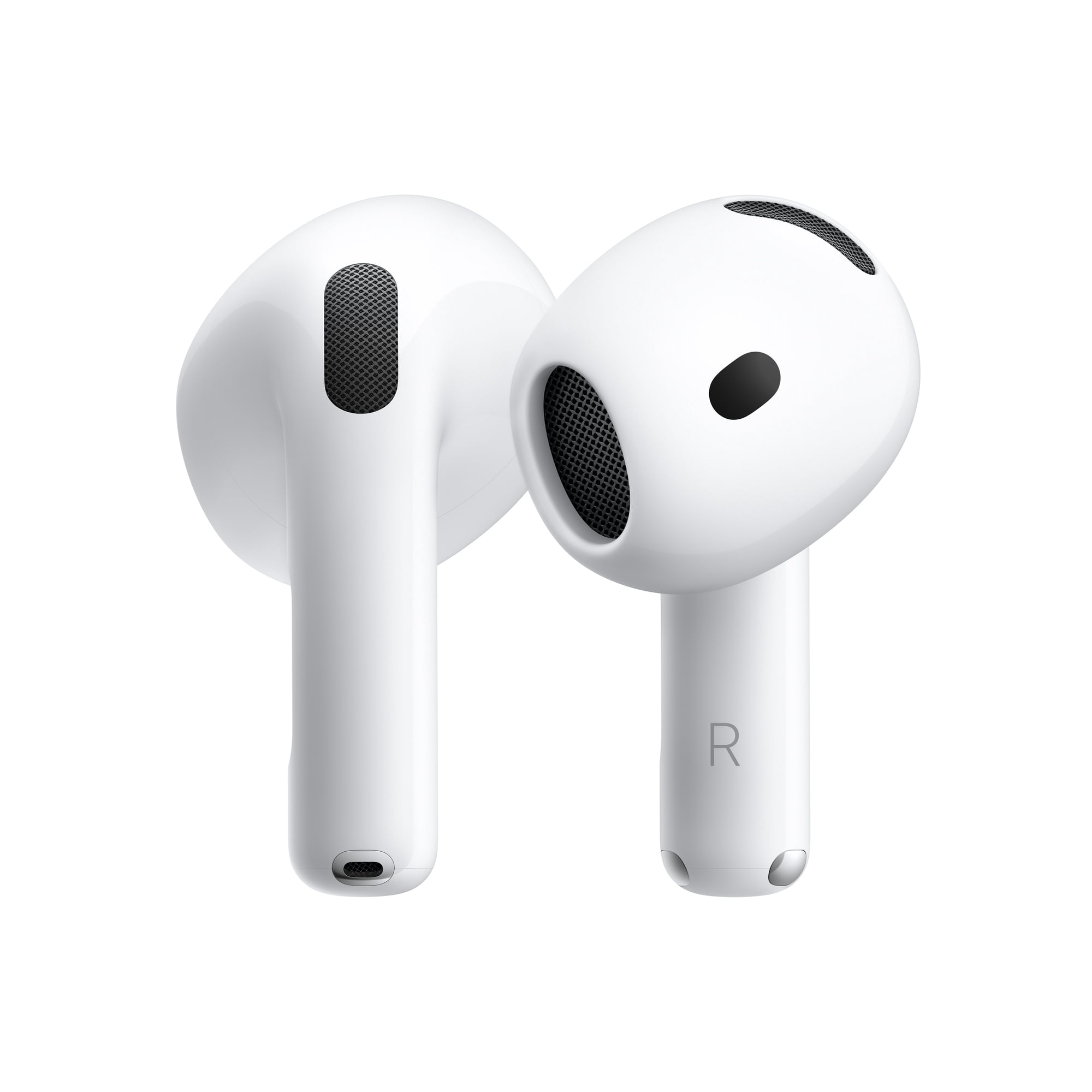
Experience the convenience of the Apple AirPods 5 with Wireless Charging Case — sleek design, effortless charging, and superb sound in one package. Upgrade your everyday listening and keep your AirPods ready wherever you go. Buy now and enjoy cable-free charging today.
4. Amazon Echo Dot Max — Best Smart Home Upgrade
Best for: Alexa households and beginners who want a smart speaker that can also serve as the center of a growing smart-home system.
Echo Dot Max is more interesting as a smart-home device than as a simple speaker. Amazon has added the first two-way speaker system in the Echo Dot family, using a dedicated woofer and tweeter, while also substantially increasing bass compared with the fifth-generation Dot.
The bigger upgrade is inside. Echo Dot Max includes Amazon’s AZ3 custom silicon and the Omnisense sensor platform, which can use signals such as presence, motion and temperature to enable more proactive routines.
It is also the first Echo Dot with a built-in smart-home hub. Supported connectivity includes Wi-Fi, Zigbee, Thread, Matter and Bluetooth, allowing one small speaker to connect with a much broader range of lights, plugs, sensors and other compatible devices.
This is the kind of upgrade that can simplify a smart home rather than add another isolated gadget. A motion or presence signal can trigger lighting or temperature routines, while Matter and Thread reduce dependence on devices using only proprietary connection methods.
If you’re building a connected-home system from scratch, also see our best smart home devices for beginners. For speaker-specific options, our best smart speakers for connected homes guide compares Echo Dot Max with alternatives from other ecosystems.
Pros
✅ Built-in Matter, Thread and Zigbee smart-home hub
✅ Omnisense enables more context-aware routines
✅ Stronger two-way audio system than older Echo Dot designs
✅ Compact way to begin or expand an Alexa smart home
✅ Supports a broad range of Alexa-compatible devices
Cons
❌ Much less useful if you do not want Alexa
❌ Existing recent Echo owners may not need to upgrade
❌ Larger speakers are better if music quality is the only priority
Who should skip it: households committed to another voice-assistant ecosystem or buyers who only want a Bluetooth speaker.
Alternative: keep an existing Matter-capable hub if your current setup is already reliable.
Echo Dot Max Smart Speaker, Glacier White — oh-so-stylish and built to deliver sensational sound. Enjoy richer music, smarter home control, and hands-free Alexa convenience in one sleek speaker. Upgrade your space today — order now and hear the difference.
5. Kindle Scribe Colorsoft — Best Reading & Digital Notes Upgrade
Best for: readers, researchers, writers and professionals who want digital notes without turning every reading session into another notification-filled tablet session.
Kindle Scribe Colorsoft is unusual because its limitations are part of its appeal. It does not try to replace an iPad or laptop. Instead, Amazon combines an 11-inch glare-free writing display with Kindle reading, handwritten notes and a Premium Pen in an environment without the usual collection of social apps and notifications.
The Colorsoft version adds color writing and highlighting while retaining the paper-like emphasis of the Scribe range. Amazon redesigned the current generation to be thinner and lighter, and says writing and page turns are faster than the previous design.
Productivity features go beyond simple notebooks. Google Drive and Microsoft OneDrive integration can bring documents into the device for annotation, notebooks can be exported to OneNote, and AI-powered notebook search can answer natural-language questions about your notes or create summaries.
This does not make it the best value tablet. It is expensive for a device deliberately designed to do fewer things than an iPad or Android tablet, and buyers who need video calls, complex apps or web multitasking should choose a conventional tablet instead.
Pros
✅ 11-inch color writing and reading experience
✅ Premium Pen included
✅ Weeks-long battery design
✅ Google Drive, OneDrive and OneNote workflows
✅ AI-powered notebook search and summarization
Cons
❌ Expensive for an e-reader and digital notebook
❌ Far fewer apps than a general-purpose tablet
❌ Poor fit for video, communication or conventional multitasking
Who should skip it: users who need a normal tablet for apps, streaming, video calls or browser-heavy work.
Alternative: a conventional iPad or Android tablet if flexibility matters more than distraction-free reading and handwriting.

Upgrade your reading and note-taking with the Kindle Scribe Colorsoft 11" 64GB Fig — featuring a vibrant Colorsoft 11" display with front light, a built-in notebook, AI tools, 64GB storage, and seamless cloud sync.
Order yours today to read, annotate, and organize smarter across devices.
Tap Buy now to reserve the Fig edition before it’s gone!
6. Apple AirTag 2nd Generation — Best Everyday Tracking Upgrade
Best for: iPhone users who frequently travel or want a simple way to locate keys, backpacks, luggage and other personal items.
Not every useful gadget needs a screen or AI assistant. The second-generation AirTag improves one extremely specific task: finding something that has gone missing.
Apple’s second-generation Ultra Wideband chip expands Precision Finding range by up to 50% compared with the previous generation under Apple’s testing. The redesigned internal speaker is also 50% louder, which can make a meaningful difference when an AirTag is buried in luggage, behind furniture or underneath clothing.
Bluetooth range has also been increased, while the replaceable CR2032 battery and IP67 dust- and water-resistance rating keep the ownership model simple.
AirTag becomes particularly useful when traveling because Apple’s Find My network can help locate an item outside normal Bluetooth range. The drawback is obvious: this product is fundamentally designed around Apple’s ecosystem.
Pros
✅ Expanded Precision Finding range
✅ Louder built-in speaker
✅ Large Find My network
✅ Replaceable CR2032 battery
✅ IP67 dust and water resistance
Cons
❌ Primarily useful to Apple users
❌ Still needs a separate accessory for many key-ring uses
❌ First-generation owners may not need to replace every existing AirTag
Who should skip it: Android-first households and buyers who already have reliable trackers attached to the items that matter.
Alternative: use a tracker designed around your phone platform’s own location network.
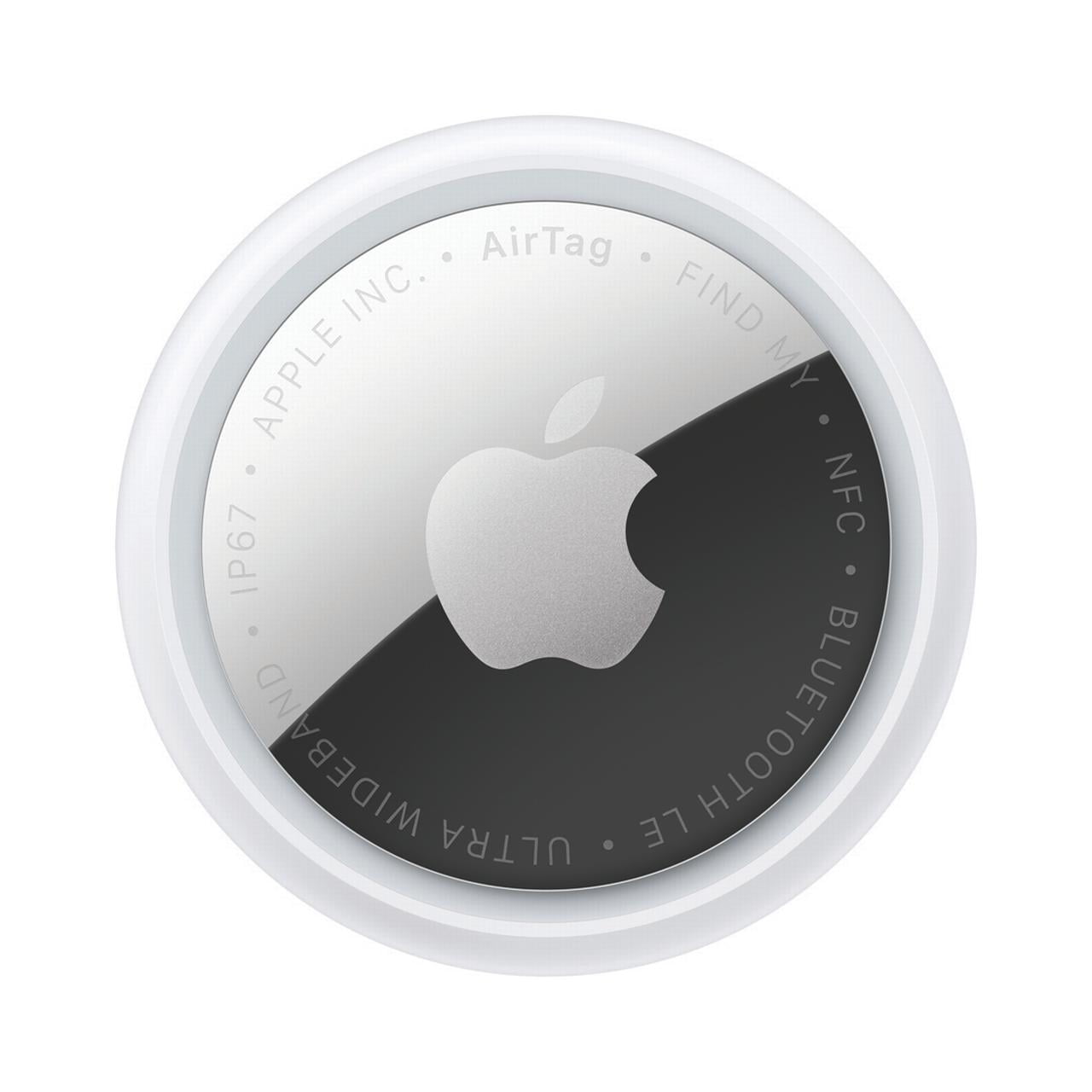
Apple AirTag (2nd Gen) 1‑Pack — Find what matters faster.
With the loudest speaker yet and expanded Precision Finding, AirTag makes tracking keys, bags, and everyday essentials effortless in the Find My app. Attach one to your must-haves and enjoy instant peace of mind — order your 1‑Pack today and never lose track again.
7. Roborock Saros 20 — Best Smart Cleaning Upgrade
Best for: busy households willing to spend significantly more to automate both cleaning and much of the maintenance around robot vacuuming.
Roborock Saros 20 is the least universally necessary gadget in this guide, but it can also save more physical time than anything else here.
The robot is rated for 36,000Pa HyperForce suction and uses StarSight Autonomous System 2.0 for mapping, positioning and obstacle recognition. Roborock’s AdaptiLift Chassis 3.0 can raise different parts of the robot to handle difficult transitions, while FlexiArm components are designed to improve cleaning near edges and corners.
The redesigned RockDock handles much of the routine maintenance around floor cleaning. Depending on the version and installation, Roborock also offers a refill-and-drainage configuration that can automate clean-water refilling and dirty-water disposal.
Saros 20 supports Matter in addition to Alexa, Siri and Google Home control. That makes it more flexible for users who want cleaning routines to operate as part of a wider smart-home system.
The obvious issue is cost. This is a premium robot vacuum intended for people who put a high monetary value on reducing repetitive household work. For a small apartment, a simpler robot—or a conventional cordless vacuum—can provide far better value.
Pros
✅ 36,000Pa rated HyperForce suction
✅ Advanced StarSight navigation and obstacle recognition
✅ AdaptiLift chassis for difficult thresholds
✅ Automated dock reduces routine maintenance
✅ Matter, Alexa, Siri and Google Home compatibility
Cons
❌ Very expensive
❌ More automation also means a more complex dock and maintenance system
❌ Overkill for small homes with simple floor plans
Who should skip it: small-apartment users, budget buyers and anyone who does not mind cleaning manually.
Alternative: choose a simpler robot vacuum if automatic navigation matters but premium docking and threshold handling do not.
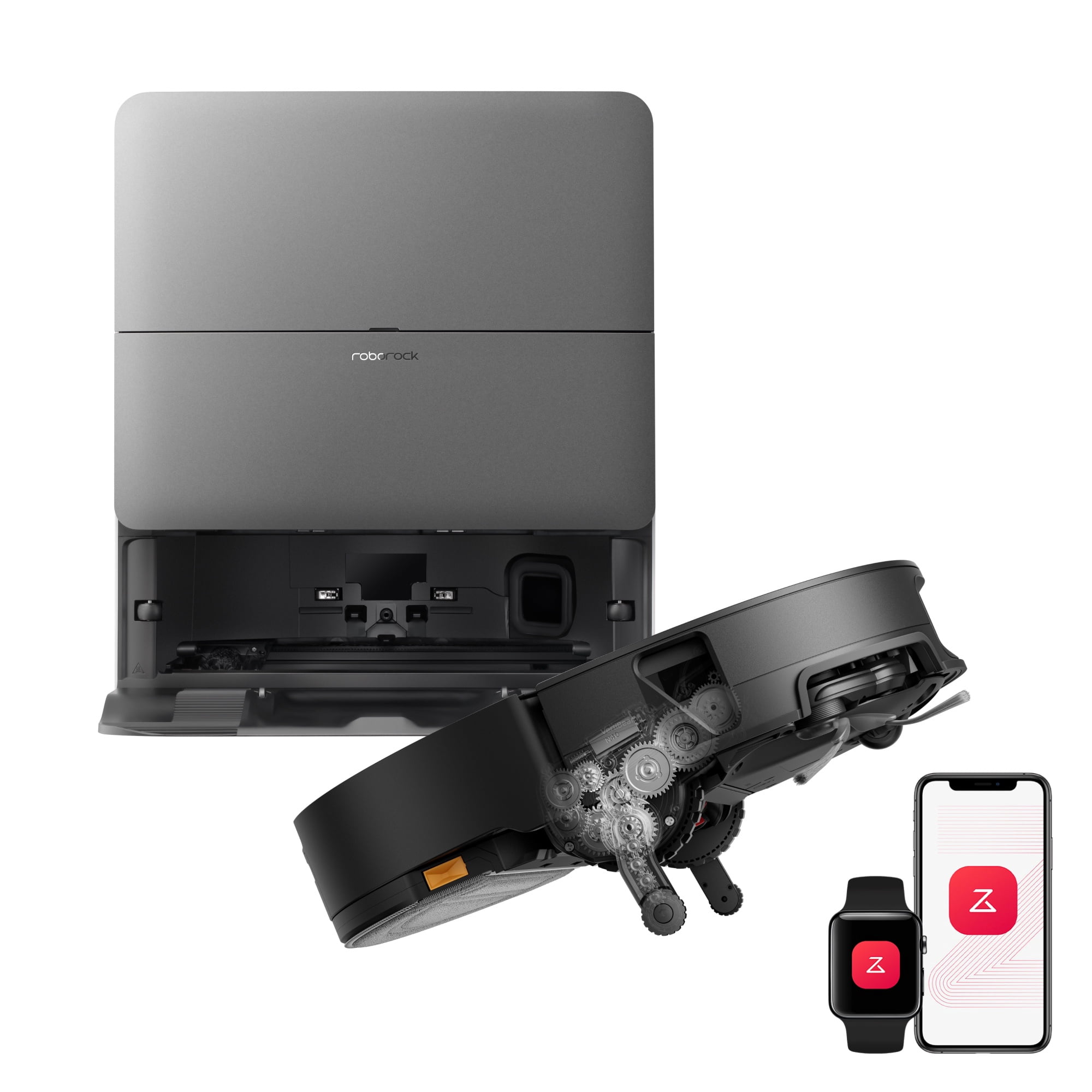
Experience Sonic Beyond Detail with the Roborock Saros Series 20 Vacuum and Mop. Its next‑generation vibrating mopping delivers deep, precise cleaning with streak‑minimized results while gliding effortlessly over high thresholds and plush carpets. Ready for a smarter, fresher home? Order your Saros 20 today and upgrade your floor care.
Which Tech Upgrades Actually Save Time?
The best time-saving gadgets automate actions that happen repeatedly rather than solving a rare problem.
MX Master 4 can reduce repeated pointer movement when shortcuts and application actions are configured around a work routine. The time saved during one action is small, but those actions may occur hundreds of times per day.
Echo Dot Max can combine lights, plugs, sensors and routines so that common household actions happen automatically rather than through several apps.
Roborock Saros 20 provides the largest potential time saving because it handles a physical household task. For the right household, scheduled floor cleaning can remove hours of repetitive work over a month.
Best Tech Gadgets Under $150
You do not need to spend four figures to make a meaningful technology upgrade.
AirTag 2 is the least expensive product in this guide and can solve a surprisingly costly problem when luggage, keys or a backpack goes missing.
MX Master 4 is more expensive than a conventional mouse but can be worthwhile for someone who works at a computer all day.
Echo Dot Max can replace the need for a separate entry-level smart speaker and some standalone hub functionality in a new Alexa-based smart home.
AirPods 5 also remain within this general tier at Apple’s launch pricing, although the Wireless Charging Case configuration costs more than the base version.
Best Tech Gadgets for Productivity
For conventional computer work, MX Master 4 is our first upgrade because it improves the device you use to interact with almost every desktop application.
For mobile work, Anker Prime 26K can reduce the need to search for outlets or carry several smaller batteries. It is particularly useful when a laptop, tablet and phone all need power during the same trip.
Kindle Scribe Colorsoft serves a very different type of productivity. It is best when the goal is focused reading, document annotation or handwritten thinking rather than running more applications at once.
Best Smart Home Upgrades
A smart-home upgrade should ideally reduce complexity rather than add another app and proprietary hub.
Echo Dot Max fits that requirement because the built-in support for Matter, Thread and Zigbee lets it communicate with a broad range of compatible devices while remaining a speaker and Alexa endpoint.
Roborock Saros 20 is the opposite end of the budget spectrum. It makes sense when you already understand robot-vacuum limitations and are willing to pay substantially more for better navigation and reduced dock maintenance.
Think About Ecosystem Lock-In Before Upgrading
Some of the best gadgets in this list become much less valuable in the wrong ecosystem.
AirPods 5 can play Bluetooth audio from many devices, but features such as deeper Siri integration and Live Translation depend on compatible Apple hardware and software.
AirTag is similarly tied to Find My and Apple’s account ecosystem.
Echo Dot Max can control open standards such as Matter, but the voice-assistant and automation experience remains centered on Alexa.
Before buying any ecosystem gadget, check whether it works with the devices you already own. A technically excellent product can become a poor upgrade if it forces you to replace several other components.
When Should You Not Upgrade Your Tech?
Do not upgrade simply because a new generation exists. If the product you already own performs the same tasks reliably, an incremental feature may not justify the price.
MX Master 3S owners, for example, should decide whether haptics and Actions Ring genuinely improve their workflow. First-generation AirTag owners may only need the newer model on items where improved range or louder sound matters. Existing Echo users with a functioning Matter or Zigbee setup do not automatically need another hub.
It can also make sense to buy a previous-generation device when the new model adds features you will not use and the older version receives a substantial discount.
Frequently Asked Questions
What are the best tech gadgets in 2026?
Our top practical upgrades include Logitech MX Master 4 for productivity, Anker Prime 26K for charging, AirPods 5 for everyday audio, Echo Dot Max for smart-home control, Kindle Scribe Colorsoft for reading and notes, AirTag 2 for item tracking and Roborock Saros 20 for automated cleaning.
Which tech upgrades are actually worth buying?
The most worthwhile upgrades solve a problem you experience repeatedly. Productivity peripherals, reliable charging, item tracking and home automation usually provide more lasting value than novelty gadgets that are exciting for only a few days.
What are the best tech gadgets under $150?
AirTag 2, Logitech MX Master 4, Echo Dot Max and the current AirPods 5 lineup are among the more practical lower-cost upgrades, although live prices and promotions can change.
What is the best gadget for productivity?
Logitech MX Master 4 is our productivity pick because it can speed up navigation and repeated actions across the desktop applications you already use.
What is the best smart-home upgrade?
Echo Dot Max is our best general smart-home upgrade because it combines Alexa with a built-in hub supporting Matter, Thread, Zigbee, Bluetooth and Wi-Fi connectivity.
Is an expensive power bank worth it?
A premium high-output power bank is worthwhile if you regularly charge a laptop and several devices away from outlets. For phone-only use, a smaller and cheaper 10,000mAh model is usually the better purchase.
Should I upgrade to AirPods 5?
AirPods 5 are most compelling for Apple users who want open-ear ANC, improved sound and newer intelligent features. Recent AirPods owners who are satisfied with battery life, controls and sound do not necessarily need to upgrade immediately.
How often should you upgrade your tech?
There is no ideal replacement cycle. Upgrade when your current device no longer performs an important task reliably, lacks a feature you will genuinely use or costs more in time and inconvenience to keep than replacing it.
Final Verdict: Which Tech Upgrade Should You Buy First?
The best tech upgrade is the one that removes the most friction from your own routine. For people who work at a computer every day, that makes the Logitech MX Master 4 our first recommendation. It is relatively affordable compared with replacing a laptop or monitor, yet it can affect almost every hour spent working at a desk.
The Anker Prime 26K is a better first upgrade for travelers carrying several devices, while AirPods 5 make more sense for iPhone users who spend hours listening, commuting or taking calls.
For the home, Echo Dot Max is the sensible entry point because it combines smart-home connectivity with a useful speaker. Roborock Saros 20 is the luxury option: expensive, but potentially the biggest saver of physical time.
Kindle Scribe Colorsoft and AirTag 2 prove the same point from opposite ends of the price range. A useful gadget does not need to do everything—it needs to perform one recurring job well enough that you notice when it is gone.
Best Productivity Upgrade: Logitech MX Master 4
Best Charging Upgrade: Anker Prime Power Bank 26K 300W
Best Everyday Audio Upgrade: Apple AirPods 5 with Wireless Charging Case
Best Smart Home Upgrade: Amazon Echo Dot Max
Best Reading & Notes Upgrade: Kindle Scribe Colorsoft
Best Tracking Upgrade: Apple AirTag 2nd Generation
Best Smart Cleaning Upgrade: Roborock Saros 20
Sources
- Logitech — MX Master 4 product specifications and feature documentation
- Anker — Prime Power Bank 26K 300W official specifications
- Apple — AirPods 5 and second-generation AirTag product announcements
- Amazon — Echo Dot Max and Kindle Scribe Colorsoft product information
- Roborock — Saros 20 official product specifications
Product Groups: Logitech MX Master 4, Anker Prime Power Bank 26K 300W, Apple AirPods 5 with Wireless Charging Case, Amazon Echo Dot Max, Kindle Scribe Colorsoft, Apple AirTag 2nd Generation, Roborock Saros 20