
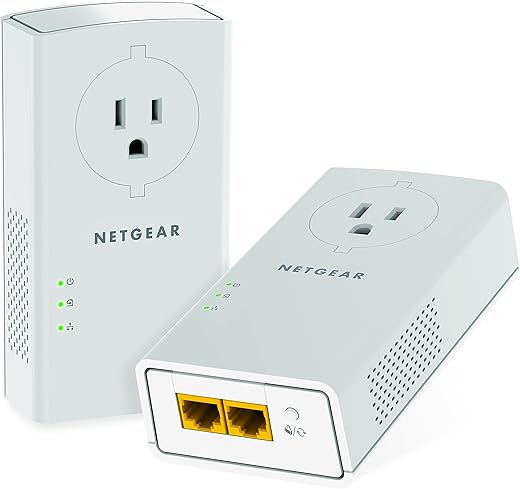
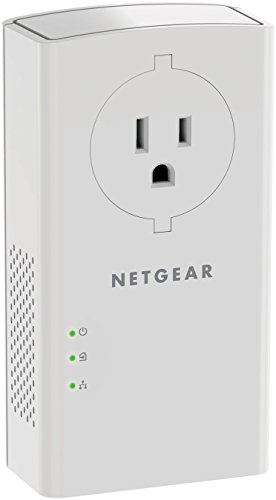
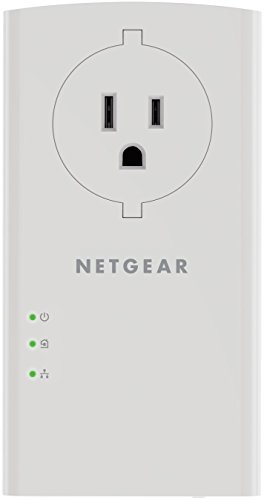
NETGEAR Powerline Adapter Kit, PLP2000-100PAS, White
$119.99
NETGEAR Powerline Adapter Kit, PLP2000-100PAS, White Price comparison

- All prices mentioned above are in United States dollar.
- This product is available at Amazon.com.
- At amazon.com you can purchase NETGEAR Powerline Ethernet Adapter Kit PLP2000, 2 Pack, 2000 Mbps | Ethernet through Power Outlet, Easy Set Up, Integrated Socket, Compatible With All Internet Plans, 2 Ethernet Ports for only $109.99
- The lowest price of NETGEAR Powerline adapter Kit, 2000 Mbps Wall-plug, 2 Gigabit Ethernet Ports with Passthrough + Extra Outlet (PLP2000-100PAS), White was obtained on October 16, 2026 06:26.
NETGEAR Powerline Adapter Kit, PLP2000-100PAS, White Price History
NETGEAR Powerline Adapter Kit, PLP2000-100PAS, White Description
NETGEAR Powerline Adapter Kit, PLP2000-100PAS: Elevate Your Home Connectivity
Discover seamless internet connectivity with the NETGEAR Powerline Adapter Kit, PLP2000-100PAS. This advanced powerline networking solution helps streamline your online experience at home, allowing you to connect devices with incredible ease.
Key Features and Benefits
- High-Speed Connectivity: Experience speeds of up to 2000 Mbps. This makes streaming, gaming, and browsing smooth and uninterrupted.
- Plug-and-Play Setup: No complicated installation is required. Simply plug the adapters into your wall outlets, and you’re ready to go!
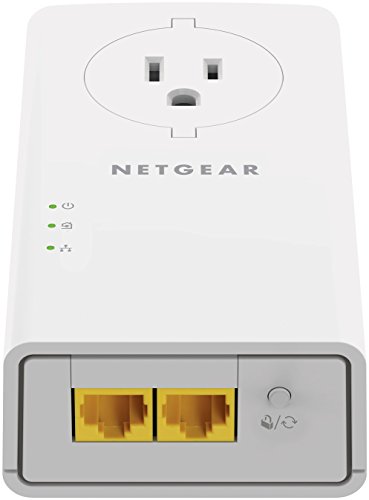
- Multiple Ethernet Ports: Each adapter features four Ethernet ports. This allows you to connect multiple devices simultaneously, eliminating the need for additional switches.
- Extended Wireless Coverage: With its advanced powerline technology, the PLP2000 allows you to extend your Wi-Fi signal to hard-to-reach areas of your home.
- Secure Data Transmission: Comes with 128-bit AES encryption to ensure your connection remains secure, safeguarding your private information.
How the Price Compares Across Different Suppliers
The pricing of the NETGEAR PLP2000-100PAS shows variability among retailers. On average, you can expect prices to range from $129.99 to $149.99. This allows consumers to choose based on their budget and preferred shopping platform. Always check our updated price comparison feature to find the best deal available!
Notable Trends from the 6-Month Price History Chart
Our six-month price history chart indicates a positive trend in the affordability of the NETGEAR Powerline Adapter Kit. Over the past month, prices have decreased by approximately 10%, making now an excellent time to invest in expanding your home network.
Customer Review Summary
Reviews highlight the robust performance of the NETGEAR Powerline Adapter Kit, PLP2000-100PAS. Users praise the high-speed capabilities and the easy setup process. Many report uninterrupted streaming and gaming experiences, solidifying its place among top-tier powerline adapters.
However, some customers have noted occasional connectivity issues when using multiple devices simultaneously. Most of these instances appear to stem from environmental factors, such as electrical interference.
Explore Further with Unboxing and Review Videos
Several unboxing and review videos are available on platforms like YouTube. These provide real-life demonstrations of the NETGEAR Powerline Adapter Kit in action. Such content helps potential buyers get a better understanding of the product’s performance and installation process.
Overall, the NETGEAR Powerline Adapter Kit, PLP2000-100PAS is an excellent choice for anyone seeking to enhance their home’s internet connectivity. With its competitive pricing, robust features, and positive customer feedback, it’s easy to see why so many opt for this solution.
Ready to transform your internet experience? Compare prices now!
NETGEAR Powerline Adapter Kit, PLP2000-100PAS, White Reviews (10)
10 reviews for NETGEAR Powerline Adapter Kit, PLP2000-100PAS, White
Only logged in customers who have purchased this product may leave a review.






187 –
Did not keep this item, found out my apartment and powerline don’t get along. I will say though, when I plugged these in they worked instantly no setup needed and did the job fine, I just had very low speed’s and couldn’t use them. I don’t blame the item, it’s just the old wiring where I live so ymmv.
Archibald Campbell –
Once device was put in my basement and the other in a free-standing garage about 50′ from the back of my house. I had a WiFi AP (a Plume pod device) there, but its reception was weak. After installing these devices, I saw a ~20x improvement in download speed, a 4-5x improvement in upload speed, and a ~90x reduction in latency. While the download speed improvement tops out at around 120Mbps for me, that is a vast improvement over previous performance. Given how old some of my house’s electrical wiring is, I’m very pleased with the improvement in performance.
Amazon Customer –
These work great, simple setup and integrates seamlessly with existing wifi.
Ralston –
MUY BIEN
R G –
Works great
Please try a different name –
These are extremely easy to setup, they are just plug-in, push the sync button, and they work. I was also worried that they would not work very well, especially over long distances across the house but I had no issues. It is definitely not as good as ethernet would be but is much easier to setup and much better than wifi. I would definitely recommend this product to anyone who needs to get better internet across their house and cant do ethernet.
On top of all this, it’s not from a Chinese brand *cough* tp-link so it is a more trustworthy option.
Rafael Torres –
Bought for home use. Realized it came in a different plug type for my country, but I currently use it with an adapter, and it still gives decent speed and stable connection.
Jared –
I would advise you find a different powerline adapter if you are looking for one with Wifi.
Got this last year for an outside building/room we have in the backyard that does not have internet. The in-home wifi barely reaches out there and is very spotty. Wifi-extenders never worked no matter where we put them, and I had a good experience with an older Cisco powerline adapter that helped fill a wifi-gap I had at another location.
The Cisco adapter was the only thing that could get consistent wifi to the location for a reasonably cheap price, though it was quite slow. I was interested in giving it another shot with the newer technology that claims to be faster/more reliable than when powerline adapters were first introduced, and this Netgear was an attractive option at $80.
To start, it worked fine. The setup was similar to my previous experience: plug one near the modem/router and the other in an outlet at the target location, and don’t use extension cords/power strips. I did test to see if this new one was better about going into power strips, but it was not. I guess the entire point is reaching a target far away where any reduction in signal loss is necessary for consistent communication. Once I had both plugged directly into outlets, it worked as intended.
The speed was also better than the older Cisco. Maybe newer powerline communication tech, or just having an updated wifi standard (old Cisco was 802.11 N standard). Either way, with a 500 Mbps service, the Netgear was able to get about 40 Mbps in the target room on 5G signal, a notable improvement compared to 3-10 Mbps with old Cisco years ago.
It was great for about 4.5-5 months. Sometime late last year or early this year (I don’t remember exactly, just remember noting it was only 5 months after purchase), the wifi signal was gone. And when I say gone, I mean gone gone. I did troubleshooting for about 5-6 hours over 2 days trying to figure it out. The signal disappeared completely no matter what device/2.4G or 5G protocol/proximity was used, there was no indication on the unit itself, I unplugged/re-plugged it in numerous times (both units), I tried moving the unit, and did a factory reset …. it changed nothing. I also tried wiring in directly with an ethernet cord on a laptop and accessing the default gateway ip address (and also completely disconnecting our router to avoid any routing issues trying to access the powerline adapter’s gateway page). The only thing I could get to come up was some weird Netgear page that gave some message saying “login at this webaddress…” which didn’t work. So my assumption is that Netgear did not setup any sort of local configuration page/settings for the unit as you would see with any typical router/access point/extender, instead opting for a webaddress. And that the webaddress config site/tool had been discontinued.
It is important to note that the two units (the one inside the house and the one outside in the room) could still communicate with each other. I confirmed this by wiring directly into the ethernet port into a laptop and had internet access. It seems like it was the internal wireless card/chip that was completely gone. I could go spend yet more money on a new access point to wire into it, but that defeats the point of spending the extra money to buy this device over one without wifi.
Heck, I even contacted Netgear customer support and performed trouble shooting with them. I can tell you that I had already gone well beyond what they were willing to assist with, but tried everything they said anyway. Nothing brought it back. You can guess what they said when I asked for replacement unit of a device I purchased only 5 months ago…. “it’s out of warranty, we can’t help you”. What a crock of a company.
I used to love Netgear products. They were a high-quality, reliable manufacturer of networking devices. They are a shadow of their former selves, much like most of the companies out there today. Did I expect this device to last forever given today’s manufacturing targeting service life to only outlive the “warranty” offered? No. Did I expect this device to last as long as my previous Cisco device did (ie, 4-5 years)? No. Did I even expect the thing to last 2 years? Getting closer.
But did I expect it to last longer than 5 months? Absolutely.
Don’t buy this device, even second-hand, and don’t rely on any good experience you may have had with Netgear in the past. They are no longer who they were.
Ricky –
El equipo ha funcionado correctamente y sin problemas
Jared –
Bought this with a bit of skepticism, but all I can say is WOW I am impressed!
Getting speed and latency measurements that are much, MUCH better then I expected them to be.
Was going to spend the money to add an ethernet jack to my room, as it is on the opposite side of the house and wifi signal can be poor (especially when outside). I connect to a desktop via rdp on my local network w/ a laptop, and always deal with poor connection and inability to maintain a 5ghz Wifi connection, as it would end up reverting automatically to 2.4ghz resulting in an immediate drop in performance of the rdp desktop.
With this device I now plug into it via ethernet, and my rdp connection thus far is excellent, so I am both impressed and very happy w/ this purchase.
Well worth the cost, though it is one of the more expensive ones it is (imo) definitely worth every dollar.
See the image for speedtest. Keep in mind I am using ethernet over usb c, so it may be an even faster connection if you are using an internal ethernet card/port (but I don’t at the moment have means to test this).
10 stars if I could!!
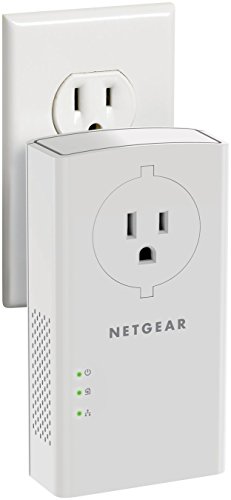
The only complaint I have is that the device when in a standard outlet doesn’t leave enough space to use the top outlet w/ a grounded (3-prong) plug. Only a 2-prong one would fit above it, so it does ultimately end up occupying the entire outlet you use. But since there is a plug passthrough, its not really that big a deal / a dealbreaker (at least for me).