
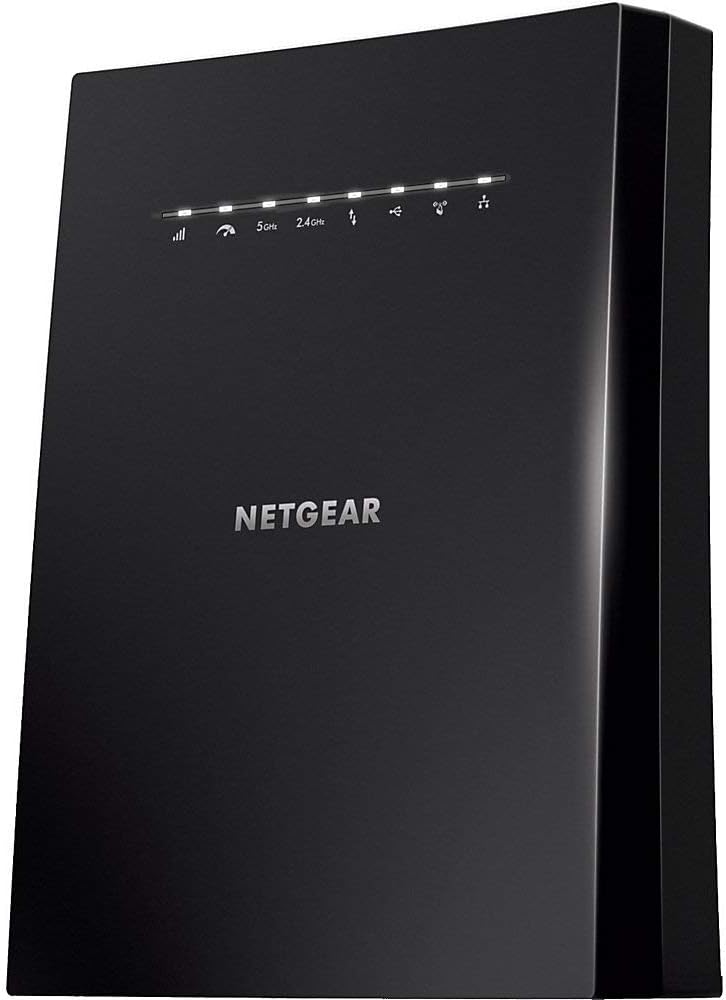
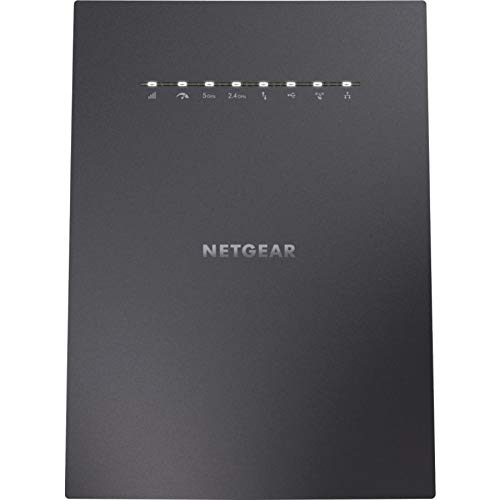
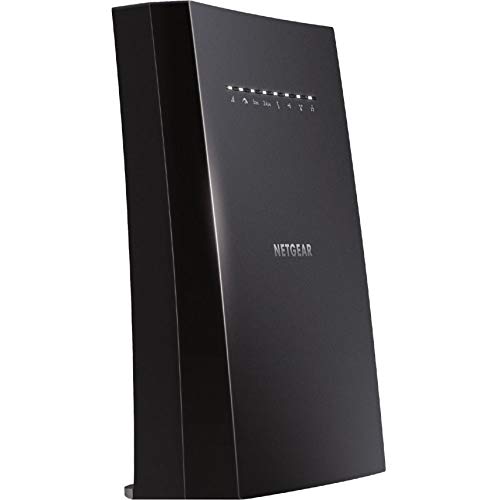
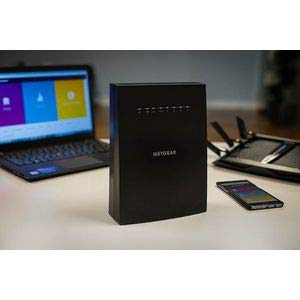
$250.00
NETGEAR WiFi Mesh Range Extender EX8000 Price comparison


- All prices mentioned above are in United States dollar.
- This product is available at Amazon.com.
- At amazon.com you can purchase NETGEAR WiFi Mesh Range Extender EX8000 - Coverage up to 2500 sq.ft. and 50 Devices with AC3000 Tri-Band Wireless Signal Booster & Repeater (Up to 3000 Mbps Speed), Plus Mesh Smart Roaming for only $78.91
- The lowest price of NETGEAR WiFi Mesh Range Extender EX8000 - Coverage up to 2500 sq.ft. and 50 Devices with AC3000 Tri-Band Wireless Signal Booster & Repeater (Up to 3000 Mbps Speed), Plus Mesh Smart Roaming was obtained on September 11, 2026 10:06.
NETGEAR WiFi Mesh Range Extender EX8000 Price History
NETGEAR WiFi Mesh Range Extender EX8000 Description
NETGEAR WiFi Mesh Range Extender EX8000: Enhance Your Home Network
Experience seamless internet coverage throughout your home with the NETGEAR WiFi Mesh Range Extender EX8000. Designed for optimal performance, this powerful device boosts your WiFi signal for uninterrupted streaming, gaming, and browsing. If you’re tired of dead spots and weak signals, this extender is the perfect solution for enhancing your home network.
Key Features of the NETGEAR EX8000
- Wireless Type: 802.11ac Enjoy fast WiFi speeds up to 3000 Mbps, perfect for multiple connected devices.
- Seamless Roaming: The EX8000 uses the same SSID as your router, allowing devices to switch seamlessly to the best signal as you move through your home.
- Advanced Tri-Band Technology: It provides an additional 1.2 Gbps bandwidth for high-demand tasks like 4K streaming and online gaming.
- USB Port: With one USB 2.0 port, easily connect external storage devices or printers to your network.
- Easy Setup: Push the WPS button on your router and then on the extender for quick setup. You can also manage the network through the NETGEAR Nighthawk app.
- Compatibility: Works with any standard router, ensuring broad compatibility across devices.
Price Comparison Across Different Suppliers
The pricing of the NETGEAR WiFi Mesh Range Extender EX8000 varies by supplier, making it important to compare rates for the best deal. On our price comparison platform, you’ll find competitive listings from multiple retailers. Click through to explore current prices and promotional offers, ensuring you get the greatest value for your investment.
Notable Trends from the 6-Month Price History Chart
Our 6-month price history chart shows a consistent fluctuation in pricing, with occasional drops during major retail seasons. Observing purchasing patterns can help you decide the best time to make your purchase. This trend highlights the value of utilizing our comparison tool to secure the lowest possible price.
Customer Reviews: Pros and Cons
Customer feedback on the NETGEAR EX8000 has been overwhelmingly positive. Users appreciate its robust performance and ease of use. Here is a summary of key insights from customer reviews:
- Pros:
- Exceptional range extension, effectively eliminating dead zones in large homes.
- Easy installation process, which is praised by many users.
- Reliable high speeds even with multiple devices connected simultaneously.
- Cons:
- Some users reported occasional connectivity issues, which could be device-specific.
- A few found the physical size of the extender to be bulkier than expected.
Explore Unboxing and Reviews
To see the NETGEAR WiFi Mesh Range Extender EX8000 in action, check out unboxing and review videos available online. These videos provide detailed visuals and real user experiences that highlight the product’s capabilities. Watching these videos can give you a better perspective on how the extender performs in real-life scenarios.
In conclusion, the NETGEAR WiFi Mesh Range Extender EX8000 is a fantastic addition to any home needing extended WiFi coverage. With its impressive features, ease of use, and solid performance, it’s a highly recommended choice for enhancing your wireless network. Don’t miss the opportunity to compare prices now and secure the best deal for this essential networking device!
Elevate your internet experience and banish dead zones in your home—compare prices now!
NETGEAR WiFi Mesh Range Extender EX8000 Specification
Specification: NETGEAR WiFi Mesh Range Extender EX8000
|
NETGEAR WiFi Mesh Range Extender EX8000 Reviews (8)
8 reviews for NETGEAR WiFi Mesh Range Extender EX8000
Only logged in customers who have purchased this product may leave a review.





Ives F. Laurent Noriega –
No es un producto “plug and play” como indica, requiere ajustes en la configuracion del módem y del extensor para mantener una conexión estable. La applicacion es practicamente inútil en la configuration inicial, todo lo tuve que hacer por cable para completar el proceso. La conexión es veloz y tiene buen alcance pero occasionalmente se desconecta del módem principal y hay que reiniciar. Muy decepcionado por que es un equipo caro y resultó bastante inestable, esperaba más de esta marca, pero hasta los equipos más sencillos de TP-Link o inclusive Steren son más funcionales y estables.
Amazon Customer –
I use this with the NETGEAR Nighthawk X10 router. I set the X6S up in access-point mode (because it gives better performance than extender mode generally) and it has been great. I love the One WiFi Name and Smart Roaming features. Setup was extremely easy (I used the web interface on my iPhone) and it improved the one area of my house that needed a boosted signal. The entire house is blanketed with strong WiFi coverage and there is no noticeable drop in performance anywhere in the house. I ran about 30 speed tests (10 per day on three different days) and the results were consistent everywhere I checked over that period. I have had 0 disconnects or drops in performance. Read all of the documentation on the website about this extender and how to get the most out of it before setting it up. When you set it up strictly follow the directions in the manual. There are little things you’ll want to pay attention to (see the user’s manual) so read the whole thing. If you take the time up front to know how this device works then you won’t be disappointed. I’ve never had an issue with a NETGEAR product and I’ve bought many of them. Usually people who complain about NETGEAR products didn’t take the time to learn how to setup and use the device. It works just fine at my house and I’m glad I bought it even though it is expensive. If you’d like to also run your extender in access point mode I recommend that you buy cat6a cable (make sure you get a length appropriate for your setup) and NETGEAR PowerLINE 1200 Mbps power-line ports (PLP1200) so that you can connect your router and the X6S via Ethernet.
Amazon Customer –
UPDATE: I’ve been using this for almost two weeks now with absolutely no issues. It continues to do exactly what it claims to be able to do. Awesome!
I have a Nighthawk X4S AC2600 Smart WiFi Router Model R7800 that I’ve had for awhile now and it’s connected to AT&T’s provided ARRIS BGW210-700 modem. My 2500 SqFt two story home was built back in 2007 with a sort of central box where all the wires come in and go from which happens to be located upstairs at the very front of the house in our walk in closet. This has not been the greatest place to have a wireless router, in fact it’s been terrible!
Recently AT&T was finally able to send greater speeds through our fiber optic lines in our area so we went back to them and bumped our speed up to 300Mbps. Well almost immediately we were suffering with very low speeds down stairs, on the sides and the back of our home. We were consistently only getting speeds from 1 to 28Mbps…seriously. Everything was lagging or not connecting at all.
I’m fairly good when it comes to getting everything hooked up but I fall short when it comes to solving these problems. Several times I almost called out a service tech to try and troubleshoot it but I didn’t want to spend the money to find out it was something simple. My research led to trying a whole house mesh type product but I didn’t want to fork out the dough for a bunch of extenders all over the house just in case it wasn’t needed.
Finally I came across this device here on amazon and it’s was on sale and had great reviews. I liked that it’s a Netgear product and should connect seamlessly to and truly become an extension of my existing router. I wouldn’t even have to manually reconnect everything to it or change passwords, etc.
Well no lie, I took it out of the box, walked it upstairs and plugged it in to power next to my Nighthawk router. The quick start instructions were very simple explaining to hit the WPS button on the extender and then on the router…within minutes it connected to the 2.4Ghz signal. Then I repeated the same process to connect it to the 5Ghz signal which again only took a couple of minutes.
After that was done and all the lights were lit properly I walked it downstairs and plugged it in to a central location in the living room on a faux fireplace mantle. Within a couple of minutes all the lights came on and showed all was connected properly.
I then sat down and ran my usual test Googleing ‘speed test’ from my favorite chair in the living room where I have been consistently getting those awful slow speeds. WHAT?! See the attached image with the white background of the test results. I almost wanted to cry tears of joy! I am finally getting pretty darn close to the speeds that my router is getting from the modem (see black background speed test from the router)! And this is with having 25-35 devices being connected…outdoor and indoor security cameras, multiple iphones, ipads, a few video game consoles, 3 apple tv devices, a couple of smart tvs, 5 computers, a couple of Amazon Alexa devices, multiple guest devices and so on and so on.
Now I know this is my set up and my experience. A lot of people have different modems and routers from different manufacturer’s even and I can’t speak to how this will work with them, but I can honestly say this was worth every penny and the slow speed/terrible signal thing is a thing of the past! Woohoo!!
Mr Irwin –
Worked great for a few days then Kaboom. My Mac cannot access the internet. I get a great wifi signal according to my wifi scanner (an app called ‘Wifi Scanner’) but no internet. Roku work fine as does my iPad and iPhone 5, but my wife’s iPad and iPhone the keep losing the signal. Powering down the EX8000 Extender gets them back.
Comment: no product should be designed so it creates intermittent outages that require regular manual intervention like this one. The other reviews on Amazon have pointed out this problem for every product that I have considered. Looks like a epidemic of power down resets in the wifi world.
March 12 got the new extender and tried to set it up. The WPS hookup does not work. Rats. The cellphone App does but boy is it tedious. It is up for a hour and we get the first dropout. Not happy! I am trying various locations around the house to find some place that is more reliable. We now have three places that don’t work an it is in the fourth – and last place that meets the Netgear guidelines. REALLY hope it works;
If it was reliable this would be a five star as when it works it is great. Roku, Skype, … all have better sound and resolution. Boy I wish this was reliable. It is not.
March 16 2020: occasional outages that take a minute or so to recover. I will try another location and see if it is better.
It appears that a neighbor installed a new garage door opener, a ‘Tail wind’ that uses wifi. It might be the cause. If the new location does not work, then I’ll ask the neighbor to let me put in some shielding near the openers transmitter.
Tried another location as close to neighbors wifi as I could get. Solved the problem, but now the internet is so slow due to COVID-19.
May 5th started having problems. Had a connection between my Mac and the extender, but nothing was getting through to the router. A Macbook pro in the next room was fine as it was getting directly to the router. Shut the extender off for 5 minutes and restarted. Did not work. Shut it off overnight and it worked fine the next day. I don’t think it can handle the 28 other wifi boxes it is dueling with for time. Downgrade the rating to 3.
I’d give it 5 starts except the first box kept dropping out. Poor design or poor QC. Either way it gets a ding.
July 5th 2020 the Extender is not up to the task. To may power off cycles and the power has to be off for many minutes or maybe hours to get it working again. Replaced it with 3 eero mesh extenders. Hope they are better. Downgraded the rating to 1.
Luisa –
No he logrado identificar la razon, pero de vez en vez sin razon aparente se desconecta y pierde señal
Rafael Mejia Ba@uelos –
Muy bueno y extremadamente sencillo de configurar
YGW –
No me gusta el producto, después de mucho tiempo de tenerlo presenta muchas fallas con internet, es inestable, tuve que comprar otro dispositivo que sí funciona. La aplicación de soporte en el celular es muy mala. Calidad precio no es buena.
James T. Brady –
Tan bueno como el EX6200 que puse en uso en otro lugar.
Aún no me acostumbro a que esta nueva unidad escoge la banda de comunicación or mi, pero funciona excelentemente bien.