
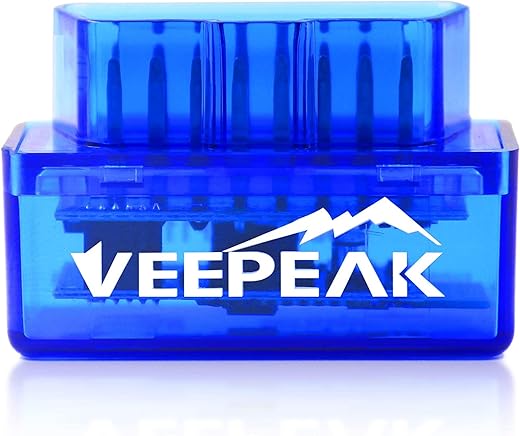
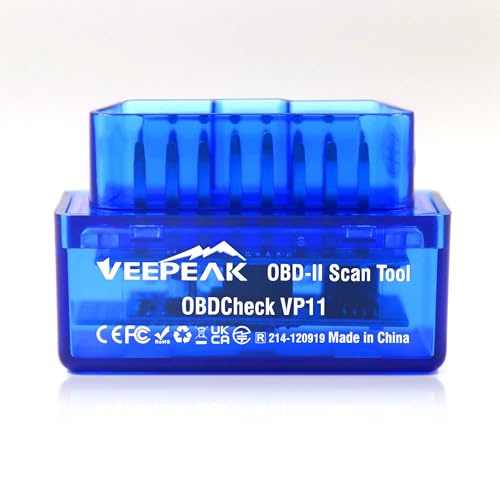
Veepeak Mini Bluetooth OBD II Scanner Android
 Bestbuy.com
  Shein.com
  Walmart.com
  Vevor.com
  Zoro.com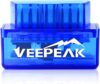
$14.99
Veepeak Mini Bluetooth OBD II Scanner Android Price comparison











- All prices mentioned above are in United States dollar.
- This product is available at Walmart.com, SHEIN, Amazon.com, Bestbuy, Zoro.
- At walmart.com you can purchase ELM327 V2.1 Bluetooth Mini OBD2 Scanners Diagnostic Adapter Torque Android Tools W8F7 for only $3.89 , which is 98% less than the cost in Zoro ($177.99).
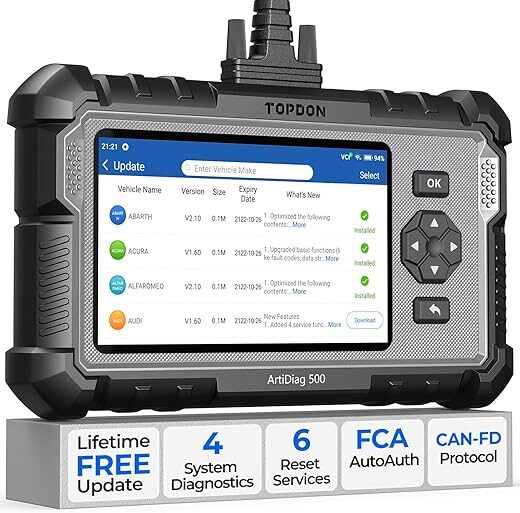
- The lowest price of ArtiDiag500 Android based OBD II Diagnostic Scan Tool was obtained on October 20, 2026 06:22.
Veepeak Mini Bluetooth OBD II Scanner Android Price History
Veepeak Mini Bluetooth OBD II Scanner Android Description
Veepeak Mini Bluetooth OBD II Scanner Android: Your Essential Automotive Companion
The Veepeak Mini Bluetooth OBD II Scanner Android is a powerful tool designed for car enthusiasts, mechanics, and everyday drivers. This compact, yet feature-rich scanner allows you to monitor your vehicle’s performance directly from your smartphone, making diagnostics easier than ever. Get ready to unlock the full potential of your vehicle!
Features and Benefits of the Veepeak Mini Bluetooth OBD II Scanner
- Compact Design: Weighing in at just 1.12 ounces and measuring 1.89 x 0.98 x 1.26 inches, this mini scanner is portable and easy to store in your glove compartment.
- Bluetooth Connectivity: Effortlessly connect the scanner to your Android device via Bluetooth, ensuring a wire-free experience, enhancing convenience and usability.
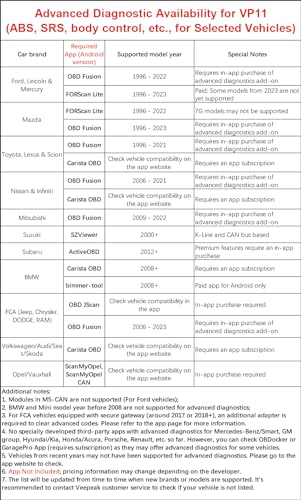
- Compatibility: The Veepeak scanner is compatible with vehicles manufactured from 1996 and onwards, covering a wide range of cars and light trucks.
- Diagnostic Capabilities: Read and clear diagnostic trouble codes (DTCs) directly from your device. This feature allows you to troubleshoot issues without needing a professional mechanic.
- Real-Time Sensor Data: Access live sensor data, including fuel efficiency, RPM, speed, and more — essential information for diagnosing vehicle performance.
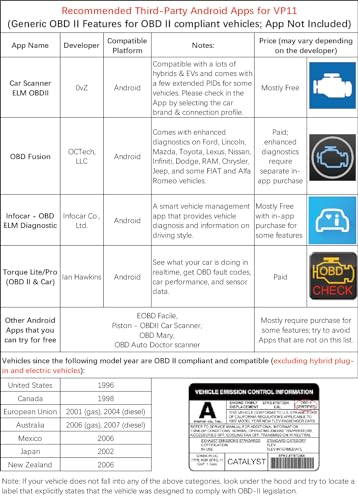
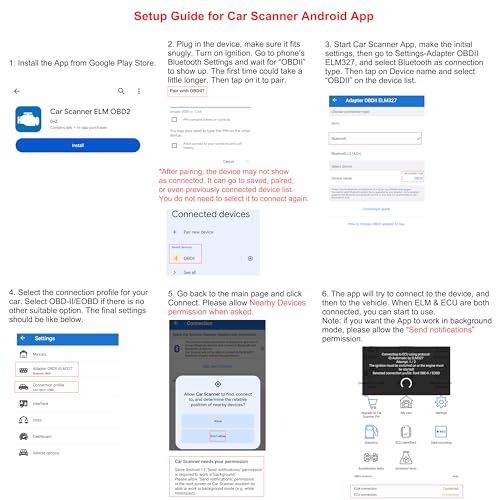
- Support for Multiple Apps: Works seamlessly with popular Android apps such as Torque, Car Scanner ELM OBD2, OBD Fusion, and Dr. Prius, enhancing functionalities and user experience.
- No Subscription Required: The scanner operates independently of subscription fees, saving you money while providing ongoing value.
Price Comparison Across Suppliers
When considering the Veepeak Mini Bluetooth OBD II Scanner Android, it’s important to compare prices across various suppliers to ensure the best deal. Typically, prices range from $15.99 to $29.99. By checking multiple suppliers, you can find competitive pricing to suit your budget. Our site simplifies this process by aggregating prices to display a comprehensive view across different retailers.
Trends from the 6-Month Price History Chart
According to our 6-month price history chart, the Veepeak Mini Bluetooth OBD II Scanner has shown stability, reflecting a general average price of $24.00. Interesting trends indicate occasional dips during seasonal sales, which can lead to significant savings for customers willing to wait for the right time to purchase. Keeping an eye on price changes can optimize your buying decision.
What Customers Are Saying: Reviews Summary
This product has garnered numerous positive reviews from users who appreciate its affordability and functionality. Many customers praise its ease of use and the convenience of mobile diagnostics, highlighting how it simplifies troubleshooting vehicle problems.
However, some users have noted drawbacks, such as connectivity issues with certain Android versions and occasional lag when refreshing data. Overall, customer feedback signifies a solid investment for everyday drivers and DIY mechanics.
Explore Unboxing and Review Videos
To deepen your understanding of the Veepeak Mini Bluetooth OBD II Scanner, we recommend checking out available unboxing and review videos on platforms like YouTube. These resources provide hands-on demonstrations, showcasing real-life applications and how to navigate popular apps for a better user experience.
In conclusion, the Veepeak Mini Bluetooth OBD II Scanner Android is the ideal tool for anyone looking to stay informed about their vehicle’s health. Its compact design, compatibility with multiple apps, comprehensive diagnostic capabilities, and competitive pricing make it a worthy investment. Don’t miss out on the opportunity to enhance your vehicle maintenance with this exceptional scanner.
Compare prices now!
Veepeak Mini Bluetooth OBD II Scanner Android Specification
Specification: Veepeak Mini Bluetooth OBD II Scanner Android
|
Veepeak Mini Bluetooth OBD II Scanner Android Reviews (8)
8 reviews for Veepeak Mini Bluetooth OBD II Scanner Android
Only logged in customers who have purchased this product may leave a review.
Michael Stone –
I recently purchased the Veepeak Mini OBD2 Bluetooth Adapter, and it has been an outstanding addition to my car diagnostic tools. Only issue is it has no case.
**Pros:**
– **Seamless Compatibility**: This adapter worked flawlessly with both AlfaODB2 and JScan apps. It was easy to connect and provided consistent performance across both applications.
– **Compact and Convenient**: The small size of the adapter is perfect. It fits snugly in the OBD2 port and doesn’t get in the way, making it ideal for long-term use.
– **Easy Setup**: Pairing the adapter with my phone via Bluetooth was quick and straightforward. Both apps recognized it immediately, and I was able to start diagnostics within minutes.
– **Accurate and Reliable**: The data provided by the Veepeak Mini OBD2 is accurate and reliable. It reads trouble codes efficiently and provides real-time data, helping me monitor my vehicle’s performance effectively.
– **Great Value**: This adapter is a cost-effective solution for anyone needing a reliable OBD2 scanner. It offers excellent value for the price and performs as well as more expensive models.
Overall, the Veepeak Mini OBD2 Bluetooth Adapter has exceeded my expectations. It’s a reliable, easy-to-use tool that works perfectly with AlfaODB2 and JScan. I highly recommend it to anyone looking for a high-quality OBD2 adapter. Five stars!
ANTHONY PEREZ –
I plugged it in, installed one of the free apps and it worked. I was able to reset my check engine light that awkwardly came on when I stalled the car while ABS traction control kicked in climbing into some deep snow. The app I used steered me to a website with codes and the reason was due to low voltage. I was able to clear it and it never came back. Months later, I got a ABS/traction control light come on, I scanned it and the code I got pointed out my rear right wheel wheel speed sensor. This works great!
Mark Pires –
El producto se ve de buena calidad
Funcionó muy bien
Por accidente compré 2 en vez de uno
Brian –
I bought this [with my own money not a free on for a review] hoping I would not have to use my very expensive hand held ones anymore which are cumbersome and you always pretty much have to go to the computer to get the codes and search on the net to see what they mean, possible causes and possible fixes.
I bought one on amazon similar to this one that was around $18 and had to buy a couple of apps for my phone [around 10 dollars for the apps] to be able to use it. It was OK but I wanted MORE information. I read amazon reviews and realized this was the Cadillac of them at this time [Jan 2016]. I got it in 2 days with Prime. I plugged it on my 3 vehicles and it gives us a plethora of information. We have since sold our hand held ones on craigslist since this thing works so good and gives you unbelievable amount of information. [I do have a couple of complaints, later in the review.]
I have been looking for another used vehicle and this device has saved us thousands $$. Your phone is connected to the internet so it goes out and gets you a lot of extra info right away & also updates the device software if need be. It even gives you information about when was the last time someone ERASED ERROR CODES which is happening across the dealers & private sellers in the 40207 and 33186 zip codes more than you would have thought! [in DAYS:HRS:MINS and also miles]. Don’t forget anyone can get a cheap code reader for less than 20 dollars and erase all codes!
The serious codes that the vehicle computer reads will come back immediately if erased, others will take a day or 2 -or longer-of driving time to come back in. To late if you bought a vehicle from a private owner and it’s in your name already. Its funny to see the face of people when I tell them, these are all the error codes that the vehicle is giving me, the possible causes [yes this thing does tell you that too!] and BTW someone erased the codes 3 days 22 hrs and 3 minutes ago! It will give you all recalls for the make and model has had from day one! You can ask the owner or dealer to make sure those have been addressed or not.
Most will claim [dealers and private owners] that no one has erased the error codes. I say to them “well sir or madam, this is what YOUR vehicle computer is telling my device. It pretty much saying that someone came in here with a key and a code reader, plugged it in and erased the codes 3 days 22 hrs and 3 minutes ago!”
When they finally fess up [not all of them do] I just ask them what were the codes that were erased [to see if it was something easy like they didn’t close the fuel cap correctly or something serious like -which I got on several different vehicles without any lights on the dash-a catalytic converter, an O2 sensor or both, anti lock brake codes, steering angle sensors, low or high voltage power supply, tire pressure warning system codes, airbag malfunctions, etc].
This purchase has saved thousands on repairs on several vehicles I checked and would have bought!. Sellers were asking top dollar for these vehicles because they had “no lights on the dash” and they had done a cleaning detail on the vehicle!
I even took a vehicle that I really liked to a dealership and paid for an inspection. They didn’t get what I got on the code reader at first [or just didn’t plug their code reader] but when I complained to the service manager, they hooked up their reader and got the same stuff [erased codes] and other malfunction codes that were not showing on the dash. BTW this device only tells you that codes were erased, it does not tell ou which ones. They refunded my inspection money because of their embarrassment. That right there paid for this device!
I also have run in a couple of situations where the person selling the vehicle has advertised a higher model of the vehicle I was looking at to get more money out of it. These are vehicles in the 7k to 15k range I’ve been looking at [clean title only]. This has happened with private sellers who either buy the LXE [as an example] letters from ebay or a junk yard [I am guessing] and put the new letters claiming the vehicle is a higher level that it really is. The software on this device reads the vin number goes to the net and gets the EXACT model and make from the vehicle. You should see the face of people when I tell them this is a L model [the lower end one ] and not the LEX one! Some of you would say this is on the tittle, well…. Not always. I have a Honda Odyssey and the title does NOT say which model it is!
I think everyone reading this knows there are lots of people who are buying vehicles at auction, cleaning them up and sell them for profit posing as regular owners. A vehicle fax can be $40/vehicle and gets expensive quick if you do several cars. [I like vehicle carfax over other because they give you a lot more information on regular service etc than their competitors].
In my area code and in the MIAMI area -which is were I have been also trying to buy a used vehicle- there are tons of people selling more than 10 vehicles a year [which are required by law to get a dealer license and do not]. When you ask them why is the vehicle not on their name, or why the have 4 vehicles for sale out of their house, or why was the title on the vehicles he/she’s selling less than 3 weeks old the come with the story about them getting a better vehicle or sob storries. If you pry hard enough they’ll tell you they are “wholesalers” but don’t have the required licenses insurance etc and are less than reputable in the disclosure of their vehicles they’re selling. Don’t get me started on the habitual “private” sellers of salvage but repaired title vehicles!
Use this device wisely and save yourself a lot of headaches or negotiate a better price on the used vehicle you are buying and also check your existing vehicles and telling your mechanic exactly what is going on. Be an informed consumer.
I have two complaints about the device:
1- When looking this couple of months for a used vehicle in zip code areas 40207 and 33186, I usually start the vehicle with it plugged in, let it read all the codes, vin number etc, while the vehicle is warming up, then I drive the vehicle for about 15 to 20 mins to get more info on what the vehicle is doing while you drive it etc and hope that one of the erased codes pops up again. I have lost connection with my phone and the device several times while driving, where I have to stop and reconnect it and therefore lost all data that was being recorded. I thought it could be my phone connection via the Blue-tooth, so I downloaded the app on my wifes phone and the same thing happens! They are both newer iphone 6 and 6 +. Sellers are not to happy to go around and drive the vehicle again for 20 mins so I can record results again!
2-I have also had the device fall from the ODBII plug several times. This kind of sucks because you have to start the process all over again and lose all the data that was there before. I have checked about 20 vehicles in the last 3 months. I usually email myself the data while the app is running and they show the results from that email to the seller if there is something wrong since I haven’t figured out how to save the data in the phone. I have resorted now to getting some blue tape and taping it around the plug and the device when its plugged in. Not something I’m happy about. Hope this helps some of you out there.
LB Mx –
Bin wirklich überrascht, konnte eine Problemlose Verbindung zum Handy herstellen, und dann mit der Car Scanner App einen VW Lupo auslesen und danach auch den Fehler löschen.
Hat alles schnell und unkompliziert geklappt.
Herve –
Home use the best and cheaper choice
Brian –
I’m amazed by the utility of this product at such a low price. Set up on a 2017 Rav4, pairing was a little difficult at first so you may need to reset your phone’s bluetooth and make sure your car has ignition set to ON position before trying to pair. Once paired it seems to work fine and even connects automatically next time I drive the car.
The veepeak mini is small so it doesn’t get in the way when you leave it in the obd port while driving. Some cars have an awkward obd location and an obd reader will get in the way of your leg.
The free version of Car Scanner App works great. Tip: I was able to add some readings like car battery voltage by going to the dashboard view and then adding a new sensor. For some reason I could not find battery voltage in the sensors list within settings.
I was unable to connect to any Android tire pressure apps, but surprisingly Car Scanner had tire pressure sensors available which worked. I found that there is a glitch when shutting off the car, the tires pressures will jump up 20psi and it takes a couple minutes for each tire to show the correct reading. Remember also that when you shut the car off, you have to turn the ignition back to the ON position for the Veepeak to communicate with your phone. Other than this, the tire pressures seem very accurate compared to my tire pump gauge and change in realtime while driving. Annoying, most cars only give you a low tire pressure warning so it’s great to have actual pressure readings for each tire (see picture).
Some more advanced readings like transmission temperature may have to be added manually in the app through a PID. Google instructions for your car and search something like “transmission temperature PID” I was able to find instructions for my car through rav4world.com and toyotanation.com to add the transmission temp readout in Car Scanner.
One thing that could be improved by getting a more expensive obd reader is the ability to turn the unit off. This one stays on while plugged in so it might drain your car battery after a few days. There are also more expensive units that can use wifi or bluetooth, and are compatible with iphone and android.
Rainer Wongler –
Grâce à cette prise, ma Nissan Leaf me donne un tas d’informations sur l’état de ma batterie. Je sais même combien de charges rapides et lentes elle a subit pendant 7 années. Et je vois l’état de chaque cellule. Connexion en Bluetooth immédiate. Il faut évidemment un logiciel.