
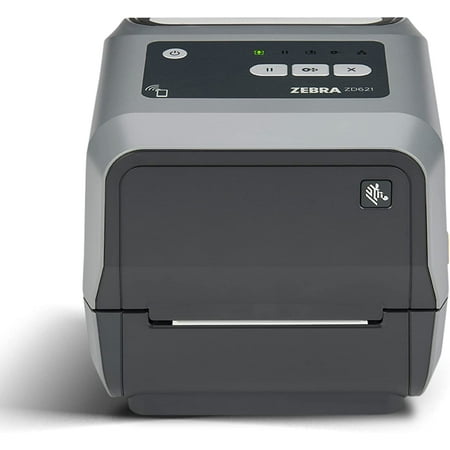
ZEBRA ZSB Series Thermal Label Printer 2
 Staples.com
  Officedepot.com
  Walmart.com
  Bestbuy.com
  Quill.com
  Stamps.com
ZEBRA ZSB Series Thermal Label Printer 2 Price comparison











- All prices mentioned above are in United States dollar.
- This product is available at Bestbuy, Staples, Office Depot and OfficeMax, Quill, Walmart.com.
- At bestbuy.com you can purchase JADENS - JD-21 Mini Instant Thermal Printer - Handheld Label Maker - Pink for only $29.99 , which is 99% less than the cost in Office Depot and OfficeMax ($3,272.09).
- The lowest price of Zebra ZT610 - Label printer - direct thermal / thermal transfe was obtained on October 21, 2026 22:41.
ZEBRA ZSB Series Thermal Label Printer 2 Price History
ZEBRA ZSB Series Thermal Label Printer 2 Description
ZEBRA ZSB Series Thermal Label Printer 2 – Your Ultimate Labeling Solution
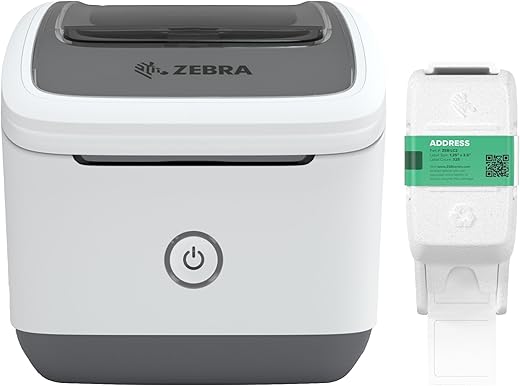
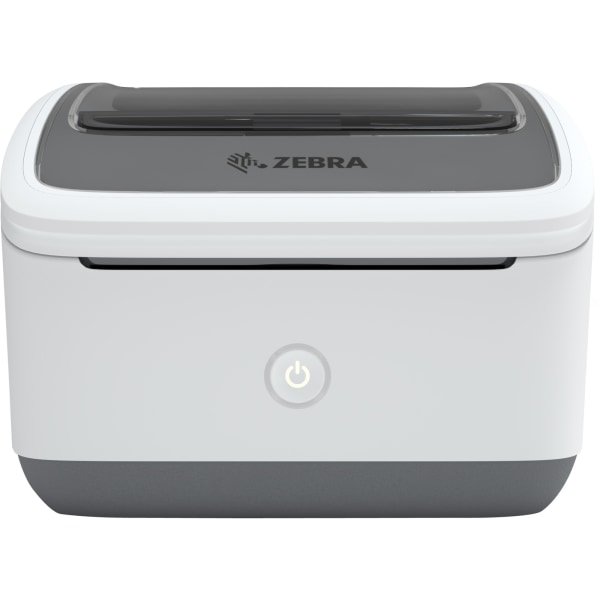
The ZEBRA ZSB Series Thermal Label Printer 2 is designed for efficiency, offering a seamless experience for both home and business applications. This printer stands out in the market with its advanced features, combining cutting-edge technology with user-friendly functionality. Whether you require label printing for shipping, organizing, or crafting, this thermal printer delivers exceptional performance and precision.
Key Features of ZEBRA ZSB Series Thermal Label Printer 2
- High-Quality Printing: With a print resolution of 300 dpi, your labels come out crisp and clear, enhancing legibility.
- User-Friendly Design: The intuitive interface allows for easy setup and operation, making it accessible for users of all skill levels.
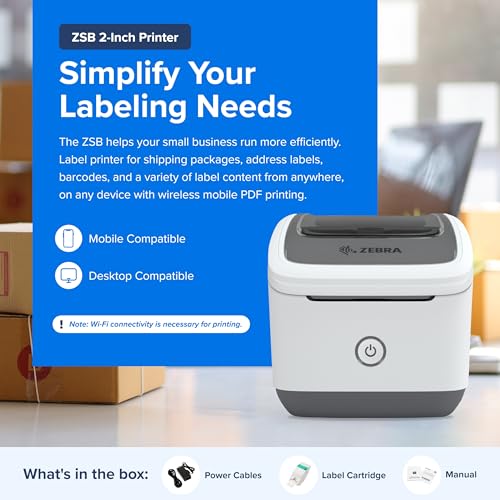
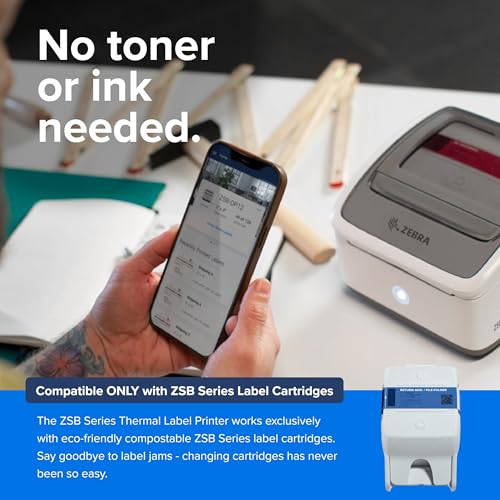
- Wireless Connectivity: Experience the freedom of wireless printing from your smartphone or tablet via Bluetooth and Wi-Fi, eliminating the need for additional cables.
- Versatile Labeling Options: Print a variety of label sizes and formats, including shipping labels, barcode labels, and product labels, ideal for diverse applications.
- Compact & Lightweight: The sleek, portable design makes the ZEBRA ZSB Series Thermal Label Printer 2 perfect for any workspace, regardless of size.
Compare Prices Across Multiple Suppliers
Price comparison is essential when purchasing the ZEBRA ZSB Series Thermal Label Printer 2. Our platform allows you to effortlessly compare prices from various suppliers, ensuring you find the best deal. The price starts at approximately $149.99, but it may fluctuate based on supplier availability and ongoing sales. Always keep an eye on discounts and special offers to maximize your savings.
Trends from 6-Month Price History Chart
The 6-month price history chart reveals encouraging trends for potential buyers. Over the past few months, the prices for the ZEBRA ZSB Series Thermal Label Printer 2 have shown a slight downward trend, hinting at increased availability or competitive pricing strategies from retailers. This a great time to invest in a reliable printer without overpaying.
Customer Reviews: What Users Are Saying
Customer feedback is an integral factor for any product purchase. Reviews for the ZEBRA ZSB Series Thermal Label Printer 2 are generally positive, focusing on its reliability and ease of use.
- Pros: Users have praised the printer for its fast printing speed and high-quality output. Many appreciate the compact design, which saves desk space.
- Cons: Some customers have noted the initial learning curve when setting up Bluetooth connections, but most agree the features outweigh this minor inconvenience.
Explore Unboxing and Review Videos
For a deeper understanding of the ZEBRA ZSB Series Thermal Label Printer 2, check out various unboxing and review videos on YouTube. These videos provide a hands-on perspective of the printer’s operation and features, allowing you to make an informed purchase decision. Watching these reviews can enhance your appreciation for the printer’s capabilities.
In conclusion, the ZEBRA ZSB Series Thermal Label Printer 2 is a top contender in the label printing market. Its high-quality output, user-friendly design, and versatile connectivity options make it an ideal choice for individuals and businesses alike. Remember to compare prices today and take advantage of the latest trends!
Don’t miss out on the opportunity to optimize your labeling needs. Compare prices now!
ZEBRA ZSB Series Thermal Label Printer 2 Specification
Specification: ZEBRA ZSB Series Thermal Label Printer 2
|
ZEBRA ZSB Series Thermal Label Printer 2 Reviews (5)
5 reviews for ZEBRA ZSB Series Thermal Label Printer 2
Only logged in customers who have purchased this product may leave a review.
J. Hansen –
I’ve had a basic thermal printer for many years, mainly using it for printing shipping labels. This printer is fantastic — it works from a phone or PC and is wifi-compatible. Plus, creating custom labels is a breeze. While it’s a bit more expensive, it provides better value for those who require more than just shipping labels.I’ve had a basic thermal printer for many years, mainly using it for printing shipping labels. This printer is fantastic — it works from a phone or PC and is wifi-compatible. Plus, creating custom labels is a breeze. While it’s a bit more expensive, it provides better value for those who require more than just shipping labels.
J. Hansen –
Zebra has been around for a long time, and I’ve known about them from my e-commerce days. They’ve been practically the gold standard when it comes to thermal printing, especially for shipping labels. I’ve kinda gotten back into shipping a good amount for eBay, etc, and had been using my regular HP inkjet printer to do labels. I happened across this Zebra, and thought it would be an easy way to make printing labels so much easier.
The printer itself comes in a brown box, and is easy to open. Upon opening, you’ll find the printer, fully loaded, before you. Underneath the printer is more cardboard that you can lift to find where the power cable is. There is also a short instruction booklet.
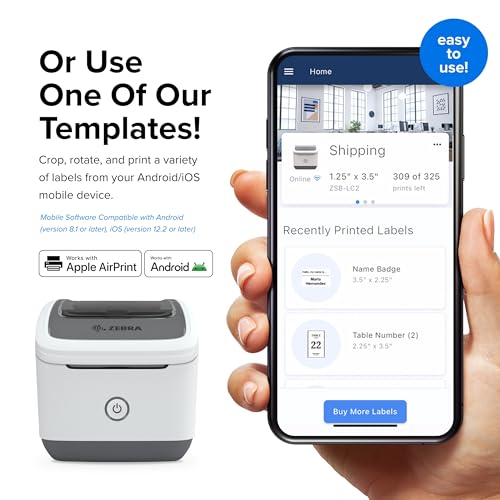
To get started, of course, you hookup up the printer to power. You then download the Zebra ZSB app, and it has you begin the pairing process via bluetooth. You hold down the power button for 3 seconds, and then it begins flashing blue to show it’s in pairing mode. You run through the setup with your phone, and it eventually connects to wifi. You’re then set, and the printer is accessible for all on your wifi network.
The printer itself has a release button you can easily press to pop the top off. At that point, you can easily put in a new label “cartridge,” I’ll call it, depending on the size of label you want to print. There is a cardboard protector initially in there that you have to remove to ensure printing works.
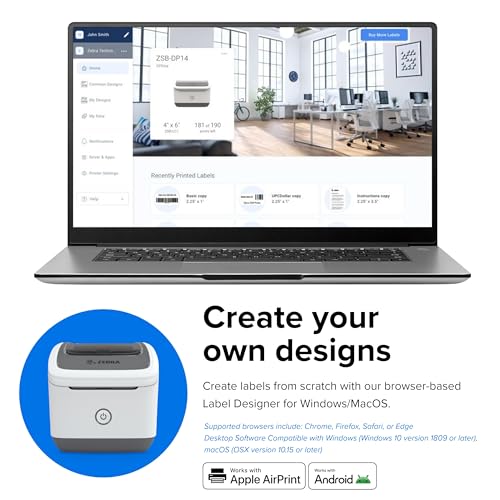
The app has a. slew of templates, and it is crazy easy to print labels. You literally select the label type you want to print, type the specific label details into the app, and press print. It spits out the label in no time, and looks great.
Sadly, when I got this, I didn’t realize there were two versions. I ended up with the smaller version 12 versus the larger version 14, which is large enough to print 4×6 shipping labels. While I’ll have plenty of uses for this one, my main purpose for getting it isn’t able to be realized.
Overall, Zebra has put out another great product. From the app, to the easy process to replacing labels, not having to worry about really much of anything, this is a no-brainer way for easy thermal label printing.
Jack –
Great product for printing labels. Personally who really cares about the quality of the labels as it gets messed up going through the UPS/USPS/Fedex system. All that is important is that it gets printed legibly and easily without issues, which this does.
Gotta knock off star due to the fact you can’t use third party stuff. Too much ecosystem lock and hassle. You can always find something else that gives you more flexibility.
Overall great, but its like a printer.. you buy it cheap and then get nailed on the ink concept ^^.
Jack –
Whoa, this little ZEBRA printer is really a game-changer! I was skeptical at first, but now I constantly use it for labeling. Very easy to set up; I was able to print labels from my phone in a couple of minutes. It is of great quality and works wonderfully with everything, including address labels and product tags. Printing from any location in the house is convenient for me. It also doesn’t occupy a lot of space on my desk. I really wish there was some savings on the labeling. But to tell the truth, the time I save is definitely worth it.
Noah –
True story: I once destroyed a laser printer by trying to print single labels, re-feeding a sheet of labels multiple times. It worked a couple of times before the labels started peeling up, and the paper turned grey. Eventually, the labels gummed up my laser printer, and I had to replace it. So, I’m a little cautious when it comes to printing labels on my main printer these days–especially single labels!
That’s where this Zebra label printer comes in. I’ve used Zebra products before at work and know they are top-notch. This label printer does a fantastic job printing single labels without jamming or alignment issues–it just works. Even black-and-white photos or logos turn out nicely.
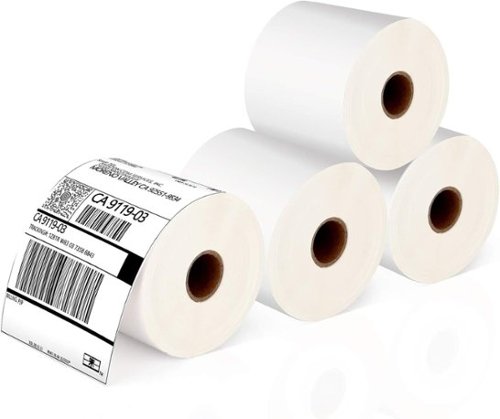
The labels it comes with are definitely matte finish and don’t have the glossy look of other thermal labels. You also can’t use third-party labels. It uses a special cartridge with a chip that tracks how many labels you’ve printed. I get the whole “give away the razor, sell the blades” approach, but I’m not a fan. I’d prefer the flexibility to use any labels.
I printed a few labels using Zebra’s own utility on my Mac, then created a label in Pages. Both methods worked fine, so if you want to use third-party software, that’s not a problem. In fact, I’d probably recommend it. The Zebra utility is extremely basic and doesn’t even handle simple things like the delete key–you have to right-click instead.
Overall, this is a fantastic, trouble-free printer. If you’re okay with the cost of the labels (about $0.06 each), it’s a super simple, hassle-free option. I only print labels occasionally, so one cartridge of 325 labels will probably last me years.