
$77.39
Amped Wireless High Power Touch Screen AC750 Extender (TAP-EX2) Price comparison


Amped Wireless High Power Touch Screen AC750 Extender (TAP-EX2) Price History
Amped Wireless High Power Touch Screen AC750 Extender (TAP-EX2) Description
Amped Wireless High Power Touch Screen AC750 Extender (TAP-EX2) – Your Ultimate Wi-Fi Solution
Boost your home internet connectivity with the Amped Wireless High Power Touch Screen AC750 Extender (TAP-EX2). This cutting-edge Wi-Fi range extender is designed to eliminate dead spots and enhance your online experience, making it ideal for streaming, gaming, and browsing. In this price comparison guide, we delve into its key features, benefits, and pricing trends to help you make an informed decision.
Key Features of the Amped Wireless TAP-EX2
- High Power Amplification: Equipped with high-power amplifiers, the TAP-EX2 significantly extends your Wi-Fi range, ensuring a strong signal in even the most challenging locations.
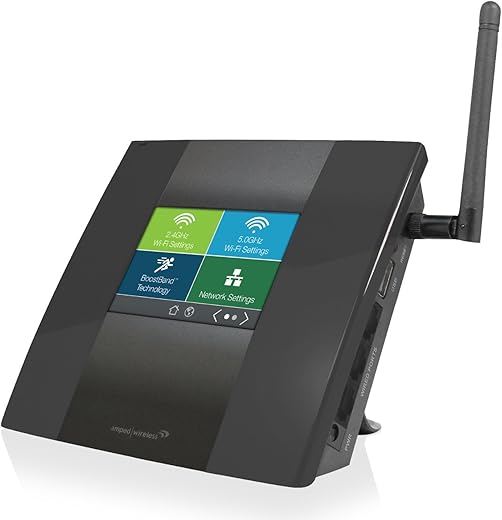
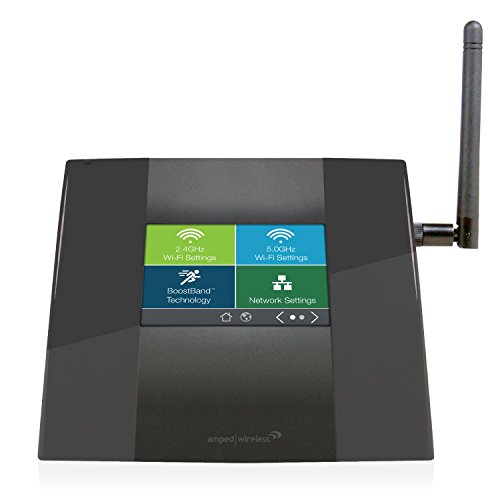
- Touch Screen Interface: The intuitive touch screen makes setup and management hassle-free. Easily adjust settings, check signal strength, and monitor connected devices.
- Dual Band AC750 Technology: With dual-band connectivity supporting both 2.4GHz and 5GHz frequencies, enjoy fast and reliable internet speeds for all your devices.
- Easy Setup: The TAP-EX2 features a user-friendly setup process that allows you to connect within minutes, so you can start improving your Wi-Fi experience without technical challenges.
- Secure Connectivity: This extender comes with advanced security features including WPA/WPA2 encryption to keep your network safe from unauthorized access.
Benefits of Upgrading to the TAP-EX2
By investing in the Amped Wireless TAP-EX2, you’ll experience seamless internet connectivity throughout your home. The device’s high-power amplification not only improves signal strength but also reduces buffering during streaming sessions. The touch screen interface is a standout feature that simplifies network management, making it accessible for users of all tech levels. Plus, the dual-band support ensures that you can connect multiple devices without sacrificing performance, whether you’re gaming on your console or working from home.
Price Comparison Across Suppliers
When considering the Amped Wireless TAP-EX2 price, it is essential to compare offers from various suppliers. Prices typically range from $79.99 to $99.99, depending on the retailer. Leveraging our price comparison tool, you can find the best deal tailored to your budget. Notably, during recent promotional periods, discounts were as high as 20%, making now an ideal time to invest in this powerful extender.
Price Trends from the Last 6 Months
Our detailed analysis of the 6-month price history chart indicates consistent pricing patterns for the TAP-EX2. Most retailers maintained a stable price with intermittent promotional offers, particularly during holiday sales. We recommend monitoring prices periodically to secure the best deal, particularly during upcoming seasonal sales events.
Customer Reviews: What Users Are Saying
The Amped Wireless TAP-EX2 reviews reflect a generally positive satisfaction rate among users. Many customers rave about its powerful amplification capabilities, noting improved speeds and coverage. The ease of setup is frequently highlighted, with numerous users appreciating the step-by-step guidance provided by the touch screen interface.
- Positive Feedback: Users commend the TAP-EX2 for its ability to significantly extend Wi-Fi coverage, particularly in larger homes. Many find the touch screen feature very convenient and user-friendly.
- Notable Drawbacks: A few reviewers mentioned occasional connectivity issues with certain older devices. Therefore, while most modern devices connect effortlessly, some legacy products may face challenges.
Explore Unboxing and Review Videos
For a closer look at the Amped Wireless High Power Touch Screen AC750 Extender, consider checking out available unboxing and review videos on YouTube. These videos provide valuable insights into the product’s performance, setup process, and real-world applications from actual users, further aiding you in your purchase decision.
In summary, the Amped Wireless TAP-EX2 stands out as a premier option for anyone looking to enhance their home Wi-Fi experience. With its powerful features, ease of use, and competitive pricing, it addresses the challenges of connectivity head-on. Don’t miss the opportunity to enjoy a seamless online experience. Compare prices now!
Amped Wireless High Power Touch Screen AC750 Extender (TAP-EX2) Reviews (6)
6 reviews for Amped Wireless High Power Touch Screen AC750 Extender (TAP-EX2)
Only logged in customers who have purchased this product may leave a review.






Neil C –
Look… I see a few reviews saying that they are having problems with this extender. Now, I can’t speak on their experiences, I can only speak on mine. I’m here to tell you that this is A GREAT RANGE EXTENDER!
Yes, it has it’s faults, but they are few and for the most part well manageable. I’ve had mine for a few months now and have good and reliable service with it. I have a rather large yard and needed something to get my WIFI out to my out buildings. This does the job very well. We’re talking around 40 or 50 yards from the extender to the buildings with a drop off of only a couple of bars. So basically, a very good connection.
I have had no trouble maintaining a good connection from those distances. So if the only thing you need is a range extender that can cover most of your home and yard, well, you shouldn’t be disappointed with this one. I’m not sure if they do, but they should make more just like it.
crawlcontrol –
I purchased this through Amazon and it does work well … when it works. It is easy to set-up and has good range. However, it only worked briefly for me and then a week or so in the front screen, which is essential to using it, failed. I returned the unit and I’m looking for something to replace it.
Cobra –
During the setup,
* I Used the free wi-fi analytics tool. That was a nice value add.
* I found that it was crazy easy to configure. I liked the touchscreen and I felt like it gave good feedback as keys were selected.
* First thing I noticed however, is that the response time while saving changes or moving to different settings screens was very slow. This caused me a little concern because if it could not even handle it’s own simple UI, how would it handle moving data?
So, I got thru everything and started testing.
* Connecting to my RC-AC68U (High performance router) from my furthest room I had aroun 80% signal.
– N: avg. 30 down 22 up
-N5 – avg. 80 down 6-8 up (signal strength much lower ~75%)
* Connecting to the extender
– It had 100% signal to my router and I had 98% signal to it
– N: avg 20/15
– N5: avg 40/4 (kept dropping connection)
Bottom line, At twice the distance, my ASUS router was still more reliable.
Recommendation: If you are way past serviceable distance from your router and having a limited bandwidth is acceptable, this might work for you. I really believed a lot of the marketing on it, high power and all that. So far not impressed. I feel like the biggest thing holding this back is the fact that it only uses one antenna, vs multiple antenna’s to dedicate to transmit/receive.
Paul House –
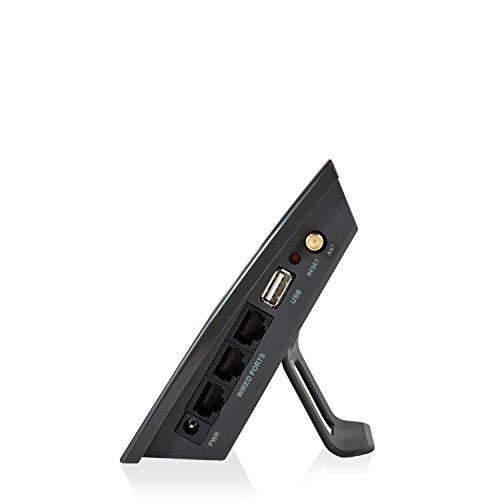
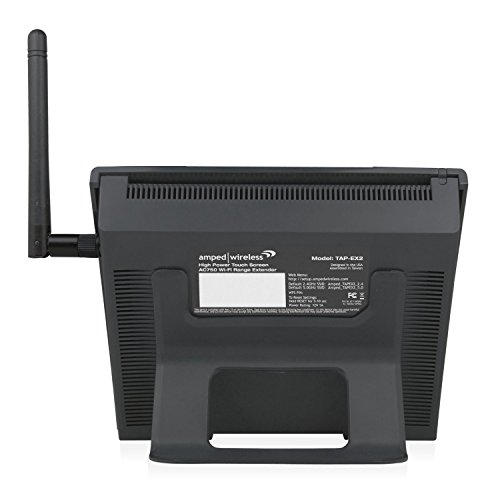
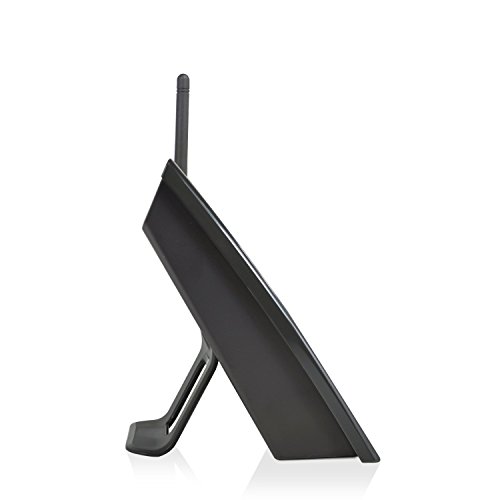
The extender works great and was easy to install. The seller said it was a new product, but the box arrived with the box taped shut (obviously been opened), the touch screen film had obviously been taken off and replaced because there was dirt underneath the film. There was no stand for the device. Product pictures shows the device sits upright with a clip on stand. My photo shows it laying flat on the table. Without the stand, the device lays flat making it difficult/awkward to see and operate the touch screen.
Paul House –
Giving a 5-star to the product itself but 4-star only for the set up process. I bought the product mainly for its super easy touch screen set up because I don’t want to deal with all the technical details of setting up it on computer. A lot of people reported once the extender found the home network and you enter the security key, the extender basically is frozen at the “loading, please wait” screen. Even after you reboot, the same issue exists. I had the same problem and it was frustrating that the screen is frozen at the loading page.
This is when a quick call the technical support helps. I spoke to Robert and he was very helpful and we solve the problem in 10 min. When you encounter the frozen loading screen do the following: (1) unplug the power cord and reconnect, (2) when the initial scan screen comes up, DON’T do anything, (3) use a laptop or tablet and find available wifi network, you will see amped_tap_ex2 2.4 ghz and 5.0 ghz. (once the extender if powered on, you will see these 2 wifi options, (4) connect to the 2.4 ghz or 5.0 ghz (I did 2.4 ghz), no password needed, (5) open the web browser and type setup.ampedwireless.com, (6) from here you select your 2.4 ghz or 5.0 home network device to continue, follow the instruction to set the extender name and set password, (6) the website set up will sync with the actual extender, takes about 3 minutes, (7) once the sync is over, tab the extender screen and it will say you are connected to the home network. You are basically done, you can now see both the 2.4 ghz and 5.0 ghz wifi extender on your phone’s wifi options, and select either one and enter password.
The 10,000 sq ft advertised coverage will probably depend on your house structure, my original router is at the front of the house and I placed the extender in the middle and was able to receive strong signal on the other end and also good signal in the shed in the backyard.
Larry B. –
Received this item, read the instructions, set it up following the instructions and wallah (or how ever you spell it) it works! Very easy to set up. I got this to extend my internet (real shocker there) out to my garage and back yard. In the garage I was usually getting one bar on my computer. I logged on to the extended network and now I get four out of four. Not only can I use my computer for internet I can stream video on the TV I put out there. I gave it four stars because I rarely give 5 but in this case I may have cheated it. This thing does exactly what it says it does, does it very well, and was easy to get it to do that. I really had no reason not to give it 5 stars.