
Apple iMac With M1 Chip, 24-Inch, 8GB RAM

 eBay
eBay  Woot.com
  Bestbuy.com
$739.00
Apple iMac With M1 Chip, 24-Inch, 8GB RAM Price comparison









- All prices mentioned above are in United States dollar.
- This product is available at Amazon.com, eBay.
- At amazon.com you can purchase 2021 Apple iMac with Apple M1 Chip with 8‑core CPU (24-inch, 8GB RAM, 256GB SSD Storage) (QWERTY English) Silver (Renewed) for only $623.99
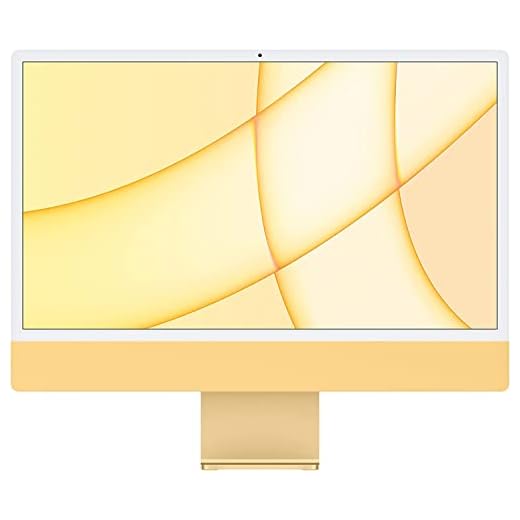
- The lowest price of Apple 2021 iMac with Apple M1 Chip with 8-core CPU, 24-inch, 8GB RAM, 512GB SSD Storage, Yellow (Renewed) was obtained on September 24, 2025 11:14.
Apple iMac With M1 Chip, 24-Inch, 8GB RAM Price History
Apple iMac With M1 Chip, 24-Inch, 8GB RAM Description
Apple iMac M1 24-Inch, 8GB RAM: The Redesign That Made the All-in-One Colorful Again
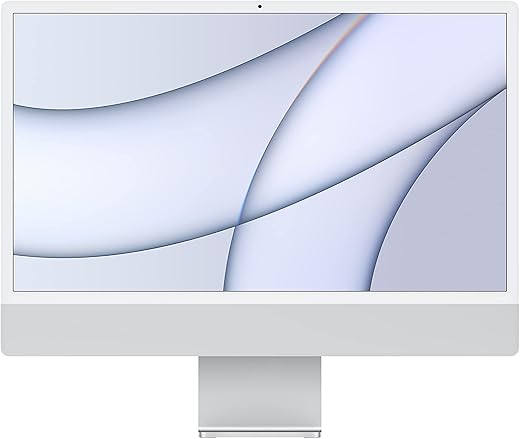
The Apple iMac M1 24-inch was Apple’s first all-in-one desktop on Apple Silicon. It was also Apple’s first full iMac redesign since 2012. Gone is the tapered aluminum wedge of the Intel-era iMac. In its place, Apple built a flat, 11.5mm-thin slab in seven bold colors, pairing a color-tinted back panel with a matching power cable and keyboard.
Inside that thin body sits the Apple M1 chip, a bright 24-inch 4.5K Retina display, and a redesigned six-speaker sound system. This configuration ships with 8GB of unified memory — the standard amount across every iMac M1 model at launch. It sits below the optional 16GB upgrade as the entry-level memory tier. Apple launched it at $1,299 for the base two-port model, making it the company’s most affordable Apple Silicon desktop at the time.
Below, we break down what the iMac M1 24-inch offers today. We’ll also cover who the 8GB configuration still suits, and what to check before you buy.
Here’s what defines this configuration at a glance:
- Chip: Apple M1, 8-core CPU, 7-core or 8-core GPU depending on tier
- Memory: 8GB unified memory, fixed at purchase (16GB was optional)
- Display: 24-inch 4.5K Retina, 4480×2520, 500 nits, P3 wide color, True Tone
- Storage: 256GB SSD standard, up to 2TB depending on tier
- Ports: 2 Thunderbolt/USB 4 (base), or 4 ports total with USB 3 and Ethernet (upgraded tiers)
- Colors: Silver, Blue, Green, Pink (base); adds Yellow, Orange, and Purple (four-port tiers)
- Launch price: $1,299 / $1,499 / $1,699
A Radically Thinner, More Colorful All-in-One
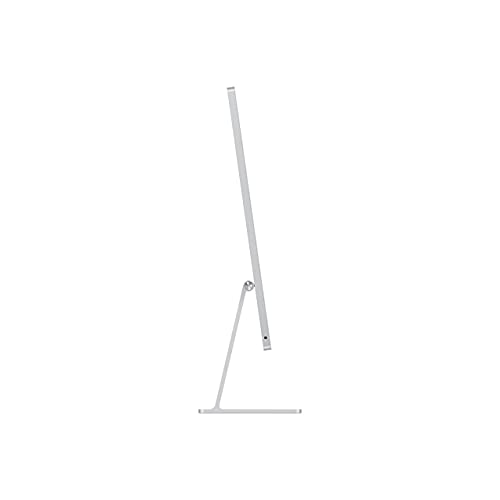
Apple built the iMac M1 24-inch around the M1 chip’s small size and low heat output. As a result, the whole computer shrinks to just 11.5mm thick at its edge — the thinnest desktop Apple has ever made. The redesign also brought genuine color back to the iMac line, something it hadn’t offered since the iMac G3 decades earlier.
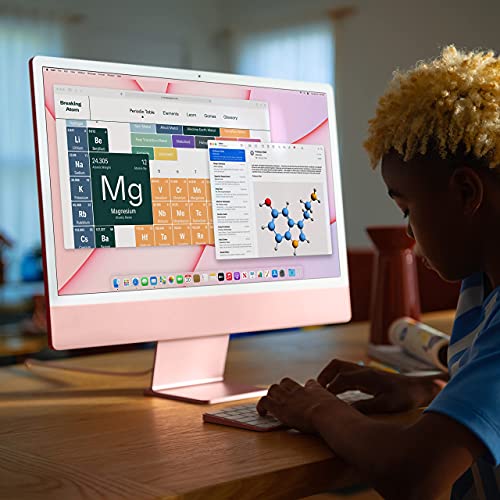
Every iMac M1 ships in a two-tone finish. A saturated color covers the back panel, while a lighter tint softens the front bezel. Buyers can choose from Silver, Blue, Green, Pink, Yellow, Orange, and Purple. However, the exact color range depends on configuration tier, so it’s worth checking carefully before you order.
The design also includes a matching Magic Mouse, plus either a Magic Trackpad or a Magic Keyboard, both finished in color-matched aluminum. Apple also offers a built-in Touch ID sensor as a keyboard upgrade. That lets the iMac unlock and authorize Apple Pay purchases with a fingerprint instead of a password.
A 24-Inch 4.5K Retina Display Built for Everyday Clarity
The iMac M1 24-inch uses a 4.5K Retina display running at 4480-by-2520 resolution, or roughly 218 pixels per inch. It supports 1 billion colors and wide color (P3). Meanwhile, True Tone automatically adjusts white balance to match the light in the room.
Peak brightness reaches 500 nits. As a result, text and photos stay easy to read in a bright home office or on a sunlit kitchen counter. Above the display sits a 1080p FaceTime HD camera. The M1 chip’s image signal processor pairs with it to deliver noticeably better video call quality than earlier Intel iMacs offered.
Audio gets similar attention. A six-speaker system with force-cancelling woofers delivers fuller sound than a desktop this thin should manage, and it supports Spatial Audio for compatible content. In addition, a three-microphone array with directional beamforming keeps voice calls clear, even with some background noise in the room.
Apple M1 and 8GB of Unified Memory: What It’s Actually Good For
Under the hood, the iMac M1 24-inch runs Apple’s first-generation Apple Silicon chip. It pairs an 8-core CPU (4 performance cores and 4 efficiency cores) with a 7-core or 8-core GPU, depending on configuration. A 16-core Neural Engine rounds things out, handling on-device machine learning tasks.
This specific configuration ships with 8GB of unified memory. That’s the standard amount on every iMac M1 model at launch, and the only memory tier available on the entry-level two-port configuration. Apple also offered a 16GB upgrade at checkout on every tier. However, like all Apple Silicon Macs, memory is fixed at purchase — you can’t upgrade it later.
For everyday use, 8GB still holds up well in 2026. Tasks like web browsing, email, video calls, streaming, document editing, and light photo editing all run smoothly, thanks to how efficiently macOS manages memory on Apple Silicon. That said, buyers planning heavier multitasking, large photo libraries, or sustained video editing should budget for the 16GB configuration instead. That difference can’t be added later.
Ports, Connectivity, and the Two-Port vs. Four-Port Divide
The iMac M1 24-inch splits into two distinct port configurations. This is one of the most important things to check before buying:
- Two-port model (base $1,299 configuration): two Thunderbolt/USB 4 ports and a 3.5mm headphone jack. Gigabit Ethernet isn’t built in here; it’s available only as a paid add-on, built into the power adapter.
- Four-port model (from $1,499): adds two USB 3 ports alongside the same Thunderbolt/USB 4 ports and headphone jack. It also includes Gigabit Ethernet built into the power brick at no extra cost, and it’s the only tier that ships with a Magic Keyboard with Touch ID as standard.
Both configurations include Wi-Fi 6 (802.11ax) and Bluetooth 5.0 for wireless connectivity.
Colors and Configurations
Color availability depends on tier. The base two-port configuration comes in Silver, Blue, Green, and Pink. Meanwhile, the four-port configurations unlock the full seven-color range, adding Orange, Purple, and Yellow.
Storage on this 8GB memory configuration starts at a 256GB SSD. From there, buyers can upgrade to 512GB, 1TB, or 2TB, depending on tier. In total, the iMac M1 24-inch launched at $1,299, $1,499, and $1,699 across its three standard configurations, plus custom build-to-order options through Apple’s online store.
Apple announced the redesigned iMac on April 20, 2021. General availability followed on May 21, 2021.
Where the iMac M1 24-Inch Fits Today
Apple replaced the iMac M1 with the iMac M3 on October 30, 2023. It then moved the line forward again with the iMac M4 on October 28, 2024. As a result, the iMac M1 24-inch now sits two full generations behind Apple’s current all-in-one desktop, as of September 2026.
Even so, it still shows up through Apple’s Refurbished store when stock allows. It also remains widely available as new-old-stock, refurbished, or used through retailers and marketplaces. That’s exactly where price comparison matters most, since pricing on a superseded model can vary significantly between merchants.
Buy it if:
- You want the redesigned, ultra-thin, colorful iMac chassis
- You want a sharp 4.5K display for everyday productivity and media
- You want dependable performance for browsing, email, and video calls, at a price well below the current M4 generation
Consider something else if:
- You need the latest chip generation
- You plan heavier multitasking or creative work
- You want the full seven-color range and Gigabit Ethernet included by default — these require a four-port configuration or a newer model
For shoppers who want an affordable, good-looking Apple Silicon desktop without paying current-generation pricing, the iMac M1 24-inch with 8GB RAM remains one of the better entry points into the Mac desktop lineup. Use Discompare to compare live prices from verified merchants. From there, track the price history and set a price alert, so you buy at exactly the right moment.
3. Frequently Asked Questions
Is the iMac M1 24-inch with 8GB RAM still worth buying in 2026?
Yes, for the right buyer. It handles browsing, email, video calls, streaming, and light document work comfortably, thanks to how efficiently macOS manages memory on Apple Silicon. It also typically costs significantly less than the current M4 generation. The main trade-off: it’s now two generations old, so it will get fewer years of future macOS feature support, and 8GB may feel tight for heavier multitasking.
Is 8GB of RAM enough for the iMac M1?
For everyday tasks like web browsing, email, streaming, and video calls, yes — Apple Silicon’s unified memory architecture makes 8GB go further than it would on an older Intel Mac. For heavier multitasking, large photo libraries, or video editing, the 16GB configuration is a safer choice, since memory can’t be upgraded after purchase.
What’s the difference between the two-port and four-port iMac M1 models?
The two-port model has two Thunderbolt/USB 4 ports and comes in four colors (Silver, Blue, Green, Pink), with Ethernet available only as a paid add-on. The four-port model adds two USB 3 ports, includes Gigabit Ethernet built into the power adapter at no extra cost, comes with a Magic Keyboard with Touch ID as standard, and unlocks three additional colors (Orange, Purple, Yellow).
What colors is the iMac M1 24-inch available in?
Up to seven finishes, depending on configuration: Silver, Blue, Green, Pink, Yellow, Orange, and Purple. The base two-port model is limited to Silver, Blue, Green, and Pink; the full range requires a four-port configuration.
What is the display like on the iMac M1?
A 24-inch 4.5K Retina display at 4480-by-2520 resolution, supporting 1 billion colors, P3 wide color, True Tone, and 500 nits of brightness — sharp and bright enough for everyday productivity and media in a well-lit room.
Does the iMac M1 24-inch have Ethernet?
Only on the four-port configuration, where Gigabit Ethernet is built into the power adapter at no extra cost. On the base two-port model, Ethernet is available only as a paid build-to-order add-on; otherwise, it relies on Wi-Fi 6.
Is the iMac M1 24-inch still sold new by Apple?
No. Apple replaced it with the iMac M3 on October 30, 2023, and again with the iMac M4 on October 28, 2024. It continues to surface through Apple’s Refurbished store when stock allows, and remains available through retailers and marketplaces.
What replaced the iMac M1 24-inch?
The iMac M3 (October 2023) replaced it directly, and the iMac M4 (October 2024) replaced the M3 in turn. As of September 2026, the M4 generation is Apple’s current 24-inch iMac.
What was the original launch price of the iMac M1 24-inch?
It launched at $1,299 for the base two-port configuration, $1,499 for the four-port configuration, and $1,699 for the higher-storage four-port configuration. Apple announced it on April 20, 2021, with availability starting May 21, 2021.
- Chip attribute:
Apple M1— do not merge with later iMac SKUs (M3 2023, M4 2024), which are separate products with different chips despite very similar naming and near-identical chassis design. - GPU core count: two distinct sub-configurations exist under the same chip name —
M1 (7-core GPU)andM1 (8-core GPU)— normalise as a separate attribute value since it affects both price and graphics performance. - Memory attribute:
8GBfor this SKU,16GBfor the upgraded variant — configured at purchase only, not user-upgradeable; flag this as a permanent spec, not a variant that can change post-sale. This is the primary disambiguator for this specific product listing. - Port configuration attribute:
2-port (Thunderbolt/USB 4 only)vs.4-port (Thunderbolt/USB 4 + USB 3 + Ethernet)— a critical filter, since it also gates color availability, keyboard type, and Ethernet inclusion. Treat as a distinct attribute, not a footnote. - Storage attribute:
256GB,512GB,1TB,2TBSSD — same purchase-time-only caveat as memory, and availability varies by port configuration tier. - Colour attribute values:
Silver,Blue,Green,Pink,Yellow,Orange,Purple— seven distinct values; flag that Yellow, Orange, and Purple are exclusive to four-port configurations and should not be offered as filter options alongside the two-port SKU. - Keyboard attribute:
Magic Keyboard,Magic Keyboard with Touch ID— standard only on four-port models; a $50 add-on on two-port models. Normalise separately from the mouse/trackpad attribute (Magic Mousevs.Magic Trackpad, both configurable at purchase). - Screen size attribute:
24-inch— no other screen size exists in this generation, but flag as a forward-looking disambiguator against any future non-24-inch iMac Apple may introduce. - Lifecycle status: mark this product as
Discontinued by manufacturer (superseded by iMac M3, October 2023; further superseded by iMac M4, October 2024)in the internal catalog so pricing modules can flag it as a secondary-market/refurbished product rather than treating stockouts as an error. - Condition attribute: tag merchant listings clearly as
New,Apple Certified Refurbished,Refurbished (third-party), orUsed— a high-value filter now that this SKU is off Apple’s primary storefront.
Apple iMac With M1 Chip, 24-Inch, 8GB RAM Specification
Specification: Apple iMac With M1 Chip, 24-Inch, 8GB RAM
|
Apple iMac With M1 Chip, 24-Inch, 8GB RAM Reviews (7)
7 reviews for Apple iMac With M1 Chip, 24-Inch, 8GB RAM
Only logged in customers who have purchased this product may leave a review.




Scott J –
I had a 2015 iMac and needed to upgrade and was told not to bother with anything other than the new M1 chip, but I did not want to drop $1500 on a new one, so I cautiously bought this refurbished one, and so far so good, a couple things to be aware of, it did not come with apple keyboard or mouse, it came with generic of both, and one of the questions for the item asked, can it be put on apple care and the anwer was yes. That is not true, I tried to get apple care for mine and apple said it was not eligible, so beware of that.
Perfect –
Awesome thank you 🙏🏾
Mechsteve76 –
Received the IMac in absolutely pristine condition. No complaints on that. The only issue I have is that it came with an aftermarket “wired “ keyboard. I know I was not going to receive Apple components, but it could have been wireless. As it happens since this was replacing a 2015 model, my wireless Apple keyboard and mouse worked just fine. I did also receive an aftermarket mouse that was wireless, but you have to use the included usb dongle, which I would have had to use with an adapter because the ports are usb c, “hence the four star rating” But again the iMac itself was in pristine condition and was a snap to transfer using migration app. If you have Norton or any other protection program installed in your old unit, be sure to turn off the firewall protection, because even after I disabled it on my Mac security settings, Norton was still active. And would not run migration.
Bradley Mast –
This iMac arrived sooner than expected and is a genuine Apple product. The mouse and keyboard were also Apple products, not knock-offs. Migration Assistant made it easy to move from my 2011 model to this one. Highly recommended!
wylie parks –
wish i would have known that i was getting an aftermarket keyboard and mouse would have rather paid for a new one and received all of the apple items.
Ellie129 –
Very happy with my first imac computer. Keyboard and mouse included; it requires a USB lightning cable for charging. You can barely notice a few scratches on the back of the monitor. Initial set up and configuration was easy.
William J. Siems –
This was a replacement for an older iMac and was all I expected it to be and more; bigger, better, and faster. My only disappointment was the small keyboard, but I just bought a larger one like the one I was used to.