Best Standing Desks for Home Offices 2026
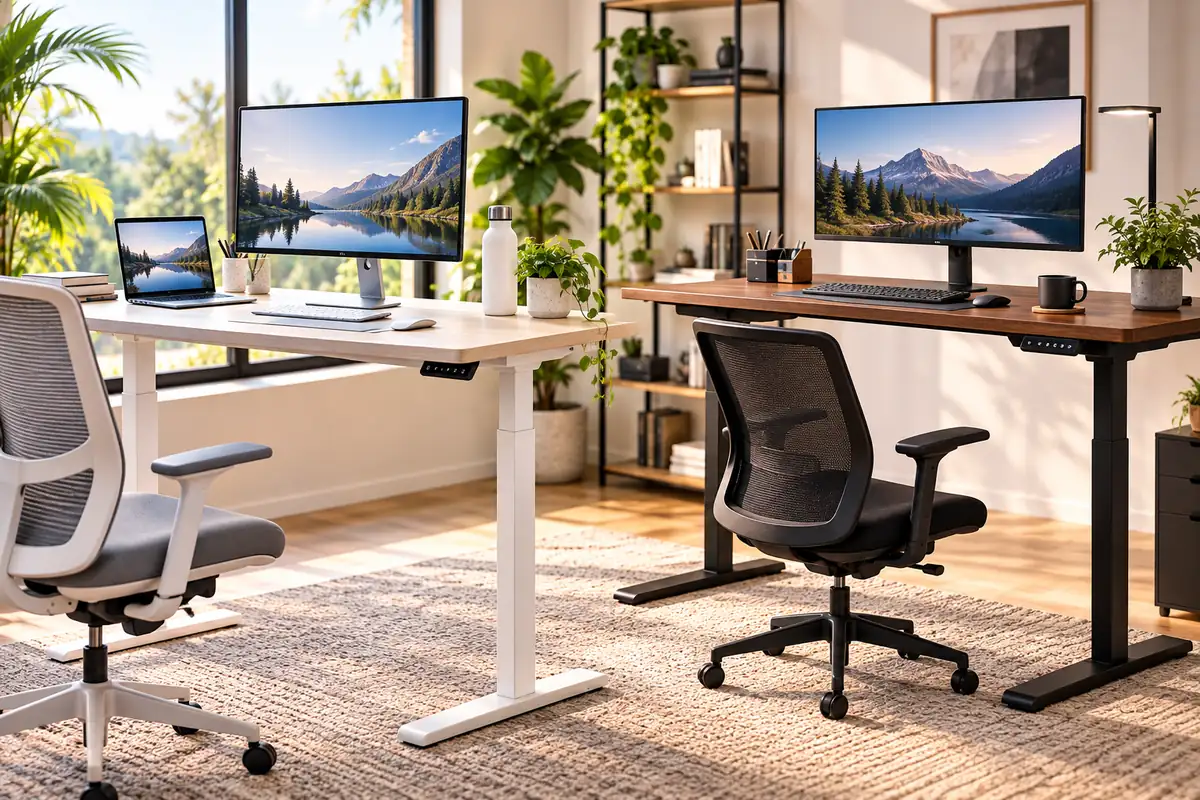
The UPLIFT V3 is the best standing desk for most home offices because it combines a very wide height range, strong lifting capacity, good stability, extensive desktop choices, cable management, and a long warranty.
It is not the only strong option. Vari ComfortEdge is easier to assemble, Branch Duo works especially well in small rooms, FlexiSpot E7 Plus prioritizes stability, Secretlab MAGNUS Pro excels at cable management, and FEZIBO offers a lower-cost entry into electric height adjustment.
A standing desk should not encourage you to stand all day. Its real advantage is the ability to change working height and posture. A good setup should make both seated and standing positions comfortable.
Quick Answer: Best Standing Desks for Home Offices
Best overall: UPLIFT V3 — wide 22.6–48.7-inch height range, 355-lb lifting capacity, many desktop sizes, and a 15-year warranty.
Best easy-setup desk: Vari ComfortEdge — simple assembly, 30-inch depth, four presets, and a lifetime warranty.
Best for small offices: Branch Duo — available as small as 36 × 24 inches while still supporting electric adjustment and up to 275 lb.
Best for stability: FlexiSpot E7 Plus — a four-leg design with a manufacturer-rated 440-lb lifting capacity.
Best cable management: Secretlab MAGNUS Pro — integrated rear cable tray, powered desk leg, and a strong accessory ecosystem for equipment-heavy workstations.
How We Chose the Best Standing Desks
We compared current home-office standing desks by usable height range, stability, lifting capacity, desktop dimensions, memory controls, cable management, warranty, assembly, and current U.S. availability.
Independent testing also matters because a large weight rating does not automatically guarantee that a desk feels stable at full standing height.
Ergonomic fit came before extra features. OSHA recommends a work surface that lets you keep the keyboard around elbow height and provides enough depth to position a monitor at least about 20 inches from your eyes.
Discompare did not conduct hands-on laboratory testing of these desks. Recommendations combine current manufacturer specifications, independent editorial testing, and workstation guidance.
Best Standing Desks Compared
| Desk | Best For | Height Range | Capacity | Warranty | Main Trade-Off |
|---|---|---|---|---|---|
| UPLIFT V3 | Best overall | 22.6–48.7 in. | 355 lb | 15 years | Options can become expensive |
| Vari ComfortEdge 48×30 | Easy setup | 25–50.5 in. | 220 lb | Lifetime | Fewer customization choices |
| Branch Duo | Small spaces | 28–47.3 in. | 275 lb | 10 years | 28-in. minimum is relatively high |
| FlexiSpot E7 Plus | Stability / heavy setups | 26–51.6 in. | 440 lb lifting | Check current configuration | Large and heavy |
| Secretlab MAGNUS Pro | Cable management | 25.6–49.2 in. | 265 lb | 5 years | Heavy and gaming-oriented |
| FEZIBO Electric Standing Desk | Budget | Varies by model | Varies by configuration | 2 years motors/electronics; 5 years other desk parts | Less refined than premium desks |
Compare Current Standing Desk Prices
Standing-desk prices change with desktop size, surface material, frame choice, accessories, and temporary promotions.
Choose the desk and dimensions that fit your workstation first. Then compare current retailer offers rather than selecting a smaller or less suitable desk purely because it is on sale.


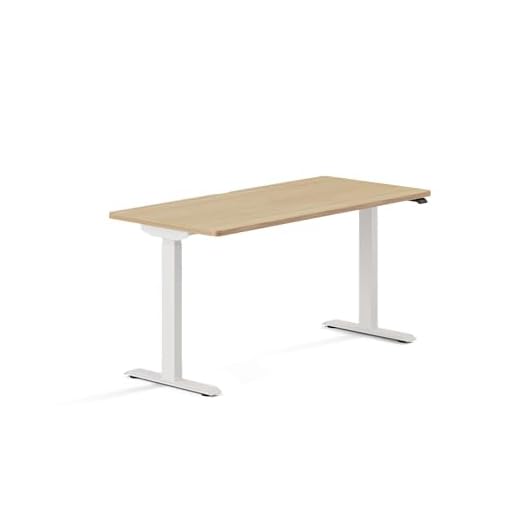


1. UPLIFT V3 Standing Desk — Best Overall
Best for: Full-time home offices, shorter-to-taller users, dual-monitor workstations, and buyers who want extensive customization.
The UPLIFT V3 is our best standing desk for home office use because it gets the fundamentals right before adding accessories.
Its 22.6–48.7-inch adjustment range is one of the most useful features. Many standing desks go high enough but do not drop low enough for a comfortable seated position, especially for shorter users.
Strong Capacity Without a Crossbar
UPLIFT rates the V3 to lift up to 355 pounds. That gives it plenty of headroom for multiple monitors, monitor arms, a desktop computer, speakers, and ordinary office equipment.
Independent testing also supports its stability. Current Tom’s Guide and WIRED coverage both highlight the redesigned V3 as one of the strongest choices in the category.
Excellent Size and Desktop Selection
The V3 frame supports desktop widths from about 42 to 80 inches. Both compact and large workstation configurations are available.
If you use multiple displays, start with desk depth rather than width alone. Our guide to the best monitor setups for your home office explains why viewing distance and monitor placement matter.
Customization Is Both a Strength and a Weakness
UPLIFT offers numerous surfaces, keypads, grommets, drawers, cable accessories, monitor arms, and other add-ons.
That flexibility is useful, but it also makes it easy to turn a sensible desk into a much more expensive configuration.
Pros
✅ Wide 22.6–48.7-inch height range
✅ 355-lb lifting capacity
✅ Large choice of desktop sizes and materials
✅ Included cable-management hardware
✅ 15-year warranty
Cons
❌ Premium upgrades increase the total quickly
❌ Huge configuration menu can complicate ordering
❌ More desk than a simple laptop workstation needs
Who should skip it: Buyers who want a simple one-box desk with almost no configuration decisions.
Alternative: Vari ComfortEdge is easier to order and assemble.

2. Vari ComfortEdge 48×30 — Best Easy-Setup Standing Desk
Best for: Buyers who want a large, straightforward workstation that is quick to assemble and easy to adjust.
Vari ComfortEdge is one of the simplest premium standing desks to live with.
The 48 × 30-inch model adjusts from 25 to 50.5 inches, supports up to 220 pounds, and carries a lifetime warranty.
The 30-Inch Depth Is Useful
Desk depth is often overlooked in standing-desk comparisons.
A 30-inch surface gives large monitors more room while leaving space for the keyboard, mouse, and forearms. OSHA recommends enough depth to keep a monitor at least about 20 inches from the eyes.
ComfortEdge Softens the Front of the Desk
The front edge is rounded and sloped rather than forming a hard 90-degree corner.
WIRED’s current testing specifically praises this design for forearm comfort during longer work sessions.
Assembly Is One of Vari’s Biggest Advantages
The desk is designed to go together with relatively few steps and includes the required tools.
That makes it appealing if the thought of assembling a large motorized frame is one of the things keeping you from buying a standing desk.
Pros
✅ Broad 25–50.5-inch adjustment range
✅ Useful 30-inch desktop depth
✅ Rounded ComfortEdge front
✅ Simple assembly
✅ Lifetime warranty
Cons
❌ Less customization than UPLIFT
❌ Lower load rating than heavier-duty picks
❌ Drawers and some accessories cost extra
Who should skip it: Buyers building an unusually heavy workstation with several large displays and substantial equipment.
Alternative: FlexiSpot E7 Plus for higher load capacity and a four-leg frame.
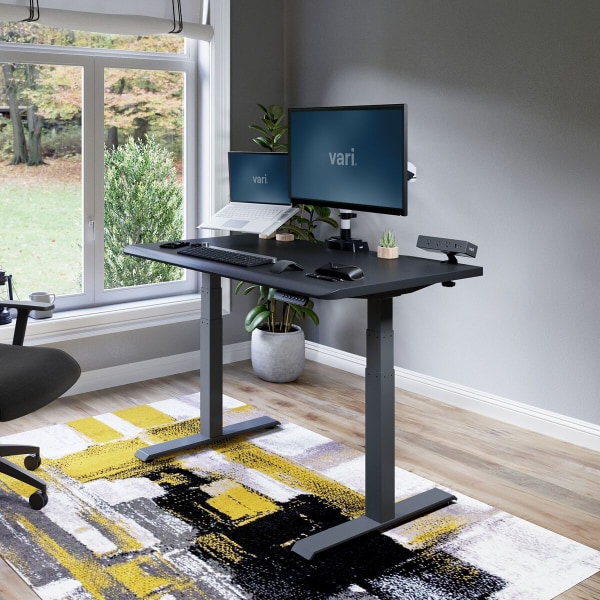
3. Branch Duo Standing Desk — Best for Small Home Offices
Best for: Bedrooms, apartments, flexible rooms, and home offices where a standard 60-inch desk would take over the space.
The Branch Duo stands out because it is available in genuinely compact sizes.
You can choose 36 × 24, 48 × 24, or 58 × 27 inches. The smallest model is especially useful when a desk needs to share a room with a bed, shelving, or other furniture.
Compact Does Not Mean Low Capacity
Branch rates Duo for up to 275 pounds.
It also includes two memory presets, collision detection, and programmable movement reminders.
Check the 28-Inch Minimum Before Buying
Duo’s biggest limitation is its 28-inch minimum height.
That may be perfectly comfortable for some users, but it is significantly higher than UPLIFT’s minimum. Shorter users should measure their seated elbow height before ordering.
If you need to raise a chair to meet the desk, your feet should still remain supported. Our guide to the best ergonomic office chairs explains how seat height and desk height work together.
Pros
✅ Available as small as 36 × 24 inches
✅ 275-lb load capacity
✅ Two memory presets
✅ Collision detection and reminders
✅ 10-year warranty
Cons
❌ 28-inch minimum may be too high for shorter seated users
❌ Maximum height is lower than several competitors
❌ Cable organizer and drawer are optional
Who should skip it: Shorter users who need a seated work surface well below 28 inches.
Alternative: UPLIFT V3 offers a much lower minimum height.

4. FlexiSpot E7 Plus — Best for Stability and Heavy Setups
Best for: Multiple monitors, heavier desktops, large speakers, creators, streamers, and buyers who value stability above easy portability.
The FlexiSpot E7 Plus uses a four-leg frame rather than the more common two-leg standing-desk layout.
FlexiSpot rates it for 440 pounds of lifting capacity and 540 pounds of static load. Its height range runs from about 26 to 51.6 inches.
The Four-Leg Design Is the Main Reason to Buy It
Four legs do not automatically make every standing desk stable, but the E7 Plus is also supported by current independent testing.
TechRadar currently selects it as its best standing desk for stability, noting that the heavier structure remains solid under demanding setups.
A Good Match for Multiple Monitors
Heavy monitor arms can expose movement that is less noticeable with a laptop.
The E7 Plus is therefore one of the strongest choices here for a large dual-display setup. Before mounting anything, check monitor weight, VESA compatibility, and clamp clearance using our guide to the best dual monitor arms for WFH.
Pros
✅ Four-leg frame
✅ 440-lb manufacturer-rated lifting capacity
✅ Wide 26–51.6-inch height range
✅ Memory keypad
✅ Strong fit for equipment-heavy workstations
Cons
❌ Heavy frame is harder to move
❌ Takes more floor space than a compact two-leg desk
❌ 26-inch minimum is not as low as UPLIFT V3
Who should skip it: Laptop-focused users who rarely place heavy equipment on their desk.
Alternative: UPLIFT V3 gives you strong capacity with a lighter-looking two-leg layout and lower minimum height.
5. Secretlab MAGNUS Pro — Best Cable Management
Best for: Desktop PCs, gaming/work hybrids, streaming setups, multi-monitor stations, and anyone tired of cables hanging behind a moving desk.
The Secretlab MAGNUS Pro is the most specialized desk in this roundup.
Its strongest feature is not lifting capacity. It is the way Secretlab integrates power and cable routing into the desk itself.
A Full Rear Cable Tray Is Built In
The rear cable tray runs across the back of the desk and sits beneath a hinged cover.
Power routing also passes through a desk leg. This reduces the common standing-desk problem where cables must remain loose enough to accommodate the full vertical travel.
Two Useful Sizes
The standard MAGNUS Pro measures about 59.1 × 27.6 inches. The XL expands to about 70 × 31.5 inches.
The standard desk adjusts from 25.6 to 49.2 inches and supports a manufacturer-rated 265-pound distributed load.
It also works with Secretlab’s magnetic cable anchors and other accessories.
It Looks More Like a Tech Desk
The steel construction and accessory system fit gaming, streaming, and PC workstations especially well.
For a traditional home office with warm wood furniture, the Vari or UPLIFT may blend into the room more naturally.
Pros
✅ Outstanding integrated cable management
✅ Power routing through the desk leg
✅ Standard and XL sizes
✅ Strong magnetic accessory ecosystem
✅ Well suited to multi-device PC setups
Cons
❌ Heavy
❌ Gaming-focused styling will not suit every office
❌ 5-year warranty is shorter than several rivals
❌ Accessory ecosystem can increase total cost
Who should skip it: Buyers who want a light, simple desk with a conventional furniture appearance.
Alternative: Vari ComfortEdge for a cleaner general-office design.
6. FEZIBO Electric Standing Desk — Best Budget Pick
Best for: First-time standing-desk buyers who want electric adjustment without starting in the premium price tier.
FEZIBO sells a wide range of lower-cost electric desks in several desktop widths and layouts.
The appeal is straightforward: you can get basic sit-stand functionality for substantially less than most premium systems.
Budget Pricing Comes With Trade-Offs
Lower-cost FEZIBO desks generally use simpler materials and less refined construction than the premium models above.
Current independent standing-desk testing still considers FEZIBO a useful budget entry point, but stability and finish are not the reasons to choose it.
Warranty Coverage Is Shorter
FEZIBO currently covers motors and electronics for two years and the remaining electric-desk components for five years.
That is meaningfully shorter than the warranties offered by UPLIFT, Branch, or Vari.
Verify the Exact Configuration
FEZIBO has many similarly named electric desk variants.
Check the exact desktop dimensions, top construction, frame, controls, lifting range, and stated capacity rather than assuming every FEZIBO listing is mechanically identical.
Pros
✅ Low entry cost
✅ Multiple desktop sizes available
✅ Electric height adjustment
✅ Practical introduction to sit-stand work
Cons
❌ Shorter warranty than premium competitors
❌ Build and stability vary by model
❌ Some versions use multi-piece desktops
❌ Product names and configurations can be confusing
Who should skip it: Buyers building a heavy multi-monitor workstation or planning to keep the same desk through many years of full-time use.
Alternative: Branch Duo costs more but offers stronger warranty coverage and a cleaner compact design.
Standing Desks We Considered but Didn’t Pick
FlexiSpot E7 Pro
E7 Pro remains a strong two-leg standing desk and currently performs very well in independent comparisons.
We chose E7 Plus instead because its four-leg frame gives it a clearer role in this roundup as the stability-focused choice.
Steelcase Migration SE
Migration SE is a strong commercial-office option with a wide adjustment range and workplace-focused warranty coverage.
We left it out because mainstream U.S. consumer configuration and retailer availability are less straightforward than the six selected desks.
Branch Tria
Tria offers a broader adjustment range than Duo and adds more technology.
Duo made the list because its 36-inch option gives it a much clearer small-home-office purpose.
Standing-Desk Converters
A converter sits on top of an existing desk rather than replacing it.
That can be useful when you must keep your current furniture, but converters introduce different stability, monitor-height, and surface-space considerations. They belong in a separate category.
What Height Range Do You Need?
The best standing desk is the one that fits you in both positions.
OSHA’s workstation purchasing guide suggests keyboard adjustability around 22–30 inches for seated tasks and about 36–46.5 inches for standing tasks, with the keyboard near elbow height.
Those are useful ranges, not personalized prescriptions.
Minimum Height Matters
A desk that does not go low enough can force you to raise your chair.
If that leaves your feet unsupported, you may need a footrest. This is why UPLIFT’s 22.6-inch minimum is a meaningful advantage for shorter users.
Maximum Height Matters for Taller Users
A desk should rise high enough that you do not hunch toward the keyboard while standing.
FlexiSpot E7 Plus reaches 51.6 inches, while Vari ComfortEdge reaches 50.5 inches.
Measure your actual elbow-height requirement rather than buying based only on your total body height.
How Deep Should a Standing Desk Be?
For a dedicated home office, 30 inches of depth is ideal when the room allows it.
OSHA recommends enough space for a monitor to sit at least about 20 inches from your eyes while leaving room for the keyboard and pointing device.
A 24-inch desk can still work, especially with a laptop or monitor arm. However, large factory monitor stands consume substantial depth.
For a broader comparison with fixed-height furniture, see our guide to the best home office desks.
How Stable Should a Standing Desk Be?
A small amount of movement is normal in a tall adjustable structure, but your screens should not shake noticeably during ordinary typing.
Stability becomes more important as desk height, desktop width, monitor-arm leverage, and equipment weight increase.
A four-leg system such as E7 Plus can make sense for a large workstation. However, a well-designed two-leg frame such as UPLIFT V3 can also perform very well.
Do not judge stability by leg count alone.
Do You Need a Dual-Motor Standing Desk?
Dual motors are common on premium standing desks because they can provide smooth lifting across wider, heavier surfaces.
That does not mean every dual-motor desk is automatically better than every single-motor desk.
Frame geometry, control electronics, motor quality, desktop size, load distribution, and manufacturing tolerances all affect how the desk behaves.
Use motor count as one specification, not the final buying decision.
How Much Weight Capacity Do You Need?
Most home offices need far less than 300 pounds of lifting capacity.
A laptop, two monitors, speakers, keyboard, accessories, and a few books normally leave plenty of margin on a mainstream premium desk.
High capacity becomes more useful with large solid-wood tops, several displays, desktop PCs placed on the work surface, heavy audio equipment, or specialized creative hardware.
Also remember that manufacturer weight ratings are not necessarily measured using identical test methods across brands.
Best Standing Desk for Dual Monitors
UPLIFT V3 is our first choice for most dual-monitor workstations, while FlexiSpot E7 Plus is better when the complete setup becomes unusually heavy.
Both support larger desktops and substantial equipment loads.
Before choosing a monitor arm, check the underside of the desk. Support rails, cable trays, and other components can interfere with C-clamps even when the desktop thickness is compatible.
Best Standing Desk for a Small Room
Branch Duo 36 × 24 is the strongest small-space pick in this roundup.
It gives you true sit-stand adjustment without requiring the width of a conventional 48- to 60-inch workstation.
The trade-off is depth and minimum height. A large monitor can make a 24-inch surface feel crowded, and the 28-inch minimum needs careful checking for shorter seated users.
Is a Standing Desk Better Than a Sitting Desk?
A standing desk is better at providing options, not at proving that standing itself is always better.
Workplace guidance supports changing posture and avoiding prolonged periods in either one position.
Sit-stand desk interventions can also reduce workplace sitting time. However, that does not mean you should replace eight hours of sitting with eight hours of standing.
Practical approach: Use the desk to change posture when you become uncomfortable or when the task changes. Also include normal movement away from the workstation rather than relying on desk height alone.
How Long Should You Stand at a Standing Desk?
There is no single standing schedule that fits every person and every task.
Avoid treating arbitrary ratios such as “stand exactly 30 minutes every hour” as universal ergonomic rules.
Instead, change position regularly, pay attention to discomfort, and move away from the desk periodically.
If standing causes persistent pain, numbness, swelling, or other symptoms, desk timing is not something to solve with an internet rule. Seek appropriate professional guidance.
Standing Desk Setup Checklist
Keyboard: Keep it near elbow height with shoulders relaxed.
Monitor: Leave enough viewing distance and position the main display directly in front of you.
Chair: Support your back and feet when seated.
Cables: Leave enough slack for the desk’s complete travel or route them through a moving tray.
Monitor arms: Verify desktop thickness and underside clamp clearance.
Storage: Make sure drawers and cabinets do not collide with the desk when it moves.
Movement: Change posture and take normal movement breaks instead of staying seated or standing all day.
If storage is competing with knee clearance or cables under the work surface, our office storage solutions guide covers drawers, filing, and under-desk organization in more detail.
Frequently Asked Questions
What is the best standing desk for a home office?
UPLIFT V3 is our best overall pick because it combines a wide height range, strong lifting capacity, many desktop options, good cable management, and a 15-year warranty.
Is a standing desk worth it for working from home?
It can be if you want to change posture throughout the day or need more control over keyboard height. It is less useful if you plan to leave the desk at one height permanently.
What height should a standing desk be?
Set the work surface so the keyboard is around elbow height and your shoulders remain relaxed. Your exact setting depends on body proportions, footwear, keyboard thickness, and workstation layout.
Is a dual-motor standing desk better?
Dual motors are common on wider and higher-capacity desks, but motor count alone does not prove stability or quality. Frame design, load distribution, controls, and construction also matter.
What desk depth is best for two monitors?
Around 27–30 inches is a useful target for many dual-monitor setups. A shallower desk can work with monitor arms, but you still need adequate viewing distance and space for the keyboard and mouse.
How much weight should a standing desk support?
Most ordinary home offices do not need extreme weight ratings. Add the approximate weight of the desktop equipment you plan to use and leave a comfortable margin below the manufacturer’s stated lifting capacity.
Is it bad to stand at a desk all day?
Prolonged standing can also become uncomfortable. A sit-stand desk is most useful when it helps you vary posture and combine desk work with normal movement.
Do standing desks wobble at full height?
Some movement can become more noticeable as a desk rises. Frame design, floor surface, desktop width, monitor arms, equipment weight, and assembly all influence stability.
Final Verdict: Which Standing Desk Should You Buy?
UPLIFT V3 is the best standing desk for most home offices. Its unusually broad height range, 355-lb lifting capacity, desktop choices, included cable management, and 15-year warranty make it the easiest desk here to adapt to different users and workstation sizes.
Choose Vari ComfortEdge if simple assembly and a deep 30-inch desktop matter more than extensive customization.
Choose Branch Duo for a small room. Choose FlexiSpot E7 Plus for a heavy monitor setup where stability is the priority. Secretlab MAGNUS Pro is the best choice for cable-heavy PC workstations, while FEZIBO makes sense when keeping the initial cost low is the main goal.
Before buying, measure your seated elbow height, standing elbow height, monitor depth, available floor space, and chair clearance. Those measurements matter more than choosing the desk with the longest feature list.
Bottom line: Buy UPLIFT V3 for the strongest all-around home-office package, Vari ComfortEdge for easy setup, Branch Duo for small spaces, FlexiSpot E7 Plus for stability, MAGNUS Pro for cable management, or FEZIBO when budget comes first.
Sources
- U.S. Occupational Safety and Health Administration — Computer Workstations Purchasing Guide
- UPLIFT Desk — UPLIFT V3 Standing Desk Specifications
- Tom’s Guide — Best Standing Desks
- WIRED — Best Standing Desks
- TechRadar — Best Standing Desks
How we research: Discompare reviews current manufacturer specifications, warranties, product availability, workstation guidance, and independent editorial testing. We do not conduct original hands-on testing unless explicitly stated. Manufacturer lifting capacities and stability claims may use different test methods, and desk performance can vary with desktop size, equipment placement, flooring, assembly, and accessories. Prices and availability can change. Discompare may earn a commission from eligible retailer or price-comparison links.
Product Groups: UPLIFT V3 Standing Desk, Vari Electric Standing Desk with ComfortEdge 48×30, Branch Duo Standing Desk, FlexiSpot E7 Plus 4-Leg Standing Desk, Secretlab MAGNUS Pro Standing Desk, FEZIBO Electric Standing Desk