
Apple 2022 MacBook Air with M2
 Otterbox.com
  Macsales.com
  Pcrichard.com
  Walmart.com
  eBay
eBay  Adorama.com
Apple 2022 MacBook Air with M2 Price comparison








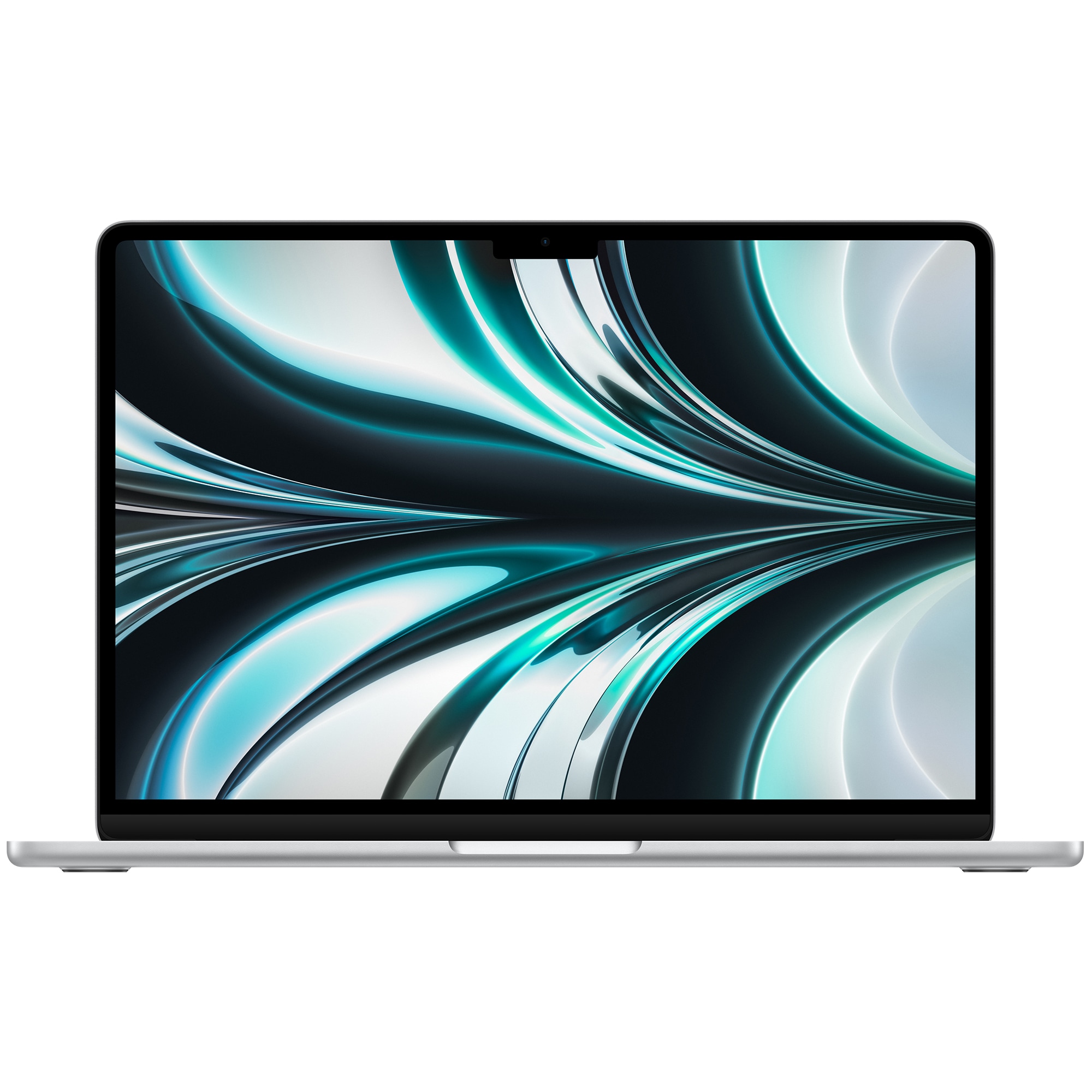



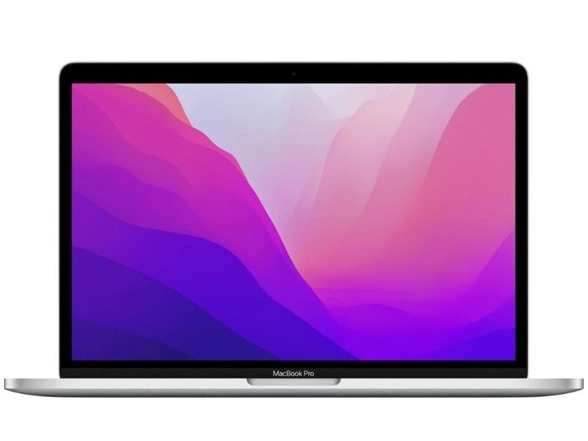
- All prices mentioned above are in United States dollar.
- This product is available at OtterBox, OWC Affiliate Program, Amazon.com, P.C. Richard & Son.
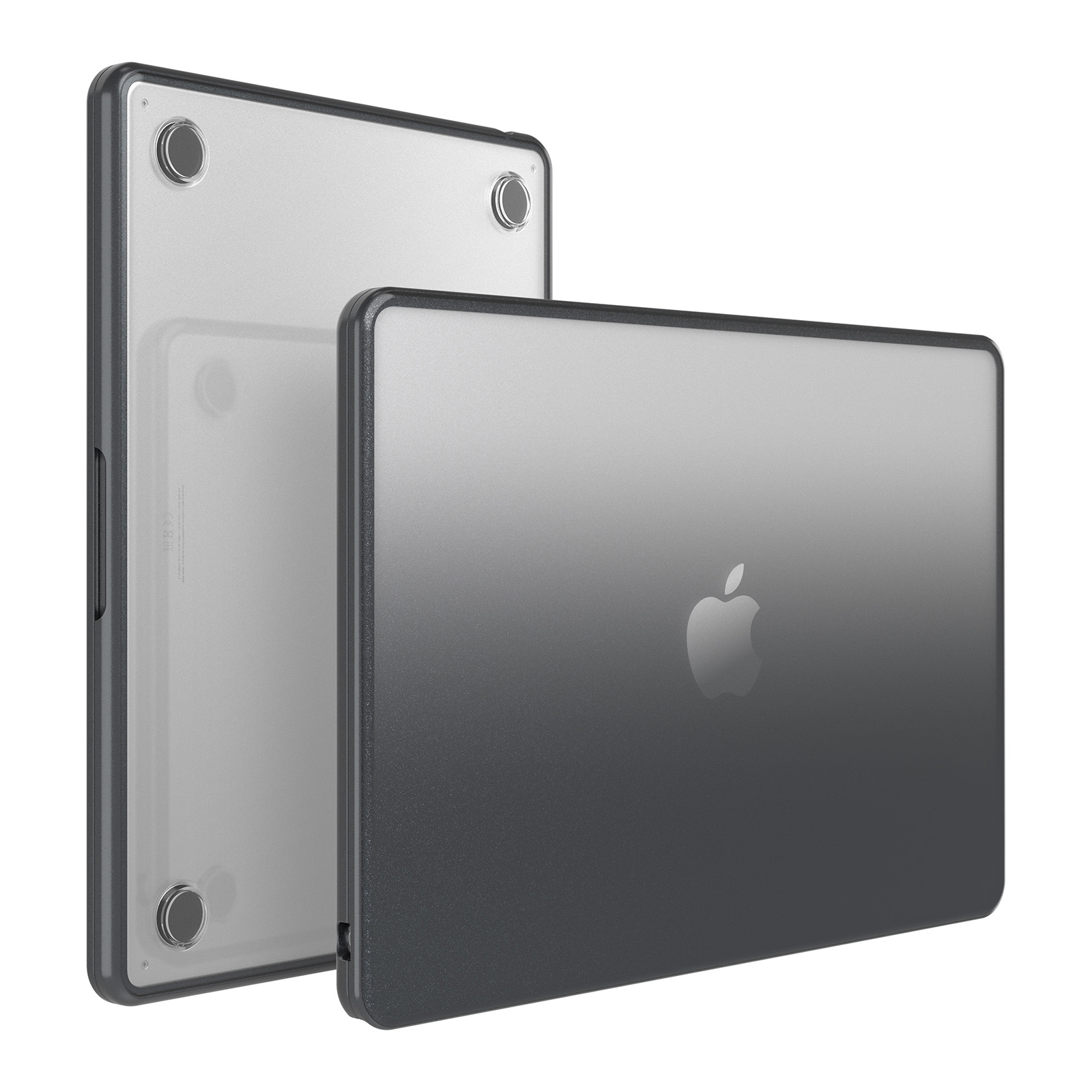
- At otterbox.com you can purchase MacBook Air (13-inch, M2, 2022) Lumen Series Case Obsidian for only $99.95 , which is 93% less than the cost in OWC Affiliate Program ($1,379.00).
- The lowest price of Apple 13 MacBook Pro Retina Touch Bar (2022) 8core Apple M2, Space Gray Used, by Apple was obtained on October 29, 2026 19:18.
Apple 2022 MacBook Air with M2 Price History
Apple 2022 MacBook Air with M2 Description
Product Description
Apple MacBook Air (M2, 2022): The Redesign That Made Fanless Feel Fast
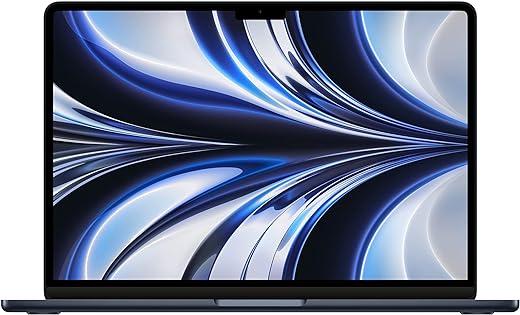
The Apple MacBook Air M2 was Apple’s first ground-up redesign of the Air in over a decade. It’s easy to see why the shape stuck around. Gone is the tapered wedge of the Intel-era Air. In its place is a flat, uniform 11.3mm slab. It weighs just 2.7 pounds — thinner and 20% smaller in volume than the model it replaced. Best of all, it’s still completely fanless.
Inside that slim body sits the Apple M2 chip, a larger 13.6-inch Liquid Retina display, and a redesigned MagSafe port. Together, they free up both Thunderbolt ports for accessories. It launched at $1,199 for the base configuration. From there, it quickly became one of the most recommended everyday laptops on the market. In fact, it held that status for years — until Apple moved the lineup to M3 and M4 chips.
Below, we break down what the MacBook Air M2 offers. We’ll also cover who it still suits today, and what to check before you buy.
A Fanless Design That Doesn’t Ask You to Compromise
Apple removed the internal fan entirely from the MacBook Air M2. Instead, it relies on the M2 chip’s efficiency to stay cool under everyday workloads. As a result, it runs completely silent. There’s no fan noise, ever — no matter how many browser tabs or apps you have open.
The redesign also brought back a full-height function row on the keyboard. It pairs a backlit Magic Keyboard with integrated Touch ID, so sign-ins and Apple Pay purchases stay fast and secure. Rounding out the input experience is a Force Touch trackpad with pressure-sensing and Multi-Touch gestures.
Charging moved to a dedicated MagSafe 3 port. That means both Thunderbolt/USB 4 ports stay free for a monitor, external drive, or dock at the same time. The previous USB-C-only MacBook Air couldn’t do that without a hub.
A Bigger, Brighter Liquid Retina Display
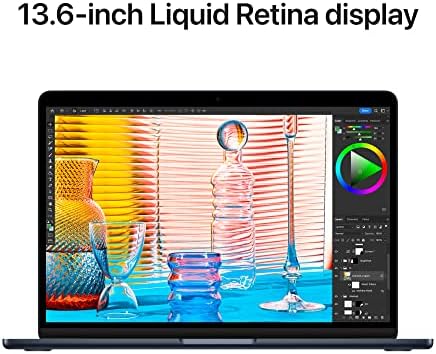
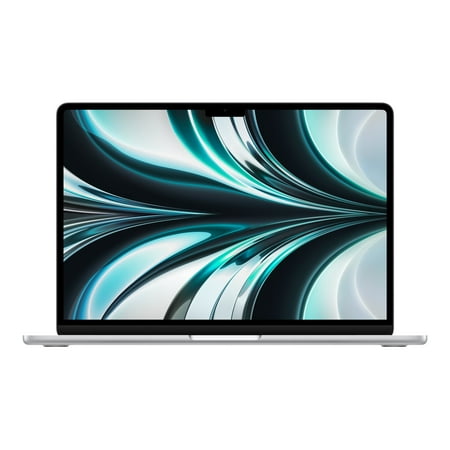
The MacBook Air M2 grew its display from 13.3 inches to 13.6 inches. It now runs at 2560-by-1664 resolution, or 224 pixels per inch. On top of that, it supports 1 billion colors and wide color (P3). True Tone rounds things out, automatically adjusting white balance to match the light around you.
Peak brightness reached 500 nits — 25% brighter than the previous-generation Air. So text and photos stay easy to read, even in a sunlit room or a bright office.
Above the display sits a 1080p FaceTime HD camera. It offers double the resolution and noticeably better low-light performance than earlier Airs. Audio gets the same treatment: a four-speaker system with Spatial Audio and Dolby Atmos, plus a three-microphone array for clearer video calls.
Apple M2: Enough Power for Real Work, Without the Fan Noise
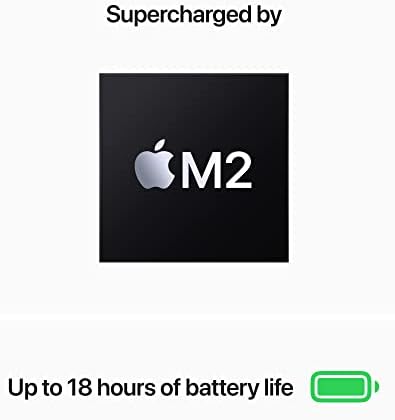
Under the hood, the MacBook Air M2 runs Apple’s second-generation Apple Silicon chip. It pairs an 8-core CPU (4 performance cores and 4 efficiency cores) with an 8-core GPU in the base configuration, or a 10-core GPU on higher-end builds. Rounding things out, a 16-core Neural Engine handles on-device machine learning, and the chip delivers 100GB/s of memory bandwidth.
Base models ship with 8GB of unified memory, configurable to 16GB or 24GB at the time of purchase. Storage starts at 256GB SSD, configurable up to 512GB, 1TB, or 2TB. However, both memory and storage are set at purchase. So it’s worth sizing them correctly upfront, rather than planning to upgrade later.
For everyday work — browsing, writing, video calls, photo editing, and light-to-moderate creative tasks — the M2 chip remains comfortably capable in 2026. And it does it all without active cooling.
Battery Life, Ports, and Everyday Reliability
Apple rates the MacBook Air M2’s 52.6-watt-hour battery at up to 18 hours of Apple TV app movie playback, or up to 15 hours of wireless web browsing. That’s enough for a full workday on a single charge, for most users. Charging happens through the MagSafe 3 port, using the included 30W or 35W USB-C power adapter. For faster top-ups, the machine also supports fast-charging with an optional 70W adapter.
Connectivity covers Wi-Fi 6 (802.11ax) and Bluetooth 5.3, alongside a 3.5mm headphone jack for wired audio. Two Thunderbolt/USB 4 ports support charging, DisplayPort output, and data transfer speeds up to 40Gb/s.
Colors and Configurations
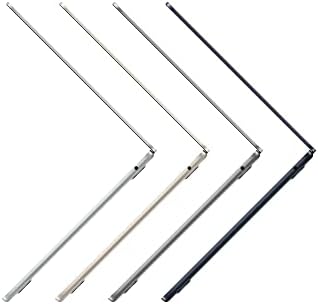
The MacBook Air M2 launched in four finishes: Midnight (a dark navy blue), Starlight (a warm, light gold-gray), Silver, and Space Gray. Midnight in particular became known for showing fingerprints more visibly than the other three colors. That’s worth knowing before you pick a finish.
The base configuration — 8-core CPU/8-core GPU, 8GB RAM, 256GB SSD — started at $1,199 in the US ($1,099 for education pricing). It became available to order on July 8, 2022, with general availability following on July 15, 2022.
Where the MacBook Air M2 Fits Today
Apple discontinued the M2 (and M3) MacBook Air from its primary lineup on March 5, 2025. In their place came new 13-inch and 15-inch MacBook Air models, built around the M4 chip. Even so, the M2 MacBook Air has continued to surface through Apple’s Refurbished store. It also remains widely available new and used through retailers and marketplaces. That’s exactly where price comparison matters most, since pricing on a superseded model can vary significantly between merchants.
Buy it if you want the redesigned fanless Air chassis, a bigger 13.6-inch display, and dependable all-day battery life. And you’ll get it all at a price well below the current M4 generation.
Consider something else if you need the latest chip generation, or plan to run demanding, sustained workloads. The same goes if you want to buy new-in-box directly from Apple — availability there is now limited to refurbished stock.
For shoppers who want a light, silent, all-day laptop without paying current-generation pricing, the MacBook Air M2 remains one of the strongest value picks in Apple’s lineup. Use Discompare to compare live prices from verified merchants. From there, track the price history and set a price alert, so you buy at exactly the right moment.
Frequently Asked Questions
Is the MacBook Air M2 still worth buying in 2026?
Yes, for the right buyer. It handles everyday work — browsing, writing, video calls, and light creative tasks — comfortably. It also runs completely silent, thanks to its fanless design, and typically costs significantly less than the current M4 generation. The main trade-off: it’s no longer Apple’s current chip generation, so it will receive fewer years of future macOS feature support than a newer Mac.
Does the MacBook Air M2 have a fan?
No. It uses a completely fanless design, relying on the M2 chip’s efficiency to stay cool. That means it runs silently at all times, with no fan noise under any workload.
How many ports does the MacBook Air M2 have?
Two Thunderbolt/USB 4 ports, a dedicated MagSafe 3 charging port, and a 3.5mm headphone jack. Charging through MagSafe leaves both Thunderbolt ports free for a monitor, external drive, or dock at the same time.
What colors is the MacBook Air M2 available in?
Four finishes: Midnight, Starlight, Silver, and Space Gray. Midnight is a dark navy blue and tends to show fingerprints more visibly than the other three colors.
How much storage and RAM do I actually need?
The base configuration ships with 8GB of unified memory and a 256GB SSD, which suits everyday browsing, writing, and streaming. If you multitask heavily, edit photos or video, or want more headroom long-term, consider 16GB of memory and 512GB of storage. Just remember: both are set at purchase and can’t be upgraded later.
What’s the battery life like on the MacBook Air M2?
Apple rates it at up to 18 hours of Apple TV app movie playback, or up to 15 hours of wireless web browsing. That comfortably covers a full workday for most users, on a single charge.
Is the MacBook Air M2 still sold new by Apple?
Apple discontinued it from its primary lineup on March 5, 2025, replacing it with new M4-based MacBook Air models. It has continued to be available through Apple’s Refurbished store. New and used units also remain widely available through retailers and marketplaces.
What replaced the MacBook Air M2?
Apple replaced the M2 and M3 MacBook Air models with new 13-inch and 15-inch MacBook Air models built on the M4 chip. These started at $999 and became available in March 2025.
Does the MacBook Air M2 support external displays?
Yes. Its two Thunderbolt/USB 4 ports support DisplayPort output for connecting an external monitor, in addition to charging and data transfer at up to 40Gb/s.
What was the original launch price of the MacBook Air M2?
It launched at $1,199 for the base configuration (8-core CPU/8-core GPU, 8GB RAM, 256GB SSD) in the US. Education pricing was $1,099. It became available to order on July 8, 2022, and shipped starting July 15, 2022.
Implementation Notes for the Catalog Team
Internal links to add (Yoast internal-linking check):
- Category:
/laptops/apple-macbook-air/ - Brand hub:
/brands/apple/ - Comparison:
/compare/macbook-air-m2-vs-macbook-air-m4/ - Related product:
/apple-macbook-air-m2-15-inch/(if carried — note: the 13-inch M2 model covered here did not have a 15-inch variant; the 15-inch Air arrived with M2 in 2023 as a separate SKU. Do not merge these two products.)
Outbound links (authority signal): Apple’s official MacBook Air (M2, 2022) technical specifications page (support.apple.com/en-us/111867); Apple Newsroom launch release (apple.com/newsroom).
Structured data: Add both Product (with offers, aggregateRating, brand, sku, gtin13) and FAQPage schema. Use Yoast’s FAQ block (not plain H3s) so the FAQPage schema emits correctly.
Attribute normalisation reminders:
- Chip attribute:
Apple M2— do not merge with the 13-inch M2 Air’s successor SKUs (M3 2024, M4 2025), which are separate products with different chips despite similar naming. - GPU core count: two distinct sub-configurations exist under the same chip name —
M2 (8-core GPU)andM2 (10-core GPU)— normalise as a separate attribute value since it affects both price and graphics performance. - Memory attribute:
8GB,16GB,24GB— configured at purchase only, not user-upgradeable; flag this as a permanent spec, not a variant that can change post-sale. - Storage attribute:
256GB,512GB,1TB,2TBSSD — same purchase-time-only caveat as memory. - Colour attribute values:
Midnight,Starlight,Silver,Space Gray— four distinct values; do not merge Midnight with generic “Blue” or “Black” used by other product lines. - Screen size attribute:
13.6-inch— critical disambiguator against the 15-inch MacBook Air (M2, 2023), which is a separate product launched a year later. Do not merge these listings. - Lifecycle status: mark this product as
Discontinued by manufacturer (superseded by MacBook Air M4, March 2025)in the internal catalog so pricing modules can flag it as a secondary-market/refurbished product rather than treating stockouts as an error. - Condition attribute: tag merchant listings clearly as
New,Apple Certified Refurbished,Refurbished (third-party), orUsed— a high-value filter now that this SKU is off Apple’s primary storefront.
Apple 2022 MacBook Air with M2 Specification
Specification: Apple 2022 MacBook Air with M2
|
Apple 2022 MacBook Air with M2 Videos

Apple 2022 MacBook Air with M2 Reviews (13)
13 reviews for Apple 2022 MacBook Air with M2
Only logged in customers who have purchased this product may leave a review.

Jay Khan –
Everything about the M2 MacBook Air is well designed and executed. This is my first Apple laptop and the display, keyboard and trackpad exceed my expectations. Battery life is good and I can get a full workday and still have 20%-30% left. Quality is superb.
HOPE –
This generation of the Apple MacBook Air is exactly what I needed. I’ve always preferred macOS over other operating systems because of the simplicity and great user experience.
I use the MacBook Air to build websites, write direct response copy and browse the web mainly. It doesn’t show any lag, and works just as intended. It has a light feel, and the dark colour is sleek and smooth.
I chose the laptop because I wanted to be able to travel and take my computer with me. Being tied to a desk is something I was getting tired of and needed to untether to be free.
Would highly recommend if you love macOS and need to travel.
Max P. –
I’ve had the Apple 2022 MacBook Air Laptop with M2 chip for a few weeks now and overall, I’m pretty happy with it. The 13.6-inch Liquid Retina Display is really nice, the colors are vibrant and the screen is super sharp. The 8GB RAM and 256GB SSD Storage are plenty for what I need, which is mostly just browsing the web, checking email, and working on documents.
The Backlit Keyboard is a nice touch, it’s really helpful when I’m working in low light. And the 1080p FaceTime HD Camera is great for video calls with family and friends.
I also like that it works seamlessly with my iPhone and iPad, it’s really convenient to be able to start something on one device and pick it up where I left off on another.
My only reason for not giving it 5 stars is that it’s a bit pricey, and I’m not sure if it’s totally worth it for what I use it for. But overall, it’s a great laptop and I’m happy with my purchase. Also, the Starlight color is really pretty, it’s a nice change from the usual silver or black.
Christina D. Harvey –
I never was a Mac fan before I got this laptop and always thought macOS would be a pain to use. But this laptop is awesome it’s pretty fast and the price is decent for an apple device. The screen is stunning and the trackpad is practically silent! It’s super lightweight and the speakers are nice too. 10/10!!!
J. RANDO –
it runs pretty good and is sleek. when it got delivered it was in great condition sealed in box. this is the best laptop (note: it isnt great for gaming, get a PC for that)
Msp1502 –
I had windows before and now I have a Mac. This is a great purchase. The laptop made a big impression on me.
The delivery: I was supposed to sign for it upon delivery and I never did. It was dropped off on my front doorstep. She caught me doing something with my hands full and wet, and I assume she had to be going to her next delivery to stay on schedule. Back to the Mac review.
The M2 Air: What can I tell you? This thing is really small. Upon taking it out of its packaging, I held it in my hands and it felt like I was holding a composition notebook, but a tad bit lighter. It does not feel like holding an envelope like it was revealed back in the first Mac Air laptop. It was like holding a windows surface laptop, except lighter. The laptop turned on on its own and I set up everything in less than half an hour. I may miss right clicking with my old windows laptop, but holding down the scrolling pad is way easier on this thing. I learned the basics, the advanced internet tips and tricks, and the essentials in less than ten minutes. I picked up on everything in less than an hour. It took me longer to choose a password than anything else. Lol. But, it was simple. It runs really smooth and I hear nothing. It’s so silent, I tapped on the mute button and it does not give out one sound from the internal system. It’s easily the best laptop out right now.
The one con I have: There are none aside from the fact that the typing on the keyboard
is about the only noise you’ll pick up. Yes, the keyboard fret buttons sound plastic and rub on them and it sounds like an eerie screeching noise. In all retrospect, I’m not about to rub the keyboard. That’s not what it’s for.
Video / Audio: I watched on Apple TV. The sound became better to my ears switching from watching an HD movie to a 4K movie. I watched The Blair Witch Project, the old film from 1999, then I put on the new Blair Witch movie that resolutes a picture of 4K and let me say that the audio on 4K sounds crispier than HD movies. I could hear the footsteps and environmental noises for full immersion. It was like I was in the movie. I watched it at night while everybody’s asleep. That movie scares the crap out of me. The picture was HD. The brightness was low. The sound was past halfway. It looked okay because Blair Witch Project has the female character video recording on an old camera. It looks like it looked the first time I watched The Blair Witch Project back in the year 2000. And I like that.
Multi-tasking / browsing / usage
Some sites like Yahoo take a while to catch up on uploading the page as I scroll further on some articles. I also encountered ads. I’ll have to use an ad-blocker. Battery life. The Mac was on for two hours and it dropped ten percent. All I did was setup and browsing. Then, I charged it by MagSafe charger. It took about less than 15 minutes to charge all the way up to 100% from 50% on first usage.
Life expectancy: The 8gb ram should run well for the next 6 to 8 years. By then you and I or whoever chose this laptop will have upgraded in the next 5 years as technology further improves.
And to size up my last thoughts… Oh yes, I used the box / case it came on as a laptop case to keep it stored at night so it won’t get dusty overnight. Simple as that. Put it back in its box. It’s brand new. You wouldn’t want to have a dirty starlight. Overall, if you have had an Apple device like a smartphone, tablet, or iPod touch back then, you’ll pick up on everything on your first go. Thanks for the read through on my review and to Amazon for this amazing machine. Farewell.
Danny –
Get product very easy to use and set everything up. Great for the price well worth the money. Battery life last a very long time and charges fast. Very light and easy to carry around.
JoeBerg –
13.6 inch screen and fast response ram, like it , thanks
Greg –
– Surprisingly fast. Three times faster (single core, using Geekbench 6) vs early 2015 MacBook Pro 13” after upgrading the MBP with a fast SSD.
– Quiet. And keyboard have sufficient depth to type. And screen is crisp. Will be great for typing, research, excel and other productivity work (though an external monitor would be the right place for excel).
– Trackpad seems to work as intuitively as the 2015 MBP 13.
– AAA games according to YT give 30-45 fps. I expect it should be fun to play older games if it’s your only computer.
– Midnight looks great. A nice change from the usual silver. Im avoiding the case route and picking up a non magnetic sleeve to protect it. I expect scratches and dents over its lifetime. Not a big deal.
– In one day, there are hardly any fingerprints on it, and they don’t bother me. I ask, are you typing on your laptop, or juggling it?
Amazinghern11 –
I’ve been using it for a couple weeks and so far I like it. I got the gray color and I love it. I had another MacBook but the battery needed to be replaced after so much use. The battery in this one lasts several days.
Porsche fan –
this Mac is the best! so responsive, light, FAST & beautiful. this is my first Mac and I can’t believe the difference between this and my other computer! I love how you can message everyone, non apple included.
Akil Nasser –
Apple products! Need I say more….
Being new to Mac……takes time becoming familiar with…..
Regardless, quality product…..
Christina D. Harvey –
It takes a few to transfer everything but it is fast and reliable and simple. Another home run for Apple 🍎!