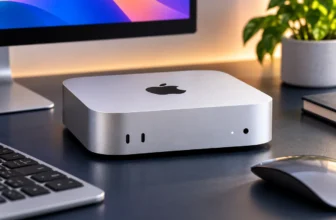
Most Affordable Laptops for Students 2026
Finding the most affordable laptops for students is not simply a matter of sorting every laptop by price and buying the cheapest one. A laptop that saves $100 today but struggles with required coursework, runs out of storage, or needs replacing after a year can be the more expensive choice in the long run.
For most students, the better approach is to start with course requirements. Check which operating systems and applications your school expects you to use, then decide how much performance, memory, storage, battery life, and portability you actually need. A high-school student working primarily in Google Classroom has very different requirements from an engineering student using CAD software or a computer-science major running development tools and virtual machines.
For this guide, we focused on affordable laptops that make sense for real student workloads rather than simply choosing the lowest sticker prices. Our five recommendations span macOS, conventional Windows, Windows on Arm, and ChromeOS, with options ranging from ultra-budget browser-first machines to stronger laptops designed to remain useful throughout several years of study.
Quick Answer: Best Affordable Laptops for Students
Best Overall Affordable: Apple MacBook Neo 13 — the strongest all-around choice for general student work thanks to its portable design, strong everyday experience, good display, webcam, and battery life.
Best Windows Value: HP OmniBook 3 16 Snapdragon — a compelling option when you want 16GB of RAM, 512GB of storage, a large display, useful ports, and long battery life at a budget-oriented price.
Best Conventional Windows Laptop Under $500: Acer Aspire Go 15 — a practical x86 Windows choice with 16GB RAM and 512GB SSD for students who want broad software compatibility.
Best Ultra-Budget / Online Learning: ASUS Chromebook CX15 — a sensible browser-first option for Google Classroom, web research, video calls, and basic schoolwork.
Best Affordable 2-in-1: Lenovo Chromebook Plus 2-in-1 Gen 10 — a flexible touchscreen convertible when available around the $400–$500 range.
Before You Buy: Check whether your course requires Windows-only software, CAD tools, virtual machines, specialized drivers, or applications that may not work fully on ChromeOS, macOS, or Windows on Arm.
How Much Should a Student Spend on a Laptop?
Most students should expect to spend roughly $300–$650 for a genuinely useful laptop. You can spend less, but compromises become more significant. You can also spend more, but the extra cost should solve a real academic requirement rather than simply buying premium hardware you may never use.
Under $300
Best for: Browser-first study.
Typical fit: Chromebooks, Google Classroom, Docs, research, email, video calls.
Watch for: Low RAM, small local storage, and limited desktop-software compatibility.
$300–$500
Best for: Core budget buyers.
Typical fit: Conventional Windows laptops and stronger Chromebooks.
Watch for: Low-end processors or major build/display compromises.
$500–$650
Best for: Long-term student value.
Typical fit: Better battery life, stronger overall usability, and 16GB Windows configurations.
Watch for: Paying extra for features your coursework does not need.
$650–$800
Best for: Selective stretch purchases.
Typical fit: Heavier coursework or unusually strong sale pricing.
Watch for: Drifting away from the purpose of an affordable student laptop.
The $500–$650 range is particularly interesting because it can deliver a large jump in usability over entry-level hardware. A student who expects to keep the laptop for several years may get better overall value by spending somewhat more upfront for stronger memory, battery life, build quality, or storage.
Before You Buy: Check Your Course Requirements
Software compatibility should come before price. Buying an inexpensive laptop is not helpful if it cannot run the applications required by your school or degree program.
Before choosing by price: Check whether your school requires Windows-only software, CAD tools, virtual machines, specialist drivers, development environments, or applications that may not work fully on ChromeOS, macOS, or Windows on Arm.
A humanities student who mainly writes essays, reads academic sources, works in a browser, and attends video calls can choose from almost any modern platform. An engineering student using SolidWorks or other specialist software may need a much more specific Windows configuration.
The same warning applies to Windows laptops using Qualcomm Snapdragon processors. Windows on Arm has improved significantly for mainstream productivity, but students who depend on legacy applications, uncommon peripherals, specialist engineering tools, or particular virtualization workflows should verify compatibility before buying.
Course requirements → OS compatibility → Budget → RAM & storage → Battery & weight → Exact laptop → Current price
Which Laptop Platform Fits Your Coursework?
| Student Type | Typical Workload | Recommended Direction | Important Warning |
|---|---|---|---|
| High School | Browser, Office, Classroom, video calls | Chromebook or budget Windows | Check school software requirements |
| Humanities | Writing, research, presentations | MacBook Neo or HP OmniBook 3 | Prioritize keyboard, battery, portability |
| Business | Excel, presentations, multitasking | HP OmniBook 3 or Acer Aspire Go | Verify any specialist Windows software |
| Online Learning | Browser, webcam, cloud apps | ASUS Chromebook CX15 or HP OmniBook 3 | Check local-app requirements |
| Computer Science | IDEs, coding, compilers, VMs | Prefer 16GB and verify architecture | Budget machines may limit VM-heavy workloads |
| Engineering | CAD, MATLAB, specialist tools | Usually stronger x86 Windows | Do not assume an ultra-budget laptop is sufficient |
| Creative Work | Adobe apps, video, graphics | Higher-performance tier | Display and memory become more important |
| Gaming / 3D | Games, rendering, GPU workloads | Dedicated-GPU laptop | Use a gaming-specific buying guide |
What Specs Do Students Actually Need?
RAM: 16GB Is the Better Windows Target
For a Windows student laptop, 16GB of RAM is the preferred target for several years of use. It gives more room for browsers with many tabs, Office apps, video calls, coding tools, and multitasking without forcing the system to rely as heavily on storage.
Eight gigabytes can still be workable on lighter systems and operating systems, but it should be treated as a compromise rather than a universally future-proof amount.
On ChromeOS, 8GB is a strong target for a student machine. Four-gigabyte Chromebooks can still handle very basic browser-first work, but the savings may not justify the reduced multitasking headroom if an 8GB model is affordable.
Storage: 256GB Is a Practical General Minimum
Students who work mainly in the cloud can survive with relatively little local storage, especially on a Chromebook. For general laptop ownership, however, more storage makes the machine easier to live with over several years.
- 128GB: reasonable mainly for cloud-first ChromeOS use.
- 256GB: a practical minimum for many general-purpose laptops.
- 512GB: preferable for Windows students storing local files, applications, media, or development tools.
Battery: Look Beyond the Manufacturer Maximum
Battery life matters more for a student than it does for many home users. A laptop may need to survive lectures, library sessions, group work, commuting, and evening study before reaching a charger.
Manufacturer battery claims are useful for comparison, but they often reflect controlled video-playback or light-use conditions. Independent battery testing is more helpful when available.
Weight: Campus Portability Matters
A laptop carried across campus every day should not be judged only by screen size. As a rough practical guide:
- around 3 lb or less: excellent for frequent carrying;
- 3–4 lb: reasonable for most students;
- over 4 lb: increasingly noticeable in a backpack.
Display: Prioritize Readability Before Premium Features
For a budget student laptop, Full HD-class resolution, usable brightness, and enough screen area for documents and split-screen work matter more than premium display technologies. A 16:10 panel can be particularly useful because the extra vertical space fits more of a document, spreadsheet, or web page.
Best Affordable Laptops for Students Compared
| Laptop | Best For | OS | RAM | Storage | Price Tier | Main Caveat |
|---|---|---|---|---|---|---|
| Apple MacBook Neo 13 | Best Overall | macOS | 8GB | 256GB+ | $500–$650 | 8GB RAM and limited ports |
| HP OmniBook 3 16 Snapdragon | Best Windows Value | Windows on Arm | 16GB | 512GB | $500–$650 | Compatibility with specialist software |
| Acer Aspire Go 15 | Best Conventional Windows Under $500 | Windows x86 | 16GB | 512GB | Under $500 | Modest processor performance |
| ASUS Chromebook CX15 | Best Ultra-Budget | ChromeOS | 8GB target | 128GB target | Under $300 | ChromeOS limitations |
| Lenovo Chromebook Plus 2-in-1 Gen 10 | Best Affordable 2-in-1 | ChromeOS | 8GB | 128GB | Best around $400–$500 | Value changes sharply with price |



Apple MacBook Neo 13 — Best Overall Affordable Student Laptop
The Apple MacBook Neo 13 is our best overall affordable student laptop because it delivers a more complete everyday experience than most machines in its price class. Its appeal is not one headline specification; it is the combination of portability, display quality, keyboard and trackpad usability, webcam quality, battery life, and enough performance for typical academic work.
The A18 Pro-based system is well suited to writing, browser research, presentations, video calls, media consumption, and general productivity. The 13-inch Liquid Retina display is compact enough for campus use while still providing a sharp workspace for documents and web pages.
The biggest compromise is memory. The Neo comes with 8GB of unified memory, which is acceptable for lighter student workloads but leaves less headroom for heavy multitasking, development environments, virtual machines, large creative projects, or more demanding professional applications.
Ports are another trade-off. Students who regularly connect HDMI displays, USB-A flash drives, SD cards, or multiple accessories may need a hub or adapter.
Best For
MacBook Neo is best for humanities, business, writing-heavy courses, general college work, research, presentations, and students who want a lightweight machine without paying for a premium MacBook Air configuration.
What to Know Before Buying
If your course requires Windows-only engineering software, specialist drivers, or software that is unavailable on macOS, choose a compatible Windows laptop instead. Students expecting demanding coding, VM, or creative workloads should also consider a system with more memory.
Pros
✅ Excellent overall usability for the price
✅ Compact and easy to carry
✅ Sharp 13-inch display
✅ Good webcam and input quality
✅ Strong choice for general coursework
Cons
❌ Only 8GB memory
❌ Limited ports
❌ Not ideal for Windows-only coursework
❌ Limited headroom for demanding professional workloads
Alternative: Choose the HP OmniBook 3 if you need Windows, 16GB RAM, more storage, and more physical ports at a similar budget level. If you like the MacBook approach but want to explore other options, see our MacBook Air M5 alternatives.
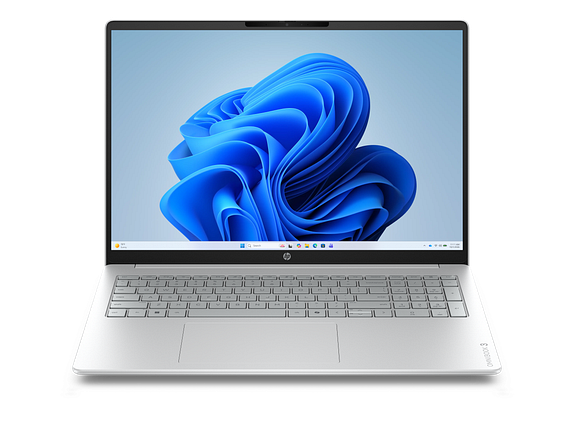
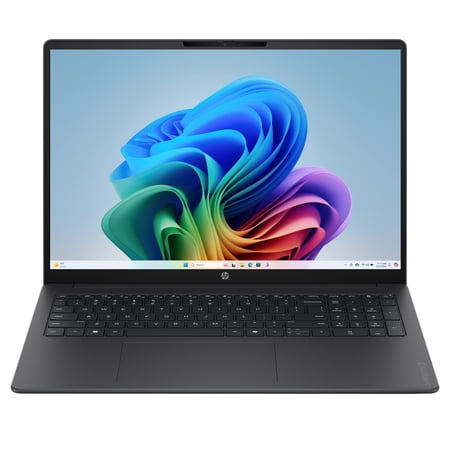
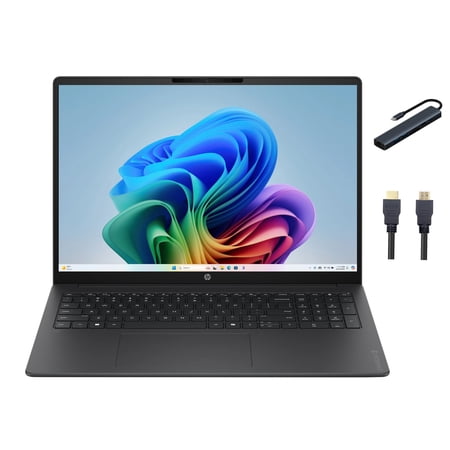
HP OmniBook 3 16 Snapdragon — Best Windows Value
The HP OmniBook 3 16 Snapdragon offers one of the strongest value propositions in the current affordable Windows market. The configuration we recommend pairs a Snapdragon X processor with 16GB of RAM and a 512GB SSD, which is considerably more comfortable for Windows multitasking than many low-cost 8GB systems.
The 16-inch 1920 × 1200 display provides useful vertical workspace for spreadsheets, documents, research, and split-screen studying. Port selection is another advantage: USB-C, USB-A, HDMI, and audio connectivity make the OmniBook more practical for presentations, flash drives, external displays, and common student accessories than many thin laptops.
Battery life is also a major strength of the Snapdragon platform. Independent review coverage has found roughly school-day-class endurance, making this a particularly attractive option for students who spend long periods away from an outlet.
The compromises are visible in the chassis and display. This is a value-oriented laptop rather than a premium one, so build materials, screen brightness, speakers, and keyboard quality are not its strongest areas.
Best For
HP OmniBook 3 is best for business students, general Windows users, spreadsheet-heavy work, remote study, multitasking, and students who want 16GB RAM and 512GB storage without moving into premium laptop pricing.
What to Know Before Buying
This is a Windows on Arm laptop. Mainstream applications such as browsers, Office tools, video-call software, and typical productivity applications are generally the strongest use cases. Students who rely on specialist engineering software, niche drivers, old Windows applications, unusual peripherals, or specific virtualization tools should verify compatibility before purchasing.
Compatibility warning: Do not assume that every Windows application works identically on Snapdragon-based Windows PCs. Check the software required by your department before choosing this laptop.
Pros
✅ 16GB RAM
✅ 512GB SSD
✅ Long battery life
✅ Useful USB-A, USB-C and HDMI connectivity
✅ Large 16:10 display
Cons
❌ Windows on Arm compatibility needs checking
❌ Display quality is functional rather than premium
❌ Plastic/value-oriented construction
❌ Larger than compact campus laptops
Alternative: Choose the Acer Aspire Go 15 if conventional x86 Windows compatibility is more important than Snapdragon battery efficiency. For additional HP-specific options, see our best HP laptops for students.
Acer Aspire Go 15 — Best Conventional Windows Laptop Under $500
The Acer Aspire Go 15 AG15-32P-30YE is the safest budget Windows recommendation in this guide for students who want conventional x86 software compatibility. Its Core 3 N355 processor is modest, but Acer pairs it with a much healthier supporting configuration: 16GB DDR5 RAM and a 512GB NVMe SSD.
That combination matters. Many inexpensive Windows laptops cut memory to 4GB or 8GB and pair it with small or slow storage. Aspire Go instead gives everyday applications more breathing room, which makes it a better fit for multiple browser tabs, Office applications, video calls, and general schoolwork.
The 15.6-inch Full HD IPS display is practical for documents and presentations, while the port selection includes two USB-A ports, two USB-C ports, and HDMI. This makes it easy to connect classroom displays and common accessories without immediately buying a hub.
The compromise is processing power. Core 3 N355 is designed for mainstream everyday workloads, not serious CAD, 3D work, gaming, heavy code compilation, or demanding creative applications.
Best For
Acer Aspire Go is best for students who need normal Windows compatibility for Office, browsing, online classes, general coursework, and lighter programming without spending beyond the core budget tier.
What to Know Before Buying
Choose this laptop for compatibility and sensible memory/storage, not raw speed. Students whose degree requires significant processing or GPU performance should move into a higher-performance class rather than expecting a sub-$500 laptop to handle workstation tasks.
Pros
✅ 16GB DDR5 RAM
✅ 512GB NVMe SSD
✅ Conventional x86 Windows compatibility
✅ Good selection of USB and HDMI ports
✅ Full HD IPS display
Cons
❌ Entry-level processor
❌ Not intended for serious graphics workloads
❌ Heavier than smaller campus laptops
❌ Basic build and design
Alternative: Choose HP OmniBook 3 if stronger battery life and everyday performance matter more and you have confirmed Windows-on-Arm compatibility.
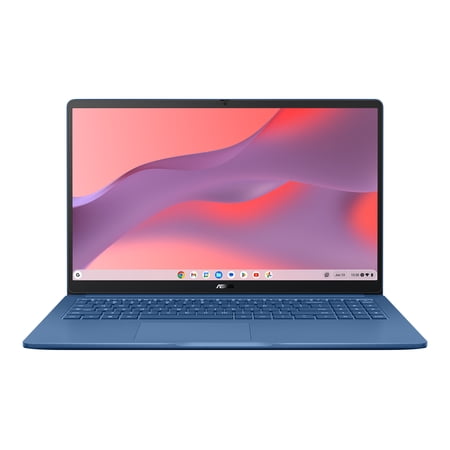
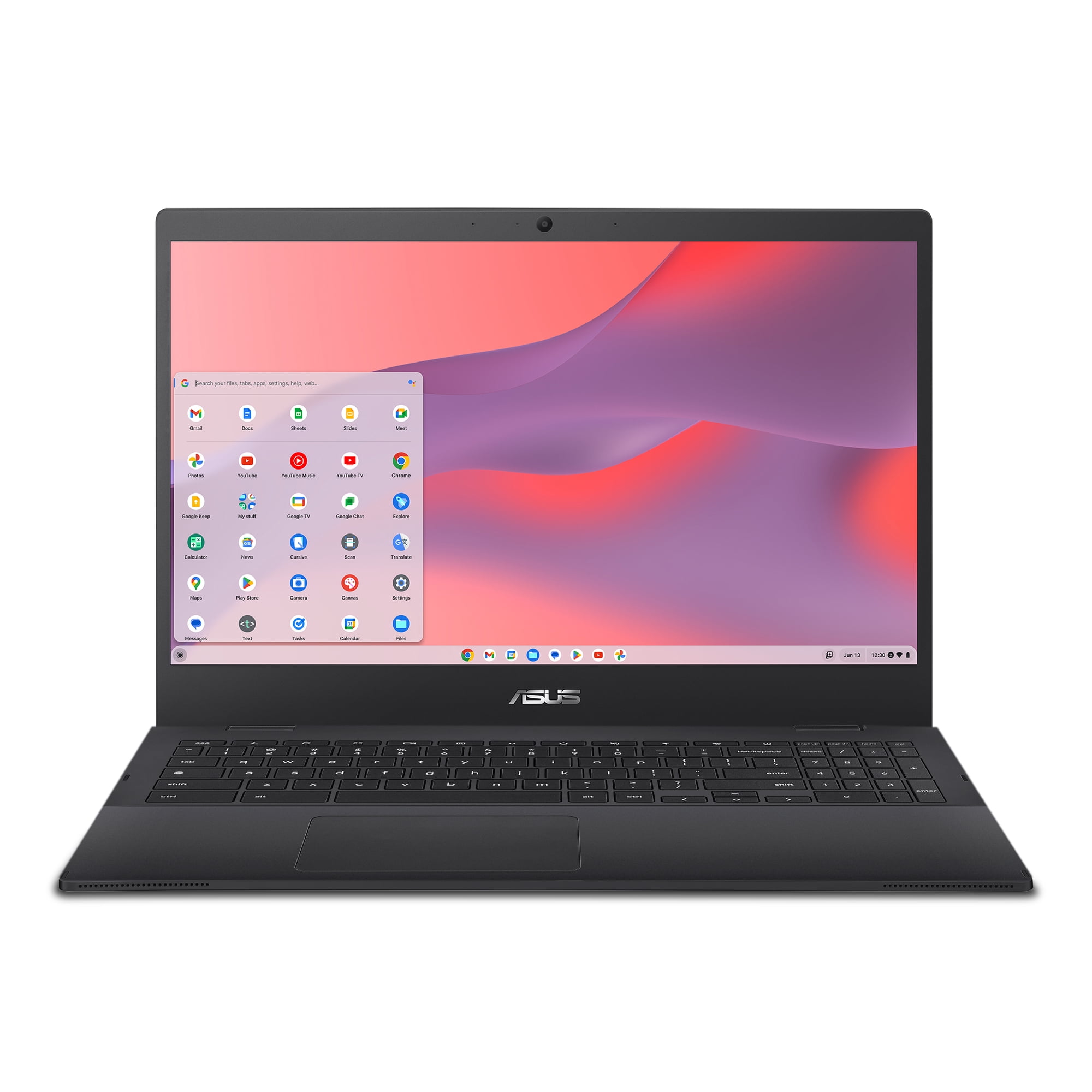
ASUS Chromebook CX15 — Best Ultra-Budget Student Laptop
The ASUS Chromebook CX15 is our preferred ultra-budget direction for students whose coursework is primarily browser-based. Rather than forcing Windows onto extremely weak low-cost hardware, ChromeOS can provide a cleaner experience for Google Classroom, Docs, Sheets, web research, email, video calls, streaming, and other cloud-first tasks.
The CX15 family is sold in several configurations, so the exact model matters. For students, we recommend targeting an 8GB RAM configuration with around 128GB storage wherever possible rather than treating a 4GB/64GB model as equivalent.
A 15.6-inch Full HD-class display gives the Chromebook enough workspace for documents and browser tabs, while Wi-Fi 6, USB-C connectivity, USB-A, HDMI, and a webcam make it practical for basic school and remote-learning use.
The reason to buy it is simplicity and price, not broad software compatibility. ChromeOS works very well for browser-first education but remains the wrong platform for many specialist Windows or macOS applications.
Best For
ASUS Chromebook CX15 is best for high-school students, Google Classroom, online learning, web research, email, video calls, basic documents, and households that need a low-cost second or school-focused computer.
What to Know Before Buying
Verify the exact SKU before ordering. The CX15 name covers multiple processors, RAM capacities, and storage configurations. If possible, choose 8GB RAM rather than 4GB for better multitasking.
Pros
✅ Genuine ultra-budget pricing
✅ Good fit for Google Workspace
✅ Simple ChromeOS maintenance
✅ Large Full HD-class display
✅ Sensible choice for browser-first students
Cons
❌ ChromeOS limits some desktop applications
❌ Multiple SKUs can make specifications confusing
❌ Not intended for demanding workloads
❌ Local storage is limited compared with Windows alternatives
Alternative: Choose the Acer Aspire Go 15 if your school requires traditional Windows applications.
Lenovo Chromebook Plus 2-in-1 Gen 10 — Best Affordable 2-in-1
The Lenovo Chromebook Plus 2-in-1 Gen 10 is the most flexible laptop in this shortlist, combining a 14-inch 1920 × 1200 touchscreen with a 360-degree hinge. That lets it function as a normal laptop, presentation device, tent-mode screen, or basic tablet-style device for reading and touch interaction.
The recommended configuration uses an Intel Core 3 N355 processor, 8GB RAM, and 128GB storage. A backlit keyboard, 5MP webcam, Wi-Fi 6E, USB-C, USB-A, HDMI, and microSD support give it a surprisingly complete feature set for a Chromebook.
Independent testing has found the laptop pleasant to use for everyday ChromeOS work, with good build quality and keyboard feel for the class. Battery life and display brightness are less impressive than the strongest premium Chromebooks, but neither is the biggest issue here.
Price is the deciding factor. This is an excellent recommendation when street pricing lands around $400–$500. When its price rises toward $600 or more, the value proposition weakens sharply because MacBook Neo and stronger Windows laptops enter the same range.
Best For
This Lenovo is best for students who specifically want touchscreen flexibility, tablet/tent modes, a comfortable Chromebook Plus experience, and a broad selection of ports without buying a premium 2-in-1 Windows laptop.
What to Know Before Buying
Do not judge this model by list price alone. Compare current retailer offers before buying. If the price is too close to MacBook Neo or 16GB Windows alternatives, the convertible design needs to be genuinely important to justify choosing it.
Pros
✅ 360-degree convertible design
✅ 14-inch touchscreen
✅ 8GB RAM
✅ Strong port selection for a Chromebook
✅ Backlit keyboard and useful webcam
Cons
❌ Value depends heavily on sale price
❌ Battery life is only moderate for a Chromebook
❌ Display brightness is not a standout
❌ ChromeOS compatibility limitations still apply
Alternative: If the Lenovo is priced above roughly $500 and you do not specifically need a touchscreen convertible, compare MacBook Neo, HP OmniBook 3, or Acer Aspire Go instead.
Which Laptop Is Best for High School Students?
ASUS Chromebook CX15 is the strongest low-cost choice for a browser-first high-school workload. It covers Google Classroom, research, documents, presentations, email, and video calls without requiring the hardware overhead of a full Windows environment.
If the school requires Windows applications, Acer Aspire Go is the safer choice. Its 16GB RAM and conventional Windows architecture give students considerably more application flexibility.
Which Laptop Is Best for College Students?
MacBook Neo is our best general-purpose college choice, but the right answer depends on course requirements.
For students who can use macOS, Neo combines portability, battery life, display quality, and everyday usability particularly well. Students who need Windows and want more RAM and storage should look at HP OmniBook 3. Students who need maximum compatibility with traditional Windows applications should consider Acer Aspire Go or a more powerful x86 Windows machine if their workload requires it.
Which Laptop Is Best for Online Learning?
ASUS Chromebook CX15 is the most affordable choice for basic online learning, while HP OmniBook 3 is better for heavier multitasking.
Online students should prioritize stable Wi-Fi, a usable webcam, battery life, and enough screen space to combine video classes with notes or web research. A Chromebook can handle this efficiently when coursework is web-based. Students who routinely run several desktop applications at once will benefit from the HP’s 16GB memory.
What About Computer Science Students?
Computer-science students should be more cautious with ultra-budget recommendations. IDEs, local development environments, Docker, compilers, and virtual machines can quickly increase memory and processor requirements.
Sixteen gigabytes of RAM is the better starting target for programming-focused students. Architecture and virtualization support also matter, which means Windows on Arm should be checked carefully against the actual course toolchain.
What About Engineering Students?
Engineering students should not automatically choose from this budget shortlist. Programs such as CAD, simulation, modeling, and specialist engineering software can require stronger processors, more memory, specific Windows compatibility, or dedicated graphics.
Check departmental recommendations first. If your workload includes GPU-intensive 3D work or gaming as well, see our Budget Gaming Laptops 2026: Top Picks rather than buying a general-purpose student laptop and hoping it can handle those tasks.
Chromebook vs Windows vs Mac for Students
Choose ChromeOS If…
Your work is mainly browser-based, your school uses Google Classroom or Google Workspace, and keeping the purchase price low is more important than running traditional desktop applications.
Choose Windows If…
You need the broadest software and peripheral compatibility. Conventional x86 Windows remains the safest direction when your department uses specialist software, though Snapdragon-based Windows laptops can offer excellent battery and value when compatibility is confirmed.
Choose macOS If…
Your required applications support macOS and you value portability, build quality, battery life, and a polished everyday user experience.
New Budget Laptop vs Refurbished Premium Laptop
A refurbished premium or business laptop can sometimes be a better student purchase than a brand-new ultra-budget laptop.
An older ThinkPad, Latitude, EliteBook, or MacBook may offer a better chassis, keyboard, display, repairability, or overall experience than a very cheap new laptop at the same price.
But refurbished buying introduces variables that a new-product roundup cannot standardize:
- battery health,
- cosmetic condition,
- seller grading,
- warranty length,
- processor generation,
- repair history,
- and remaining software-support life.
That is why refurbished laptops are worth considering but are not mixed directly into our five main recommendations.
Is a Laptop Under $300 Good Enough for Students?
Yes, a laptop under $300 can be good enough for students when the workload is genuinely basic and browser-first.
This price range makes the most sense for ChromeOS, where modest hardware can still provide a good experience for Google Classroom, documents, browser research, email, and video calls.
A sub-$300 laptop is much less convincing when you need traditional Windows applications, heavy multitasking, development tools, large local storage, or several years of increasingly demanding college work.
Should Students Buy a Laptop Under $500?
Yes. A laptop under $500 can be an excellent student purchase if it avoids the common low-end compromises.
Look for:
- 16GB RAM on Windows when possible,
- 8GB RAM on ChromeOS where the budget allows,
- SSD storage on Windows,
- a Full HD-class display,
- enough battery for a normal school day,
- and an operating system compatible with required coursework.
The Acer Aspire Go 15 demonstrates why this tier can work: the processor is modest, but 16GB RAM, 512GB storage, and conventional Windows compatibility create a much more sensible student configuration than many cheaper Windows systems.
What Are the Best Lightweight Laptops for Students?
MacBook Neo is the strongest portability choice among our five recommendations. Its smaller 13-inch chassis is easier to carry than the larger 15- and 16-inch alternatives.
Students who move between classrooms all day should also consider charger size and battery life. A heavier laptop with mediocre battery may effectively add both the laptop and its charger to your backpack every day.
When Is It Worth Spending More?
Spending beyond the affordable range makes sense when the extra money solves a specific academic problem.
Consider moving up a tier if you need:
- 32GB RAM,
- dedicated graphics,
- a faster processor for large code projects,
- virtual machines,
- CAD or engineering applications,
- professional video or photo workflows,
- or substantially better display quality.
Students who specifically want Dell hardware can explore our Best Dell Laptops for Work & Study in 2026. Buyers interested in stronger Apple-style alternatives can also compare our MacBook Air M5 alternatives.
Avoid False Economy: Cheap Is Not Always Affordable
A low purchase price is only one part of affordability.
A $220 laptop that feels slow after a year, cannot run required software, needs an external drive immediately, or has to be replaced early may cost more overall than a $500–$600 laptop that handles coursework comfortably for several years.
Price → Compatibility → Performance → Battery → Build → Expected useful life
This is the reason our rankings do not automatically reward the cheapest product. The goal is to find the lowest-cost machine that still makes sense for the student using it.
How We Chose These Affordable Student Laptops
We selected these laptops by comparing current manufacturer specifications, independent performance and battery testing where available, current market positioning, software compatibility, memory, storage, display quality, portability, ports, webcam capability, and practical student workloads.
We also considered how each product fits a distinct purchasing role. The five recommendations are not simply five similar laptops from different brands: they represent a general-purpose Mac, a high-value Windows-on-Arm system, a conventional x86 Windows option, an ultra-budget Chromebook, and an affordable touchscreen convertible.
Products were not chosen simply because they were the cheapest available, and we do not claim to have performed hands-on laboratory testing on every laptop in this guide.
Affordable Laptops for Students FAQ
What is the best affordable laptop for students?
Apple MacBook Neo is our best overall affordable laptop for general student use because it combines portability, display quality, battery life, webcam quality, and everyday usability particularly well. Students who need Windows should consider HP OmniBook 3 or Acer Aspire Go instead.
How much should a student spend on a laptop?
Most students should budget roughly $300–$650. Under $300 works best for browser-first Chromebooks, $300–$500 is the core budget range, and $500–$650 often provides stronger long-term value.
Is 8GB RAM enough for a student laptop?
Eight gigabytes can be enough for lighter coursework, browser use, writing, and general productivity, but 16GB is the better Windows target for multitasking and several years of use.
Is 16GB RAM worth it for college?
Yes. For Windows users, 16GB provides useful headroom for multiple browser tabs, Office applications, video calls, coding tools, and future coursework without adding unnecessary premium-level cost.
Is a Chromebook good enough for college?
A Chromebook can be excellent for browser-first college work, Google Workspace, research, and online classes. It is a poor choice if required coursework depends on Windows- or macOS-only applications.
Is a laptop under $500 good enough for students?
Yes. A sub-$500 laptop can be a strong student purchase if it has enough memory and storage and runs the software required by the course. Acer Aspire Go shows that 16GB RAM and 512GB storage can exist in this price class.
Is a $300 laptop good enough for school?
Yes for basic browser-first workloads. At this price, a Chromebook is often more sensible than a very low-end Windows machine for Google Classroom, documents, email, research, and video calls.
Which is better for students, Windows or Mac?
Windows provides broader software and peripheral compatibility, while macOS can provide an excellent everyday experience when required course applications support it. Course requirements should decide the platform before brand preference.
Are Windows on Arm laptops good for students?
They can be excellent for mainstream productivity because of strong battery efficiency and value, but students should verify compatibility with specialist applications, legacy software, drivers, peripherals, and virtualization tools before buying.
How much laptop storage does a student need?
128GB can work for cloud-first ChromeOS, 256GB is a practical minimum for many general laptops, and 512GB is preferable for Windows users who want more room for applications and local files.
What is the best laptop for online learning?
ASUS Chromebook CX15 is a strong low-cost option for browser-first online learning. HP OmniBook 3 is better for students who need heavier multitasking, more storage, or a fuller Windows environment.
Should students buy refurbished laptops?
Refurbished laptops can offer excellent value when an older premium or business model provides better build quality than a new ultra-budget machine. Battery health, seller grading, warranty, age, and software-support life should be checked carefully.
Final Verdict: Which Affordable Student Laptop Should You Buy?
The Apple MacBook Neo 13 is our best overall affordable student laptop for general coursework. It provides the strongest balance of portability, display quality, battery life, webcam quality, and everyday usability for students who do not require Windows-only applications.
HP OmniBook 3 is the better Windows value for students who want 16GB RAM, 512GB storage, more ports, and long battery life, provided their required software is compatible with Windows on Arm.
Acer Aspire Go 15 is the safer conventional Windows choice under $500 when software compatibility matters more than premium design or maximum battery life.
ASUS Chromebook CX15 is our ultra-budget choice for browser-first schoolwork, while the Lenovo Chromebook Plus 2-in-1 Gen 10 is the better fit for students who specifically want a touchscreen convertible and can find it at a sensible sale price.
✓ Best Overall Affordable: Apple MacBook Neo 13
✓ Best Windows Value: HP OmniBook 3 16 Snapdragon
✓ Best Conventional Windows Under $500: Acer Aspire Go 15
✓ Best Ultra-Budget / Online Learning: ASUS Chromebook CX15
✓ Best Affordable 2-in-1: Lenovo Chromebook Plus 2-in-1 Gen 10
The main rule is simple: the best affordable student laptop is the cheapest machine that safely meets your course requirements—not simply the cheapest laptop in the store.
Final Student Laptop Checklist
✓ Check the software required by your course.
✓ Choose a compatible operating system and processor architecture.
✓ Prefer 16GB RAM for Windows when the budget allows.
✓ Prefer 8GB RAM on ChromeOS for better multitasking.
✓ Aim for at least 256GB storage on a general-purpose laptop.
✓ Compare real battery life and weight, not just headline specifications.
✓ Check current retailer pricing before buying.
✓ Do not pay for extra performance unless your coursework will actually use it.
Sources
- Apple — official MacBook Neo specifications and configuration information.
- HP — official OmniBook 3 specifications and configuration information.
- Acer — official Aspire Go 15 AG15-32P-30YE specifications.
- ASUS — official Chromebook CX15 configuration and specification information.
- Lenovo — official Chromebook Plus 2-in-1 Gen 10 specifications and warranty information.
- RTINGS — independent MacBook Neo productivity, display, portability, and battery analysis.
- WIRED and The Verge — current HP OmniBook 3 pricing, usability, and battery context.
- Tom’s Guide — current Chromebook and Lenovo Chromebook Plus 2-in-1 testing and pricing context.
- PCWorld — independent budget-laptop and battery-performance context used during product research.
Product Groups: Apple MacBook Neo 13, HP OmniBook 3 16 Snapdragon, Acer Aspire Go 15 AG15-32P-30YE, ASUS Chromebook CX15, Lenovo Chromebook Plus 2-in-1 Gen 10