
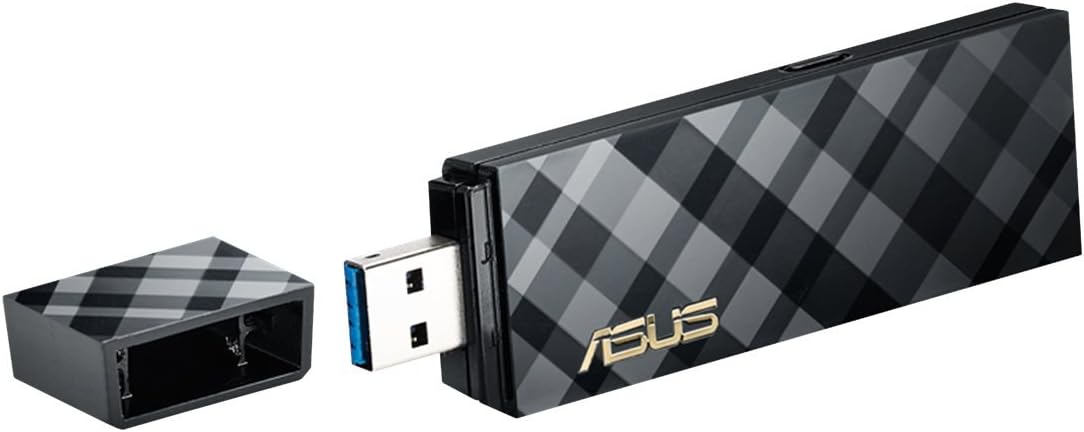
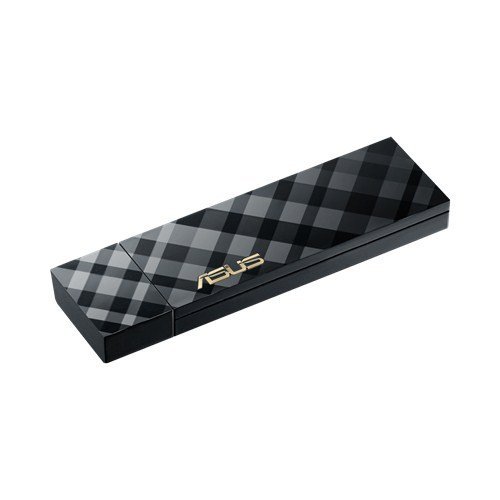
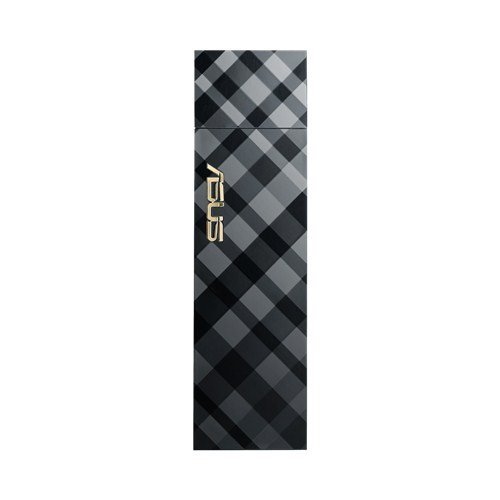
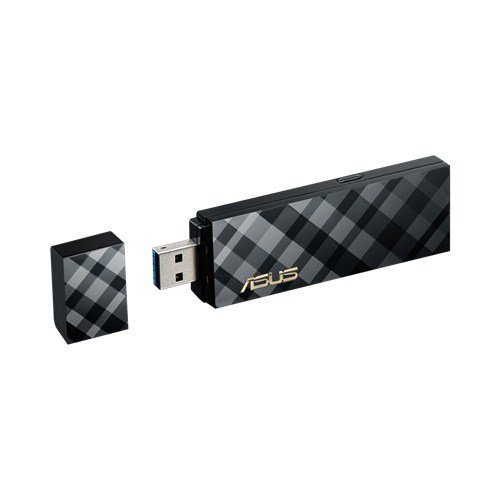
ASUS Dual-Band Wireless-AC1300 USB Adapter (USB-AC55)
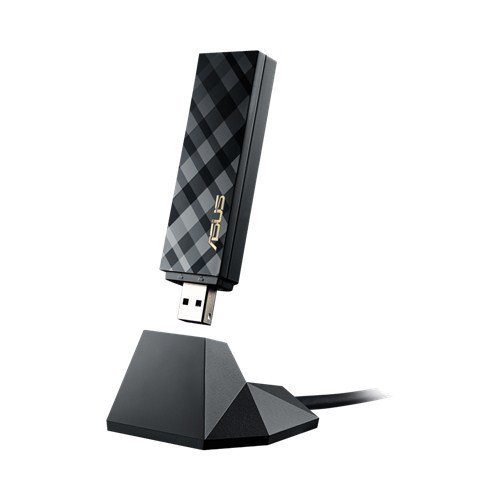
$19.00
ASUS Dual-Band Wireless-AC1300 USB Adapter (USB-AC55) Price comparison

- All prices mentioned above are in United States dollar.
- This product is available at Amazon.com.
- At amazon.com you can purchase ASUS USB-AC55 Dual-Band Wireless-AC1300 USB 3.0 Wi-Fi Adapter (USB-AC55) for only $19.00
- The lowest price of ASUS USB-AC55 Dual-Band Wireless-AC1300 USB 3.0 Wi-Fi Adapter (USB-AC55) was obtained on September 24, 2025 03:59.
ASUS Dual-Band Wireless-AC1300 USB Adapter (USB-AC55) Price History
ASUS Dual-Band Wireless-AC1300 USB Adapter (USB-AC55) Description
ASUS Dual-Band Wireless-AC1300 USB Adapter (USB-AC55): Enhance Your Connectivity
If you’re looking for a reliable and high-performance solution to boost your internet speed, the ASUS Dual-Band Wireless-AC1300 USB Adapter (USB-AC55) is the perfect choice. This USB adapter offers cutting-edge dual-band technology, ensuring seamless connectivity for all your devices. With support for the latest wireless standards, this adapter is designed to elevate your online experience, whether you’re gaming, streaming, or browsing.
Key Features and Benefits of ASUS USB-AC55
- Dual-Band Connectivity: Operates on both 5GHz and 2.4GHz bands, allowing you to choose the best frequency for your needs. The 5GHz band is perfect for high-speed tasks, while the 2.4GHz band offers a longer range.
- 802.11ac Technology: This adapter utilizes the latest 802.11ac standard, providing speeds of up to 1300 Mbps. Experience fast downloads and smooth streaming without interruptions.
- Versatile Compatibility: Compatible with various operating systems, including Windows 8, 7, XP, Vista, 2003, as well as Android devices. The adaptability ensures you can use it with nearly any modern device.
- Compact Design: The USB-AC55 is lightweight at just 7.1 ounces and has compact dimensions of 7.3 x 5.7 x 2.2 inches. Easily carry it in your laptop bag for on-the-go connectivity.
- Easy Installation: Plug-and-play functionality allows for quick and easy installation without complicated setup processes. Start using it within minutes.
Price Comparison Across Suppliers
When it comes to pricing for the ASUS Dual-Band Wireless-AC1300 USB Adapter, you’ll find competitive options across various retailers. Prices typically range from $39.99 to $59.99, depending on the supplier. Our website makes it easy to find the best deal, ensuring you get the most value for your investment.
6-Month Price History Trends
Reviewing the 6-month price history chart, you can see some interesting trends. Prices have fluctuated slightly but have remained consistent overall, with a gradual decrease during major sales events. This historical insight allows you to make an informed purchasing decision, ensuring you buy at the right time.
Summaries of Customer Reviews: Honest Feedback
Customers have largely praised the ASUS USB-AC55 for its reliability and performance. Many users appreciate the high-speed connectivity, especially in gaming and streaming scenarios. They have noted its ability to maintain a strong signal even at a distance from the router. Positive reviews frequently highlight the easy setup process, with plug-and-play simplicity being a favorite feature among buyers.
However, some users have reported occasional compatibility issues with older devices. While most modern PCs operate seamlessly with this adapter, those using outdated systems may experience limited functionality. Despite this drawback, the majority of reviews underline the adapter’s strong performance and reliability.
Explore Unboxing and Review Videos
For those looking to see the ASUS Dual-Band Wireless-AC1300 USB Adapter in action, numerous unboxing and review videos are available online. These videos provide firsthand insights into the product’s performance, installation process, and overall user experience. Watching these reviews can help you gauge how well the adapter meets your specific needs and expectations.
Overall, the ASUS Dual-Band Wireless-AC1300 USB Adapter (USB-AC55) is an excellent choice for anyone looking to upgrade their internet connectivity. With its dual-band capabilities, cutting-edge technology, and ease of use, this adapter stands out in the crowded market of USB wireless adapters. Whether you’re using it for gaming, streaming, or regular browsing, you can trust that this device will enhance your overall experience.
Compare prices now! Discover the best offers available and start enjoying improved internet connectivity today!
ASUS Dual-Band Wireless-AC1300 USB Adapter (USB-AC55) Specification
Specification: ASUS Dual-Band Wireless-AC1300 USB Adapter (USB-AC55)
|
ASUS Dual-Band Wireless-AC1300 USB Adapter (USB-AC55) Reviews (11)
11 reviews for ASUS Dual-Band Wireless-AC1300 USB Adapter (USB-AC55)
Only logged in customers who have purchased this product may leave a review.





Khaledra –
Bought this when the Wi-Fi adapter in my laptop started to quit intermittently. This works very well and I love that I can place it anywhere (cable is about 3 feet long) and not have it just sticking out of a USB port, thanks to the dock. Been using it for over a month with no issues related to this adapter (my ISP sucks but that’s not the fault of this adapter). It was a little larger than I was expecting, but it’s not huge, just 4-5 inches long approx. Would definitely recommend this!
TexasTea –
I rated this product 4 stars because I do like it but….
For some odd reason, the workstation in which this adapter was installed does not work as well as it should. I do not blame the product but more the software included with the product. I might also add that the motherboard this was attached to is also an Asus brand Z87i+ board. Yes, that board includes an AC WiFi daughter card. The daughter card that came with the Asus motherboard did not perform as well as this ASUS USB-AC55 Wireless. The daughter card was removed along with the software it required.
So in brief, this did work better but not as well as an Intel AC 7620 that is installed in the workstation right next to it. Why is this? There are a number of reasons why, but the primary reason is the wonky software package that comes with the adapter, and yes you have to install the software package to get the full benefit of the adapter.
At present I am getting only 49% to 60% of my “wired” internet speed, even though the software says differently, and yes, it is using the better of the two channels to increase speed. Constant channel changes also impede work online. According to Asus, this is not supposed to happen, and of course it is all my fault for removing the daughter card and using a different Asus adapter. Go figure!
The bottom line is, the product is good, but is limited to application. Best be sure before you buy.
Dead Things –
Coupled with my ASUS AC-RT68U, I consistently get the max rated transfer speeds for this unit. And that’s important when trying to stream 4K content wirelessly. No wonky driver problems or random disconnects.
Derek –
Complete trash. Cannot hold a stable connection and is extremely inconsistent. Tried changing the settings, reconnecting, using a Usb 3.0 port, etc. My laptop holds a perfectly stable connection and speedtest is perfectly consistent, while my desktop on this adaptor has a speedtest that looks like Goku’s spiky hair. If this is the type of product ASUS would dare to put out for their customers, I don’t think I am ever buying or using any product of ASUS’ ever again.
Brett –
Purchased for use with a brand new computer running 8.1. Initially seemed to work fine, but I started noticing suspicious behavior – slow downloading, corrupt downloads, and substantial packet loss (1% – 5% when pinging google.com).
After reading some other reviews online, I began to suspect the adapter was the problem. I switched to an earlier model (AC-53) and everything has been fine since.
Don’t buy this product.
Jordan Shaw –
It’s not the most advanced and likes to drop occasionally. Seemed to stabilize but you need to use the integrated software to get usability out of it. Bought it fully conscious I wasn’t plunking down $120 for an internal tri-band solution (which I would recommend if you can). Just needed wireless in my new place since no solid cable drop to the office and this does the trick. Averages 350mbps connection through a couple walls – so don’t expect a speedster for large file transfers.
Zack –
Works excellently. Modular design to separate stand from stick is a nice touch. Attractive aesthetically. Speedy and strong connection.
Big Daddy –
Been using two of these wireless adapters – one for almost 3 years and the other for 2.5 years with no issues. Like any wireless adapter, if you try customizing and over tweaking the settings on all your network devices or using a mixture of all kinds of routers, adapters and switches on your network, you can convince yourself into thinking this wireless adapter is a dud and the cause of all your problems. Unless you received a lemon, there is nothing inherently wrong with this adapter. My setup: two
ASUS USB-AC55 Dual-Band Wireless-AC1300 USB, two Dish Network 179048 Wifi Adapter Kit Dual Band 802.11N, two Asus (USB-AC56) Dual-band Wireless-AC1300 USB 3.0 Wi-Fi Adapter, and one ASUS (RT-AC68) Wireless-AC1900 Dual-Band Gigabit Router. Everything works like a charm including 4 years on the router.
Dawn Frutchey –
I bought to fill the spot of a standard Ethernet connection as it is not possible for my new PC to reach the router.
From the get-go, I have had nothing but issues with this device. I will cover pro’s and cons still, however.
I have owned this adapter for just shy of a month, however it has been put through years worth of windows updates.
Pros:
-Looks. Has a ‘Carbon Fiber’ pattern to it, low profile black.
-Easy to set up. I have no disk drive, but the drivers are available readily from ASUS’s site. +1 *
-Status indicator light is accurate to activity.
-USB 3.0
-Range is impressive, however with the issues I have had, connectivity at two feet or 60 feet really doesn’t matter. +1 *
Cons:
– #1 Have a W8 upgrade key (go from 7 to 8 to 8.1). With the correct driver each time, it failed to update. Forced me to roll back on two occasions, which cost several hours of time. – 1 *
– #2 High latency and packet loss. I have had up to 5% packet loss with this adapter, which is unacceptable. – 1 *
– #3 ASUS wifi controller tends to crash. Also tries to force their USB 3.0 driver on you as the user if you opt out of installing it. – 1 *
In depth descriptions of issues listed above:
#1 – Updating windows will result in failure to update, the first time it occurred, I presumed I was installing too many at once. Failed to install even at one to five updates at a time. Occurred during updates for W8 – Forced me to roll back to W8 pre-updates. Second occurrence going from W8 to W8.1, rolled me back to 8 pre-update.
Fix is to remove adapter for each update you install, restart, plug back in. All 107 of them.
#2 – Discovered the atrocious packet loss that comes with this device. WILL affect streaming Netflix as well as gaming. Drops every minute or so. Have attempted every fix possible; USB 3 ports, USB 2 ports, reinstalling driver, running in legacy for W7 (which will crash you by the way). Thought maybe the ASUS controller would fix this, nope.
#3 – ASUS controller is a joke. Crashed almost every time I used it, ping feature does not work properly. Will whine to install some third party USB driver. No. Will not run in legacy whatsoever. Ran significantly worse than the MS controller, which is impressive I suppose. No change even at two feet from the router versus 60 feet away.
Tl;dr friendly version:
-High HIGH latency with this device. Packet loss will affect streaming, and make online games impossible to play without irritation. Loss of Star for this.
-Range to connectivity is impressive. Star for this.
-Does not play well with Windows update. Loss of Star for this.
-Drivers are readily and easily accessible from ASUS’s site. Star for this.
-ASUS controller does not play well with anything. Loss of star for this.
Bottom line: I went through a lot of effort to try and make this work for me, and I couldn’t get it there. Perhaps I received a defective card, however this was the one and only chance I will give a USB wireless card. I would suggest searching elsewhere; or going for a PCI Express card.
M. Shin –
It took me 5 minutes to make it work.
Good speed, better than power line LAN.
I have to say it is at least three times faster than power line LAN.
My be the location, both modem and Wireless-AC1300 is at first floor.
Power line LAN is linked to second floor.
mks –
Works way better than the built-in wifi on my laptop. I get better range and less loss of connection with this device. I guess I could just have a really bad wifi device on my laptop. I also have a ASUS router, so I don’t know if the better connection is because both devices are from the same brand. Regardless, it works well for me. It comes with a little stand that’s weighted, so it doesn’t move around too much. Using the device with Windows 10 and ASUS drivers. It does do some “configuring of USB port” when starting up, so it takes maybe 10-20 seconds before it sets up a stable wifi connection. Not sure if that’s due to my laptop or it’ll do this for everyone.