
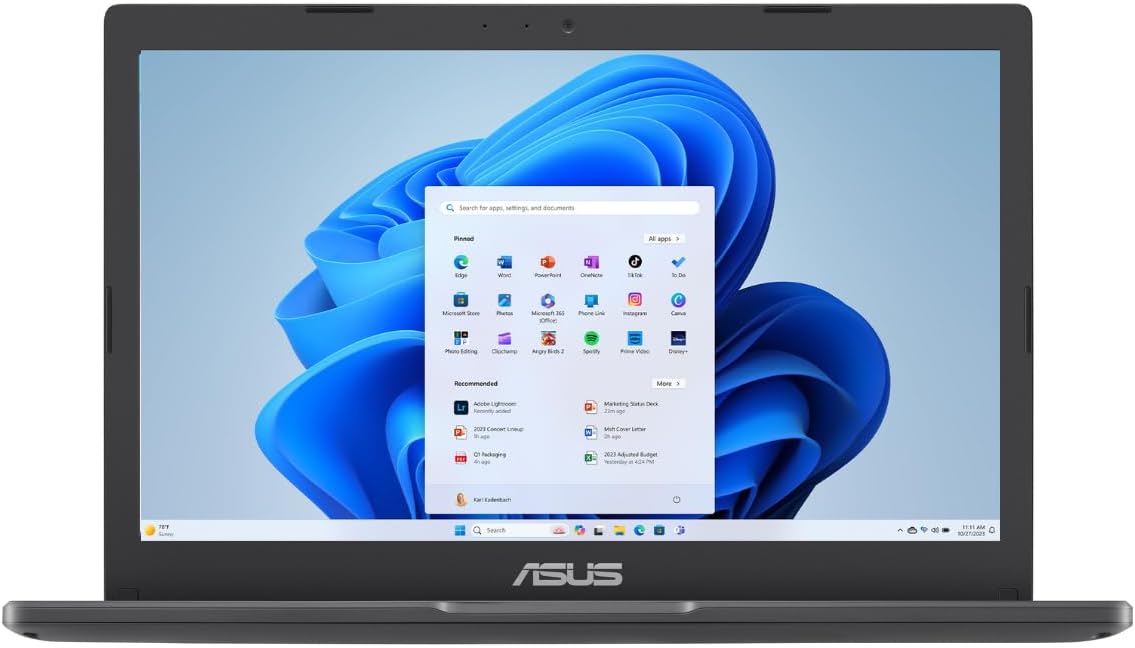
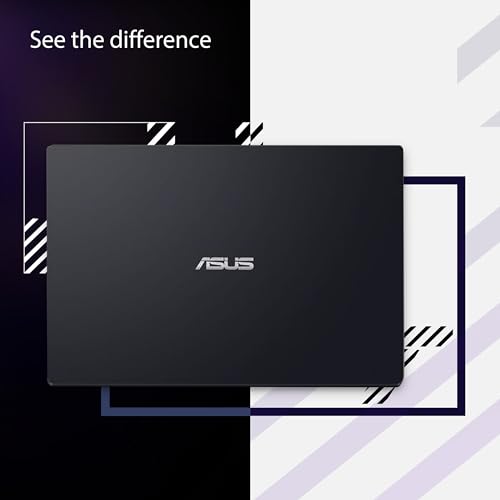
ASUS Vivobook 11.6” HD Laptop, L210KA-ES04
ASUS Vivobook 11.6” HD Laptop, L210KA-ES04 Price comparison

- All prices mentioned above are in United States dollar.
- This product is available at Amazon.com.
- At amazon.com you can purchase ASUS 2024 Vivobook Go 11.6” HD Laptop, Intel Celeron N4500, Intel Graphics, 4GB, 128GB, Windows 11 Home in S Mode, Star Black, L210KA-ES04 for only $240.54
- The lowest price of ASUS 2024 Vivobook Go 11.6” HD Laptop, Intel Celeron N4500, Intel Graphics, 4GB, 128GB, Windows 11 Home in S Mode, Star Black, L210KA-ES04 was obtained on September 24, 2025 12:17.
ASUS Vivobook 11.6” HD Laptop, L210KA-ES04 Price History
ASUS Vivobook 11.6” HD Laptop, L210KA-ES04 Description
ASUS Vivobook 11.6” HD Laptop, L210KA-ES04 – The Perfect Everyday Companion
The ASUS Vivobook 11.6” HD Laptop, L210KA-ES04 combines style, portability, and performance for all your everyday computing needs. With its lightweight design and powerful components, this laptop is perfect for students, professionals, and anyone looking for a reliable machine that doesn’t compromise on performance. Explore how the Vivobook stands out in price comparisons and customer reviews for a value-packed purchase.
Key Features of the ASUS Vivobook L210KA-ES04
- Compact Display: Featuring an 11.6-inch HD display with a resolution of 1366 x 768 pixels, this laptop delivers crisp visuals while maintaining a compact form factor.
- Powerful Processor: Powered by a 2.8 GHz Intel Celeron processor, the Vivobook allows for multitasking and smooth operation, whether you are browsing, streaming, or working on documents.
- Ample RAM and Storage: With 4GB of DDR4 RAM and a 128 GB SSD, experience fast boot times and quick access to files and applications without any lag.
- Integrated Graphics: The laptop features Intel HD Graphics, making it suitable for light photo editing, streaming videos, and more without extra hardware requirements.
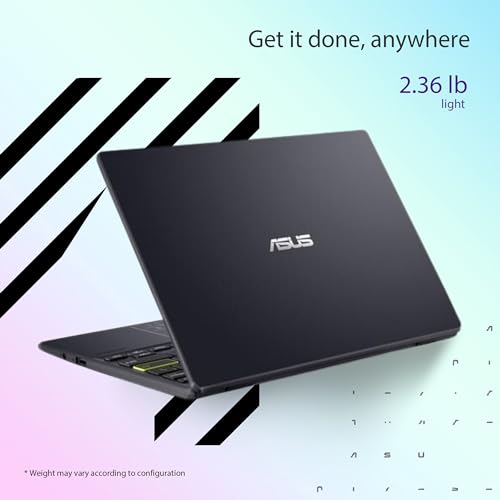
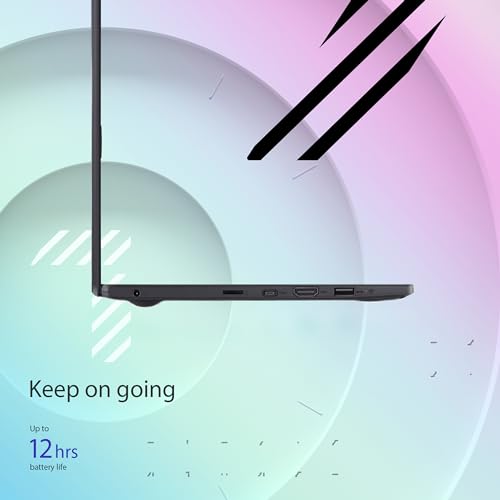
- Lightweight Design: Weighing only 3.65 pounds and measuring 10.98 x 0.67 x 7.52 inches, it is easy to carry around for work, school, or travel.
- Windows 11 Home: Pre-installed with the latest operating system, enjoy advanced features and improved user experience right out of the box.
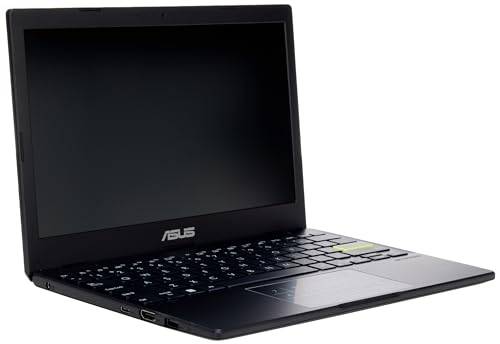
- Flexible Connectivity: With 2 USB 3.0 ports and Bluetooth connectivity, transfer files quickly and connect to various devices without hassle.
Price Comparison and Trends
When it comes to finding the best deal, the ASUS Vivobook L210KA-ES04 is competitively priced across various suppliers. Over the last six months, our price history chart has shown a steady price range, providing buyers an excellent opportunity to snag this laptop at a reasonable cost. Prices have trended slightly downward recently, making it an advantageous time to purchase.
Customer Reviews: The Good and the Bad
Customers have highlighted several positive aspects of the ASUS Vivobook 11.6” Laptop, including its portability and adequate performance for basic tasks. Users appreciate its comfortable keyboard and responsive touchpad, making typing and navigation a breeze.
However, some reviews do mention drawbacks. Users have noted that the limited RAM may restrict performance for more intensive tasks, and the screen resolution is not optimal for high-end graphics work or gaming. Overall, the majority of users agree that this laptop represents great value for light use.
Explore Unboxing and Review Videos
To better understand what the ASUS Vivobook L210KA-ES04 has to offer, consider checking out related unboxing and review videos available online. These visuals provide a firsthand look at the laptop’s design, setup process, and functionality, aiding in your buying decision.
Get Your ASUS Vivobook L210KA-ES04 Today!
Whether you need a laptop for school, work, or casual browsing, the ASUS Vivobook 11.6” HD Laptop is a solid choice. With its balance of performance and portability, it can meet your everyday computing needs effectively. Don’t miss out on comparing prices across suppliers to find the best deal!
Compare prices now!
ASUS Vivobook 11.6” HD Laptop, L210KA-ES04 Specification
Specification: ASUS Vivobook 11.6” HD Laptop, L210KA-ES04
|
ASUS Vivobook 11.6” HD Laptop, L210KA-ES04 Reviews (13)
13 reviews for ASUS Vivobook 11.6” HD Laptop, L210KA-ES04
Only logged in customers who have purchased this product may leave a review.
Related Products






JDC –
Very inexpensive PC but with lots of features and capabilities for the money. I wanted a compact PC to replace obsolete Surface Pro2, and this fits the bill. More I/O ports than in product description including audio and HDMI. Comes with Windows11. One negative is that it comes with Windows S-mode. This blocks installing apps that Microsoft hasn’t “blessed”, and they push their own apps. A REAL NUISANCE! Shutting it off was a bit of a hassle, but figured out how to do it. Then got computer set-up the way I wanted it. S-mode is a Microsoft issue, not an ASUS issue, so can’t really blame computer for this.
Drallam –
Returning since I am not satisfied with the laptop. I am a writer so I was looking for a small laptop that would be easy to carry around with me on the go. The laptop wasn’t working when I first got it but once I managed to get it working it was running super slow and the battery was getting very hot. The processor is very slow so it runs like your Boomer parents laptop with every virus and maleware program installed on it. Now I am not sure if I had just gotten a faulty laptop but I need something that has a faster processor since it takes ages for things to load on this one.
Otolaza –
Llegó antes del tiempo estipulado, el producto es lo que se anuncia, tal vez ponerle material de embalaje para que no se mueva mucho la caja pero todo bien!
B7ack7otus –
Excellent device Microsoft 365 and all that took a while to download everything but does what I need we’ll now that it’s all downloaded external hard drive recommended cause base programs eat the memory quick and at 3 g ram doesn’t play games well so xbox app pre install is a bust
CGrey –
Das Ladegerät von Asus hat keinen Adapter zum Einstecken in die Steckdose. Ich finde zugleich unprofessionell und unhöflich.
Ebenfalls dauerte die Lieferung lange.
Frank –
The media could not be loaded.
Update. My 11 year old daughter used it for a couple hours and played Roblox. She said she couldn’t hardly play it’s so laggy and then went to YouTube on the browser. After 5 minutes the screen message sorry something went wrong popped up and the computer rebooted by itself.
Save you precious time and stay away from this one.
This one is being returned.
I guess if you just wanted to use this to browse the internet using the default browser for Microsoft then you would be okay as a retiree who has extra time on your hands. I spent hours last night setting up parameters with I was expected on buying a new machine but for some reason this Microsoft computer came up with its own generated email which oddly related to the business I work for but had no connections with that email but it processed and was working. One of the first things I try to use the computer for was printing a document and with the Microsoft S Mode it would not allow me to download the driver for my printer. It came up with some purchasing options for drivers that might work so I attempted to turn S Mode off and the computer was freezing up while I was opening the browsers to search how to do this and then when I attempted to turn it off the screen would just flash and the dialog box that supposed to come up and say it’s turned off flash on and then turn right off and you couldn’t even see what it read. It would not turn the S Mode off so because of all these issues I chose to spend the time and restore the computer back to New and start all over. Doing that brought me back to reinstalling my actual email for Microsoft and was able to bring the computer up the way it should have in the first place but also I was able to manipulate my way into finding where to turn the S Mode off and this time it allowed it to turn off. It notes Once you turn estimate off you can’t turn it back on. But I would assume you just restore the computer and that’s how you would get it back if you really wanted that horrible program that locked you into only using Microsoft software. I downloaded Chrome and the system wasn’t too happy with that at first so I had to close the program and open it back up a couple of times and then it started working fine. As you can see in the video I was attempting to go through already installed applications and you would watch the page be blank and then slowly populate. I downloaded Roblox and that took approximately 7 minutes while the screen stayed frozen and the timer showed it was barely downloading and all of a sudden it popped up saying downloaded and would you like to open the app. Overall I would send this back if I wasn’t going to get charged a restocking fee but technically there’s nothing wrong with the computer it’s just a entry level product that knowing spending under $200 for you might be getting into. I hope this helped out if you’re thinking it was going to be a faster more 2024 year-like computer but you’ll end up expecting a computer that feels like the old one you got rid of that has a few viruses on it causing it to be laggy.
Bjorn –
First: it doesn’t come with the shown SD card reader. Bummer, but it also wasn’t in the description so… This is a great little laptop, easy to carry around, easy to use, and quick enough for standard usage. I can understand if it isn’t powerful enough for hard gaming, but at it’s price, nothing is. I love the portability, the fact it runs Windows 11, comes with 1 year of 365, and 128gb. This Vivobook feels like a larger computer and the keys have a normal travel length (unlike some other small and or cheap ones). Would highly recommend if you need a inexpensive computer that does everything a standard user asks of it. Better than buying a refurbished 8 year old technology one.
William E. Oberst –
Para uso escolar está excelente, muy buena
Cliente de Amazon –
The media could not be loaded.
Es rápida, solo la uso para office y videos… Es mediana, casi no pesa… Funciona bien…. La batería le dura varias horas
Ramona –
Buena y básica
William E. Oberst –
I’ve never gone wrong with Asus laptops. My work-at-home is an Asus 15 inch and I love it. I bought this little one to stick in my bag so I can work at cafes, hotel rooms, etc. It’s perfect for that use – lightweight, fast, gets the job done. A few alerts – 1.) It gets HOT. I mean, really hot, both the unit and the plug-in cord. 2.) It only has 4 GB of RAM, so you can’t store much or use it for major gaming or big projects. It works best for emails, social media, surfing and light use. 3.) The battery life isn’t great. Keep the charger cord handy. Other than that, it’s a good little machine.
Frank –
We got the ASUS 2024 Vivobook Go 11.6” HD Laptop for our highschooler, and it was a fantastic choice. It kept them engaged throughout the summer, whether they were browsing, streaming, or working on school projects. The compact size and reliable performance made it easy to use on the go.
Additionally, it was perfect for virtual driving school over Zoom. The laptop handled video calls smoothly, and the screen size was just right for focusing on the lessons. Overall, this laptop has been a great tool for both entertainment and education.
Highly recommended for students who need a dependable, portable device!
This review highlights how well the laptop served both recreational and educational purposes, making it a great fit for students.
Erin Alley –
So far it seems to work really well, the only thing that I don’t like is the long updates that the laptop has to go through in the begining.