
CLIKBUTM Wireless Presentation Clicker With Laser Pointer
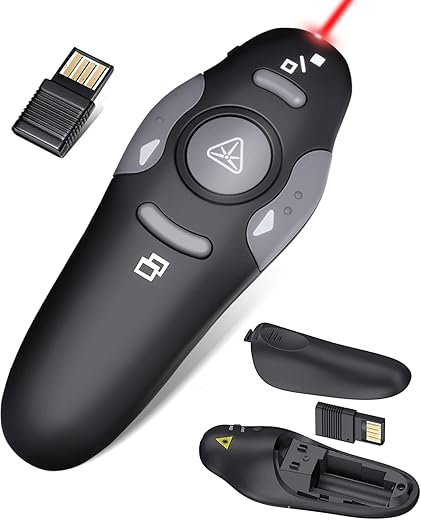
$14.99
CLIKBUTM Wireless Presentation Clicker With Laser Pointer Price comparison
- All prices mentioned above are in United States dollar.
- This product is available at Amazon.com.
- At amazon.com you can purchase Presentation Clicker for PowerPoint, Wireless Remote Control with Red Laser | Slide Clicker with Red Laser Pointer, Compatible with Mac Windows Linux, Laptop Desktop, Google Slides PPT Keynote for only $13.99
- The lowest price of Wireless Presentation Clicker for PowerPoint Presentations, USB Dongle Presenter Remote with Laser Pointer Slide Clickers for Mac/Windows/Linux, Computer/Laptop, Google Slide/PPT/Keynote was obtained on October 15, 2026 17:28.
CLIKBUTM Wireless Presentation Clicker With Laser Pointer Price History
CLIKBUTM Wireless Presentation Clicker With Laser Pointer Description
CLIKBUTM Wireless Presentation Clicker With Laser Pointer
Discover the CLIKBUTM Wireless Presentation Clicker with Laser Pointer—your ultimate tool for seamless presentations. This compact, efficient device enhances your public speaking experience while providing essential features for effective communication. Explore our price comparison to find the best deal, and read customer reviews to see how this clicker stands up against competitors.
Key Features and Benefits
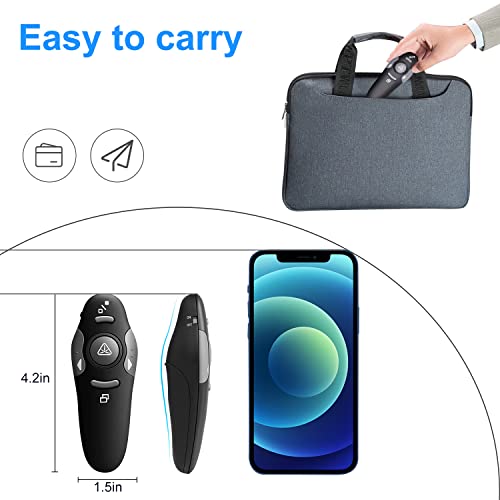
- Compact Design: With dimensions of 0.47 x 1.69 x 1.06 inches and a lightweight body of just 1.76 ounces, this clicker fits perfectly in your pocket or hand.
- Long Range Capability: Enjoy the freedom to move around your space with a maximum range of 100 feet, allowing you to engage your audience from anywhere in the room.
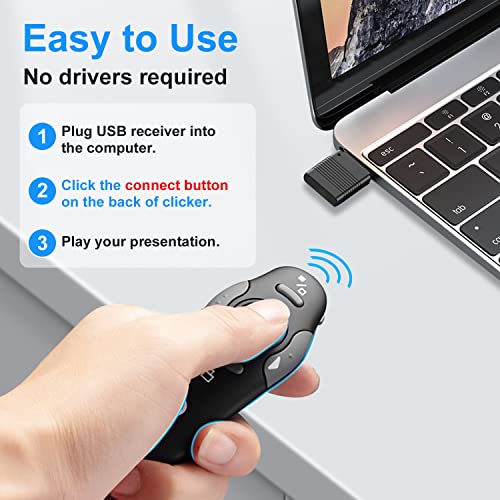
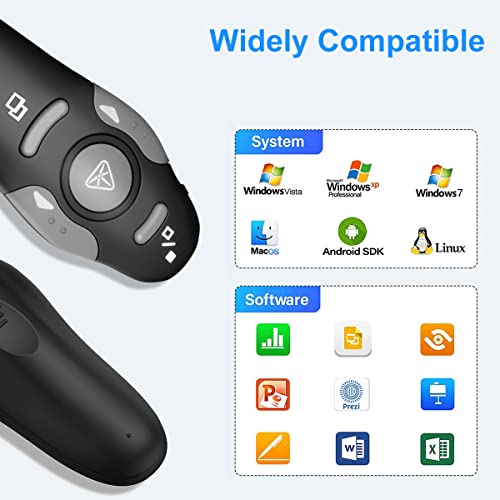
- Easy Connectivity: The USB connectivity technology enables a quick and hassle-free setup, making it compatible with most laptops and projectors.
- Button Control: With a user-friendly button control system, you can advance slides effortlessly and focus on delivering your message without distractions.
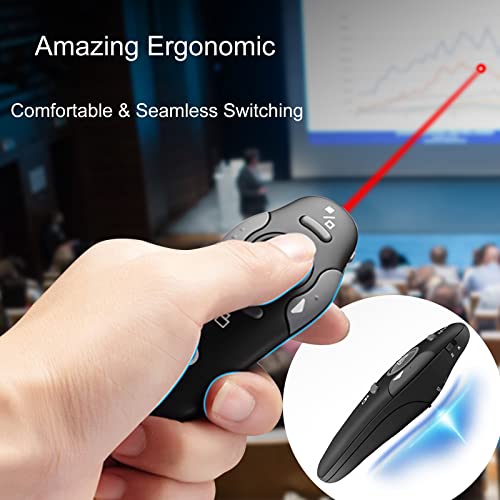
- Laser Pointer: The integrated laser pointer helps emphasize critical points in your presentation, making it easier for your audience to follow along.
- Batteries Included: The CLIKBUTM comes with a pre-installed AAA battery, ensuring you’re ready to present right out of the box.
Price Comparison Across Suppliers
The price of the CLIKBUTM Wireless Presentation Clicker varies among different suppliers. Our detailed price comparison tool allows you to compare prices from major retailers. By checking the charts, you’ll find competitive pricing, ensuring you get this essential gadget at the best value.
6-Month Price History Trends
The 6-month price history chart indicates a steady price trend with occasional promotions, making now an opportune time to purchase. You may notice that prices dipped slightly during holiday sales, so it’s worth watching for potential discounts or bundled offers.
Customer Reviews Summary
Our analysis of customer feedback highlights various aspects of the CLIKBUTM Wireless Presentation Clicker. Users praise its compact size and ease of use, citing that it provides a comfortable grip during presenting. Many appreciate the long-range capability, allowing freedom of movement without losing control. The laser pointer functionality is also well-received, adding value to presentations.
However, some customers noted minor drawbacks, such as the occasional difficulty in connecting to certain devices or the laser’s brightness in well-lit rooms. These issues, while noted in reviews, do not seem to overshadow the overall positive reception of the product.
Unboxing and Review Videos
For a closer look at the CLIKBUTM Wireless Presentation Clicker, check out various unboxing and review videos available online. Many users share their experiences and demonstrate how to use the clicker effectively. These insights can guide you in understanding its operation and functionalities better.
In summary, the CLIKBUTM Wireless Presentation Clicker with Laser Pointer presents an excellent value for anyone seeking to enhance their presentation skills. With its compact design, long-range capabilities, and integrated laser pointer, it’s a valuable addition to your presentation toolkit. Compare prices now and elevate your presentation experience!
CLIKBUTM Wireless Presentation Clicker With Laser Pointer Specification
Specification: CLIKBUTM Wireless Presentation Clicker With Laser Pointer
|
CLIKBUTM Wireless Presentation Clicker With Laser Pointer Reviews (8)
8 reviews for CLIKBUTM Wireless Presentation Clicker With Laser Pointer
Only logged in customers who have purchased this product may leave a review.
Beatriz –
Was perfect for our college capstone presentation. Due to a computer error we had to use a different computer and the driver software installed in a seconds and we didn’t lose any precious time getting set up. The controls are really easy to use and feel natural. The laser pointer is immensely helpful with the presentation. The fact that the USB drive actually plugs into the remote means that they stay together, and you’ll notice if you go to leave and it’s not with you. This was great and the small carrying case makes it easy to transport without having to worry about it getting damaged. The battery indicator light is helpful to know before the presentation if you’ll need to swap out batteries, or not. Its compact size fits in small hands easily, yet even in my larger hands doesn’t feel awkward. It’s lightweight and won’t be particularly tiring if you have to point a lot.
For the price this is probably a 5 star product. The only reason I didn’t give it 5 is because I’ve used other pointers that actually had a thumb-piece like a game controller that enabled you to use it like a mouse and use the selector arrow, which this product does NOT have. This is particularly useful feature if you’ve set up your presentation with hyperlinks (links to other parts of your presentation, or elsewhere) which make a presentation that much more professional as you can quickly jump to sections of the presentation (we had ~110 slides and had to answer 30 minutes of questions following the presentation). Since this remote didn’t have that, we had to man the computer and coordinate the computer man with whomever was answering/asking the questions. If you’ll be confronted with similar situations, I recommend a remote with those capabilities.
Rick –
Great remote for my laptop presentations! Works very well and allows me to move around the room and still control the presentation.
Michelle N. –
When I first tried to use it, it didn’t work. Then I found the little button to push to connect and it worked like a charm. Yeah I didn’t read the directions.
Kevin L. –
I bought this clicker for my classroom, and it has been awesome! You simply put the connector in the USB port of your laptop, and it automatically syncs with your board! It also has a laser pointer; however, it doesn’t show up on the screen of ViewSonic boards.
Kevin L. –
If you are tired of clicking on your computer or signaling someone else to during a presentation, this clicker is a game changer. Easily connects with included USB fob, scroll through slides or pages with ease, laser pointer to bring attention to certain areas, and as you can see, fits nicely in your hand. One of my favorite work purchases in some time!
NorthwestNana –
Easy to install & use.
DD –
USB Dongle is very delicate, was afraid of breaking while placing it in my USB port. Afraid of it breaking in the future, other than that, good item.
Mike Hunt –
Easy to connect