
 Amazon.com
FINAL DRAFT Professional Screenwriting Software with Formatting Tools Price comparison

- All prices mentioned above are in United States dollar.
- At amazon.com you can purchase FINAL DRAFT 13 - Professional Screenwriting Software For Screenwriters With Industry Standard Formatting and Writing Project Planning Productivity Tools for only
- The lowest price of FINAL DRAFT 13 - Professional Screenwriting Software For Screenwriters With Industry Standard Formatting and Writing Project Planning Productivity Tools was obtained on September 24, 2025 14:28.
FINAL DRAFT Professional Screenwriting Software with Formatting Tools Price History
FINAL DRAFT Professional Screenwriting Software with Formatting Tools Description
FINAL DRAFT Professional Screenwriting Software with Formatting Tools
FINAL DRAFT Professional Screenwriting Software is the industry-standard tool for screenwriters. Since its first launch, it has evolved into a leading choice for professionals, providing powerful formatting tools and resources that elevate your writing to the next level. With FINAL DRAFT 13, you can create scripts that meet industry standards effortlessly and efficiently.
Main Features of FINAL DRAFT Software
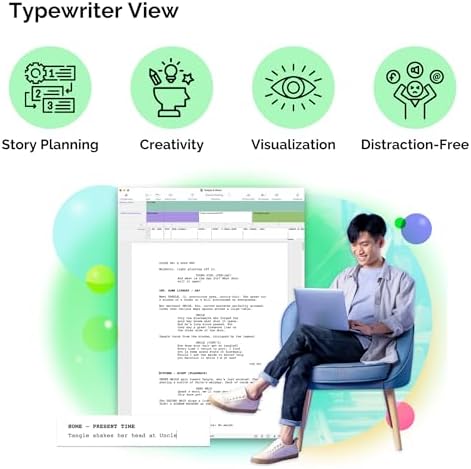
- Smart Formatting Tools: The software automatically formats your script according to industry standards, allowing you to focus on writing instead of worrying about the layout. This saves time and reduces stress during the creative process.
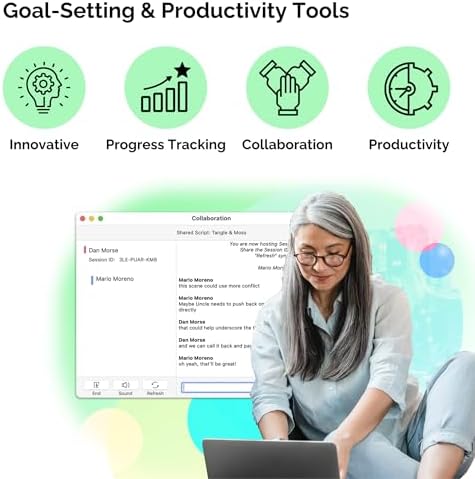
- Collaboration Features: With its real-time collaboration tools, multiple users can work on a script simultaneously. This is especially beneficial for team projects, enabling writers, directors, and producers to share ideas instantly.
- Story Map: The Story Map feature provides a structured way to outline your screenplay. It helps visualize the flow of your plot, making it easier to build character arcs and storylines.
- Scene Navigator: This tool allows you to quickly jump between scenes and sequences, enhancing your workflow. You can manage your script efficiently, focusing on sections that need your immediate attention.
- Formatting Templates: Choose from a variety of pre-set templates to match the genre and style of your screenplay. These options help streamline the writing process and ensure your script meets the expectations of readers and producers.
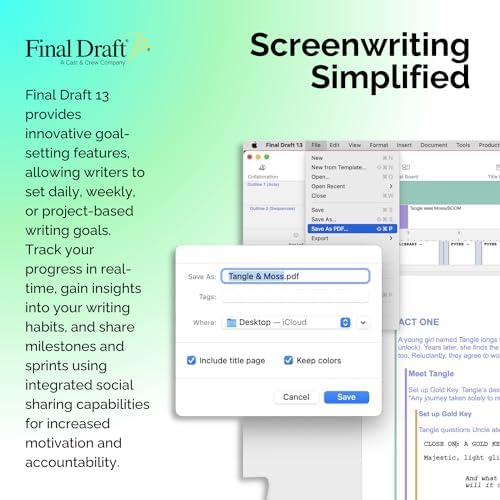
- Export Options: FINAL DRAFT allows you to export your scripts in various formats, including PDF and Final Draft XML. This enhances compatibility with other software and makes sharing your work easier.
Price Comparisons for FINAL DRAFT Software
When exploring the FINAL DRAFT Professional Screenwriting Software price, users will find competitive options across various platforms. As you compare prices, you will see that retailers often offer slight differences based on promotions or bundles. For example, during seasonal sales, you may find discounts that significantly lower the price. Always check multiple sources to ensure you are getting the best deal!
6-Month Price History Trends
The 6-month price history chart for FINAL DRAFT reflects a gradual decrease over time, with occasional spikes during promotional events. Observing these trends can help you determine the best time to purchase. For instance, prices tend to drop during back-to-school seasons and major holidays, making it ideal to plan your purchase accordingly.
Customer Reviews Summary
Customers have provided a wealth of feedback on FINAL DRAFT 13, with many praising its user-friendly interface and powerful features. Users appreciate the ease of script formatting and the ability to collaborate effectively with other writers. Reviewers often highlight the Story Map and Scene Navigator as standout tools that enhance their writing experience.
However, some users noted that the learning curve can be steep for those new to screenwriting software. Some features may require time to master, but the benefits become apparent as writers become accustomed to the platform. Overall, the majority agree that the advantages far outweigh any initial challenges.
Related Unboxing and Review Videos
For those interested in seeing the software in action, there are several YouTube review/unboxing videos available. These videos provide an inside look at the software’s setup and highlight its key functionalities. Watching these reviews can be particularly useful for potential buyers, as they showcase the practical applications of the features mentioned above.
Conclusion
FINAL DRAFT Professional Screenwriting Software with Formatting Tools is an invaluable resource for both seasoned writers and newcomers to the field. Its impressive array of features simplifies scriptwriting, from initial outlines to polished final drafts. Be sure to check the price across retailers to find the best deal, and take advantage of the insights gained from the price history chart.
Don’t miss the opportunity to enhance your screenwriting journey. Explore customer reviews and watch unboxing or review videos to gain further insight. Compare prices now!
FINAL DRAFT Professional Screenwriting Software with Formatting Tools Specification
Specification: FINAL DRAFT Professional Screenwriting Software with Formatting Tools
|
FINAL DRAFT Professional Screenwriting Software with Formatting Tools Reviews (8)
8 reviews for FINAL DRAFT Professional Screenwriting Software with Formatting Tools
Only logged in customers who have purchased this product may leave a review.

RAKAMOTO –
I haven’t actually used tech support, but i’m basing my rating on the online videos that explain how the program works. If you’re a writer, you need to use this program.. All the pro’s use it. Final Draft allowed me to accelerate my writing due to the ability to organize my thoughts and plot, allow me to move scenes easily, and once I figured out how to actually use the program, it allowed me to WRITE and not worry about formatting. I should have bought this program six months ago.
M. Carter –
Do not buy this product because it does not work. As a writer I understand the value of final draft and how this software is recognized by the industry, however I believe this to be a scam SO DO NOT BUY! I reached out to the seller and received NO response. I really concerned to how Amazon vetting process allows individuals to scam their customers. I have not received a refund, so Word-to-the-Wise, do not buy.
Jeffrey D. Rosenberg –
First, there are many free programs out there, I know, I’ve tried most of them. They are OK, Final Draft is absolutely the best and easiest to use. Compared to many of the others, it is relatively inexpensive, makes formatting a breeze, and is extremely easy to use & learn. Don’t listen to what some people say, formatting matters. You can have the best script in the world but if it isn’t formatted correctly no one will read it. I cannot say enough things about Final Draft. I am a working screenplay writer (fledgling but working steadily) and Final Draft makes my job so much easier
crb1109 –
This makes scriptwriting SO MUCH EASIER! However Amazon kept delaying the delivery date repeatedly so I gave in and got it from the final draft website but other than that this is super useful for writing a script.
Jerser008Roxxor –
I was a bit concerned that FD 12 might suffer from “bloatware syndrome,” but it does not. It has a nice clean interface that doesn’t try to be too cute or outsmart the user. Yet, there are plenty of features there for advanced users to take advantage of. I’m running it on a slightly out-of-date computer and it runs fine. Scripts are, by definition, a bit technical and clumsier than, say, prose in a novel. It’s the nature of the beast, and nothing is going to get rid of that, but FD makes it less painful than anything else I’ve used. I’m looking forward to experimenting with some of the new features to see if they actually help me get my script done. I’ll edit this review then.
Lynn E –
I’ve only tried this out a few times, and found that I desperately needed the video tutorials. They help, but I’m slogging my way through on my own. I know it’s a good product, so I’m determined to figure it out. I’d buy it again.
Benjamin J. Bell –
Exactly what I needed to finish my script great product
Matthew Paige –
I had been using Movie Magic Screenwriter, but switched to Final Draft when my computer died and I upgraded to Windows 10.
Final Draft is less intuitive. The manual isn’t as helpful as Movie Magic.
I only switched because Final Draft is more the industry standard. However, it is harder to use.