
HUANUO Dual Monitor Arm For 13-35 Inch Screens
 Amazon.com
Original price was: $139.99.$109.99Current price is: $109.99.
HUANUO Dual Monitor Arm For 13-35 Inch Screens Price comparison

- All prices mentioned above are in United States dollar.
- This product is available at Amazon.com.
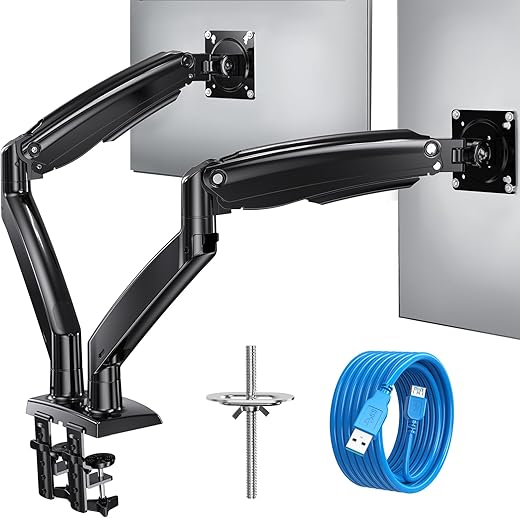
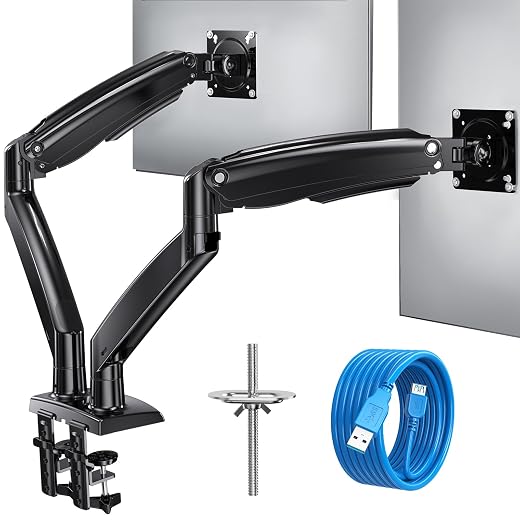
- At amazon.com you can purchase HUANUO 13-35 inch Dual Monitor Arm for 2 Ultrawide Screens, Height Adjustable Full Motion Dual Monitor Stand with 2 USB Port, Dual Monitor Mount for VESA 75/100mm, Holds up to 26.4lbs per Arm, Black for only $109.99
- The lowest price of HUANUO 13-35 inch Dual Monitor Arm for 2 Ultrawide Screens, Height Adjustable Full Motion Dual Monitor Stand with 2 USB Port, Dual Monitor Mount for VESA 75/100mm, Holds up to 26.4lbs per Arm, Black was obtained on September 24, 2025 06:51.
HUANUO Dual Monitor Arm For 13-35 Inch Screens Price History
HUANUO Dual Monitor Arm For 13-35 Inch Screens Description
HUANUO Dual Monitor Arm for 13-35 Inch Screens: Optimize Your Workspace
Transform your workspace with the HUANUO Dual Monitor Arm for 13-35 Inch Screens. Perfect for home offices or gaming setups, this versatile dual monitor stand improves efficiency while ensuring maximum comfort. With a stylish design and robust functionality, it’s the ideal solution for those who require multiple screens for productivity or entertainment.
Main Features of the HUANUO Dual Monitor Arm
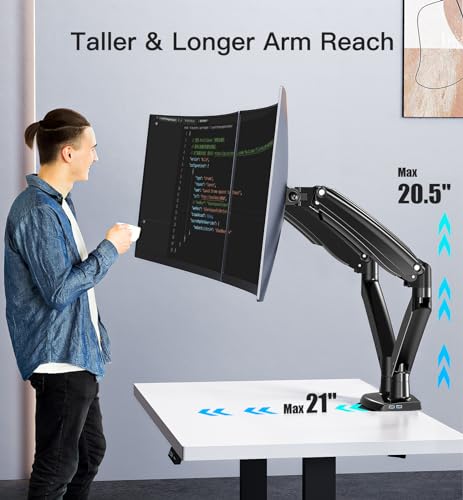
- Adjustable Height and Angle: The flexible design allows you to easily adjust the height and angle of your monitors, providing a customizable viewing experience that reduces neck strain and enhances comfort.
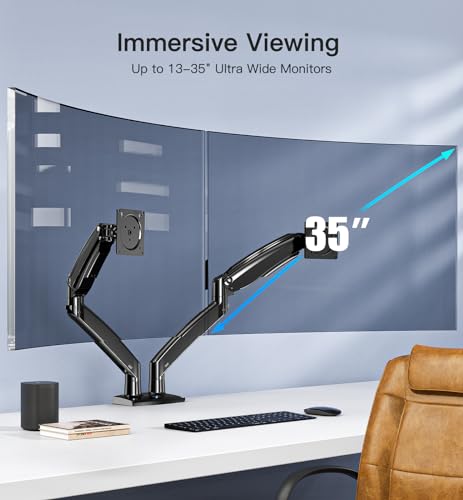
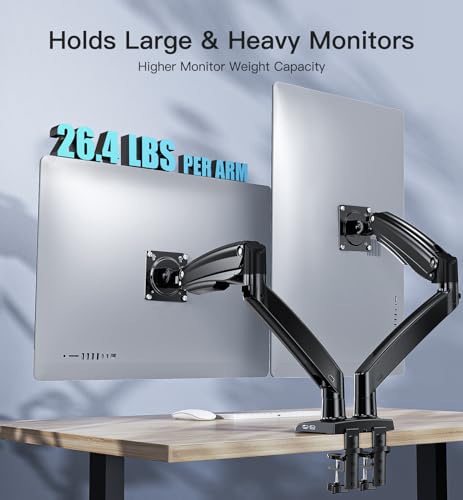
- Sturdy Build: Made with high-quality materials, this dual monitor arm can support two screens ranging from 13 to 35 inches, with a maximum weight capacity of 33 pounds per monitor. It’s built to last while ensuring stability.
- Space-saving Design: This monitor arm frees up valuable desk space by elevating your screens above the surface, creating a tidy work environment suitable for any workstation.
- Simple Installation: Equipped with all the necessary hardware, the HUANUO Dual Monitor Arm is quick and easy to install—no need for professional help.
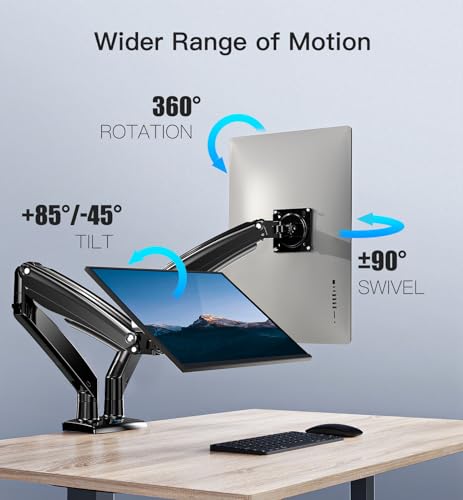
- Full Motion Capability: Enjoy a full range of motion with full articulation that allows for rotation, tilt, and swivel. Tailor your dual monitor setup to fit your needs.
Price Comparison and Trends
When searching for the best deal on the HUANUO Dual Monitor Arm, you’ll notice varying prices across different suppliers. Our price comparison feature shows that prices can fluctuate significantly. Over the last six months, the lowest recorded price was $89.99, while the highest was $129.99. This variation may reflect seasonal sales, promotional events, or inventory changes.
Keep an eye on these trends, as a smart purchase decision can save you a substantial amount of money. Use our platform to compare prices and get the best deal possible!
Customer Reviews Summary
The HUANUO Dual Monitor Arm has received positive reviews from users, highlighting several key features:
- Many users are impressed with the build quality and sturdiness, stating that it handles larger monitors with ease.
- Customers appreciate the ergonomic benefits of adjustable height and angle, noting a significant reduction in neck and back strain during prolonged use.
- The easy installation process has been praised, with most users able to set it up within minutes.
However, some users pointed out issues such as:
- A few customers noted that the instruction manual could be clearer for first-time users.
- Some have experienced difficulties when trying to adjust the tension for different monitor weights.
Explore Unboxing and Review Videos
To enhance your understanding of the HUANUO Dual Monitor Arm, check out various unboxing and review videos available online. These videos provide a real-life look at the product, showcasing its features and how it integrates into different setups. Hearing from other users can help you gauge if this dual monitor arm is the right fit for your workstation.
Why Choose HUANUO Dual Monitor Arm?
Investing in the HUANUO Dual Monitor Arm for 13-35 Inch Screens not only enhances your workspace aesthetics but also significantly impacts your productivity. Adjusting your screens to the proper height and angle will lead to a more comfortable and efficient work environment.
Moreover, the space-saving design and ease of installation make it a perfect addition for anyone looking to optimize their ergonomic setup, whether for work or play. Don’t let a cluttered desk slow you down—upgrade with the HUANUO Dual Monitor Arm!
Ready to elevate your workspace? Compare prices now!
HUANUO Dual Monitor Arm For 13-35 Inch Screens Specification
Specification: HUANUO Dual Monitor Arm For 13-35 Inch Screens
|
HUANUO Dual Monitor Arm For 13-35 Inch Screens Reviews (7)
7 reviews for HUANUO Dual Monitor Arm For 13-35 Inch Screens
Only logged in customers who have purchased this product may leave a review.





Dan Deer Park, IL –
I was sort of skeptical about how this product would work – I am unfortunately one of those people who equate $$$ = Product Quality (Trying to break that mindset). Once I received the product in the mail, I was relieved to see how sturdy and sleek it looked. Assembly, as a few other pointed out, were difficult and the instructions were vague and not completely clear to understand – After step 1, the rest of assembly was not overly strenuous or complicated. Once assembled and positioned in place, my monitors were upright and not sagging! It was so easy to maneuver and make the slightest of adjustments – This has helped with my neck tension as I did not have my monitors at eye sight level – They also raised my monitors which has the worst placed VESA mount ever….. at the very top…. so essentially any monitor stand I have, my monitors still “drag” against the desk, but not with this mount!!! This was absolutely worth the price and quality is great – I do have to give a little knock against it.. The “pads” don’t really work and it did scratch my desk quite a bit (Wood) however, where I positioned it, you won’t see it – but if and ever I remove the stand the desk is sort of mangled; I wished I had put my own padding down.
Jose Luis Rodriguez Luna –
So many VESA mounts on this website claim support for 32″+ monitors with weights up to 12kg, and the majority of them just don’t even come close. I tried both of ErGear’s offerings and they entirely failed, stemming from their very cheap-feeling construction. Figured I’d spend a little more and give this HUANUO arm a try, and hey, it actually works. It is solid metal throughout – the base is extremely steady, and the arms are very robust. The best part’s the tilt mechanism that absolutely won’t give whatsoever when fully tightened, which is great for my monitor that’s quite bottom-heavy. The USB extenders built into the base are a great addition, and work wonderfully for discrete receivers if you have wireless peripherals. Can’t fault it!
aj –
Set up in about an hour, no major issues except the USB cables don’t seem to fit as shown in the instruction but as I wasn’t using them it didn’t cause me any problem. The arms and desk C clamp hold the monitors very securely, move freely and feel very solid. My only concern was that I had to tighten the bracket plate holding the monitor vertical to the absolute limit to prevent my main monitor ‘drooping’ even though it is weighs 20% less than the limit given.
Dylan Gagnon –
Leicht zu montieren und durch die Druckgasfedertechnik lassen sich die Monitore spielend leicht nach Wunsch verstellen! Super Konstruktion!
Dan Deer Park, IL –
Muy buen producto, los 2 USB le dan un plus, realmente son muy util, los materiales son de buena calidad y la instalacion es sencilla. Una de mis pantallas es de 34 pulgadas y tuve que apretar muy fuerte el brazo al grado de sentir que podria quebrarse el material de plastico, ya que si no lo hacia se vencia hacia adelante por el peso, despues de esto ya no tuve problemas. Lo recomiendo.
TheGuy –
I have the single arm widescreen for my wife and the double arm widescreen for myself. These are great. There are a few caveats. If you want two 35″ side by side, it might be a tight fit, they may not fit if you want them high up…. for ultrawides definitely going to be pushing it. I have a 35″ ultrawide and a 27″ normal aspect ratio monitor and I can fit them side by side if they are adjusted a bit lower than I want them. At the height I want them (eye level, I am a 6’4 man though) I use the widescreen horizontal and the turn the normal AR screen vertical and I game on the widescreen and use the vertical one for webpages/etc while gaming. as you can see from my picture i can probably get more wiggle room by moving the mount over to the right further and extending the widescreen further out. but I don’t still dont think it would be enough for a horizontal side by side without dropping the height a little. which if I really cared I would do, but I’d prefer to have them eye level in this configuration.
They work for my needs but any larger and I would have to move the arms down to have them side by side even with one vertical. How well will two normal AR 35″ screens fit side by side? I’m not sure I think they will fit but you may need to lower them a bit below eye level. actually another user with what a picture of what looks like fairly large wide screen monitors side by side but as you can see from his picture the monitors are only like an inch or two off the desk. as a 6’5 man with a relatively low desk it takes up a lot of length just getting them to my eye level. That’s fine though I don’t mind having one vertical. these are the best ive seen that weren’t several times the price level. If these wont work for you nothing reasonably priced will (at the time of this review).
That said these are the most accommodating and best well built gas spring dual arms I’ve used. If you really want two screens horizontal side by side and your use case is bigger than you think will work, you may want to consider putting them on individual arms instead so you can space them further apart.
That said, these arms are very good build quality. the gas spring in them is powerful, I have my wife’s older pretty heavy dell ultrawide on a single arm one and it lifts it with ease w/out being topped out on the adjustment.
You will have to push the arm down to the desk all the way to find the adjustment for the spring. I think a lot of people don’t realize this and think it’s not up to lifting their monitor because you can tighten it up some out of the box for heavier monitors. The arm should be able to accommodate any modern monitor given how light they’ve gotten and some pretty heavy older ones. all the adjustments are smooth and easy to do, the least smooth adjustment is the vertical tilt that happens right behind where the vesa bracket is, but its still pretty decent. the swivel and height of the gas spring are effortless. it looks nice, it feels heavy and durable.
I’m an i.t. guy and ive used a lot of monitor mounts and these are well above average quality. Just need to decide if you want a double mount or two singles for your needs. id not recommend anything cheaper or anything pricier. this brands higher model/widescreen ones are the ones you want price/performance they are the sweet spot
TheGuy –
I used this to mount a 34″ Dell ultrawide and a 27″ Benq 16/9. I saw pictures others posted with the parts loose in a box. As you can see from my photo it was very nicely packed.
The stand is very easy to put together. I do have a lot of mechanical experience but I would say the average person can assemble the stand without any trouble.
I mounted mine to a engineered wood “tech desk”. There is a privacy panel so I could not use the clamps and had to to drill a hole to mount it. It feels very secure.
Mounting the monitors is straightforward. You remove the current stand, add the 2 top screws to the VESA holes, and the monitor slides onto the VESA plate. Make sure you orient the plate so the “U” shaped channel is facing up and the screw holes are facing down. You can then screw in the bottom screws. I highly recommend adding the 2 bottom screws before tightening the top screws. This keeps the top screws from lifting out of the U-slot and the monitor falling.
I have not uses the cable management yet but it looks like it will be easy to use. Plenty of room for the typical cables used with monitors.
When you attach the arms to the base you do not need to tighten the set screws a lot. Have them tight enough that you can move the arms with a very little resistance and they are not able to move on their own.
When it was assembled and the monitors were mounted, it was very easy to adjust. I was able to easily push the arm down to adjust the tension. When doing this, do not push on the monitor. It could damage the monitor. Always push on the arm. If you are having trouble and using the clamp mount, simply mount it to the front of you desk, loosen the tension, and then move it the the back.
If you are concerned with doing this after the monitors are mounted, you can push the arms down, loosen the tension until it is easy to move the arm, then mount the 1st monitor. Take care to make sure you do not attach it and let go until you know it will not push the arm down and damage the monitor. You can then increase the tension until it stay put but you can still move it.
The same goes for the vertical pitch of the monitor. You want to hold the bottom with 1 hand and loosen the tension bolt with the other. Get the monitor set where you like it and then tighten the bolt. Do not try to force the monitor to move without loosening the bolt. You could damage the monitor.
I have installed quite a few of these over the years, and have wrenched on cars at a high level (professional racing and for fun) my whole life, so I think have a pretty good idea of when items like this are well made. I would not hesitate to recommend this stand to family and friends.