
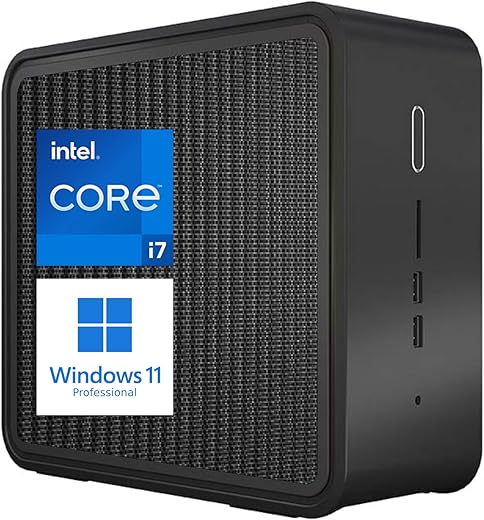
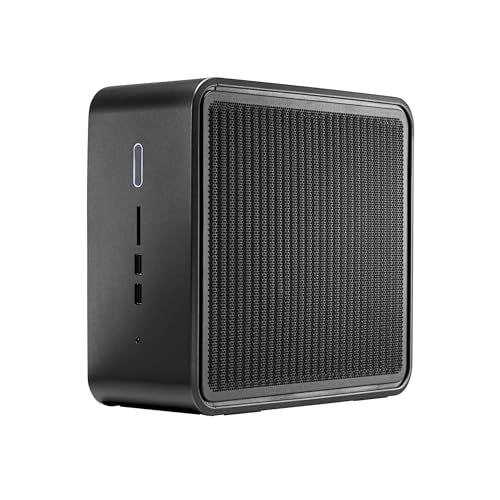
Intel NUC Pro Kit Mini Desktop, Core i7-9850H
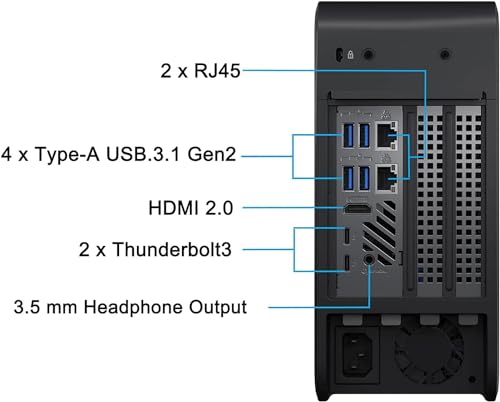
Intel NUC Pro Kit Mini Desktop, Core i7-9850H Price comparison

- All prices mentioned above are in United States dollar.
- This product is available at Amazon.com.
- At amazon.com you can purchase Intel NUC Pro Kit Mini Desktop, Windows 11 Pro, Core i7-9850H Processor Upto 4.6GHz, WiFi 6, Bluetooth 5, USB TypeA&C, Thunderbolt 3, HDMI, SD Card Reader… (16GB RAM | 512GB SSD) for only $358.33
- The lowest price of Intel NUC Pro Kit Mini Desktop, Windows 11 Pro, Core i7-9850H Processor Upto 4.6GHz, WiFi 6, Bluetooth 5, USB TypeA&C, Thunderbolt 3, HDMI, SD Card Reader… (16GB RAM | 512GB SSD) was obtained on September 24, 2025 10:56.
Intel NUC Pro Kit Mini Desktop, Core i7-9850H Price History
Intel NUC Pro Kit Mini Desktop, Core i7-9850H Description
Elevate Your Computing Experience with the Intel NUC Pro Kit Mini Desktop, Core i7-9850H
Discover the power of computing with the Intel NUC Pro Kit Mini Desktop, Core i7-9850H. Engineered for performance, this compact desktop PC integrates advanced features, a sleek design, and robust specifications to meet your professional and gaming needs. This high-performance mini PC is perfect for multitasking, content creation, and heavy applications. Compare prices on this product that promises exceptional value for your investment.
Key Features and Benefits
- Stunning Screen Resolution: Enjoy life-like visuals with a remarkable 3840 x 2160 resolution. Perfect for graphic designers and gamers who require crisp and vibrant displays.
- High-Performance Processor: The 2.6 GHz Intel Core i7-9850H processor provides superior speed and efficiency, ensuring smooth operation even during the most intensive tasks.
- Impressive RAM: With 16 GB DDR4 RAM, multitasking becomes seamless. Open multiple applications without any lag, making this device ideal for both office and creative use.
- Fast Storage with SSD: A 512 GB SSD ensures quick boot times and rapid data access, enhancing overall system performance and responsiveness.
- Integrated Intel UHD Graphics: Designed with integrated Intel UHD Graphics 630, enjoy reliable graphics performance for everyday tasks and entertainment.
- Compact and Efficient Design: Weighing only 8.5 pounds and with dimensions of 50 x 25 x 25 inches, this mini desktop is easy to set up in any workspace without occupying too much space.
- Wi-Fi Connectivity: Equipped with 802.11ax wireless technology, ensures fast and reliable internet connections for streaming, gaming, and browsing.
- Built for Windows 11: Pre-installed with the latest Windows 11 operating system, providing you with modern features and enhanced user experience out of the box.
Price Comparison Across Different Suppliers
When considering value, the Intel NUC Pro Kit Mini Desktop, Core i7-9850H offers competitive pricing across various suppliers. Prices range significantly depending on the retailer, making it worthwhile to compare before making your purchase. For the best deals, check out trending e-commerce platforms to find the lowest price available. One of the outstanding features of our price comparison website is the ability to track historical prices over six months. This historical data indicates significant price fluctuations around holiday sales, emphasizing a goldmine of savings for budget-conscious buyers.
Insights from Six-Month Price History
Analyzing the six-month price history chart for the Intel NUC Pro Kit reveals some notable trends. Initially, prices peaked around annual sales events, indicating that timing your purchase could lead to substantial savings. Prices typically rise during peak electronics sale seasons, so it’s advisable to shop during off-peak times for better deals.
Customer Reviews Overview
The Intel NUC Pro Kit Mini Desktop garners overwhelmingly positive reviews from users who praise its exceptional speed and compact design. Customers highlight its ease of installation and reliable performance across various applications. Many users emphasize how this device meets their gaming and productivity needs effortlessly.
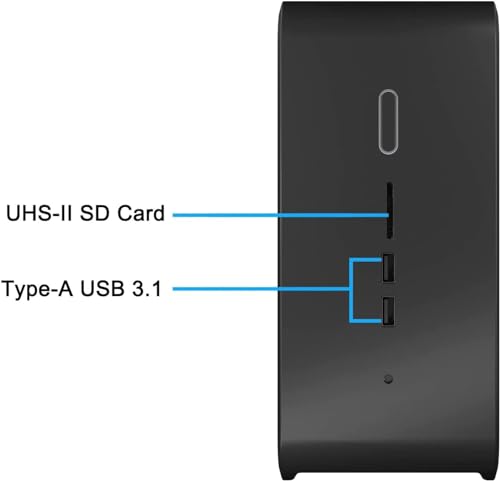
However, a few drawbacks have been noted. Some users wish for additional ports and upgrade options, as well as a more detailed setup guide for novices. Nonetheless, the overall satisfaction rate remains high, confirming that the performance benefits far outweigh these minor concerns.
Explore Unboxing and Review Videos
To see the Intel NUC Pro Kit in action, consider watching the related unboxing and review videos available on YouTube. These videos demonstrate the installation process, performance benchmarks, and real-life use cases, giving you a firsthand look at what to expect from your purchase. These reviews validate the solid performance that many customers report and can aid in your decision-making process.
Make the Smart Choice for Your Next Mini Desktop
In summary, the Intel NUC Pro Kit Mini Desktop, Core i7-9850H stands out due to its powerful specifications, compact design, and impressive performance metrics. It’s an excellent choice whether you’re looking to enhance your gaming setup or streamline your office work.
With consistently competitive pricing trends and insightful customer feedback, this mini desktop is worth your consideration. Don’t miss out on the opportunity to elevate your computing experience.
Compare prices now!
Intel NUC Pro Kit Mini Desktop, Core i7-9850H Specification
Specification: Intel NUC Pro Kit Mini Desktop, Core i7-9850H
|
Intel NUC Pro Kit Mini Desktop, Core i7-9850H Reviews (1)
1 review for Intel NUC Pro Kit Mini Desktop, Core i7-9850H
Only logged in customers who have purchased this product may leave a review.
Related Products




waveformblue –
The builder didn’t cheap-out on the hardware. I was surprised to find a genuine made-in-Korea Samsung SSD inside. The RAM is genuine Intel (couldn’t tell where it’s made). I had expected no-name components at this price point.
The Windows 11 Pro license is valid and activated without issue. Theres a way to install without an Internet connection via the command line. That way, you can run Windows without creating an account. Use the search engine of your choice to find out how.
Be aware you’re getting an i7 9850 processor with this. Most other vendors are selling the particular NUC with an i7 9750. A few offer it with a Xeon, but those cost more and come with a lesser Windows version – or none at all.
You will get a BIOS update when you finally go online. You should allow it, as it fixes some bugs.
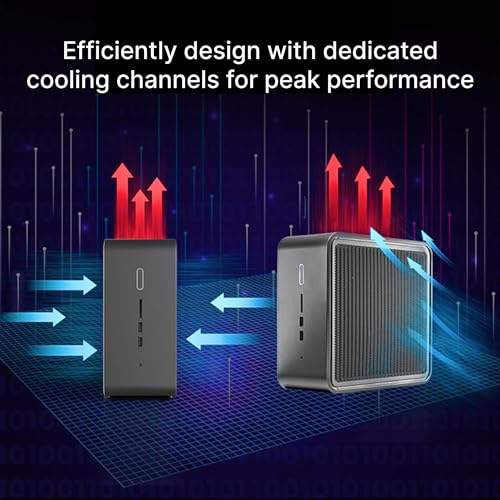
The NUC has four fans (power supply, processor, and two top ones for the enclosure. The speed is modulated with temperature / processor workload. They’re pretty quiet most of the time. You can adjust the settings in BIOS to make them quieter still. I increased the speed a bit at lower temps to reduce the need for surging. Worked like a charm.
The power LED can be configured to “breathe” during standby mode (also through BIOS).
I bought a Western Digital Blue (what else) drive for this. Installing it was a moderate pain in the tuchus.
This form factor isn’t accessible to the casual tinkerer. Two tiny screws hold a plastic backing plate. The micro fan assembly comes out with it. The fan wiring is still attached, so you can’t completely remove it. Be sure not to contaminate the SSD heatsink tape when you pull it away. You’ll also need to move the SSD mounting post with a nutdriver if you install a half-size drive. DON’T USE A PLIERS. Look at the already-installed drive to see how a new one goes in.
I didn’t add extra RAM yet, but it’s right next to the SSD. There are two slots in total.
This NUC is penguin friendly. A Linux install was flawless on the second SSD. All components and drivers were recognized. It dual-boots with Windows 11 without issue.
So with all the good points, why only four stars? It’s the assembly quality. Subsequent handling or shipping could be a factor, as the packing wasn’t great. Yet the packaging was entirely undamaged, so I’m not sure.
One of the metal grill side panels wasn’t aligned properly when the top fan piece was slid into place. This bent the grill *and* pushed out the front plastic fascia. Good thing I was able to bend both into place after disassembling them.
In addition, the plastic backplate holding down the SSD heatsinks wasn’t fitted properly. I couldn’t tell if this would’ve compromised thermal transfer. It wasn’t damaged, so I was able to seat it properly when I installed the new SSD.
Finally, one of the Wi-Fi antenna plugs on the motherboard was not connected. It was a simple fix plugging it in. However, the brass connector was touching the motherboard circuitry. Had I not first taken a peek inside, it may have shorted out something important when I powered it up. At the very least, Wi-Fi performance would’ve been compromised with only a single antenna to work with.
In conclusion, this NUC is a fair deal for someone with decent knowledge of desktop systems. A potential user should be confident enough to open their brand-new computer, and knowledgeable enough to spot small problems before they become big ones.
I cannot recommend this to the plug-and-play crowd. The assembly issues will likely frustrate someone who’s not familiar with the inside of a computer. That’s a shame, really. Setup was quite painless once I fixed all the hardware bits.
3.5 stars.