
 eBay
eBay  Walmart.com
Original price was: $155.99.$105.99Current price is: $105.99.
KAMRUI AK2 Plus Mini PC, 16GB RAM, 500GB SSD Price comparison



- All prices mentioned above are in United States dollar.
- This product is available at eBay.
- At ebay.com you can purchase KAMRUI AK2 Plus Mini PC Intel 12th Gen Alder Lake- N100 16GB DDR4 RAM 512GB SSD for only $699.00
- The lowest price of KAMRUI AK2 Plus Mini PC Intel 12th Gen Alder Lake- N100 16GB DDR4 RAM 512GB SSD was obtained on October 12, 2026 06:41.
KAMRUI AK2 Plus Mini PC, 16GB RAM, 500GB SSD Price History
KAMRUI AK2 Plus Mini PC, 16GB RAM, 500GB SSD Description
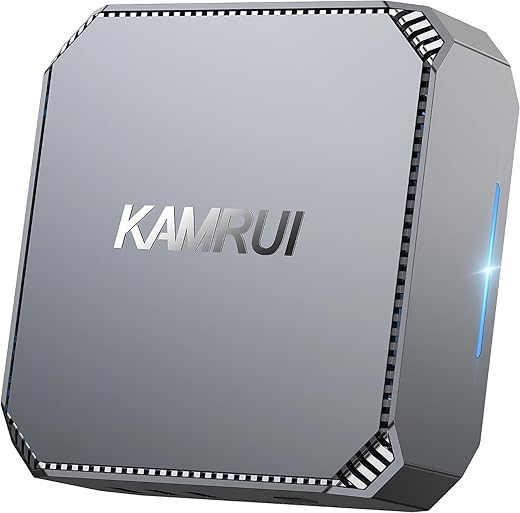
KAMRUI AK2 Plus Mini PC: Unleash Power in a Compact Design
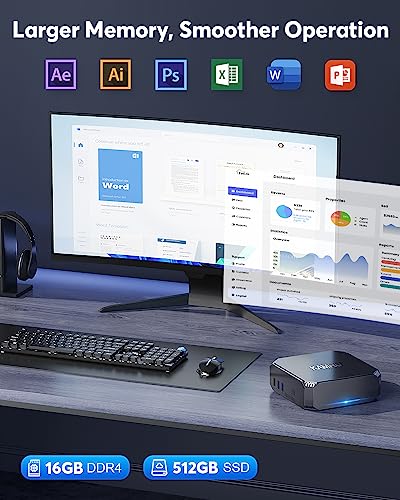
The KAMRUI AK2 Plus Mini PC is designed for users seeking high performance without sacrificing space. With 16GB RAM and a 500GB SSD, it is perfect for work, entertainment, and everything in between. This mini PC stands out with its incredible 4K screen resolution capabilities, offering a viewing experience that is both vivid and sharp. Whether you’re streaming your favorite shows or tackling demanding tasks, this device meets the challenge.
Key Features and Benefits
- Powerful Performance: Equipped with a 3.4 GHz Intel processor and 16GB DDR4 RAM, the KAMRUI AK2 Plus delivers smooth multitasking and quick responses.
- Ample Storage: The 500GB SSD ensures you have enough space for your files, applications, and media, while benefiting from fast boot times and data access.
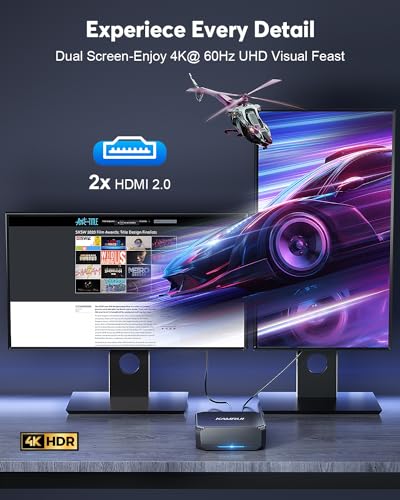
- Stunning Visuals: Experience images and videos in lifelike clarity with a max screen resolution of 4096×2160 at 60Hz. Perfect for guests and presentations!
- Compact and Portable: With dimensions of 5.51 x 5.51 x 1.85 inches and a lightweight design of just 1.81 pounds, it can fit easily in any workspace.
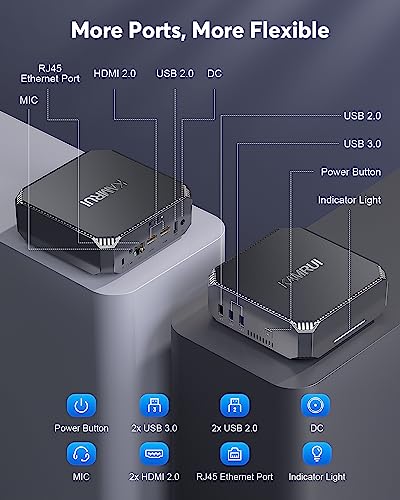
- Multiple Connectivity Options: Two USB 2.0 ports and two USB 3.0 ports ensure all your peripherals connect seamlessly, while Bluetooth capabilities enhance wireless setup.
Price Comparison Across Different Suppliers
The KAMRUI AK2 Plus Mini PC is competitively priced across retailers, making it accessible for a range of budgets. As per our analysis, prices vary minimally among suppliers, generally falling within a reasonable range. This mini PC offers excellent value compared to rivals in the same category, highlighting its efficient specs and versatile features.
Price History Insights
Analyzing the 6-month price history chart reveals a stable price point for the KAMRUI AK2 Plus. There have been slight fluctuations, with occasional discounts that present opportunities for savings. Keeping an eye on these trends can ensure you buy at the best time.
What Customers Are Saying
The KAMRUI AK2 Plus Mini PC has received positive feedback from users. Reviewers praise its performance for both office applications and multimedia consumption. Many highlight the ease of setup and the compact nature of the design. Customers enjoy seamless streaming at 4K resolution and report satisfying speed during various tasks.
However, some users mention that while it performs exceptionally for everyday use, it may struggle with extremely high-end gaming or intensive tasks requiring advanced graphics. It’s essential to consider your usage needs to determine if this mini PC fits your requirements.
Explore Unboxing and Review Videos
Dive deeper into the KAMRUI AK2 Plus experience by checking out various unboxing and review videos available on YouTube. These insights provide practical demonstrations of its capabilities, including real-world test scenarios that highlight both performance and design elements. Watching these reviews can aid in your decision-making process.
In conclusion, the KAMRUI AK2 Plus Mini PC offers a compelling package for those looking for power in a small form factor. With its 16GB RAM and 500GB SSD, pairing performance and storage, it’s built for a range of users. Competitive pricing and positive reviews further cement its place as a top contender in the market.
Are you ready to enhance your computing experience? Compare prices now!
KAMRUI AK2 Plus Mini PC, 16GB RAM, 500GB SSD Specification
Specification: KAMRUI AK2 Plus Mini PC, 16GB RAM, 500GB SSD
|
KAMRUI AK2 Plus Mini PC, 16GB RAM, 500GB SSD Reviews (7)
7 reviews for KAMRUI AK2 Plus Mini PC, 16GB RAM, 500GB SSD
Only logged in customers who have purchased this product may leave a review.






R. Hawk –
Excelente PC para tu oficina viene con Windows 11 Pro, rápida, ahorra espacio y comodidad en tu escritorio 100% recomendado, cumple con todas las expectativas
slctechguy –
Update: A month and a half later and I’m still incredibly happy with this computer. I figured out how to cast and control my phone on my computer! I also learned that with Windows 11 Pro you can use bitlocker to encrypt your entire device. One other nice feature is if you have to do a factory reset, instead of just wiping the computer it re-downloads Windows 11 straight from the cloud. It’s the safest and cleanest way to reset your computer. It only took 30 minutes to do this start to finish. The only time it lags is when I have my phone screen on the computer or when I’m running a scan. It only lags for a couple seconds. Other than that it’s incredibly zippy and loads instantly and easily switches tasks. They say it’s not a gaming PC but I have played many games on it and had no lag. Overall I’m incredibly happy with my purchase. You won’t find a better deal than this! Plus it’s only 5.1 inches square and I like how it doesn’t take up much table space. Plus I’m into miniatures and I also like that I can take it with me; as a matter of fact you can buy a 5 inch monitor and attach it to your computer with Velcro or something, making your computer completely portable. Highly recommend!
The first thing I did was update Windows and then I went into the system and updated every single individual device driver. Once that was all said and done, the computer became incredibly fast and zippy! It can handle a lot of tasks at once. For a fraction of the cost of a new desktop or a laptop with specs of this caliber. You will not find a better deal than this. For being only five inches square, this tiny little portable thing is definitely a powerhouse of a computer, and it even comes preinstalled with Windows 11 Pro! I emailed them asking for my Windows 11 Pro activation code in case I had to wipe the computer and they literally emailed me back within 10 minutes with the activation code i needed..You definitely want this computer! You will not regret!
Shannon –
I have had this about a week and have had no significant issues that would merit its return. Its a good buy for the money.
There are two things I would caution potential buyers about that may come up:
First, with Windows 10 as the default operating system, once its up and running you are going to be forced to login every time you turn the unit on by either a password or a pin number. There are several places in Windows where you are supposed to be able to disable this, but they don’t work. You can read several variations on the instructions online about how to do it, so you don’t have to enter this BS every time you turn the unit on, but you are going to be frustrated. Even if you create a separate, new user to bypass this, it won’t work, and then you will lose administrator privileges to Windows in the process.
I made the mistake of trying to shut off the Pin/Password requirement entirely and its essentially impossible, no matter what anyone tells you and no matter what you read in “Settings” about it being turned off. (You can eliminate one or the other, but not both. You can eliminate them for a particular user, but then Windows will give you an error on login and you will have to login under another user, without admin rights).
The only solution if you get trapped in this cycle of nonsense with Windows is to reset the Kamrui unit to default (by holding down the shift key and hitting restart). – Otherwise you can’t even reset to the default the unit came with, because you will no longer have admin rights to do that.
You don’t want to lose admin rights on this unit because then any software that alters the system will have to ask for admin rights to do so, which you no longer have… So my advice is just to live with the annoying task of having to enter a pin every time you turn the unit on.
This is all a problem with Windows 10, not the Kamrui unit itself. Microsoft products continue to persist as mediocre crap no matter how many operating systems they release, always having annoying bugs they never seem able to fix entirely.
———————————————–
A secondary issue I found is the following (and I believe this is also a persistent issue with Windows that goes all the way back to Windows 95 and they have never completely fixed):
When you start loading files onto the Kamrui hard drive/solid state storage, it will not be able to accept various files with long file names (which is the case for instance with many website design files – if you have entire websites saved locally, as I do).
Large numbers of files that I have had no problem transferring around on a Vista system just can’t be loaded on this drive because Windows can’t deal with the long file names, ONCE AGAIN, after supposedly they fixed this BASIC problem over twenty years ago…
So in the process of moving some of your files to this unit from another PC you may find that large numbers of them simply won’t transfer over.
The drive seems to stall on particularly large folders of files and the transfer process just shuts down.
(This is anywhere over about 5,000 files in a single folder tree). Sometimes the only way around this is to transfer individual folders one at a time, which is tedious.
I have never had any issues on Vista transferring multiple gigabytes of files with up to 25,000 plus files in a folder/sub folder section. Doing it on this Kamrui is problematic. It will make you want to scream.
Again, I think that is a Windows 10 problem, not a hardware issue.
You have to ask yourself how Microsoft continues to release products like this with ongoing issues like this. Every time they come out with a new OS, you hope it actually works without major hiccups…and then…
So even if you bought this with Windows 11 installed or went to the trouble of booting into BIOS to upgrade to 11 from a USB port, I wouldn’t hope for it to be free of any major bugs. You may end up losing admin rights along the way. Then you are stuck resetting to default.
My advice would be to try all these things out as soon as you get the unit, so if you have to reset to default, you haven’t lost much work in the process (with any added software erased that you will have to reinstall or any added personal files you will have to reinstall again also).
I was going to get rid of a 13 year old Vista laptop after buying this unit. Now I intend to keep it around.
Microsoft never ceases to amaze me. How do they stay in business?
In terms of gaming, to give you an idea, I loaded Steam on this unit and tried playing Left For Dead 2. It actually played fairly well to my surprise, with some lag once in awhile on swinging melee weapons… So where you might not expect this unit to be able to handle graphic intensive games, its more capable than you might think it would be.
Dania Carolina –
buen producto a buen precio, buena capacidad rapidez y tamaño
slctechguy –
This mini PC is fantastic, out of the box it was running a little slow. Video was a little choppy even though it should have played fine. I watched a review video on how to turn up the turbo boost on this machine in the bios and it has been solid ever since. No more choppy video, just smooth as silk performance.
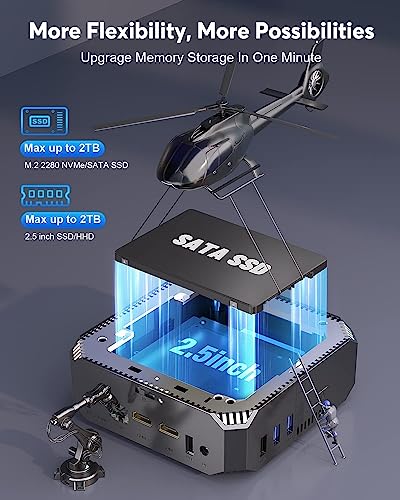
This computer is one of the most customizable computers I have ever purchased. I added a 1 TB SATA SSD for $50. It was so easy. The lid has a slidable lock and you just use that to open the space for the spare SATA drive. Now it has plenty of space for music and video downloads. The SSD is fast and this computer runs Windows 11 pro very well.
It is a great PC that can be moved around the house as needed. I use it for office work and also as a media box for my HDTV. It runs 1080p video silky smooth and will run 4k, but I would get a higher end model if you consistently play higher resolution videos. I just watch streaming TV on mine and the picture quality on this machine is outstanding. It beats every other streaming device that I have owned hands down. I also use this for Spotify and hook it to my stereo receiver and it works awesome.
So far I highly recommend this PC and I might buy another one to have a spare as my other computers are starting to show their age and need to be replaced with something modern and these are definitely cool little machines that exceeded my expectations so far.
Update: After several months of use this computer has become my daily work computer and also my media center. I have an 8 TB external hard drive hooked to this beast using the Blue USB 3.0 port and I can send my media files to every other computer in my house. This computer is a straight up champ and so quiet I barely notice when it is running. These computers are an unbelievable value for the price.
Special shoutout to Kin in Kamrui support. I have contacted Kamrui support with questions and they have been very helpful and friendly. Best customer service of any PC brand that I have worked with so far.
Fes –
Lo mas atractivo es el precio. Funciona bien una vez que haces cambios a la configuración del BIOS, así que requieres conocimiento técnico o asesoría para dejarla a punto. Viene con Windows instalado, pero no traé adherido el certificado, así que asumo que no es una copia legal.
Aurelio Vazquez –
De ninguna manera pude hacer que se activara después de estar en reposo, aun cuando en la BIOS lo puse en modo automático.