
 Amazon.com
Keychron K2 Bluetooth Mechanical Keyboard, Gateron Red Price comparison

- All prices mentioned above are in United States dollar.
- At amazon.com you can purchase Keychron K2 75% Layout Bluetooth Mechanical Keyboard with Gateron G Pro Red Switch/White LED Backlit/Anti Ghosting/N-Key Rollover/Compact 84 Key USB C Wired Computer Keyboard for Mac Windows-Version 2 for only
- The lowest price of Keychron K2 75% Layout Bluetooth Mechanical Keyboard with Gateron G Pro Red Switch/White LED Backlit/Anti Ghosting/N-Key Rollover/Compact 84 Key USB C Wired Computer Keyboard for Mac Windows-Version 2 was obtained on September 24, 2025 07:28.
Keychron K2 Bluetooth Mechanical Keyboard, Gateron Red Price History
Keychron K2 Bluetooth Mechanical Keyboard, Gateron Red Description
Keychron K2 Bluetooth Mechanical Keyboard: The Ultimate Typing Experience
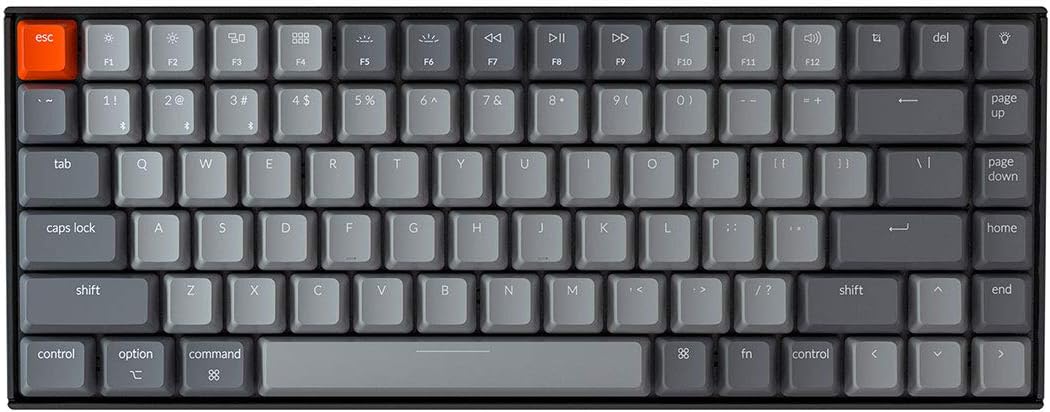
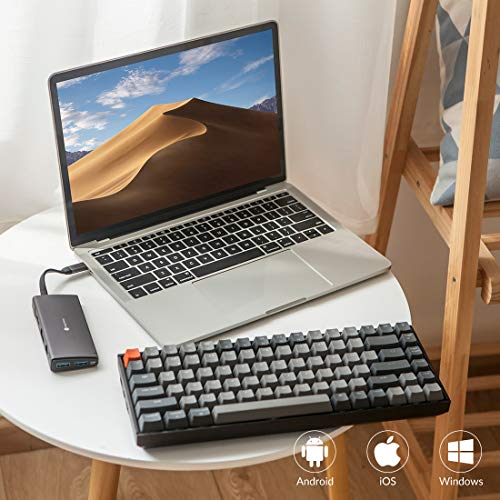
Discover the Keychron K2 Bluetooth Mechanical Keyboard with Gateron Red switches, designed for those who value seamless connectivity and an exceptional typing experience. Ideal for both Mac and Windows users, this versatile keyboard combines advanced features, a sleek design, and superior performance. Whether you’re working, gaming, or browsing, the Keychron K2’s reliable wireless technology ensures that you stay connected without interruptions.
Main Features of the Keychron K2 Bluetooth Mechanical Keyboard
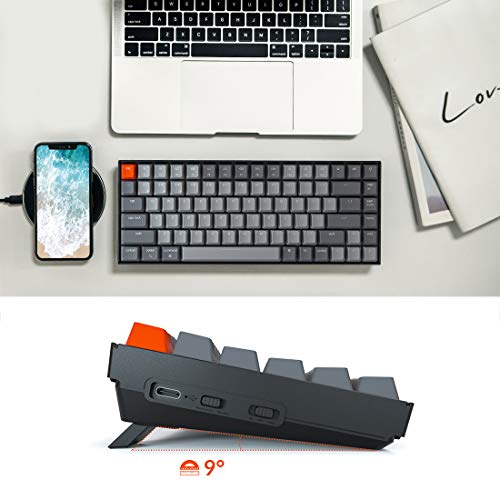
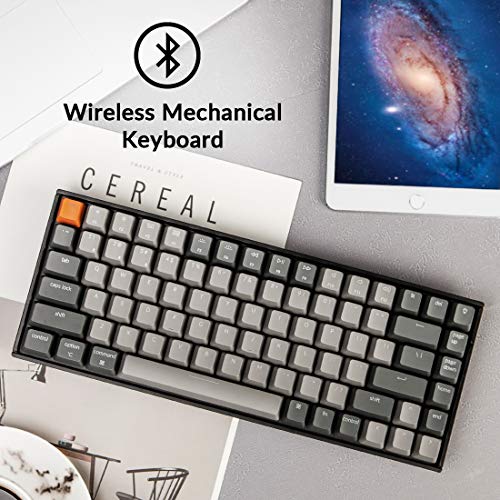
- Wireless Connectivity: The Keychron K2 pairs effortlessly via Bluetooth with up to three devices simultaneously, allowing you to switch devices with a simple tap. Say goodbye to tangled wires!
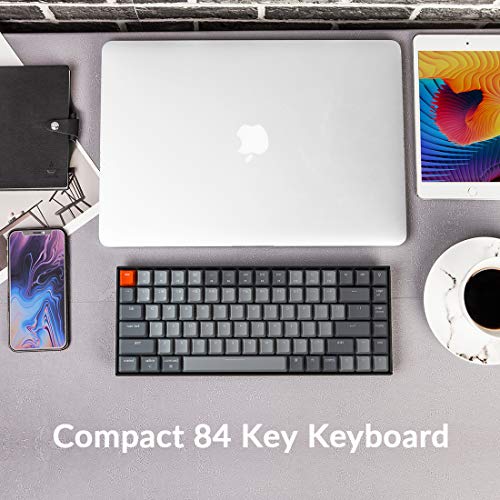
- Compact Size: With its compact dimensions of 12.32 x 4.84 x 1.52 inches, this keyboard saves desk space without compromising on functionality. Perfect for home offices or on-the-go setups.
- Gateron Red Switches: Enjoy the smooth, linear typing experience of Gateron Red switches, ideal for gaming or extended typing sessions. They provide a quiet and responsive feel, enhancing your overall productivity.
- Battery Life: Featuring a powerful built-in lithium polymer battery, the K2 offers up to 72 hours of usage on a single charge. Say goodbye to frequent charging interruptions.
- Customizable Backlighting: The single LED backlighting allows for a visually stunning typing experience, making it perfect for nighttime use. Select from various brightness levels and effects.
- Multi-Platform Compatibility: Designed for Mac and Windows users, the K2 keyboard seamlessly switches layouts, enhancing usability across different operating systems.
- Durability: Weighing just 1.93 pounds, the Keychron K2 is sturdy yet portable, suitable for both desktop setups and mobile workstations.
Price Comparison Across Suppliers
When it comes to pricing, the Keychron K2 Bluetooth Mechanical Keyboard remains competitive across various suppliers. Prices typically range from $74.99 to $89.99, depending on the retailer and ongoing promotions. By comparing prices, you can ensure you get the best deal for this remarkable keyboard. Our platform provides real-time comparisons, helping you find the most economical option available right now.
6-Month Price History Insights
An analysis of the 6-month price history chart reveals several interesting trends. The Keychron K2’s pricing has fluctuated slightly, with notable discounts appearing during major sales events such as Black Friday and Cyber Monday. Overall, the keyboard maintains a stable price point, reflecting its popularity and consistent demand.
Customer Reviews: What Users Are Saying
When it comes to customer feedback, the Keychron K2 Bluetooth Mechanical Keyboard boasts a favorable reception among users. Many praise its compact design, wireless functionality, and responsiveness of the Gateron Red switches. Users highlight significant improvements in typing speed and comfort, making it a worthwhile investment for both casual and professional typists.
However, some customers noted occasional connectivity issues, primarily when switching between devices. A few users also expressed a desire for an option with customizable key switches for further personalization. Despite these minor drawbacks, the overwhelming sentiment remains positive, showcasing the Keychron K2 as a reliable, stylish choice.
Unboxing and Review Videos
Interested in a closer look? Explore related unboxing and review videos available on platforms like YouTube to see the Keychron K2 Bluetooth Mechanical Keyboard in action. These videos offer valuable insights into its performance, backlighting features, and overall build quality, providing you with a comprehensive understanding before making a purchase.
Final Thoughts
The Keychron K2 Bluetooth Mechanical Keyboard is a top-tier option for anyone seeking a compact, versatile, and stylish keyboard. Its unique combination of features, including wireless capabilities, customizable backlighting, and Gateron Red switches, make it suitable for both work and play. With a reasonable price range and consistent customer praise, it’s a keyboard that stands out in a competitive market.
Ready to elevate your typing experience? Compare prices now!
Keychron K2 Bluetooth Mechanical Keyboard, Gateron Red Specification
Specification: Keychron K2 Bluetooth Mechanical Keyboard, Gateron Red
|
Keychron K2 Bluetooth Mechanical Keyboard, Gateron Red Reviews (7)
7 reviews for Keychron K2 Bluetooth Mechanical Keyboard, Gateron Red
Only logged in customers who have purchased this product may leave a review.




Jair –
Excelente, produto de alta qualidade, sou programador e para este fim não tem teclado melhor.
Marshall Mobley –
Simplemente increíble, lo compre con switches brown y es una gran experiencia pasar horas escribiendo con el, recomendadisimo
Marshall Mobley –
So first off, a few disclaimers. One, I am no mechanical keyboard expert so take everything I say as experience, not expertise. Two, this is my very first mechanical keyboard purchase so I have no other mechanical keyboards I can compare this to. Three, if you know nothing about mechanical keyboards – go and read at least a couple articles about what the different aspects to them are. Especially the different types of switches. Depending on what type of sound and feel you want, knowing the switches will potentially make the difference between a happy purchase and an unhappy one. I’m glad I did the research because I ended up very happy with both the sound and the feel. Ok, all that said… on to the review.
After using my last keyboard for about three years, I decided it was time to replace it. I had been hearing a lot about mechanical keyboards for a while and had been talking to others about their experience. I decided it was time to take the plunge. The challenge here is that there are A LOT of options out there. Here’s how I chose.
I’m a big fan of the folks at the Wirecutter (don’t love that they sold out to NYT, but whatevs). So I read their research and testing on best options. Their pick felt way over my head, both in terms of acquisition (had to go some mechanical keyboard online shop), costs, options, and wait time. Their budget pick, the Keychron C1 caught my eye. But this was a wired KB and I wanted wireless. I also noticed that their upgrade pick was also a Keychron – so when I found this one, I thought it couldn’t be too bad. Plus it had the two main features I wanted (bluetooth and backlight). Plus it looked pretty awesome.
The overall package – I have to admit for a brand I had never heard of before, the whole package – keyboard and all – was made with a considerable amount of quality. The construction feels solid and sturdy. The instructions were understandable and clear. It included extra keycaps if you wanted to use this keyboard with a windows machine. You could even change the keys in the corner to gray or orange. Your choice.
But the most important question – how does it feel to type? Mind you I’m not wildly picky nor a typing snob – but I thought it was great. I love the feel of it and it has just the right amount of feedback and sound. I got the brown switches for just this reason. Again, I will stress the importance of knowing what kind of switches you want.
What I like – Typing feels awesome. It looks amazing on my desk and blends well with my Mac and all my accessories. Holds a charge for a long time. Lots of fun backlight options. Easy to configure. Can use as wired or wireless. Everything is high quality.
What I don’t like – It goes to sleep a little too frequently for my taste. Mind you, this is configurable and you can change the amount of idle time before sleep or turn off auto sleep altogether.I tried this, but I think I got something wrong and now it seems to go to sleep even faster. But this is truly a PEBKAC and not a problem with the keyboard itself.
Who would I recommend this for – I would definitely recommend this keyboard for anyone looking for their first foray into the mechanical world. Nothing to overthink here. Just pick the type of switches you want (thank goodness there are only three available as opposed to the dozen or so that are out there) and order and you’re on your way to clickety-clackety nirvana.
Mehdy C –
Très bon clavier, fonctionne très bien depuis 5 mois
Mateus Rezende Fenoci –
Absolutely love this keyboard, I was a huge fan of membrane keyboards, and still am for some work, but at my main desk setup this is fantastic and love the feel. I type slower than on a membrane; but it’s way more comfortable and fun to use for gaming. Love that there is no rgb, but the backlighting is really extensive and easy to use, and I’ve never found myself wishing there were more options for it.
Cameron –
I am more and more satisfied with this keyboard over time.
I bought it for a Macbook and was immediately happy with it: keys feel good, wired or wireless were a breeze, the cable is of good quality, the manual is clear and straightforward, the keyboard feels robust, etc..
Recently I tried the keyboard on Windows and only remembered after a while that there’s a switch on the side per-system because I didn’t need the multimedia keys and everything just worked anyway. But after making the switch, multimedia keys work perfectly too.
It took about ten seconds to find the quick guide to the keyboard too. Just a great experience overall, and frankly worth the investment for the long haul.
This is a robust
Paul Turner –
I bought this for a home office that occupies a niche off the family living space and therefore should be as neat and minimal as possible. I especially want to avoid a tangle of cables. For years I used a Unicomp Model M at work, which I loved, but it was way too loud for home. I wondered how I would do with the Gateron blue switches, but in practice I like them just fine. The touch is lighter than the buckling springs of the Unicomp, but I have adjusted quickly and may soon prefer them. Anyway, after years of being forced much of the time to use laptop keyboards or the mushy junk at various offices this is quite satisfactory. I was also worried about using a Bluetooth connection, since other people have sometimes reported trouble, but it has worked like a charm. The connection was easy to establish and easy to restore after using the keyboard with other devices. I see no lag, no dropped characters, and no repeated characters. I don’t game, so there may be a degree of responsiveness others need that I don’t, but as far as I’m concerned each stroke has an instant result. It probably helps that I’m using this with a new NUC that has up-to-date Bluetooth 4.0. The keyboard goes to sleep after ten minutes and requires a keystroke to wake up. I realize that some sleep algorithm is necessary for battery life, but I wish that it were adjustable — I would trade more frequent charging for longer wakefulness. However, I have quickly developed the habit of hitting the shift key after returning to typing. I was already acclimated to that from using laptops on dark airplanes to restore back-lighting. Speaking of which, I have found the back-lighting to be more useful than I thought I would. I got the model with the plain white LEDs and only the use the most boring, straightforward setting. I makes it easier to work in the dark, which I often do, and it serves as a reminder that the keyboard is asleep. The biggest bonus for me has been how well the keyboard works with other devices, like my iPhone and a smart Samsung television, filling a need I didn’t know I had. I dislike typing long emails and texts with my thumbs. If the keyboard is in reach function-1, -2, or -3 quickly lets me switch with no problems. It has also spared me the tedium on text entry using the television remote when I am trying to search for a movie on Netflix or enter a password. My only objection to the keyboard is that, in practice, I don’t love the form factor. That is not a design criticism. I thought I would, but now I think I would prefer a more expansive tenkeyless design, with the conventional layout for arrow keys and a little gap between the numbers and the function keys. This is perfectly designed for someone who wants to able to toss this in a backpack and use it in many places, but for pure keyboarding in one place, it is more compressed than I need. It also stands slightly higher than I would prefer, but that is really just a matter of the right wrist rest. The build quality is excellent, the keyboard feels solid and inflexible, and the weight (though far less than the good old Unicomp) is enough to keep it firmly in one place. I will definitely keep this keyboard, even if I end up buying a larger one for daily use. I know now how well Bluetooth and blue keys work for me. I recommend this to others for quality, but always subject to subjective preference and the job at hand.