
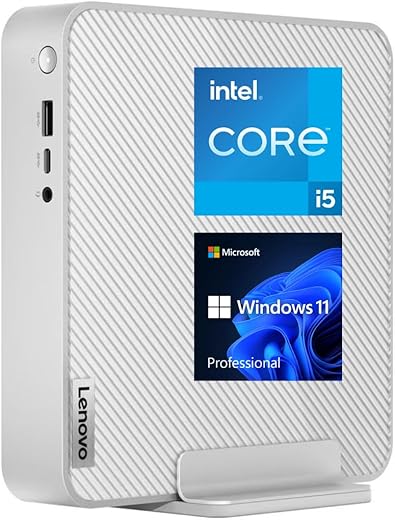
Lenovo Newest Business Mini Desktop, 13th Gen i5-13500H

 Amazon.com
$689.99
Lenovo Newest Business Mini Desktop, 13th Gen i5-13500H Price comparison

- All prices mentioned above are in United States dollar.
- This product is available at Amazon.com.
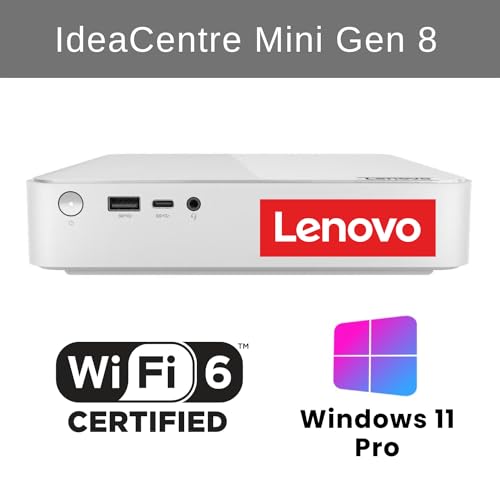
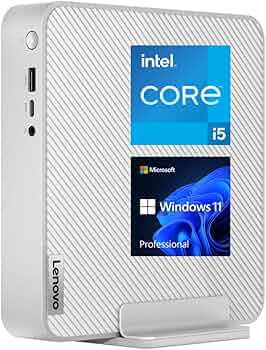
- At amazon.com you can purchase Lenovo IdeaCentre Newest Business Mini Desktop, 13th Gen Intel i5-13500H, 16GB RAM, 512GB PCIe M.2 SSD, RJ-45, HDMI, Wi-Fi 6, Bluetooth, Windows 11 Pro, Grey for only $689.99
- The lowest price of Lenovo IdeaCentre Newest Business Mini Desktop, 13th Gen Intel i5-13500H, 16GB RAM, 512GB PCIe M.2 SSD, RJ-45, HDMI, Wi-Fi 6, Bluetooth, Windows 11 Pro, Grey was obtained on September 24, 2025 10:17.
Lenovo Newest Business Mini Desktop, 13th Gen i5-13500H Price History
Lenovo Newest Business Mini Desktop, 13th Gen i5-13500H Description
Lenovo Newest Business Mini Desktop: Unmatched Performance
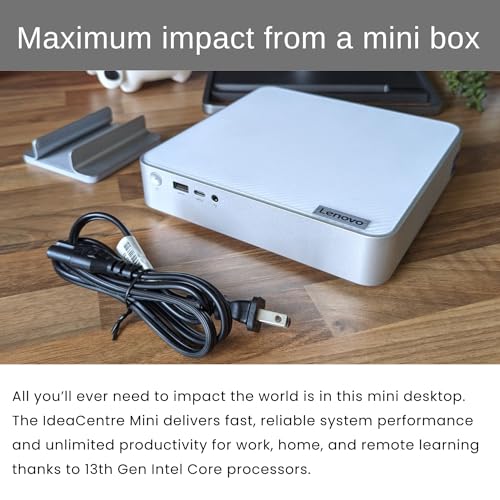
If you’re in the market for a powerful yet compact desktop solution, look no further than the Lenovo Newest Business Mini Desktop featuring the 13th Gen i5-13500H processor. Designed for efficiency and versatility, this mini desktop is perfect for professionals who need a robust system without sacrificing space.
Key Features and Benefits
- Powerful Processor: The Intel 13th Gen i5-13500H processor operates at a speed of 4.7 GHz, ensuring that you can handle demanding applications and multitask with ease.
- Stunning Visuals: With a maximum screen resolution of 3840 x 2160, enjoy high-definition graphics whether for business presentations, graphic design, or video editing.
- Ample Memory: Equip yourself with 16 GB DDR4 RAM at a speed of 3200 MHz for smooth operation and responsiveness during heavy tasks.
- Fast Storage: The 512 GB SSD provides quick load times and ample storage for all your files, applications, and media.
- Integrated Graphics: The Intel UHD Graphics coprocessor delivers solid performance for everyday graphics needs without requiring a dedicated graphics card.
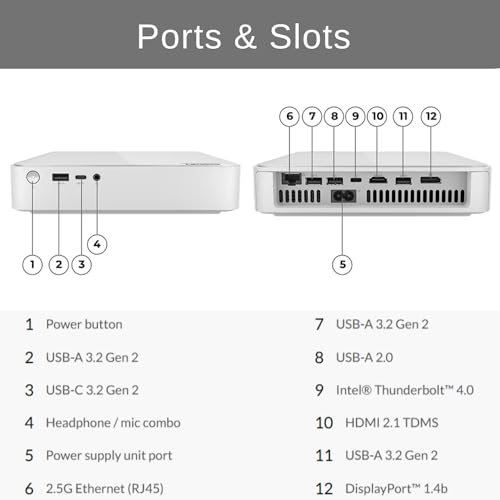
- Connectivity Options: The mini desktop comes with 1 USB 2.0 port and 5 USB 3.0 ports, ensuring you can connect multiple devices effortlessly.
- Compact Design: Measuring only 7.68 x 7.53 x 1.53 inches and weighing just 8 pounds, this device is perfect for tight spaces, whether in an office or at home.
- Latest Operating System: Windows 11 Pro is pre-installed, providing the latest features and security updates for a seamless user experience.
Price Comparison Across Suppliers
Discover competitive pricing on the Lenovo Newest Business Mini Desktop across various suppliers. Strong price variations typically exist in the eCommerce market; hence, by exploring our price comparison feature, you can find the best deal suited for your budget. Currently, you can expect prices to range significantly, which reinforces the importance of comparing options before making a purchase.
Trends from the 6-Month Price History Chart
Observing the trends in our 6-month price history chart reveals critical insights. The price has seen minor fluctuations, with peaks indicating availability or seasonal promotions. Notably, the average price has stabilized, suggesting it may be a good time to buy. Keeping an eye on these trends will help maximize your savings.
Customer Reviews: Insights and Feedback
Customers have generally praised the Lenovo Newest Business Mini Desktop for its compact design and impressive performance. The primary strengths highlighted include its processing speed and easy setup, making it a favorite among business professionals and home office users alike.
However, some users noted concerns about the lack of a dedicated graphics card for high-end gaming or graphic design tasks. While the integrated graphics are sufficient for most users, those seeking to perform advanced graphic tasks may want to consider alternatives.
It’s also noteworthy that many customers emphasize the efficiency of Windows 11 Pro, appreciating the intuitive interface and productivity enhancements. Overall, the feedback suggests that while it’s an ideal business machine, users should assess their specific needs before purchase to ensure it fits their requirements.
Related Unboxing and Review Videos
To further understand the capabilities of the Lenovo Newest Business Mini Desktop, check out engaging unboxing and review videos on platforms like YouTube. These videos provide hands-on demonstrations and real-life performance examples that offer insight into the device’s functionality and ease of use. This multimedia resource can be invaluable in helping you visualize the product in action.
Product Name + Price and Review Insights
When considering the “Lenovo Newest Business Mini Desktop Price,” you will find that competitors often price this model competitively due to its high demand. Reviews indicate that the performance is robust for everyday tasks, making it worth the investment. Moreover, ongoing price comparisons can ensure that you are making a well-informed purchasing decision.
Final Thoughts
The Lenovo Newest Business Mini Desktop, featuring the 13th Gen i5-13500H processor, is a powerful tool for professionals seeking efficiency in a compact package. Its stellar performance, integrated graphics, and thoughtful design make it a top candidate for anyone serious about maintaining productivity in a modern workspace.
Don’t miss out on the opportunity to elevate your setup with this remarkable desktop. Compare prices now!
Lenovo Newest Business Mini Desktop, 13th Gen i5-13500H Specification
Specification: Lenovo Newest Business Mini Desktop, 13th Gen i5-13500H
|
Lenovo Newest Business Mini Desktop, 13th Gen i5-13500H Reviews (1)
1 review for Lenovo Newest Business Mini Desktop, 13th Gen i5-13500H
Only logged in customers who have purchased this product may leave a review.






Duane –
The computer was delivered on exactly the original day shown on the Amazon order, which was next day to Ohio. Delivered in the computer original box, but the computer was well protected inside.
I was amazed on how nice the computer feels, just feels like quality, well made. I downloaded the Maintenance Manual from Lenovo and it was fairly easy to open the computer if you have any experience working on any computers or electronics. The quality of the design extends to the inside components. The internal Power Supply is HuntKey HKF-1501-3E. (Shenzhen Huntkey Electronics, China). DC out 20V, 2.0A, 150 W. It also has LI part number SP50H29687. The main computer fan assembly has a FRU PN: 5F10U94131, China. It is a AVC model BAZC0818R2U DC12V 1.5A Y006 Hydraulic bearing, http://www.avc.com.tw.
PCOnlineUS added larger memory and larger storage. There are 2 slots for laptop RAM, each slot is populated with a Crucial CT32G4SFD832A.M16FE 32GB DDR4-3200 SODIMM 1.2V CL22. Total of 64GB in my computer. The are two slots for PCIe 4.0 NVMe M.2 SSDs. Only one slot is populated with a single 2TB Kingston PCIe 4.0 NVMe M.2 card, SNV2S/2000G. The Kingston NV2 2TB is rated 3500MB/s read and 2800MB/s write. It shows as 100% healthy in Win11 system health. Also, the Kingston SSD Manager downloaded app shows 100% healthy and appears to be an original part.
Once reassembled, the computer booted up nicely into Win11Pro. The product key is provided. Win11 wants to use OneDrive as the default location for just about everything, but I do not like this cloud storage. So, it took me a while to find out how to disable that and do local storage only. After installing MS Office and several other Apps, I only used 200GB out of the 2TB drive. I used a backup program to make a complete bootable system backup to a USB SSD. Don’t wait too long to do this.
I played around with various BIOS and Win11 Power settings. My goal was keeping the CPU temperatures low. This is a very small computer box and heat shortens the life of all the components. I am not using it for gaming, so speed, although important, was not my primary goal. Final best configuration: BIOS CPU Turbo Enabled, fans at Performance mode. Win11 Power mode: Best Power Efficiency. Observed that the SYS Fan is fairly quiet. HWiNFO64 CPU Pkg temperature avg is 44 and max is 67 degC. Just browsing the internet the max is 47 degC.
I registered at Lenovo. Their site showed the warranty started about 3 months prior. The site has a way to send them the Amazon order details and they reset my warranty for the full 12 months. However, it appears the configuration was the one Lenovo sells, not including the upgrades PCOnlineUS made. OK, this is reasonable. And the PCOnlineUS website indicates they will also provide support. I really don’t know the details, but just like most electronics I buy, I just hope I never need any major support.
My research indicated that PCOnlineUS is a well known and well respected on-line value-added reseller. It appears they took the bare computer from Lenovo and added memory, storage, and Win11Pro. And so far, it appears they did a good job for my computer.
Hope this helps somebody. Enjoy.