
 Amazon.com
$39.99
Logitech Brio 101 Full HD 1080p Webcam Price comparison


- All prices mentioned above are in United States dollar.
- This product is available at Amazon.com.
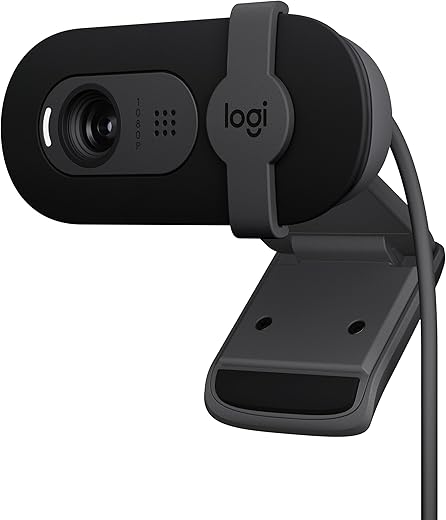
- At amazon.com you can purchase Logitech Brio 101 Full HD 1080p Webcam Made for Meetings and Works for Streaming — Auto-Light Balance, Built-in Mic, Privacy Shutter, USB-A, for Microsoft Teams, Google Meet, Zoom, and More - Black for only $39.99
- The lowest price of Logitech Brio 101 Full HD 1080p Webcam Made for Meetings and Works for Streaming — Auto-Light Balance, Built-in Mic, Privacy Shutter, USB-A, for Microsoft Teams, Google Meet, Zoom, and More - Black was obtained on September 24, 2025 07:10.
Logitech Brio 101 Full HD 1080p Webcam Price History
Logitech Brio 101 Full HD 1080p Webcam Description
Logitech Brio 101 Full HD 1080p Webcam: Perfect Streaming Companion
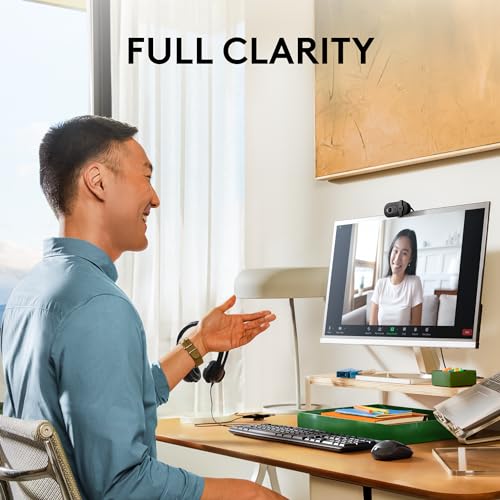
Experience crisp video quality with the Logitech Brio 101 Full HD 1080p Webcam. Whether you’re streaming, video conferencing, or recording, this superior webcam delivers vibrant and clear images. With the growing demand for high-quality content creation and virtual communication, the Brio 101 stands out as a top choice for professionals and casual users alike. Let’s dive into what makes this webcam a must-have for your setup.
Key Features of Logitech Brio 101 Webcam
- Full HD 1080p Resolution: Enjoy stunning 1080p video quality at 30 fps or 720p at 60 fps. This ensures your streams look professional and engaging.
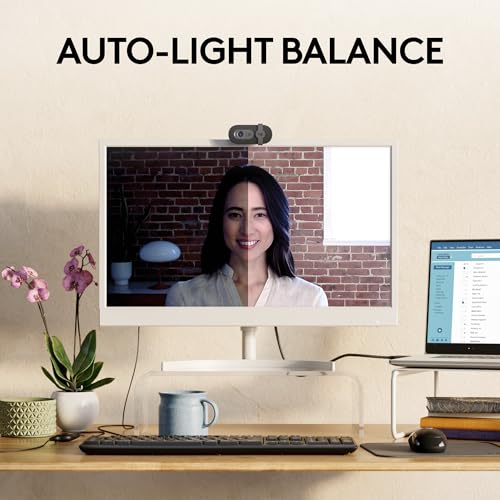
- RightLight™ Technology: Adaptive lighting correction optimizes light to provide sharp images under various conditions, whether it’s bright or dim.
- Wide Field of View: The 90-degree field of view provides flexibility in framing your shot. Perfect for group meetings or including more of your background.
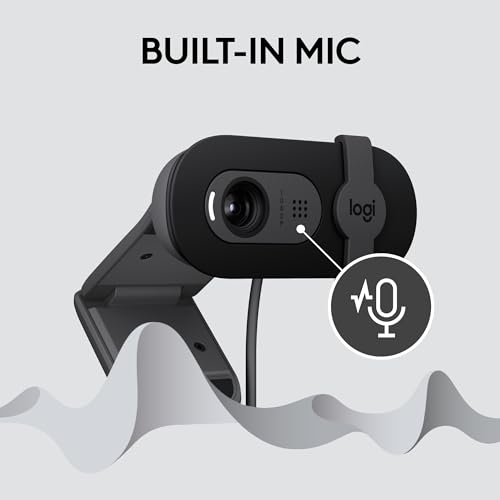
- Built-in Microphones: Dual integrated mics with noise-canceling technology allow for crystal-clear audio, making it easier for others to hear you.
- Compatibility: works seamlessly with popular video conferencing platforms like Zoom, Skype, and Microsoft Teams, ensuring you stay connected effortlessly.
Comparative Price Analysis
When shopping for the Logitech Brio 101 Full HD 1080p Webcam, prices tend to vary across different suppliers. By examining multiple retailers, you can find competitive pricing to suit your budget. Typically, prices hover around $199.99, but we’ve observed fluctuations. The price can dip during sales events or promotional periods, making it a smart choice to monitor price trends through our six-month pricing history.
Price Trends Over the Last Six Months
The six-month price history chart reveals a notable trend: prices for the Brio 101 have seen occasional drops, especially during holiday sales. The lowest recorded price was $169.99 during a Black Friday event, enticing many buyers. Keeping an eye on these trends can help you time your purchase for the best deal.
Customer Reviews: What Users Are Saying
Users have rated the Logitech Brio 101 Full HD 1080p Webcam highly for several reasons. Here is a summary of key feedback:
- Positive Aspects: Customers praise its exceptional video quality, particularly in low-light conditions thanks to RightLight technology. The wide field of view is also a major highlight, as it allows for versatile setups.
- Drawbacks: Some users have reported that the webcam may require specific drivers for optimal performance on certain platforms. A few noted that while the mics are decent, they wish for even higher audio quality.
Overall, the feedback from Amazon reviews confirms that the Brio 101 is well-regarded as an essential tool for those serious about their webcam quality.
Explore Unboxing and Review Videos
If you’re still on the fence, consider checking out unboxing and review videos on YouTube. These videos offer first-hand insights into the camera’s performance and features, demonstrating real-world application. Many reviewers highlight their experiences with video conferencing, streaming, and content creation, showcasing how well the Brio 101 performs in various scenarios.
Why Choose Logitech Brio 101 Webcam?
The Logitech Brio 101 Full HD 1080p Webcam is not just another webcam. It’s a blend of sophistication and quality catering to professionals and enthusiasts alike. With its stunning video clarity, impressive audio capabilities, and robust compatibility, it enhances any digital interaction. Don’t settle for average; invest in a webcam that amplifies your presence online.
In conclusion, the Logitech Brio 101 offers substantial value for its price. Whether you’re streaming, participating in video calls, or creating content, this webcam adapts to your needs effortlessly. Compare prices now and choose the best deal for the Logitech Brio 101 Full HD 1080p Webcam!
Logitech Brio 101 Full HD 1080p Webcam Reviews (13)
13 reviews for Logitech Brio 101 Full HD 1080p Webcam
Only logged in customers who have purchased this product may leave a review.





Judwina Cantave –
The Logitech Brio 101 Full HD 1080p Webcam is a top-notch choice for anyone needing a reliable and high-quality webcam. The video quality is crystal clear, making it perfect for video calls, streaming, and recording. The 1080p resolution ensures sharp and detailed images, and the automatic light adjustment feature adapts well to various lighting conditions, providing a consistently excellent picture.
Setup is a breeze, with a simple plug-and-play installation process. The webcam’s design is sleek and modern, fitting perfectly atop any monitor. The built-in microphone delivers clear audio, reducing the need for an external mic. Overall, the Logitech Brio 101 offers fantastic value for its price, making it a must-have for professionals and casual users alike.
Celeste –
Upgraded my bf’s old foggy webcam with this, as ive started to use his computer more and needed a camera for therapy. To preface, I have very little experience with webcams, but I love it! The picture is so so clear. Its a little confusing to mount- no mounting instructions and many other reviews dont mention this (maybe its something many people know already idk lol), but here is a photo of what i found online as to mount it. You sort of pinch it onto your computer.
Overall though, works great and looks sleek 🙂 love it
Krista –
The Logitech C270 HD Webcam has been a staple in our home since we purchased it in 2019. This simple yet effective webcam is perfect for anyone needing a reliable solution for basic video meetings, whether for work or personal use.
The sound and visual quality are clear, providing everything you need for smooth, uninterrupted communication. However, one downside is that the webcam does not have a zoom-in feature, meaning the view is fixed. While this limitation might be a drawback for those needing more flexibility in their video framing, it still consistently delivers dependable performance for straightforward video calls.
In summary, the Logitech C270 HD Webcam is a great option for anyone seeking an affordable, easy-to-use, and reliable webcam for basic needs. It’s been with us for years, and it continues to meet our video conferencing needs with ease.
Judwina Cantave –
This camera works great for meetings. I was able to test it out, and it works exactly as expected. It has a decent field of view, and the picture quality is really good. I haven’t tested out the built-in microphone, but I can easily say that this was an easy purchase to make for the price.
Danielle Barone –
This is my second of these cameras.mforst one lasted several years with no problems, so I bought a replacement when that old one failed. It works flawlessly upon plugging into my USB slot. I like the view it provides from about 3’ in front of me…very nice image size unlike some other cameras made for virtual meetings. The microphone is fine, but I normally use a headset so it’s not my main audio input source. Works well with Zoom and Teams.
BScopatz –
Very easy to set up and use. Image is clear, no issues.
dmar –
Perfect for meetings, good quality, does its job. Removing one star because it covers part of the screen.
Christopher Ghosn –
Lovely, simple to use, sits nicely on laptop, plug and use, ensure you install software and activate.
Praveen Pious Francis –
Easy to install – plug and play – and have no issues with mic even at a distance. Video is good as well.
Kyle K. –
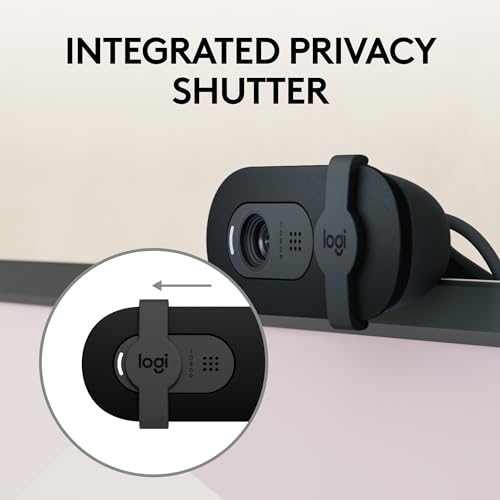
I’m using it as my microphone for Discord voice calls mainly and it does this just fine. My monitor isn’t exactly flat and it still holds great on it. Love that a small LED lights up when the camera’s in use and that there’s a slider to hide it in case you’re ever afraid of being spied on. Was very easy to get working on Windows out-of-the-box.
Neil –
Worth the money! Picture is much clearer than the last webcam that I had, the microphone is clear and picks up your voice well. I’m not on the other end so I don’t know if it noise cancels or not, but I haven’t had any complaints from the people I’m speaking with. Nice little web cam!
FP –
I would definitely recommend this webcam as an excellent 1920×1080 webcam at entry-level price point. I upgraded from a 720 resolution webcam and the image is significantly clearer. As with any webcam, make the room as bright as possible, although this one does a decent job in low light. Also like that this webcam has a narrower viewpoint than other webcams. I have a home office and want my image to take up most of the frame rather than showing the clutter around me in the office.
Any external webcam is going to do a much better job than the webcam built into your laptop and it’s not just about resolution it’s about how it handles the shadows and bright spots. Also, the built-in mic is much better than my laptop’s mic. Also, you can position an external webcam anywhere you want to. Nothing worse than using a laptop webcam and having to look down onto the camera. By having it on top of the monitor, the image is much more professional looking. I’m perfectly happy with this webcam but if I wanted better quality, I would get an actual photography camera that’s designed to use as a webcam because I don’t think you’d see a difference by just spending more on a webcam.
Regarding the privacy slide on any webcam, yes it does work but the issue is that when you slide it, the camera might slide sideways Just use a small piece of cloth or paper and hinge it with a piece of tape and flip it out of the way when you want to use or not use it.
I do give it five stars but did want to mention one criticism. I wish this webcam had a tripod thread and also a ball socket to adjust the camera to any position. This one only lets you adjust it up/down and not left to right and also a bit annoyed that the camera blocks the top row of my screen when using the built in kickstand. Both of these problems easily solved by folding up the kickstand and using velcro to attach the bottom of the kickstand to the top of the monitor.
Celeste –
Overall it’s very good value but I didn’t check and realized too late that there’s no zoom in/out so you may need to ensure your desk chair is on wheels. But other than that, excellent little camera that worked perfectly out of the box!