Budget Gaming Laptops 2026: Top Picks
Buying a gaming laptop on a budget is less about finding the cheapest machine and more about getting the right balance of GPU performance, memory, storage, display quality and cooling for the money. Two laptops with the same GeForce RTX badge can perform very differently once GPU power limits, cooling and configuration are taken into account.
For most shoppers, the best budget gaming laptops now sit in the roughly $750–$1,000 range, where 16GB of RAM, a 512GB SSD and a modern RTX 50-series GPU are becoming realistic targets. Less expensive machines can still make sense when heavily discounted, while spending slightly above $1,000 can sometimes deliver a much bigger performance jump than the price difference suggests.
This guide focuses on currently relevant configurations rather than treating every version of a laptop family as identical. We compared graphics hardware, GPU power, display specifications, upgradeability, portability and overall value to identify the strongest affordable gaming laptops for different types of buyers.
Quick Answer: Best Budget Gaming Laptops
Best Overall: Acer Nitro V 16 AI — a strong all-round choice with RTX 50-series graphics, a 16-inch 180Hz display and a balanced gaming-focused design.
Best Under $1,000: MSI Katana 15 HX — a performance-first option whose higher-powered GPU configurations can make it especially attractive when discounted below four figures.
Best Value: Lenovo LOQ Essential 15 — a practical gaming platform with RTX 5050 or RTX 5060 options, two memory slots and support for two M.2 SSDs.
Best for Students: ASUS V16 — a 16-inch 144Hz gaming laptop that balances classroom usability, productivity space and current RTX graphics.
How We Chose the Best Budget Gaming Laptops
We prioritized laptops that provide a clear reason to choose them rather than filling the list with minor variations of the same hardware. The main criteria were GPU performance, graphics power limits where disclosed, at least 16GB of RAM in the configuration we recommend, 512GB or more of SSD storage, a 144Hz-or-faster display, cooling design, upgradeability and realistic availability across retailers.
Price was evaluated in context rather than treated as a fixed specification. Gaming-laptop prices move frequently, and the same model name can cover several CPUs, GPUs, memory capacities and displays. For that reason, each recommendation includes the configuration worth targeting instead of assuming every version of a model offers the same value.
Best Budget Gaming Laptops Compared
| Laptop | Best For | GPU to Target | RAM | Display Target | Main Trade-Off |
|---|---|---|---|---|---|
| Acer Nitro V 16 AI | Best Overall | RTX 5050 | 16GB+ | 16-inch WUXGA, up to 180Hz | Not the smallest or lightest option |
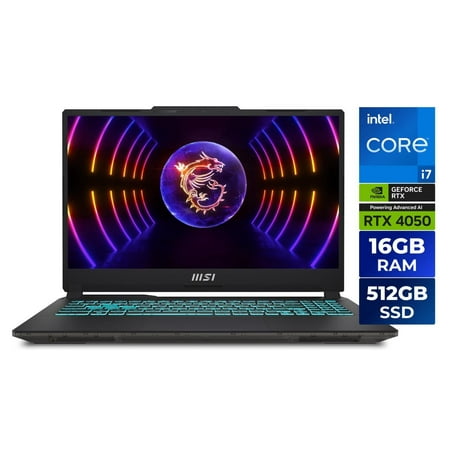
| MSI Katana 15 HX | Performance Under $1,000 | RTX 5050 / RTX 5060 | 16GB+ | High-refresh 15.6-inch | Performance-first chassis |
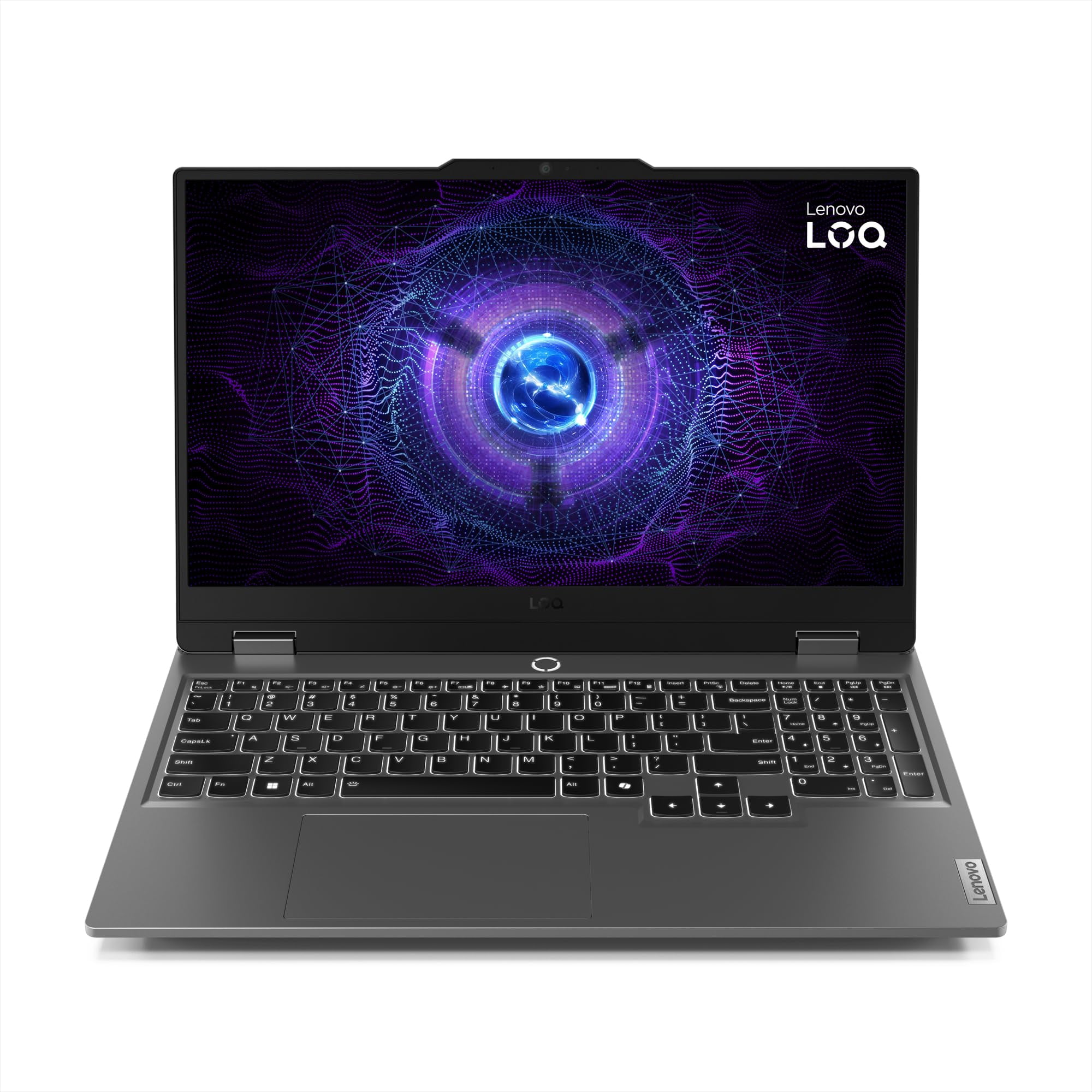
| Lenovo LOQ Essential 15 | Best Value | RTX 5050 | 16GB | 144Hz-class | 65W GPU power limit on RTX 50-series variants |
| ASUS V16 | Students | RTX 5050 | 16GB+ | 16-inch WUXGA, 144Hz | Display quality varies by configuration |
| MSI Cyborg 15 | Lightweight Budget Gaming | RTX 5060 | 16GB+ | 15.6-inch FHD, 144Hz | RTX 5060 limited to around 55W on current configurations |
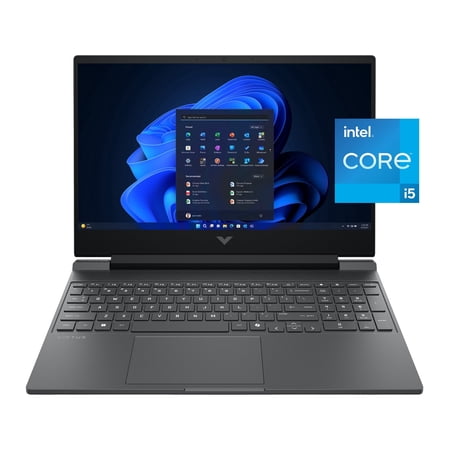
| HP Victus 15 | Entry-Level Deals | RTX 5050 | 16GB | 15.6-inch FHD, 144Hz | Many older lower-spec configurations remain on sale |
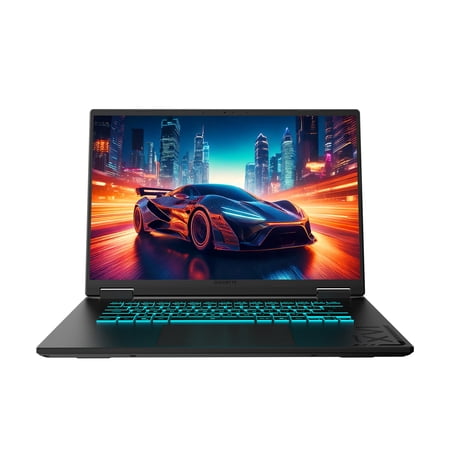
| Gigabyte A16 | Performance Stretch | RTX 5060 or better | 16GB+ | 16-inch high-refresh | Often priced above the strict $1,000 budget tier |
Current pricing can change which laptop offers the best value on a given day. Compare the live listings below before deciding between two configurations that appear similar on paper.



1. Acer Nitro V 16 AI — Best Overall Budget Gaming Laptop
Acer Nitro V 16 AI is the strongest all-round recommendation in this guide because it combines a modern gaming platform with a display and cooling system that make sense beyond the specification sheet.
Current Nitro V 16 AI configurations include GeForce RTX 50-series graphics and a 16-inch WUXGA 1920 × 1200 display capable of refresh rates up to 180Hz. The 16:10 aspect ratio gives you slightly more vertical room than a traditional 16:9 gaming panel, which is useful for web browsing, schoolwork and productivity as well as gaming.
Acer also uses a dual-fan cooling design with multiple intake and exhaust paths. That matters in a budget machine because sustained gaming performance depends on how effectively the chassis can manage heat rather than simply which GPU name appears in the listing.
The RTX 5050 configuration is the version we would target for value. Pair it with at least 16GB of RAM and a 512GB SSD; 1TB becomes preferable if you plan to keep several large games installed.
Best For
Gamers who want a balanced budget machine for modern games, everyday productivity and a high-refresh 16-inch display.
Pros
✅ Up to 180Hz 16-inch WUXGA display
✅ Modern RTX 50-series configurations
✅ 16:10 screen is useful for gaming and productivity
✅ Dual-fan cooling design
✅ Strong balance of performance and everyday usability
Cons
❌ Not designed to be an ultra-portable gaming laptop
❌ Pricing can vary substantially by CPU, RAM and storage configuration
❌ Higher-spec versions can move outside true budget territory

Alternative: Choose the Lenovo LOQ Essential 15 if upgradeability and getting the lowest practical entry price matter more than having the Nitro’s faster display option.
2. MSI Katana 15 HX — Best Gaming Laptop Under $1,000
MSI Katana 15 HX is the performance-focused choice for shoppers trying to stay around the $1,000 ceiling. The important reason is not simply that it offers RTX 50-series graphics, but that selected configurations give the GPU more power headroom than some thin budget competitors.
That difference can matter significantly. A higher-power RTX 5050 or RTX 5060 can sustain more performance than the same GPU running inside a chassis with a much lower graphics power limit. This is why comparing GPU names alone is one of the easiest mistakes to make when shopping for affordable gaming laptops.
The Katana is best treated as a machine for buyers who put frame rates ahead of portability or premium materials. Look for at least 16GB of RAM, preferably 1TB of storage if the price difference is reasonable, and compare the exact GPU configuration rather than assuming every Katana 15 HX is identical.
Best For
Performance-focused gamers who want the strongest GPU implementation they can reasonably find around the $1,000 mark.
Pros
✅ Performance-first configuration strategy
✅ RTX 5050 and RTX 5060 versions available
✅ Higher GPU power ceiling than several thinner budget alternatives
✅ Suitable for buyers prioritizing frame rates
✅ Strong option when discounted below $1,000
Cons
❌ Less portability-focused than thinner gaming laptops
❌ Display quality can be less impressive than raw performance
❌ Exact GPU and panel specifications depend on configuration
Alternative: The Acer Nitro V 16 AI is the more balanced choice if display quality and general-purpose usability matter as much as maximum gaming performance.
3. Lenovo LOQ Essential 15 — Best Value Gaming Laptop
Lenovo LOQ Essential 15 makes sense for value-oriented buyers because Lenovo has kept the platform relatively straightforward while still offering modern RTX graphics and useful upgrade options.
Current LOQ Essential 15IRX11 specifications include RTX 5050 and RTX 5060 Laptop GPUs with 8GB of GDDR7 memory. Both operate at a listed 65W graphics power level. That is enough to make the machine relevant for mainstream gaming, but it also explains why an RTX 5060 LOQ Essential should not automatically be assumed to outperform every RTX 5050 laptop by a large margin.
The platform supports two DDR5 SODIMM slots and up to two M.2 SSDs, making it easier to expand memory or storage later. That can be valuable when a discounted configuration comes with enough CPU and GPU performance but only the minimum storage you need today.
For most buyers, an RTX 5050 model with 16GB RAM and at least a 512GB SSD is the configuration to target. Paying extra for RTX 5060 makes more sense when the price gap is modest.
Best For
Buyers who want a practical value gaming laptop with straightforward memory and storage expansion.
Pros
✅ RTX 5050 and RTX 5060 options
✅ 8GB GDDR7 graphics memory on current RTX 50-series versions
✅ Two DDR5 memory slots
✅ Support for two M.2 SSDs
✅ Good platform for future storage upgrades
Cons
❌ RTX 5050 and RTX 5060 versions are limited to 65W
❌ Paying a large premium for RTX 5060 reduces the value argument
❌ Entry configurations still need to be checked carefully for RAM and storage
Alternative: Choose the MSI Katana 15 HX when GPU power matters more than the LOQ’s value-oriented upgrade path.
4. ASUS V16 — Best Budget Gaming Laptop for Students
ASUS V16 is one of the better fits for students because its design crosses the line between a traditional gaming machine and a general-purpose 16-inch laptop more comfortably than many aggressive budget gaming designs.
Current V16 configurations span several NVIDIA GPUs, including RTX 5050, RTX 5060 and RTX 5070 options. The RTX 5050 is the version that makes the most sense for this budget-focused guide. ASUS pairs the platform with a 16-inch 1920 × 1200 display running at 144Hz, giving you both gaming smoothness and extra vertical space for documents, research and coursework.
One specification deserves attention when shopping: display color coverage can vary between configurations. Some V16 panels are listed with 45% NTSC coverage while others offer 100% sRGB, so students who also edit photos, video or graphics should inspect the exact panel before buying.
A 16GB RAM configuration with RTX 5050 and at least 512GB of storage gives the V16 the best balance between gaming performance and everyday student use. For a deeper look at the brand’s gaming lineup, see ASUS Gaming Laptops 2026 Reviewed.
Best For
Students who need one laptop for coursework, general productivity and modern gaming without moving to a bulky premium gaming notebook.
Pros
✅ 16-inch 16:10 display
✅ 144Hz refresh rate
✅ RTX 5050, RTX 5060 and higher configurations available
✅ Useful crossover between gaming and productivity
✅ Good fit for student gaming setups
Cons
❌ Display color coverage varies by configuration
❌ Higher-GPU versions can quickly move outside budget pricing
❌ 16-inch size is less convenient than a true thin-and-light notebook for daily commuting
Alternative: Choose the MSI Cyborg 15 if a lighter gaming-oriented chassis matters more than the V16’s larger 16:10 productivity display.
5. MSI Cyborg 15 — Best Lightweight Budget Gaming Laptop
MSI Cyborg 15 is the most interesting option here for shoppers who want current-generation RTX graphics without carrying one of the heaviest budget gaming designs.
Current Cyborg 15 configurations include RTX 5050 and RTX 5060 Laptop GPUs, with the RTX 5060 version using 8GB of GDDR7 graphics memory. The major specification to understand is its power limit: MSI lists the RTX 5060 at up to roughly 55W Maximum Graphics Power on relevant configurations.
That lower power target helps explain why the Cyborg can fit a thinner, more portable role, but it also means shoppers should not compare it with a higher-powered RTX 5060 laptop based solely on GPU naming. A lower-power RTX 5060 can still be attractive when the price is right, especially if portability is part of the purchase decision.
The standard 15.6-inch Full HD 144Hz display keeps the focus on mainstream 1080p gaming rather than high-resolution performance.
Best For
Gamers who value portability and want RTX 5060 features without prioritizing maximum GPU wattage.
Pros
✅ RTX 5060 option with 8GB GDDR7
✅ 144Hz Full HD display
✅ More portability-oriented than many budget gaming laptops
✅ Good match for mainstream 1080p gaming
✅ Attractive when RTX 5060 configurations fall below $1,000
Cons
❌ RTX 5060 is limited to around 55W on current configurations
❌ GPU name can make the laptop look faster on paper than it is in practice
❌ Full HD panel is less spacious than 16:10 WUXGA alternatives
Alternative: The MSI Katana 15 HX is the better choice if you are willing to accept a less portability-focused design in exchange for more GPU power headroom.
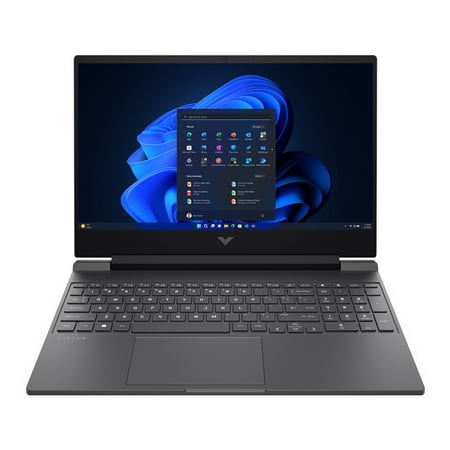
6. HP Victus 15 — Best Entry-Level Gaming Laptop Deal
HP Victus 15 remains relevant because the product family spans a wide range of configurations and often appears at aggressive sale prices. That flexibility is also the reason shoppers need to be particularly careful about which Victus they are buying.
Current Victus 15 families can include RTX 5050 and RTX 5060 graphics alongside older RTX 4050, RTX 3050 and even lower-tier configurations. HP also offers 16GB memory options, 512GB or 1TB NVMe SSDs and Full HD 144Hz displays on relevant models.
For a new purchase, an RTX 5050 configuration with 16GB RAM and 512GB storage is the version we would target. An older RTX 3050 Victus can still qualify as a cheap gaming laptop, but only when the discount is large enough to compensate for the performance gap and shorter useful life.
This is a laptop where the deal matters as much as the model name. Do not pay current-generation money for an older GPU simply because both machines carry the Victus badge. Students comparing Victus against more conventional HP notebooks can also use Best HP Laptops for Students 2026 to see when gaming hardware is worth the extra weight and cost.
Best For
Bargain hunters who are willing to compare configurations carefully and wait for a strong Victus discount.
Pros
✅ Wide range of configurations
✅ RTX 5050 and RTX 5060 options exist
✅ 144Hz Full HD display options
✅ 16GB RAM configurations available
✅ Frequently worth watching for discounts
Cons
❌ Many older RTX 3050 and RTX 4050 models remain in retail channels
❌ Victus model names do not tell you enough about the exact hardware
❌ Entry-level configurations can cut RAM or storage too aggressively
Alternative: Choose the Lenovo LOQ Essential 15 if you prefer a more straightforward current-generation configuration and clearer upgrade path.
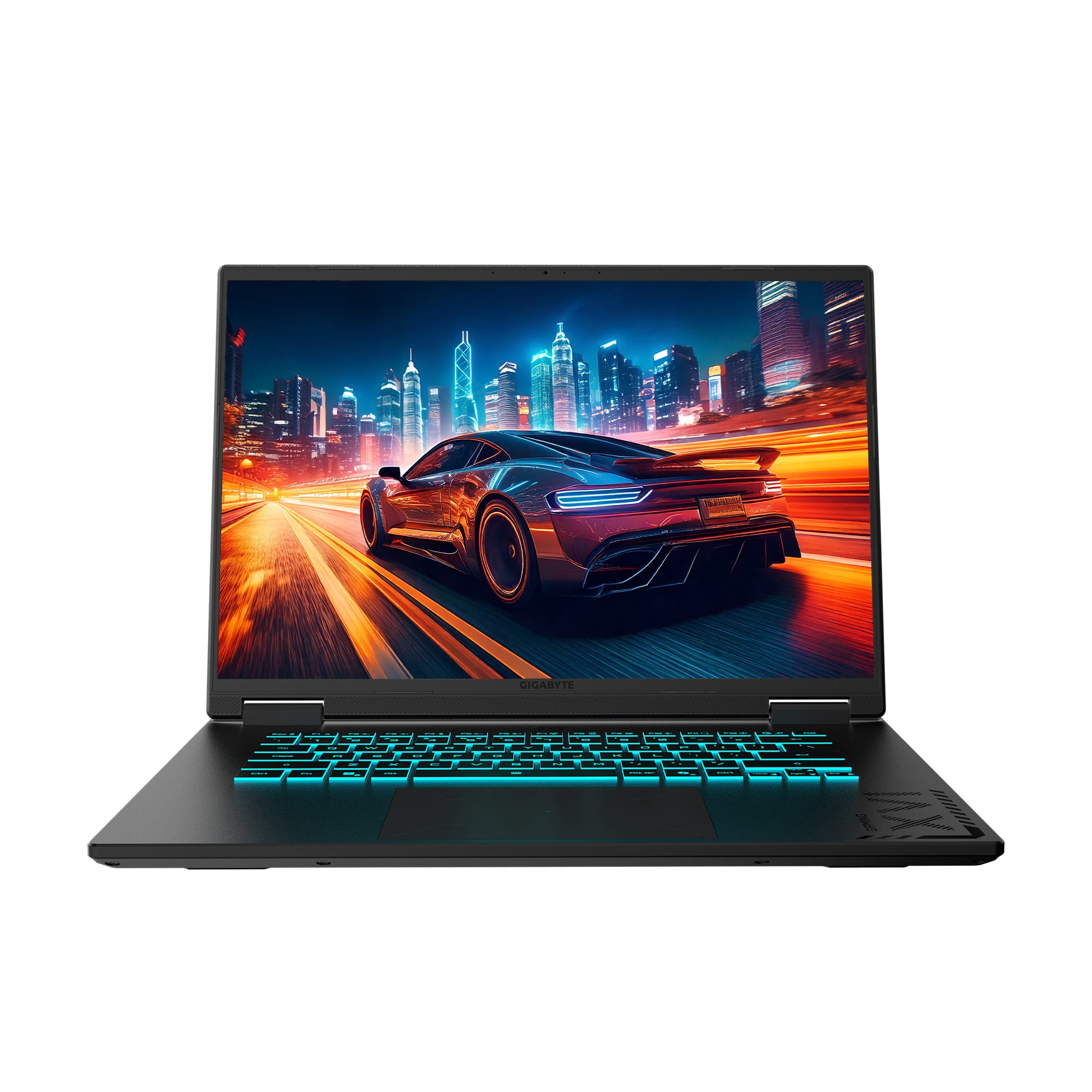
7. Gigabyte A16 — Best Performance Stretch Pick
Gigabyte A16 sits at the upper edge of what belongs in a budget gaming guide, but it earns a place because strict price ceilings can sometimes lead buyers into worse value.
If a stronger RTX 5060 configuration—or a discounted higher-tier GPU version—costs only moderately more than a $999 entry-level machine, the extra spending can deliver more useful gaming longevity than upgrading memory or storage on a weaker GPU later.
This is the laptop to consider after you have already reached the top of the $1,000 tier and are debating whether to stop or stretch the budget. The right answer depends on the current sale price. If the premium is several hundred dollars, the budget picks above make more sense. If the difference shrinks to roughly the cost of a modest component upgrade, stepping up can be worthwhile.
As always, compare the exact GPU, memory, storage and display rather than relying on the A16 family name alone.
Best For
Buyers who can spend slightly above a strict budget ceiling when the performance increase justifies the premium.
Pros
✅ Stronger GPU configurations than many entry-budget machines
✅ Better fit for buyers planning to keep the laptop for several years
✅ Can become excellent value during major discounts
✅ Makes a useful comparison point against the $1,000 ceiling
Cons
❌ Often costs more than $1,000
❌ No longer a true entry-level budget laptop
❌ Value depends heavily on retailer discounts
Alternative: Stay with the Acer Nitro V 16 AI if you want a more disciplined budget without giving up a strong modern gaming configuration.
Best Gaming Laptops Under $1,000: What Should You Expect?
A $1,000 gaming-laptop budget is enough to buy a capable modern machine, but the best value usually comes from choosing the right configuration rather than chasing the highest model number.
$600–$750
Treat this as the deal-driven tier. Older GPUs and entry configurations can make sense, but only if the discount is substantial and the machine still has enough RAM and storage.
$750–$1,000
This is the current sweet spot. Target RTX 5050-class graphics, 16GB RAM, at least 512GB of SSD storage and a 144Hz-or-faster display.
$1,000–$1,250
This is the performance-stretch tier. RTX 5060 and occasionally higher configurations become more realistic, especially during major sales.
The mistake is assuming that $999 automatically represents better value than $1,099. If the more expensive laptop has a meaningfully stronger GPU implementation, better display and twice the storage, spending another $100 can be easier to justify than upgrading a weaker system later.
What Specs Matter Most in a Budget Gaming Laptop?
Start With the GPU
The graphics processor has the biggest direct effect on gaming performance in most budget gaming laptops. CPU differences matter, particularly in competitive games and simulation-heavy workloads, but buying a stronger processor with a much weaker GPU is usually the wrong trade-off for a gaming-first system.
For a new mainstream purchase, RTX 5050-class graphics are a sensible baseline. RTX 5060 becomes more attractive when the price difference is modest and the laptop gives the GPU enough power to use its additional capability.
GPU Wattage Matters More Than Many Buyers Realize
Two laptops carrying an RTX 5060 can perform differently because laptop GPUs operate across different power ranges.
| Example | GPU | Listed Graphics Power | What It Means |
|---|---|---|---|
| MSI Katana 15 HX | RTX 5060 configuration | Higher performance-oriented power target on relevant versions | Better suited to buyers prioritizing sustained GPU performance |
| Lenovo LOQ Essential 15 | RTX 5060 | 65W | Balanced value implementation rather than maximum-power tuning |
| MSI Cyborg 15 | RTX 5060 | About 55W | Prioritizes efficiency and portability over maximum GPU output |
This does not make a lower-power design bad. It means the correct buying question is how much performance am I getting for this price?, not simply which laptop has the higher GPU number?
16GB RAM Should Be the Starting Point
For a new gaming laptop, 16GB is the practical baseline. An 8GB machine can still run games, but Windows, background applications, launchers, browsers and modern titles can make that capacity restrictive quickly.
If a discounted laptop has 8GB but includes an accessible second memory slot, upgrading it may still be reasonable. Check the total cost after the upgrade before assuming the lower sticker price is the better deal.
512GB SSD Is the Minimum We Would Target
Modern games can consume large amounts of storage. A 256GB SSD becomes restrictive once Windows and essential applications are installed. A 512GB drive is workable; 1TB is noticeably more comfortable for anyone who rotates between several large games.
Upgradeability can therefore be more valuable than a small CPU difference. A second M.2 slot lets you expand storage later without replacing the original drive.
A 144Hz Display Is Worth Having
A high-refresh display is particularly valuable for esports and fast-action games. At this price point, 144Hz should be considered a sensible target rather than a premium luxury.
Refresh rate is not the whole story. Brightness, color coverage, resolution and response behavior vary widely among budget laptops. A 180Hz panel is not automatically better for every user if its color quality is weak.
Cooling Determines Sustained Performance
A gaming laptop can produce excellent short benchmark results and still lose performance once heat builds up. Dual-fan cooling, sufficient exhaust area and sensible power tuning matter during long gaming sessions.
Cooling also affects noise. Budget gaming laptops often become clearly audible under load, so shoppers who need a quiet classroom or shared-room laptop should consider acoustics alongside frame rates.
RTX 5050 vs RTX 5060: Which Is Better for Budget Gaming?
RTX 5060 is the stronger GPU class, but it is not automatically the better-value laptop. Price, graphics power, cooling and the rest of the configuration determine whether paying more actually makes sense.
An RTX 5050 laptop with a stronger cooling system and sensible power target can be a better purchase than a heavily power-limited RTX 5060 sold at a large premium. Conversely, an RTX 5060 machine that costs only modestly more than an RTX 5050 alternative can be one of the smartest ways to extend useful gaming life.
Choose RTX 5050 when: you want the best balance around the $750–$1,000 range and mainly play at 1080p or 1200p.
Choose RTX 5060 when: the price premium is reasonable, the GPU has a respectable power limit, and you want more headroom for demanding games.
The best approach is to compare the exact laptop configuration and current price instead of treating the GPU model as a complete buying decision.
Budget Gaming Laptops for Students
A student gaming laptop has to solve two different problems: it needs enough graphics performance to play games after class while still being practical for lectures, assignments, browsing and everyday transportation.
ASUS V16 is the most balanced student-oriented recommendation in this guide because its 16:10 144Hz display provides useful workspace outside games. MSI Cyborg 15 is worth considering when carrying weight and portability matter more, while Acer Nitro V 16 AI is the better fit when gaming and screen performance are the higher priority.
If gaming is only one part of your workload and price, battery life or portability matter more, compare these options with the broader picks in Most Affordable Laptops for Students 2026. Students who lean more toward productivity can also compare dedicated work-and-study models in Best Dell Laptops for Work & Study in 2026.
Students should pay particular attention to battery expectations. Dedicated gaming GPUs consume far more power under load than ordinary integrated graphics, and serious gaming is still best done while connected to the power adapter. A gaming laptop can replace a general student notebook, but it will rarely match an ultralight productivity machine for battery life and portability.
Budget Gaming Laptop Buying Guide
Decide What You Actually Play
Competitive games such as Valorant, Counter-Strike 2, Fortnite and similar titles can run well on modest hardware when settings are optimized. Demanding AAA games place much more pressure on the GPU and benefit more from stepping up to RTX 5060-class performance.
If you mainly play esports titles, paying a large premium for the strongest GPU available may be unnecessary. Put some of that budget toward a better display, more storage or a lighter machine instead.
Compare the Exact Configuration
Never buy from the family name alone. Acer Nitro, Lenovo LOQ, HP Victus, MSI Katana and ASUS V16 listings can contain different processors, GPUs, memory capacities, SSD sizes and displays.
✓ Confirm the exact GPU model.
✓ Check the GPU power limit when the manufacturer publishes it.
✓ Target at least 16GB RAM.
✓ Choose 512GB SSD minimum; 1TB is preferable.
✓ Look for a 144Hz-or-faster display.
✓ Compare the final price after any RAM or SSD upgrades you will need.
Do Not Overpay for an Older GPU
Older RTX 3050 and RTX 4050 laptops can still be worthwhile at aggressive clearance prices. They become poor value when retailers price them too close to newer RTX 5050 machines.
This is especially important with product families such as HP Victus that remain on sale across several hardware generations.
Check Upgradeability Before Buying
Upgradeable RAM and storage can extend the useful life of an affordable gaming laptop. A machine with two memory slots or a second M.2 storage slot can be easier and cheaper to improve later than a thinner design with more restrictive internal options.
Consider Whether a Gaming Laptop Is the Right Platform
A gaming laptop is the right choice when you want PC games, desktop applications and portability in one device. If you mainly play from a television and do not need a full Windows computer, a console can offer a simpler and sometimes less expensive route into current games. Compare the alternatives in Best Gaming Consoles to Buy in 2026 before paying extra for laptop portability you may not use.
Buy the Deal, Not Just the Model
Gaming laptops are frequently discounted, and pricing can move enough to change the ranking between two products. A machine that is merely average at full price can become the best value in the category after a significant sale.
Use current retailer pricing as part of the specification. When two models are close, compare the total package—GPU, power limit, RAM, SSD, display and cooling—against the price you would actually pay today.
Budget Gaming Laptop FAQ
What is the best budget gaming laptop?
The Acer Nitro V 16 AI is our best overall budget gaming laptop because it combines current RTX graphics, a high-refresh 16-inch display and a balanced cooling-focused design. The best choice can change when competing models receive large discounts.
Is $1,000 enough for a good gaming laptop?
Yes. Around $750–$1,000 is a strong value range for a gaming laptop. Look for RTX 5050-class graphics, 16GB RAM, at least a 512GB SSD and a 144Hz-or-faster display.
Is RTX 5050 good enough for gaming?
RTX 5050 is a sensible mainstream choice for budget 1080p and 1200p gaming. Actual performance depends on the laptop’s GPU power limit, cooling, CPU and game settings, so the GPU name should not be evaluated in isolation.
Is RTX 5060 worth paying more for than RTX 5050?
RTX 5060 is worth paying more for when the price gap is modest and the laptop gives the GPU enough power and cooling to use its additional performance. A heavily power-limited RTX 5060 is not automatically better value than a well-implemented RTX 5050.
How much RAM should a gaming laptop have?
16GB is the practical baseline for a new gaming laptop. An 8GB machine should generally be considered only if the price is unusually low and the memory can be upgraded economically.
Are budget gaming laptops good for students?
Yes, especially when one computer needs to handle both coursework and gaming. Students should balance GPU performance with weight, battery life, screen size and charger size because gaming laptops are less portable than typical productivity notebooks.
Should I buy an RTX 3050 gaming laptop if it is cheap?
An RTX 3050 laptop can still make sense as a heavily discounted entry-level system, but it should cost meaningfully less than a newer RTX 5050 machine. Avoid paying near-current-generation prices for older graphics hardware.
When is the best time to buy a gaming laptop?
Major retail events, back-to-school promotions and holiday sales frequently produce strong gaming-laptop discounts, but good deals can appear throughout the year. The most useful strategy is to decide on a target configuration first and buy when that hardware reaches a compelling price.
Final Verdict: Which Budget Gaming Laptop Should You Buy?
Acer Nitro V 16 AI is the strongest overall choice for buyers who want a balanced modern gaming laptop without moving directly into premium pricing. Its 16-inch high-refresh display and gaming-focused cooling make it easy to recommend as the starting point.
MSI Katana 15 HX is the better performance-first option around the $1,000 ceiling, while Lenovo LOQ Essential 15 stands out for practical value and upgradeability. Students should look closely at the ASUS V16, and portability-minded gamers may prefer the MSI Cyborg 15 despite its lower GPU power target.
The HP Victus 15 becomes especially interesting during sales, but configuration checking is essential because older GPU versions remain widely available. The Gigabyte A16 is the option to consider when spending slightly above $1,000 produces a meaningful performance upgrade.
Best Overall: Acer Nitro V 16 AI
Best Under $1,000: MSI Katana 15 HX
Best Value: Lenovo LOQ Essential 15
Best for Students: ASUS V16
Best Lightweight Pick: MSI Cyborg 15
The most important rule when shopping for a budget gaming laptop is simple: buy the configuration, not the model name. Compare the exact GPU, graphics power, RAM, storage, display and current retailer price before deciding which machine offers the best value.
Sources
- Acer — current Nitro V 16 AI specifications and product documentation.
- MSI — current Katana 15 HX and Cyborg 15 specifications.
- Lenovo PSREF — LOQ Essential 15IRX11 specifications.
- ASUS — current V16 V3607 specifications.
- HP — current Victus 15 gaming-laptop specifications.
- Gigabyte — current A16 product specifications.
- PCMag — budget gaming laptop buying-guide research.
- Tom’s Hardware — budget gaming laptop testing and recommendations.
- TechRadar — current budget gaming laptop recommendations and deal coverage.
- PCWorld — gaming laptops under $1,000 testing and buying guidance.
- PC Gamer — gaming-laptop testing, pricing and deal research.
Product Groups: Acer Nitro V 16 AI, MSI Katana 15 HX, Lenovo LOQ Essential 15, ASUS V16, MSI Cyborg 15, HP Victus 15, Gigabyte A16