
Logitech C922 Pro Webcam, 1080p Streaming Camera
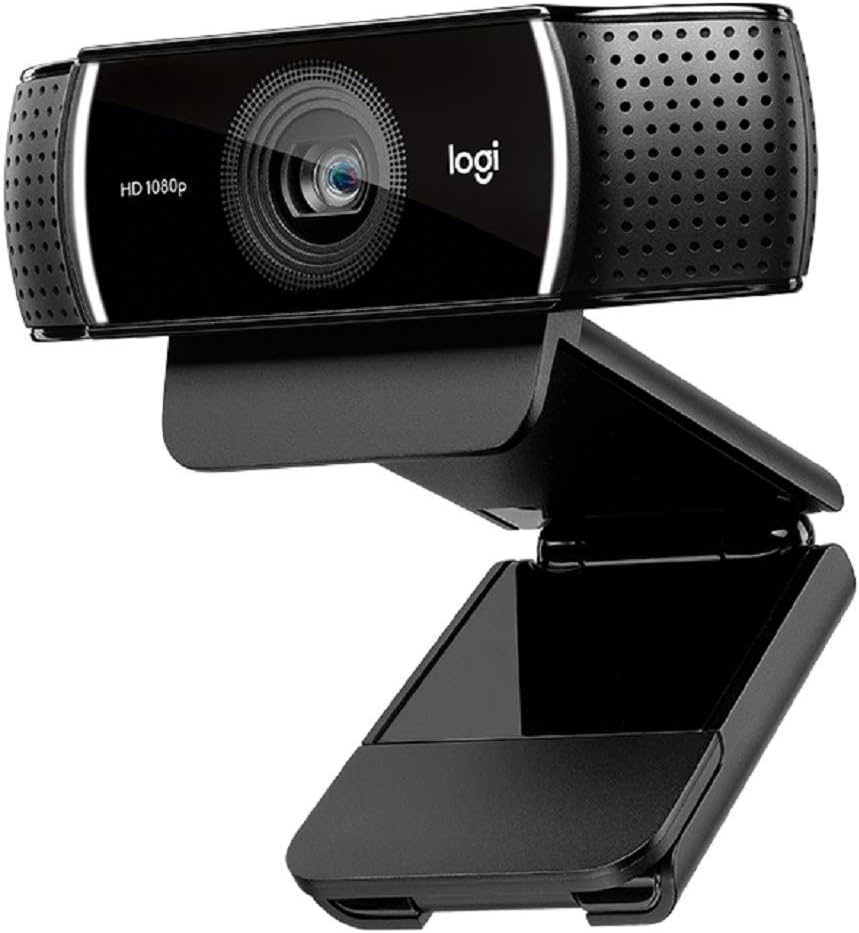
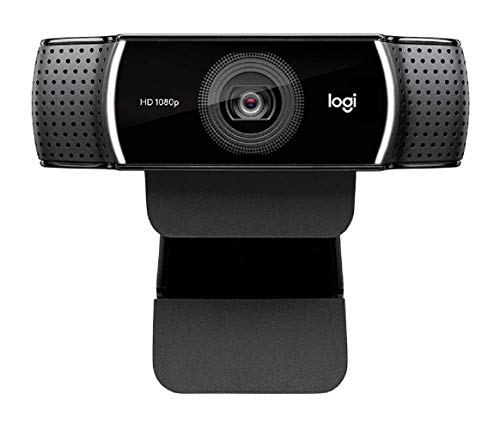
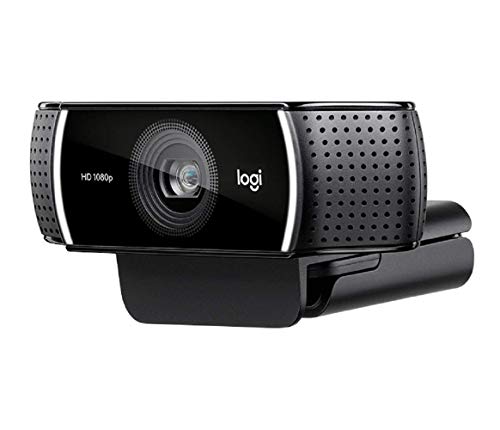
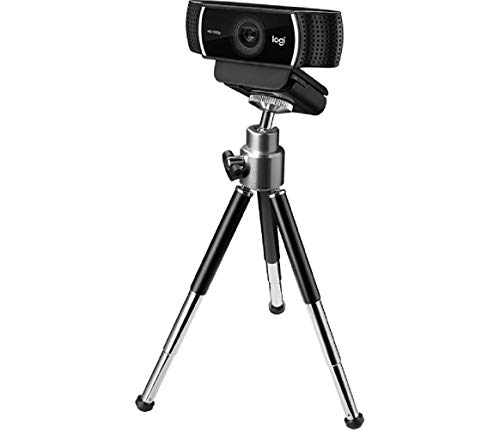
Original price was: $119.99.$98.99Current price is: $98.99.
Logitech C922 Pro Webcam, 1080p Streaming Camera Price comparison

- All prices mentioned above are in United States dollar.
- This product is available at Amazon.com.
- At amazon.com you can purchase Logitech C922 Pro Stream Webcam 1080P Camera | Free 3-month XSplit Premium license, dual microphones for only $98.99
- The lowest price of Logitech C922 Pro Stream Webcam 1080P Camera | Free 3-month XSplit Premium license, dual microphones was obtained on October 16, 2026 23:50.
Logitech C922 Pro Webcam, 1080p Streaming Camera Price History
Logitech C922 Pro Webcam, 1080p Streaming Camera Description
Logitech C922 Pro Webcam: Your Streaming Companion
Discover the Logitech C922 Pro Webcam, an essential tool for video creators, streamers, and professionals. This 1080p streaming camera offers high-quality visuals and impressive features, making it perfect for online communication, gaming, and content creation. With its sleek design and built-in tripod, the Logitech C922 revolutionizes how you connect with your audience.
Key Features of the Logitech C922 Pro Webcam
- High Definition Video Resolution: Capture stunning 1080p video at 30fps, ensuring clear and crisp visuals for live streaming and video conferencing.
- Auto Focus Technology: Enjoy smooth and precise focus, allowing the camera to adapt to varying distances and ensure sharp images every time.
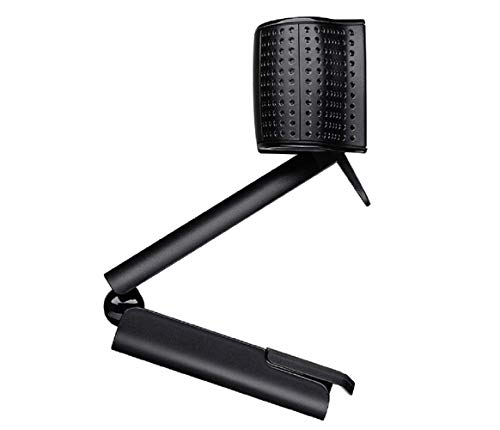
- Versatile Design: This adjustable webcam comes with a built-in tripod, providing flexible positioning to achieve the perfect angle.
- Multiple Device Compatibility: Compatible with Windows 7, 10, Mac OS X 10.9 or later, Chrome OS, and Android v 5.0 or higher, allowing for seamless integration across devices.
- Low Light Correction: Ideal for various lighting conditions, the C922 webcam automatically adjusts for low-light environments, ensuring high-quality footage.
- Microphone Quality: Equipped with dual built-in microphones, the Logitech C922 captures clear audio, enhancing your streaming and communication experience.
Comparative Pricing Insights
The price of the Logitech C922 Pro Webcam varies across multiple suppliers, allowing you to find the best deal. Whether you are shopping on Amazon, tech retailers, or specialty camera shops, prices typically range between $99 and $129. Users can benefit from comparing prices to find the most attractive offers. Additionally, checking for discounts and promotions can yield significant savings.
6-Month Price Trend Analysis
Over the past six months, the price history of the Logitech C922 Pro Webcam reflects steady pricing with slight fluctuations. Typically, the product was most affordable between May and June, offering prices as low as $94 during promotional periods. Observing these trends allows buyers to time their purchase effectively, potentially benefiting from sales.
Customer Reviews: Insights and Feedback
Customer feedback on the Logitech C922 Pro Webcam highlights its exceptional video quality and ease of use. Many users rave about the enhanced clarity and detail captured in their streams and video calls. The auto-focus feature has also received positive feedback, with users appreciating how it maintains sharpness even with movement.
However, some customers pointed out the lack of image stabilization as a minor drawback. For video creators who frequently move around the frame, this can lead to a less stable image. Despite this, the overall consensus is that the advantages of the Logitech C922 significantly outweigh this limitation.
User Reviews Summary
- Pros: High-definition quality, versatile compatibility, and excellent microphone performance.
- Cons: Absence of image stabilization may affect video clarity during movement.
Explore Unboxing and Review Videos
To see the Logitech C922 Pro Webcam in action, we encourage you to check out popular unboxing and review videos on platforms like YouTube. These videos provide in-depth looks at camera performance, setup, and user experiences, helping you make an informed decision.
Why Choose the Logitech C922 Pro Webcam?
The Logitech C922 Pro Webcam stands out in a crowded market due to its combination of premium features and user-friendly design. Whether you’re a casual streamer, professional podcaster, or remote worker, this webcam caters to various needs, ensuring that you are well-equipped for any situation.
With its stunning 1080p video resolution, convenient tripod, and broad compatibility, this webcam not only boosts your video quality but also enhances your overall connectivity experience.
Your Next Step Towards High-Quality Streaming
If you’re ready to elevate your streaming or video conferencing game, the Logitech C922 Pro Webcam is the choice for you. Don’t miss out on the opportunity to own this versatile camera at a competitive price. Compare prices now!
Logitech C922 Pro Webcam, 1080p Streaming Camera Specification
Specification: Logitech C922 Pro Webcam, 1080p Streaming Camera
|
Logitech C922 Pro Webcam, 1080p Streaming Camera Reviews (13)
13 reviews for Logitech C922 Pro Webcam, 1080p Streaming Camera
Only logged in customers who have purchased this product may leave a review.
Tara C. –
It was very quick delivery and perfect product for my Zoom videos! I don’t look grey anymore!!!!
Kevin P –
The Amazon title for this webcam is as follows: “Logitech HD C922 Pro Webcam, 1080p Camera for Streaming Gaming Sessions, Background Replacement, Tripod Included.” I was surprised at how small the box containing the webcam AND the tripod were. AT first, I was sure that Amazon forgot to include the tripod, but it was in the box alright! The 3 telescopic legs were in their shipping configuration. As you can see from the photos I uploaded, the tripod works very well and it’s quite simple to attach the webcam to it by screwing it on and tightening it with a threaded device that holds the cam on tight. The webcam can be tilted in many positions on the tripod.
This package comes with a printed code and description of the XSplit software that you can access and download online from the XSpit website. It’s free for 3 months if you choose to use the C922 Webcam for Web Blogs or any other kind of streaming activities. The reviews talk about how this software has the capability of a virtual green screen which seems to be highly sought after. I’m sure there are many other specialized streaming tools included with the software but it’s not vital for basic streaming such as Zoom, MS Teams, Skype, etc. I installed it but then later uninstalled it as I don’t really require any fancy broadcasting tools.
I’ve read in the reviews that folks using the webcam and tripod with a laptop are not happy with the height of the webcam attached to the tripod. It’s true, I’m using it with a laptop and the tripod is pretty small. The webcam isn’t high enough to be positioned to be higher than the laptop screen. So, you’re forced to place the webcam and tripod off to one side of the laptop itself, so when you’re teleconferencing it’s a bit awkward when you’re looking at the screen and the webcam is looking slightly off to the side of your face. The work around is to find a box that’s only a few inches in thickness to set the tripod on top of, behind your laptop screen. That way the webcam is looking over your screen at your face.
The specs of the webcam are pretty impressive. The autofocus works quite well and the resolution is quite high. It should be, as this is a 1080p HD webcam with great color saturation, etc. I’m impressed at how fluid moving objects such as your arms, head, body, just move on the screen naturally with no jittering or sluggishness.
I’m very impressed with the webcam and my only wish is that the tripod was a little bit higher than it currently is.
JOSÉ R A SANTOS –
great visual quality at 1920. audio is absolutely decent for Zoom, Meet, Slack, etc., but a separate mic would likely do you better. downloaded the Logitech Camera Settings software, but honestly most ppl won’t need to adjust more than the zoom level as out of the box, the camera is great, no adjustments. only downside is that the settings are forgotten upon reboot, with no option to create or load a config file.
Alain GODELET –
Prodotto che soddisfa le aspettative con software a corredo di semplice utilizzo !
nosake –
Boa qualidade
Carolyn Ouillette –
I’ve purchased other highly recommended webcams that were meh. These included a zoom feature that suits me when participating in meetings
Khalifah –
It’s plug and play, has great picture, and a good mic built in. Everything I could ask for!
Tina R. Scott –
I use this on a tripod I is it for my WGU exams
Kristina Hubert –
Works well.
Lars Knacken –
Cette Webcam correspond bien à mes attentes et est sensée être 100% compatible Mac OS.
Pour pouvoir accéder à ses paramètres, le Logitech Parameters Software n’est pas accessible et il faut télécharger et installer l’application LogiTech Capture Software pour Mac OS.
Durant son installation, cette application tente, sans succès, de télécharger le software ACE Audio Engine.
Avec Logitech Capture, il faut se contenter des principaux paramètres, mais sans pouvoir entrer dans les détails et il n’est pas possible d’accéder aux paramètres de réglage des speakers qui sont à l’arrêt, ce qui nous laisse sur le speaker du PC.
Je suis satisfait de la caméra, mais très déçu du software associé pour Mac OS.
chow –
Als begeisterter Twitch-Streamer habe ich mich vor einiger Zeit für die Logitech C922 Pro Stream entschieden, und ich bin mehr als zufrieden mit den Ergebnissen. Dies ist nicht nur eine Webcam, sondern ein zuverlässiger Partner, der meine Streaming-Erfahrung auf Twitch.tv auf ein neues Level gehoben hat.
Die Möglichkeit, in HD-Qualität zu streamen, ist für mich als Streamer von großer Bedeutung. Die C922 bietet dabei die Optionen zwischen gestochen scharfen 1080p bei 30fps oder flüssigen 720p bei 60fps. Diese Flexibilität erlaubt es mir, je nach Bedarf und Bandbreite die optimale Einstellung zu wählen. Die Bildqualität ist dabei stets beeindruckend klar und detailreich.
Die Hyperfast-Funktion sorgt dafür, dass meine Bewegungen reibungslos und ohne Verzögerungen übertragen werden. Dies ist insbesondere bei Spielen und Live-Streams von entscheidender Bedeutung, um meinen Zuschauern ein ansprechendes und flüssiges Erlebnis zu bieten.
Das integrierte Stereo-Audio der C922 ist überraschend klar und bietet eine gute Klangqualität. Das ist besonders praktisch, da ich so keine zusätzlichen Mikrofone verwenden muss, um meinen Zuschauern einen klaren und verständlichen Ton zu bieten.
Die Anbindung an den Computer erfolgt einfach über USB, und die Webcam ist kompatibel mit den meisten gängigen Streaming-Plattformen und Softwareanwendungen.
Ein weiteres Highlight ist die automatische Hintergrundentfernung. Diese Funktion ermöglicht es mir, meinen Stream ohne zusätzlichen Greenscreen professionell zu gestalten, was besonders für Streamer mit begrenztem Raum oder Budget von Vorteil ist.
Zusammenfassend ist die Logitech C922 Pro Stream eine exzellente Webcam, die nicht nur durch ihre technischen Eigenschaften, sondern auch durch ihre Benutzerfreundlichkeit und Zuverlässigkeit überzeugt. Wenn Sie nach einer Webcam für Ihr Twitch-Streaming suchen, die HD-Qualität, flüssige Übertragung und hochwertigen Ton bietet, dann ist die C922 Pro Stream die perfekte Wahl. Absolut empfehlenswert!
Kevin P –
I bought this specifically for my WGU proctored tests. I was tired of trying to prop up my other webcam on something and it falling over. This webcam was able to stabilize easily, the proctor could focus on my ID with ease, the built in microphone was perfect. It was easy to setup out the box and no issues. I highly recommend-I just wish I bought this sooner instead of trying to rig a set up with my old webcam.
bob –
Replaced some noname camera. This works great with OBS software to record videos. No more screen flickering so far. Same lighting as before
The mic picks up everything, so even background noise is present. I’d recommend a very quiet space if you want to use the built-in mic.