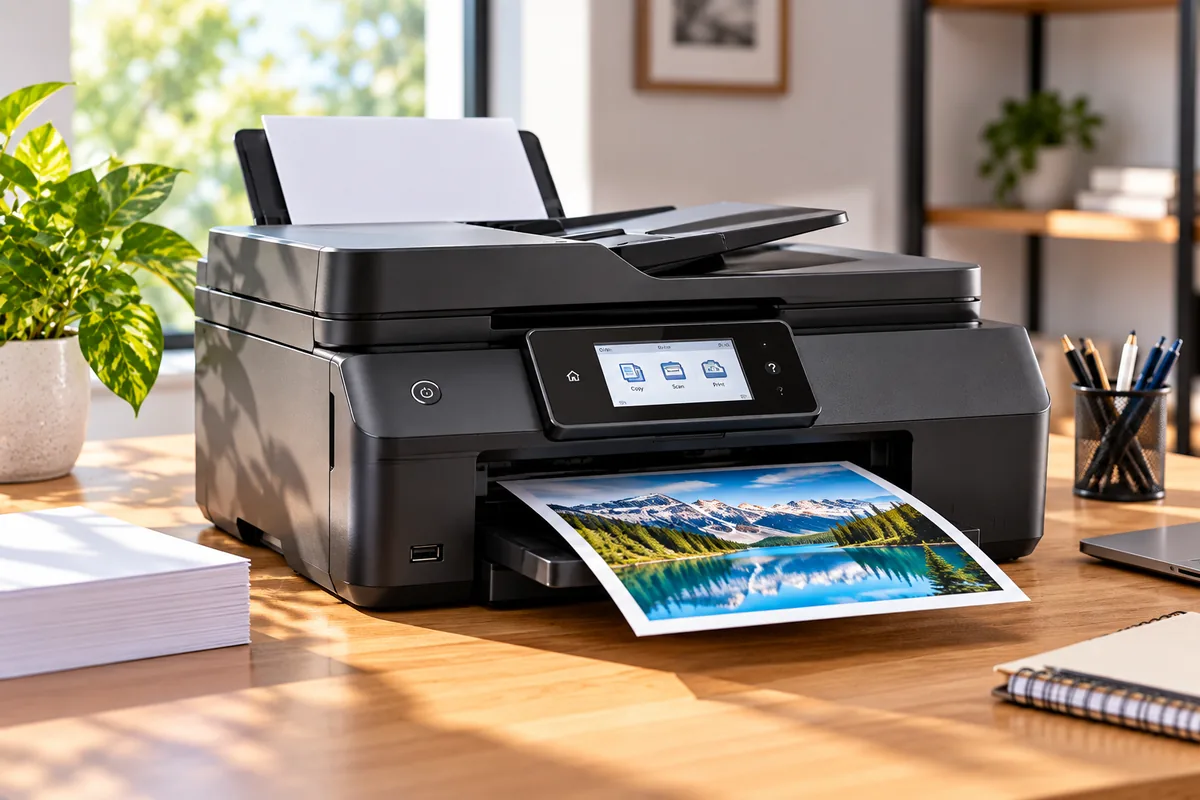
Best All-in-One Printers 2026
The best all-in-one printer depends on what you print and how often you print it. Brother MFC-L8930CDW is our top choice for a busy office, but it is far more printer than many homes need. Epson EcoTank ET-4950 is a better fit for frequent color printing with low ink costs, while Brother MFC-J1360DW covers lighter workloads on a tighter budget.
Our six picks also include a more affordable color laser, a photo-friendly home inkjet, and a black-and-white laser for document-heavy work. That gives you useful choices across home, home-office, and small-business needs.
Before buying, pay attention to more than print speed. Scanner design, automatic document feeding, duplex scanning, paper capacity, ink or toner yield, and how often the printer sits unused can matter just as much.
If you specifically want an HP model, see our guide to the most popular HP printers. We keep HP out of this roundup to avoid repeating that dedicated brand guide.
Quick Answer: Best All-in-One Printers
Best overall: Brother MFC-L8930CDW is the strongest choice for demanding office work thanks to fast color-laser printing, a large ADF, and single-pass duplex scanning.
Best home-office ink tank: Epson EcoTank ET-4950 combines refillable tanks, strong page yields, automatic duplex printing, an ADF, and duplex scanning.
Best midrange color laser: Canon Color imageCLASS MF665Cdw provides fast document printing, a 50-sheet duplex ADF, and office-friendly networking without moving into the largest business-printer class.
Best budget pick: Brother MFC-J1360DW keeps the price and footprint lower while still adding automatic duplex printing and a 20-sheet ADF.
Best for home photos: Canon PIXMA TR8620a uses a five-ink system with dedicated photo black and combines photo printing with scanning, copying, and fax.
How We Chose the Best All-in-One Printers
We compared current printers based on document quality, print speed, scanner features, automatic document feeding, duplex support, paper capacity, connectivity, running-cost structure, photo capability, and current U.S. availability.
We also separated cartridge inkjets, refillable-tank inkjets, color lasers, and monochrome lasers. Each technology solves a different problem.
We did not rank printers by advertised maximum duty cycle. That number is not the same as a sensible monthly workload. Likewise, we distinguish automatic duplex printing from duplex scanning because a printer can support one without supporting the other.
Best All-in-One Printers Compared
| Printer | Best For | Technology | Print Speed | ADF | Duplex Scan | Main Trade-Off |
|---|---|---|---|---|---|---|
| Brother MFC-L8930CDW | Busy office | Color laser | Up to 33 ppm | 80 sheets | Single-pass | Large and expensive |
| Epson EcoTank ET-4950 | Frequent home-office printing | Supertank inkjet | Up to 18 ppm | Yes | Yes | Inkjet maintenance |
| Canon Color imageCLASS MF665Cdw | Midrange color office | Color laser | Up to 26 ppm | 50 sheets | Yes | Weak choice for photos |
| Brother MFC-J1360DW | Budget home use | Cartridge inkjet | 16 ppm black / 9 ppm color | 20 sheets | No | Lower cartridge yields |
| Canon PIXMA TR8620a | Family / photos | Five-ink cartridge inkjet | 15 ipm black / 10 ipm color | 20 sheets | No automatic duplex | Low page yield |
| Brother MFC-L2820DW | Black-and-white documents | Monochrome laser | Up to 34 ppm | 50 sheets | No | No color printing |
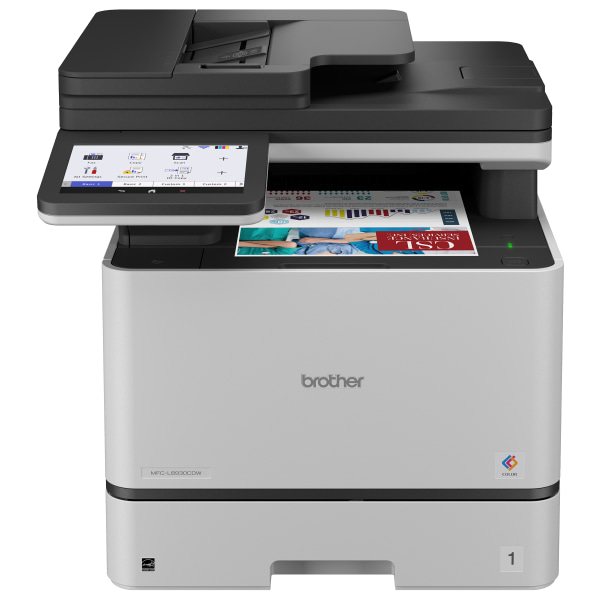


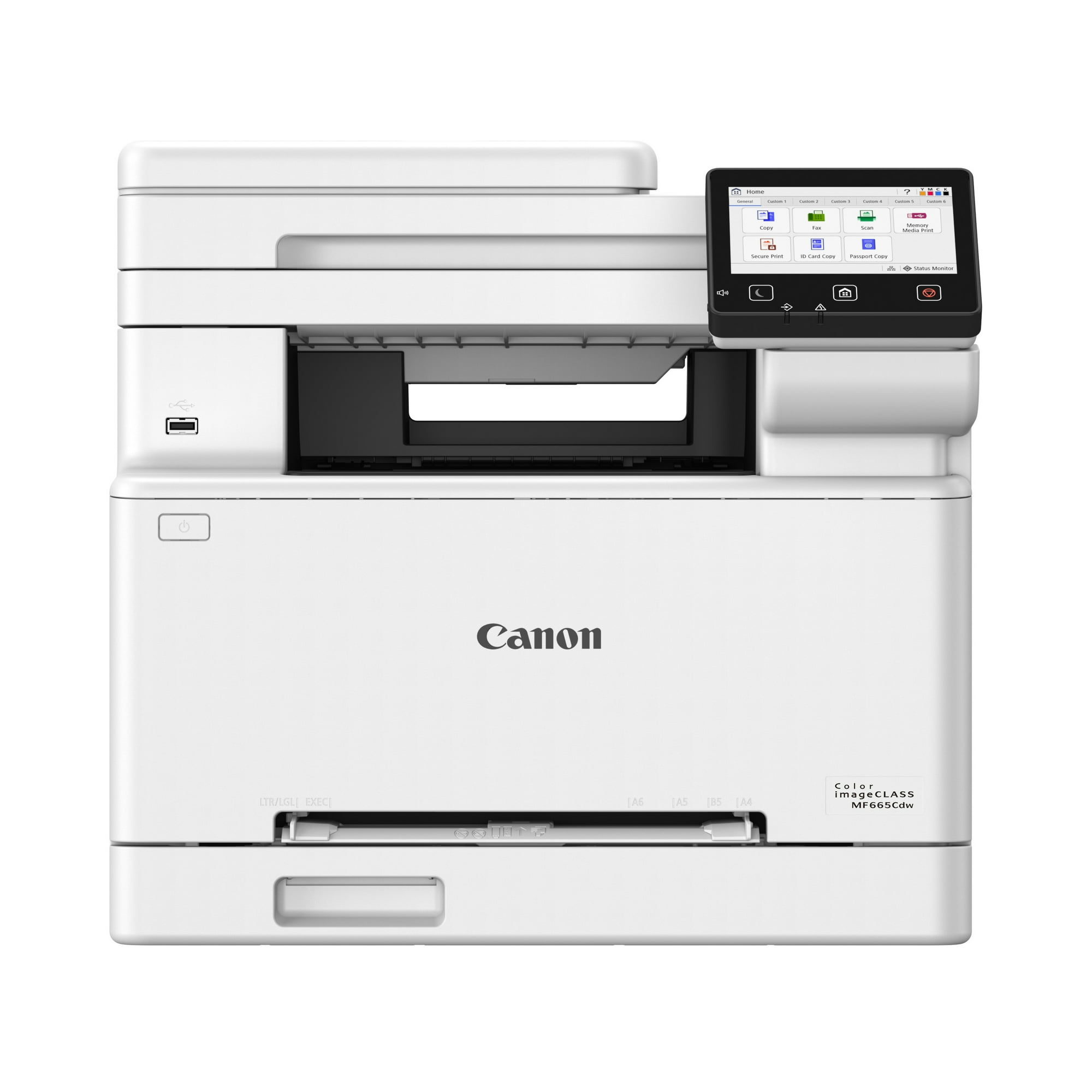
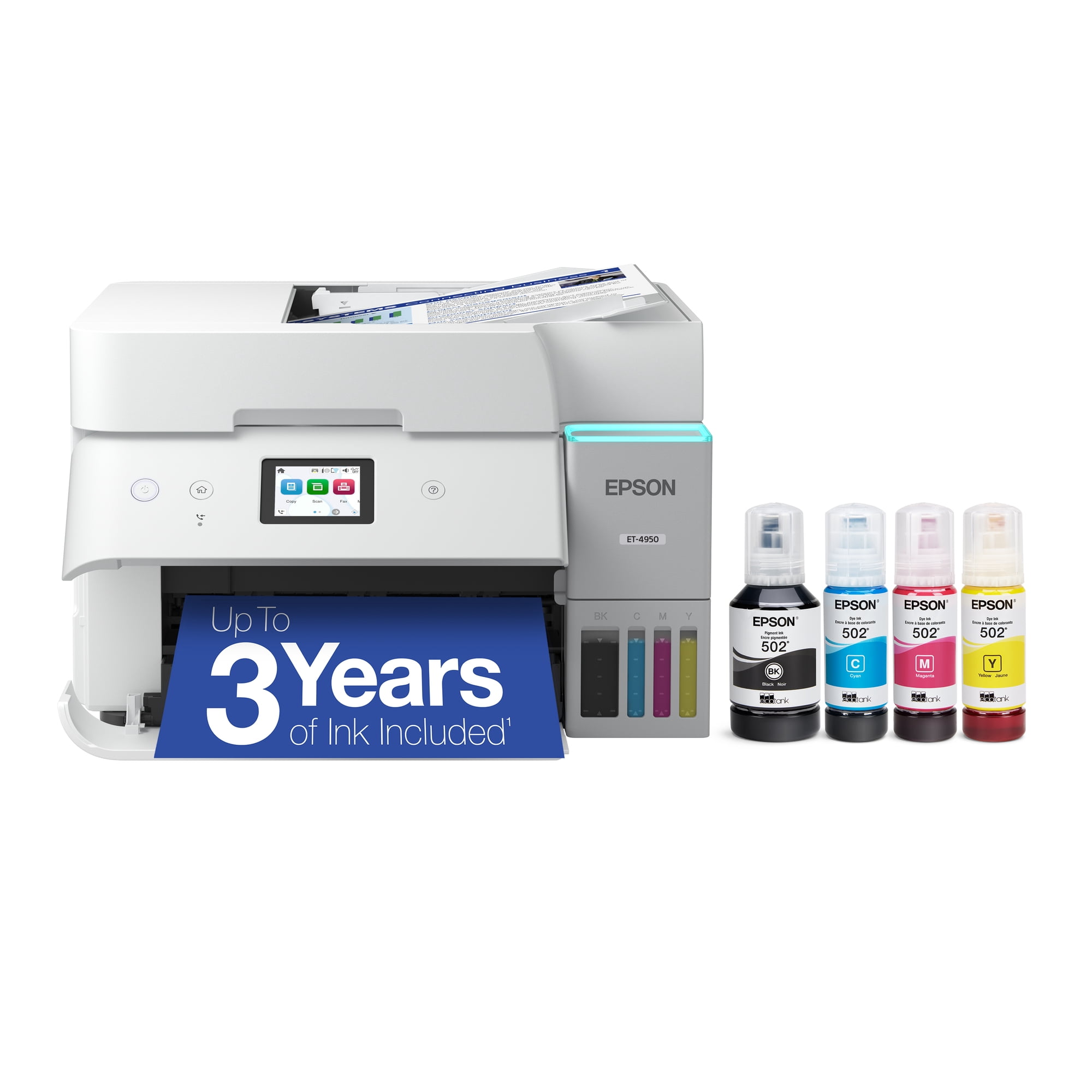
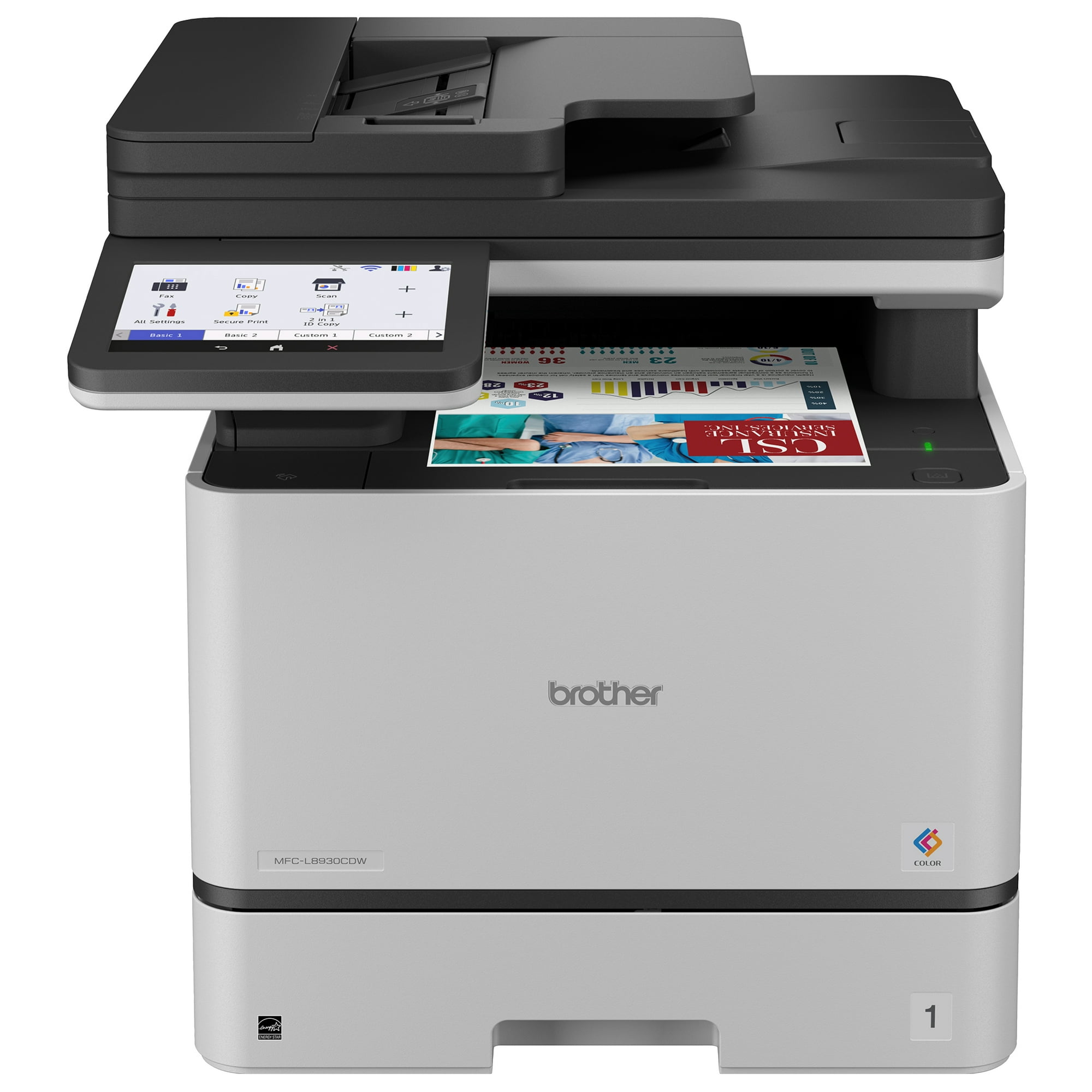
1. Brother MFC-L8930CDW — Best Overall All-in-One Printer
Best for: Busy home offices, small businesses, and workgroups that print and scan large document batches.
The Brother MFC-L8930CDW is our top overall pick because it handles the office side of “all-in-one” better than the smaller home models in this list.
It prints black and color documents at up to 33 pages per minute. A standard 300-sheet paper capacity reduces frequent refilling, while an 80-sheet automatic document feeder makes large scanning and copying jobs easier.
Single-Pass Duplex Scanning Is the Standout Feature
The scanner can capture both sides of a sheet in one pass through the feeder.
Brother rates duplex scanning up to 104 images per minute in black and 72 images per minute in color. That is far more useful for contracts, invoices, and double-sided document archives than manually turning pages over.
The scanner also supports searchable PDFs and several office-file formats.
Connectivity Fits a Shared Office
Gigabit Ethernet and wireless networking make the MFC-L8930CDW suitable for more than one computer.
A large 7-inch touchscreen also makes device-level scanning and workflow tasks easier than on small home-printer displays.
Do Not Buy It for Photos
This is still a business color laser.
It is excellent for text, charts, graphics, presentations, and color office documents. It is not the right tool if glossy family photos are a major part of your printing.
Pros
✅ Up to 33 ppm color and black printing
✅ 80-sheet automatic document feeder
✅ Single-pass duplex scanning
✅ 300-sheet standard paper capacity
✅ Ethernet and wireless networking
Cons
❌ Large and heavy for a small desk
❌ Higher upfront cost than home-focused models
❌ Poor fit for serious photo printing
Skip it if: You print only a few pages each week or need high-quality family photos.
Alternative: Canon MF665Cdw gives you a smaller midrange color-laser option, while Epson ET-4950 is better for frequent low-cost color inkjet printing.
2. Epson EcoTank ET-4950 — Best Refillable Home-Office Printer
Best for: Home offices that print frequently in both black and color and want to reduce recurring ink costs.
The Epson EcoTank ET-4950 uses refillable ink reservoirs instead of conventional cartridges.
That changes the ownership model. The printer costs more upfront than a basic cartridge inkjet, but each bottle carries much more ink than a standard cartridge.
Independent testing has found very high page yields and low cost per print, which is why the ET-4950 makes more sense for frequent printing than for someone producing only a handful of pages each month.
It Handles Office Tasks Better Than Basic EcoTank Models
The ET-4950 prints up to 18 pages per minute and includes a 250-sheet paper tray.
It supports automatic duplex printing, an automatic document feeder, fax, Ethernet, Wi-Fi, and USB.
It also supports duplex scanning. Unlike Brother’s office laser, however, the Epson uses a dual-pass process rather than capturing both sides simultaneously.
Ink Tanks Are Not Maintenance-Free
EcoTank solves the low-yield cartridge problem, but it remains an inkjet.
Inkjet printheads can clog if the printer sits unused for extended periods. Printing occasionally helps keep ink moving through the system.
This makes ET-4950 particularly logical for a household or office that prints regularly.
Photo Capability Adds Flexibility
The ET-4950 is not a specialist photo printer, but it can produce detailed casual photos in addition to normal documents.
That gives it an advantage over office-focused laser printers when the household prints school projects, color graphics, and occasional photographs from the same device.
Pros
✅ Refillable high-yield ink tanks
✅ Low recurring ink cost for frequent printing
✅ Automatic duplex printing
✅ ADF and duplex scanning
✅ Ethernet, Wi-Fi, USB, and fax support
Cons
❌ Higher initial cost than basic cartridge inkjets
❌ Slower than office-focused color lasers
❌ Printheads can clog after extended inactivity
Skip it if: You print very rarely and mostly need black-and-white documents.
Alternative: Brother MFC-L2820DW is a better fit for infrequent monochrome document printing.
3. Canon Color imageCLASS MF665Cdw — Best Midrange Color Laser
Best for: Home offices and small offices that need fast color documents but do not need the larger Brother MFC-L8930CDW.
The Canon Color imageCLASS MF665Cdw combines business-oriented laser printing with a more moderate workload target.
It prints at up to 26 pages per minute and uses a 250-sheet standard paper cassette.
Canon also includes a 50-sheet duplex automatic document feeder, fax, Ethernet, Wi-Fi, Wi-Fi Direct, and a 5-inch color touchscreen.
Single-Pass Duplex Scanning Saves Time
The ADF can scan both sides of double-sided documents automatically.
This matters if your work involves contracts, invoices, forms, or records that regularly arrive as two-sided pages.
A cheaper printer with an ADF may still require you to turn the stack manually.
Laser Makes Sense for Document-Heavy Offices
Toner does not have the same dried-printhead problem as liquid-ink systems.
That makes a laser printer attractive when the machine may sit unused for periods and then suddenly needs to print a large batch of documents.
The MF665Cdw is also better suited to crisp business documents than to photographic output.
Pros
✅ Up to 26 ppm
✅ 50-sheet duplex ADF
✅ 250-sheet paper cassette
✅ Ethernet, Wi-Fi, and Wi-Fi Direct
✅ Good fit for color business documents
Cons
❌ Larger than a compact home inkjet
❌ Toner sets can be expensive when replacement time arrives
❌ Not a strong photo printer
Skip it if: Most of your color output is photography rather than office documents.
Alternative: Canon PIXMA TR8620a is the more photo-oriented choice, while Epson ET-4950 is better for frequent low-cost color inkjet output.
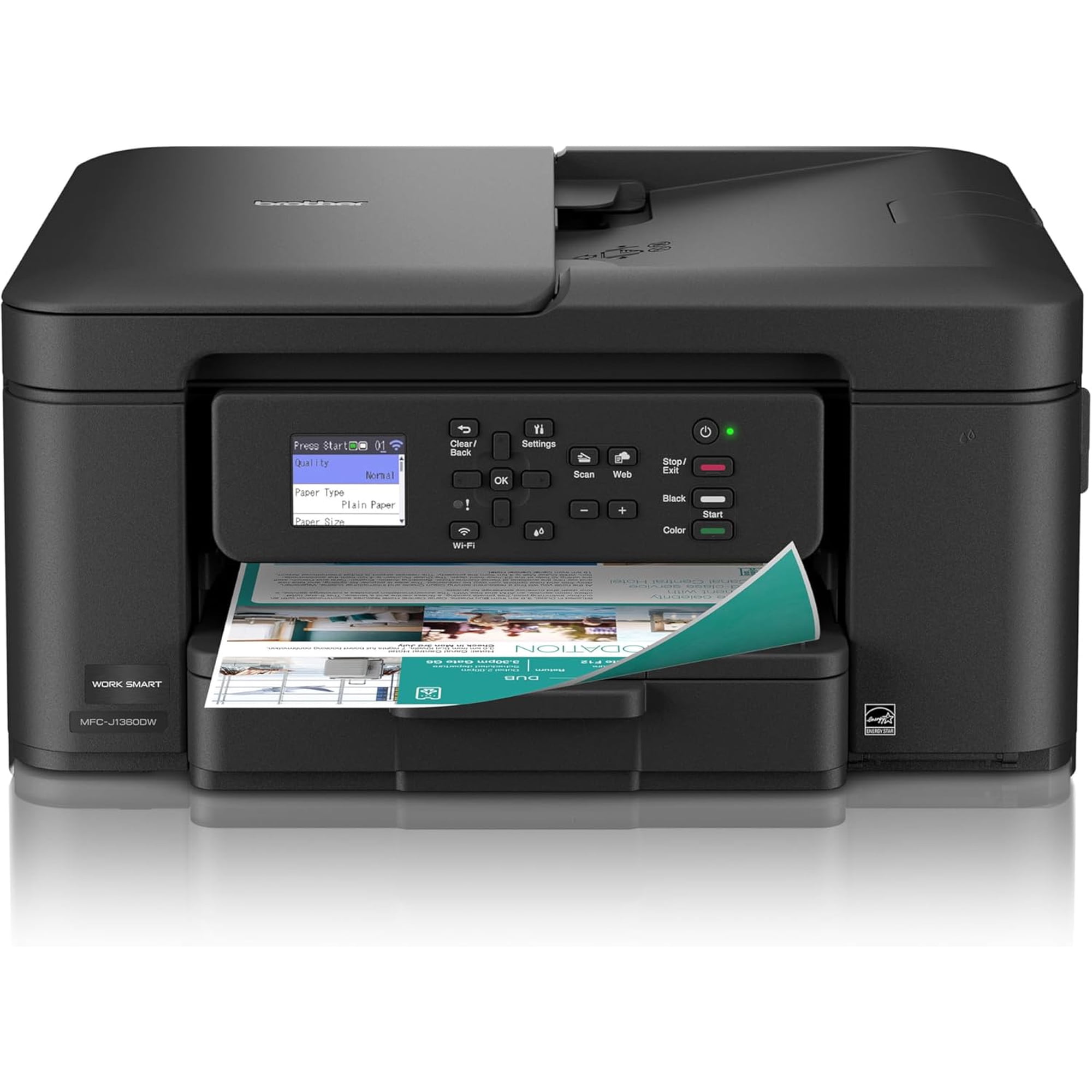
4. Brother MFC-J1360DW — Best Budget All-in-One Printer
Best for: Students, families, and light home offices that want useful multifunction features without paying for a tank or laser model.
The Brother MFC-J1360DW is a straightforward cartridge inkjet with printing, scanning, and copying.
It reaches up to 16 pages per minute in black and 9 pages per minute in color.
The printer also includes automatic duplex printing, a 20-sheet automatic document feeder, a 150-sheet tray, dual-band Wi-Fi, USB, AirPrint, Mopria, and Brother’s mobile app.
The ADF Makes It More Useful Than a Basic Flatbed Printer
A 20-sheet feeder is small compared with the office printers above, but it still makes a meaningful difference when copying or scanning several pages.
You can load a short stack instead of placing each sheet on the flatbed one at a time.
However, the scanner does not automatically scan both sides of each page.
The Purchase Price Is Only Part of the Cost
Cartridge inkjets are inexpensive to buy because the printer itself is relatively simple and the ink is purchased in smaller cartridges.
The trade-off is page yield.
If your household prints frequently, repeatedly replacing cartridges can make a more expensive EcoTank printer better value over time.
Pros
✅ Low upfront cost
✅ Automatic duplex printing
✅ 20-sheet ADF
✅ Dual-band Wi-Fi and mobile printing
✅ Good feature set for light home use
Cons
❌ Lower cartridge yields than tank printers
❌ No automatic duplex scanning
❌ Too slow and small for heavy office workloads
Skip it if: You expect to print hundreds of pages every month.
Alternative: Epson EcoTank ET-4950 costs more initially but makes more sense for sustained high-volume inkjet use.
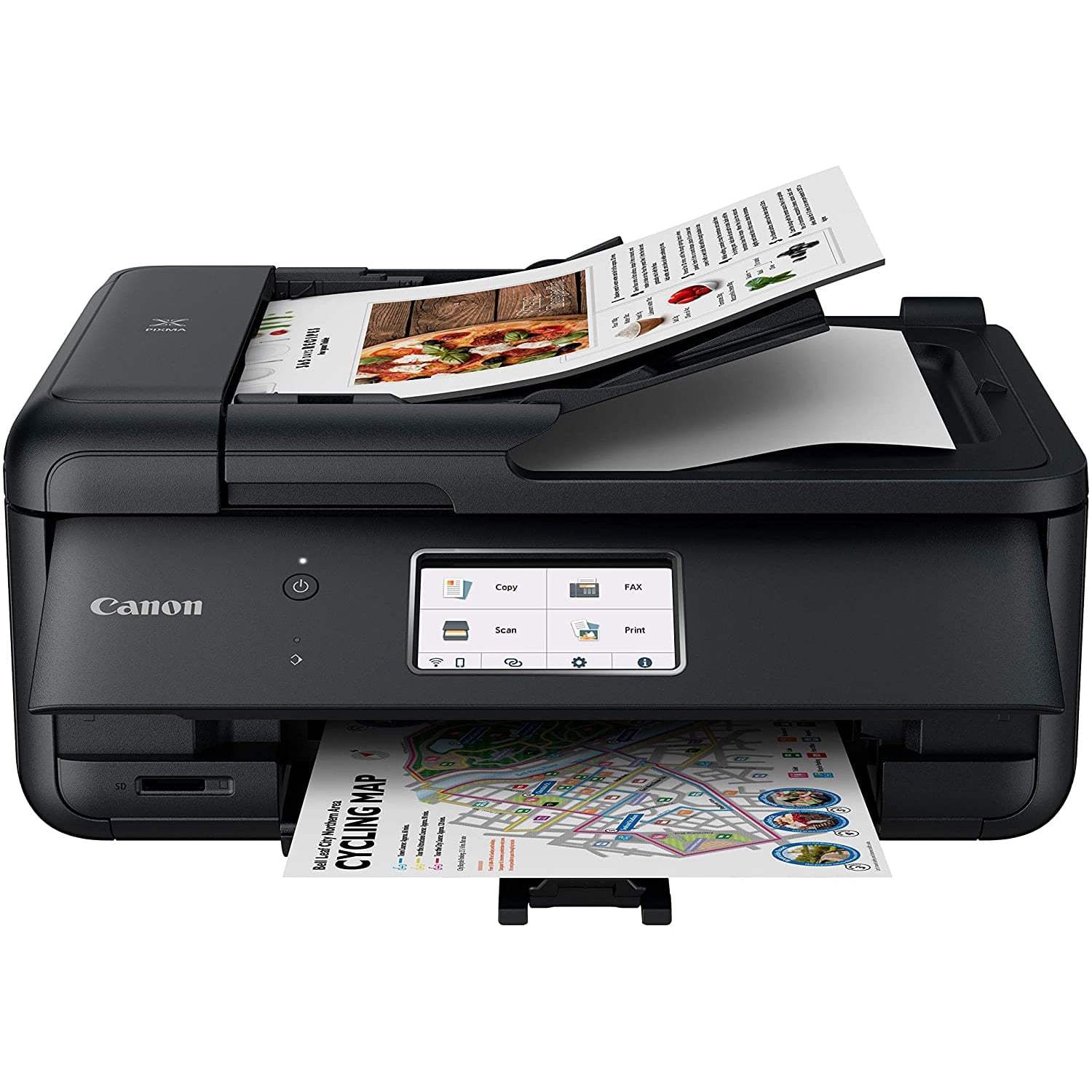
5. Canon PIXMA TR8620a — Best All-in-One Printer for Photos and Family Use
Best for: Families that print documents, school projects, and occasional photos from the same machine.
The Canon PIXMA TR8620a uses five separate ink cartridges, including a dedicated photo-black ink.
That gives it a different strength from office laser printers. Independent testing finds that it produces detailed, vibrant casual photos while still offering the normal functions expected from a home multifunction printer.
It Still Handles Everyday Office Tasks
The TR8620a prints, copies, scans, and faxes.
It supports automatic duplex printing and includes a 20-sheet ADF. Connectivity includes Wi-Fi, Ethernet, mobile printing, and memory-card support.
Canon rates printing up to 15 images per minute in black and 10 in color, while a borderless 4 × 6 photo takes approximately 37 seconds under its test conditions.
The Scanner Is Not Automatic Duplex
The ADF can process a multi-page stack, but it does not scan both sides automatically.
Canon supports manual two-sided scanning through its workflow, which means the user has to intervene.
This distinction is important if you regularly digitize double-sided office paperwork.
Photo Quality Comes With Lower Page Yield
The five-cartridge system is flexible because individual colors can be replaced separately.
However, cartridge yields remain far below a high-volume tank printer.
That makes the TR8620a more convincing for mixed family printing than for an office producing large quantities of text every week.
Pros
✅ Five-ink system with dedicated photo black
✅ Strong casual photo quality
✅ Automatic duplex printing
✅ ADF, fax, Ethernet, and Wi-Fi
✅ Useful for mixed family printing
Cons
❌ Lower page yield than refillable-tank printers
❌ No automatic duplex scanning
❌ Slower than office-focused laser printers
Skip it if: Your household prints large document volumes and rarely prints photographs.
Alternative: Epson ET-4950 offers much higher ink capacity for frequent printing.
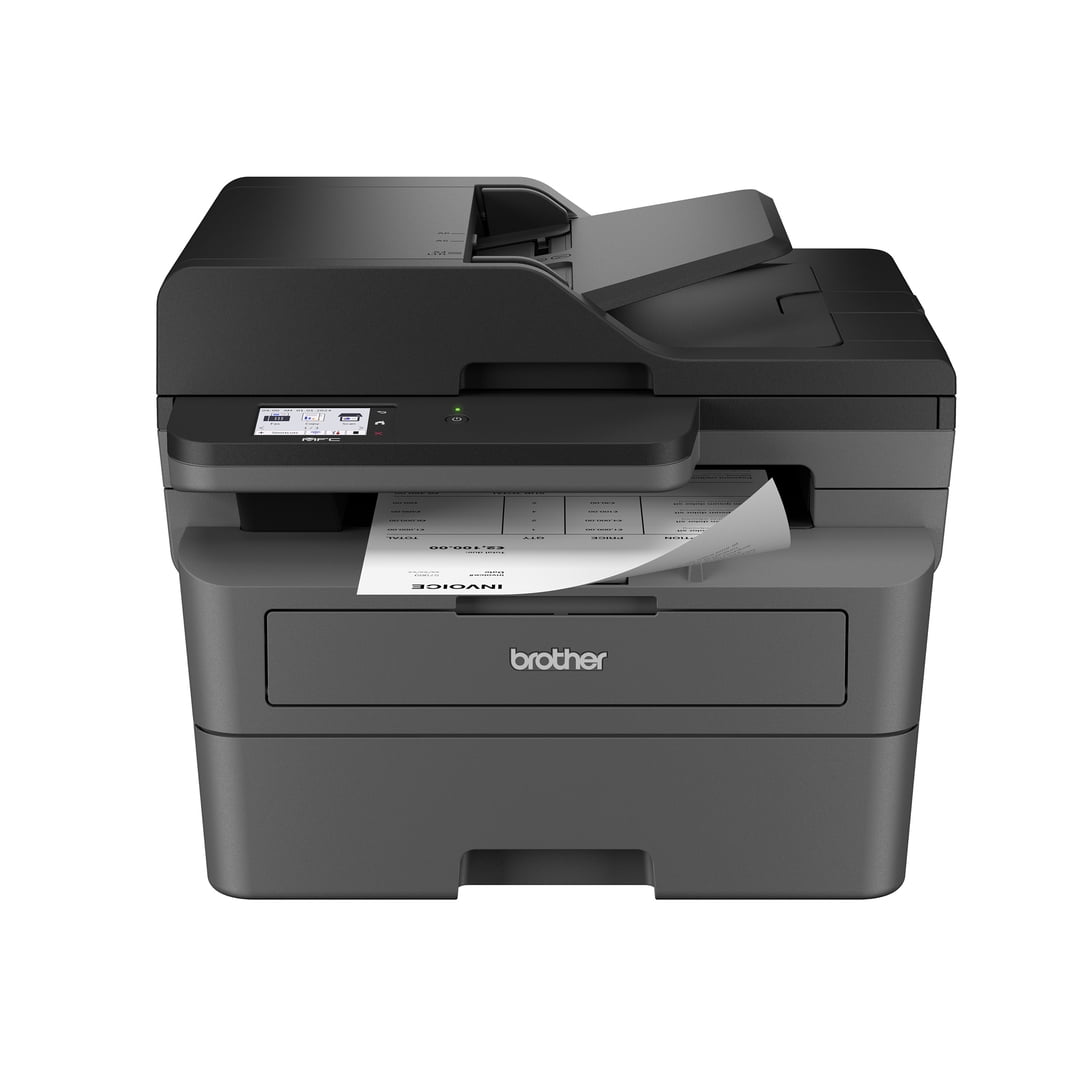
6. Brother MFC-L2820DW — Best Black-and-White All-in-One Printer
Best for: Contracts, invoices, schoolwork, forms, shipping paperwork, and other text-heavy workflows where color is unnecessary.
The Brother MFC-L2820DW makes a strong case for not buying color capability you do not need.
This monochrome laser prints at up to 34 pages per minute and supports automatic duplex printing.
It also has a 250-sheet paper tray, 50-sheet ADF, fax, Ethernet, dual-band Wi-Fi, USB, and a 2.7-inch touchscreen.
Laser Toner Fits Intermittent Document Printing
A monochrome laser is particularly useful when the printer sometimes sits idle.
Toner does not dry in a printhead the way liquid ink can. That reduces one of the main maintenance concerns associated with an infrequently used inkjet.
Independent testing also finds the MFC-L2820DW produces exceptionally sharp text documents while maintaining low recurring toner cost.
The Scanner Is Good but Not Duplex
The 50-sheet ADF makes multi-page scanning straightforward.
However, the feeder does not automatically capture both sides of a page.
If double-sided scanning is routine, the Brother MFC-L8930CDW or Canon MF665Cdw is a better workflow match.
No Color Is Either a Major Limitation or a Cost-Saving Feature
For a business that only prints forms, invoices, text, and shipping labels, paying for four toner colors may offer little benefit.
For a family printing school projects and photos, monochrome-only output becomes restrictive quickly.
Pros
✅ Up to 34 ppm
✅ Sharp black-and-white documents
✅ Automatic duplex printing
✅ 50-sheet ADF and 250-sheet tray
✅ Ethernet, Wi-Fi, USB, and fax
Cons
❌ Cannot print color documents
❌ No automatic duplex scanning
❌ Not suitable for photo printing
Skip it if: Color graphics, presentations, or family photos are a regular part of your printing.
Alternative: Canon MF665Cdw gives you color laser output while keeping a business-document focus.
Printers We Considered but Did Not Select
HP All-in-One Printers
HP has several viable options, including OfficeJet, Smart Tank, and LaserJet multifunction models.
We exclude them here because Discompare already has a dedicated guide to the most popular HP printers. That article is the better place to compare HP-specific alternatives.
Canon PIXMA G3290
Canon currently identifies the PIXMA G3290 as no longer available in its U.S. store.
A broad buying guide should prioritize products shoppers can realistically find rather than keep an older recommendation because it appeared in previous roundups.
Brother MFC-J4335DW
This older model remains visible through some support and retailer channels, but newer Brother inkjets now make more sense for a fresh 2026 shortlist.
Dedicated Photo Printers
High-end photo printers can produce better photographs than the general-purpose models here.
However, they prioritize image quality and specialty media rather than balanced office scanning, copying, and document handling. They deserve a separate photo-printer comparison.
Inkjet vs. Laser: Which All-in-One Printer Is Better?
Choose an inkjet when color versatility and photos matter. Choose a laser when fast document output, sharp text, and low-maintenance intermittent use matter more.
Why Choose an Inkjet?
Inkjet printers generally handle photos and mixed-media color output better.
Models such as Canon TR8620a use dye-based color inks and dedicated photo black for more photo-oriented output.
Refillable models such as Epson ET-4950 also make high-volume color printing much cheaper than traditional low-yield cartridges.
Why Choose a Laser?
Laser printers excel at text and business graphics.
They warm up quickly, produce pages rapidly, and use toner rather than liquid ink. Toner is also less troublesome when a printer sits unused for extended periods.
The weakness is photography. Even a good color laser cannot replace a photo-oriented inkjet when glossy photos are the goal.
Cartridge Inkjet vs. Refillable Ink Tank
The question is not simply which printer is cheaper to buy.
A cartridge inkjet usually has the lower upfront cost. Brother MFC-J1360DW is a good example.
A tank printer such as Epson ET-4950 costs more initially but contains much larger ink reservoirs and uses lower-cost replacement bottles.
Low-Volume User
If you print only occasionally, the savings from a large tank may take a long time to offset the higher purchase price.
Frequent Printer
If you regularly print documents, homework, color worksheets, and office material, the tank system becomes much easier to justify.
Estimate your actual printing rather than assuming the product with the lowest cost per page is automatically the cheapest overall purchase.
Do You Need an Automatic Document Feeder?
An ADF matters if you scan or copy multi-page documents.
Without one, every sheet must usually be placed on the scanner glass individually.
Capacity also matters:
- Brother MFC-J1360DW: 20-sheet ADF
- Canon TR8620a: 20-sheet ADF
- Canon MF665Cdw: 50-sheet ADF
- Brother MFC-L2820DW: 50-sheet ADF
- Brother MFC-L8930CDW: 80-sheet ADF
A 20-sheet feeder is enough for occasional household paperwork. An office digitizing long contracts benefits far more from 50 or 80 sheets.
Duplex Printing and Duplex Scanning Are Different
This distinction causes plenty of shopping confusion.
Automatic Duplex Printing
The printer can print on both sides of a sheet without asking you to turn the paper over manually.
Automatic Duplex Scanning
The scanner can capture both sides of a double-sided document without you manually flipping every page.
A printer may support automatic two-sided printing while still offering only single-sided ADF scanning.
Brother MFC-J1360DW, Canon TR8620a, and Brother MFC-L2820DW illustrate this difference.
Single-Pass Duplex Scanning
Single-pass scanning goes a step further by capturing both sides during one trip through the feeder.
That is especially useful for high-volume office work and is one of the strongest features of Brother MFC-L8930CDW.
How Much Paper Capacity Do You Need?
Paper capacity is mostly about reducing interruptions.
A 150-sheet tray is reasonable for home use. A 250-sheet tray fits offices better because an entire standard ream can be split across refills less frequently.
Heavy workgroups may also benefit from printers that support additional paper trays.
Do not buy a huge printer simply because its tray holds more paper than you will ever use.
What Actually Determines Printer Running Cost?
Ink or toner price alone does not tell you the full cost.
Consider:
- replacement ink or toner price;
- rated and real-world page yield;
- color vs. black printing mix;
- drum or maintenance-unit replacement;
- how often cleaning cycles consume ink;
- whether high-yield consumables are available;
- how many pages you realistically print each month.
Laser printers may separate toner and drum replacement. Tank inkjets have inexpensive refill bottles but higher printer purchase prices. Cartridge inkjets start cheaply but require more frequent ink replacement.
Which Printer Type Is Best for Infrequent Use?
A laser printer is generally easier to own when long periods may pass between print jobs.
Laser toner is a dry powder. It does not sit inside an inkjet printhead waiting to dry.
Inkjet printers can develop clogged nozzles when left idle for long periods. Manufacturers provide cleaning cycles, but those cycles consume ink and may not resolve every severe blockage.
If your printer might sit untouched for months and you mostly need text, a monochrome laser such as Brother MFC-L2820DW is particularly practical.
Which All-in-One Printer Is Best for Photos?
Canon PIXMA TR8620a is the strongest photo-oriented choice among these six.
Its five-ink cartridge design includes a dedicated photo black, and independent testing shows detailed, vibrant casual photo output.
Epson ET-4950 is the better compromise when photo printing is secondary to low running cost.
The color-laser picks are designed for business color documents rather than photographic reproduction.
Wi-Fi or Ethernet: Which Connection Should You Use?
Wi-Fi is easiest when several phones and laptops need to print without cables.
Ethernet is useful for a fixed office printer because it creates a wired connection to the local network and avoids relying on wireless signal quality.
Many of the stronger office models offer both.
USB remains useful for a direct connection to one computer, while mobile standards such as AirPrint and Mopria simplify printing from compatible phones and tablets.
How Much Printer Do You Need for a Home Office?
Start with workload rather than specifications.
A person printing ten pages a week does not need the same machine as a business processing hundreds of invoices.
Light Home Office
Brother MFC-J1360DW is the sensible low-cost choice when printing is occasional.
Frequent Color Printing
Epson ET-4950 makes more sense when ink consumption is high enough for the refillable tanks to matter.
Heavy Document Work
Canon MF665Cdw offers fast color laser output, while Brother MFC-L8930CDW adds a larger feeder and faster duplex-scanning workflow.
Black-and-White Documents Only
Brother MFC-L2820DW avoids paying for color consumables you do not need.
Once the printer is chosen, our guides to the best home office desks and best monitor setups for your home office can help complete the workstation.
Frequently Asked Questions
What is the best all-in-one printer?
Brother MFC-L8930CDW is our overall pick for demanding office use because it combines fast color-laser printing, an 80-sheet ADF, and single-pass duplex scanning. Homes with lighter workloads can choose a much smaller and less expensive model.
What is the best all-in-one printer for a home office?
Epson EcoTank ET-4950 is our preferred home-office choice for frequent color printing because its refillable tanks provide high page yields and low recurring ink cost. Light users can spend less on Brother MFC-J1360DW.
Is laser or inkjet better for home use?
Inkjet is usually better for photos and mixed color output. Laser is better for fast text documents and is less vulnerable to problems after long periods without printing.
Is an ink tank printer worth the extra money?
It can be when you print frequently. Refillable tanks usually deliver many more pages from inexpensive ink bottles, but a light user may take much longer to recover the higher printer purchase price.
Do all all-in-one printers include fax?
No. “All-in-one” commonly refers to a combination of printing, scanning, and copying, while fax support varies by model. Check the exact specifications if fax is important.
What is the difference between duplex printing and duplex scanning?
Duplex printing means the printer can print on both sides automatically. Duplex scanning means the scanner can capture both sides of an original document without requiring you to flip every page manually.
What is the best printer if I rarely print?
A laser printer is often easier for infrequent document printing because toner does not dry inside a printhead. Brother MFC-L2820DW is our black-and-white pick for this kind of workload.
Final Verdict: Which All-in-One Printer Should You Buy?
Brother MFC-L8930CDW is the best overall choice when document workload, scanning speed, and office productivity come first.
Epson EcoTank ET-4950 is the better fit for frequent home-office color printing because refillable ink tanks keep recurring costs low. Canon MF665Cdw sits between them as a strong midrange color-laser option.
Brother MFC-J1360DW is the sensible budget choice for lighter use. Canon PIXMA TR8620a is better for families that care about photo quality, while Brother MFC-L2820DW is the best value when you only need black-and-white documents.
Quick decision: Choose MFC-L8930CDW for heavy office work, ET-4950 for frequent low-cost color printing, MF665Cdw for a midrange color laser, MFC-J1360DW for budget home use, TR8620a for photos, or MFC-L2820DW when black-and-white documents are all you need.
If printer paper, documents, cables, and supplies are taking over the workspace, our office storage solutions and home organization tools guides can help simplify the rest of the setup.
Sources
- Brother — MFC-L8930CDW Business Color Laser All-in-One Printer specifications
- Epson — EcoTank ET-4950 Wireless All-in-One Color Supertank Printer specifications
- Canon — Color imageCLASS MF665Cdw and PIXMA TR8620a specifications
- Brother — MFC-J1360DW and MFC-L2820DW specifications
- RTINGS — Best All-in-One Printers and current printer test updates
How we research: Discompare reviews current manufacturer specifications, active U.S. model availability, independent printer testing, scanner capabilities, connectivity, consumable design, and relevant ownership trade-offs. We do not conduct original hands-on testing unless explicitly stated. Ink and toner yields, printing costs, speeds, and maintenance needs can vary with document coverage, settings, media, cleaning cycles, and usage patterns. Prices and availability can change. Discompare may earn a commission from eligible retailer or price-comparison links.
Product Groups: Brother MFC-L8930CDW Color Laser All-in-One Printer, Epson EcoTank ET-4950 All-in-One Printer, Canon Color imageCLASS MF665Cdw All-in-One Printer, Brother MFC-J1360DW All-in-One Printer, Canon PIXMA TR8620a All-in-One Printer, Brother MFC-L2820DW Monochrome Laser All-in-One Printer