
 Amazon.com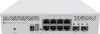
MikroTik CRS310-8G+2S+in Network Switch Price comparison


- All prices mentioned above are in United States dollar.
- At amazon.com you can purchase MikroTik CRS310-8G+2S+in for only
- The lowest price of MikroTik CRS310-8G+2S+in was obtained on September 24, 2025 04:08.
MikroTik CRS310-8G+2S+in Network Switch Price History
MikroTik CRS310-8G+2S+in Network Switch Description
MikroTik CRS310-8G+2S+IN Network Switch: Unparalleled Performance for Your Network
The MikroTik CRS310-8G+2S+IN Network Switch is a reliable choice for both home and business networks. Designed for efficiency and power, this switch supports a high data transfer rate of 48 gigabits per second, making it an excellent option for those seeking fast and seamless connectivity. Explore the prices, features, and reviews to see if the MikroTik CRS310-8G+2S+IN is the perfect fit for your networking needs.
Key Features of the MikroTik CRS310-8G+2S+IN
- High Data Transfer Rate: With a rapid data transfer rate of 48 Gbps, this network switch ensures smooth data flow ideal for gaming, streaming, and large file transfers.
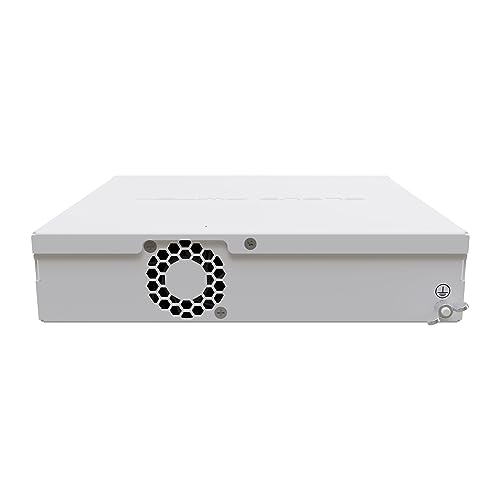
- Robust Aluminum Case: Built with a sturdy aluminum case, this switch not only offers durability but also helps dissipate heat effectively, ensuring long-lasting performance.
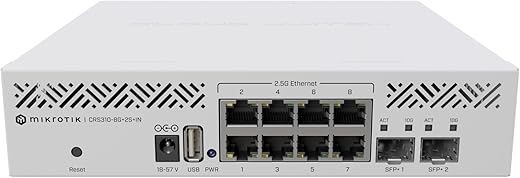
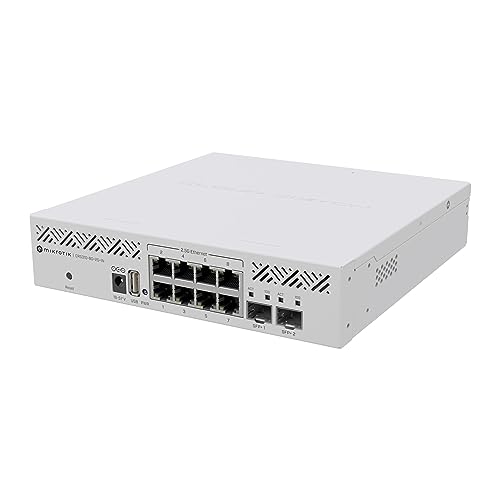
- RJ45 Interface: The CRS310-8G+2S+IN boasts multiple RJ45 ports, allowing you to connect a variety of devices effortlessly.
- Compact Dimensions: Measuring 19.69 x 19.69 x 11.02 inches and weighing just 2.2 pounds, this network switch is perfect for tight spaces without compromising functionality.
- Versatile Connectivity Options: With 8 Gigabit Ethernet ports and 2 SFP+ ports, users can enjoy a flexible networking experience tailored to their specific needs.
Price Comparison Across Suppliers
Pricing for the MikroTik CRS310-8G+2S+IN varies among different suppliers. Expect to find competitive pricing options, allowing you to select the best deal that fits your budget. When comparing prices, be sure to explore each retailer’s offers, as some may include additional services or accessories that enhance your overall experience.
Notable Trends from the 6-Month Price History Chart
The 6-month price history chart for the MikroTik CRS310-8G+2S+IN indicates a stable pricing trend with minor fluctuations. This suggests a strong demand and consistent interest in this product, making it a smart investment for the future. The price has seen slight dips during promotional periods, offering potential savings for savvy buyers.
Customer Reviews Summary
Customer feedback for the MikroTik CRS310-8G+2S+IN is generally positive, highlighting several key aspects that users love:
- Reliable Performance: Many customers have noted the reliable performance of this switch, stating it handles multiple connections without a hitch.
- Good Build Quality: Reviewers appreciate the sturdy aluminum case, which they feel adds to its longevity and durability.
- User-Friendly Setup: The majority of users find the installation process straightforward, making it accessible even to those without extensive networking knowledge.
However, some customers point out that the user interface could be more intuitive for beginners. A few have also mentioned that they experienced difficulty with advanced configurations.
Explore Unboxing and Review Videos
To gain a deeper understanding of the MikroTik CRS310-8G+2S+IN, check out various unboxing and review videos available online. These resources provide visual insights on setup, performance, and unique features, helping you make an informed decision. Visual reviews often highlight real-world applications and may answer additional questions you have about the product.
Conclusion: Why Choose the MikroTik CRS310-8G+2S+IN?
The MikroTik CRS310-8G+2S+IN Network Switch stands out for its remarkable features and reliable performance. Whether you are upgrading your home network or setting up a business infrastructure, this switch is equipped to meet your demands. Its robust construction, excellent data transfer capabilities, and versatility make it a top contender in the networking space.
Don’t miss out on this opportunity to enhance your connectivity. Compare prices now to find the best deal on the MikroTik CRS310-8G+2S+IN and join the ranks of satisfied users who enjoy uninterrupted and high-speed networking!
MikroTik CRS310-8G+2S+in Network Switch Specification
Specification: MikroTik CRS310-8G+2S+in Network Switch
|
MikroTik CRS310-8G+2S+in Network Switch Reviews (13)
13 reviews for MikroTik CRS310-8G+2S+in Network Switch
Only logged in customers who have purchased this product may leave a review.






-KP- –
Mikrotik hat mit dem “RouterOS” und auch dem “SwitchOS light” wunderbare Setup-Möglichkeiten.
Bei diesem Switch handelt es sich selbstverständlich um RouterOS (3xx Reihe) und es könnte so schön sein.
Warum ich schweren Herzens nur einen Stern vergeben konnte, dafür müssen wir uns die Eigenschaften des Switches genauer anschauen und sein daraus resultierendes übliches Einsatzgebiet.
Er hat 2 SFP+, also 10Gbit Anschlüsse, statt einem Sub-D Stecker hat nun ein zeitgemäßer USB Port einzug gehalten. Soweit, so professionell. Gegen den Einsatz im Serverschrank spricht der Wegfall des ‘Verwaltung Netzwerkports’. Dafür schreien die 8x 2.5Gbit RJ45 förmlich Clienteinsatz! (Einzig einige WLAN APs werden dort via 2.5Gbit angebunden, da reicht ein SFP+ 10Gbit RJ45)
Nun hätte ich mir diesen Switch wirklich GERNE in Räume gestellt in dem auch Geräte stehen, die die 2.5Gbit nutzen wollen und würden. Wenn da nicht der aktive Lüfter wäre!
Ironischer Weise hat Mikrotik viele gute passiv gekühlte Switches im Angebot, so dass schon die Entscheidung zur aktiven Kühlung schwer nachzuvollziehen ist (Hochleistungs-LAN-Session?).
Nun ist der Lüfter aktiv gesteuert und man könnte hoffen, dass dieser sich einfach bei der üblichen geringen Auslastung solcher Geräte irgendwo im nicht-hörbaren Bereich aufhält. Der in meinem Gerät verbaute Lüfter jedoch hat eine Frequenz und Nebengeräusch – das ist irre, das habe ich in 20 Jahren so nicht bei einem neuen Gerät wahrgenommen. Ein Wohnzimmer- oder Büroeinsatz kommt somit leider nicht in Frage und für den 19″ Schrank gibt es sinnvollere Modelle.
Meine Empfehlung daher: CRS309 fürs Core Netzwerk, CSS610 für die Unterverteilung. Gerade der CSS610, mit 2x SFP+ und SwitchOS light, ermöglicht zumindest auch einmal 2.5Gbit zusätzlich zum 10Gbit Uplink ;). Beide sind passiv gekühlt und wunderbare Geräte – sobald man die blaue LED etwas dämpft in der Leuchtkraft (z.B. Klebeband).
Mikrotik, was macht euer Produktdesigner?! Es hätte so ein schönes Gerät werden können.
Scott Mazurek –
Exactly as promised and fast delivery
A. B –
Another reviewer mentioned that the current version SwitchOS (2.16) doesn’t completely work with this switch (SFP+ ports don’t work), but tech support will provide a beta version of 2.17 that does. I recommend keeping RouterOS booted until SwitchOS 2.17 officially releases.
Solid managed switch for the price. Higher learning curve compared to other managed switches.
Justaperson –
I have two other. Mikrotik switches that are fine. This is a brick after about one week and attempting to run SWos. Winbox, netinstall, serial all failing. Can’t get a single port to light up. Not alone in this I’ve learned.
Don’t see myself going any further into the Mikrotik ecosystem after this. What a dud. Mikrotik UI is trash for me.
Sten M. Evensen –
Size, performance
METDeath –
I have a few other Mikrotik products that I use exclusively with SwOS as I do all my routing on my pfSense box. I was upset to find this only had RouterOS and spent a while learning how to get just VLAN tagging working on it (took me over an hour to set up).
Then they released SwOS for it… except the SFP+ ports don’t work.
However, if you reach out to Mikrotik you can get a release client for SwOS that has functioning SFP+ ports and I had it setup in about 5 minutes to handle all my VLANs correctly.
Seitz –
Doesn’t run silent and can get warm with SFP+ copper modules but RouterOS runs great as a switch on my 3 units.
Valathar –
Tipica configurazione Mikrotik. Funzionale e silenzioso, nelle operazioni non pesanti, anche se con raffreddamento attivo. Consiglio l’acquisto di una Noctua NF-A4x20 PWM da 12V da andare a sostituire con la ventola di serie, non perché quella di serie sia cattiva, anzi è efficace ma rumorosa all’avvio dello switch o nelle situazioni di utilizzo intensivo anche se in realtà non è nulla di così fastidioso.
Da qualche settimana è stato rilasciato anche il firmware per utilizzare SWos. NON è POE, se dovesse servirvi questa funzionalità.
Una pecca è lo spazio tra le porte 2,5gbit dove degli rj45 con cappuccio potrebbero darsi fastidio l’un l’altro se ingombranti. Altra pecca è che, nel momento in cui scrivo la recensione, il prezzo di acquisto di amazon è troppo elevato. Siamo sull’indice dei 270 eura circa quando dai venditori terzi si trova anche a 210 con spedizione. Infatti uno lo ho acquistato da amazon e un altro da un venditore terzo (getic).
Per tutto il resto a mio parere vale 5 stelle.
Edit 29/07/2024: la ventola d’estate si sente un po’ di più a causa delle temperature esterne elevate. Tuttavia con la Noctua per me è tranwuillamente sopportabile in quanto lo switch lo tengo in studio e ci sono anche le ventole del computer che comunque fanno rumore e quindi non ci faccio nemmeno caso. Sarà di fficile che lo tieniate nello stesso punto in cui dormite, pertanto lo consiglio sempre e comunque.
m –
Even as a Mikrotik advocate and fanboy I can honestly say that this is a good product. I’m using it as a Boundary router for the fibre connected Smarthome. It’s not maxed out and we shift Terabytes of data around every week. Only complaint / comment is that there is a fan but it is noisy and sounds like it about to give up the ghost. But its important to get a Mikrotik with a fan especially if you use SFP+ ports. Dont be fooled the 10G ports run very hot. Mikrotik do a few passive 10G devices but I would not rate your chances.
As usual RouterOS is great when it works and when it does not and you misconfigure something important like a firewall rule … you did make a backup so you can reset and restore !!
This product is a good way to get started with a 2.5G Router not just switch.
techxgames –
Not sure if I did the setup correctly, but adding VLAN routing on the switch causes the CPU usage to increase heavily.
As a L2 switch, it works amazingly, but you definitely didn’t this much for an 8-port L2 switch
Amazon Customer –
Not silent, but what’s a little fan noise among friends? Finally needed 2.5Gb to my Mac, so I replaced my desk switch with this one. Only ran a 2.5Gb uplink to the CRS317 in the other room, but will move it to fiber soon. Slightly noisy from the fan, which seems to be always running at a low RPM, but not overly offensive. Switch works great — as I’d expect from Mikrotik.
Tomaz L –
Device operates out of the box. I’m using it with 10Gb fiber backbone.
Fan spinning is not loud in my configuration. Thou the installed Al ribbs could be larger. They even anticapated mounting holes.
Im using it 1w and no objections. So far it does the job.
JJ –
I was nervous about this system because so many people said it was difficult to get working. I have been in IT for a long time, but I never did networking as my full time job at least not officially. Add to that, it has been a while since I messed with a Cisco or Juniper or other. This switch was a cupcake to set up. I did some reading in advance and I knew which IP it would come up with. I downloaded and installed their Winbox package in Windows VM that I have for things like this. I plugged a USB to Ethernet dongle in and connected it straight to the Mikrotik port 1. It pinged on the default IP address immediately. I used the credentials listed in the small “manual” that came with the device and it logged in immediately. I do not remember needing to do anything special to get the various devices communicating other than connecting them to this new switch.
The switch is running in my 80 degree F garage without an issue so far. The temps look good and the fan is running on low with 5 of the 8 ports filled and in use. I can only hear the fan when I get within a few feet of the device during normal operation.
The switch does have a command line and I was easily able to SSH to it. The command line is different from any other networking device I have used, but seems to be well laid out. It has tab completion and you can simply type “/” followed by tabs to see a list of top level commands and sub-sections. The command line seems to logically follow the GUI, so you can learn what is where from checking out the GUI. I like the command line because I am often on a Linux or Mac system and can not easily run the GUI which seems to be Windows only.
The 10G module is taking forever in shipping, so I am not able to test that yet but I will update this later. The 1G connections have tested out near theoretical maximums with iperf. I have not (yet) tested setting up VLANs, link aggregation, QOS or routing to see how much work any of that takes. As a standard switch without any advance set up, I think it will pass traffic out of the box. It had RSTP set by default so it should be safe to introduce to networks with more than one switch without worrying about introducing a loop, I tested intentionally introducing a (potential) loop and it did not cause an issue.
At this point I think it is a great router/switch, but I am not sure I would recommend it for beginners.