
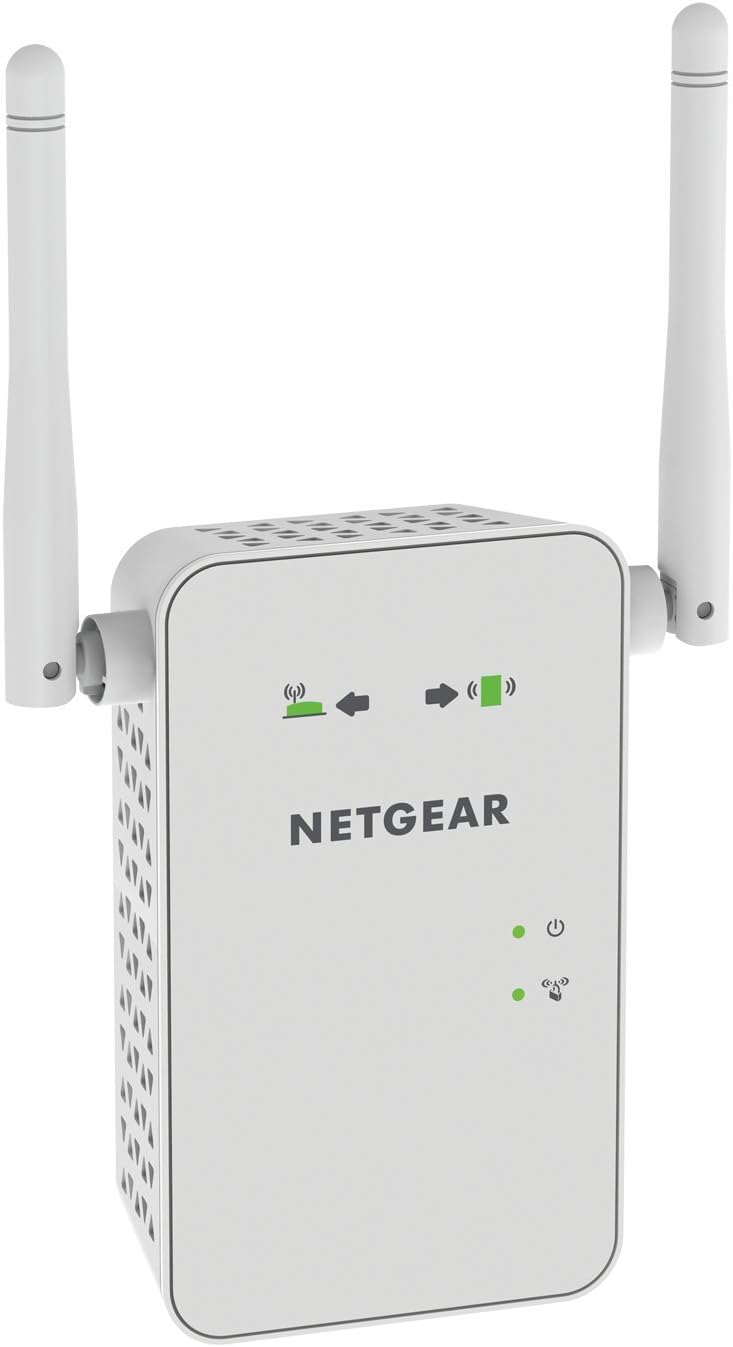
Netgear AC750 Dual Band Wi-Fi Range Extender EX6100
$29.99
Netgear AC750 Dual Band Wi-Fi Range Extender EX6100 Price comparison


- All prices mentioned above are in United States dollar.
- This product is available at Amazon.com.
- At amazon.com you can purchase NETGEAR AC750 Dual Band Gigabit Wi-Fi Range Extender EX6100 (Renewed) for only $27.99
- The lowest price of NETGEAR AC750 Dual Band Gigabit Wi-Fi Range Extender EX6100 (Renewed) was obtained on September 11, 2026 10:10.
Netgear AC750 Dual Band Wi-Fi Range Extender EX6100 Price History
Netgear AC750 Dual Band Wi-Fi Range Extender EX6100 Description
Amazon Renewed AC750 Dual Band Wi-Fi Range Extender EX6100
Enhance your Wi-Fi coverage and eliminate dead zones in your home with the Amazon Renewed AC750 Dual Band Wi-Fi Range Extender EX6100. This state-of-the-art range extender from NETGEAR effectively boosts your Wi-Fi signal, ensuring seamless connectivity for all your devices. Whether you’re streaming your favorite shows, playing online games, or working from home, the EX6100 provides the reliability you need for uninterrupted service.
Key Features of the EX6100
- Dual Band Technology: Operates on 2.4GHz and 5GHz bands, offering speeds up to 750 Mbps. This means less congestion and better performance, particularly in homes with multiple devices.
- Easy Setup: With a simple press of the WPS button, you can connect the extender to your existing router in seconds. The handy LED indicator also guides optimal placement, ensuring maximum coverage.
- Versatile Compatibility: Compatible with any standard Wi-Fi router, including those from other brands. Its 802.11bgn wireless type allows it to integrate smoothly into your existing network setup.
- Compact and Lightweight Design: Weighing just 2.39 ounces, the EX6100 is portable and can be conveniently placed anywhere in your home to boost Wi-Fi signals where you need them most.
- Secure Connections: The range extender supports WEP and WPA/WPA2 security protocols, providing you with a secure connection for all your devices.
- Ethernet Port: The built-in Ethernet port allows you to connect devices directly for a stable wired connection, ideal for gaming consoles or smart TVs.
Pricing Comparison Across Suppliers
When searching for the best deal on the AC750 Dual Band Wi-Fi Range Extender EX6100, price varies across multiple suppliers. On average, you can find it priced around $49.99, with some retailers offering discounts or bundled deals that lower the cost to as low as $39.99. It’s advisable to compare prices and ensure you’re getting the best value for this quality product.
6-Month Price History Trends
The price of the NETGEAR EX6100 has remained relatively stable over the past six months. Initial prices were as high as $59.99 but have recently dropped to more competitive levels. Watching the trends can help you snag the best deal on this essential device.
Customer Review Summary
Customer feedback on the Amazon Renewed EX6100 reveals a generally positive reception. Users appreciate its easy setup and notable improvement in Wi-Fi coverage. Here are key takeaways from customer reviews:
- Positive Aspects: Many users reported a significant increase in signal strength and a decrease in buffering when streaming videos. The dual-band capability is frequently highlighted as a major advantage, allowing users to balance different device connections effectively.
- Noted Drawbacks: Some customers experienced initial difficulties with placement and configuration. A few users also mentioned that performance could vary based on the layout of their homes and existing router quality.
Explore Unboxing and Review Videos
If you’re curious about the AC750 Dual Band Wi-Fi Range Extender EX6100, check out engaging unboxing and review videos available on platforms like YouTube. These videos provide real-world usage scenarios, showcasing how this range extender enhances Wi-Fi strength and connectivity. Watching others set up their devices can offer valuable insights before your purchase.
Final Thoughts
The Amazon Renewed AC750 Dual Band Wi-Fi Range Extender EX6100 is an essential addition for anyone looking to enhance their home Wi-Fi experience. Its powerful features, including dual-band technology, easy setup, and compatibility with any router, make it an incredibly valuable investment for better connectivity. The price stability and positive customer feedback demonstrate its quality and reliability.
Compare prices now! Ensure that you get the best deal for the EX6100 and enjoy seamless browsing, streaming, and gaming in every corner of your home.
Netgear AC750 Dual Band Wi-Fi Range Extender EX6100 Specification
Specification: Netgear AC750 Dual Band Wi-Fi Range Extender EX6100
|
Netgear AC750 Dual Band Wi-Fi Range Extender EX6100 Reviews (6)
6 reviews for Netgear AC750 Dual Band Wi-Fi Range Extender EX6100
Only logged in customers who have purchased this product may leave a review.






Amazon Customer –
Good price and it worked, was easy to set up. Though this is just the first day with it its already made a huge difference extending the range to my bedroom which has to go through three walls and other electrical interference, I would say roughly 25 feet away. Being able to watch Netflix and youtube without having to buffer or any dips in signal is great. I have never purchased a refurbished device before, but I have confidence now in Amazon’s certified refurbishment program. Not only am I recommending this product but saying don’t be afraid of buying refurbished from Amazon as I was honestly half worried it wasnt going to work properly or not at all out of the box.
Edzew Kurai –
when this came in i was ready to return it and give it a not so great review. reason being is when i opened the box it looked scratched up and yellowed. needless to say i was a bit upset, then i noticed a small lil green tab at one of the corners. i pulled the little green tab and it was a plastic cover. once i pulled that off the scratches and yellow spots were gone and it looked like a brand new unit. BUT the instructions inside the box was a little sheet of paper saying to go to netgear.com for installation instructions and that’s it. that is not much help and it took me a while to find exactly what i needed and to get it all set up. it was a bit of a pain at first but once i got it set up it was easy to connect to with everything else and it works perfectly. do yourself a favor and watch a youtube video or two if you are not very computer savy, and if you are then at least check out the netgear.com site and read up on what to do before ya get it. and have the site ready for when it comes in. it will help you save time and frustration. also download netgear genie app on your smart phone… it will help you out a LOT setting this up.
Eric K. Foster –
My “renewed” product came without any documentation at all. Just the device in a box. I followed YouTube instructions exactly, but the set up did not work. The reason was that there were SSIDs already on the device that were not mine – apparently, “refurbishing” did not include a simple factory reset. So I spent nearly 2 hours setting this thing up, including time on the phone with a guy from India, at times difficult to understand. I also cannot access the web-based set up again, now that I am not on the phone any longer. The “Community” support is unorganized.
Eventually, I got the extender working. A few months in, I received an email from Netgear that the device was not secure. Labyrinthine instructions were not helpful and, in fact, did not work. Received yet another email on the same issue a few months later. What? We have to manually update this thing a few times a year?
Device no longer seems to work about 15 months after purchase. In addition, I see that the device costs considerably more than when I bought it.
So overall, I am very unhappy with the product.
Bruce Bennett –
We recently had a video doorbell installed by our front door. The installer pointed out that because of the distance of our modem to the front door, the network signal was not as strong as it should have been for proper functioning of the doorbell. With some reservations, he recommended an extender. After doing some research I realized that an access point would be the better solution. I installed the Netgear AC750 using a network switch in my office which is close to the front door, Set up was quick, easy and snag-free. Can’t speak to set up or utility as an extender but as an access point it works great. I measured the signal strength using an app called Speed Test and the difference after installation of the AC750 was impressive. A friend with considerable experience in IT says units like this are usually on borrowed time after 18 months or so. Time will tell but I like what I’m seeing to this point. Great value (I got a refurbished unit) and impressive performance.
Javier Gamboa Herrera –
Fácil de instalar y de usar
Chief –
As far as being a used or refurbished device, I had no problems there. The product I received was, apart from packaging, indistinguishable from brand new.
As a product, though, this extender/AP has some weird behaviors that made it unsuitable for my needs. In extender mode it modifies the MAC address of each wireless client to a “virtual MAC address”. Why it does this I have no idea. For most people this won’t matter at all, but if you use wireless devices, or apps or software that rely on knowing the MAC address of certain devices, you could be in for some trouble. In my case this was going to be used with several IoT-type devices most of which were part of one system that required the MAC address to be from the device manufacturer.
Another problem I ran into was the extender wanting to assign IP addresses of its own, which put connected clients outside of my own subnet and made them impossible to find using certain apps. I’m not entirely sure if this was because of some glitch that occurred when I ended up switching between extender mode and AP mode, and I was able to change this after several factory resets, but I was surprised it happened at all.
Coverage-wise, this Netgear extender was just OK. I’m sure it would be fine in a smaller space, but I have a fairly large house and this didn’t provide the coverage I expected in either AP or extender mode.
Overall the product probably does what it was designed to do, but clearly I was expecting a more straight-forward configuration process and more of it than it was designed to deliver, and it just isn’t the product for me. In a smaller environment with less demanding needs it would probably be quite acceptable.