MacBook Air M5 Alternatives
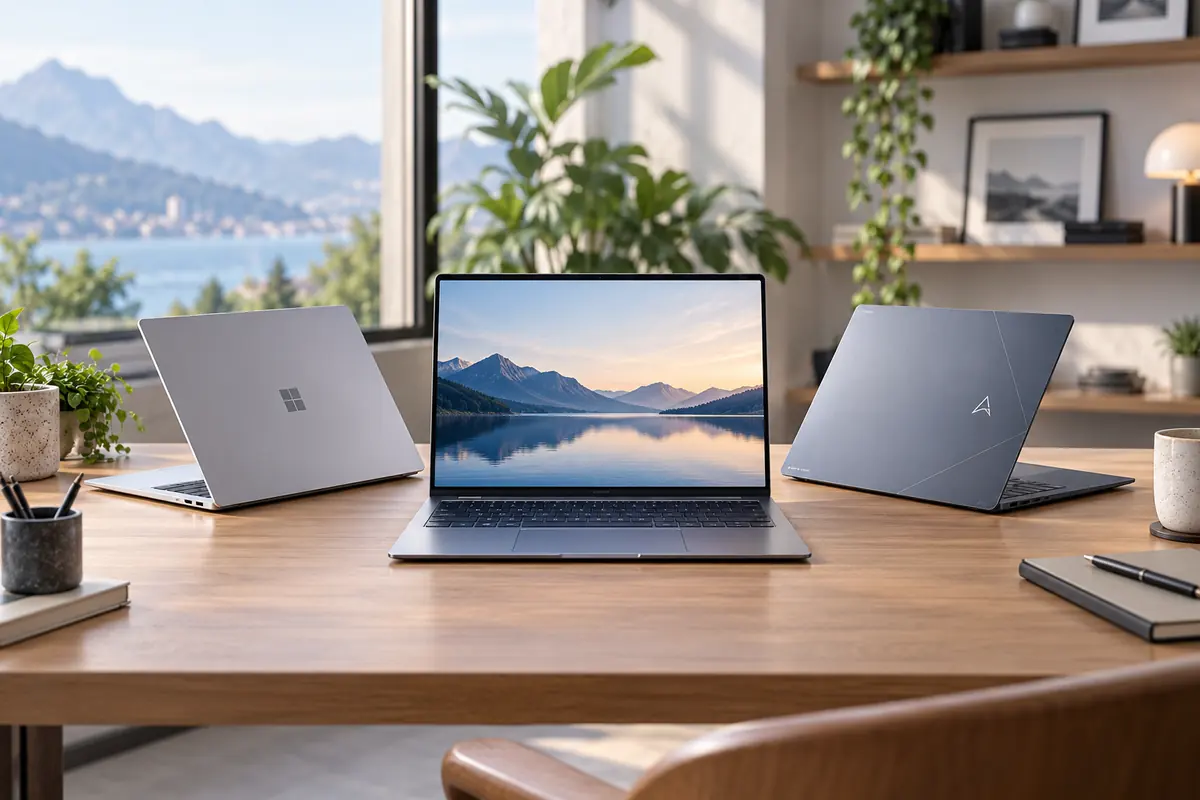
The MacBook Air remains one of the easiest premium laptops to recommend, which also makes finding genuinely good MacBook Air alternatives harder than it sounds. The current MacBook Air M5 already starts with 16GB of unified memory and a 512GB SSD, offers excellent battery efficiency, weighs only about 2.7 pounds in its 13-inch form, and runs without a cooling fan.
That means an alternative should not make this list simply because it runs Windows or costs a little less. It needs to solve a specific limitation of the MacBook Air. You may want a touchscreen, OLED display, more built-in ports, traditional x86 Windows compatibility, better repairability, an even lighter chassis, or a larger screen without carrying a much heavier laptop.
After comparing the current premium thin-and-light market, our six picks take deliberately different approaches. The ASUS Zenbook A14 comes closest to improving on the Air formula without simply copying it, Microsoft Surface Laptop provides the closest Windows-first experience, Lenovo Yoga 9i adds touch and 2-in-1 flexibility, Zenbook A16 delivers far more screen space, Framework Laptop 13 prioritizes repairability, and Dell XPS 13 offers premium x86 portability at a potentially lower price.
Quick Answer: Best MacBook Air Alternatives
Best Overall MacBook Air Alternative: ASUS Zenbook A14 — an exceptionally light Windows ultraportable with OLED display options, useful built-in ports, and a premium travel-friendly design.
Closest Windows Alternative: Microsoft Surface Laptop 13.8-inch — a premium clamshell with touch, strong battery potential, USB-A, and a design philosophy similar to the MacBook Air.
Best x86 / 2-in-1 Alternative: Lenovo Yoga 9i 2-in-1 — OLED, touch, pen support, a 360-degree hinge, and conventional Intel x86 Windows compatibility.
Best Large-Screen Alternative: ASUS Zenbook A16 — a remarkably light 16-inch laptop with a 3K 120Hz OLED option and far more connectivity than the MacBook Air.
Best Repairable Alternative: Framework Laptop 13 — the strongest choice if replaceable components, modular ports, upgrades, and long-term serviceability matter more than maximum thinness.
Best Affordable Premium Alternative: Dell XPS 13 16GB — an extremely light x86 Windows laptop that can undercut the MacBook Air while preserving a premium aluminum design.
Windows Compatibility: Zenbook A14, Surface Laptop, and Zenbook A16 use Snapdragon-based Windows on Arm configurations. If specialist Windows software is the reason you are leaving macOS, verify compatibility or consider an x86 alternative.
MacBook Air M5: What Are We Trying to Replace?
A lot of older MacBook Air comparison advice is now outdated. The current Air is no longer a premium laptop that starts with 8GB of memory and a small 256GB SSD. The M5 generation starts with 16GB unified memory and 512GB SSD storage, while the 13-inch model retains a 13.6-inch 2560 × 1664 Liquid Retina display rated at 500 nits.
Apple also keeps several traditional Air strengths intact: a thin aluminum chassis, fanless operation, excellent power efficiency, a strong trackpad, a 12MP Center Stage camera, MagSafe charging, and tight integration with macOS and other Apple devices.
There are still limitations. The Air does not provide a touchscreen or convertible mode, offers only two Thunderbolt ports in addition to MagSafe and the headphone jack, provides little user-serviceable hardware, and naturally cannot replace Windows when your work depends on Windows-specific software.
Key takeaway: A current MacBook Air alternative needs a genuine reason to exist. Matching weaknesses from older Air generations is no longer enough.
Why Are You Looking for a MacBook Air Alternative?
Want Something Even Lighter?
Best fit: ASUS Zenbook A14
Want Windows With Air-Like Simplicity?
Best fit: Microsoft Surface Laptop
Need Traditional x86 Windows?
Best fits: Dell XPS 13, Lenovo Yoga 9i, or Framework Laptop 13
Want Touch or Tablet Mode?
Best fit: Lenovo Yoga 9i
Want a Bigger Screen?
Best fit: ASUS Zenbook A16
Want Repairability and Upgrades?
Best fit: Framework Laptop 13
Want Premium for Less?
Best fit: Dell XPS 13 16GB
Reason for switching → Windows or x86 requirement → Missing MacBook feature → Exact configuration → Current price
Windows on Arm vs x86: Read This Before You Switch
One of the biggest changes in the premium Windows-laptop market is that several of the machines that feel most like a MacBook Air no longer use traditional Intel or AMD processors. They use Qualcomm Snapdragon chips and run Windows on Arm.
That is not automatically a disadvantage. Arm-based Windows laptops can deliver excellent efficiency, low heat, long battery life, and very thin designs. Mainstream browsers, Microsoft 365, communication apps, and many modern productivity applications work well.
The issue is compatibility at the edges. Older applications, specialist plug-ins, unusual peripherals, niche drivers, development tools, and some virtualization workflows may still behave differently or require additional verification.
Windows on Arm Picks in This Guide
- ASUS Zenbook A14
- Microsoft Surface Laptop 13.8-inch
- ASUS Zenbook A16
x86 Windows Picks in This Guide
- Lenovo Yoga 9i
- Framework Laptop 13
- Dell XPS 13
Important: “I need Windows” and “I need traditional x86 Windows compatibility” are not always the same requirement. If software compatibility is your main reason for leaving the MacBook Air, check that requirement before choosing a Snapdragon laptop.
What Specs Should a MacBook Air Alternative Match?
Start With 16GB of Memory
The current MacBook Air begins with 16GB, so that should generally be our comparison baseline. An 8GB Windows laptop may cost less, but it is not an equivalent configuration for heavier multitasking or longer-term ownership.
This matters particularly for the Dell XPS 13, where lower-priced 8GB configurations may attract attention. Our recommendation specifically targets the 16GB version.
Aim for 512GB Storage
Likewise, 512GB is a reasonable minimum comparison point. A lower price attached to a 256GB alternative should not automatically be treated as a better deal.
Weight Matters More Than Screen Size Alone
The 13-inch Air weighs around 2.7 pounds. Zenbook A14 and Dell XPS 13 can be materially lighter, while the 16-inch Zenbook A16 demonstrates that even a large-screen laptop can remain surprisingly close to ultraportable weight.
Look Beyond Manufacturer Battery Claims
Battery figures from Apple, Microsoft, ASUS, Lenovo, and other manufacturers use different test conditions. Treat them as useful context, not directly comparable benchmarks. Independent testing is more useful when the same methodology is applied across machines.
Ports Can Change the Real Travel Experience
A laptop that includes HDMI and USB-A may reduce the adapters you need to carry. This is one of the clearest practical advantages ASUS and some other Windows alternatives can have over the Air.
Best MacBook Air Alternatives Compared
| Laptop | Best For | Architecture | Target RAM / Storage | Display | Weight | Why Choose It Over Air? | Main Caveat |
|---|---|---|---|---|---|---|---|
| ASUS Zenbook A14 | Best Overall | Windows on Arm | 16GB / 512GB+ | 14″ OLED | From ~2.2 lb | Lighter, OLED, HDMI, USB-A | Arm compatibility |
| Surface Laptop 13.8 | Closest Windows Equivalent | Windows on Arm | 16GB / 512GB | 13.8″ Touch LCD | ~3.0 lb | Touch, USB-A, removable SSD | Arm compatibility |
| Lenovo Yoga 9i | Best x86 / 2-in-1 | Windows x86 | 16GB+ / 512GB+ | 14″ 2.8K OLED Touch, 120Hz | ~2.91 lb | Touch, pen, OLED, 360° hinge | Usually costs more |
| ASUS Zenbook A16 | Best Large-Screen | Windows on Arm | 24GB+ target / 1TB target | 16″ 3K OLED, 120Hz | ~2.65 lb | Huge OLED screen at ultralight weight | Arm compatibility and SKU variation |
| Framework Laptop 13 | Best Repairable | Windows x86 | 16GB / 512GB | 13.5″ 3:2 Matte | ~2.87 lb | Repairability, upgrades, modular ports | Less integrated/polished experience |
| Dell XPS 13 | Best Affordable Premium | Windows x86 | 16GB / 512GB | 13.4″ 2.5K Touch | ~2.2 lb | Lighter, x86, touch, lower-price potential | Not an M5-class performance leader |

ASUS Zenbook A14 — Best Overall MacBook Air Alternative
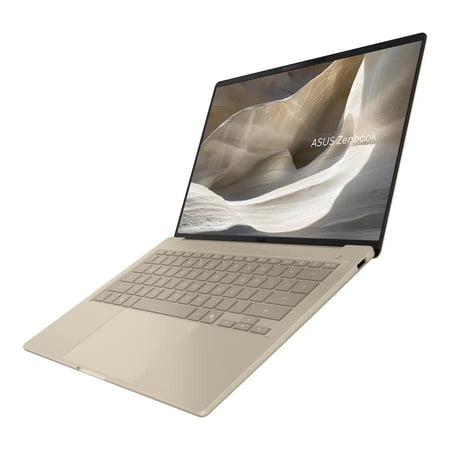
The ASUS Zenbook A14 is our best overall MacBook Air alternative because it competes directly with the qualities that make the Air attractive while adding a few useful differences of its own. It is exceptionally light, offers an OLED display, includes more built-in ports, and gives buyers a premium Windows experience in a very compact package.
Depending on the configuration, ASUS lists Zenbook A14 variants from roughly 2.2 pounds, making the machine noticeably lighter than the 13-inch MacBook Air. The Air remains thinner, but travelers and commuters may appreciate the difference in carrying weight more than a small reduction in chassis thickness.
The OLED panel is another meaningful distinction. It provides deep blacks and strong contrast, while the Air uses a higher-resolution 500-nit Liquid Retina LCD. Neither technology automatically wins every display comparison: Zenbook emphasizes OLED contrast, while Apple’s panel remains sharp, bright, and color capable.
Connectivity is where ASUS gains one of its clearest practical advantages. Two USB4 Type-C ports are joined by USB-A, HDMI 2.1, and a headphone jack. That can eliminate adapters when connecting to classroom projectors, hotel TVs, conventional accessories, or external displays.
Why Choose It Instead of MacBook Air?
Choose Zenbook A14 if you want something even lighter than the Air, prefer OLED, need Windows, or regularly use HDMI and USB-A devices.
Best For
Travelers, commuters, students, remote workers, and Windows users who want an Air-like ultraportable without accepting the Air’s limited port selection.
What to Know Before Buying
The current Zenbook A14 family includes materially different Snapdragon generations. Do not assume benchmark or battery figures from an older Snapdragon X configuration apply to the newest Snapdragon X2 Elite model.
It also runs Windows on Arm. Mainstream applications are increasingly well supported, but compatibility should still be checked when specialist Windows software is the reason you are switching.
Pros
✅ Exceptionally low weight
✅ OLED display options
✅ Built-in HDMI and USB-A
✅ Premium ultraportable design
✅ Strong fit for travel and commuting
Cons
❌ Windows-on-Arm compatibility needs checking
❌ Multiple Snapdragon generations complicate shopping
❌ MacBook Air remains thinner
❌ Latest-generation battery superiority is not yet something to assume
Alternative: Choose Dell XPS 13 if x86 Windows compatibility matters more than OLED, or Surface Laptop if you want a more Microsoft-first experience.
Microsoft Surface Laptop 13.8 — Closest Windows Alternative to MacBook Air
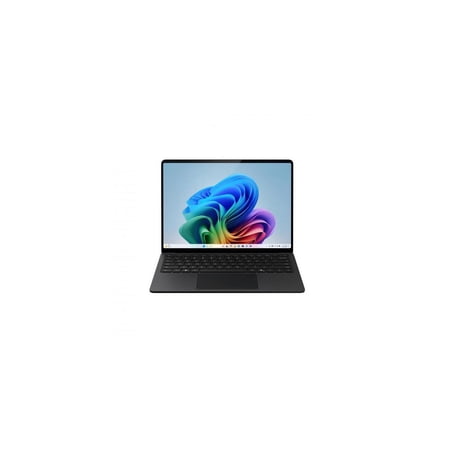
The Microsoft Surface Laptop 13.8-inch is arguably the Windows laptop most similar in philosophy to a MacBook Air. Both prioritize a clean clamshell design, premium materials, portability, battery efficiency, and a straightforward everyday-computing experience rather than enthusiast upgradeability or gaming performance.
Our target is the current 8th Edition with 16GB RAM and a 512GB SSD. Microsoft offers Snapdragon X2 Plus and X2 Elite configurations, while the 13.8-inch model weighs about 3 pounds.
The display introduces one feature Apple still does not offer on the Air: touch. Surface also provides USB-A in addition to USB4 ports, a headphone jack, and Surface Connect. Its SSD is removable/serviceable in a way Apple’s integrated storage is not.
Microsoft rates the 13.8-inch model for up to 20 hours of local video playback and up to 16 hours of active web use under its test conditions. Those figures demonstrate strong efficiency potential, but should not be treated as directly equivalent to Apple’s differently conducted battery tests.
Why Choose It Instead of MacBook Air?
Surface Laptop makes sense if you want a premium Windows clamshell, touchscreen support, USB-A, and the Microsoft ecosystem without switching to a 2-in-1 design.
Best For
Office users, business travelers, students, Microsoft 365-heavy workflows, and Mac switchers who want a premium laptop that still feels simple and cohesive.
What to Know Before Buying
Surface Laptop uses Windows on Arm in the configuration considered here. If your workflow depends on legacy or specialist x86 applications, Yoga 9i, Framework Laptop 13, or XPS 13 may be safer alternatives.
Pros
✅ Premium Windows-first design
✅ Touchscreen
✅ USB-A alongside USB4
✅ Strong battery potential
✅ Removable/serviceable SSD architecture
Cons
❌ Windows-on-Arm software considerations
❌ Slightly heavier than the 13-inch Air
❌ Premium configurations can cost more than the Air
❌ Manufacturer battery figures are not directly comparable to Apple’s
Alternative: Choose Yoga 9i if touchscreen use is important but you specifically need x86 Windows, or Zenbook A14 if minimum carrying weight matters more.
Lenovo Yoga 9i 2-in-1 — Best x86 / 2-in-1 MacBook Air Alternative
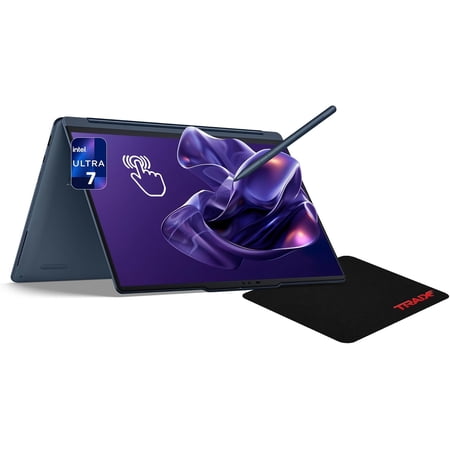
The Lenovo Yoga 9i 2-in-1 is the strongest alternative for buyers who are not merely trying to recreate the MacBook Air. Instead, it adds several capabilities Apple does not offer in the Air at all: OLED, touch, pen input, an adaptive 120Hz display, and a 360-degree convertible hinge.
The current 14-inch Gen 10 Aura Edition can be configured with Intel Core Ultra 7 processors, 16GB or 32GB memory, and 512GB or 1TB SSD storage. The 2.8K OLED option runs at an adaptive 30–120Hz and supports touch.
Despite all of that additional hardware, the Yoga starts around 2.9 pounds, only modestly heavier than the 13-inch Air. A 75Wh battery also gives it substantial capacity for a thin convertible.
The other major advantage is architecture. Unlike the Snapdragon-powered Zenbook A14, Surface Laptop, and Zenbook A16, Yoga 9i uses Intel x86 hardware. That can make it a better fit when traditional Windows compatibility is a primary reason for leaving macOS.
Why Choose It Instead of MacBook Air?
Choose Yoga 9i if you want a premium laptop that can also function as a touchscreen notebook, presentation display, or tablet-style device without giving up conventional x86 Windows.
Best For
Students who annotate notes, designers using pen input, presenters, touch-first users, and buyers who need broader Windows compatibility.
What to Know Before Buying
The extra features come at a cost. If you rarely touch your laptop screen and never use tent or tablet modes, a simpler clamshell may provide better value. Also check whether you are buying the 2.8K or 4K OLED configuration because display choice affects battery behavior.
Pros
✅ x86 Windows compatibility
✅ 2.8K OLED touchscreen
✅ Adaptive refresh up to 120Hz
✅ Pen and 360-degree hinge
✅ Strong port selection for an ultraportable
Cons
❌ Often more expensive than MacBook Air
❌ Convertible features may be unnecessary
❌ Slightly heavier than Air
❌ Battery varies significantly by display configuration
Alternative: Choose Surface Laptop if you want touch but prefer a simpler clamshell, or XPS 13 if x86 compatibility and minimum weight matter more than convertible features.
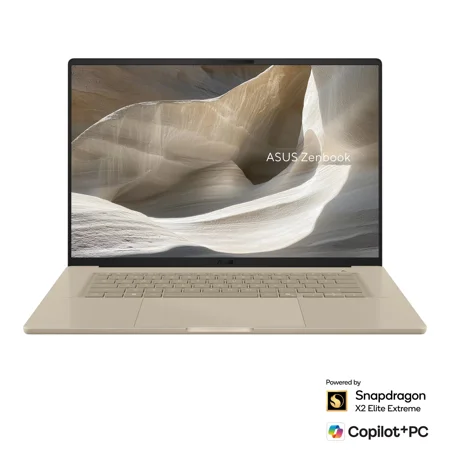
ASUS Zenbook A16 — Best Large-Screen MacBook Air Alternative
The ASUS Zenbook A16 is the answer for buyers who like the 15-inch MacBook Air concept—a large display without workstation weight—but want to push that idea further.
The current premium Zenbook A16 configuration pairs a 16-inch 2880 × 1800 OLED display with a 120Hz refresh rate, up to 500-nit typical brightness, very high HDR peak brightness, and full DCI-P3-class color coverage. Yet ASUS lists the X2-generation chassis at roughly 2.65 pounds in key configurations.
That is the remarkable part. A 16-inch machine can weigh around the same as, or even less than, many 13- and 14-inch premium laptops.
Connectivity is also unusually strong for the weight. Relevant configurations include USB4, USB-A, HDMI, a headphone jack, and an SD card reader, giving photographers and creators a particularly useful advantage over the Air.
Why Choose It Instead of MacBook Air?
Choose Zenbook A16 if you want substantially more screen space, OLED, high refresh rate, and better connectivity without carrying a conventional heavy 16-inch laptop.
Best For
Traveling creators, multitaskers, photographers, spreadsheet-heavy users, remote workers, and buyers comparing against the 15-inch MacBook Air.
What to Know Before Buying
Zenbook A16 exists in materially different processor and display configurations. The premium X2 Elite Extreme / 3K OLED model should not be confused with lower-spec Snapdragon X variants.
Like Zenbook A14 and Surface Laptop, this is also Windows on Arm, so specialist software compatibility remains a consideration.
Pros
✅ Huge 16-inch display at very low weight
✅ 3K OLED option
✅ 120Hz refresh rate
✅ HDMI, USB-A, and SD card support
✅ Strong large-screen travel proposition
Cons
❌ Windows-on-Arm compatibility needs checking
❌ Product configurations vary substantially
❌ Premium X2 configurations can be expensive
❌ Latest battery claims should not be directly compared with Apple’s tests
Alternative: Choose Zenbook A14 if portability matters more than screen size, or Yoga 9i if touch and x86 compatibility are more important than a 16-inch panel.
Framework Laptop 13 — Best Repairable MacBook Air Alternative
The Framework Laptop 13 is the least MacBook-like laptop in this list—and that is exactly why it belongs here. Instead of optimizing almost everything around integration and minimal user access, Framework builds its laptop around replacement, repair, and upgrades.
Our target configuration is the current AMD Ryzen AI 300-series Laptop 13 with a sensible 16GB RAM and 512GB SSD baseline. The chassis weighs around 2.87 pounds, so choosing repairability does not mean carrying a bulky notebook.
The 13.5-inch 3:2 display is also productivity-focused. The standard panel offers a taller workspace than the common 16:10 format, uses a matte anti-glare surface, and is rated above 400 nits.
Framework’s Expansion Card system is the standout feature. Instead of accepting a fixed port layout, buyers can configure USB-C, USB-A, HDMI, DisplayPort, Ethernet, SD, microSD, and other modules depending on their workflow.
More importantly, storage, memory on applicable models, batteries, keyboards, displays, and even mainboards are part of a broader repair-and-upgrade ecosystem. You can potentially keep the same laptop chassis while changing significant internal hardware later.
Why Choose It Instead of MacBook Air?
Choose Framework if you dislike soldered, difficult-to-service laptops and want greater control over repair, upgrades, storage, ports, and long-term ownership.
Best For
Technical users, developers, repairability advocates, long-term owners, and buyers who value serviceability more than a completely sealed premium design.
What to Know Before Buying
Framework is not trying to beat Apple at Apple’s strongest game. It has active cooling, is thicker than an Air, and does not provide the same degree of hardware/software integration. Its battery story is also not the primary reason to buy it.
Its value is ownership flexibility, and that comes with a more hands-on product philosophy.
Pros
✅ Excellent repairability
✅ Upgradeable components
✅ Modular Expansion Card ports
✅ x86 Windows compatibility
✅ Still genuinely portable
Cons
❌ Not as thin or integrated as MacBook Air
❌ Active cooling rather than fanless operation
❌ Battery is not the category-leading feature
❌ More hands-on ownership experience
Alternative: Choose Dell XPS 13 if you want x86 compatibility in a more conventional sealed premium ultraportable.
Dell XPS 13 — Best Affordable Premium MacBook Air Alternative
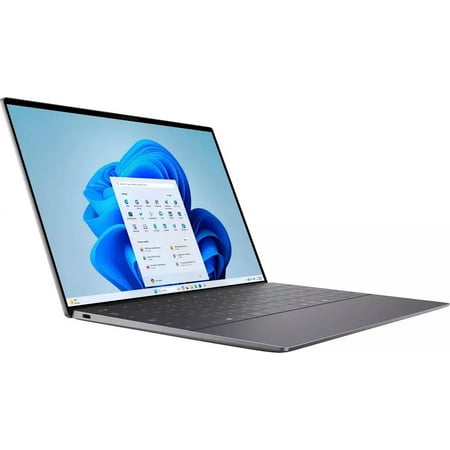
The current Dell XPS 13 makes a surprisingly strong case as the premium-value choice in this roundup. Dell has simplified the XPS formula into a compact aluminum machine weighing around 2.2 pounds, and the current 16GB/512GB configuration provides the memory baseline we want for comparison with the MacBook Air.
The important detail is 16GB. The cheapest 8GB XPS can produce an attention-grabbing headline price, but it should not be presented as equivalent to a MacBook Air that already starts with 16GB. We specifically recommend the 16GB version.
The current model uses Intel x86 hardware, which gives it an important advantage for Mac switchers who need traditional Windows compatibility but still want an extremely light premium laptop.
Independent testing has also produced nearly 15 hours of battery life for the current XPS generation under the reviewer’s methodology. That is a strong result for such a light system, although it still should not be compared directly with Apple’s battery claim without identical test conditions.
Raw performance is not the reason to choose XPS 13 over an M5 Air. Current independent testing describes the XPS as a mainstream ultraportable rather than a performance powerhouse. Its appeal is the combination of portability, x86 Windows, touch, premium construction, and potentially lower price.
Why Choose It Instead of MacBook Air?
Choose XPS 13 if you want an exceptionally light premium laptop with conventional x86 Windows and can find the 16GB configuration meaningfully below the price of an Air.
Best For
Students, travelers, business users, Windows-first professionals, and buyers who want minimal weight without moving to Windows on Arm.
What to Know Before Buying
Do not confuse the 8GB and 16GB versions. Also do not buy XPS 13 expecting M5-class performance or gaming capability. It is a portable mainstream machine.
Pros
✅ Extremely light at around 2.2 lb
✅ Conventional x86 Windows
✅ Premium aluminum design
✅ Touchscreen on target configuration
✅ Strong current value in 16GB configuration
Cons
❌ 8GB base version is not our recommendation
❌ Not a performance leader
❌ Limited upgradeability
❌ Value advantage depends on current pricing
Alternative: Choose Framework Laptop 13 if upgradeability matters, or Zenbook A14 if OLED and the lowest possible weight are higher priorities than x86 architecture.
Which MacBook Air Alternative Has the Best Battery Life?
There is no responsible single winner based only on the manufacturer numbers available across these laptops. Apple, Microsoft, ASUS, and Lenovo use different test conditions, brightness settings, workloads, and video-playback methods.
The MacBook Air remains an excellent efficiency benchmark. Snapdragon-based Zenbook and Surface systems are also designed around long battery life, while Dell XPS 13 has produced a strong independent battery result for an x86 laptop.
Yoga 9i shows that choosing OLED and 2-in-1 flexibility does not necessarily mean terrible battery life, but its exact endurance changes significantly depending on whether you choose the 2.8K or 4K display.
Framework should not be purchased primarily as a battery-life alternative. Its repairability and modularity are much stronger reasons to choose it.
Buying rule: Compare battery tests conducted under similar methodology whenever possible. Do not rank laptops by unrelated “up to” figures from different manufacturers.
Best MacBook Air Alternative for Travelers
ASUS Zenbook A14 is our best MacBook Air alternative for travelers. It can weigh roughly half a pound less than the 13-inch Air while also including HDMI and USB-A, potentially reducing the adapters you need to carry.
Dell XPS 13 is the strongest x86 alternative for travel. At around 2.2 pounds, it is similarly easy to carry while avoiding the compatibility questions associated with Windows on Arm.
Best MacBook Air Alternative for Students
For students, the choice depends more on software requirements than brand. Dell XPS 13 16GB is a compelling option when x86 Windows and portability matter, while Zenbook A14 is especially attractive when minimum weight and battery-focused mobility matter more.
If price is the primary concern rather than premium Air-like construction, see our Most Affordable Laptops for Students 2026. Students specifically considering HP can also compare our Best HP Laptops for Students 2026.
Best MacBook Air Alternative for Business Users
Surface Laptop is the closest fit for many business users because its premium clamshell design, Microsoft 365 environment, touch support, and portable form factor create a straightforward Windows-first experience.
However, businesses that rely on specialist legacy applications or traditional x86 compatibility may be better served by Dell XPS 13 or another Intel/AMD machine.
For a deeper Dell-specific comparison, see our Best Dell Laptops for Work & Study in 2026.
Best MacBook Air Alternative for Creators
ASUS Zenbook A16 is the most interesting feature alternative for creators who want a large 16-inch OLED panel, high refresh rate, SD card support, and more built-in connectivity without carrying a conventional heavyweight creator laptop.
Yoga 9i is the better choice when touch and pen input matter more than screen size.
Neither recommendation means these laptops universally outperform the MacBook Air M5 in creative applications. Application optimization, codec support, GPU behavior, and architecture compatibility should all be considered for the specific software you use.
Best MacBook Air Alternative for Touchscreen Users
Lenovo Yoga 9i is the best touchscreen alternative to MacBook Air. It goes beyond adding touch: the OLED panel supports adaptive refresh up to 120Hz, the hinge rotates through 360 degrees, and pen input makes annotation and drawing practical.
Surface Laptop is a better alternative when you want touch but prefer a traditional clamshell rather than a convertible.
Best MacBook Air Alternative for Long-Term Ownership
Framework Laptop 13 is the clear winner for long-term serviceability. Its design supports replacement and upgrades in ways the MacBook Air fundamentally does not.
That does not automatically make Framework cheaper over many years, but it gives owners substantially more control over repairing failed components or upgrading parts instead of replacing the entire machine.
Is Dell XPS 13 Still a Good MacBook Air Alternative?
Yes—especially in the current 16GB configuration. The modern XPS 13 is exceptionally light, uses x86 Windows, includes a premium aluminum chassis, and can provide meaningful savings when priced below the Air.
Its weakness is performance rather than portability. If your workload is primarily Office, browsing, research, communication, and ordinary productivity, that trade-off may be acceptable.
A future MacBook Air M5 vs Dell XPS 13 comparison can go deeper into performance, battery, display, ports, and value once published.
Is Surface Laptop Better Than MacBook Air?
Surface Laptop is better for some buyers, not universally better. It offers Windows, touch, USB-A, and a removable SSD architecture, while MacBook Air offers macOS, fanless operation, excellent M5 performance, and tighter Apple ecosystem integration.
If you use an iPhone, AirPods, Apple Watch, or other Apple devices heavily, the ecosystem may outweigh the hardware differences. If Windows and touch matter more, Surface can be the more appropriate machine.
Should You Choose an OLED Windows Laptop Instead of MacBook Air?
OLED is one of the clearest feature differences between the Air and several Windows alternatives in this guide. Zenbook A14, Yoga 9i, and premium Zenbook A16 configurations can provide OLED’s deep blacks, high contrast, and vivid HDR presentation.
MacBook Air’s Liquid Retina LCD is still an excellent display. It offers high resolution, 500-nit brightness, P3 color, and avoids some of the power and long-term image-retention considerations that can accompany OLED implementations.
Choose OLED because you value its contrast and visual characteristics—not simply because OLED sounds newer.
Should You Buy a Cheaper Laptop Instead of a MacBook Air?
Potentially. If your workload is mostly browser tabs, Office, email, video calls, and basic schoolwork, you may not need an Air-like premium alternative at all.
Dropping into a lower price tier can save substantially more than choosing a $900–$1,300 premium Windows ultraportable. The trade-offs are usually build quality, display, trackpad quality, speakers, weight, battery, or performance.
Our Most Affordable Laptops for Students 2026 covers that value-focused market separately.
Should You Buy a Tablet Instead of a MacBook Air?
A tablet can replace a MacBook Air for some users, particularly when the priority is media consumption, handwritten notes, travel, reading, or light web-based productivity.
It is a weaker substitute when you rely on desktop applications, advanced multitasking, local development tools, large spreadsheets, external peripherals, or complex file-management workflows.
See our Top 10 Tablets for Work & Entertainment and Lenovo Tablets for Productivity 2026 for alternatives built around a different form factor.
How We Chose These MacBook Air Alternatives
We did not select these laptops simply because they are popular Windows models. Each recommendation must provide a specific reason to choose it instead of a current MacBook Air.
Our comparison considers:
- current model relevance and availability,
- 16GB/512GB-class configurations where practical,
- weight and portability,
- battery evidence,
- display quality and display technology,
- touch and convertible functionality,
- Windows architecture and software compatibility,
- ports and connectivity,
- repairability and upgrades,
- independent testing where available,
- and current price relative to the MacBook Air.
The recommendations are therefore role-based rather than claims that every Windows machine listed here is objectively better than Apple’s laptop.
MacBook Air Alternatives FAQ
What is the best MacBook Air alternative?
ASUS Zenbook A14 is our best overall MacBook Air alternative because it combines exceptionally low weight, OLED display options, Windows, and more built-in ports in a premium ultraportable design. Buyers should still verify Windows-on-Arm software compatibility.
What is the best Windows alternative to MacBook Air?
Microsoft Surface Laptop is the closest conceptual Windows equivalent to MacBook Air, while ASUS Zenbook A14 is our strongest overall alternative based on portability, OLED, connectivity, and Windows access.
What laptop is most similar to MacBook Air?
Surface Laptop is the most similar in philosophy because it emphasizes premium design, portability, battery efficiency, and a simple clamshell experience rather than gaming or workstation features.
Is ASUS Zenbook A14 better than MacBook Air?
Zenbook A14 is better for buyers prioritizing lower weight, OLED, HDMI, USB-A, and Windows. MacBook Air remains preferable for macOS, Apple ecosystem integration, fanless operation, and buyers who do not want Windows-on-Arm compatibility considerations.
Is Surface Laptop a good MacBook Air alternative?
Yes. Surface Laptop is an excellent alternative if you want Windows, touch, USB-A, and a premium clamshell. Its Snapdragon processor means specialist application compatibility should still be checked.
Is Dell XPS 13 a good MacBook Air alternative?
Yes, particularly in the 16GB configuration. It is extremely light, runs conventional x86 Windows, offers touch, and can cost less than MacBook Air. Its main compromise is lower performance relative to the M5 Air.
What is the best touchscreen MacBook Air alternative?
Lenovo Yoga 9i is our best touchscreen alternative because it combines OLED, adaptive refresh up to 120Hz, pen support, a 360-degree hinge, and conventional x86 Windows.
What is the lightest MacBook Air alternative?
ASUS Zenbook A14 is among the lightest options in this guide, with configurations around the low-2-pound range. Dell XPS 13 is also exceptionally light at approximately 2.2 pounds.
What is the best large-screen MacBook Air alternative?
ASUS Zenbook A16 is our top large-screen alternative because it can combine a 16-inch 3K OLED display with 120Hz refresh and unusually low weight.
What is the best repairable MacBook Air alternative?
Framework Laptop 13 is the clear repairability choice. Its modular Expansion Cards, replaceable components, upgrade options, and repair-oriented design provide a fundamentally different ownership model from MacBook Air.
Are Windows-on-Arm laptops compatible with all Windows software?
No. Compatibility has improved substantially, especially for mainstream productivity applications, but specialist programs, legacy plug-ins, unusual drivers, peripherals, and some virtualization workflows may still require verification.
Is x86 better than Arm for Windows compatibility?
Generally, x86 remains the safer choice for legacy and specialist Windows software. Arm-based Windows laptops can provide excellent efficiency and portability, but compatibility should be checked for specialized workflows.
Which MacBook Air alternative has the best battery life?
There is no reliable universal winner from manufacturer claims alone because test methods differ. MacBook Air remains an excellent battery benchmark, while current Snapdragon Windows alternatives are designed to compete strongly on efficiency.
Are there cheaper alternatives to MacBook Air?
Yes. Dell XPS 13 with 16GB RAM can provide a lower-priced premium alternative when discounted appropriately. Much cheaper laptops also exist if you do not need Air-class build, display quality, portability, or battery life.
Should I buy a Windows laptop instead of MacBook Air?
Choose Windows when required software, touch, repairability, ports, or your preferred workflow matter more than macOS and Apple ecosystem integration. MacBook Air remains the better fit when those Apple-specific advantages are central to how you work.
Final Verdict: Which MacBook Air Alternative Should You Buy?
ASUS Zenbook A14 is our best overall MacBook Air alternative because it preserves the ultraportable idea while offering OLED, additional ports, Windows, and even lower carrying weight in relevant configurations.
Microsoft Surface Laptop is the closest Windows equivalent for buyers who want premium simplicity plus touch.
Lenovo Yoga 9i is the best x86 alternative for people who want capabilities the Air simply does not provide, including an OLED touchscreen, pen input, and 2-in-1 flexibility.
ASUS Zenbook A16 is the strongest large-screen alternative, while Framework Laptop 13 is the clear repairability winner.
Finally, Dell XPS 13 16GB is the best affordable premium alternative when its current selling price remains meaningfully below the Air.
✓ Best Overall: ASUS Zenbook A14
✓ Closest Windows Alternative: Microsoft Surface Laptop 13.8
✓ Best x86 / 2-in-1: Lenovo Yoga 9i
✓ Best Large-Screen: ASUS Zenbook A16
✓ Best Repairable: Framework Laptop 13
✓ Best Affordable Premium: Dell XPS 13 16GB
The MacBook Air M5 is still an excellent laptop. None of these machines is a universal upgrade. The right alternative is the one that gives you something the Air does not—and that you will actually use.
Final MacBook Air Alternative Checklist
✓ Decide exactly why you are leaving the MacBook Air.
✓ Determine whether you need Windows or specifically x86 Windows.
✓ Prefer at least 16GB RAM for a fair premium-laptop comparison.
✓ Compare 512GB-class storage configurations.
✓ Check actual laptop weight, not just screen size.
✓ Verify ports before assuming you can avoid adapters.
✓ Decide whether touch, OLED, or a 2-in-1 hinge is genuinely useful.
✓ Compare battery tests with similar methodology.
✓ Do not pay more than the Air without gaining a meaningful advantage.
✓ Consider repairability if you plan to keep the laptop for many years.
Sources
- Apple — current MacBook Air M5 specifications, memory, storage, display, battery claims, ports, weight, and camera.
- ASUS — current Zenbook A14 and Zenbook A16 configurations, displays, ports, dimensions, and weight.
- Microsoft — Surface Laptop 13.8-inch 8th Edition specifications and battery-testing methodology.
- Lenovo — Yoga 9i 2-in-1 Gen 10 specifications, OLED configurations, ports, weight, and battery testing.
- Framework — current Laptop 13 specifications, Expansion Card system, repairability, and upgrade options.
- Dell — current XPS 13 16GB/512GB configuration and product specifications.
- Tom’s Hardware — current Dell XPS 13 independent battery, design, portability, and performance testing.
Product Groups: ASUS Zenbook A14 UX3407 Snapdragon X2 Elite 16GB 512GB, Microsoft Surface Laptop 13.8 8th Edition 16GB 512GB, Lenovo Yoga 9i 2-in-1 Gen 10 Aura Edition 14, ASUS Zenbook A16 UX3607 Snapdragon X2, Framework Laptop 13 AMD Ryzen AI 7 350 16GB 512GB, Dell XPS 13 2026 16GB 512GB