
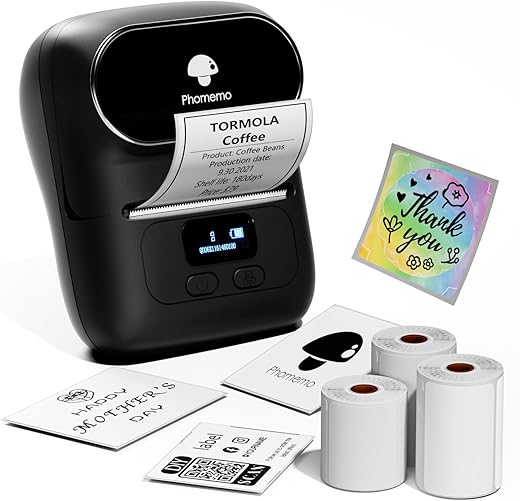
Phomemo M110 Bluetooth Thermal Label Printer
 Shein.com
  Amazon.com
  Walmart.com
  Neweggbusiness.com
  Bestbuy.com
  Vevor.com
Original price was: $64.99.$51.99Current price is: $51.99.
Phomemo M110 Bluetooth Thermal Label Printer Price comparison









- All prices mentioned above are in United States dollar.
- This product is available at Bestbuy, SHEIN, Walmart.com, Amazon.com, Newegg Business.
- At bestbuy.com you can purchase JADENS - JD-21 Mini Instant Thermal Printer - Handheld Label Maker - Pink for only $29.99 , which is 81% less than the cost in Newegg Business ($157.04).
- The lowest price of Phomemo Label Printer-M110 Label Maker, Bluetooth Thermal Label Printer for Barcode, Address, Mailing, Price Tag, Pictures, Jewelry, Clothing,. was obtained on October 6, 2026 22:16.
Phomemo M110 Bluetooth Thermal Label Printer Price History
Phomemo M110 Bluetooth Thermal Label Printer Description
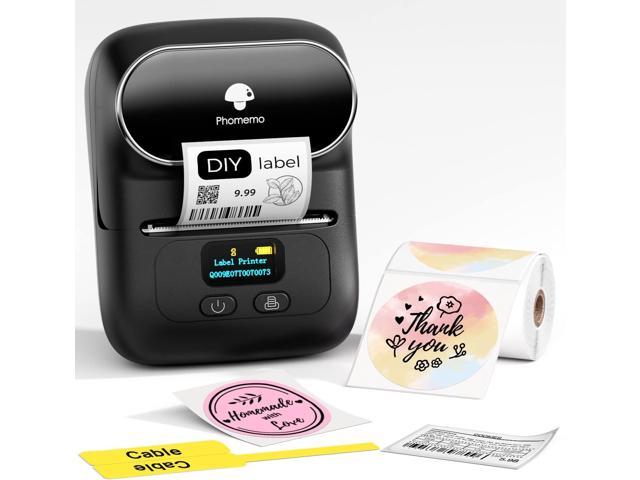
Phomemo M110 Bluetooth Thermal Label Printer: The Ultimate Office Companion
Are you searching for an efficient way to manage your labeling needs? Look no further than the **Phomemo M110 Bluetooth Thermal Label Printer**. This compact and versatile printer is designed for both home and office use. With its advanced thermal printing technology, it provides high-quality labels without the need for ink. Read on to discover why the Phomemo M110 is the ideal solution for your labeling tasks.
Key Features of the Phomemo M110 Label Printer
The Phomemo M110 is packed with features that make it a must-have device for any labeling project. Here are some of the main highlights:
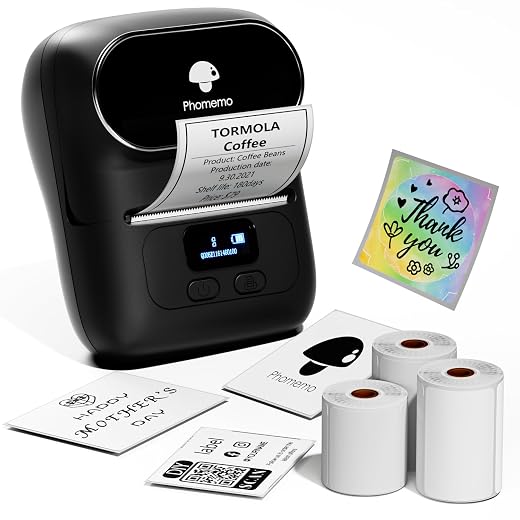
- Compact & Portable Design: With dimensions of just 4.48”D x 2.44”W x 3.43”H and a lightweight build of 381.02 grams, this label printer is easy to transport and store, making it suitable for on-the-go labeling needs.
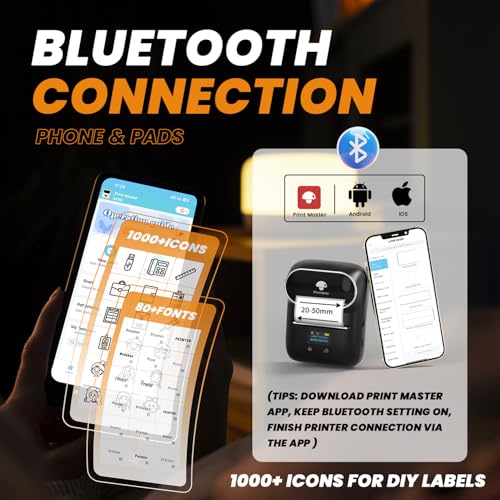
- Bluetooth & USB Connectivity: Enjoy seamless connections with Bluetooth or USB Type-C technology. The printer is compatible with a wide range of devices, including Windows 7 and above, iOS, Mac OS 10 and above, and Android.
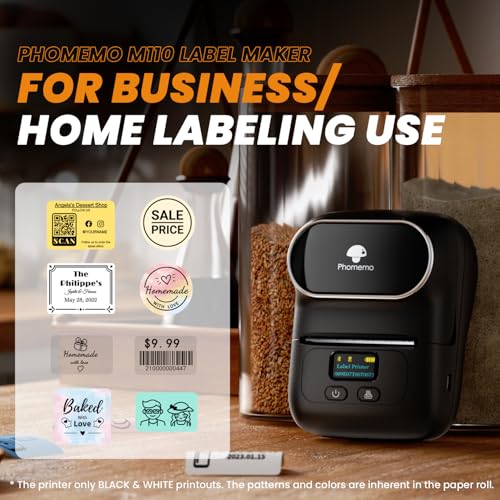
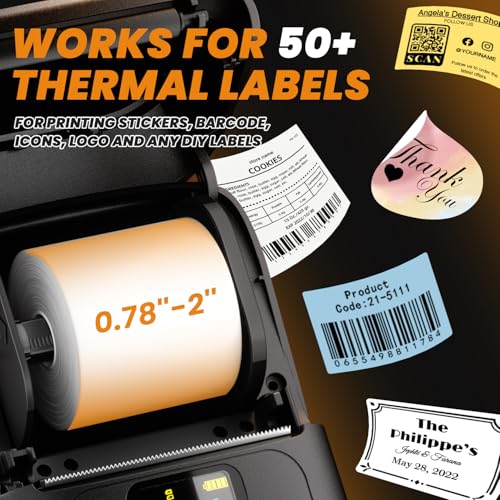
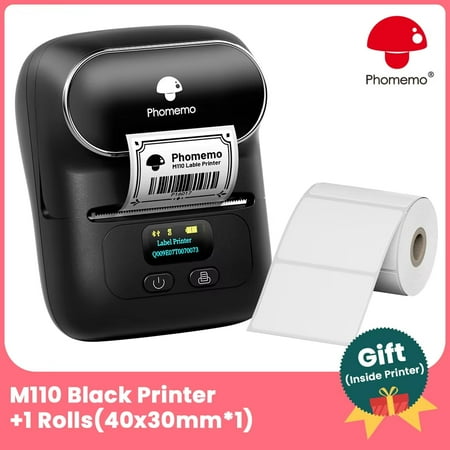
- Versatile Labeling Options: The M110 comes with built-in media options, including 40x30mm, 50x30mm, and 50x80mm white labels. You can create barcode labels, address labels, or any other custom labels you need.
- High-Quality Printing: Experience crisp and clear outputs with a resolution of 203 dpi. The monochrome printer easily handles various labeling tasks, ensuring your labels are professional and readable.
- User-Friendly App Control: Operating the M110 is simple with its dedicated app, making it easy to design and print labels directly from your smartphone or tablet.
- Energy Efficient: With a low power consumption of just 4 watts and a capacity of 8.88 watt-hours, the M110 offers a sustainable printing solution while delivering reliable performance.
Price Comparison Across Different Suppliers
When it comes to finding the best deal for your Phomemo M110 label printer, our detailed price comparison shows how it stacks up across various suppliers. Prices may vary based on location and retailer, so it’s essential to check regularly for the best offer. This printer typically ranges in price but can be more affordable during sales periods.
Trends from the 6-Month Price History Chart
Our 6-month price history chart indicates fluctuating prices for the Phomemo M110. In the past few months, prices have generally decreased, presenting an excellent opportunity for savvy shoppers. Keep an eye on the trends to snag your label printer at the lowest possible price, ensuring maximum savings for your business or personal projects.
Customer Reviews: What Users Are Saying
Customer feedback highlights the practicality and ease of use of the Phomemo M110. Many users rave about its portability and high-quality printing capabilities. Here are some summarized customer insights:
– **Positive Aspects:**
– Users appreciate the straightforward app interface, which simplifies the labeling process.
– Users often mention the high-quality labels that produce clear text and barcodes.
– The capability to print various label sizes allows for versatility in different tasks.
– **Noted Drawbacks:**
– Some customers have expressed frustration with the initial setup process, which can be a bit complex for first-time users.
– A few users have reported that connection issues may occur with certain devices, though these instances are generally minimal.
Overall, the Phomemo M110 boasts a favorable average customer rating, indicating widespread satisfaction among its users.
Unboxing and Review Videos
Explore insightful unboxing and review videos available on platforms like YouTube to see the Phomemo M110 in action. These videos provide a firsthand look at its features and functionalities, giving you a better idea of how it fits into your daily tasks.
Conclusion: A Worthy Addition to Your Office
The **Phomemo M110 Bluetooth Thermal Label Printer** is an excellent choice for businesses and individuals looking to optimize their labeling processes. With its compact design, versatile media options, and user-friendly app, it simplifies the way you manage labels. Plus, with growing discounts and competitive pricing available, now is a perfect time to invest.
Don’t miss out on the opportunity to enhance your labeling efficiency. **Compare prices now** and find the best deal on the Phomemo M110 today!
Phomemo M110 Bluetooth Thermal Label Printer Specification
Specification: Phomemo M110 Bluetooth Thermal Label Printer
|
Phomemo M110 Bluetooth Thermal Label Printer Reviews (12)
12 reviews for Phomemo M110 Bluetooth Thermal Label Printer
Only logged in customers who have purchased this product may leave a review.
Floridian –
Wish it printed colors but otherwise it’s very user friendly and the little app you download makes it really easy to use.
Kristy B. –
Me encantó este aparato, lo necesitaba para unas etiquetas y me ha ayudado muchísimo, creo que le puedo sacar más provecho.
Honest Fellow –
**”Compact, Convenient, and Fun to Use!”**
The Phomemo M110 Label Maker is a fantastic little gadget! Its mini size makes it super portable, and the Bluetooth connection means you can easily print labels right from your phone. The thermal printing technology is a big plus—no ink needed!
It’s great for organizing, crafting, or small business needs, and the labels come out looking sharp and professional. If you’re looking for a compact, easy-to-use label maker, this one is perfect. Totally worth it for the convenience and fun factor!
Shari L. Rogers –
This little guy is so cute, and it works really well. It took just a few minutes to set it up including downloading the app. It takes some tweaking to get the labels how you want them to look, but once you get the hang of it, it’s really easy to format any label for any use.
The app comes preloaded with several templates in different categories, plus you can design and save your own templates. You can increase or decrease the size of the font for printing, plus there are several fonts you can download. You can also add text effects such as rounded printing. You have to be careful which fonts you use for whatever you want to print, because some of them are so light they’re barely readable, especially at smaller sizes.
All functions are controlled through the app, including printing, and you can choose how many copies of a label you want to print at once. This comes in handy for me, as I use this label maker primarily for labeling foods for my freezer. I can just put in how many copies I want to print once I have the label like I want it (for homemade TV dinners, for example) and press print. In a few seconds it’s printed say, 8, labels for a spaghetti TV dinner that I’ve made 8 portions of. I put a label onto each container, then into the freezer they go. I always include reheating instructions to make it easier for me to just pop the meal into the microwave.
You can go to the company website and buy replacement label rolls that specifically fit this model, which is M110. There’s a Mall section in the app that takes you to the website through your phone’s browser, and it warns you before you go to the browser. All in all, one of the most useful purchases I’ve made.
Amazon junkie –
This is a great little printer. The print quality is nice and dark. The labels are easy to load. It took me a while to figure out how to do everything I wanted. I emailed customer service to get help with the printing problem I had. Their response was very quick and helpful. It turns out I was doing something wrong. I like the fact that it operates from a phone, a tablet, or a computer. In my opinion, using it on a computer is less user friendly than using the app on a phone or an iPad. Set up was a breeze.
victor a. –
Just received my order of the M110. It works like a charm. Only black and white. But easily to include B/W images and adding text through the Print Master App. Just be sure to select the right label size. Happy to have ordered this device 🙂
Akram –
Me va llegando la impresora, antes de lo previsto (Buenísimo) y en buen estado.
primeras impresiones.
Agradable a la vista, tiene un diseño bastante llamativo, me atrevo a decir que parece un juguete, todo menos un impresora.
te bajas la app que indica el manual desde tu teléfono inteligente y configuras en menos de 10 min.
la app es bastante visual y moderna, nada confusa.
por ultimo y mas importante.
diseñas tu etiqueta y te imprime de maravilla, rápido y sin tapujos. Me llevo mas tiempo sacarla de la caja en la que llego, que configurar y empezar a imprimir.
la verdad estoy impresionado, porque vengo de usar una Zebra GC420T y a parte de carísima es una total pesadilla a la hora de imprimir etiquetas, diseñarlas, configurarla.
LO RECOMIENDO TOTALMENTE!!!!
gina t –
This device exceeded my expectations! So easy to use and it prints quickly; the quality is very good as well.
Very very pleased with this label maker and highly recommend it.
AmyLynn Caulfield –
My biggest hesitation was the idea of downloading an app that would be difficult to figure out… it was so easy! It ended up taking less than 10 minutes to print 50 barcodes. The ink is clear and print quality is perfect, it printed quickly. No issues.
aida –
Facile d’utilisation, cette étiqueteuse est super pratique.
L’application est simple à prendre en mains et permet pas mal de combinaisons pour l’impression des étiquettes.
Floridian –
Peça muito boa
gina t –
I use this machine to print 2in circle stickers for my small business. It’s super easy to use and prints FAST!
The roll of labels that come with the machine, comes with a spool that fits inside of the machine- DO NOT THROW IT AWAY! The spool holds any future sticker/label rolls, without it printing will be possible but difficult.
The app you have to download in order to print is BASIC AF. I would recommend using Canva to design the sticker and then uploading that image into the app.
Aligning the image in the app could be a pain… you will go through a few stickers trying to get the alignment just right- EVEN IF you hit the “center” option. My recommendation is print one sticker and check the alignment before printing a bunch at a time.
Personally, I would recommend printing 4-5 stickers at a time vs 20, just in case the roll of stickers misalign… then you will have stickers that cannot be used.
I used to spend $35+ for 100 custom 2in stickers. Now I spend $12 for 3 rolls of 140, buying the stickers from Phomemo. Sticker rolls come in many different sizes, shapes and colors- just pay attention that you buy them according to the model of your machine.
Overall the machine functions beautifully, it’s durable and compact and very easy to use. I’ve thrown it in my bag and can print stickers on the go.
Purchased this machine because I was super skeptical and didn’t know what to expect m. I was willing to try it based on the low price point. I would definitely recommend to any small business owner!