
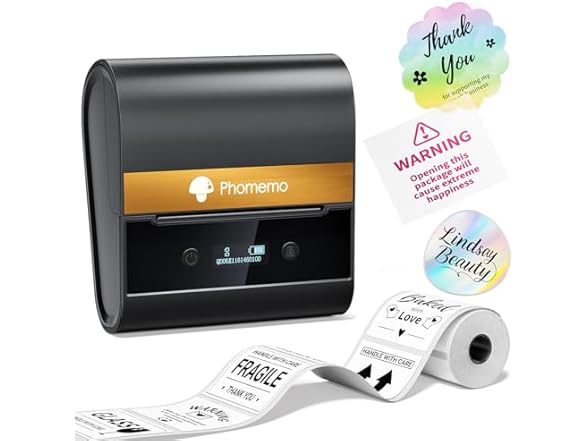
Phomemo M150 Bluetooth Thermal Label Printer
 Walmart.com
  Shein.com
  Bestbuy.com
  Lenovo.com
  Woot.com
  Amazon.com
Phomemo M150 Bluetooth Thermal Label Printer Price comparison








- All prices mentioned above are in United States dollar.
- This product is available at SHEIN, Walmart, Bestbuy, Amazon.com.
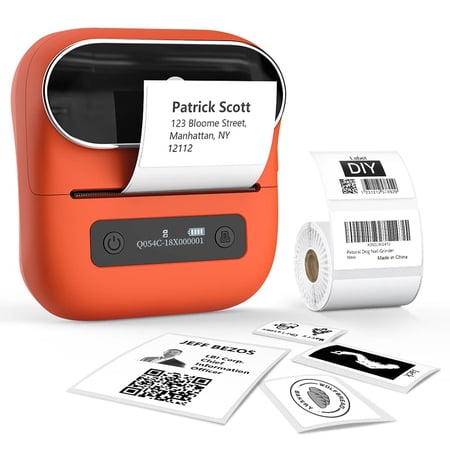
- At shein.com you can purchase Phomemo M120 Label Maker- Barcode Printer Bluetooth Thermal Label Maker Machine 2 Inch 50mm Barcode Label Printer Sticker Printer For Retail, QR Code, for only $37.80 , which is 84% less than the cost in Bestbuy ($239.99).
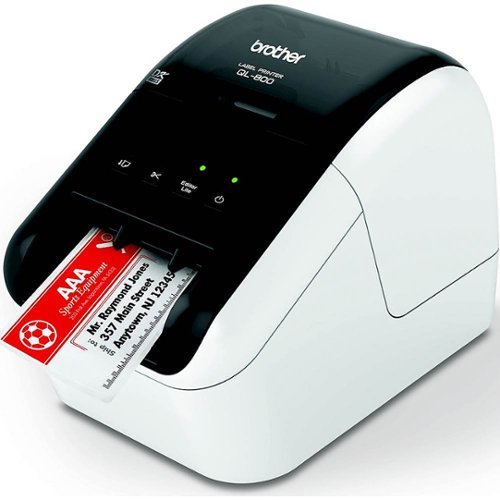
- The lowest price of Brother - QL-820NWB Professional Thermal Label Printer with Multiple Connectivity Options - White/Black was obtained on October 9, 2026 20:24.
Phomemo M150 Bluetooth Thermal Label Printer Price History
Phomemo M150 Bluetooth Thermal Label Printer Description
Phomemo M150 Bluetooth Thermal Label Printer
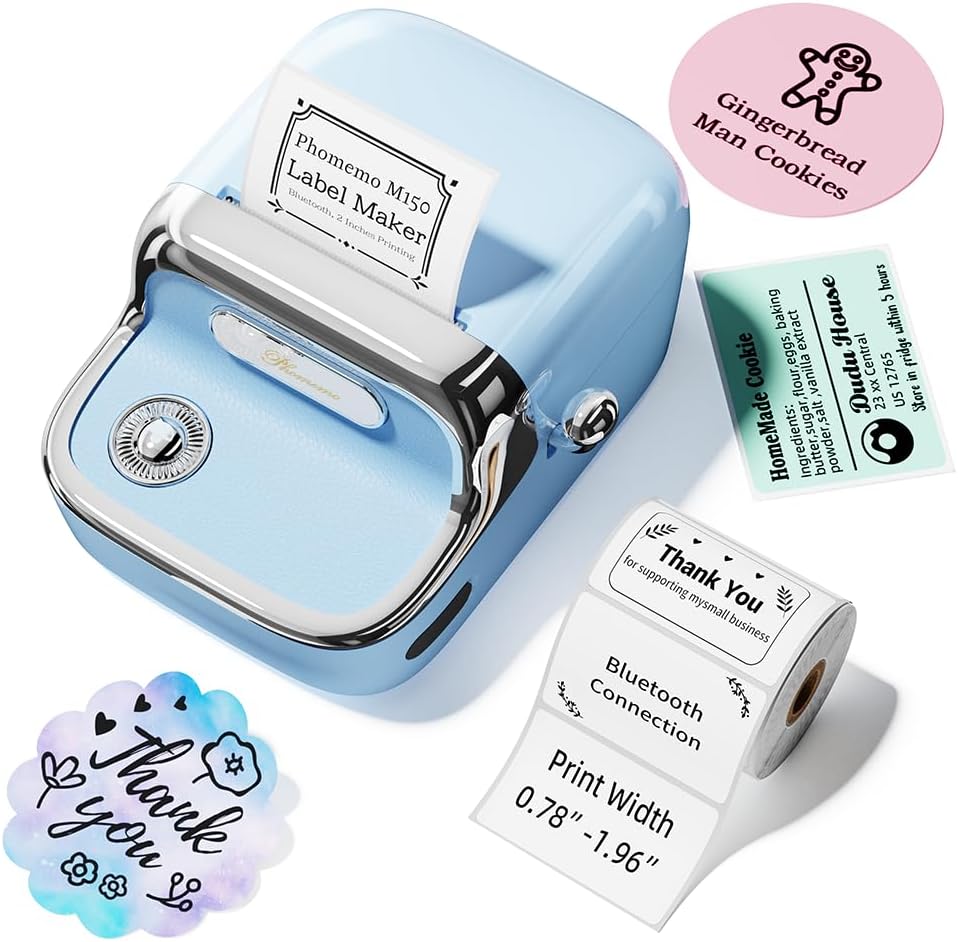
Discover the Phomemo M150 Bluetooth Thermal Label Printer, a versatile and portable printing solution designed for personal and business use. This lightweight printer is perfect for creating high-quality labels effortlessly. Whether you need labels for home organization, school projects, or business needs, the M150 delivers efficiency and convenience.
Key Features of the Phomemo M150 Bluetooth Thermal Label Printer
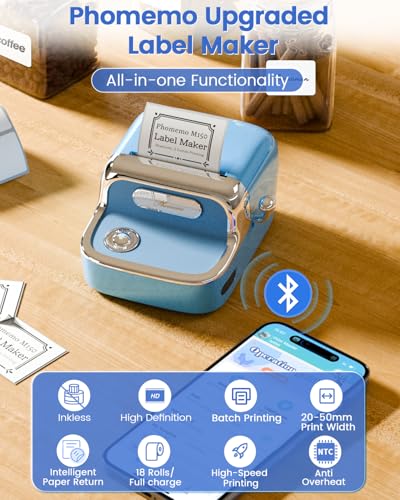
- Bluetooth & USB Connectivity: The M150 allows seamless printing from smartphones, tablets, and PCs using Bluetooth or USB connections.
- Compact & Lightweight: Weighing only 309 grams, this printer is highly portable, making it easy to transport wherever you go.
- Inkless Thermal Technology: Enjoy hassle-free printing without the need for ink or toner. The thermal printing technology offers crisp monochrome labels.
- Rechargeable Battery: Equipped with a lithium polymer battery, the M150 offers convenience and reliability on the go. Say goodbye to the hassle of constant recharging.
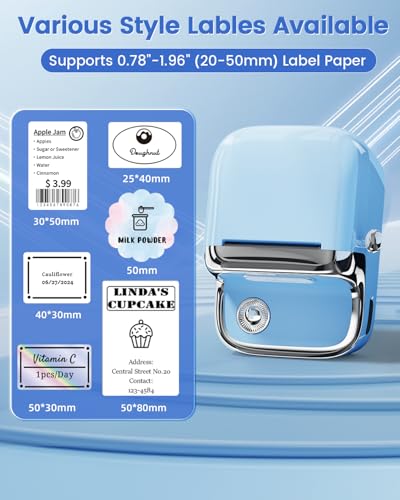
- Versatile Print Width: Print labels from 0.78 to 1.96 inches wide, ensuring compatibility with various label types.
- User-Friendly Control App: Control your printing processes easily with the dedicated app, compatible with both iOS and Android devices.
- Included Components: Your purchase includes the M150 printer, one label roll, a USB Type-C cable for easy connectivity, and a detailed instruction manual.
Price Comparison for the Phomemo M150
The Phomemo M150 Bluetooth Thermal Label Printer is available at competitive prices across various suppliers. Whether you’re shopping on Amazon or checking specialized electronic retailers, you’ll find favorable prices for this popular label printer. Our price comparison tool helps you identify the best deals, ensuring you maximize your savings while acquiring this excellent piece of technology.
6-Month Price History Trends
Over the last six months, the price of the Phomemo M150 has demonstrated a steady trend, with minimal fluctuations. This consistency indicates a stable demand for the product. Trends show slight discounts during promotional periods, making it an opportune time to purchase. By using our price history chart, you can track these changes and make an informed buying decision.
Customer Reviews
Customers have praised the Phomemo M150 for its portable nature and ease of use. Many appreciate the thermal printing technology, which eliminates the need for additional supplies like ink. Users often highlight the printer’s compatibility with multiple devices, allowing them to print labels from their smartphones or tablets effortlessly.
On the flip side, some reviews mention initial setup challenges, particularly for first-time users. However, most find that once they navigate the app, the printing process becomes intuitive. Overall, the positive feedback outweighs any drawbacks, showcasing the M150 as a reliable choice for various labeling needs.
Explore Unboxing and Review Videos
Looking for a closer look at the Phomemo M150? There are numerous unboxing and review videos available on platforms like YouTube. These videos provide practical demonstrations of the product, showcasing its features and providing insights directly from users. Watching these videos can help you better understand the product before making your purchase.
As a standout option in the world of portable label printers, the Phomemo M150 combines convenience, affordability, and high-quality printing. Don’t miss out on the opportunity to elevate your labeling experience.
Ready to find the best price? Compare prices now!
Phomemo M150 Bluetooth Thermal Label Printer Specification
Specification: Phomemo M150 Bluetooth Thermal Label Printer
|
Phomemo M150 Bluetooth Thermal Label Printer Reviews (7)
7 reviews for Phomemo M150 Bluetooth Thermal Label Printer
Only logged in customers who have purchased this product may leave a review.

HyggeBear –
Great product for value easy to install easy to use prints great quality labels
Family matters –
Ich besitze bereits 2 etwas größere Etikettendrucker der Marke Phomemo, die ziemlich regelmäßig im Einsatz sind.
Dieser kompakte Drucker mit der Modellbezeichnung M150 hat eine quadratische Grundform mit einer Seitenlänge von 16,2 cm und misst 10,8 cm in der Höhe. Er hat ein Gewicht von 390 g.
Bei der Auswahl der Etiketten ist wichtig, dass die Breite zwischen 20 und 50 mm liegen muss.
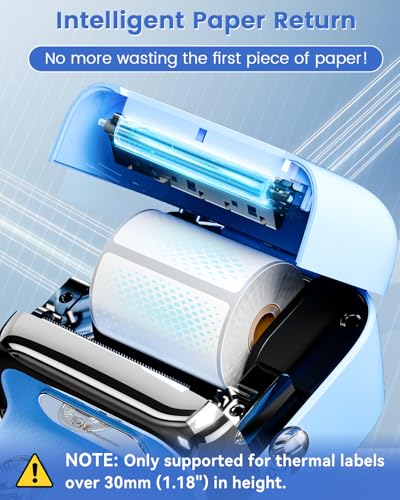
Damit die neue Funktion, genannt Paper Return funktioniert, müssen die Etiketten eine Länge von mindestens 30 mm aufweisen. Meine bisherigen Thermodrucker haben bei Etikettenrollen die Unart, dass beim Einschalten stets ein Etikett verschwendet wird. Das passiert mit dieser Funktion nicht, denn dieses Etikett wird wieder zurückgezogen. Da haben sich mit Sicherheit Kunden beschwert. Leider kann ich diesen Fortschritt bei den anderen Druckern nicht nachrüsten.
Weil ich die für das kabellose Drucken benötigte App bereits auf meinem Tablet installiert habe, muss ich nur noch die beiden Geräte miteinander verbinden und schon kann ich am Tablet die Etiketten erstellen und in Windeseile ausdrucken.
Wie gewohnt klappt das alles wunderbar und auch der Ausdruck ist nicht zu beanstanden.
Bei Bedarf kann man den kleinen Drucker auch per Kabel mit dem PC verbinden und verwendet dann das kostenlos erhältliche Programm Labelife. Man muss dabei nur beachten, dass nicht jedes USB C Ladekabel für die Datenübertragung geeignet ist. Ob es mit dem mitgelieferten Kabel funktioniert, habe ich allerdings nicht ausprobiert.
Ich bin jedenfalls mit diesem Thermodrucker sehr zufrieden und halte auch den aktuellen Preis von 52,79 € für durchaus angemessen.
Der Artikel bekommt von mir 5 Sterne.
⭐⭐⭐⭐⭐
HyggeBear –
This little printer is great. It’s design is super cute too. I just wish there were more labels included. The app is super easy to use as well.
dw –
The media could not be loaded.
I can’t believe how fast I went from plug to play. Literally plugged it in, scanned a QR code to access their app and I was printing labels in minutes. I did swap out the roll that came with this printer for 2” by 2” labels instead. As an fyi that’s as wide a label as this device will print but there’s so many uses I have in mind for this. It print super quickly and you have the option in the app to print many of the same label if you want so you don’t have to keep hitting the print button repetitively. I love this for making labels for jars, price tags, bar codes, QR codes, and so much more. This is small but mighty and I LOVE it. Highly recommended!
Phoenix –
Loaded the app and charged the labelmaker. Started the app and powered it on. It did not autodetect the labelmaker. I used the alternate method of selecting the printer model, it did connect then. Did a quick test print, it automatically positioned the label, and printed fine. It worked well and will be very handy.
Sionainn –
I plan to label everything, to the dismay of my family. This label machine is cute, and easy to use. The stickers were decent quality, and I intend to match them with some vinyl to protect them if I need to. The app was easy to download and use. All of the labels I made so far were perfect. A must have if you need a label system, or just want to annoy everyone by sticking a label with your name on everything.
Phoenix –
I did my best to capture the most salient steps in the process, but it’s very intuitive and straightforward. I lead the headline with “App Required” in case anyone needs that info to make a purchasing decision. I understand this is the direction many companies are implementing; however, it would be nice to have an option that does not require an app. What if I had already traded in my smart phone for a flip phone (which I intend to do later this year)? The app is available on the Apple App Store and the Google Play store(?). Yes, the app can be used on an iPad, as well (works the same, in my experience), but not everyone has one. I’m not sure if Google has a tablet with an App Store so I can’t speak to that in this review. So, you do have two options — smart phone and tablet — to download the app.
The instructions are available in six (6) languages across three double-sided fold-out sheets: English/Japanese, French/Spanish, and German/Italian.
My label maker included 101 pre-installed stickers (yes, I counted them). Please note the first photo: My charging cable arrived on top of the packaging sticker and not in the indentation of the tray. This unit does *not* come with a separate roll of stickers, and I think that’s important to note. It’s explicitly stated in the instructions, but I also understand most people are eager to jump right in. So, don’t be alarmed because all of the components are included.
The label creation and printing process is very easy. There are a ton of fun options for customization, too. It’s really fun, and I’m enjoying the label maker.