
Plugable Thunderbolt 4 Dock For Quad Monitors
 Amazon.com
$299.95
Plugable Thunderbolt 4 Dock For Quad Monitors Price comparison


- All prices mentioned above are in United States dollar.
- This product is available at Amazon.com.
- At amazon.com you can purchase Plugable Thunderbolt 4 Dock for Quad Monitors 100W, Thunderbolt Docking Station Connects up to Four 4K Monitors for Windows and Mac Laptops, 2x HDMI, 4x Thunderbolt 4/USB C, Driver Required TBT-6950PD for only $299.95
- The lowest price of Plugable Thunderbolt 4 Dock for Quad Monitors 100W, Thunderbolt Docking Station Connects up to Four 4K Monitors for Windows and Mac Laptops, 2x HDMI, 4x Thunderbolt 4/USB C, Driver Required TBT-6950PD was obtained on September 24, 2025 06:54.
Plugable Thunderbolt 4 Dock For Quad Monitors Price History
Plugable Thunderbolt 4 Dock For Quad Monitors Description
Plugable Thunderbolt 4 Dock For Quad Monitors – Power Up Your Workstation
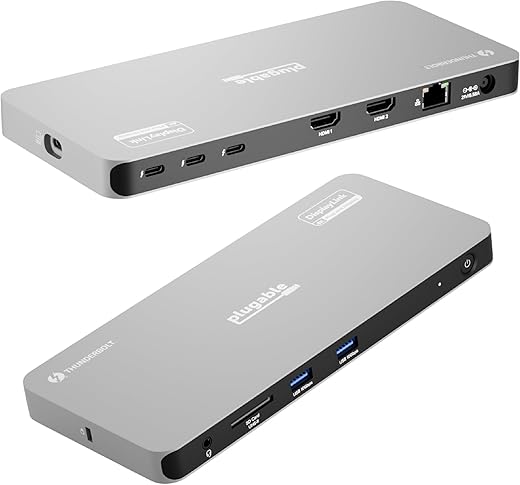
The Plugable Thunderbolt 4 Dock for Quad Monitors is an innovative solution designed to elevate your workstation experience. With the ability to connect up to four external monitors, this dock transforms your productivity setup. Whether you’re a professional in need of expansive screen real estate or a gamer looking for immersive visuals, this dock is perfect for you.
Key Features and Benefits
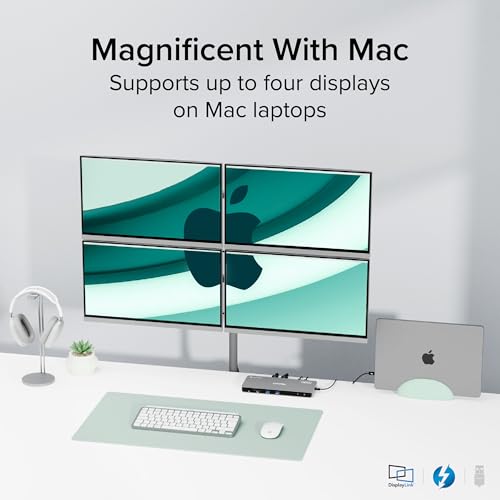
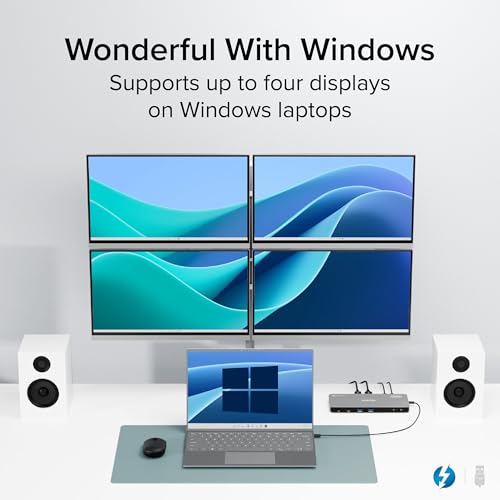
- Quad Monitor Support: Seamlessly connect four 4K monitors at 60Hz. Maximize your workspace with crystal-clear visuals and enhanced multitasking capabilities.
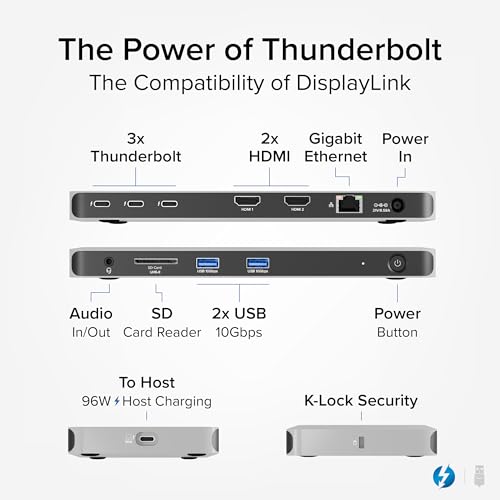
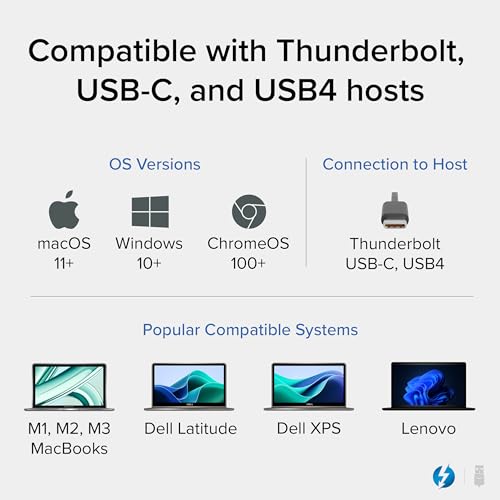
- Multiple Ports Available: Equipped with a range of ports, including Thunderbolt 4, USB-C, and USB-A. This gives you the flexibility to connect all your essential devices with ease.
- High-Speed Data Transfer: Experience lightning-fast data transfer rates of up to 40Gbps. Quick file transfers and smooth data access streamline your workflow.
- Power Delivery: The dock supports charging your laptop at up to 90W. This means less clutter and more convenience as you work.
- Compact Design: With dimensions of 8.42 x 3.74 x 0.72 inches and a weight of only 2.77 pounds, it fits neatly on any desk without taking up excessive space.
Price Comparison Across Suppliers
The Plugable Thunderbolt 4 Dock is competitively priced across various eCommerce platforms. Our price comparison feature provides real-time updates, ensuring you find the best available deal. Buy smart by checking price variations on sites like Amazon and others.
6-Month Price History Trends
Over the past six months, the price of the Plugable Thunderbolt 4 Dock has shown some fluctuations. Following market trends, there was a slight dip in price during the summer months. Currently, prices are stabilizing, allowing buyers to get a great deal right now.
Customer Reviews Overview
Customer feedback is overwhelmingly positive for the Plugable Thunderbolt 4 Dock. Users commend it for its seamless connectivity and ease of use. Many appreciate how it simplifies their workspace by reducing cable clutter. Key positives highlighted in the reviews include:
- Easy setup and installation.
- Reliable performance under heavy multitasking conditions.
- Compact size, which is perfect for home or office environments.
However, some customers have noted that the dock may run warm under extended use. A few users expressed a desire for more USB-C ports. It’s essential to consider these insights during your decision-making process.
Explore Unboxing and Review Videos
You can find numerous unboxing and review videos on platforms like YouTube to see this product in action. Users demonstrate its performance capabilities, and a visual walkthrough of the installation process can help you set it up effortlessly. Engage deeply with the product, ensuring it matches your needs before making a purchase.
In conclusion, the Plugable Thunderbolt 4 Dock for Quad Monitors is a versatile, powerful addition to any tech setup. With its robust feature set and competitive pricing, it appeals to varied users, from creative professionals to avid gamers. Don’t miss out on optimizing your workspace.
Ready to enhance your connectivity? Compare prices now!
Plugable Thunderbolt 4 Dock For Quad Monitors Specification
Specification: Plugable Thunderbolt 4 Dock For Quad Monitors
|
Plugable Thunderbolt 4 Dock For Quad Monitors Reviews (5)
5 reviews for Plugable Thunderbolt 4 Dock For Quad Monitors
Only logged in customers who have purchased this product may leave a review.





Amazon Customer –
I got this docking station to future-proof my computer setup for quite some time. I do not have the hardware to test all of the capabilities of this dock, but it should meet all my needs for the next few years, at least. I am currently using it to run 2 monitors, plus using it for my network connection and a few peripherals. The dock is very thin and looks great. It has a nice heft to it that implies a quality build. Installation and setup was a breeze, with no issues whatsoever. Windows 11 remembered all of my monitor configuration settings used with my previous dock, so I did not have to reconfigure anything when switching over to this one.
The dock does get fairly warm to the touch, despite not being pushed anywhere near its limits in terms of displays. If I had to name one thing that could be better, it would be that there should be at least one USB-C port on the front of the dock. The Thunderbolt 4 ports on the back make sense for connecting monitors, but a USB-C port on the front would make it easier to connect an external SSD or flash drive.
Playbooth –
Tested with Razer 14 Blade 2023 Model.
Could drive 4 x 4k 27inch monitors however the laptop was struggling pushing that much display output. Even though this can output 4 monitors easily, I would be looking at your computer to make sure it can manage it.
It now pushes the following 2x 49inch Samsung 5k monitors and 1 x 4k portable screen.
Works like a dream.
However the ideal person who needs this is a Macbook Pro 14 inch with support of up to 4x screens. This is your quad monitor docking station.
I got this working and the doc is so small that the power brick is larger. This would be almost perfect for travelling if you didnt need to bring the power brick, so I have put it as my docking station at work.
WRH –
I have a Dual XEON Platinum Supermicro Workststion ($26K) as my work computer on my desk. Those familiar with Supermicro know it really doesn’t get any better than that. It has two independent Thunderbolt 3 ports on it.
I contacted Plugable tech support (they responded the next day) to make sure that this would work with the TB3 ports and they wrote me back saying it does not. I thought that was strange because the manual says it does. The only difference, according to the manual) is that all the down stream ‘C’ type TB ports will also be TB3 and not TB4. I don’t see that as a shortcoming and am fine with that. Especially as TB3 and TB4 have the same 40Gbps bandwidth. However you can only run 3 monitors from it instead of 4 like you could if the host computer was TB4. I’m OK with that. I am not using the ‘DisplayLink’ feature. My computer has a Nvidia 4090 in it and I don’t need DisplayLink to run multiple monitors.
The software for Windows was easy to install and everything works. Obviously, I don’t need the 100w charging feature for the host computer but that has turned out to be a non issue. Power to all the other ports on the hub is still as described. Everything works fine.
I believe that the person from Plugable that responded to my question needs to study up a little on the compatability of this device. He/she was wrong. You can indeed use this with TB3 (with a TB4 cable). That said, To get ALL the functions from this hub you DO need TB4. I do like having 3 extra easy to get to TB3 ports (shared 40Gbps) bandwidth).
The build quality and function of this hub is quite good. Just remember that only a TB4 connection to the computer with TB4 provides ALL the functions of the device. My best advice is to use a computer that has TB4 to avoid any issues.
All said and done, I like this and it does what I need. Glad I got it.
I did deduct a star because of the false information I got. Other than that – it’s all good.
RFM –
Use your computer’s Thunderbolt speed to its utmost using this dock. Attach up to four monitors for the ultimate gaming experience, or use it as we do by stacking monitors for our financial desk. We can show every graph and information outlet we need simultaneously. It also gives you additional USB Type-C sockets and two additional HDMI sockets, charging up to 100 watts if needed. Just be sure you have the correct driver before starting, as it needs TBT-6950PD to drive this dock from your computer.
Angelia Vernon Menchan –
This is the docking for my Mac, it allows me to utilize up to four monitors with ease. The connectivity is on point and I get to utilize multi screens. As an author and small business owner this is ideal. Great product. Thunderbolt is accurate description.