Outdoor Movie Projector Setups: Nebula Mars 3 Review
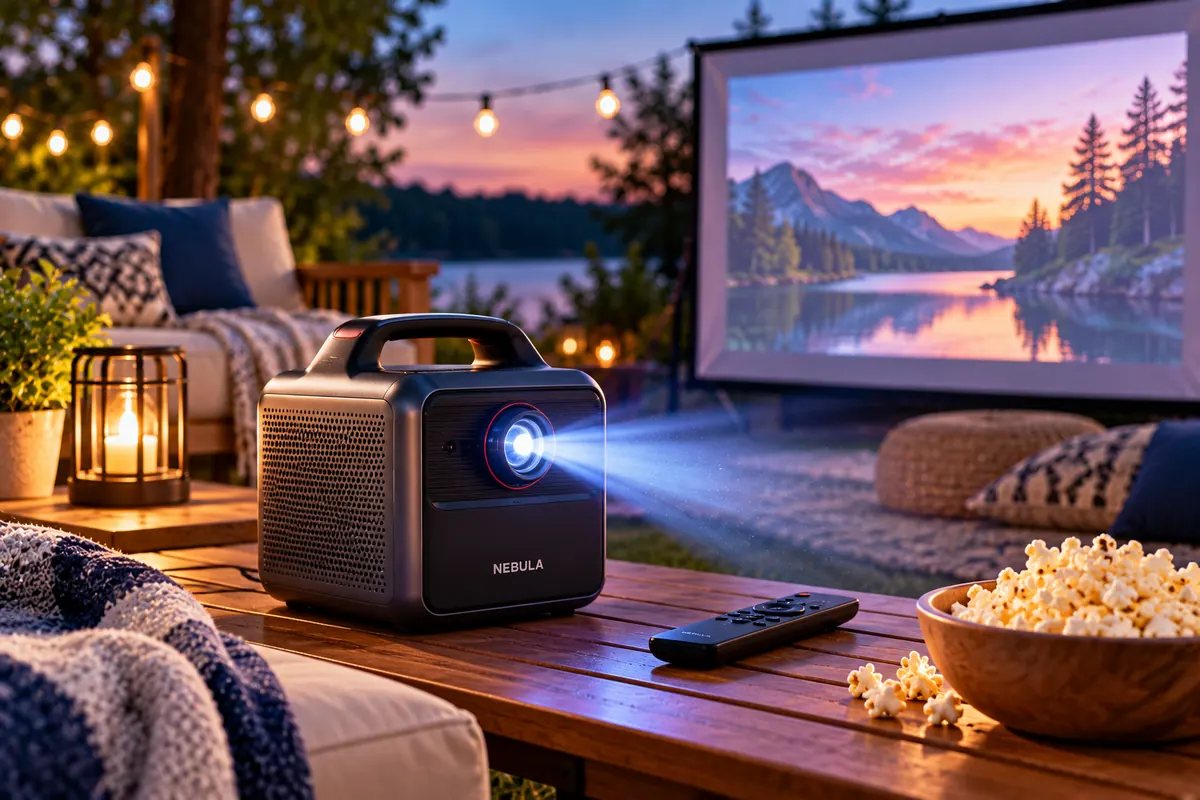
The Nebula Mars 3 is one of the best outdoor movie projectors for people who want a portable, battery-powered backyard cinema. Its 1080p picture, 40W built-in speaker system, rugged carrying design, and automatic image adjustment make outdoor movie nights easier to organize. However, its advertised five-hour battery life applies to a much dimmer Eco mode, and its picture quality cannot match brighter premium projectors.
Our outdoor movie projector setup guide focuses on the Nebula Mars 3 while explaining how to build a complete outdoor cinema. We’ll also compare more affordable plug-in projectors, premium 4K alternatives, portable projection screens, speakers, and essential accessories.
For occasional backyard movie nights near an electrical outlet, the Aurzen EAZZE D1 MAX provides a lower-cost alternative. If picture quality matters more than portability, the Nebula X1 offers considerably more brightness and sharper 4K projection. Meanwhile, the XGIMI Elfin Flip 4K balances compact dimensions with a capable laser projection system.
The most important consideration isn’t simply how many lumens a projector advertises. Outdoor image quality depends on darkness, screen size, placement, power availability, and the viewing environment. Even a powerful projector struggles when competing with direct sunlight.
This guide explains the equipment you’ll need, how to arrange it, and which compromises are worth making. Whether you’re planning a family film night, a backyard gathering, or entertainment at a campsite, you’ll find a practical setup that matches your budget and available space.
Quick Verdict: Best Outdoor Movie Projector Setups
Best Battery-Powered Projector: Nebula Mars 3 — a rugged, self-contained 1080p projector with a 185Wh battery, 40W audio, and automatic image adjustment.
Best Affordable Setup: Aurzen EAZZE D1 MAX — a 1080p plug-in projector with Google TV, automatic focus, and built-in speakers.
Best Premium Picture Quality: Nebula X1 — a bright triple-laser 4K projector for backyard movie nights with reliable external power.
Best Portable Screen: Elite Screens Yard Master 2 — a folding-frame outdoor projection screen available in several 16:9 sizes.
Essential Setup Advice: Start after sunset, choose a suitable screen, plan the projector’s throw distance, secure power cables, and test streaming and audio before guests arrive.
Nebula Mars 3 Specifications at a Glance
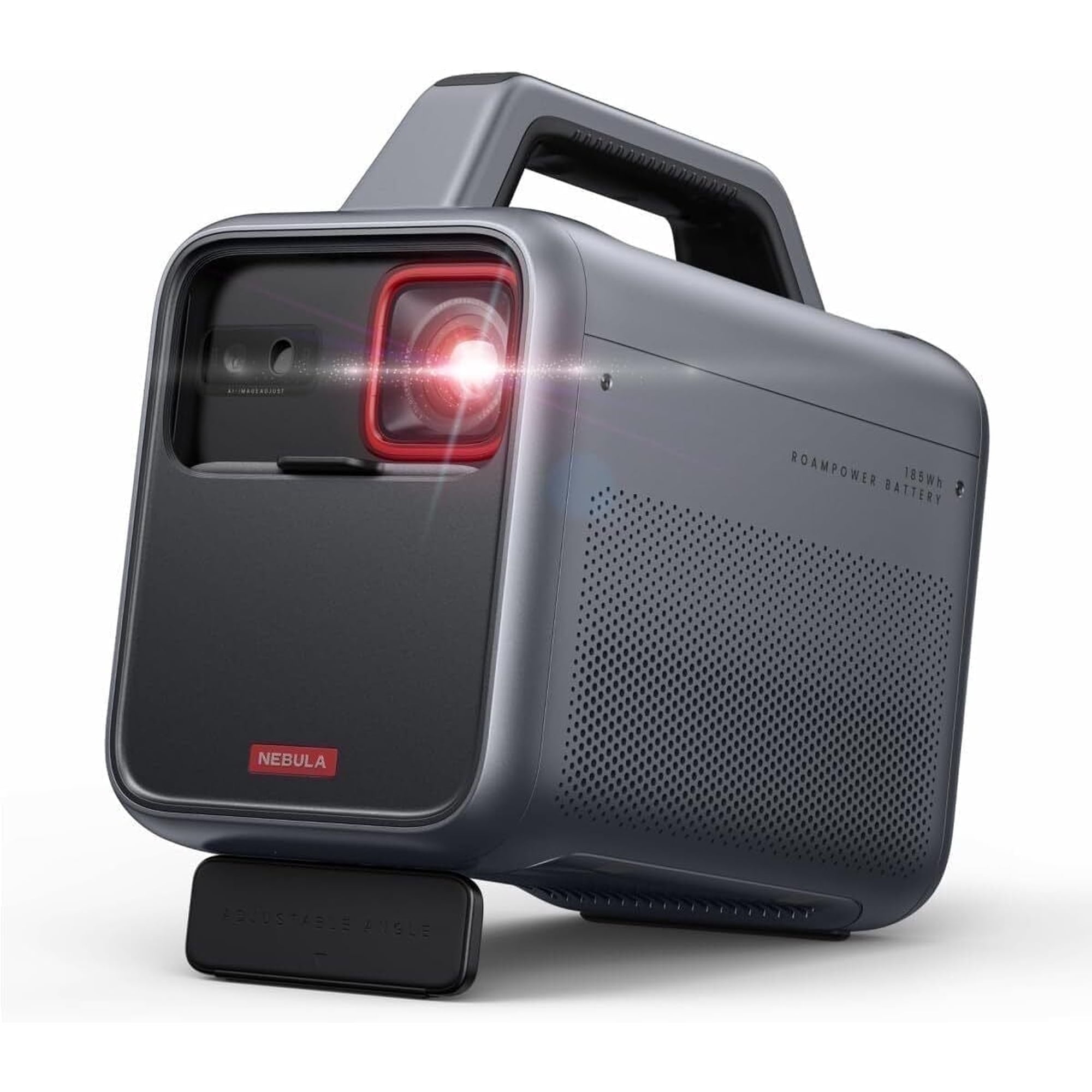
The Nebula Mars 3 is designed around portable outdoor entertainment. It combines a projection system, battery, speakers, and streaming platform in one transportable appliance.
| Specification | Nebula Mars 3 |
|---|---|
| Model | D2333 |
| Resolution | 1920 × 1080 Full HD |
| Projection Technology | DLP with LED light source |
| Advertised Maximum Brightness | 1,000 ANSI lumens |
| Eco-Mode Brightness | Approximately 300 lumens |
| Battery Capacity | 185Wh |
| Advertised Battery Life | Up to 5 hours in Eco mode |
| High-Brightness Battery Guidance | Approximately 1.5–2 hours, depending on conditions |
| Audio | Integrated 40W speaker system |
| Smart Platform | Android TV 11 |
| Maximum Advertised Image Size | 200 inches |
| Throw Ratio | 1.2:1 |
| Image Adjustment | Autofocus, auto keystone, Screen Fit |
| Water-Resistance Rating | IPX3 |
| Weight | Approximately 4.6 kg / 10.2 lb |
| Reference U.S. List Price | $1,049.99 |
The maximum brightness, screen size, and five-hour battery figures are manufacturer specifications, not guarantees that all three can be achieved simultaneously.
Nebula Mars 3 Price and Availability
The Nebula Mars 3 has a U.S. manufacturer reference price of $1,049.99. Retail promotions and available bundles may reduce or increase the amount you pay.
The projector is also sold in configurations that include accessories such as a carrying case or projection screen. However, check what is included before comparing bundle prices against the standard projector.
Current stock deserves special attention. The manufacturer’s U.S. store has shown the standalone Mars 3 as sold out, while selected U.S. retailer listings continue to offer the D2333 model. Availability can therefore differ between sellers.
When shopping, verify the exact model number. The Mars 3 Air is a different, smaller projector with lower brightness and a different battery specification.
Compare authorized sellers, warranty terms, return policies, and included accessories. Avoid choosing an older or unrelated Nebula model simply because its name or product image looks similar.
Outdoor Picture Quality: How Bright Is Bright Enough?
Brightness is one of the most important factors in an outdoor movie projector setup. However, darkness and screen size often matter more than an impressive specification on the box.
Why Outdoor Movie Nights Work Best After Dark
Most portable consumer projectors struggle against strong daylight. The projected image must compete with sunlight and any other light falling onto the screen.
Even a bright projector can look washed out when used during the afternoon. As the sky darkens, contrast improves and colors become easier to distinguish.
For the Mars 3, waiting until after sunset is particularly important. Its maximum brightness can produce a useful image in dark conditions, but it isn’t intended to compete with direct sunlight.
Nearby porch lights, streetlights, and decorative lighting can also reduce picture quality. If possible, position the screen away from strong light sources and dim lights that shine directly toward it.
Understanding ANSI Lumens and ISO Lumens
Projector manufacturers use different brightness measurements. ANSI lumens and ISO lumens are standardized systems intended to provide more meaningful comparisons than unsupported marketing claims.
However, even standardized brightness measurements don’t tell the entire story. Picture mode, color accuracy, screen size, and ambient light influence what viewers actually see.
The Nebula Mars 3 advertises 1,000 ANSI lumens. Independent ProjectorCentral testing measured approximately 959 lumens in its brightest picture mode, although that mode showed a noticeable green color bias.
The same review measured lower output in more balanced picture settings. This illustrates why the highest number doesn’t always produce the most pleasing image.
For a movie night, a balanced picture with good color can be more enjoyable than maximizing brightness at the expense of accuracy.
1080p vs. 4K for Backyard Movies
The Mars 3 projects Full HD images at 1920 × 1080 resolution.
That is sufficient for many casual backyard movie nights, especially when viewers sit several feet away from a moderately sized screen.
However, the difference between Full HD and 4K becomes more relevant as image size increases or seating moves closer to the screen.
Premium projectors such as the Nebula X1 and XGIMI Elfin Flip 4K deliver 4K images, offering more detail when suitable content is available.
Don’t confuse a projector that accepts a 4K input signal with one that actually displays a 4K image. The Aurzen D1 MAX, for example, accepts compatible 4K content but projects at native 1080p resolution.
Screen Size, Contrast, and Image Quality
A bigger picture isn’t automatically better. Increasing screen size spreads the projector’s available light across a larger surface.
Consequently, a 120-inch image generally looks dimmer than an 80-inch image when the same projector, screen material, and brightness setting are used.
The Mars 3 advertises image sizes up to 200 inches, but that doesn’t mean its best image quality occurs at the maximum size.
For a typical backyard, starting around 90 to 105 inches is a practical approach. After testing the projector in your actual viewing conditions, you can decide whether a larger picture remains bright enough.
RTINGS also identified limited contrast as one of the Mars 3’s weaknesses. Dark scenes can look less convincing than they do on higher-performing premium projectors.
Our assessment: The Mars 3 is a strong convenience-focused outdoor projector, but choose a brighter premium model if cinematic image quality matters more than battery power.
Battery Life, Portability, and Outdoor Durability
How Long Does the Nebula Mars 3 Battery Last?
The Nebula Mars 3 includes a 185Wh battery. Anker advertises up to five hours of video playback in Eco mode.
However, that figure needs context. Soundcore specifies approximately 300 lumens in Eco mode, which is substantially dimmer than the projector’s maximum advertised brightness.
Soundcore’s battery guidance also indicates that higher-brightness operation can reduce runtime to approximately 90 minutes under its documented standard-mode conditions. Other manufacturer documentation describes roughly two hours under a different stated test configuration.
Independent RTINGS battery testing reported approximately 132 minutes under its test conditions.
These results are not identical because picture settings, brightness, content, and testing conditions differ. They all support the same practical conclusion: don’t assume five hours of full-brightness projection.
| Operating Condition | Brightness | Battery Expectation |
|---|---|---|
| Eco mode | About 300 lumens | Up to 5 hours, manufacturer claim |
| Standard high-brightness operation | Higher than Eco mode | Shorter; manufacturer guidance varies from about 1.5 to 2 hours |
| RTINGS independent battery test | Test-specific settings | Approximately 132 minutes |
For a full-length movie, test the battery and picture mode beforehand. If you’re planning a longer event, consider using a suitable mains power connection.
How Portable Is the Mars 3?
The Mars 3 includes a built-in carrying handle, protective lens cover, and integrated stand. It weighs approximately ten pounds.
That makes it convenient to move between a home, backyard, and car campsite, although it isn’t a pocket-sized projector.
The integrated 40W sound system also reduces the need to carry a separate speaker.
For families planning occasional campsite entertainment, that all-in-one design is particularly useful. You can spend less time arranging multiple devices and more time setting up the viewing area.
Is the Nebula Mars 3 Waterproof?
No. The Mars 3 has an IPX3 water-resistance rating, which provides protection against specified spraying-water conditions.
That doesn’t make the projector waterproof or suitable for prolonged rain, submersion, or unattended outdoor storage.
Anker also advertises drop and dust-resistance testing as part of the projector’s rugged construction. These features improve portability, but they don’t eliminate the need for careful handling.
Bring the projector inside when the movie ends. If rain or threatening weather develops, stop the session and protect the equipment.
Streaming, Speakers, and Connectivity
Android TV and Streaming Apps
The Nebula Mars 3 uses Android TV 11 and supports compatible applications, Chromecast, and external devices through HDMI.
This provides several ways to access movies, television shows, and other entertainment.
However, not every streaming service operates the same way on this projector.
In particular, RTINGS notes that Netflix isn’t natively TV-licensed on the Mars 3’s Android TV platform. Installing it requires an alternative process through Nebula Play.
App availability, playback quality, and licensing restrictions may also change over time.
If one streaming service is essential to your movie nights, verify compatibility before buying the projector.
Using an External Streaming Device
An HDMI streaming device can provide another way to access your preferred entertainment applications.
For example, a compatible Roku or Fire TV device may offer a familiar interface and wider application support.
However, it can introduce additional power and Wi-Fi requirements. Check whether the streaming device needs a separate power adapter and whether the projector can accommodate the connection.
Our best streaming sticks guide compares current options for common entertainment platforms.
Is the Built-In Speaker Good Enough?
The Mars 3’s integrated 40W speaker system is one of its strongest convenience features.
It can be sufficient for a small backyard viewing group without the additional complexity of a separate speaker.
However, audio clarity depends on seating distance, background noise, and the surrounding environment.
For a larger audience, an appropriately powered external speaker or sound system may provide better coverage.
The Mars 3 supports Bluetooth audio, but wireless audio can introduce synchronization delay. If dialogue and picture don’t align, check available delay adjustments or consider a wired connection.
Our best waterproof Bluetooth speakers guide covers products better suited to outdoor exposure.
Nebula Mars 3 Pros and Cons
Pros
✅ Built-in 185Wh rechargeable battery
✅ Integrated 40W speaker system
✅ Native Full HD resolution
✅ Autofocus, auto keystone, and Screen Fit
✅ Carrying handle and rugged outdoor-oriented design
✅ Convenient for campsites and temporary backyard setups
Cons
❌ Five-hour battery claim requires dimmer Eco mode
❌ Limited contrast compared with premium projectors
❌ Not suitable for daylight outdoor cinema
❌ Netflix setup is less straightforward
❌ More expensive than basic plug-in projectors
❌ Manufacturer-direct availability may be inconsistent
Who Should Buy It: Campers, renters, and homeowners who regularly move their cinema equipment and value the combination of battery power, built-in audio, and simple setup.
Who Should Skip It: Buyers who primarily want maximum picture quality, plan to project during daylight, or always have access to reliable mains electricity.
Alternative: Nebula X1 for substantially better image quality when external power and a larger budget are available.
Three Practical Outdoor Movie Projector Setups
You don’t need the same equipment for every outdoor movie night. The following three configurations address different budgets and priorities.
1. Affordable Plug-In Backyard Setup — Aurzen EAZZE D1 MAX
Best For: Families with accessible outdoor power who want an inexpensive movie-night setup.
The Aurzen EAZZE D1 MAX is a practical lower-cost alternative to the Mars 3.
It provides native 1080p projection, manufacturer-rated 1,000 ANSI lumens, automatic focusing, keystone correction, and built-in Google TV.
The projector also has two integrated 10W speakers. These may be adequate for a small viewing group, although larger spaces can benefit from additional audio equipment.
RTINGS selected the D1 MAX as its cheaper outdoor-projector option in October 2026. Its evaluation praised the brightness for its price while identifying limited contrast and color performance.
Its main trade-off is power. Unlike the Mars 3, the D1 MAX doesn’t contain a rechargeable battery.
That makes a suitable outdoor electrical connection essential. You also need a stable table or appropriate compatible mounting solution.
Importantly, the D1 MAX does not use a standard bottom 1/4-inch tripod mounting thread. Check mounting compatibility before buying a stand.
Suggested Setup: Aurzen D1 MAX, a suitable portable projection screen, stable support, outdoor-rated power connection, and optional external audio.

2. Portable Battery-Powered Setup — Nebula Mars 3
Best For: Backyard movie nights away from outlets, camping, and temporary setups that need minimal extra equipment.
The Mars 3 is the most self-contained configuration in this comparison.
Its integrated battery, speakers, carrying handle, and automatic setup features reduce the number of separate components you need.
Pair it with a portable screen, position it on a stable surface, and test the picture and audio before the movie begins.
However, choose brightness settings carefully. Eco mode extends battery life but makes the picture substantially dimmer.
For a longer event or a brighter image, use an appropriate power supply when possible.
If you’re planning a family camping trip, our best family tents for camping guide covers shelter and campsite arrangements that can complement a movie-night plan.
Suggested Setup: Nebula Mars 3, a 90- to 105-inch portable screen, charged battery, stable support, and a verified streaming source. Start with the built-in speakers before purchasing separate audio equipment.
3. Premium 4K Backyard Cinema — Nebula X1
Best For: Homeowners who prioritize picture quality, larger screens, and occasional outdoor events with reliable power.
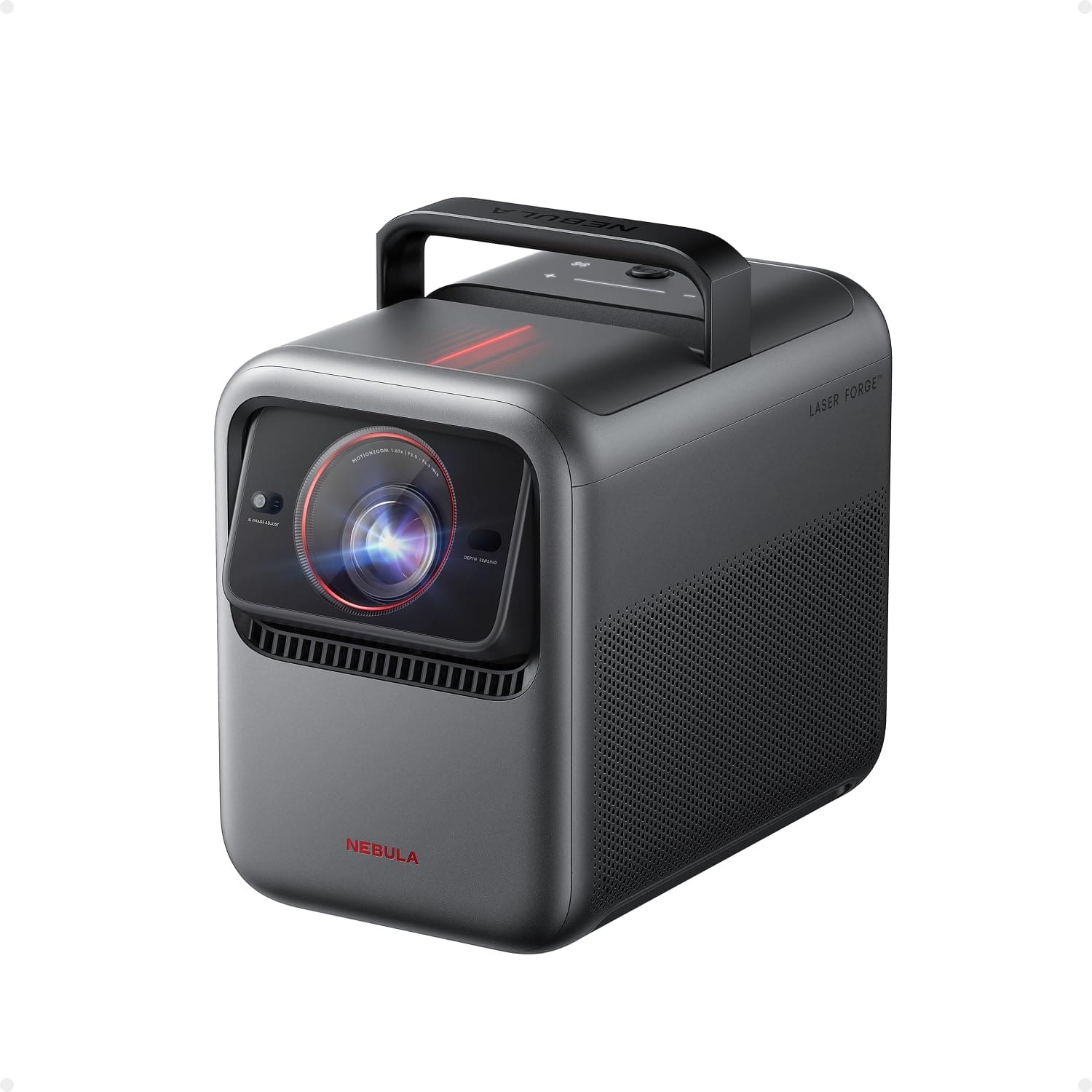
The Nebula X1 is a more advanced alternative for people who are willing to spend substantially more on an outdoor cinema.
Its RGB triple-laser projection system produces a 4K image and delivers manufacturer-rated brightness of 3,500 ANSI lumens.
It also features optical zoom, automatic image adjustments, and a built-in speaker system.
RTINGS selected it as the best overall outdoor projector in its October 2026 guide, highlighting its brightness, contrast, and vibrant colors.
These qualities make it particularly attractive for a larger backyard setup where some ambient light remains after sunset.
However, the X1 doesn’t have an integrated battery. It requires external electricity, and the projector is substantially more expensive than the Mars 3.
It also shouldn’t be treated as permanently weatherproof outdoor equipment.
Suggested Setup: Nebula X1, a suitable 100- to 120-inch projection screen, stable support, GFCI-protected power, and optional external sound for a larger audience.
Compact 4K Alternative: XGIMI Elfin Flip 4K
The XGIMI Elfin Flip 4K offers another compelling option when you have external power but prefer a smaller projector.
It combines a triple-laser light source, 4K image output, Google TV, and manufacturer-rated brightness of 1,600 ISO lumens.
Its optical zoom supports a throw-ratio range of 0.98:1 to 1.3:1, giving you more placement flexibility than a projector with a fixed lens.
The Elfin Flip 4K also includes automatic focusing and screen alignment.
However, it lacks a built-in battery. Its single 7W speaker is also less substantial than the Mars 3’s 40W system, so external audio may be more desirable.
At its regular U.S. price of approximately $999, it’s worth comparing with discounted Mars 3 offers before deciding.

Outdoor Movie Projector Setups Compared
| Setup | Projector | Picture | Built-In Battery | Best For |
|---|---|---|---|---|
| Affordable | Aurzen D1 MAX | 1080p, 1,000 ANSI lumens claimed | No | Occasional backyard movies |
| Portable | Nebula Mars 3 | 1080p, 1,000 ANSI lumens claimed | Yes | Camping and cable-free use |
| Compact 4K | XGIMI Elfin Flip 4K | 4K, 1,600 ISO lumens claimed | No | Flexible plug-in 4K viewing |
| Premium | Nebula X1 | 4K, 3,500 ANSI lumens claimed | No | Large, picture-quality-focused setups |
All four projectors perform best when outdoor lighting is controlled. The most expensive option isn’t necessary for every movie night, and the built-in battery doesn’t automatically make the Mars 3 the best choice when an outlet is readily available.
How to Set Up an Outdoor Movie Projector
Follow these steps to build a backyard movie setup that is comfortable, safe, and easy to operate.
Step 1: Choose the Viewing Location
Start with a level area that provides enough space for the screen, projector, seating, and walking paths.
Look for a location with minimal direct light from nearby windows, porch lights, and streetlights.
Also, consider wind direction and nearby sprinklers. A projector shouldn’t be placed where water can reach its electrical connections.
Step 2: Select the Right Projection Screen
A portable framed screen usually produces a flatter and more consistent image than an ordinary bedsheet.
Choose the size based on your projector’s brightness, available throw distance, and viewer seating.
For the Mars 3, a 90- to 105-inch screen is a sensible starting point for many backyards. Larger screens can work, but image brightness and placement become more demanding.
Step 3: Calculate Throw Distance
Throw distance is the space between the projector’s lens and the screen.
It depends on the projector’s optical throw ratio and the width of the image, not simply the advertised screen diagonal.
The Mars 3 uses a fixed throw ratio of approximately 1.2:1. Anker’s published placement guide provides approximately 9.2 feet of projection distance for a 100-inch 16:9 image.
However, the exact practical location should follow the manufacturer’s setup guide for the model you’re using.
Before assembling a large screen, confirm that your backyard can accommodate the required distance.
Step 4: Prepare Power and Connectivity
Charge battery-powered projectors completely before the event.
For plug-in models, use a properly rated outdoor extension cord and a GFCI-protected power source.
Confirm that the projector can connect to your home Wi-Fi network or another supported streaming source.
If your network signal doesn’t reach the backyard, consider a suitable network improvement or an offline playback option supported by the projector and content provider.
Step 5: Position the Projector Correctly
Place the projector on a stable surface and aim it toward the center of the screen.
Try to align the lens physically before relying on automatic keystone correction.
Keystone correction can help straighten a tilted image, but excessive digital correction may reduce usable image resolution or quality.
Use the projector’s focus and screen-alignment features only after its physical position is reasonably accurate.
Step 6: Test the Picture After Dark
Once daylight fades, adjust the projector’s brightness, focus, and picture mode.
Start with a smaller image if the picture appears too dim.
For the Mars 3, decide whether longer Eco-mode runtime or a brighter high-power image matters more for your event.
Test a dark scene from the type of movie you plan to show. This can reveal contrast limitations that aren’t obvious when viewing a colorful menu screen.
Step 7: Check Audio Synchronization
Play several minutes of dialogue before guests arrive.
If using Bluetooth speakers, check whether voices match the actors’ mouth movements.
Adjust the delay settings if available. A wired speaker connection can be more reliable when wireless synchronization becomes distracting.
Step 8: Arrange Seating and Finalize the Area
Position chairs or blankets where viewers can comfortably see the full screen.
Avoid blocking the projector beam and keep all cables outside normal walking paths.
Make sure the screen is properly secured and leave enough room around electrical equipment for ventilation.
Finally, test the full streaming connection, audio, and power setup before the movie starts.
Setup Checklist: Projector charged or safely powered, screen assembled and secured, throw distance checked, image focused, streaming source tested, audio synchronized, seating arranged, and weather conditions suitable.
Best Outdoor Projector Screens and Accessories
Elite Screens Yard Master 2 — Recommended Portable Screen
The Elite Screens Yard Master 2 is a strong choice for temporary backyard movie setups.
Its folding aluminum frame supports a tensioned projection surface and can be assembled without specialized tools.
Front-projection configurations use CineWhite UHD-B material, which the manufacturer rates at 1.3 gain. The black backing helps limit light passing through the screen.
The series includes multiple 16:9 sizes, including 90, 105, 125, and 140 inches.
For a Mars 3 setup, the 105-inch option offers a practical balance between viewing size and portability, provided you have enough throw distance.
However, the screen has a clear weather limitation. Elite Screens specifies use only in a light breeze of up to 7 mph.
Do not leave it standing in strong winds, and follow the instructions for stakes, ropes, and frame assembly.

Can You Use a Wall or Bedsheet Instead?
A smooth, light-colored wall can work for occasional movie nights. However, wall texture and color affect the picture.
A bedsheet is another inexpensive option, but wrinkles, wind movement, and light passing through the fabric can reduce image quality.
A tensioned projection screen is generally more reliable when you want consistent results and plan to use the setup repeatedly.
Do You Need an External Bluetooth Speaker?
Not necessarily. The Mars 3 already includes a 40W speaker system, making separate audio optional for smaller gatherings.
However, a larger backyard or noisier environment can justify an external speaker.
Choose a product with suitable outdoor durability and confirm compatibility with your projector.
Our best portable Bluetooth speakers guide compares compact models suitable for general travel and entertainment use.
Other Useful Accessories
- Stable projector support: A table or compatible stand that keeps the device level and secure.
- Outdoor-rated extension cord: Necessary for plug-in setups where a suitable outlet is not immediately beside the projector.
- Portable screen carrying bag: Helps protect folding frames and screen materials between events.
- HDMI cable or streaming device: Useful when built-in streaming applications are unavailable or inconvenient.
- Comfortable seating: Outdoor chairs, cushions, or blankets arranged with a clear view of the screen.
- Safe low-level lighting: Helps people move around without shining directly onto the projection surface.
Outdoor Movie Projector Troubleshooting
Why Does the Picture Look Too Dim?
The most common causes are excessive ambient light, a large image, or a low-brightness power mode.
Wait until after sunset, reduce nearby lighting, and check the projector’s settings.
For the Mars 3, Eco mode provides longer battery life at a significantly reduced brightness level.
Why Is the Picture Blurry?
Check the projector’s physical position, lens cleanliness, and focus setting.
Automatic focus can help, but extreme placement angles or a moving screen can still produce poor results.
Position the projector as directly as practical toward the screen and run autofocus again.
Why Doesn’t the Screen Fit the Picture?
The throw distance may be incorrect, or the screen’s aspect ratio may not match the content.
Move the projector according to the manufacturer’s throw-distance guidance.
Use optical zoom when the projector provides it. Digital zoom and keystone tools can help with alignment, but they don’t replace proper placement.
Why Won’t Netflix Play?
Streaming services may require certified applications, compatible devices, and supported software versions.
The Mars 3 has a known Netflix installation limitation on its Android TV platform.
Check current Nebula support guidance or use a verified compatible HDMI streaming device.
Also confirm that the Wi-Fi connection is strong enough and that the required streaming subscription is active.
Why Is Bluetooth Audio Delayed?
Bluetooth audio can introduce latency between the projected picture and speaker output.
Check the available audio-sync controls in the projector or connected device.
If the delay remains noticeable, consider a compatible wired audio connection.
Why Did the Battery Run Out Before the Movie Ended?
The projector may have been operating in a brighter mode than the one used for its maximum battery-life claim.
Higher brightness and other operating conditions can shorten runtime substantially.
For longer films, charge the device fully and consider using suitable external power. Don’t assume Eco-mode battery estimates apply to every picture setting.
Outdoor Movie Projector Safety and Weather Precautions
Outdoor movie setups involve electricity, portable equipment, and often temporary screens. Proper planning helps reduce avoidable hazards.
Use Safe Outdoor Power Connections
Use extension cords rated for outdoor use and ensure they are suitable for the connected equipment’s power requirements.
Outdoor electrical circuits should have appropriate GFCI protection. Inspect cords for damage before use.
Avoid joining multiple extension cords together or placing power connections where they can contact standing water.
Secure the Screen and Cables
Portable projection screens can catch the wind like sails.
Follow the manufacturer’s anchoring instructions and dismantle the screen when wind conditions exceed its stated limit.
Keep cables away from walkways. Don’t create trip hazards with loose extension cords or projector stands.
Protect the Projector From Weather
The Mars 3’s IPX3 rating doesn’t make it waterproof.
Other projectors in this guide may have even fewer outdoor-durability protections.
Don’t leave electronics exposed to rain, heavy moisture, sprinklers, or excessive heat. Bring equipment indoors after use and follow the manufacturer’s storage instructions.
Important: Outdoor projectors and temporary screens should not be left unattended in unsuitable weather. Use properly rated electrical equipment with GFCI protection, secure screens according to their instructions, and never treat IPX3 water resistance as waterproof construction.
Frequently Asked Questions
What is the best outdoor movie projector?
The Nebula Mars 3 is our preferred battery-powered outdoor projector because it combines Full HD projection, integrated speakers, automatic setup, and a rugged carrying design. For the best picture quality when external power is available, the premium Nebula X1 is a stronger option.
How many lumens do you need for an outdoor projector?
It depends on ambient light, screen size, and the desired picture quality. Projectors around 1,000 ANSI lumens can work for appropriately sized screens after dark. Brighter models offer more flexibility, but even premium consumer projectors struggle in direct sunlight.
Can you use a projector outdoors during the day?
Ordinary portable projectors generally cannot compete with direct sunlight. A shaded location may improve visibility, but movie-night picture quality is usually much better after sunset or in a suitably dark environment.
How long does the Nebula Mars 3 battery last?
Anker advertises up to five hours in the dimmer Eco mode. Higher-brightness operation lasts considerably less time. Manufacturer guidance varies by conditions, while RTINGS reported approximately 132 minutes under its independent battery-test settings.
What size screen is best for backyard movies?
A 90- to 105-inch screen is a practical starting point for many backyard setups. However, choose the final size based on the projector’s brightness, throw distance, ambient light, and viewer seating. A larger screen can produce a dimmer image.
Do outdoor projectors need external speakers?
Not always. The Nebula Mars 3 includes a 40W sound system that may be sufficient for a small outdoor group. Larger spaces or noisy environments can benefit from compatible external speakers. Check Bluetooth latency before the movie begins.
Can you use a bedsheet as an outdoor projector screen?
Yes, for an occasional low-cost setup. However, sheets can wrinkle, move in the wind, and allow light to pass through. A properly tensioned projection screen usually provides a flatter and more consistent viewing surface.
Can you leave an outdoor projector outside overnight?
It’s generally better to bring portable projectors indoors after use. The Mars 3 is IPX3 water-resistant, not waterproof, and other projectors may have fewer protective features. Moisture, rain, heat, and unattended exposure can damage equipment.
Final Verdict: Which Outdoor Movie Projector Setup Should You Choose?
The best outdoor movie projector setup depends on your power access, budget, and expectations for image quality.
For portable backyard movies and camping, we recommend the Nebula Mars 3. It combines battery power, a 40W speaker system, Full HD projection, and useful automatic adjustments in one transportable device.
However, its limitations matter. Brightness drops substantially in Eco mode, high-brightness battery life is much shorter, and independent testing identifies weak contrast compared with more expensive alternatives.
If you already have reliable outdoor power and want to spend less, the Aurzen EAZZE D1 MAX offers a practical 1080p setup.
The XGIMI Elfin Flip 4K is worth considering when you want compact laser projection with a sharper image and flexible optical zoom.
For premium outdoor cinema, the Nebula X1 is the stronger picture-quality choice. Its triple-laser system, higher brightness, and optical adjustments make it more suitable for larger screens and controlled ambient lighting.
Whatever projector you choose, don’t overlook the screen. A properly positioned and securely anchored projection surface can improve the experience more than unnecessary accessories.
Finally, organize the event around the available darkness, safe electrical connections, suitable audio, and a tested streaming source. These details often determine whether your backyard cinema feels effortless or becomes a frustrating setup exercise.
Bottom Line: Choose Nebula Mars 3 for battery-powered outdoor movies, Aurzen EAZZE D1 MAX for an affordable plug-in setup, XGIMI Elfin Flip 4K for compact 4K projection, and Nebula X1 for premium picture quality. Pair your projector with a suitable screen, test its power and streaming requirements, and plan your movie night for after dark.
Sources
- soundcore / Anker — Nebula Mars 3 Official Specifications and Battery-Life Documentation
- RTINGS — Anker Nebula Mars 3 Projector Review
- RTINGS — The Best Outdoor Projectors of 2026
- Elite Screens — Yard Master 2 Official Product Specifications and Setup Guidance
- Electrical Safety Foundation International — How to Use GFCIs and Outdoor Electrical Safety Guidance
How we research: Discompare evaluates manufacturer specifications, independent testing, current U.S. retailer information, and practical setup requirements. We have not conducted original hands-on testing of these projectors or outdoor setups. Prices, stock, streaming compatibility, and software features may change. Discompare may earn commissions from qualifying purchases made through retailer or price-comparison offers.
Product Groups: Nebula Mars 3 Outdoor Projector, Aurzen EAZZE D1 MAX, Nebula X1 4K Projector, XGIMI Elfin Flip 4K, Elite Screens Yard Master 2 105 Inch