
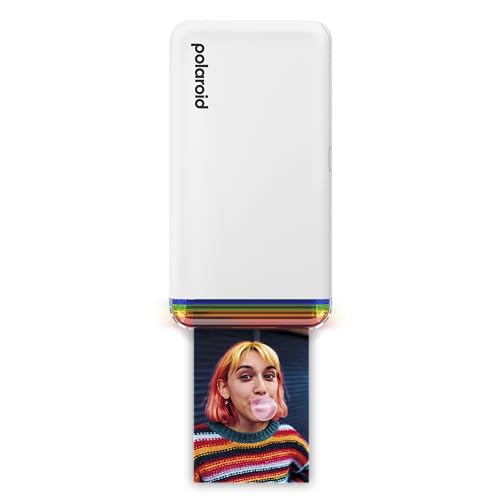
Polaroid Hi-Print 2nd Gen Bluetooth Printer (9128)
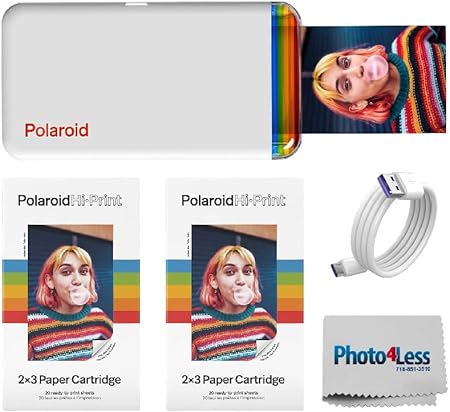
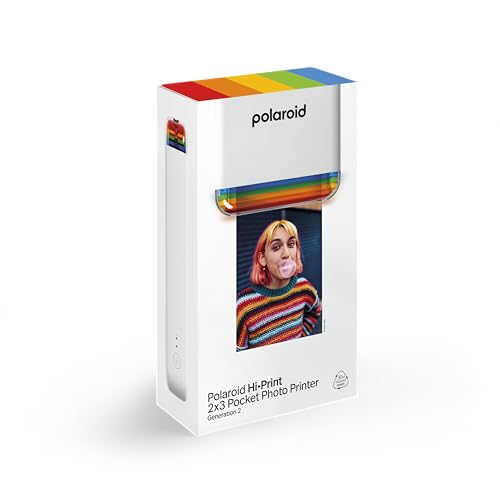
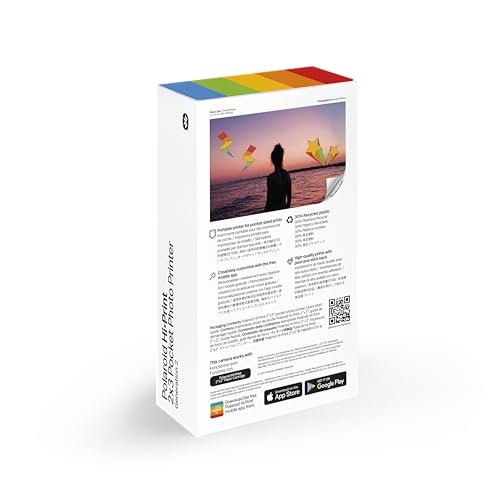
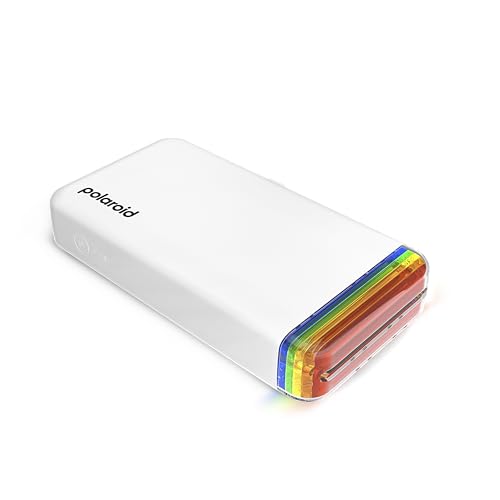
Original price was: $99.99.$74.99Current price is: $74.99.
Polaroid Hi-Print 2nd Gen Bluetooth Printer (9128) Price comparison

- All prices mentioned above are in United States dollar.
- This product is available at Amazon.com.
- At amazon.com you can purchase Polaroid Hi-Print - 2nd Generation Bluetooth Connected 2x3 Pocket Photo Dye-Sub Printer - White Printer Only (9128) for only $74.99
- The lowest price of Polaroid Hi-Print - 2nd Generation Bluetooth Connected 2x3 Pocket Photo Dye-Sub Printer - White Printer Only (9128) was obtained on September 24, 2025 05:20.
Polaroid Hi-Print 2nd Gen Bluetooth Printer (9128) Price History
Polaroid Hi-Print 2nd Gen Bluetooth Printer (9128) Description
Polaroid Hi-Print 2nd Gen Bluetooth Printer (9128) – Capture Moments Anywhere
Introducing the Polaroid Hi-Print 2nd Gen Bluetooth Printer, your new go-to device for instant photo printing. Perfect for capturing and sharing memories on the fly, this portable printer combines stunning quality with cutting-edge technology. Whether you’re at a party, on vacation, or simply enjoying a day out, the Polaroid Hi-Print allows you to print vibrant, glossy images straight from your smartphone or tablet with ease.
Key Features and Benefits
- Bluetooth Connectivity: Experience hassle-free printing by connecting your devices via Bluetooth. Enjoy wireless convenience without the clutter of wires.
- Portable Design: Weighing only 30 grams, this compact printer easily fits in your bag, making it perfect for travel.
- Dye Sublimation Technology: Produces stunning, high-quality prints that are water-resistant and vibrant. Your photos will last longer and look sharper.
- Maximum Print Speed: Efficiently print photos at a speed of up to 10 seconds per image, ensuring you’re never waiting long to relive your memories.
- Compatible with iOS and Android: Use the dedicated app for seamless control over your printing, from editing to sharing. Transform your digital images into tangible memories.
- Dual-Sided Printing: Enjoy the versatility of printing on both sides of the media for creative projects or special presentations.
- Print Media Size: Prints 2×3 inch photos, perfect for scrapbooking or creating custom stickers.
- Memory Storage: Comes with 64MB storage capacity, allowing for efficient data management.
Price Comparison Across Suppliers
The Polaroid Hi-Print 2nd Gen Bluetooth Printer is available at competitive prices from various suppliers, enabling you to find the best deal. Prices typically range between $99.99 and $119.99, depending on the retailer. Our price comparison tool helps you easily find the lowest price available across multiple platforms.
6-Month Price History Trends
Looking at the 6-month price history, the Polaroid Hi-Print has shown relatively stable pricing with occasional discounts during promotional events. This trend indicates a good opportunity for buyers to take advantage of sales, especially around holidays.
Customer Reviews Summary
Customer feedback for the Polaroid Hi-Print 2nd Gen is largely positive. Users appreciate the quick print speeds and the vibrant quality of photos produced through dye sublimation. Many highlight the convenience of Bluetooth connectivity as a significant advantage, making it easy to print directly from their smartphones.
However, some customers have noted drawbacks, such as the limited print media size and the need for specific glossy photo paper. While the printer is compact and highly portable, a few users wish for a larger output size for versatility in printing.
Explore Unboxing and Review Videos
If you’d like a closer look at the Polaroid Hi-Print 2nd Gen Bluetooth Printer, there are several unboxing and review videos available on YouTube. These videos provide a hands-on approach, showcasing the printer’s setup process, functionality, and the quality of printed images, helping you to make an informed decision.
In conclusion, the Polaroid Hi-Print 2nd Gen Bluetooth Printer is a fantastic investment for anyone looking to print high-quality photos on the go. Its portable design, fast print speeds, and reliable connectivity make it a must-have accessory for photography enthusiasts. Don’t miss out on this trending product—compare prices now!
Polaroid Hi-Print 2nd Gen Bluetooth Printer (9128) Specification
Specification: Polaroid Hi-Print 2nd Gen Bluetooth Printer (9128)
|
Polaroid Hi-Print 2nd Gen Bluetooth Printer (9128) Reviews (10)
10 reviews for Polaroid Hi-Print 2nd Gen Bluetooth Printer (9128)
Only logged in customers who have purchased this product may leave a review.






Iya –
Lovely machine prints quickly and clear love my new toy.
KC –
I wanted to like this but it’s really a let down. Should be okay for portraits because the color rendering is very good, but as a photographer I’m disappointed.
Pros:
– the prints are extremely durable – dye-sub is long-lasting and waterpoof
– I really like the repositionable adhesive Polaroid puts on their paper
– pretty good color rendering, except where blown out
Cons:
– very poor dynamic range – light areas are completely blown out and dark areas are crushed
– mediocre resolution – any diagonal line is visibly pixelated
QT161 –
I ordered a “new” product and received a used or returned product- if I wanted a used product, I would have paid for the cheaper “used” product. Stuffed everything back in like the last guy (after they dropped it)- hope you don’t get this product when you order. As far as the printer goes, I did my research and this appears to be quality- did not use it- it’s super cute though- I ended up going with the Kodak Mini 2 after this awful shipping experience.
Madeleine M. Cardiel –
Love it
Travis N. –
The photos come out no where near as clear and colorful as advertised in the photos.
P. Jamieson –
This is a small, rechargeable portable printer that works with an iOS (iPhone/iPad) app or Android app to print on 2x3in (c. 5×7.5cm) stickers.
If you have ever used a Polaroid ZIP (ZINK) printer, operation is similar and quite straightforward, but the Hi-Print uses a 4-pass dye sublimation process (the process seems very similar to the Canon Selphy, which also has a 4-pass process. There are three colour passes and a “protective coat” pass.
You buy packs of 10 sheets of backed sticker paper in a pack with a cartridge that contains a thin film with all the dyes needed to print. The ZINK uses a single-pass process that just uses packs of 10 stickers which contain all the chemistry needed to produce the print.
The Hi-Print is around 14.8x8x2.7cm, a bit larger than the ZIP ( c. 11.7×7.6×2.3cm). It connects using Bluetooth. On iOS I sometimes have to click the entry in the Bluetooth connection screen in Settings to get the printer to connect. The paper+film cartridges are easy to fit in through a door that opens in the side of the printer, and the paper comes out (4 times!) through a slot in the end. Recharging is via a USB-C port. Please check whether the printer comes with a cable.)
I print a lot of photos on stickers for use in journals, etc, and prefer to use a Canon Selphy and their credit-card sized stickers, but it has become very difficult to get those stickers, and they are only made by Canon. I’ve had a ZIP since around 2016 and it’s good, but the colours seem rather dull and the print resolution is not as good as either the Selphy or the Hi-Print.
The Hi-Print prints a higher resolution, sharper looking image, possibly slightly sharper than the Selphy, but I find that by default, it prints “lighter” than the Selphy, and I find I have to adjust each picture to get the result I want.
I’d say Hi-Print photos are a lot easier to separate from their backing than the ZIP photos, but there is more plastic waste as there isn’t a cartridge recycling option AFAIK.
Photos are:-
(1) Hi-Print printer with cartridge
(2) Hi-Print compared with ZIP
(3) comparison of Hi-Print (on the left), Selphy (middle), ZIP (right) output. The top row is the original photo, the bottom row is the adjusted photo.
I also still like to send postcards to people, and although the Selphy can print 6x4in (15x10cm) photos on cards with “postcard” markings (if you can get that particular stationery from Canon – it seemed to disappear for a long time), it’s nothing like as portable as the Hi-Print, so I’ve taken to buying ordinary picture postcards, printing one of my own photos on the Hi-Print and sticking it on the back.
The film/paper isn’t cheap, but at least it’s available. I haven’t tried the Similar-looking Kodak 4-PASS which I think also uses the same process and – as far as I can tell – prints non-sticker paper which is quite a bit cheaper.
Paola Argento –
Mia figlia ha gradito molto, belle foto, buona grafica e qualità di stampa, l’unica pecca non arriva la casta x stampare, va comprata a parte
Seth Chapin –
i am using an Iphone and it appears that the app will only print some photos from my library and not others. not sure what the issue is and i have tried everything that i can think of; reboot, close and reopen app, turn off and on the printer, and nothing changes. there is also nothing online that i was able to find that provided any useful information. Buyer beware.
freedom4me –
Really cute
Jan Symthe –
Works well, easy to use and provides very good prints, only downside is the paper it uses sticky side is not very sticky