
Pricker+ 6PASS Wireless Portable Photo Sticker Printer
$159.99
Pricker+ 6PASS Wireless Portable Photo Sticker Printer Price comparison
- All prices mentioned above are in United States dollar.
- This product is available at Amazon.com.
- At amazon.com you can purchase Photo Sticker Printer | 6PASS Multi Wireless Portable Printer for Phone | Mini Photo Printer w/ 10 Sheets + Label 10 Sheets | Customizable Color Sticker Printer 2.56 x 3.57 Inch (Pink) for only $159.99
- The lowest price of Photo Sticker Printer | 6PASS Multi Wireless Portable Printer for Phone | Mini Photo Printer w/ 10 Sheets + Label 10 Sheets | Customizable Color Sticker Printer 2.56 x 3.57 Inch (Pink) was obtained on September 24, 2025 17:11.
Pricker+ 6PASS Wireless Portable Photo Sticker Printer Price History
Pricker+ 6PASS Wireless Portable Photo Sticker Printer Description
Explore the Pricker+ 6PASS Wireless Portable Photo Sticker Printer
Looking for a compact and efficient way to bring your photos to life? The Pricker+ 6PASS Wireless Portable Photo Sticker Printer is designed to make printing your favorite memories easy and fun. With Bluetooth connectivity and a sleek design, this portable printer is perfect for anyone on the go. Dive into the details of this trending product and see how it stacks up against the competition.
Key Features of the Pricker+ Photo Sticker Printer
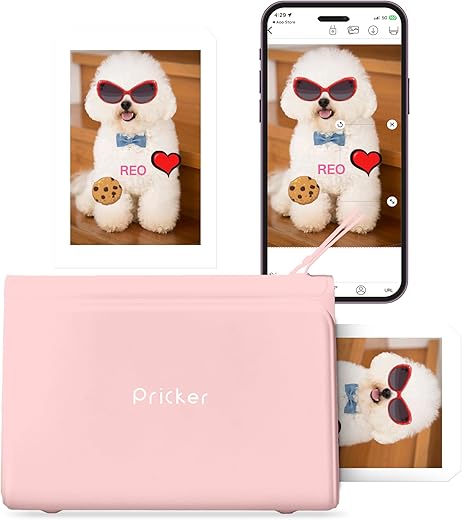
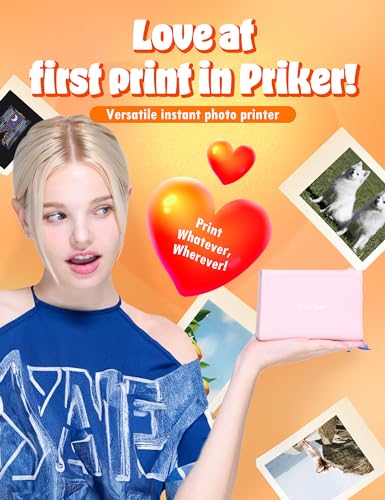
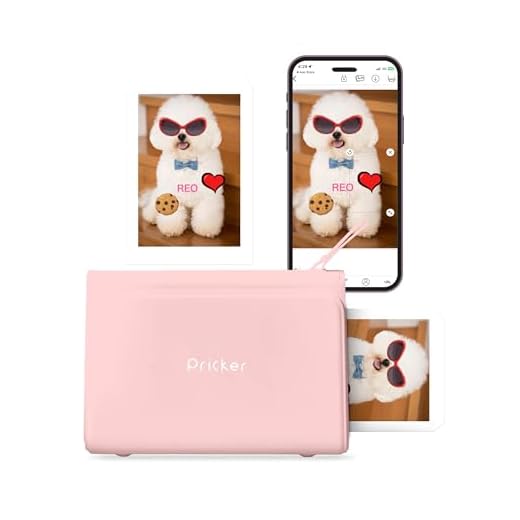
- Compact & Portable Design – Weighing only 1.5 pounds and measuring 7.95 x 5.75 x 3.03 inches, the Pricker+ is incredibly easy to carry, making it perfect for travel and events.
- Versatile Printing Options – Capable of printing on glossy photo paper and labels, the printer accommodates media sizes up to 2.6 x 3.6 inches, allowing you to create beautiful stickers or photos effortlessly.
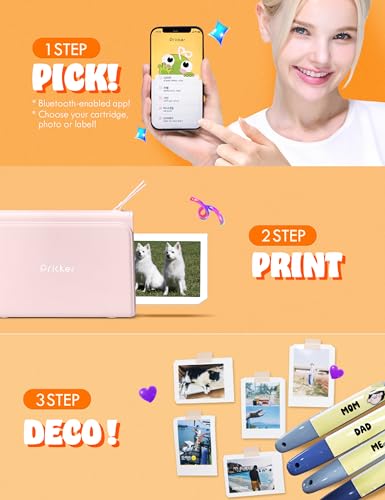
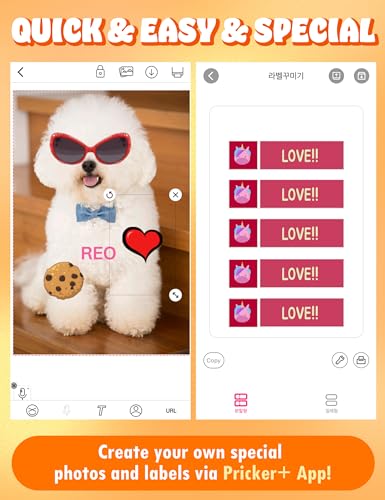
- User-Friendly App Control – Control your printing via a dedicated mobile app. This feature provides a seamless user experience, making printing photos as easy as a few taps on your smartphone.
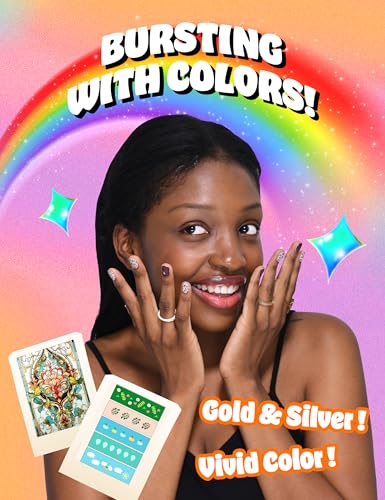
- Vibrant Color Output – The Pricker+ uses dye sublimation technology to produce high-quality color prints, ensuring your stickers and photos look stunning in shades of gold, silver, and full color (CYMK).
- Generous Input Capacity – With a maximum input sheet capacity of 10, you can print multiple stickers in one go, ideal for parties, scrapbooking, or personal projects.
- Rechargeable Battery Included – Enjoy the freedom of wireless printing with the included Lithium Ion battery allowing for convenient, battery-powered use wherever you are.
Price Comparisons Across Suppliers
When considering the Pricker+ 6PASS Wireless Portable Photo Sticker Printer, it’s essential to look at the pricing trends. Over the past six months, prices have varied across different suppliers, with fluctuations based on stock availability and promotional offers. On average, the current price ranges from $99 to $129, depending on the retailer. Regularly checking for price comparisons on our site can help you secure the best deal!
Insights from the 6-Month Price History
Analyzing the 6-month price history chart, we see a recent spike in demand, likely due to increased interest in portable printing solutions for events and personal use. Prices initially hovered around $99 but have seen offers go as high as $129 during peak shopping seasons. This trend highlights the printer’s growing popularity, so don’t miss out on competitive prices when purchasing.
Customer Reviews: What Users Are Saying
The Pricker+ 6PASS Wireless Portable Photo Sticker Printer has garnered a mix of feedback from users. Here’s a summary:
- Positive Feedback: Customers love the portability and the quality of prints. Many highlight the ease of connectivity through Bluetooth and the intuitive app interface.
- Negative Feedback: Some users have noted that the printer can be a bit slow, especially when printing multiple stickers. A few customers also mentioned issues with paper jams, although these were not common complaints.
Related Videos to Enhance Your Experience
For those wanting to see the Pricker+ 6PASS Wireless Portable Photo Sticker Printer in action, several unboxing and review videos are available on platforms like YouTube. These videos offer a glimpse into the setup process, print quality, and overall functionality. Watching these reviews can help you make an informed decision before purchase.
Why Choose the Pricker+ for Your Photo Printing Needs?
The Pricker+ 6PASS Wireless Portable Photo Sticker Printer stands out not only for its design and functionality but also for the quality it delivers. Whether you’re a photography enthusiast or just looking to create fun stickers for personal use, this printer is a reliable choice.
With the growing interest in portable printing solutions and competitive pricing, now is the perfect time to invest in the Pricker+. Don’t miss the chance to enjoy convenient, on-the-go printing.
Compare prices now! Discover the best offers and get your Pricker+ 6PASS Wireless Portable Photo Sticker Printer today!
Pricker+ 6PASS Wireless Portable Photo Sticker Printer Specification
Specification: Pricker+ 6PASS Wireless Portable Photo Sticker Printer
|
Pricker+ 6PASS Wireless Portable Photo Sticker Printer Reviews (8)
8 reviews for Pricker+ 6PASS Wireless Portable Photo Sticker Printer
Only logged in customers who have purchased this product may leave a review.
kb –
The printer works well once you get it to work. The app is difficult to use and navigate though. The replacement cartridges are a little expensive too. This is super fun for teen, tween, kids, crafters, etc. I worry about the availability of the cartridges and the price is too high in my opinion, but fun printer.
Abbs –
Was really fun to figure this out but into an awesome printer . I was able to print out labels for my storage closet . Comes with cartridges and the app is really easy to use !
Bling –
The media could not be loaded.
This is so much fun. It was easy to use. Overall the pictures came out very good. Great printer. Highly recommended
Customer –
The Pricker Plus is a very small sticker printer that is fun and easy to use. It requires an app to function. I initially had a little trouble getting it to work but eventually figured out my simple mistake. I found this gadget to be fun and convenient, although it’s a little noisy. The images look pretty good but don’t expect high-resolution photos. The overall build of the Pricker seems high quality and it should be dependable.
Setting up the printer was easy, although using it required a simple step I missed. The included info sheet simply shows how to install the cartridge and power it on and off. I charged the printer using the included cable with my own charger. Then I installed the app and paired the printer to my Samsung S21 Ultra phone. While turned off, I Inserted the label cartridge. When I turned the printer back on, it made an awful sound like a giant spring being sprung. I got used to it because this happens every time I turn it on with a cartridge inside. Now for creating my stickers!
The app template lets me choose their images or I can choose from my own gallery or camera. I made a photo sticker with the large cartridge then I created a set of sample labels to test the printer. I was disappointed that I did not have a choice of font styles for my own text if adding to most of the templates. I was able to find a font type for the label template. However, it wasn’t as clear as it should have been. Only the top font option was in written English. The others in the list are in Korean. However, if you click one of them you’ll see your text appear in different font style and not in Korean. I hope that makes sense. I’ve attached photos to help. Otherwise, designing my stickers was easy. Now to print.
I clicked the print button on the app. A white window popped up that had 3 icons: a spinning oval, BlueTooth symbol, and an X to exit the screen. Since my phone was paired with the printer, I also saw the name of the printer on the white popup. Nothing happened. I clicked the oval and it would spin. I clicked the BlueTooth icon and nothing happened. I eventually discovered that I needed to click the printer name that appeared. Seems simple enough in hindsight, but there was nothing to indicate this needed to be done. Screenshot attached.
When I clicked the printer name, the Pricker began to do its thing. The sticker sheet made a few noisy passes back and forth until it finished. The images were just fine. Not photo quality, but just fine. The colors were fairly close to true, as compared in the image I am attaching.
Replacement cartridges are a little pricey so don’t buy this for your kids. Also, it seems to be a lot of plastic to discard since each cartridge only holds 10 small sheets. The full range of cartridges is available here on Amazon, including printable nail stickers. Save your boxes to store your cartridges when not in use since they are delicate.
Before ordering this printer, I checked out the brand and discovered it was the product of DSGlobal Co., Ltd., a Korean company well-known for similar products. Some of their products are exclusive to LG, a trusted brand. DSGlobal does not appear to offer product support on their website There is a tiny info icon on the app. When I clicked it, it simply brought up an animated graphic showing how to insert the cartridge. All text is in Korean. If you need support, do so through the Amazon messaging system. I contacted them to inquire about my problem and they responded quickly.
Overall I do like this little printer. It’s versatile and serves a purpose my big printer can’t fulfill. It’s portable and would be a lot of fun to bring to family gatherings, too. I would recommend it to my own friends and family. My only issue is the lack of font styles, but otherwise, it’s great.
Cameron –
Printer for phone. Easy to setup. Works good. No issues. Good quality. Easy to use
Customer –
The media could not be loaded.
I really wanted to like this portable photo printer, but ultimately it was a big let down.
For $160 (current list price), you get the photo printer, 2 cartridges (10pk photo paper, 10 pk labels), and a charging cable. The whole presentation and packaging was nice and cute – very giftable.
When I first got the printer, I let it fully charge before messing with it. You will also need to install the Pricker+ app. I was pleasantly surprised how easy it was to set up and start using the printer. The first photo I printed came out fuzzy and with faint lines running up and down the image – it looked okay from a distance, but closer up, I can’t say it was a nice clean print out. There aren’t many settings you can adjust in the app, so I tried printing a few of their stock images and colors and text within the app. Some colors were a good match, and some were a bit off. I do a lot of graphics printing, so I know the colors on a bright, blacklit, vivid phone screen won’t look exactly the same as a print out… but some colors were just flat out wrong. And again, the simple images were a bit fuzzy.
Each photo takes about 2.5 to 3 min to print – it goes through 6 passes in and out of the machine.
As of this review, refills for this printer (with 10 prints) is, in my opinion, pretty steep at about $17 plus tax.
I then swapped out the photo cartridge and installed the label cartridge. Sadly, I spent some time creating a lot of different images, fonts (cute options!), and colors to test out how labels print…. but I kept getting an error that the paper couldn’t be ejected. I closed out the app and restarted the printer. I again got the same error. I then referred to the user manual for troubleshooting, tried tapping the cartridge (as recommended) and still could not get it to work. After trying a few more times, I gave up.
I removed the label cartridge and reinserted the photo cartridge to see if it would still work, and it did. But the photo quality wasn’t any better.
All in all, IF the label cartridge wasn’t faulty, I would still feel that $160 + the refill price is a steep price for the quality of the prints and price/quantity of sheets per cartridge you get. If you want to print fun photos or labels or nail stickers with ease for a party or something and you’re okay with colors looking close enough and not crisp and clear, then maybe this is the printer for you. It’s kind of along the lines of the instant Polaroids – but not quite as good as Polaroids.
For quick, decent photo prints that give a better quality (up to 4×6 but as small as 2×2 passport photos – or smaller), I have been liking the Canon SELPHY CP1300. It isn’t ultra portable like the Pricker+ (no internal battery, a bit larger footprint), but the quality of the prints (as good as it can get with ribbons anyway) and speed and settings are much better. That said, set up was a pain. Once I got it going though, it’s been smooth sailing.
techmuscle –
When you get this working, it works well. Unfortunately, the app is difficult to navigate (I used iOS), the replacement cartridges are expensive, and, as others have noted, one can not find the right sized paper to refill the cartridges.
As I stated earlier, when you get it working it works well. The size is good and it’s not heavy, so it’s easy to travel with. And it’s super fun an convenient. Great for sharing memories with friends on the spot.
If they have a cost-effective way to refill the paper, and tighten up the app a bit, this is an excellent product.
Kat LHP –
I don’t know how to list all the problems. First of all when it does work the pictures are adorable. I was able to print one before my printer the cartridge jammed. Giving me an error. The manual on the app is in Chinese. And the error message that popped up on the app said to call customer service with a phone number in China! It is being returned. Don’t waste your money or time.