
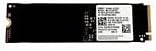
SAMSUNG PM991 MZVLQ256HBJD 256GB PCIe NVMe SSD
 Amazon.com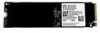
$25.99
SAMSUNG PM991 MZVLQ256HBJD 256GB PCIe NVMe SSD Price comparison


- All prices mentioned above are in United States dollar.
- This product is available at Amazon.com.
- At amazon.com you can purchase SAMSUNG PM991 (MZVLQ256HBJD) 256GB M.2 2280 PCIe NVMe Internal Solid State Drive (SSD) Bulk OEM Tray for only $25.99
- The lowest price of SAMSUNG PM991 (MZVLQ256HBJD) 256GB M.2 2280 PCIe NVMe Internal Solid State Drive (SSD) Bulk OEM Tray was obtained on September 24, 2025 08:29.
SAMSUNG PM991 MZVLQ256HBJD 256GB PCIe NVMe SSD Price History
SAMSUNG PM991 MZVLQ256HBJD 256GB PCIe NVMe SSD Description
Experience Unmatched Performance with SAMSUNG PM991 MZVLQ256HBJD 256GB PCIe NVMe SSD
Looking for a high-speed, reliable storage solution? The SAMSUNG PM991 MZVLQ256HBJD 256GB PCIe NVMe SSD is designed to enhance your computing experience. With lightning-fast read and write speeds, this solid-state drive offers the perfect upgrade for your laptop or desktop. Discover why this SSD stands out in the crowded storage market.
Key Features and Benefits
- High Storage Capacity: With 256 GB of storage, the PM991 is ideal for storing critical files, applications, and media content without the worry of running out of space.
- Rapid Data Transfer Rates: Enjoy write speeds of up to 1300 megabits per second, providing the speed necessary for smooth multitasking and quick boot times.
- Compact Design: Measuring just 1.65 x 0.86 x 0.09 inches, this SSD fits perfectly into tight spaces and is compatible with a variety of devices.
- Durability: Built with high-quality components from Samsung, the PM991 offers enhanced data integrity and durability, making it suitable for everyday use.
- Energy Efficient: Its efficient design ensures your laptop’s battery lasts longer while maintaining optimal performance levels during use.
Price Comparison for SAMSUNG PM991 MZVLQ256HBJD 256GB PCIe NVMe SSD
When it comes to pricing, the SAMSUNG PM991 is competitively priced across various retailers. Our price comparison tool allows you to find the best deals currently available. Keep an eye out for price fluctuations, and discover which supplier offers the most cost-effective option for your intended purchase. Whether you’re checking online platforms or local electronics stores, our tool keeps you informed.
6-Month Price History Insights
The 6-month price history chart indicates some notable trends. Over the last six months, the price of the SAMSUNG PM991 has varied significantly with periodic discounts occurring during seasonal sales. This fluctuation indicates an opportunity for prospective buyers to purchase the product at a lower price point.
Customer Reviews and Insights
Feedback on the SAMSUNG PM991 has been overwhelmingly positive. Customers frequently commend the drive’s speed, noting a marked improvement in boot times and application loading. Many reviews remark on the reliability and build quality, praising Samsung’s longstanding reputation in the SSD market. Users have reported seamless performance when using this SSD for both everyday tasks and intensive applications like gaming and video editing.
However, some users have expressed concerns regarding the storage capacity, indicating that 256 GB may be limiting for those with extensive libraries of media files or larger software applications. Nevertheless, for most users, it strikes an excellent balance of speed and capacity.
Engaging YouTube Reviews and Unboxing Videos
Want to see the SAMSUNG PM991 in action? Check out various review and unboxing videos on YouTube. These videos showcase installation processes, performance benchmarks, and real-world applications. They provide valuable insights, especially for first-time SSD users curious about performance and setup.
Final Thoughts
The SAMSUNG PM991 MZVLQ256HBJD 256GB PCIe NVMe SSD is a powerful upgrade for any computer, delivering speed, reliability, and efficiency. With its compact design and competitive pricing, it’s perfect for users looking to enhance their storage capability without breaking the bank. Don’t miss out on finding the best price available!
Don’t wait! Compare prices now and elevate your storage experience with the SAMSUNG PM991!
SAMSUNG PM991 MZVLQ256HBJD 256GB PCIe NVMe SSD Specification
Specification: SAMSUNG PM991 MZVLQ256HBJD 256GB PCIe NVMe SSD
|
SAMSUNG PM991 MZVLQ256HBJD 256GB PCIe NVMe SSD Reviews (12)
12 reviews for SAMSUNG PM991 MZVLQ256HBJD 256GB PCIe NVMe SSD
Only logged in customers who have purchased this product may leave a review.






Dario L. –
Il prodotto fa egregiamente il suo lavoro… Per l’ampliamento di notebook non troppo recenti è una soluzione ideale, economica ed affidabile (io ho aggiornato un LENOVO V510 aggiungendo questo HDD come avvio e lasciato quello SATA già installato per la cartella Users).
Il venditore (per un piccolo problema) ha risolto praticamente nel giro di 24 ore.
Conviene contattare il venditore (cordiale e disponibile) e fornirgli le misure della lunghezza del blocco dell’alloggiamento M2 (30,42, 60, 80mm) poichè non tutti i notebook dispongono della doppia vite di serraggio (Lenovo in primis)
Roberto Peria –
prodotto di buona qualità, fa il suo compito, funzionamento perfetto
Erik Oosterbaan –
Although the storage capacity was small, there are always bigger SSDs on the market. It was easy to install and works like a charm. I recommend it as the drive to handle your OS while you can store larger files on other larger drives.
Eddie R. –
No issues so far
Nico –
I used 4 of these. No issues except that Samsung Magician would not work with it. That means we can’t upgrade the firmware in the future. It is what it is.
Steve –
Stopped working after a hot minute
Az –
Sin problemas con el SSD
InteresseZero –
Funzionante e performante
KP –
This drive came with a Windows 10 install on board, uses a SATA connection, not NVME, and is made by Western Digital, not Samsung. This device is clearly a random used disk, and is therefore a scam.
Rafael –
Tout est dans le titre
Amazon Customer –
This Samsung SSD is worth it for me. I bought this to go in with my SSD Enclosure to carry with me to use only for a USB storage to store my documents and Homework and I have to say its worth it. it came very fast in One day, the storage is Very nice. for gaming I only give it 2 stars because 256GB Is not going to cut it for games. games in todays world the storage Amount it takes up is insanely ridiculous. I would go for 1Tb + if you are going to buy this for games. But for me this is exactly what I was looking for. But Overall its all 5 Stars + For me. I would definitely recommend buying from this dealer. Thank you again!
Erik Oosterbaan –
I have a Dell Latitude and was not aware of a hiding m.2 PCIe slot behind the original HDD. Since I decided to upgrade a few things (on a budget too), I searched long and hard to find this particular product. My original HDD was 500 GB, but it turned out I only was using 80 in total. This is because, nowadays everything is streamed online so there’s really not a whole lot of use for excessive personal space. Just to let you know there is a caddy and thermal plate that each laptop will need to properly install a new SSD. The MFR will have the part listed and surely you will find it on Amazon (https://a.co/d/4ne5GG3). Secondly, reinstalling the OS on the new drive is treacherous. I opted to heed online advice and go ahead and clone the drives. That part went without a hitch, I didn’t have to set up anything else after. I even used a free cloning utility called DiskGenius. It will accommodate two different sized drives and partition them correctly. Once again you may not be able to tell when you are shopping but many of these products are actually name-brand and super high quality, such as this one. Think of your size requirements too. SSD drives have to Defrag like hard drives, only they call it TRIM and basically that means overwriting old data like HDDs, SSDs have to erase the block and rewrite it. I know I am a data hoarder but think of what you really need. You can always upgrade the size. 256 GB is a fast dream, holds my OS, programs I really dont need, and many of my steam Games with still plenty to spare. Most laptop chassis have a hidden spot for more storage if you need it. But you won’t.