
Anker USB-C Hub, 10-in-1 Monitor Stand
$149.99
Anker USB-C Hub, 10-in-1 Monitor Stand Price comparison

- All prices mentioned above are in United States dollar.
- This product is available at Amazon.com.
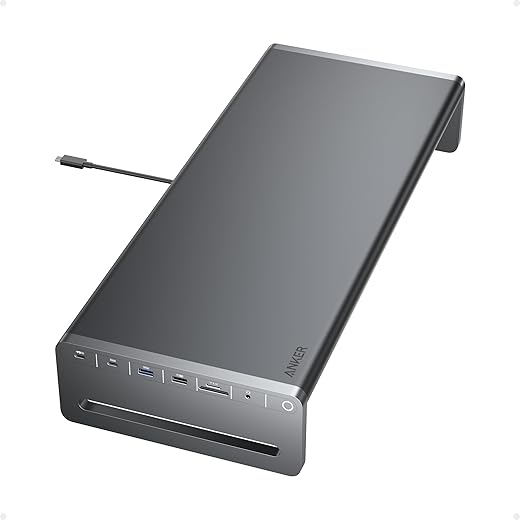
- At amazon.com you can purchase Anker USB-C Hub, 10-in-1 Aluminum Monitor Stand with 85W Max Charging | 5Gbps USB Ports, 4K@60Hz HDMI, Built-in 3.3ft Cable, Clutter-Free Desk for MacBook, Dell and USB-C Devices for only $149.99
- The lowest price of Anker USB-C Hub, 10-in-1 Aluminum Monitor Stand with 85W Max Charging | 5Gbps USB Ports, 4K@60Hz HDMI, Built-in 3.3ft Cable, Clutter-Free Desk for MacBook, Dell and USB-C Devices was obtained on October 17, 2026 21:32.
Anker USB-C Hub, 10-in-1 Monitor Stand Price History
Anker USB-C Hub, 10-in-1 Monitor Stand Description
Anker USB-C Hub, 10-in-1 Monitor Stand: The Ultimate Connectivity Solution
The Anker USB-C Hub, 10-in-1 Monitor Stand is a game changer for anyone looking to maximize their workspace efficiency. This hub seamlessly blends functionality and design, providing a comprehensive solution for modern-day connectivity needs. Whether you’re a professional, student, or gamer, this device enhances your workspace while ensuring you have all the ports to connect your devices effortlessly. Read on to discover key features, pricing trends, and customer insights that make this product a must-have.
Key Features of the Anker USB-C Hub
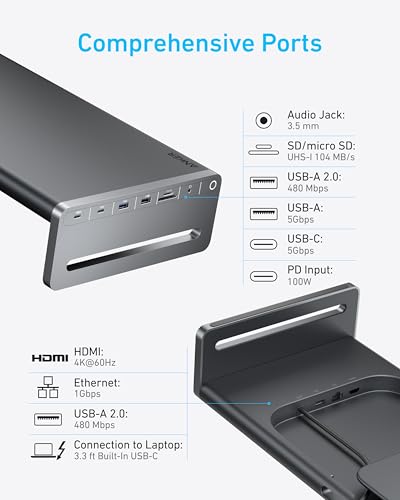
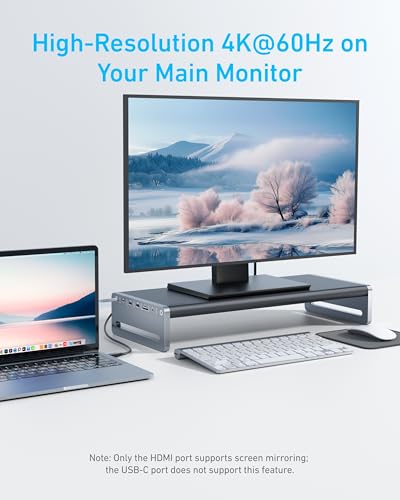
- 10-in-1 Functionality: With 10 different ports, including HDMI, USB 3.0, and Ethernet, you can easily connect multiple devices without the clutter.
- Ultra-Compact Design: The dimensions of 22.64 x 9.84 x 4.92 inches combined with a lightweight of 3.3 pounds make it a portable choice for on-the-go professionals.
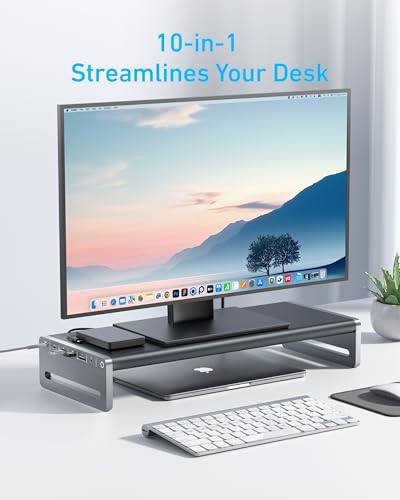
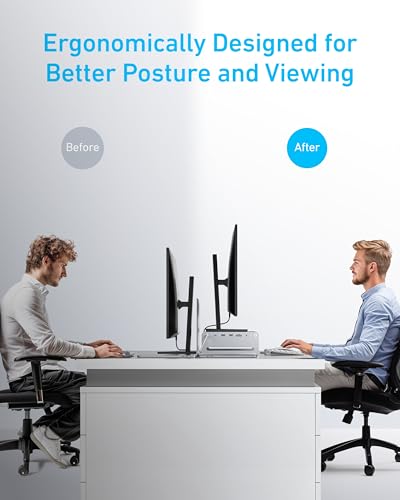
- Sturdy Monitor Stand: This hub doubles as a monitor stand, elevating your screen for ergonomic comfort and optimizing your desk space.
- High-Speed Data Transfer: Experience lightning-fast data transfer speeds of up to 5GBps with USB 3.0 ports, minimizing waiting time for file transfers.
- 4K HDMI Output: Enjoy vivid 4K video output on your monitor or TV, making it perfect for presentations, gaming, or binge-watching.
- Plug and Play: No driver installation is required. Simply plug it into your USB-C port, and you’re good to go.
Price Comparison Across Suppliers
When shopping, it’s essential to find the best deal. The Anker USB-C Hub is competitively priced. Over the past six months, pricing has varied, with notable peaks during promotional sales and holidays. On average, the price has remained stable, making it a reliable choice for those looking to invest in quality connectivity.
6-Month Price History Trends
The price history of the Anker USB-C Hub shows relatively stable pricing, with minor fluctuations during sale events. An ideal purchasing window occurs during major shopping weekends like Black Friday or Cyber Monday, offering substantial savings opportunities.
Customer Reviews: What Users Are Saying
Customer feedback is crucial for understanding product performance. Many users rave about the versatility and range of ports. The convenience of having a monitor stand integrated into the hub is highly appreciated, improving workspace aesthetics and organization. Additionally, users frequently highlight the ease of setup and consistent performance.
However, some reviews note that the weight of the hub can make it less portable for travelers. Additionally, a few users have experienced connectivity issues with older devices. Despite these minor drawbacks, the overall reception remains overwhelmingly positive.
Highlighting the Best Aspects
- Excellent build quality and durability.
- Comprehensive connectivity options for various devices.
- Enhanced ergonomics through monitor elevation.
- Fast and reliable data transfer.
Notable Drawbacks
- Weight may be cumbersome for travel.
- Compatibility issues with some older devices.
Explore Related Unboxing and Review Videos
For those curious about the Anker USB-C Hub, 10-in-1 Monitor Stand, we recommend checking out various unboxing and review videos available online. These resources provide in-depth insights into the product’s performance and practical applications. Watching these videos can help you visualize how it fits into your life and whether it meets your needs.
Why Choose the Anker USB-C Hub?
This hub is an essential addition for anyone striving for an organized and efficient workspace. Its combination of features, user-friendly design, and positive customer feedback positions the Anker USB-C Hub as an excellent investment. With ample connectivity options and a focus on durability, you won’t regret choosing this product.
Don’t miss out on the opportunity to streamline your workspace. Take advantage of the available prices and compare options before making a purchase. Grab the Anker USB-C Hub, 10-in-1 Monitor Stand today and enhance your connectivity features!
Compare prices now!
Anker USB-C Hub, 10-in-1 Monitor Stand Specification
Specification: Anker USB-C Hub, 10-in-1 Monitor Stand
|
Anker USB-C Hub, 10-in-1 Monitor Stand Reviews (5)
5 reviews for Anker USB-C Hub, 10-in-1 Monitor Stand
Only logged in customers who have purchased this product may leave a review.






PickyProductPundit –
I have many Anker products. It’s a brand I like and trust so I jumped at the chance to order this 10-in-1 Aluminum Monitor Stand. It meets my high expectations for quality of build and attractive, efficient, and minimalistic design.
I’ve currently got the stand on my spouse’s desk. It’s holding a 27″ monitor and 4-port USB hub on the shelf and fits perfectly over his Mac Mini. The “issue” I encountered rather quickly was the limited number of USB-A ports. My spouse prefers a wired keyboard and roller mouse; he also has a USB architect’s lamp and, for reasons, a wired printer – thus the need for a USB hub. So, to be honest, the only real lifting this unit is doing currently is physically lifting his monitor so the Mac Mini fits underneath. It’s a good setup but would probably be difficult to justify the $150 price tag just for that.
My plan is to steal the stand when I’m ready to reconfigure my own WFH desk. I’ll be able to make better use of the 10 ports included on the stand. The depth of the stand is perfectly matched to my 14″ MBP; it fits underneath with lots of extra space to the side but nothing sticking out in front or back when I clamshell it and use an external monitor. I like switching up my desktop and/or monitor configuration depending on my task and mood. This Anker stand will expand the possibilities.
The one thing I’d recommend when evaluating this stand (as with any product from Anker or other manufacturer) — be sure to check the specs. Does this stand have the ports you need for the peripherals you use? I personally could have done without the headphone jack and would have preferred another USB port but the inclusion of both SD and micro SD slots is greatly appreciated.
PickyProductPundit –
First order of this had an issues where it wouldn’t stay on and the white power light kept flickering or fading on and off rapidly. I requested a replacement and the new unit works perfectly in every way.
I tested all features and ports and first thing to note I was only able to pull 150 MB/s off the USB-C (5gbps) port with a NVME mounted in a 10gb capable enclosure. If data speed is important to you this hub may not be what you are looking for. The USB-A ports were good and suffered the same bottleneck of 150 MB/s using a SanDisk Extreme Pro 4tb NVME portable drive. I gathered that 150 MB/s would be the highest speed achievable by these ports which is still good enough for casual usage and nothing archive/data intensive.
Network ports synced up to 1Gpbs no issues, and the HDMI was able to output 720p and 1080p @60hz with no issues and no artifacts or anamolies.
The build of the actual stand is solid aluminum and the finish is a powdered hardened surface that gives the feeling of quality.
The 100w PD charging also works perfectly to charge my win11 tablet PC which only draws 65w and had no issues with powering all peripherals plugged in at the same time.
The only thing not tested for me is the media slot in which I didn’t have my 1TB SD and microSD handy. Should I run into performance or heating issues I will update immediately.
For the price, build quality, and features I’m a bit neutral as the 5gpbs USB-C ports irritates me a bit, but if you can overlook that issue then this is a definitely highly recommend.
Anker makes great products! For this product only the speed of the USB-C port is a black eye.
magicmoose –
Anker really makes some of my favorite tech items. And I have to say, this one is not an exception.
The core functionality of this is to, of course, get all those dumb cords out of the way and get the desktop much more organized. At that this performs more than admirably. Main use here is as a docking station type thing for my laptop. I’m able to connect the USB-C which handles both charging and display duties to the desktop screen. Works like crazy.
Appreciated though are the extreme multitudes of ports. For Time Machine I have an external drive hooked up to one of the other USB ports, and I also make regular use of the SD reader. The latter is particularly valuable since the MacBook Pro doesn’t have one of those integrated.
More than that though, is how well it works with my dedicated gaming laptop. The hub, again, is magnificent.
Build is rock solid.
Love this thing to death. It’s fantastic.
J. Tant –
I’ve been wanting to up my home office game and thought having a combo monitor stand and USB C hub was the answer. I’m an Anker fan boy, so my only decision was getting the 12-in-1 or the 10-in-1.
My first complaint is the price difference between the 12 and 10. I opted for the 10 in 1 since an Anker wireless charger is only like $15, so why pay more to have it built into the monitor stand?
I opted for a 27″ monitor and was surprised that the base was too big for the stand. I get the base doesn’t need to be that big, but I feel like 27″ is on the smaller side these days and the Samsung monitor stand is incredibly common.
I see that the stand doesn’t come with a power brick and cable, but given the price and the fact that we need a 100 w brick and compatible cable, that is a corner they shouldn’t cut.
This next criticism is partially due to the lack of foresight of my own, but the ports are all on the left. If you are right-handed and want to wire a mouse and/or keyboard, you have to run your cables around the back, which doesn’t help reduce the clutter.
The unit doesn’t come with documentation, which, I get it, plug plugs into plug, but the ports are so poorly laid out, I was scratching my head about which USB C ports should be used for what. If I were to design this, the primary power source would be on the back or bottom.
One of the better features is the cable channeling on the bottom with HDMI, the input cable, ethernet, and a USB port on the bottom.
My complaints aside, it was the best option I saw for price and features.
John Clark –
Versatility is +++