
ASUS ProArt PA90 Mini PC Workstation
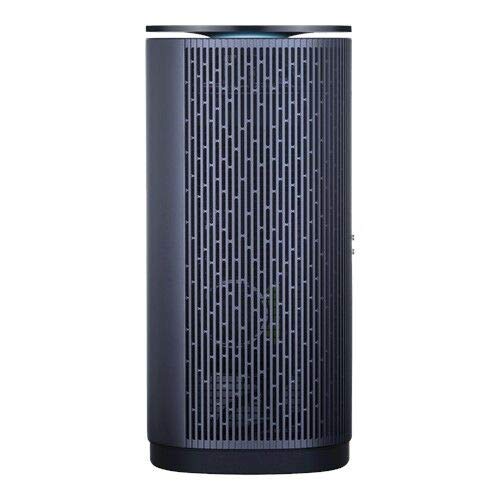
ASUS ProArt PA90 Mini PC Workstation Price comparison

- All prices mentioned above are in United States dollar.
- This product is available at Amazon.com.
- At amazon.com you can purchase Asus ProArt PA90 Mini PC Isv-Certified Workstation, Intel i7-9700K, NVIDIA Quadro P4000 Graphics, 512GB SSD, 1TB HDD, 16GB DDR4, Bluetooth Keyboard &-Mouse, DisplayPort, 802.11AC Wifi, Bluetooth 5.0 for only $999.99
- The lowest price of Asus ProArt PA90 Mini PC Isv-Certified Workstation, Intel i7-9700K, NVIDIA Quadro P4000 Graphics, 512GB SSD, 1TB HDD, 16GB DDR4, Bluetooth Keyboard &-Mouse, DisplayPort, 802.11AC Wifi, Bluetooth 5.0 was obtained on September 24, 2025 10:44.
ASUS ProArt PA90 Mini PC Workstation Price History
ASUS ProArt PA90 Mini PC Workstation Description
Discover the ASUS ProArt PA90 Mini PC Workstation
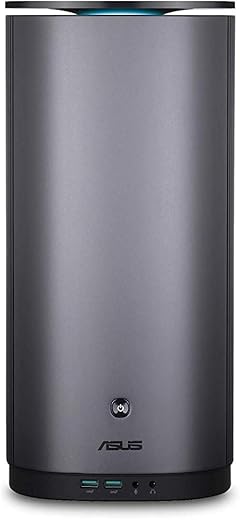
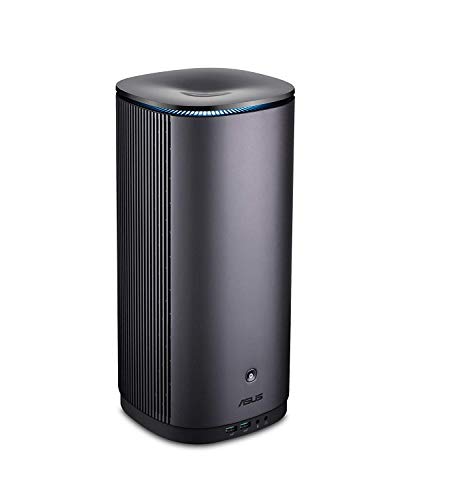
The ASUS ProArt PA90 Mini PC Workstation is designed for professionals who demand power in a compact form factor. With cutting-edge technology and top-tier specifications, this workstation is ideal for graphic design, video editing, and 3D rendering. If you’re searching for a new workstation that combines exceptional performance with portability, the ASUS ProArt PA90 Mini PC is the perfect choice. **ASUS ProArt PA90 Mini PC Price** is highly competitive across multiple suppliers, making it a fantastic investment for your professional needs.
Key Features and Benefits
- Stunning Display Resolution: With a screen resolution of 3840 x 2160, the ASUS ProArt PA90 delivers ultra-clear visuals. Ideal for design tasks where color accuracy is crucial.
- Powerful Processor: Equipped with a 2133 MHz Intel Core i7-6560U processor, this workstation ensures smooth multitasking and rapid data processing.
- Ample Memory: The workstation features 16 GB of DDR4 RAM. This capacity allows you to run multiple applications and manage large projects efficiently.
- Robust Storage Options: With a 1 TB HDD combined with a 512 GB SSD, users benefit from both the expansive storage space of the HDD and the lightning-fast access speeds of the SSD.
- Advanced Graphics: The NVIDIA Quadro P4000 graphics coprocessor, featuring 8 GB of dedicated RAM, is optimized for professional applications, providing excellent performance for graphical tasks.
- Compact Design: Measuring just 6.9 x 6.9 x 14.37 inches and weighing 11.15 pounds, the ProArt PA90 is highly portable without compromising on performance.
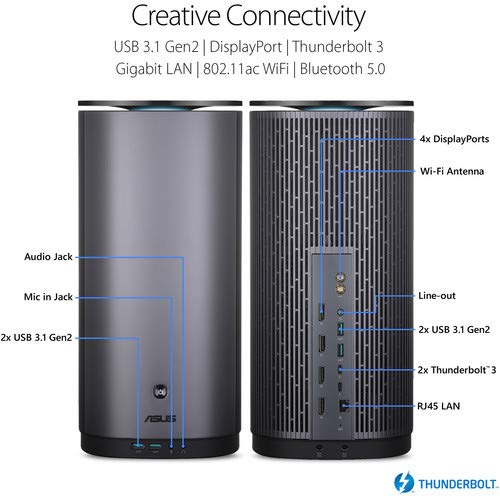
- Wireless Connectivity: With 802.11ac Wi-Fi and Bluetooth capabilities, stay connected with ease and enjoy fast file transfers.
- User-Friendly Operating System: Runs on Windows 10 Home, offering a familiar interface for a seamless user experience.
Price Comparison Across Suppliers
When looking for the best **ASUS ProArt PA90 Mini PC Price**, it’s essential to compare various suppliers. This mini workstation ranges in price depending on promotions and retailer prices. With over 50,000 products on our site, you can seamlessly find varied pricing options. This ensures you secure the best deal. Don’t miss out on seasonal sales or special vendor discounts that frequently occur throughout the year.
6-Month Price History Trends
Our 6-month price history chart illustrates an interesting trend. Over the last few months, the prices have fluctuated but have generally stabilized, providing insight into when to buy. The best time to purchase the ASUS ProArt PA90 Mini PC was during sales events, leading to significant discounts off the average price. Keeping an eye on these trends can help you make informed purchase decisions.
Customer Reviews and Experiences
Customers rave about the ASUS ProArt PA90 Mini PC’s performance, particularly highlighting its exceptional graphics capabilities and compact design. Many users have praised its handling of demanding applications like Adobe Creative Suite and various CAD programs. However, some reviews suggest that the system’s weight could be a consideration for those seeking a more lightweight option. Overall, users appreciate its power and accessibility, consistently rating this mini workstation highly.
Explore Unboxing and Review Videos
Enhance your understanding of the **ASUS ProArt PA90 Mini PC Workstation** by checking out available unboxing and review videos on YouTube. These videos provide a closer look at the workstation in action and highlight its features, performance tests, and real-world applications. They offer an excellent way to see how this powerful workstation fits into a professional workflow.
Why Choose the ASUS ProArt PA90 Mini PC Workstation?
The ASUS ProArt PA90 Mini PC Workstation stands out for its combination of power, functionality, and space-saving design. Whether you’re a creative professional, an engineer, or anyone needing serious computing power, this mini workstation meets and exceeds expectations. Its top-tier components ensure you can rely on it for your most intensive projects.
Make the Smart Choice
Don’t miss out on the opportunity to elevate your productivity. Compare prices now! The ASUS ProArt PA90 Mini PC Workstation offers unmatched value for those in need of a versatile and capable workstation. With its unparalleled specifications and capabilities, it’s designed to help users take their work to the next level. Compare suppliers and lock in your deal today!
ASUS ProArt PA90 Mini PC Workstation Specification
Specification: ASUS ProArt PA90 Mini PC Workstation
|
ASUS ProArt PA90 Mini PC Workstation Reviews (9)
9 reviews for ASUS ProArt PA90 Mini PC Workstation
Only logged in customers who have purchased this product may leave a review.





Stéphane Bourque –
Excellent quality product!
Foxter55 –
It works great!
But I though the operating system is Windows 10 Pro!?
JZ –
Solid system. Cranks through photoshop and illustrator projects in real time. Handles most gaming needs as well with fairly high settings. I did upgrade the RAM quite a bit to 48gb though. All in all recommend for image processing.
Foxter55 –
Product comes with no documentation with is ok since it is just a Win PC but it is a unique chassis design and not easy to open up. Which screws open it and which screws are holding pieces in place? Also it appears all screws are secured with a pretty good strength loctite and it required a screw driver and wrench to loosen them.
I bought the 16GB version and wanted to immediately upgrade it to 32GB. Even though the product says it is expandable to 64GB, ASUS support would provide no guidance on getting to the card slots. They said they have no manuals for it and they do not intend for users to open it up.
I got a strong impression that no matter what problem you have they are not going to help you. So bottom line is that it is a pretty nice product and on-par with similar solutions from other companies. I liked that it ISV certified. But don’t buy this if you want or need any support whatsoever.
SpazBoyPlus –
Fast. Love the way it doesn’t take up much room on my desk. And the GPU is perfect
JZ –
Solid studio editing machine, perfect for Adobe Creative Suite. Upon arrival added an additional 2x 16Gb DDR4 sticks, swapped the 1TB 2.5 7200rpm for a 2TB 2.5 SSD and added a 2TB Intel 660p to M.2 slot. Found this system easy to work on and well designed. Everything recognized on boot up. Removed bloatware, updated Nvidia studio driver. Configured Adobe to use my 2TB ssd for cache and the 2TB Nvme drive for media. This things rips! Compared to my 8-core 2019 Macbook Pro. Use to wait for the machine, now the machine waits for me! Exports, multicam with mixed formats no problem. Wish I had this system sooner!
PPBIS –
The photos are from before start up. I was a little suspicious that it wasn’t brand new. Then it started making noise right from the the start. My guess was fan issues. So I had to return it 😭.
travis –
You cannot build a workstation for the price this was on sale for. We bought 2 and suddenly we’re our ahead of the curve.
M. Baughn –
This mini pc is perfect for working with Autodesk Products like Autocad ……..