
Belkin Wireless N+ 300Mbps USB Adapter F5D8055
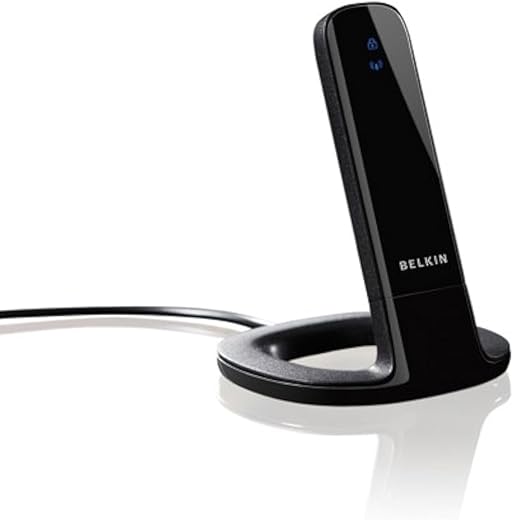
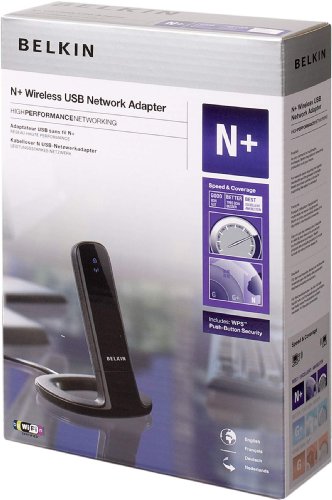
Belkin Wireless N+ 300Mbps USB Adapter F5D8055 Price comparison

- All prices mentioned above are in United States dollar.
- This product is available at Amazon.com.
- At amazon.com you can purchase Belkin F5D8055 Wireless N+300Mbps USB Adapter (Black) for only $89.65
- The lowest price of Belkin F5D8055 Wireless N+300Mbps USB Adapter (Black) was obtained on October 16, 2026 00:36.
Belkin Wireless N+ 300Mbps USB Adapter F5D8055 Price History
Belkin Wireless N+ 300Mbps USB Adapter F5D8055 Description
Discover the Belkin Wireless N+ 300Mbps USB Adapter F5D8055
Looking to enhance your wireless connectivity? The Belkin Wireless N+ 300Mbps USB Adapter F5D8055 offers seamless performance and reliable connections. Ideal for streaming, gaming, and browsing, this USB adapter transforms your device into a powerful Wi-Fi receiver.
Key Features and Benefits of the Belkin Wireless N+ USB Adapter
- High Wireless Speeds: Enjoy data transfer rates of up to 300Mbps. Perfect for high-bandwidth activities like HD video streaming and online gaming.
- Easy to Install: Plug-and-play functionality allows for quick setup. Get connected in no time, without the hassle of complicated installations.
- Extended Range: Equipped with N technology, the adapter provides a broader signal range, ensuring connection stability even at greater distances from your router.
- Compact and Lightweight: At just 1.6 ounces and measuring 8.6 x 2 x 6.1 inches, it’s easy to carry, making it ideal for portable use on the go.
- Compatible with Major Operating Systems: Works seamlessly with various operating systems including Windows and Mac, making it versatile for all types of users.
Price Comparison of the Belkin Wireless N+ 300Mbps USB Adapter
Pricing for the Belkin USB Adapter varies among suppliers, making it vital to compare prices to get the best deal. On average, the price fluctuates around $24.99 from online retailers. Compare prices across major platforms to secure the best rate available for the Belkin Wireless N+ USB Adapter.
Price Trends Over the Last 6 Months
The price history chart for the Belkin Wireless N+ 300Mbps USB Adapter shows notable trends, reflecting occasional drops during promotional events. Understanding these trends can aid in timing your purchase effectively to maximize savings.
Customer Reviews: Insights and Feedback
Customer feedback for the Belkin Wireless N+ USB Adapter is largely positive, with many users praising its performance and ease of installation. A review summary reveals:
- ***Positive Aspects:*** Users appreciate the high-speed connectivity, especially for streaming and gaming. Many evaluations highlight the extended range and stable connection.
- ***Drawbacks:*** Some customers report occasional issues with compatibility on certain older devices. Additionally, a few users noted that the adapter does not support certain advanced configurations.
Explore Unboxing and Reviews on YouTube
To gain a deeper understanding of the Belkin Wireless N+ 300Mbps USB Adapter F5D8055, check out popular unboxing and review videos on YouTube. These visual demonstrations can provide valuable insights and showcase the product’s capabilities in real-world scenarios.
Why Choose the Belkin Wireless N+ Adapter?
This USB adapter stands out due to its combination of robust speed, ease of use, and versatility. Whether you’re working from home, streaming your favorite shows, or engaging in online gaming, the Belkin Wireless N+ 300Mbps USB Adapter ensures a solid connection.
Having a high-quality USB adapter like the Belkin Wireless N+ not only enhances your wireless experience but also saves you from common connectivity frustrations. With convenient set-up and reliable speeds, it is an excellent addition to your tech accessories.
Compare Prices Now!
Don’t miss out on optimizing your wireless connectivity. Take advantage of the various features and stability offered by the Belkin Wireless N+ 300Mbps USB Adapter F5D8055. Make an informed purchase today by comparing prices from various suppliers!
Belkin Wireless N+ 300Mbps USB Adapter F5D8055 Specification
Specification: Belkin Wireless N+ 300Mbps USB Adapter F5D8055
|
Belkin Wireless N+ 300Mbps USB Adapter F5D8055 Reviews (4)
4 reviews for Belkin Wireless N+ 300Mbps USB Adapter F5D8055
Only logged in customers who have purchased this product may leave a review.
Related Products






rwh –
the unit is “sleek” looking. it installs easily (win7, 64bit – didn’t use disk, let win7 download drivers), picks up signal well at close range. the unit simply did not have the range i thought it would. i’m using a netgear n600 dual band router – it’s about 55 yards from my office where the computer is (hp dv7, atheros ar5009 wifi adapter). this belkin adapter got, at best, the same reception as my laptop. often, the laptop would get better. (there is a fairly straight shot between my office and my house – the 55 yard distance. the router is on one side of the house, my office is in a separate building – wooden structure with aluminum window pains – on the opposite side of the house.) i’m returning it to amazon.com only because of the range issue – everything else is fine with it.
p.s. i began with a netgear n150 simple sharing router – it seemed to have the same range as the n600 dual band. the 5Ghz band on the n600 does not reach as far as the 2.4Ghz band. after switching to the n600 and not getting exceptionally better signal strength, I wanted to try this belkin adapter to hopefully boost the reception.
That Guy –
Belkin’s customer service was atrocious.
When I tried to install this in my desktop (Windows 7 o/s), I was aware that the driver for the device was not on the disk that comes with the unit. I tried to use a few driver links listed in reviews, searched the Belkin website, and still could not find the driver for the adapter. So I called Belkin technical support and “Raj” assured me “no problem – we will fix this.” 45 minutes later, he told me the device would not work on a Windows 7 machine, and suggested I use it on another computer. So Raj was not so helpful.
Then I called Belkin customer service. They too said that there was no driver, but admonished me for buying an “old device” that was not a current enough version. They said I could return the device at my own expense for an exchange, whereby they’d send me a new adapter – BUT they could not guarantee that the device would work with a Windows 7 o/s! They told me they “are not set up to confirm compatibility” and were unapologetic about it. So Belkin’s solution was to play roulette with their warehouse, hoping you get a compatible adapter. That wasn’t really helpful either.
The upshot – I called the vendor and within five minutes they sent me a link to the correct driver. At Belkin’s website! The vendor sells a lot of Belkin materials, and intimated that my experience with Belkin was standard fare. So neither Belkin Tech Support nor Belkin Customer Service were able to find a driver in their own system.
Once installed, the wireless adapter has worked fine. It’s attractive and does not disconnect, so I’m keeping it. But with respect to Belkin itself, in the words of Bart Simpson “I didn’t realize it was possible to both suck and blow at the same time.”
BZB –
I bought a “Used – Like New” from Amazon Warehouse (it end up to be v2), to replace the laptop’s built-in Broadcom 54g and a PCMCIA Linksys 54g, they are both about the same speed, the Linksys is a tad faster than the Broadcom though, by a about 3 Mbps.
My router model & settings are:
* D-Link DIR-655
* Channel Width: Auto 20/40MHz
* Security Mode: WPA-Personal
Cable speed is 12Mbps
LAN test was transferring a 200MB file, speed & time to finish.
The laptop is 8ft away from the router, getting an excellent 5 bar reception & showing connected at 270Mbps.
====================
1st test with router setting WPA Mode set to: Auto WPA/WPA2
Linksys 54g:
* WAN 19.5Mbps
* LAN 19.5Mbps (approx) or 2 mins 1.79 secs
Belkin
* WAN 23Mbps
* LAN 47Mbps or 42.9 secs
====================
2nd test with router setting WPA mode set to: WPA2 Only (for better wireless performance)
Belkin
* WAN 23Mbps
* LAN 60Mbps avg, 71Mbps max or 27 secs
NOTE: Speed test with Avast Antivirus 6 Web Shield turned off, it’s Web Shield will slow the WAN speed down to about 15Mbps.
====================
I have my laptop hooked up to a LCD TV, mainly for browsing the net, watching Netlix, loading 12 Megapixel images and HD 720P vids from a desktop. With the 54g, the 12MP images were taking a horribly long time to load and the HD videos were constantly lagging. Now, the images load WAYYYY faster and the vids do not lag at all. I initially bought another brand, a “Rosewill RNX-MiniN2 300Mbps Wireless USB Adapter”, even though I was only using Auto WPA/WPA2, it was only getting about 15Mbps via WAN, and the same with LAN and taking 3 mins to transfer the 200MB file, so I returned that real quick.
All these adapters claiming 300Mbps is just BS, that’s just not going to happen in the real world. But, being able to get 60Mbps average is pretty damn good, almost as fast as my 10/100 at 77Mbps, heck my 10/100/1000 is at 112Mbps, so for wireless, not bad at all. The dongle is kinda big at 3″ long, but since my laptop is stationary, that’s not a big deal, as long as it works, I’m happy. The driver and utility were very easy to install, system recognized the hardware right away. I am running XP SP2, had to download the MS update to support WPA2.
BTW, DO NOT use the Belkin utility for your wireless connection, it is not that efficient and may actually be slower, use the Windows wireless support instead.
Robert Decoteau Jr. –
This adapter works fantastic, once it connected. My operating system is Windows 7 64 bit, this adapter was a little tricky to install (the trick is not to use the supplied software, just let Windows 7 handle finding hardware and installing its’ drivers). My upload and download speeds are exactly the same as my hardwire cable connection. I recommend this adapter.